alarm LINCOLN NAUTILUS 2021 Owners Manual
[x] Cancel search | Manufacturer: LINCOLN, Model Year: 2021, Model line: NAUTILUS, Model: LINCOLN NAUTILUS 2021Pages: 579, PDF Size: 6.9 MB
Page 6 of 579
Emergency Call Requirements
...................73
Emergency Call Limitations .........................
74
Keys and Remote Controls
Remote Control Limitations .........................
75
Using the Remote Control ...........................
75
Sounding the Panic Alarm ...........................
76
Locating Your Vehicle ...................................
76
Changing the Remote Control Battery ........................................................................\
.
76
Replacing a Lost Key or Remote Control ........................................................................\
.
77
Programming the Remote Control .............
77
Keys and Remote Controls – Troubleshooting .........................................
79
Phone as a Key
What Is Phone As a Key ...............................
80
Phone as a Key Limitations .........................
80
Programming Your Phone ..........................
80
Using the Valet Mode ....................................
81
Using the Backup Start Passcode ..............
81
Phone as a Key – Troubleshooting ...........
82MyKey™
Principle of Operation
..................................
84
Creating a MyKey ..........................................
85
Clearing All MyKeys ......................................
86
Checking MyKey System Status ................
87
Using MyKey With Remote Start Systems ........................................................................\
.
87
MyKey – Troubleshooting ............................
87
Doors and Locks
Operating the Doors From Outside Your Vehicle .........................................................
89
Operating the Doors From Inside Your Vehicle .........................................................
90
Autounlock ......................................................
90
Autolock ............................................................
91
Mislock ..............................................................
91
Doors and Locks Audible Warnings ..........
91
Doors and Locks – Troubleshooting .........
91
Keyless Entry
Keyless Entry Limitations .............................
93
Keyless Entry Settings ..................................
93Using Keyless Entry
......................................
93
Keyless Entry – Troubleshooting ...............
94
Keyless Entry Keypad
What Is the Keyless Entry Keypad .............
95
Keyless Entry Keypad Limitations .............
95
Locating the Keyless Entry Keypad ..........
95
Keyless Entry Keypad Master Access Code ........................................................................\
95
Keyless Entry Keypad Personal Access Codes ...........................................................
96
Using the Keyless Entry Keypad ................
97
Keyless Entry Keypad – Troubleshooting ........................................................................\
98
Easy Entry and Exit
How Does Easy Entry and Exit Work ........
99
Switching Easy Entry and Exit On and Off ........................................................................\
99
Liftgate
Liftgate Precautions ....................................
100
Opening the Liftgate ...................................
100
Setting the Liftgate Opening Height .......
102
2
2021 Nautilus (CD9) Canada/United States of America, enUSA, Edition date: 202011, First-Printing Table of Contents
Page 7 of 579
Closing the Liftgate
.....................................103
Stopping the Liftgate Movement .............
105
Liftgate Obstacle Detection ......................
105
Liftgate – Troubleshooting ........................
105
Security
Passive Anti-Theft System .........................
108
Anti-Theft Alarm System ............................
108
Anti-Theft Alarm System Settings ............
109
Security – Troubleshooting ........................
110
Steering Wheel
Adjusting the Steering Wheel - Vehicles With: Manual Adjustable Steering
Column ........................................................
112
Adjusting the Steering Wheel - Vehicles With: Power Adjustable Steering Column
........................................................................\
112
Resetting the Stopping Position - Vehicles With: Power Adjustable Steering Column
........................................................................\
113
Horn ..................................................................
113
Switching the Heated Steering Wheel On and Off .........................................................
113Wipers and Washers
Wipers
..............................................................
114
Autowipers ......................................................
114
Switching the Rear Window Wiper On and Off .................................................................
115
Reverse Wipe .................................................
115
Checking the Wiper Blades ........................
116
Replacing the Front Wiper Blades ............
116
Replacing the Rear Wiper Blades .............
116
Washers ...........................................................
117
Wipers and Washers – Troubleshooting ........................................................................\
118
Exterior Lighting
Exterior Lighting Control .............................
119
Headlamps ......................................................
119
Headlamps – Troubleshooting .................
120
Autolamps ......................................................
120
Exterior Lamps ...............................................
121
Automatic High Beam Control ..................
122
Automatic High Beam Control – Troubleshooting .......................................
125
Adaptive Front Lighting ..............................
125Interior Lighting
Switching All of the Interior Lamps On and
Off ................................................................
127
Switching the Front Interior Lamps On and Off ................................................................
127
Switching the Rear Interior Lamps On and Off ................................................................
127
Interior Lamp Function ................................
128
Adjusting the Instrument Panel Lighting Brightness ..................................................
128
Ambient Lighting ..........................................
128
Interior Lighting – Troubleshooting .........
128
Windows
Opening and Closing the Windows ........
129
Global Opening and Closing .....................
130
Window Bounce-Back ................................
130
Locking the Rear Window Controls ..........
131
Interior Mirror
Interior Mirror Precautions .........................
132
Auto-Dimming Interior Mirror ....................
132
3
2021 Nautilus (CD9) Canada/United States of America, enUSA, Edition date: 202011, First-Printing Table of Contents
Page 24 of 579
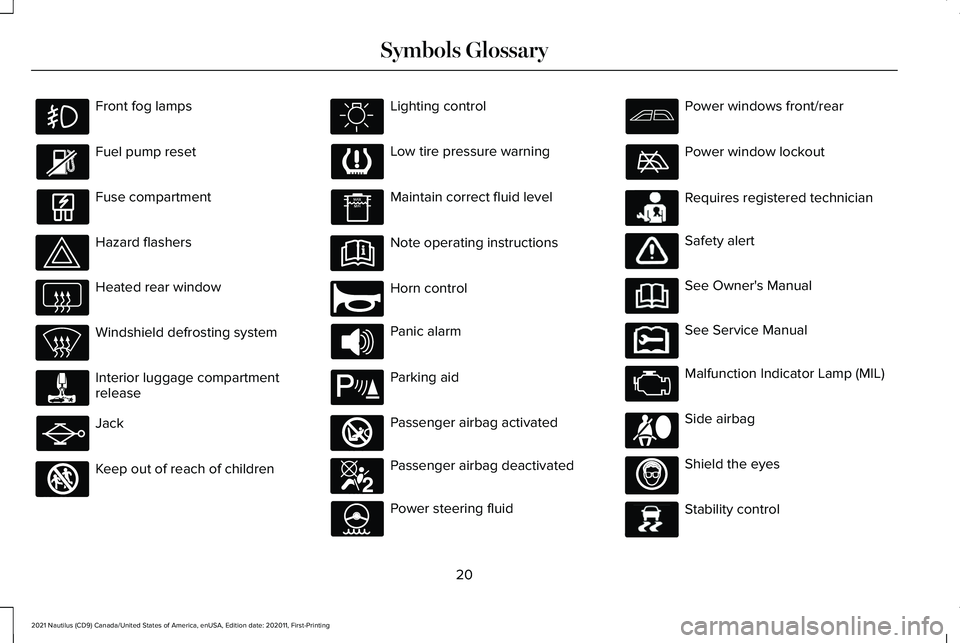
Front fog lamps
Fuel pump reset
Fuse compartment
Hazard flashers
Heated rear window
Windshield defrosting system
Interior luggage compartment
release
Jack
Keep out of reach of children Lighting control
Low tire pressure warning
Maintain correct fluid level
Note operating instructions
Horn control
Panic alarm
Parking aid
Passenger airbag activated
Passenger airbag deactivated
Power steering fluid Power windows front/rear
Power window lockout
Requires registered technician
Safety alert
See Owner's Manual
See Service Manual
Malfunction Indicator Lamp (MIL)
Side airbag
Shield the eyes
Stability control
20
2021 Nautilus (CD9) Canada/United States of America, enUSA, Edition date: 202011, First-Printing Symbols Glossary E161353 E270945 E139213 E270849 E270850 E231159 E231158 E167012 E138639
Page 79 of 579
REMOTE CONTROL LIMITATIONS
WARNING: Changes or modifications
not expressively approved by the party
responsible for compliance could void the
user's authority to operate the equipment.
The term "IC:" before the radio certification
number only signifies that Industry Canada
technical specifications were met.
This device complies with Part 15 of the FCC
Rules and with Industry Canada
license-exempt RSS standard(s). Operation
is subject to the following two conditions: (1)
This device may not cause harmful
interference, and (2) This device must accept
any interference received, including
interference that may cause undesired
operation.
Make sure a valid remote control is within
5 ft (1.5 m) from the front door handles and
rear of vehicle. The system may not function if:
•
The remote control remains stationary
for about a minute.
• The vehicle battery has no charge.
• The remote control battery has no
charge.
• There is interference causing issues with
the remote control frequencies.
• The remote control is too close to metal
objects or electronic devices, for example
keys or a cell phone.
USING THE REMOTE CONTROL
Use your remote control to access various
vehicle systems.
Note: The buttons on your remote may vary
depending on the vehicle region or options.
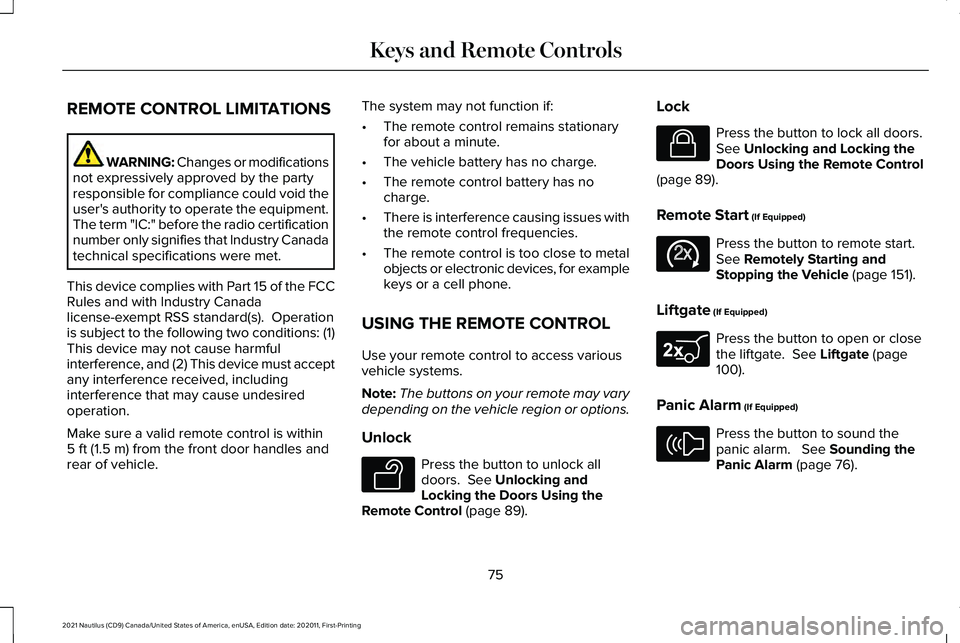
Unlock Press the button to unlock all
doors.
See Unlocking and
Locking the Doors Using the
Remote Control
(page 89). Lock Press the button to lock all doors.
See
Unlocking and Locking the
Doors Using the Remote Control
(page
89).
Remote Start
(If Equipped) Press the button to remote start.
See
Remotely Starting and
Stopping the Vehicle (page 151).
Liftgate
(If Equipped) Press the button to open or close
the liftgate.
See Liftgate (page
100).
Panic Alarm
(If Equipped) Press the button to sound the
panic alarm.
See Sounding the
Panic Alarm (page 76).
75
2021 Nautilus (CD9) Canada/United States of America, enUSA, Edition date: 202011, First-Printing Keys and Remote ControlsE138629 E138623 E138625 E267940 E138624
Page 80 of 579
SOUNDING THE PANIC ALARM
Press the button to sound the
panic alarm. Press the button
again or switch the ignition on to
turn it off.
Note: The panic alarm only operates when
the ignition is off.
LOCATING YOUR VEHICLE Press the lock button twice within
three seconds. The turn signal
lamps flash. We recommend you
use this method to locate your vehicle. CHANGING THE REMOTE
CONTROL BATTERY WARNING: Keep batteries away from
children to prevent ingestion. Failure to
follow this instruction could result in
personal injury or death. If ingested,
immediately seek medical attention. WARNING: If the battery
compartment does not securely close, stop
using the remote control and replace it as
soon as possible. In the meantime, keep
the remote control away from children.
Failure to follow this instruction could result
in personal injury or death.
The remote control uses one coin-type 3-volt
lithium battery CR2450 or equivalent. 1.
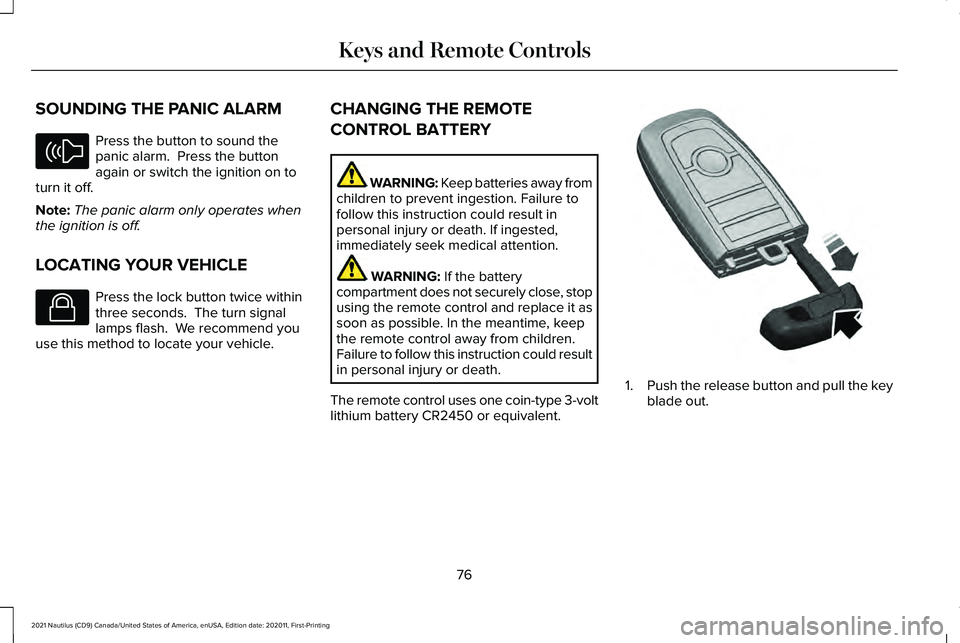
Push the release button and pull the key
blade out.
76
2021 Nautilus (CD9) Canada/United States of America, enUSA, Edition date: 202011, First-Printing Keys and Remote ControlsE138624 E138623 E322866
Page 112 of 579
PASSIVE ANTI-THEFT SYSTEM
What Is the Passive Anti-Theft System
The passive anti-theft system prevents
someone from starting the vehicle with an
incorrectly coded key.
How Does the Passive Anti-Theft
System Work
The passive anti-theft system arms when you
switch the ignition off.
It disarms when the ignition is switched on
with a correctly coded key.
Note:
The system is not compatible with
non-Ford aftermarket remote start systems.
Note: Do not leave a duplicate coded key
in your vehicle. Always take the keys and
lock all doors when leaving your vehicle. ANTI-THEFT ALARM SYSTEM
What Is the Anti-Theft Alarm System
The Anti-Theft Alarm System warns you of
an unauthorized entry to your vehicle.
How Does the Anti-Theft Alarm System
Work
When armed, the anti-theft alarm is triggered
in any of the following ways:
•
If someone opens a door, the liftgate or
the hood without a correctly coded key
or remote control.
• If you turn the power on without a
correctly coded key.
• If the interior sensors detect movement
inside your vehicle.
• If the inclination sensors detect an
attempt to raise your vehicle.
• If someone disconnects the vehicle
battery or the battery backup alarm. If the anti-theft alarm is triggered, the alarm
horn sounds for 30 seconds and the
direction indicators flash for 5 minutes.
Any further attempts to carry out one of the
above sounds the alarm again.
What Is the Perimeter Alarm
The perimeter alarm is designed to detect
unauthorized access to your vehicle.
What Are the Interior Sensors
The interior sensors are designed to detect
any movement inside your vehicle.
The interior sensors are in the overhead
console.
Note:
Do not cover the interior sensors.
What Are the Inclination Sensors (If
Equipped)
The inclination sensor is designed to detect
an attempt to raise your vehicle, for example
to remove a wheel or to tow it away.
108
2021 Nautilus (CD9) Canada/United States of America, enUSA, Edition date: 202011, First-Printing Security
Page 113 of 579
ANTI-THEFT ALARM SYSTEM
SETTINGS
What are the Alarm Security Levels
You can select two levels of alarm security,
all sensors and perimeter sensing.
All Sensors
All sensors is the standard setting.
In all sensors, all equipped sensors are on
when you arm the alarm.
Note:
Do not arm the alarm with all sensors
if passengers, animals or other moving
objects are inside your vehicle. Perimeter Sensing
In perimeter sensing, the interior sensors are
off when you arm the alarm.
All the other equipped sensors activate when
you arm the alarm in this mode.
Setting the Alarm Security Level
1. Press Settings on the touchscreen.
2. Press
Vehicle Settings.
3. Press
Alarm System.
4. Press
Motion Sensors.
5. Press a setting. What Is Ask on Exit
You can choose which level of security you
require after you switch the ignition off.
Note:
If you do not choose a setting, the
system defaults to all sensors.
Switching Ask on Exit On and Off
1. Press
Settings on the touchscreen.
2. Press
Vehicle Settings.
3. Press
Alarm System.
4. Switch
Ask on Exit on or off.
109
2021 Nautilus (CD9) Canada/United States of America, enUSA, Edition date: 202011, First-Printing Security
Page 114 of 579
SECURITY – TROUBLESHOOTING
Security – Information Messages
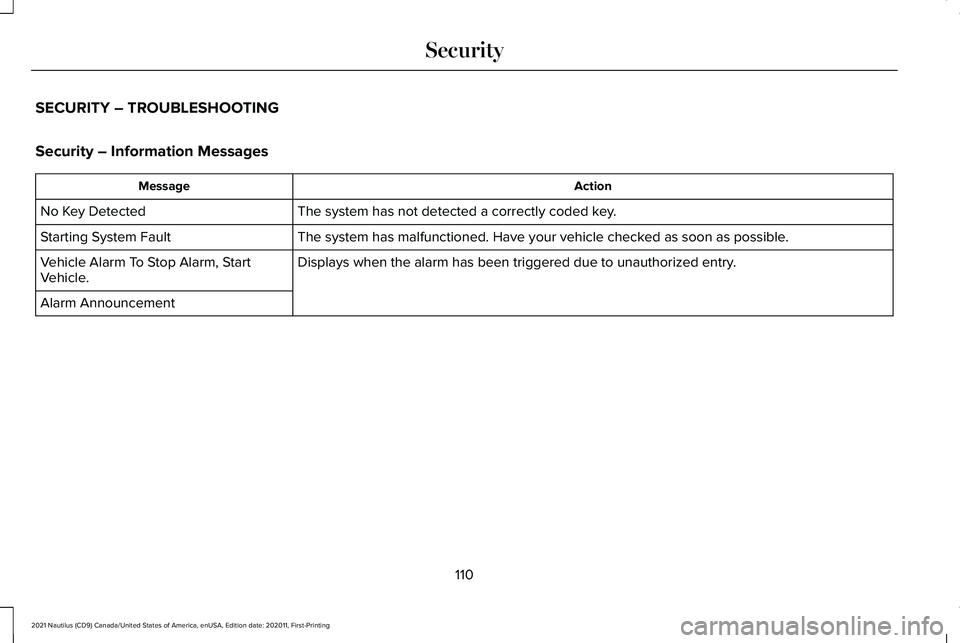
Action
Message
The system has not detected a correctly coded key.
No Key Detected
The system has malfunctioned. Have your vehicle checked as soon as possible.
Starting System Fault
Displays when the alarm has been triggered due to unauthorized entry.
Vehicle Alarm To Stop Alarm, Start
Vehicle.
Alarm Announcement
110
2021 Nautilus (CD9) Canada/United States of America, enUSA, Edition date: 202011, First-Printing Security
Page 115 of 579
Security – Frequently Asked Questions
What should I do if there is any potential
alarm problem with my vehicle?
Take all remote controls to an
authorized dealer if there is any
potential alarm problem with your
vehicle.
What should I do if the vehicle is unable to
start with a correctly coded key? Have your vehicle checked as soon as
possible.
111
2021 Nautilus (CD9) Canada/United States of America, enUSA, Edition date: 202011, First-Printing Security
Page 155 of 579
WHAT IS REMOTE START
The system allows you to remotely start your
vehicle and to adjust the interior temperature
according to the settings that you chose.
REMOTE START PRECAUTIONS
WARNING: Do not start the engine
in a closed garage or in other enclosed
areas. Exhaust fumes are toxic. Always
open the garage door before you start the
engine. Failure to follow this instruction
could result in personal injury or death.
REMOTE START LIMITATIONS
Remote start does not work under the
following conditions:
• The alarm horn is sounding.
• The hood is open.
• The transmission is not in park (P). •
The ignition is on.
• The battery voltage is below the
minimum operating voltage.
Note: Do not use remote start if your fuel
level is low.
Note: To use remote start with Lincoln Way
or Phone as a Key, enable the modem.
See
Connecting the Vehicle to a Wi-Fi Network
(page
417).
ENABLING REMOTE START
1. Using the instrument cluster display controls on the steering wheel, select
Settings
.
2. Select
Vehicle.
3. Select
Remote Start.
4. Switch
System on.
Note: To use remote start, make sure that
the modem is enabled.
See Enabling and
Disabling the Modem (page 417). REMOTELY STARTING AND
STOPPING THE VEHICLE
Remotely Starting the Vehicle Press the button on the remote
control.
Within three seconds, press the
button on the remote control.
Within three seconds, press the
button again.
Note: You can also use the Lincoln Way App
to start the vehicle.
Note: The direction indicators flash twice.
Note: The parking lamps turn on when the
vehicle is running.
Note: The horn sounds if the system fails to
start.
Note: All other vehicle systems remain off
when you have remotely started the vehicle.
Note: The vehicle remains secured when
you have remotely started the vehicle. A
valid key must be inside your vehicle to
switch the ignition on and drive your vehicle.
151
2021 Nautilus (CD9) Canada/United States of America, enUSA, Edition date: 202011, First-Printing Remote StartE138623 E138625