cooling LINCOLN NAUTILUS 2022 User Guide
[x] Cancel search | Manufacturer: LINCOLN, Model Year: 2022, Model line: NAUTILUS, Model: LINCOLN NAUTILUS 2022Pages: 586, PDF Size: 13.97 MB
Page 354 of 586
WARNING: Do not remove thecoolant reservoir cap when the engine ison or the cooling system is hot. Wait 10minutes for the cooling system to cooldown. Cover the coolant reservoir cap witha thick cloth to prevent the possibility ofscalding and slowly remove the cap.Failure to follow this instruction could resultin personal injury.
Your vehicle has limited engine power whenin the fail-safe mode, drive your vehicle withcaution. Your vehicle does not maintainhigh-speed operation and the engine couldoperate poorly.
Remember that the engine is capable ofautomatically shutting down to preventengine damage. In this situation:
1.Pull off the road as soon as safelypossible and switch the engine off.
2.If you are a member of a roadsideassistance program, we recommend thatyou contact your roadside assistanceservice provider.
3.If this is not possible, wait for a shortperiod of time for the engine to cool.
4.Check the coolant level. If the coolantlevel is at or below the minimum mark,add prediluted coolant immediately.
5.When the engine temperature cools, youcan re-start the engine. Have your vehiclechecked as soon as possible to minimizeengine damage.
Note:Driving your vehicle without repairincreases the chance of engine damage.
Engine Coolant TemperatureManagement (If Equipped)
WARNING: To reduce the risk ofcrash and injury, be prepared that thevehicle speed may reduce and the vehiclemay not be able to accelerate with fullpower until the coolant temperaturereduces.
If you tow a trailer with your vehicle, theengine may temporarily reach a highertemperature during severe operatingconditions, for example ascending a long orsteep grade in high ambient temperatures.
At this time, you may notice the coolanttemperature gauge moves toward the redzone and a message may appear in theinformation display.
You may notice a reduction in vehicle speedcaused by reduced engine power in orderto manage the engine coolant temperature. Your vehicle may enter this mode if certainhigh-temperature and high-load conditionstake place. The amount of speed reductiondepends on vehicle loading, grade andambient temperature. If this occurs, there isno need to stop your vehicle. You cancontinue to drive.
The air conditioning may automatically turnon and off during severe operatingconditions to protect the engine fromoverheating. When the coolant temperaturedecreases to the normal operatingtemperature, the air conditioning turns on.
350
2022 Nautilus (CD9) Canada/United States of America, enUSA, Edition date: 202108, First-PrintingMaintenance
Page 417 of 586
COOLING SYSTEM CAPACITY AND
SPECIFICATION - 2.0L
Use coolant that meets the definedspecification.
If you do not use coolant that meets thedefined specification, it could result in:
•Component damage that your vehiclewarranty does not cover.
•Reduced vehicle performance.
Capacities
QuantityVariant
9.7 qt (9.2 L)All.
Materials
SpecificationName
WSS-M97B57-A2Motorcraft® Yellow Prediluted Antifreeze/Coolant(U.S.)Motorcraft® Yellow Prediluted Antifreeze/Coolant / Antigel/liquide de refroidissementprédilué jaune Motorcraft®(Canada)VC-13DL-G(U.S.)CVC-13DL-G(Canada)
413
2022 Nautilus (CD9) Canada/United States of America, enUSA, Edition date: 202108, First-PrintingCapacities and Specifications
Page 418 of 586
COOLING SYSTEM CAPACITY AND
SPECIFICATION - 2.7L
Use coolant that meets the definedspecification.
If you do not use coolant that meets thedefined specification, it could result in:
•Component damage that your vehiclewarranty does not cover.
•Reduced vehicle performance.
Capacities
QuantityVariant
12.5 qt (11.8 L)All.
Materials
SpecificationName
WSS-M97B57-A2Motorcraft® Yellow Prediluted Antifreeze/Coolant(U.S.)Motorcraft® Yellow Prediluted Antifreeze/Coolant / Antigel/liquide de refroidissementprédilué jaune Motorcraft®(Canada)VC-13DL-G(U.S.)CVC-13DL-G(Canada)
414
2022 Nautilus (CD9) Canada/United States of America, enUSA, Edition date: 202108, First-PrintingCapacities and Specifications
Page 465 of 586
Transferable Coverage
If you sell your vehicle before your LincolnProtect extended service plan coverageexpires, you can transfer any remainingcoverage to the new owner. This should giveyou and your potential buyer a little morepeace of mind.
Less Cost to Properly Maintain Your Vehicle
The Lincoln Protect extended service planalso offers a Premium Maintenance Plan thatcovers all scheduled maintenance, andselected wear items. The coverage isprepaid, so you never have to worry aboutthe cost of your vehicle’s maintenance.
Covered maintenance includes:
•Windshield wiper blades.
•Spark plugs.
•The clutch disc - if equipped.
•Brake pads and linings.
•Shock absorbers and struts.
•Engine cooling hoses, clamps ando-rings.
•Engine belts.
•Diesel exhaust fluid replenishment - ifequipped.
Interest Free Finance Options
Just a 5% down payment will provide youwith an affordable, no interest, no feepayment program allowing you all thesecurity and benefits Lincoln Protectextended service plan has to offer whilepaying over time. You are pre-approved withno credit check or hassles. To learn more,call our Lincoln Protect extended serviceplan specialists at 800-367-3377.
Complete the information below and mail to:
Lincoln Protect Extended Service PlanP.O. Box 321067Detroit, MI 48232
Lincoln Protect (Canada Only)
You can get more protection for your vehicleby purchasing a Lincoln Protect extendedservice plan. The Lincoln Protect extendedservice plan is the only service contractbacked by Lincoln, Limited. Depending onthe plan you purchase, the Lincoln Protectextended service plan provides benefits suchas:
•Rental reimbursement.
•Coverage for certain maintenance andwear items.
•Protection against repair costs after yourNew Vehicle Limited Warranty Coverageexpires.
•Roadside Assistance benefits.
461
2022 Nautilus (CD9) Canada/United States of America, enUSA, Edition date: 202108, First-PrintingLincoln Protect
Page 469 of 586
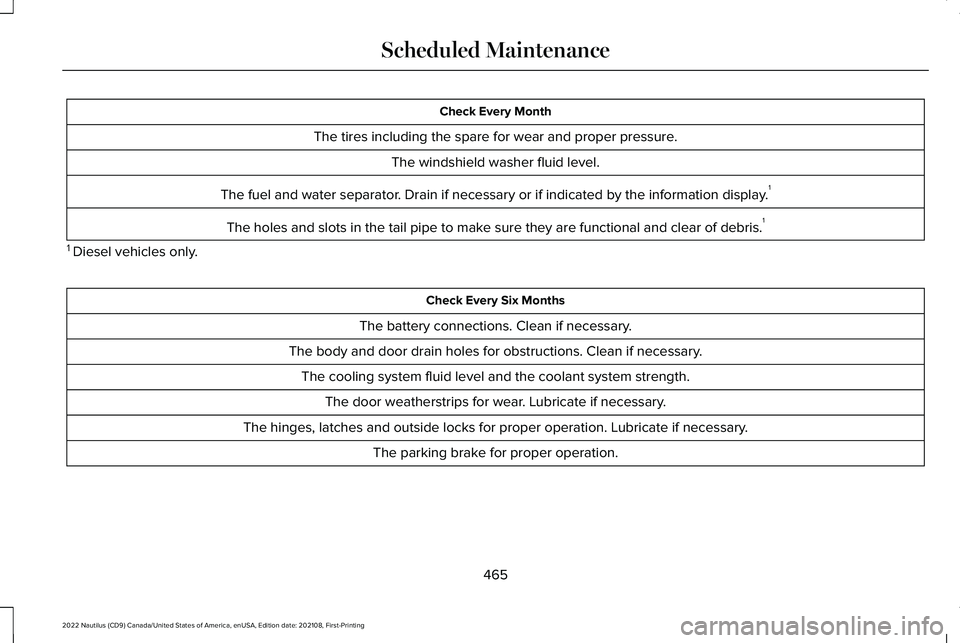
Check Every Month
The tires including the spare for wear and proper pressure.
The windshield washer fluid level.
The fuel and water separator. Drain if necessary or if indicated by the information display.1
The holes and slots in the tail pipe to make sure they are functional and clear of debris.1
1 Diesel vehicles only.
Check Every Six Months
The battery connections. Clean if necessary.
The body and door drain holes for obstructions. Clean if necessary.
The cooling system fluid level and the coolant system strength.
The door weatherstrips for wear. Lubricate if necessary.
The hinges, latches and outside locks for proper operation. Lubricate if necessary.
The parking brake for proper operation.
465
2022 Nautilus (CD9) Canada/United States of America, enUSA, Edition date: 202108, First-PrintingScheduled Maintenance
Page 569 of 586
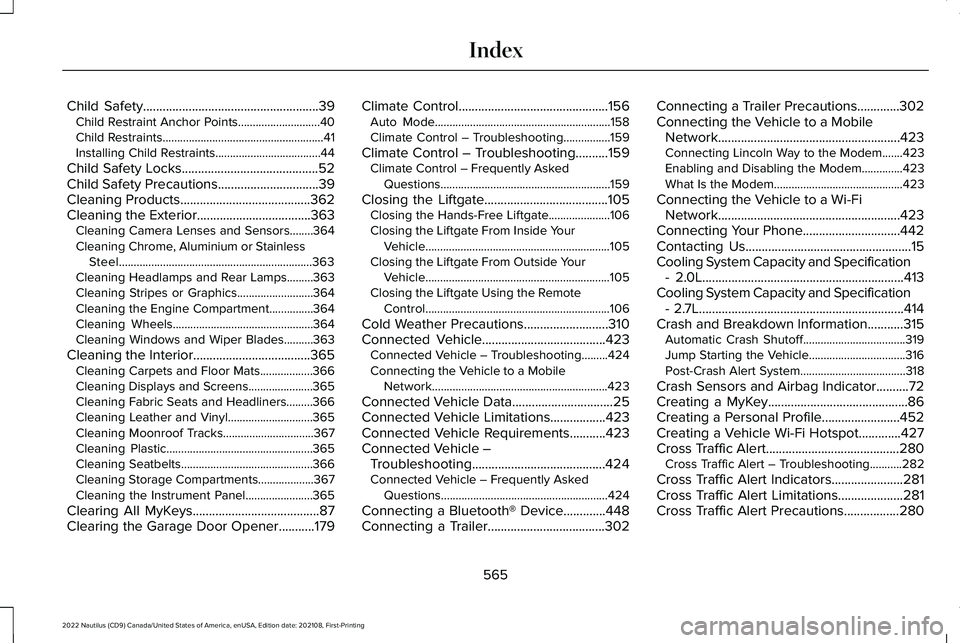
Child Safety......................................................39Child Restraint Anchor Points............................40Child Restraints.......................................................41Installing Child Restraints....................................44
Child Safety Locks..........................................52Child Safety Precautions...............................39Cleaning Products........................................362Cleaning the Exterior...................................363Cleaning Camera Lenses and Sensors........364Cleaning Chrome, Aluminium or StainlessSteel..................................................................363Cleaning Headlamps and Rear Lamps.........363Cleaning Stripes or Graphics..........................364Cleaning the Engine Compartment...............364Cleaning Wheels................................................364Cleaning Windows and Wiper Blades..........363
Cleaning the Interior....................................365Cleaning Carpets and Floor Mats..................366Cleaning Displays and Screens......................365Cleaning Fabric Seats and Headliners.........366Cleaning Leather and Vinyl.............................365Cleaning Moonroof Tracks...............................367Cleaning Plastic..................................................365Cleaning Seatbelts.............................................366Cleaning Storage Compartments...................367Cleaning the Instrument Panel.......................365
Clearing All MyKeys.......................................87Clearing the Garage Door Opener...........179
Climate Control..............................................156Auto Mode............................................................158Climate Control – Troubleshooting................159
Climate Control – Troubleshooting..........159Climate Control – Frequently AskedQuestions..........................................................159
Closing the Liftgate......................................105Closing the Hands-Free Liftgate.....................106Closing the Liftgate From Inside YourVehicle...............................................................105Closing the Liftgate From Outside YourVehicle...............................................................105Closing the Liftgate Using the RemoteControl...............................................................106
Cold Weather Precautions..........................310Connected Vehicle......................................423Connected Vehicle – Troubleshooting.........424Connecting the Vehicle to a MobileNetwork............................................................423
Connected Vehicle Data...............................25Connected Vehicle Limitations.................423Connected Vehicle Requirements...........423Connected Vehicle –Troubleshooting.........................................424Connected Vehicle – Frequently AskedQuestions.........................................................424
Connecting a Bluetooth® Device.............448Connecting a Trailer....................................302
Connecting a Trailer Precautions.............302Connecting the Vehicle to a MobileNetwork........................................................423Connecting Lincoln Way to the Modem.......423Enabling and Disabling the Modem..............423What Is the Modem............................................423
Connecting the Vehicle to a Wi-FiNetwork........................................................423Connecting Your Phone..............................442Contacting Us...................................................15Cooling System Capacity and Specification- 2.0L..............................................................413Cooling System Capacity and Specification- 2.7L...............................................................414Crash and Breakdown Information...........315Automatic Crash Shutoff...................................319Jump Starting the Vehicle.................................316Post-Crash Alert System....................................318
Crash Sensors and Airbag Indicator..........72Creating a MyKey...........................................86Creating a Personal Profile........................452Creating a Vehicle Wi-Fi Hotspot.............427Cross Traffic Alert.........................................280Cross Traffic Alert – Troubleshooting...........282
Cross Traffic Alert Indicators......................281Cross Traffic Alert Limitations....................281Cross Traffic Alert Precautions.................280
565
2022 Nautilus (CD9) Canada/United States of America, enUSA, Edition date: 202108, First-PrintingIndex
Page 581 of 586
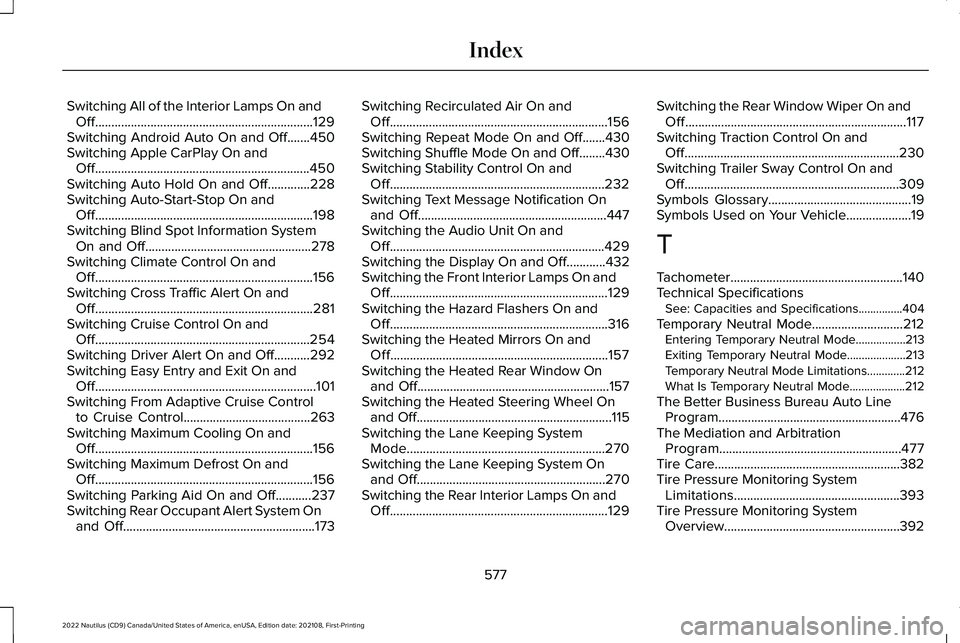
Switching All of the Interior Lamps On andOff...................................................................129Switching Android Auto On and Off.......450Switching Apple CarPlay On andOff..................................................................450Switching Auto Hold On and Off.............228Switching Auto-Start-Stop On andOff...................................................................198Switching Blind Spot Information SystemOn and Off...................................................278Switching Climate Control On andOff...................................................................156Switching Cross Traffic Alert On andOff...................................................................281Switching Cruise Control On andOff..................................................................254Switching Driver Alert On and Off...........292Switching Easy Entry and Exit On andOff....................................................................101Switching From Adaptive Cruise Controlto Cruise Control.......................................263Switching Maximum Cooling On andOff...................................................................156Switching Maximum Defrost On andOff...................................................................156Switching Parking Aid On and Off...........237Switching Rear Occupant Alert System Onand Off...........................................................173
Switching Recirculated Air On andOff...................................................................156Switching Repeat Mode On and Off.......430Switching Shuffle Mode On and Off........430Switching Stability Control On andOff..................................................................232Switching Text Message Notification Onand Off..........................................................447Switching the Audio Unit On andOff..................................................................429Switching the Display On and Off............432Switching the Front Interior Lamps On andOff...................................................................129Switching the Hazard Flashers On andOff...................................................................316Switching the Heated Mirrors On andOff...................................................................157Switching the Heated Rear Window Onand Off...........................................................157Switching the Heated Steering Wheel Onand Off............................................................115Switching the Lane Keeping SystemMode.............................................................270Switching the Lane Keeping System Onand Off..........................................................270Switching the Rear Interior Lamps On andOff...................................................................129
Switching the Rear Window Wiper On andOff....................................................................117Switching Traction Control On andOff..................................................................230Switching Trailer Sway Control On andOff..................................................................309Symbols Glossary............................................19Symbols Used on Your Vehicle....................19
T
Tachometer.....................................................140Technical SpecificationsSee: Capacities and Specifications...............404
Temporary Neutral Mode............................212Entering Temporary Neutral Mode.................213Exiting Temporary Neutral Mode....................213Temporary Neutral Mode Limitations.............212What Is Temporary Neutral Mode...................212
The Better Business Bureau Auto LineProgram........................................................476The Mediation and ArbitrationProgram........................................................477Tire Care.........................................................382Tire Pressure Monitoring SystemLimitations...................................................393Tire Pressure Monitoring SystemOverview......................................................392
577
2022 Nautilus (CD9) Canada/United States of America, enUSA, Edition date: 202108, First-PrintingIndex