instrument panel LINCOLN NAUTILUS 2022 User Guide
[x] Cancel search | Manufacturer: LINCOLN, Model Year: 2022, Model line: NAUTILUS, Model: LINCOLN NAUTILUS 2022Pages: 586, PDF Size: 13.97 MB
Page 187 of 586
WHAT IS THE POWER OUTLET
The power outlet is a socket that connectsan electrical device to your vehicle's powersupply.
POWER OUTLET PRECAUTIONS
WARNING: Do not keep electricaldevices plugged in the power pointwhenever the device is not in use. Do notuse any extension cord with the 110 voltAC power point, since it will defeat thesafety protection design. Doing so maycause the power point to overload due topowering multiple devices that can reachbeyond the 150 watt load limit and couldresult in fire or serious injury.
Note:The power point turns off when youswitch off the ignition, when the vehicle isnot in accessory mode, or when the batteryvoltage drops below 11 volts.
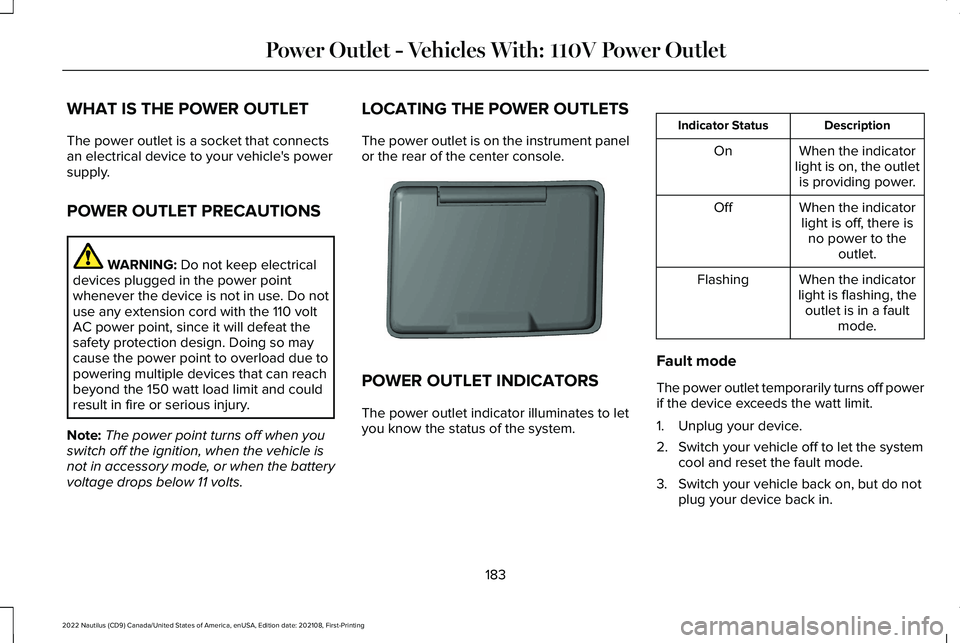
LOCATING THE POWER OUTLETS
The power outlet is on the instrument panelor the rear of the center console.
POWER OUTLET INDICATORS
The power outlet indicator illuminates to letyou know the status of the system.
DescriptionIndicator Status
When the indicatorlight is on, the outletis providing power.
On
When the indicatorlight is off, there isno power to theoutlet.
Off
When the indicatorlight is flashing, theoutlet is in a faultmode.
Flashing
Fault mode
The power outlet temporarily turns off powerif the device exceeds the watt limit.
1.Unplug your device.
2.Switch your vehicle off to let the systemcool and reset the fault mode.
3.Switch your vehicle back on, but do notplug your device back in.
183
2022 Nautilus (CD9) Canada/United States of America, enUSA, Edition date: 202108, First-PrintingPower Outlet - Vehicles With: 110V Power OutletE353449
Page 189 of 586
WHAT IS THE POWER OUTLET
The power outlet can power devices usinga 12 V outlet adapter.
POWER OUTLET PRECAUTIONS
WARNING: Do not plug optionalelectrical accessories into the cigar lightersocket. Incorrect use of the cigar lightercan cause damage not covered by thevehicle warranty, and can result in fire orserious injury.
When you switch the vehicle on, you can usethe socket to power 12 V appliances with amaximum current rating of 20 A. Do not usethe power point over the vehicle capacity of12 V DC 240 W or a fuse could blow. Do notplug in any device that supplies power to thevehicle through the power points. This couldresult in damage to vehicle systems. Do nothang any accessory from the accessory plug.Always keep the power point caps closedwhen not in use. Do not insert objects otherthan an accessory plug into the power point.
To prevent the battery from running out ofcharge:
•Do not use the power point longer thannecessary when the vehicle is off.
•Do not leave devices plugged inovernight or when you park your vehiclefor extended periods.
LOCATING THE POWER OUTLETS
Power outlets may be in the followinglocations:
•On the lower instrument panel.
•Inside the center console.
•On the front of the center console.
•On the rear of the center console.
•In the cargo area.
•On the passenger side floor panel.
•3rd row on the quarter trim panels.
185
2022 Nautilus (CD9) Canada/United States of America, enUSA, Edition date: 202108, First-PrintingPower Outlet - Vehicles With: 12V Power Outlet
Page 190 of 586
WHAT IS THE WIRELESS
ACCESSORY CHARGER
The wireless accessory charger allows youto charge one compatible Qi wirelesscharging device on the charging area.
WIRELESS ACCESSORY CHARGER
PRECAUTIONS
WARNING: Wireless chargingdevices can affect the operation ofimplanted medical devices, includingcardiac pacemakers. If you have anyimplanted medical devices, we recommendthat you consult with your physician.
Keep the charging area clean and removeforeign objects prior to charging a device.
Do not place items with a magnetic strip orradio-frequency identification chip, forexample passports, parking tickets,transportation passes or credit cards, nearthe charging area when charging a device.Damage could occur to the magnetic stripor radio-frequency identification chip.
Do not place metal objects, for exampleremote controls, coins and candy wrappers,on or near the charging area when charginga device. Metal objects may heat up anddegrade the charging performance, inaddition to causing interruptions in charging.
Charging could be interrupted, degraded, orcould stop if any of the following occur:
•The system detects a foreign object.
•The device is misaligned on the chargingarea.
•The device moves on the active chargingarea when the vehicle is in motion.
•The vehicle ambient temperature is toohigh.
•You attempt to charge a non-Qicompatible device on the wirelesscharger.
Note:During charging, the device and thecharger could heat up, this is normal. If thebattery gets hotter than usual, the devicemay stop charging.
LOCATING THE WIRELESS
ACCESSORY CHARGER
The charging area is on the centerconsole or in the media bin belowthe instrument panel.
CHARGING A WIRELESS DEVICE
Place the device on the center of thecharging surface with the charging sidedown. The charging stops after your devicereaches a full charge.
You can use the charger when the vehicleis in accessory mode, when the vehicle isrunning, or when SYNC is on.
Displays on the status bar whenwireless charging is in progress.
186
2022 Nautilus (CD9) Canada/United States of America, enUSA, Edition date: 202108, First-PrintingWireless Accessory Charger (If Equipped)E297549
Page 202 of 586
WHAT IS AUTO-START-STOP
The system is designed to help reduce fuelconsumption and CO2 emissions by stopping
the engine when it is idling, for example attraffic lights.
AUTO-START-STOP PRECAUTIONS
WARNING: Apply the parking brake,shift into park (P), switch the ignition offand remove the key before you leave yourvehicle. Failure to follow this instructioncould result in personal injury or death.
WARNING: Apply the parking brake,shift into park (P), switch the ignition offand remove the key before you open thehood or have any service or repair workcompleted. If you do not switch the ignitionoff, the engine could restart at any time.Failure to follow this instruction could resultin personal injury or death.
SWITCHING AUTO-START-STOP
ON AND OFF
Press the driver assistance button on theinstrument panel to access theAuto-Start-Stop feature on the touchscreen.Use the touchscreen to deactivate thefeature. Deactivating the feature lasts onlyone key cycle. Use the touchscreen torestore Auto-Start-Stop function.
STOPPING THE ENGINE
Stop your vehicle, keep your foot on thebrake pedal and the transmission in drive(D).
Note:Power assist steering turns off whenthe engine stops.
RESTARTING THE ENGINE
Release the brake pedal or press theaccelerator pedal.
A message appears in the informationdisplay if the system requires you to takeaction.
AUTO-START-STOP INDICATORS
WARNING: The system may requirethe engine to automatically restart whenthe auto-start-stop indicator illuminatesgreen or flashes amber. Failure to followthis instruction could result in personalinjury.
198
2022 Nautilus (CD9) Canada/United States of America, enUSA, Edition date: 202108, First-PrintingAuto-Start-StopE335855
Page 215 of 586
Note:A tone could sound when you selectpark (P).
REVERSE (R)
WARNING: Shift into reverse (R) onlywhen your vehicle is stationary.
In reverse (R) power is transmitted to thedriven wheels.
NEUTRAL (N)
WARNING: In neutral (N) your vehicleis free to roll.
In neutral (N) power is not transmitted to thedriven wheels.
DRIVE (D)
In drive (D) power is transmitted to the drivenwheels.
SPORT (S)
Putting the vehicle in sport (S):
•Provides additional engine braking andextends lower gear operation to enhanceperformance for uphill climbs, hilly terrainor mountainous areas. This increasesengine RPM during engine braking.
•Provides additional lower gear operationthrough the automatic transmission shiftstrategy.
•Provides gear selection more quickly andat higher engine speeds.
Note:You can shift into sport at any vehiclespeed.
SHIFTING YOUR VEHICLE INTO
GEAR
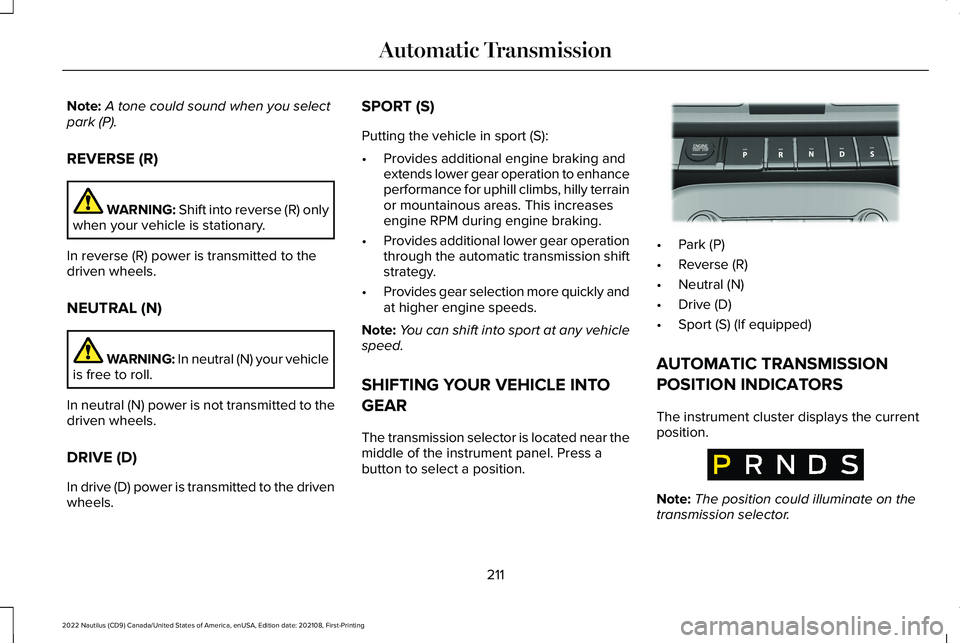
The transmission selector is located near themiddle of the instrument panel. Press abutton to select a position.
•Park (P)
•Reverse (R)
•Neutral (N)
•Drive (D)
•Sport (S) (If equipped)
AUTOMATIC TRANSMISSION
POSITION INDICATORS
The instrument cluster displays the currentposition.
Note:The position could illuminate on thetransmission selector.
211
2022 Nautilus (CD9) Canada/United States of America, enUSA, Edition date: 202108, First-PrintingAutomatic TransmissionE334149 E317779
Page 227 of 586
WHAT IS THE ELECTRIC PARKING
BRAKE
The electric parking brake is used to holdyour vehicle on slopes and flat roads.
APPLYING THE ELECTRIC
PARKING BRAKE
WARNING: Always fully apply theparking brake and make sure you shift intopark (P). Failure to follow this instructioncould result in personal injury or death.
WARNING: If you drive extendeddistances with the parking brake applied,you could cause damage to the brakesystem.
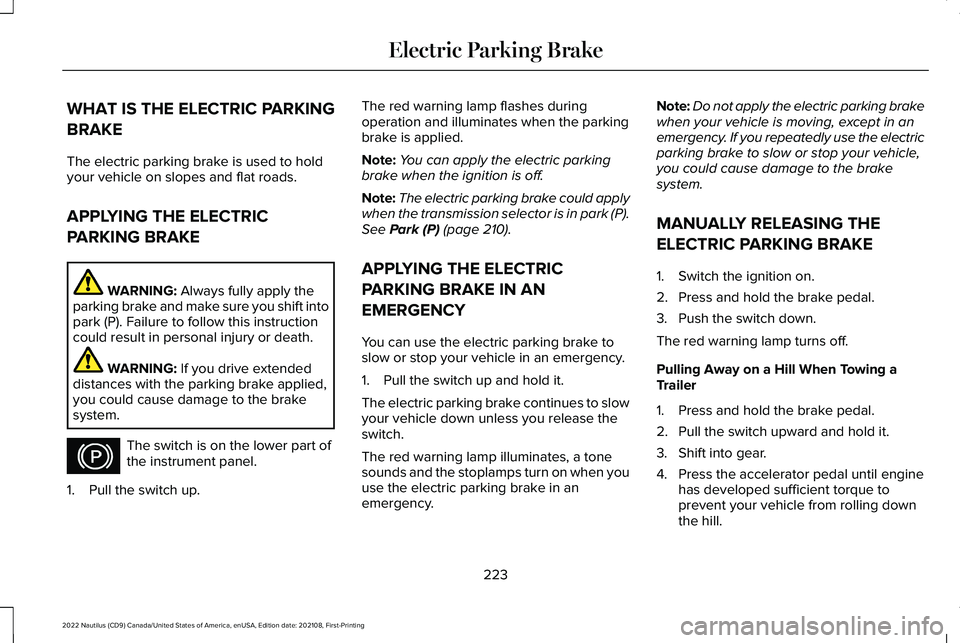
The switch is on the lower part ofthe instrument panel.
1.Pull the switch up.
The red warning lamp flashes duringoperation and illuminates when the parkingbrake is applied.
Note:You can apply the electric parkingbrake when the ignition is off.
Note:The electric parking brake could applywhen the transmission selector is in park (P).See Park (P) (page 210).
APPLYING THE ELECTRIC
PARKING BRAKE IN AN
EMERGENCY
You can use the electric parking brake toslow or stop your vehicle in an emergency.
1.Pull the switch up and hold it.
The electric parking brake continues to slowyour vehicle down unless you release theswitch.
The red warning lamp illuminates, a tonesounds and the stoplamps turn on when youuse the electric parking brake in anemergency.
Note:Do not apply the electric parking brakewhen your vehicle is moving, except in anemergency. If you repeatedly use the electricparking brake to slow or stop your vehicle,you could cause damage to the brakesystem.
MANUALLY RELEASING THE
ELECTRIC PARKING BRAKE
1.Switch the ignition on.
2.Press and hold the brake pedal.
3.Push the switch down.
The red warning lamp turns off.
Pulling Away on a Hill When Towing aTrailer
1.Press and hold the brake pedal.
2.Pull the switch upward and hold it.
3.Shift into gear.
4.Press the accelerator pedal until enginehas developed sufficient torque toprevent your vehicle from rolling downthe hill.
223
2022 Nautilus (CD9) Canada/United States of America, enUSA, Edition date: 202108, First-PrintingElectric Parking BrakeE267156
Page 234 of 586
HOW DOES TRACTION CONTROL
WORK
If your vehicle begins to slide, the systemapplies the brakes to individual wheels and,when needed, reduces power at the sametime. If the wheels spin when acceleratingon slippery or loose surfaces, the systemreduces power in order to increase traction.
SWITCHING TRACTION CONTROL
ON AND OFF
WARNING: Operating your vehiclewith the traction control disabled couldlead to an increased risk of loss of vehiclecontrol, vehicle rollover, personal injuryand death.
When you switch the system off or on, amessage appears in the information displayshowing system status.
You can switch the system off with thetraction control switch.
Using a Switch
Use the traction control switch on theinstrument panel to switch the system off oron.
TRACTION CONTROL INDICATOR
TRACTION CONTROL –
TROUBLESHOOTING
TRACTION CONTROL – WARNING
LAMPS
System Messages
The traction control lighttemporarily illuminates on start-upand flashes when activated by adriving condition.
The traction control off light temporarilyilluminates on start-up and stays on:
•When you switch the traction controlsystem off.
•When you select an alternative stabilitycontrol mode.
•If a problem occurs in the system.
230
2022 Nautilus (CD9) Canada/United States of America, enUSA, Edition date: 202108, First-PrintingTraction ControlE138639 E130458 E138639
Page 251 of 586
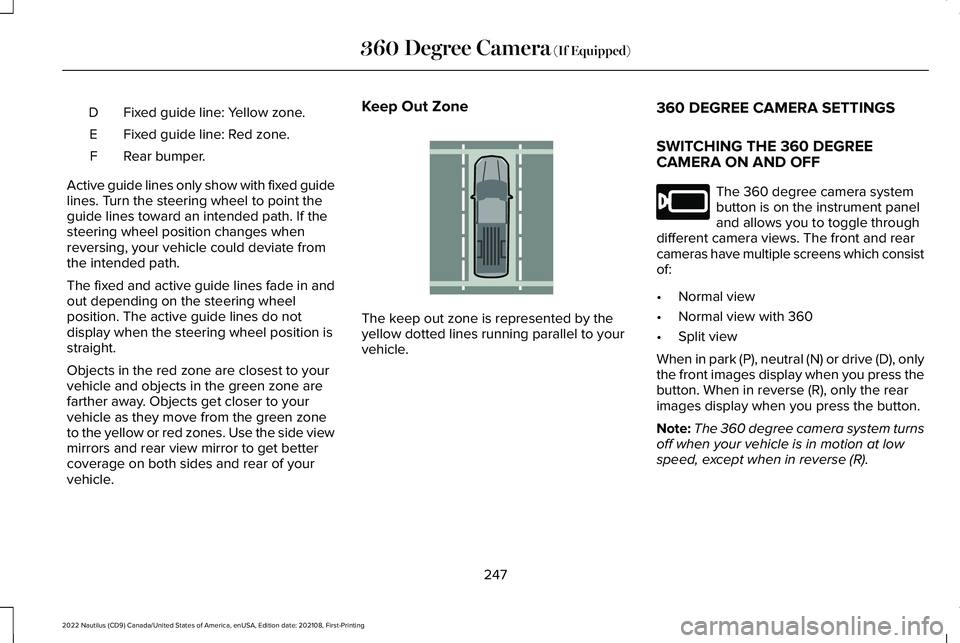
Fixed guide line: Yellow zone.D
Fixed guide line: Red zone.E
Rear bumper.F
Active guide lines only show with fixed guidelines. Turn the steering wheel to point theguide lines toward an intended path. If thesteering wheel position changes whenreversing, your vehicle could deviate fromthe intended path.
The fixed and active guide lines fade in andout depending on the steering wheelposition. The active guide lines do notdisplay when the steering wheel position isstraight.
Objects in the red zone are closest to yourvehicle and objects in the green zone arefarther away. Objects get closer to yourvehicle as they move from the green zoneto the yellow or red zones. Use the side viewmirrors and rear view mirror to get bettercoverage on both sides and rear of yourvehicle.
Keep Out Zone
The keep out zone is represented by theyellow dotted lines running parallel to yourvehicle.
360 DEGREE CAMERA SETTINGS
SWITCHING THE 360 DEGREECAMERA ON AND OFF
The 360 degree camera systembutton is on the instrument paneland allows you to toggle throughdifferent camera views. The front and rearcameras have multiple screens which consistof:
•Normal view
•Normal view with 360
•Split view
When in park (P), neutral (N) or drive (D), onlythe front images display when you press thebutton. When in reverse (R), only the rearimages display when you press the button.
Note:The 360 degree camera system turnsoff when your vehicle is in motion at lowspeed, except when in reverse (R).
247
2022 Nautilus (CD9) Canada/United States of America, enUSA, Edition date: 202108, First-Printing360 Degree Camera (If Equipped)E310341 E205884
Page 320 of 586
If you need to arrange roadside assistancefor yourself, Lincoln reimburses a reasonableamount for towing to the nearest Lincolndealership within 100 mi (160 km). To obtainreimbursement information, United Statesclients, call 1-800-521-4140. Clients need tosubmit their original receipts.
Vehicles Sold in Canada: GettingRoadside Assistance
To fully assist you should you have a vehicleconcern, Lincoln offers a complimentaryroadside assistance program. This programis eligible within Canada or the continentalUnited States.
The service is available 24 hours a day,seven days a week.
This program is separate from the NewVehicle Limited Warranty, beginning fromthe original warranty start date and lasts thelife of the vehicle for the original owner.Subsequent owners receive coverage thatis concurrent with the 6 years or 70,000 mi(110,000 km), whichever occurs first,powertrain warranty coverage period.
Note:Canadian roadside coverage andbenefits may differ from the U.S. coverage.
For complete program coverage details,review your warranty guide, contact yourdealer, call us in Canada at 1-844-665-2007,or visit our website atwww.lincolncanada.com.
If you purchased your vehicle in Canada andrequire roadside assistance, please call1-844-665-2007 or contact RoadsideAssistance using the Lincoln Way mobileapp.
Note:For quick reference, complete theroadside assistance identification card foundin the glove compartment of your vehicleand place it in your wallet.
SWITCHING THE HAZARD
FLASHERS ON AND OFF
The hazard flasher button is on theinstrument panel. Press the buttonto switch the hazard flashers on ifyour vehicle is creating a safety hazard forother road users.
When you switch the hazard flashers on, allfront and rear direction indicators flash.
Note:The hazard flashers operate when theignition is in any position, or if the key is notin the ignition. The battery loses charge andcould have insufficient power to restart yourvehicle.
Press the button again to switch them off.
JUMP STARTING THE VEHICLE
JUMP STARTING PRECAUTIONS
WARNING: Batteries normallyproduce explosive gases which can causepersonal injury. Therefore, do not allowflames, sparks or lighted substances tocome near the battery. When working nearthe battery, always shield your face andprotect your eyes. Always provide correctventilation.
316
2022 Nautilus (CD9) Canada/United States of America, enUSA, Edition date: 202108, First-PrintingCrash and Breakdown Information
Page 343 of 586
MAINTENANCE PRECAUTIONS
Service your vehicle regularly to helpmaintain its roadworthiness and resale value.There is a large network of authorizeddealers that are there to help you with theirprofessional servicing expertise. We believethat their specially trained technicians arebest qualified to service your vehicle properlyand expertly. They are supported by a widerange of highly specialized tools developedspecifically for servicing your vehicle.
If your vehicle requires professional service,an authorized dealer can provide thenecessary parts and service. Check yourwarranty information to find out which partsand services are covered.
Use only recommended fuels, lubricants,fluids and service parts conforming tospecifications. See Capacities andSpecifications (page 404).
•Do not work on a hot engine.
•Make sure that nothing gets caught inmoving parts.
•Do not work on a vehicle with the enginerunning in an enclosed space, unless youare sure you have enough ventilation.
•Keep all open flames and other burningmaterial, such as cigarettes, away fromthe battery and all fuel related parts.
•Set the parking brake, shift thetransmission to park (P) and block thewheels.
OPENING AND CLOSING THE
HOOD
Opening the Hood
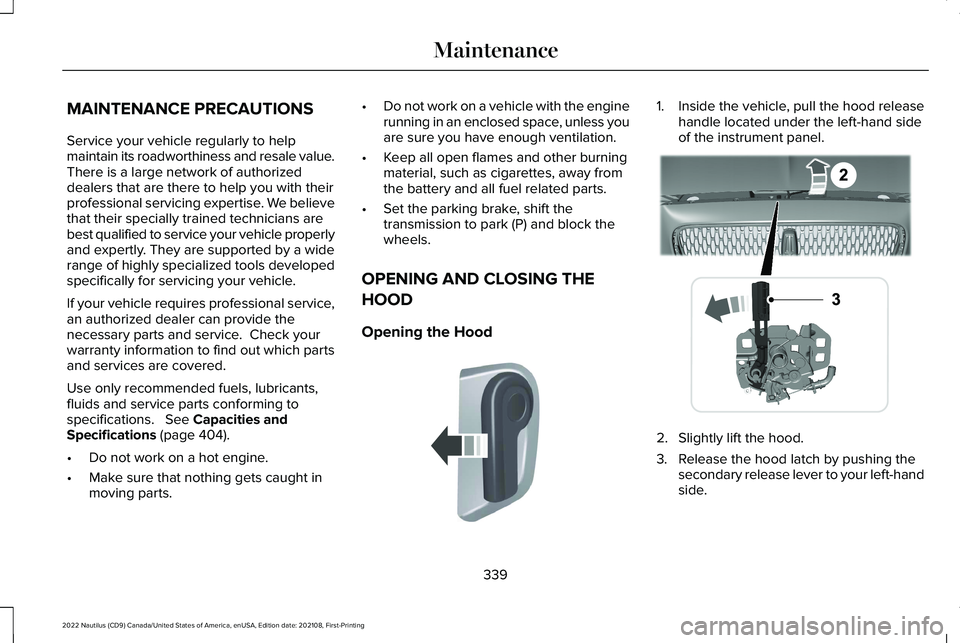
1.Inside the vehicle, pull the hood releasehandle located under the left-hand sideof the instrument panel.
2.Slightly lift the hood.
3.Release the hood latch by pushing thesecondary release lever to your left-handside.
339
2022 Nautilus (CD9) Canada/United States of America, enUSA, Edition date: 202108, First-PrintingMaintenanceE142457 E267365