instrument panel LINCOLN NAUTILUS 2022 Owner's Manual
[x] Cancel search | Manufacturer: LINCOLN, Model Year: 2022, Model line: NAUTILUS, Model: LINCOLN NAUTILUS 2022Pages: 586, PDF Size: 13.97 MB
Page 367 of 586
SpecificationName
Motorcraft® Spot and Stain Remover, ZC-14 (U.S.)
ESR-M14P5-AMotorcraft® Ultra-Clear Spray Glass Cleaner, ZC-23 (U.S.)
Motorcraft® Wheel and Tire Cleaner, ZC-37-A (U.S. & Canada)
CLEANING THE EXTERIOR
CLEANING HEADLAMPS AND REARLAMPS
We recommend that you only use cold orlukewarm water containing car shampoo toclean the headlamps and the rear lamps.
Do not scrape the lamps.
Do not wipe lamps when they are dry.
CLEANING WINDOWS AND WIPERBLADES
To clean the windshield and wiper blades:
•Clean the windshield with a non-abrasiveglass cleaner.
Note:When cleaning the interior of thewindshield, avoid getting any glass cleaneron the instrument panel or door panels. Wipeany glass cleaner off these surfacesimmediately.
•Clean the wiper blades with washer fluidor water applied with a soft sponge orcloth.
Note: Do not use razor blades or othersharp objects to clean or remove decals fromthe inside of the heated rear window. Thiscan cause damage not covered by thevehicle Warranty.
CLEANING CHROME, ALUMINIUM ORSTAINLESS STEEL
We recommend that you only use a carshampoo, a soft cloth and water on bumpersand other chrome, aluminium or stainlesssteel parts.
Note:For additional information andassistance, we recommend that you contactan authorized dealer.
Note:Rinse the area well after cleaning.
Note:Do not use abrasive materials, forexample steel wool or plastic pads, as theycan scratch these surfaces.
Note:Do not use chrome cleaner, metalcleaner or polish on wheels or wheel covers.
363
2022 Nautilus (CD9) Canada/United States of America, enUSA, Edition date: 202108, First-PrintingVehicle Care
Page 369 of 586
Note:Do not pressure wash camera lensand sensors.
WAXING
Wax the high-gloss painted surface of yourprewashed vehicle once or twice a year.
We recommend that you only use anapproved quality wax that does not containabrasives. For additional information andassistance, we recommend that you contactan authorized dealer.
When washing and waxing, park your vehiclein a shaded area out of direct sunlight.
Note:Avoid waxing unpainted or low-glossblack colored parts, they discolor over time.
CLEANING THE INTERIOR
CLEANING THE INSTRUMENT PANEL
WARNING: Do not use chemicalsolvents or strong detergents whencleaning the steering wheel or instrumentpanel to avoid contamination of the airbagsystem.
We recommend that you only clean theinstrument panel and cluster lens with adamp soft cloth. Dry the area with a clean,soft cloth.
For additional information and assistance,we recommend that you contact anauthorized dealer.
Note:Avoid cleaners or polishes thatincrease the gloss of the upper portion ofthe instrument panel. The dull finish in thisarea helps protect you from undesirablewindshield reflection.
CLEANING PLASTIC
We recommend that you only use a mildsoap and water solution on a soft cloth. Drythe area with a clean, soft cloth.
CLEANING DISPLAYS AND SCREENS
We recommend that you only use amicrofiber cloth in a circular motion to cleanoff the fingerprint or dust.
If dirt or fingerprints are still on the screen,apply a small amount of alcohol to the clothand try to clean it again.
Note:Do not pour or spray alcohol onto thetouchscreen.
Note: Do not use detergent or any type ofsolvent to clean the touchscreen.
CLEANING LEATHER AND VINYL
We recommend that you only clean theleather and vinyl surfaces in the followingway:
1.Remove dust and loose dirt with avacuum cleaner.
365
2022 Nautilus (CD9) Canada/United States of America, enUSA, Edition date: 202108, First-PrintingVehicle Care
Page 392 of 586
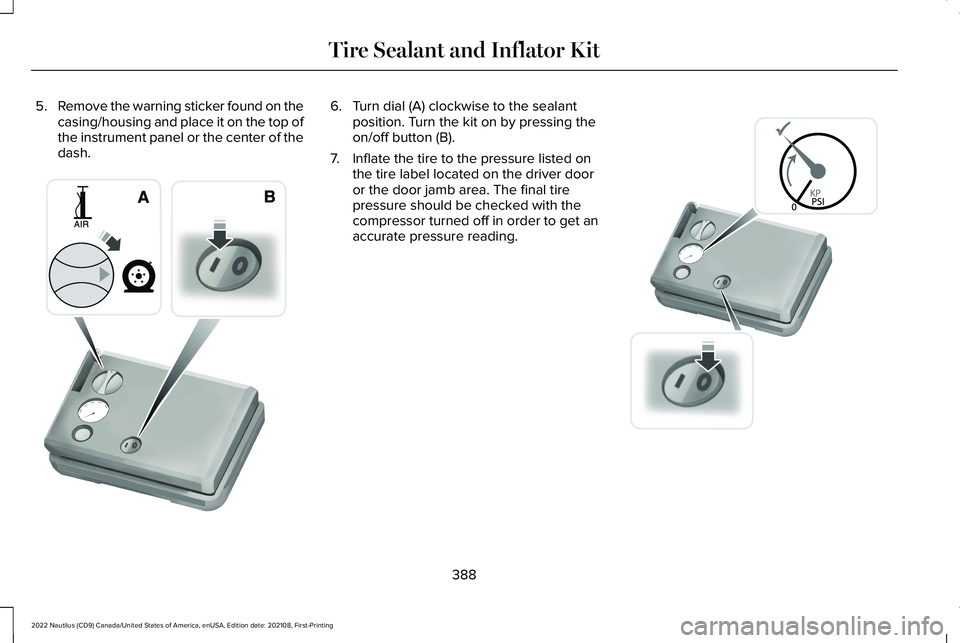
5.Remove the warning sticker found on thecasing/housing and place it on the top ofthe instrument panel or the center of thedash.
6.Turn dial (A) clockwise to the sealantposition. Turn the kit on by pressing theon/off button (B).
7.Inflate the tire to the pressure listed onthe tire label located on the driver dooror the door jamb area. The final tirepressure should be checked with thecompressor turned off in order to get anaccurate pressure reading.
388
2022 Nautilus (CD9) Canada/United States of America, enUSA, Edition date: 202108, First-PrintingTire Sealant and Inflator KitE175981 E175982
Page 426 of 586
VEHICLE IDENTIFICATION NUMBER
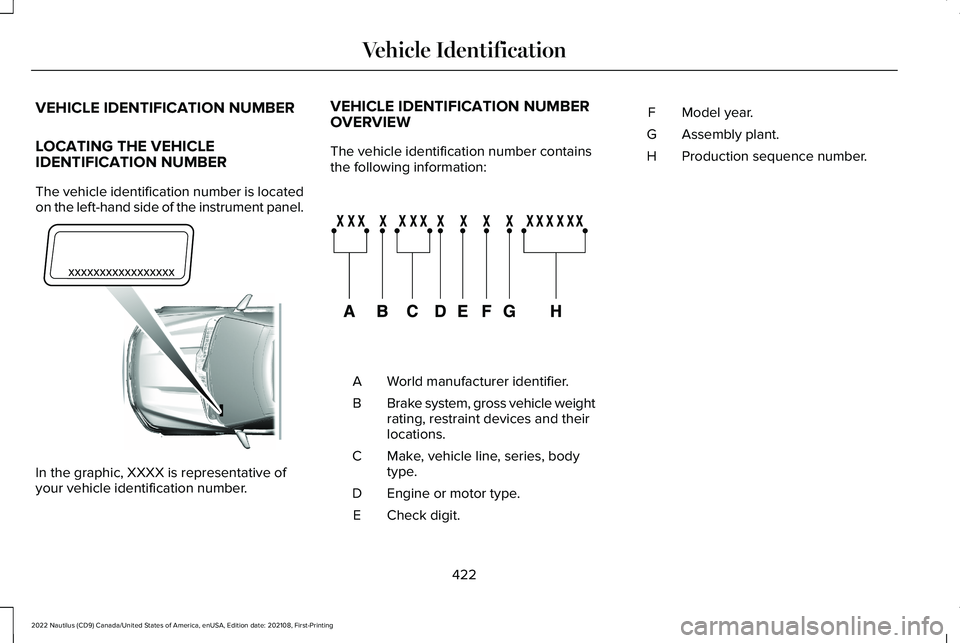
LOCATING THE VEHICLEIDENTIFICATION NUMBER
The vehicle identification number is locatedon the left-hand side of the instrument panel.
In the graphic, XXXX is representative ofyour vehicle identification number.
VEHICLE IDENTIFICATION NUMBEROVERVIEW
The vehicle identification number containsthe following information:
World manufacturer identifier.A
Brake system, gross vehicle weightrating, restraint devices and theirlocations.
B
Make, vehicle line, series, bodytype.C
Engine or motor type.D
Check digit.E
Model year.F
Assembly plant.G
Production sequence number.H
422
2022 Nautilus (CD9) Canada/United States of America, enUSA, Edition date: 202108, First-PrintingVehicle IdentificationE311767 E142477
Page 565 of 586
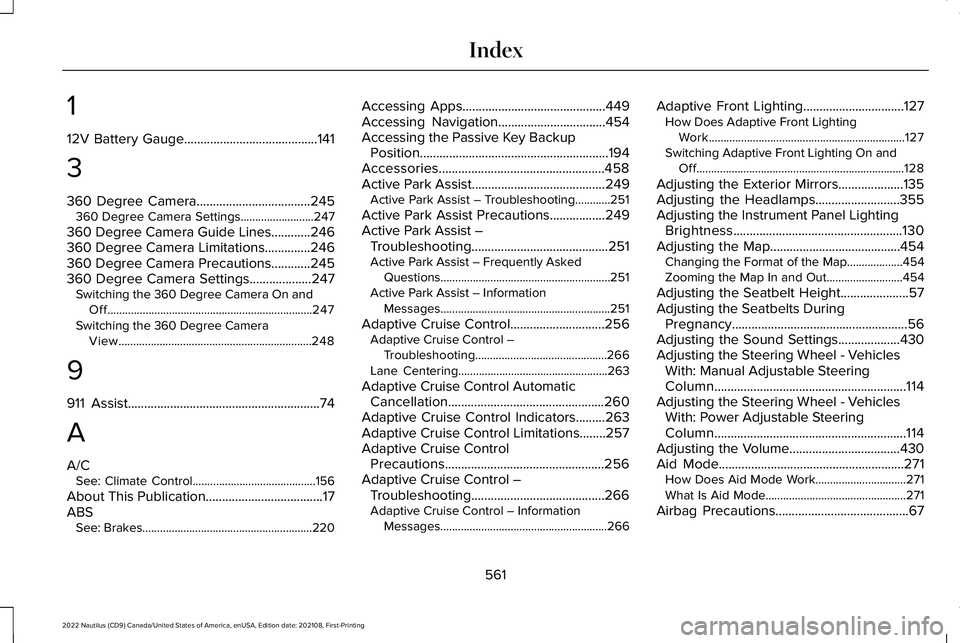
1
12V Battery Gauge.........................................141
3
360 Degree Camera...................................245360 Degree Camera Settings.........................247
360 Degree Camera Guide Lines............246360 Degree Camera Limitations..............246360 Degree Camera Precautions............245360 Degree Camera Settings...................247Switching the 360 Degree Camera On andOff......................................................................247Switching the 360 Degree CameraView..................................................................248
9
911 Assist...........................................................74
A
A/CSee: Climate Control..........................................156
About This Publication....................................17ABSSee: Brakes..........................................................220
Accessing Apps............................................449Accessing Navigation.................................454Accessing the Passive Key BackupPosition..........................................................194Accessories...................................................458Active Park Assist.........................................249Active Park Assist – Troubleshooting............251
Active Park Assist Precautions.................249Active Park Assist –Troubleshooting..........................................251Active Park Assist – Frequently AskedQuestions..........................................................251Active Park Assist – InformationMessages..........................................................251
Adaptive Cruise Control.............................256Adaptive Cruise Control –Troubleshooting.............................................266Lane Centering...................................................263
Adaptive Cruise Control AutomaticCancellation................................................260Adaptive Cruise Control Indicators.........263Adaptive Cruise Control Limitations........257Adaptive Cruise ControlPrecautions.................................................256Adaptive Cruise Control –Troubleshooting.........................................266Adaptive Cruise Control – InformationMessages.........................................................266
Adaptive Front Lighting...............................127How Does Adaptive Front LightingWork...................................................................127Switching Adaptive Front Lighting On andOff.......................................................................128
Adjusting the Exterior Mirrors....................135Adjusting the Headlamps..........................355Adjusting the Instrument Panel LightingBrightness....................................................130Adjusting the Map........................................454Changing the Format of the Map...................454Zooming the Map In and Out..........................454
Adjusting the Seatbelt Height.....................57Adjusting the Seatbelts DuringPregnancy......................................................56Adjusting the Sound Settings...................430Adjusting the Steering Wheel - VehiclesWith: Manual Adjustable SteeringColumn...........................................................114Adjusting the Steering Wheel - VehiclesWith: Power Adjustable SteeringColumn...........................................................114Adjusting the Volume..................................430Aid Mode.........................................................271How Does Aid Mode Work...............................271What Is Aid Mode................................................271
Airbag Precautions.........................................67
561
2022 Nautilus (CD9) Canada/United States of America, enUSA, Edition date: 202108, First-PrintingIndex
Page 569 of 586
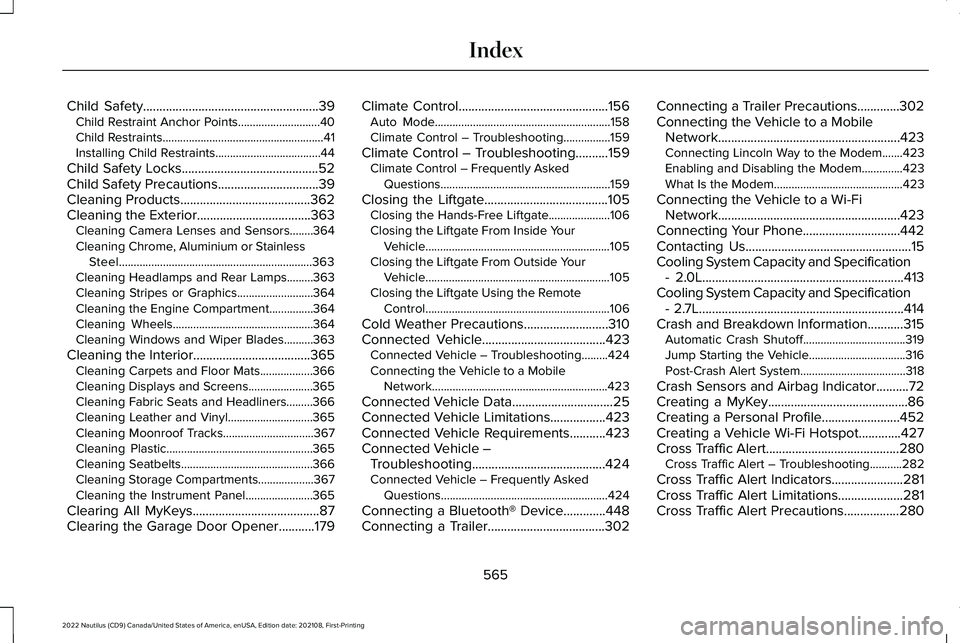
Child Safety......................................................39Child Restraint Anchor Points............................40Child Restraints.......................................................41Installing Child Restraints....................................44
Child Safety Locks..........................................52Child Safety Precautions...............................39Cleaning Products........................................362Cleaning the Exterior...................................363Cleaning Camera Lenses and Sensors........364Cleaning Chrome, Aluminium or StainlessSteel..................................................................363Cleaning Headlamps and Rear Lamps.........363Cleaning Stripes or Graphics..........................364Cleaning the Engine Compartment...............364Cleaning Wheels................................................364Cleaning Windows and Wiper Blades..........363
Cleaning the Interior....................................365Cleaning Carpets and Floor Mats..................366Cleaning Displays and Screens......................365Cleaning Fabric Seats and Headliners.........366Cleaning Leather and Vinyl.............................365Cleaning Moonroof Tracks...............................367Cleaning Plastic..................................................365Cleaning Seatbelts.............................................366Cleaning Storage Compartments...................367Cleaning the Instrument Panel.......................365
Clearing All MyKeys.......................................87Clearing the Garage Door Opener...........179
Climate Control..............................................156Auto Mode............................................................158Climate Control – Troubleshooting................159
Climate Control – Troubleshooting..........159Climate Control – Frequently AskedQuestions..........................................................159
Closing the Liftgate......................................105Closing the Hands-Free Liftgate.....................106Closing the Liftgate From Inside YourVehicle...............................................................105Closing the Liftgate From Outside YourVehicle...............................................................105Closing the Liftgate Using the RemoteControl...............................................................106
Cold Weather Precautions..........................310Connected Vehicle......................................423Connected Vehicle – Troubleshooting.........424Connecting the Vehicle to a MobileNetwork............................................................423
Connected Vehicle Data...............................25Connected Vehicle Limitations.................423Connected Vehicle Requirements...........423Connected Vehicle –Troubleshooting.........................................424Connected Vehicle – Frequently AskedQuestions.........................................................424
Connecting a Bluetooth® Device.............448Connecting a Trailer....................................302
Connecting a Trailer Precautions.............302Connecting the Vehicle to a MobileNetwork........................................................423Connecting Lincoln Way to the Modem.......423Enabling and Disabling the Modem..............423What Is the Modem............................................423
Connecting the Vehicle to a Wi-FiNetwork........................................................423Connecting Your Phone..............................442Contacting Us...................................................15Cooling System Capacity and Specification- 2.0L..............................................................413Cooling System Capacity and Specification- 2.7L...............................................................414Crash and Breakdown Information...........315Automatic Crash Shutoff...................................319Jump Starting the Vehicle.................................316Post-Crash Alert System....................................318
Crash Sensors and Airbag Indicator..........72Creating a MyKey...........................................86Creating a Personal Profile........................452Creating a Vehicle Wi-Fi Hotspot.............427Cross Traffic Alert.........................................280Cross Traffic Alert – Troubleshooting...........282
Cross Traffic Alert Indicators......................281Cross Traffic Alert Limitations....................281Cross Traffic Alert Precautions.................280
565
2022 Nautilus (CD9) Canada/United States of America, enUSA, Edition date: 202108, First-PrintingIndex
Page 574 of 586
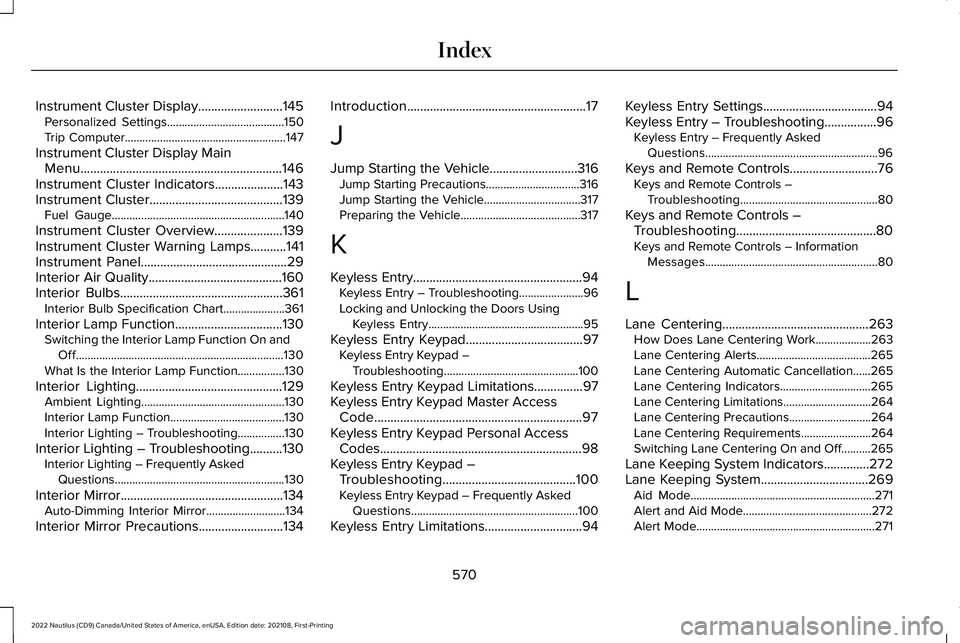
Instrument Cluster Display..........................145Personalized Settings........................................150Trip Computer.......................................................147
Instrument Cluster Display MainMenu..............................................................146Instrument Cluster Indicators.....................143Instrument Cluster.........................................139Fuel Gauge...........................................................140
Instrument Cluster Overview.....................139Instrument Cluster Warning Lamps...........141Instrument Panel.............................................29Interior Air Quality.........................................160Interior Bulbs..................................................361Interior Bulb Specification Chart.....................361
Interior Lamp Function.................................130Switching the Interior Lamp Function On andOff.......................................................................130What Is the Interior Lamp Function................130
Interior Lighting.............................................129Ambient Lighting.................................................130Interior Lamp Function.......................................130Interior Lighting – Troubleshooting................130
Interior Lighting – Troubleshooting..........130Interior Lighting – Frequently AskedQuestions..........................................................130
Interior Mirror..................................................134Auto-Dimming Interior Mirror...........................134
Interior Mirror Precautions..........................134
Introduction.......................................................17
J
Jump Starting the Vehicle...........................316Jump Starting Precautions................................316Jump Starting the Vehicle.................................317Preparing the Vehicle.........................................317
K
Keyless Entry....................................................94Keyless Entry – Troubleshooting......................96Locking and Unlocking the Doors UsingKeyless Entry.....................................................95
Keyless Entry Keypad....................................97Keyless Entry Keypad –Troubleshooting..............................................100
Keyless Entry Keypad Limitations...............97Keyless Entry Keypad Master AccessCode................................................................97Keyless Entry Keypad Personal AccessCodes..............................................................98Keyless Entry Keypad –Troubleshooting.........................................100Keyless Entry Keypad – Frequently AskedQuestions.........................................................100
Keyless Entry Limitations..............................94
Keyless Entry Settings...................................94Keyless Entry – Troubleshooting................96Keyless Entry – Frequently AskedQuestions...........................................................96
Keys and Remote Controls...........................76Keys and Remote Controls –Troubleshooting...............................................80
Keys and Remote Controls –Troubleshooting...........................................80Keys and Remote Controls – InformationMessages...........................................................80
L
Lane Centering.............................................263How Does Lane Centering Work...................263Lane Centering Alerts.......................................265Lane Centering Automatic Cancellation......265Lane Centering Indicators...............................265Lane Centering Limitations..............................264Lane Centering Precautions............................264Lane Centering Requirements........................264Switching Lane Centering On and Off..........265
Lane Keeping System Indicators..............272Lane Keeping System.................................269Aid Mode...............................................................271Alert and Aid Mode............................................272Alert Mode.............................................................271
570
2022 Nautilus (CD9) Canada/United States of America, enUSA, Edition date: 202108, First-PrintingIndex