brakes LINCOLN NAUTILUS 2022 Owner's Manual
[x] Cancel search | Manufacturer: LINCOLN, Model Year: 2022, Model line: NAUTILUS, Model: LINCOLN NAUTILUS 2022Pages: 586, PDF Size: 13.97 MB
Page 261 of 586
Hilly Condition Usage
Select a lower gear when the system isactive in situations such as prolongeddownhill driving on steep slopes, for examplein mountainous areas.
ADAPTIVE CRUISE CONTROL
LIMITATIONS
Sensor Limitations
WARNING: On rare occasions,detection issues can occur due to the roadinfrastructures, for example bridges,tunnels and safety barriers. In these cases,the system may brake late orunexpectedly. At all times, you areresponsible for controlling your vehicle,supervising the system and intervening, ifrequired.
WARNING: If the systemmalfunctions, have your vehicle checkedas soon as possible.
WARNING: Large contrasts in outsidelighting can limit sensor performance.
WARNING: The system only warnsof vehicles detected by the radar sensor.In some cases there may be no warningor a delayed warning. Apply the brakeswhen necessary. Failure to follow thisinstruction could result in personal injuryor death.
WARNING: The system may notdetect stationary or slow moving vehiclesbelow 6 mph (10 km/h).
WARNING: The system does notdetect pedestrians or objects in the road.
WARNING: The system does notdetect oncoming vehicles in the same lane.
WARNING: The system may notoperate properly if the sensor is blocked.Keep the windshield free from obstruction.
WARNING: The sensor mayincorrectly track lane markings as otherstructures or objects. This can result in afalse or missed warning.
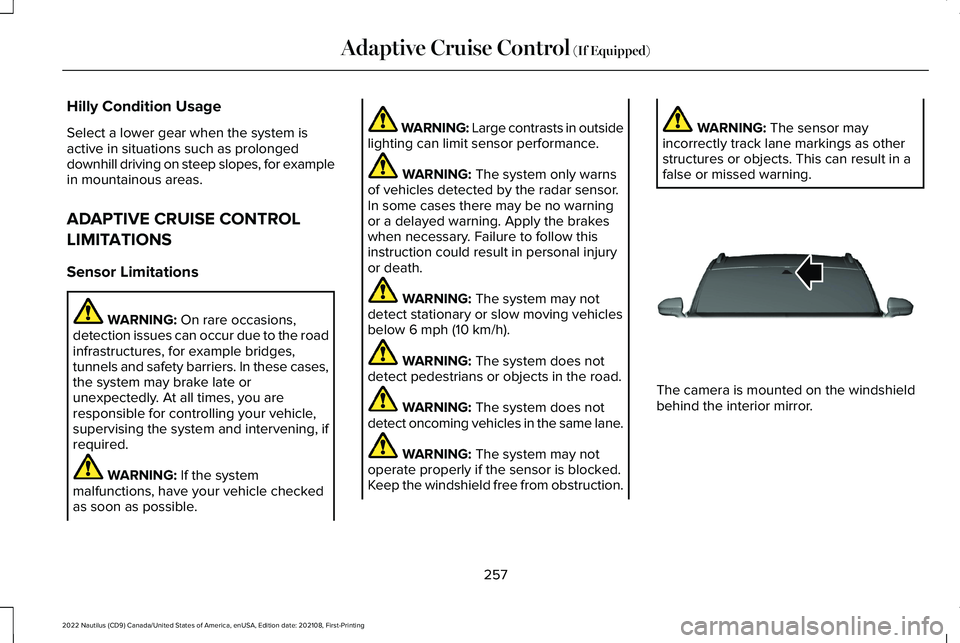
The camera is mounted on the windshieldbehind the interior mirror.
257
2022 Nautilus (CD9) Canada/United States of America, enUSA, Edition date: 202108, First-PrintingAdaptive Cruise Control (If Equipped)E307893
Page 265 of 586
Press and hold to decrease the set speed inlarge increments. Release the button whenyou reach the speed you prefer.
You can also press the acceleratoror brake pedal until you reach thespeed you prefer. Press the buttonto select the current speed as the set speed.
The system may apply the brakes to slowthe vehicle to the new set speed. The setspeed continuously displays in theinformation display when the system isactive.
SETTING THE ADAPTIVE CRUISE
CONTROL GAP
Press the button to cycle throughthe four gap settings.
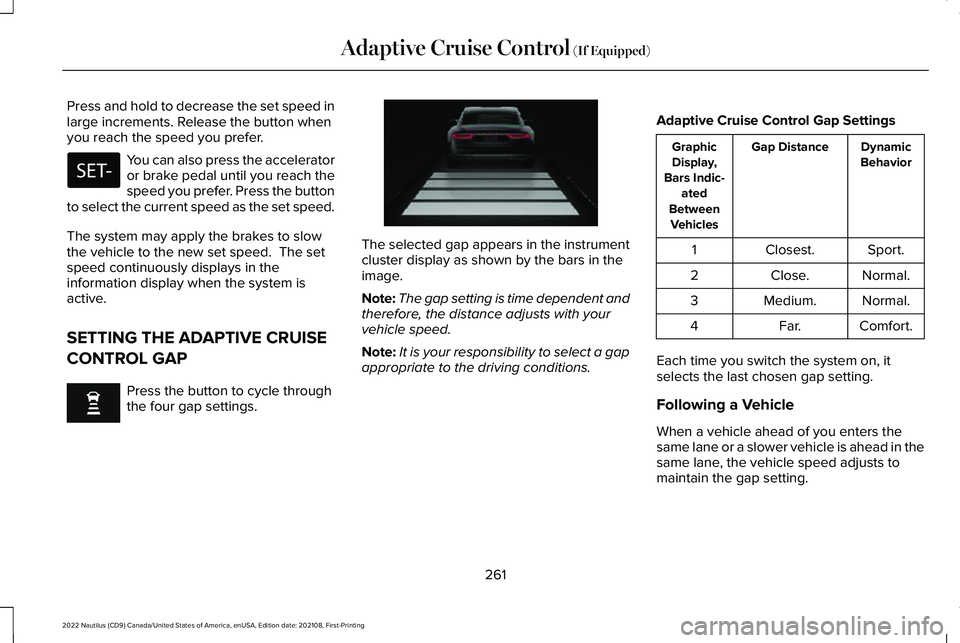
The selected gap appears in the instrumentcluster display as shown by the bars in theimage.
Note:The gap setting is time dependent andtherefore, the distance adjusts with yourvehicle speed.
Note:It is your responsibility to select a gapappropriate to the driving conditions.
Adaptive Cruise Control Gap Settings
DynamicBehaviorGap DistanceGraphicDisplay,Bars Indic-atedBetweenVehicles
Sport.Closest.1
Normal.Close.2
Normal.Medium.3
Comfort.Far.4
Each time you switch the system on, itselects the last chosen gap setting.
Following a Vehicle
When a vehicle ahead of you enters thesame lane or a slower vehicle is ahead in thesame lane, the vehicle speed adjusts tomaintain the gap setting.
261
2022 Nautilus (CD9) Canada/United States of America, enUSA, Edition date: 202108, First-PrintingAdaptive Cruise Control (If Equipped) E255686
Page 266 of 586
Note:When you are following a vehicle andyou switch on a turn signal lamp, adaptivecruise control may provide a small,temporary acceleration to help you pass.
Your vehicle maintains a consistent gap fromthe vehicle ahead until:
•The vehicle in front of you accelerates toa speed above the set speed.
•The vehicle in front of you moves out ofthe lane you are in.
•You set a new gap distance.
The system applies the brakes to slow downyour vehicle to maintain a safe gap distancefrom the vehicle in front of you. The systemonly applies limited braking. You canoverride the system by applying the brakes.
Note:The brakes may emit noise whenapplied by the system.
If the system determines that its maximumbraking level is not sufficient, an audiblewarning sounds, a message appears in theinstrument cluster display and an indicatorflashes when the system continues to brake.Take immediate action.
CANCELING THE SET SPEED
Press the button or tap the brakepedal.
The set speed does not erase.
RESUMING THE SET SPEED
Press the button.
Your vehicle speed returns to the previouslyset speed and gap setting. The set speeddisplays continuously in the informationdisplay when the system is active.
Note:Only use resume if you are aware ofthe set speed and intend to return to it.
Resuming the Set Speed from aComplete Stop
If your vehicle follows a vehicle to a completestop and remains stationary for less thanthree seconds, your vehicle accelerates froma stationary position to follow the vehicleahead.
If your vehicle follows a vehicle toa complete stop and remainsstationary for more than threeseconds, press and release the button orpress the accelerator pedal to follow thevehicle ahead.
OVERRIDING THE SET SPEED
WARNING: If you override the systemby pressing the accelerator pedal, it doesnot automatically apply the brakes tomaintain a gap from any vehicle ahead.
When you press the accelerator pedal, youoverride the set speed and gap distance.
Use the accelerator pedal to intentionallyexceed the set speed limit.
When you override the system, the greenindicator illuminates and the vehicle icondoes not appear in the instrument clusterdisplay.
262
2022 Nautilus (CD9) Canada/United States of America, enUSA, Edition date: 202108, First-PrintingAdaptive Cruise Control (If Equipped)
Page 267 of 586
The system resumes operation when yourelease the accelerator pedal. The vehiclespeed decreases to the set speed, or a lowerspeed if following a slower vehicle.
ADAPTIVE CRUISE CONTROL
INDICATORS
Illuminates when you switchadaptive cruise control on. Thecolor of the indicator changes toindicate the system status.
White indicates the system is on but inactive.
Green indicates that you set the speed andthe system is active.
SWITCHING FROM ADAPTIVE
CRUISE CONTROL TO CRUISE
CONTROL
WARNING: Normal cruise control willnot brake when your vehicle isapproaching slower vehicles. Always beaware of which mode you have selectedand apply the brakes when necessary.
You can change from adaptive cruise controlto normal cruise control through theinformation display.
The cruise control indicator lightreplaces the adaptive cruisecontrol indicator light if you selectnormal cruise control. The gap setting doesnot display, and the system does not respondto lead vehicles. Automatic braking remainsactive to maintain set speed.
LANE CENTERING
HOW DOES LANE CENTERING WORK
Adaptive cruise control with lane centeringuses radar and camera sensors to help keepyour vehicle in the middle of the lane byapplying continuous assistance steeringtorque input toward the lane center onhighways.
Note:The adaptive cruise control gap settingoperates normally.
If you drive off-center within the lane, thesystem sets and maintains that preferred laneposition. The system provides continuousassistance steering torque input toward thepreferred position.
Note:The system can only set preferred lanepositions within the lane.
Note:If the system cancels, the preferredposition erases. On the next activation, thesystem provides continuous assistancesteering torque input toward the lane center.
263
2022 Nautilus (CD9) Canada/United States of America, enUSA, Edition date: 202108, First-PrintingAdaptive Cruise Control (If Equipped)E144529 E71340
Page 287 of 586
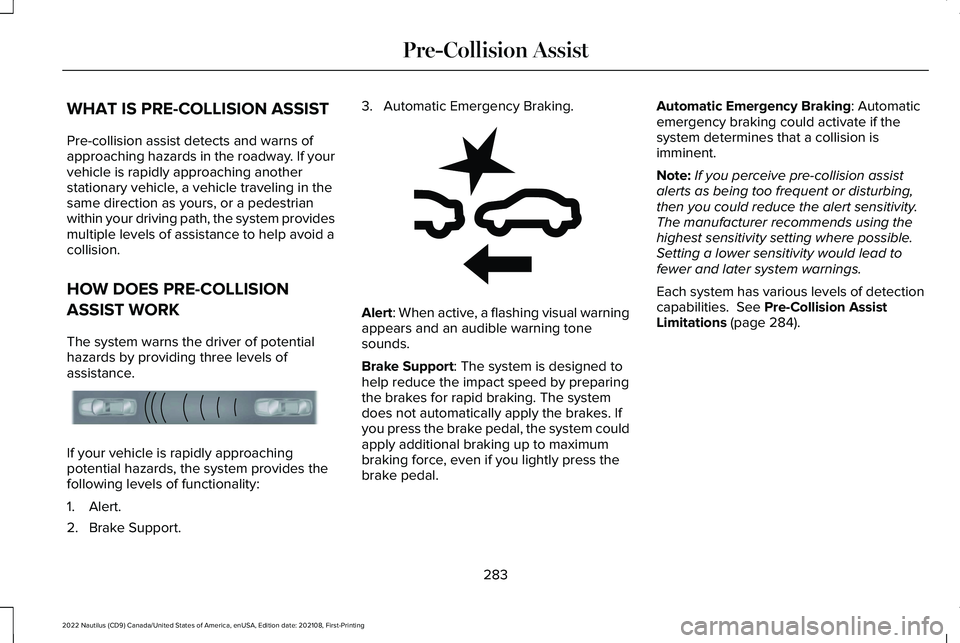
WHAT IS PRE-COLLISION ASSIST
Pre-collision assist detects and warns ofapproaching hazards in the roadway. If yourvehicle is rapidly approaching anotherstationary vehicle, a vehicle traveling in thesame direction as yours, or a pedestrianwithin your driving path, the system providesmultiple levels of assistance to help avoid acollision.
HOW DOES PRE-COLLISION
ASSIST WORK
The system warns the driver of potentialhazards by providing three levels ofassistance.
If your vehicle is rapidly approachingpotential hazards, the system provides thefollowing levels of functionality:
1.Alert.
2.Brake Support.
3.Automatic Emergency Braking.
Alert: When active, a flashing visual warningappears and an audible warning tonesounds.
Brake Support: The system is designed tohelp reduce the impact speed by preparingthe brakes for rapid braking. The systemdoes not automatically apply the brakes. Ifyou press the brake pedal, the system couldapply additional braking up to maximumbraking force, even if you lightly press thebrake pedal.
Automatic Emergency Braking: Automaticemergency braking could activate if thesystem determines that a collision isimminent.
Note:If you perceive pre-collision assistalerts as being too frequent or disturbing,then you could reduce the alert sensitivity.The manufacturer recommends using thehighest sensitivity setting where possible.Setting a lower sensitivity would lead tofewer and later system warnings.
Each system has various levels of detectioncapabilities. See Pre-Collision AssistLimitations (page 284).
283
2022 Nautilus (CD9) Canada/United States of America, enUSA, Edition date: 202108, First-PrintingPre-Collision AssistE156130 E255268
Page 288 of 586
PRE-COLLISION ASSIST
PRECAUTIONS
WARNING: You are responsible forcontrolling your vehicle at all times. Thesystem is designed to be an aid and doesnot relieve you of your responsibility todrive with due care and attention. Failureto follow this instruction could result in theloss of control of your vehicle, personalinjury or death.
WARNING: The system does notdetect vehicles moving in a differentdirection or animals. Apply the brakeswhen necessary. Failure to follow thisinstruction could result in the loss ofcontrol of your vehicle, personal injury ordeath.
WARNING: The system does notoperate during hard acceleration orsteering. Failure to take care may lead toa crash or personal injury.
WARNING: The system may fail oroperate with reduced function during coldand severe weather conditions. Snow, ice,rain, spray and fog can adversely affect thesystem. Keep the front camera and radarfree of snow and ice. Failure to take caremay result in the loss of control of yourvehicle, serious personal injury or death.
WARNING: Take additional care ifyour vehicle is heavily loaded or you aretowing a trailer. These conditions couldresult in reduced performance of thissystem. Failure to follow this instructioncould result in the loss of control of yourvehicle, personal injury or death.
WARNING: The system cannot helpprevent all crashes. Do not rely on thissystem to replace driver judgment and theneed to maintain a safe distance andspeed.
WARNING: In situations where thevehicle camera has limited detectioncapability, this may reduce systemperformance. These situations include butare not limited to direct or low sunlight,vehicles at night without tail lights,unconventional vehicle types, pedestrianswith complex backgrounds, runningpedestrians, partly obscured pedestrians,or pedestrians that the system cannotdistinguish from a group. Failure to takecare may result in the loss of control ofyour vehicle, serious personal injury ordeath.
PRE-COLLISION ASSIST
LIMITATIONS
Pre-collision assist depends on the detectionability of its camera and sensors. Anyobstructions or damage to these areas canlimit detection or prevent the system fromfunctioning. See Locating the Pre-CollisionAssist Sensors (page 285).
284
2022 Nautilus (CD9) Canada/United States of America, enUSA, Edition date: 202108, First-PrintingPre-Collision Assist
Page 292 of 586
AUTOMATIC EMERGENCY BRAKING
WHAT IS AUTOMATIC EMERGENCYBRAKING
Automatic emergency braking may activateif the system determines that a collision isimminent. The system may help reduceimpact damage to avoid the crashcompletely.
Automatic emergency braking is onlyavailable up to certain speeds. SeePre-Collision Assist Limitations (page 284).
SWITCHING AUTOMATIC EMERGENCYBRAKING ON AND OFF
To switch the system on or off, use theinstrument cluster display:
1.Using the instrument cluster displaycontrols on the steering wheel, selectSETTINGS.
2.Select Driver assistance.
3.Select Pre-collision.
4.Switch Auto Emergency Braking on oroff.
Note:Automatic emergency brakingswitches on every time you switch theignition on.
EVASIVE STEERING ASSIST (IF EQUIPPED)
WHAT IS EVASIVE STEERING ASSIST
If your vehicle is rapidly approaching a roaduser, evasive steering assist helps you steeraround the road user.
After you turn the steering wheel in anattempt to avoid a crash with the road user,the system applies additional steering torqueto help you steer around the road user. Afteryou pass the road user, the system appliessteering torque when you turn the steeringwheel to steer back into the lane. The systemdeactivates after you fully pass the road user.
Note:Road users are defined as anotherstationary vehicle in the same lane or avehicle traveling in the same lane in thesame direction as you. See Pre-CollisionAssist Precautions (page 284).
EVASIVE STEERING ASSISTLIMITATIONS
Evasive steering assist only activates whenall the following occur:
•Automatic emergency braking andevasive steering assist are on.
•The system detects a road user aheadand starts to apply the brakes.
•You significantly turn the steering wheelto steer around a road user.
Note:Evasive steering assist does notautomatically steer around a road user. Ifyou do not turn the steering wheel, evasivesteering assist does not activate.
Note:Evasive steering assist does notactivate if the distance to the road userahead is too small and the system cannotavoid a crash.
Note:Evasive steering does not activate withcyclists or pedestrians.
288
2022 Nautilus (CD9) Canada/United States of America, enUSA, Edition date: 202108, First-PrintingPre-Collision Assist
Page 299 of 586
Rating.) Separate functional brakesshould be used for safe control of towedvehicles and for trailers where the GrossCombined Weight of the towing vehicle
plus the trailer exceed the Gross VehicleWeight Rating of the towing vehicle.Note:For trailer towing information referto the RV and Trailer Towing Guideavailable at an authorized dealer, oronline at the website that follows.
RV & Trailer Towing Guide Online
www.fleet.ford.com/towing-guidesWebsite
295
2022 Nautilus (CD9) Canada/United States of America, enUSA, Edition date: 202108, First-PrintingLoad Carrying
Page 308 of 586
TOWING A TRAILER PRECAUTIONS
WARNING: Do not exceed theGVWR or the GAWR specified on thecertification label.
WARNING: Towing trailersbeyond the maximum recommendedgross trailer weight exceeds the limitof your vehicle and could result inengine damage, transmission damage,structural damage, loss of vehiclecontrol, vehicle rollover and personalinjury.
WARNING: Do not exceed thelowest rating capacity for your vehicleor trailer hitch. Overloading yourvehicle or trailer hitch can impair yourvehicle stability and handling. Failureto follow this instruction could resultin the loss of control of your vehicle,personal injury or death.
WARNING: Make sure that thevertical load on the tow ball is betweenthe minimum and maximumrecommended weight at all times.Failure to follow this instruction couldresult in the loss of control of yourvehicle, personal injury or death.
WARNING: Do not cut, drill, weldor modify the trailer hitch. Modifyingthe trailer hitch could reduce the hitchrating.
WARNING: The anti-lock brakesystem does not control the trailerbrakes.
TRAILER BRAKE PRECAUTIONS
WARNING: Do not connect a trailer'shydraulic brake system directly to yourvehicle's brake system. Your vehicle maynot have enough braking power and yourchances of having a collision greatlyincrease.
WARNING: Do not tow a trailer fittedwith electric trailer brakes unless yourvehicle is fitted with a compatibleaftermarket electronic trailer brakecontroller. Failure to follow this instructioncould result in the loss of control of yourvehicle, personal injury or death. Foradditional information and assistance, werecommend that you contact an authorizeddealer.
Electric brakes and manual, automatic orsurge-type trailer brakes are safe if you installthem properly and adjust them to themanufacturer's specifications. The trailerbrakes must meet local and federalregulations.
304
2022 Nautilus (CD9) Canada/United States of America, enUSA, Edition date: 202108, First-PrintingTowing a Trailer
Page 309 of 586
The rating for the tow vehicle's brakingsystem operation is at the gross vehicleweight rating, not the gross combined weightrating.
Certain states require functioning trailerbrakes for trailers over a specified weight.Be sure to check state regulations for thisspecified weight.
Ford Motor Company recommends separatefunctioning brake systems for trailersweighing more than 1,500 lb (680 kg) whenloaded.
TOWING A TRAILER LIMITATIONS
The vehicle's load capacity designationis by weight, not by volume, so youcannot necessarily use all availablespace when loading a vehicle or trailer.
Note:Your vehicle could have reducedperformance when operating at highaltitudes and when heavily loaded ortowing a trailer. When driving atelevation, to match driving performanceas perceived at sea level, reduce grossvehicle weight and gross combinationweight by 2% per 1,000 ft (300 m)elevation.
LOADING YOUR TRAILER
To help minimize how trailer movementaffects your vehicle when driving:
•Load the heaviest items closest tothe trailer floor.
•Load the heaviest items centeredbetween the left and right side trailertires.
•Load the heaviest items above thetrailer axles or just slightly forwardtoward the trailer tongue. Do notallow the final trailer tongue weightto go above or below 10-15% of theloaded trailer weight. The trailertongue weight should never exceed10% of the maximum towing capacity.
•Select a ball mount with the correctrise or drop. When both the loadedvehicle and trailer are connected, thetrailer frame should be level, orslightly angled down toward yourvehicle, when viewed from the side.
TRAILER TOWING HINTS
Towing a trailer places an extra load on yourvehicle's engine, transmission, axle, brakes,tires and suspension. Periodically inspectthese components during and after anytowing operation.
When driving with a trailer or payload, a slighttakeoff vibration or shudder may be presentdue to the increased payload weight.
305
2022 Nautilus (CD9) Canada/United States of America, enUSA, Edition date: 202108, First-PrintingTowing a Trailer