power steering LINCOLN NAUTILUS 2022 Owner's Manual
[x] Cancel search | Manufacturer: LINCOLN, Model Year: 2022, Model line: NAUTILUS, Model: LINCOLN NAUTILUS 2022Pages: 586, PDF Size: 13.97 MB
Page 341 of 586
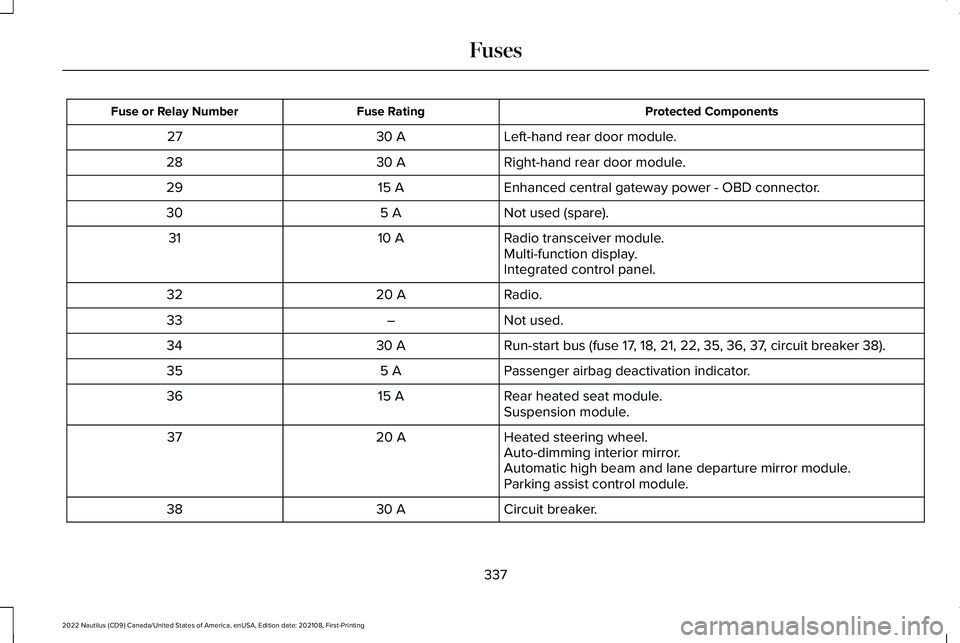
Protected ComponentsFuse RatingFuse or Relay Number
Left-hand rear door module.30 A27
Right-hand rear door module.30 A28
Enhanced central gateway power - OBD connector.15 A29
Not used (spare).5 A30
Radio transceiver module.10 A31Multi-function display.Integrated control panel.
Radio.20 A32
Not used.–33
Run-start bus (fuse 17, 18, 21, 22, 35, 36, 37, circuit breaker 38).30 A34
Passenger airbag deactivation indicator.5 A35
Rear heated seat module.15 A36Suspension module.
Heated steering wheel.20 A37Auto-dimming interior mirror.Automatic high beam and lane departure mirror module.Parking assist control module.
Circuit breaker.30 A38
337
2022 Nautilus (CD9) Canada/United States of America, enUSA, Edition date: 202108, First-PrintingFuses
Page 353 of 586
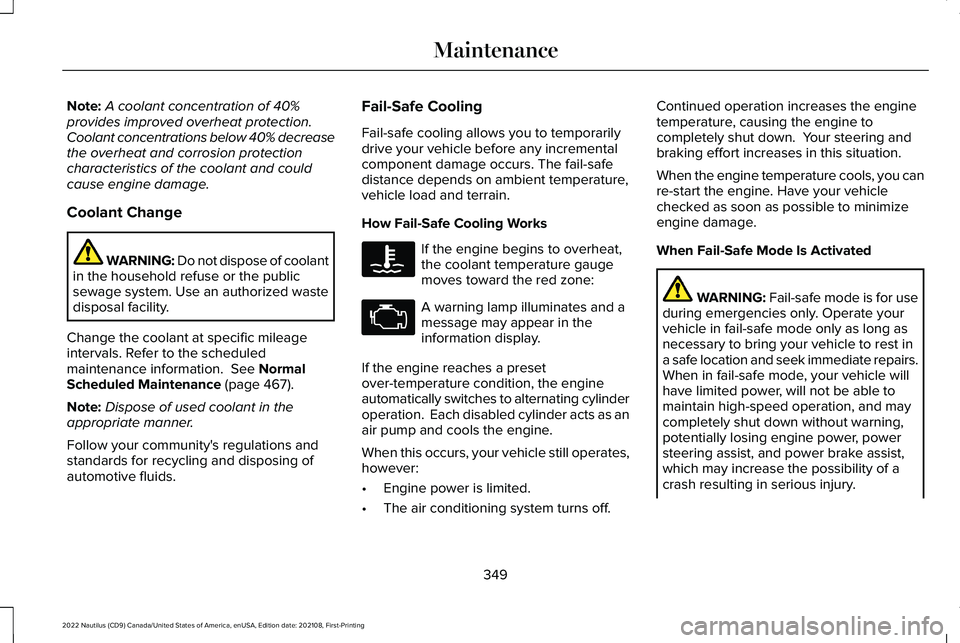
Note:A coolant concentration of 40%provides improved overheat protection.Coolant concentrations below 40% decreasethe overheat and corrosion protectioncharacteristics of the coolant and couldcause engine damage.
Coolant Change
WARNING: Do not dispose of coolantin the household refuse or the publicsewage system. Use an authorized wastedisposal facility.
Change the coolant at specific mileageintervals. Refer to the scheduledmaintenance information. See NormalScheduled Maintenance (page 467).
Note:Dispose of used coolant in theappropriate manner.
Follow your community's regulations andstandards for recycling and disposing ofautomotive fluids.
Fail-Safe Cooling
Fail-safe cooling allows you to temporarilydrive your vehicle before any incrementalcomponent damage occurs. The fail-safedistance depends on ambient temperature,vehicle load and terrain.
How Fail-Safe Cooling Works
If the engine begins to overheat,the coolant temperature gaugemoves toward the red zone:
A warning lamp illuminates and amessage may appear in theinformation display.
If the engine reaches a presetover-temperature condition, the engineautomatically switches to alternating cylinderoperation. Each disabled cylinder acts as anair pump and cools the engine.
When this occurs, your vehicle still operates,however:
•Engine power is limited.
•The air conditioning system turns off.
Continued operation increases the enginetemperature, causing the engine tocompletely shut down. Your steering andbraking effort increases in this situation.
When the engine temperature cools, you canre-start the engine. Have your vehiclechecked as soon as possible to minimizeengine damage.
When Fail-Safe Mode Is Activated
WARNING: Fail-safe mode is for useduring emergencies only. Operate yourvehicle in fail-safe mode only as long asnecessary to bring your vehicle to rest ina safe location and seek immediate repairs.When in fail-safe mode, your vehicle willhave limited power, will not be able tomaintain high-speed operation, and maycompletely shut down without warning,potentially losing engine power, powersteering assist, and power brake assist,which may increase the possibility of acrash resulting in serious injury.
349
2022 Nautilus (CD9) Canada/United States of America, enUSA, Edition date: 202108, First-PrintingMaintenance
Page 358 of 586
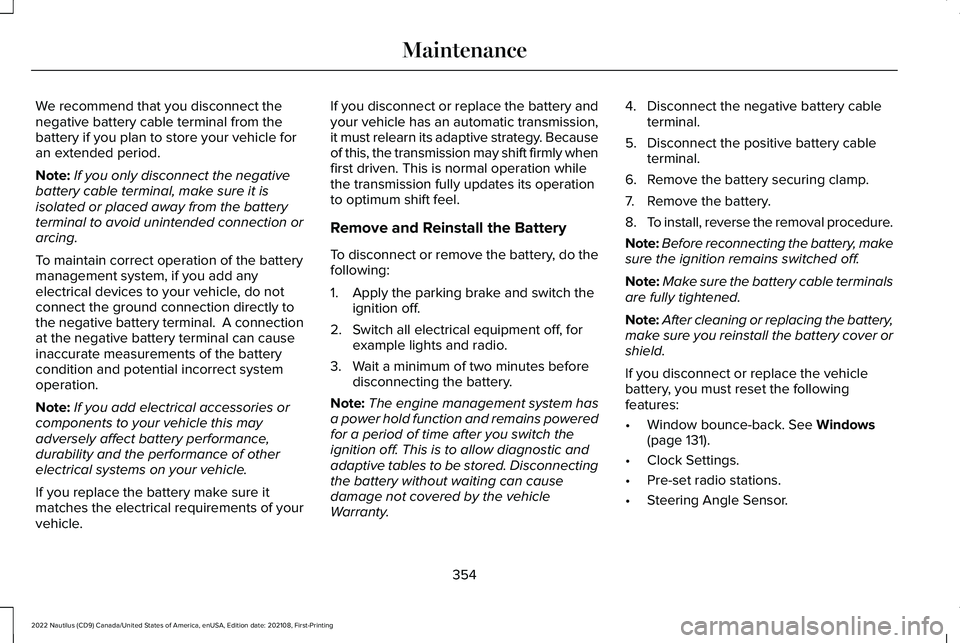
We recommend that you disconnect thenegative battery cable terminal from thebattery if you plan to store your vehicle foran extended period.
Note:If you only disconnect the negativebattery cable terminal, make sure it isisolated or placed away from the batteryterminal to avoid unintended connection orarcing.
To maintain correct operation of the batterymanagement system, if you add anyelectrical devices to your vehicle, do notconnect the ground connection directly tothe negative battery terminal. A connectionat the negative battery terminal can causeinaccurate measurements of the batterycondition and potential incorrect systemoperation.
Note:If you add electrical accessories orcomponents to your vehicle this mayadversely affect battery performance,durability and the performance of otherelectrical systems on your vehicle.
If you replace the battery make sure itmatches the electrical requirements of yourvehicle.
If you disconnect or replace the battery andyour vehicle has an automatic transmission,it must relearn its adaptive strategy. Becauseof this, the transmission may shift firmly whenfirst driven. This is normal operation whilethe transmission fully updates its operationto optimum shift feel.
Remove and Reinstall the Battery
To disconnect or remove the battery, do thefollowing:
1.Apply the parking brake and switch theignition off.
2.Switch all electrical equipment off, forexample lights and radio.
3.Wait a minimum of two minutes beforedisconnecting the battery.
Note:The engine management system hasa power hold function and remains poweredfor a period of time after you switch theignition off. This is to allow diagnostic andadaptive tables to be stored. Disconnectingthe battery without waiting can causedamage not covered by the vehicleWarranty.
4.Disconnect the negative battery cableterminal.
5.Disconnect the positive battery cableterminal.
6.Remove the battery securing clamp.
7.Remove the battery.
8.To install, reverse the removal procedure.
Note:Before reconnecting the battery, makesure the ignition remains switched off.
Note:Make sure the battery cable terminalsare fully tightened.
Note:After cleaning or replacing the battery,make sure you reinstall the battery cover orshield.
If you disconnect or replace the vehiclebattery, you must reset the followingfeatures:
•Window bounce-back. See Windows(page 131).
•Clock Settings.
•Pre-set radio stations.
•Steering Angle Sensor.
354
2022 Nautilus (CD9) Canada/United States of America, enUSA, Edition date: 202108, First-PrintingMaintenance
Page 384 of 586
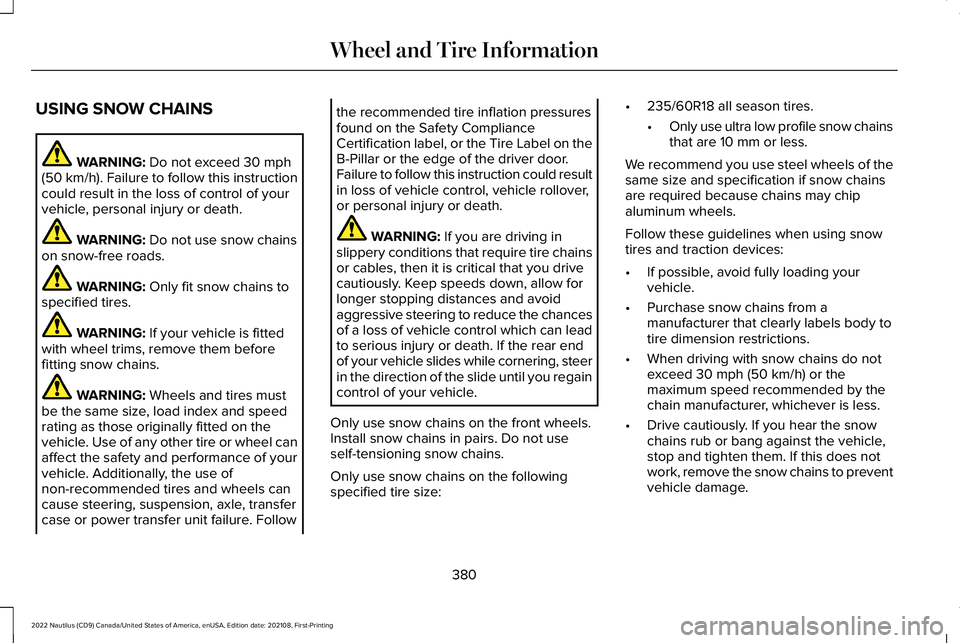
USING SNOW CHAINS
WARNING: Do not exceed 30 mph(50 km/h). Failure to follow this instructioncould result in the loss of control of yourvehicle, personal injury or death.
WARNING: Do not use snow chainson snow-free roads.
WARNING: Only fit snow chains tospecified tires.
WARNING: If your vehicle is fittedwith wheel trims, remove them beforefitting snow chains.
WARNING: Wheels and tires mustbe the same size, load index and speedrating as those originally fitted on thevehicle. Use of any other tire or wheel canaffect the safety and performance of yourvehicle. Additionally, the use ofnon-recommended tires and wheels cancause steering, suspension, axle, transfercase or power transfer unit failure. Follow
the recommended tire inflation pressuresfound on the Safety ComplianceCertification label, or the Tire Label on theB-Pillar or the edge of the driver door.Failure to follow this instruction could resultin loss of vehicle control, vehicle rollover,or personal injury or death.
WARNING: If you are driving inslippery conditions that require tire chainsor cables, then it is critical that you drivecautiously. Keep speeds down, allow forlonger stopping distances and avoidaggressive steering to reduce the chancesof a loss of vehicle control which can leadto serious injury or death. If the rear endof your vehicle slides while cornering, steerin the direction of the slide until you regaincontrol of your vehicle.
Only use snow chains on the front wheels.Install snow chains in pairs. Do not useself-tensioning snow chains.
Only use snow chains on the followingspecified tire size:
•235/60R18 all season tires.
•Only use ultra low profile snow chainsthat are 10 mm or less.
We recommend you use steel wheels of thesame size and specification if snow chainsare required because chains may chipaluminum wheels.
Follow these guidelines when using snowtires and traction devices:
•If possible, avoid fully loading yourvehicle.
•Purchase snow chains from amanufacturer that clearly labels body totire dimension restrictions.
•When driving with snow chains do notexceed 30 mph (50 km/h) or themaximum speed recommended by thechain manufacturer, whichever is less.
•Drive cautiously. If you hear the snowchains rub or bang against the vehicle,stop and tighten them. If this does notwork, remove the snow chains to preventvehicle damage.
380
2022 Nautilus (CD9) Canada/United States of America, enUSA, Edition date: 202108, First-PrintingWheel and Tire Information
Page 565 of 586
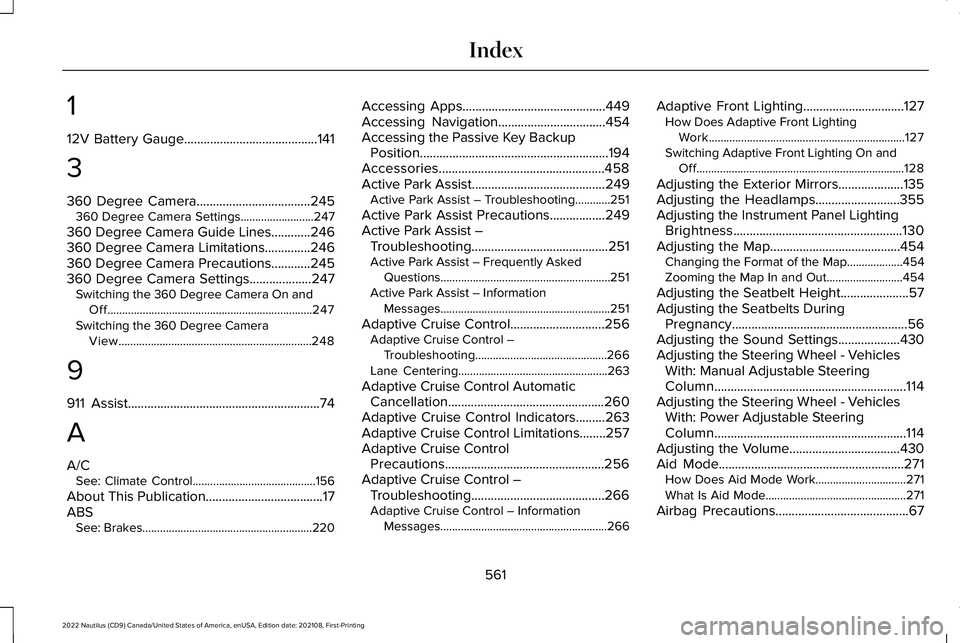
1
12V Battery Gauge.........................................141
3
360 Degree Camera...................................245360 Degree Camera Settings.........................247
360 Degree Camera Guide Lines............246360 Degree Camera Limitations..............246360 Degree Camera Precautions............245360 Degree Camera Settings...................247Switching the 360 Degree Camera On andOff......................................................................247Switching the 360 Degree CameraView..................................................................248
9
911 Assist...........................................................74
A
A/CSee: Climate Control..........................................156
About This Publication....................................17ABSSee: Brakes..........................................................220
Accessing Apps............................................449Accessing Navigation.................................454Accessing the Passive Key BackupPosition..........................................................194Accessories...................................................458Active Park Assist.........................................249Active Park Assist – Troubleshooting............251
Active Park Assist Precautions.................249Active Park Assist –Troubleshooting..........................................251Active Park Assist – Frequently AskedQuestions..........................................................251Active Park Assist – InformationMessages..........................................................251
Adaptive Cruise Control.............................256Adaptive Cruise Control –Troubleshooting.............................................266Lane Centering...................................................263
Adaptive Cruise Control AutomaticCancellation................................................260Adaptive Cruise Control Indicators.........263Adaptive Cruise Control Limitations........257Adaptive Cruise ControlPrecautions.................................................256Adaptive Cruise Control –Troubleshooting.........................................266Adaptive Cruise Control – InformationMessages.........................................................266
Adaptive Front Lighting...............................127How Does Adaptive Front LightingWork...................................................................127Switching Adaptive Front Lighting On andOff.......................................................................128
Adjusting the Exterior Mirrors....................135Adjusting the Headlamps..........................355Adjusting the Instrument Panel LightingBrightness....................................................130Adjusting the Map........................................454Changing the Format of the Map...................454Zooming the Map In and Out..........................454
Adjusting the Seatbelt Height.....................57Adjusting the Seatbelts DuringPregnancy......................................................56Adjusting the Sound Settings...................430Adjusting the Steering Wheel - VehiclesWith: Manual Adjustable SteeringColumn...........................................................114Adjusting the Steering Wheel - VehiclesWith: Power Adjustable SteeringColumn...........................................................114Adjusting the Volume..................................430Aid Mode.........................................................271How Does Aid Mode Work...............................271What Is Aid Mode................................................271
Airbag Precautions.........................................67
561
2022 Nautilus (CD9) Canada/United States of America, enUSA, Edition date: 202108, First-PrintingIndex
Page 571 of 586
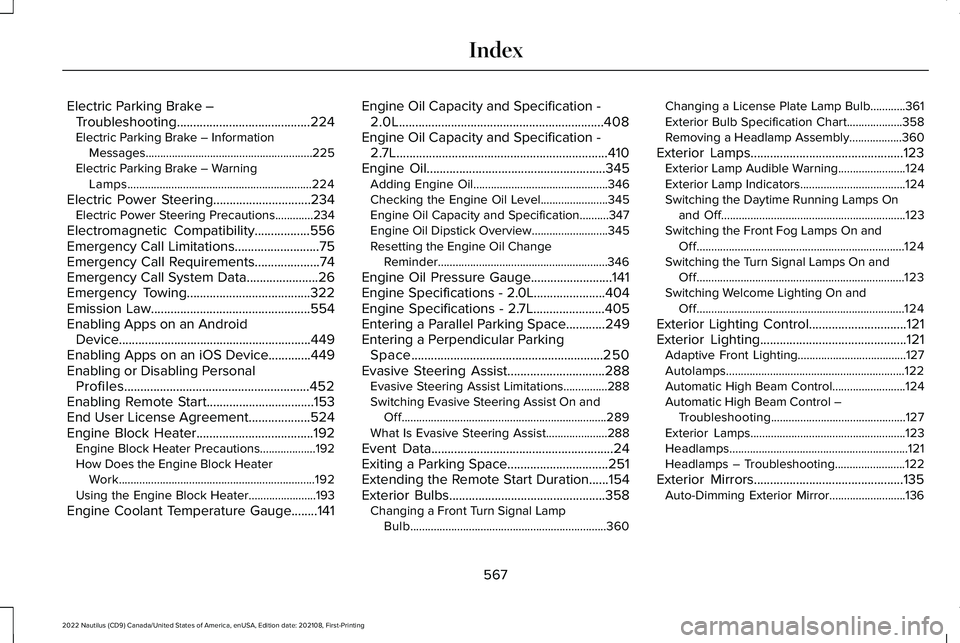
Electric Parking Brake –Troubleshooting.........................................224Electric Parking Brake – InformationMessages.........................................................225Electric Parking Brake – WarningLamps...............................................................224
Electric Power Steering..............................234Electric Power Steering Precautions.............234
Electromagnetic Compatibility.................556Emergency Call Limitations..........................75Emergency Call Requirements....................74Emergency Call System Data......................26Emergency Towing......................................322Emission Law.................................................554Enabling Apps on an AndroidDevice...........................................................449Enabling Apps on an iOS Device.............449Enabling or Disabling PersonalProfiles.........................................................452Enabling Remote Start.................................153End User License Agreement...................524Engine Block Heater....................................192Engine Block Heater Precautions...................192How Does the Engine Block HeaterWork...................................................................192Using the Engine Block Heater.......................193
Engine Coolant Temperature Gauge........141
Engine Oil Capacity and Specification -2.0L...............................................................408Engine Oil Capacity and Specification -2.7L.................................................................410Engine Oil.......................................................345Adding Engine Oil..............................................346Checking the Engine Oil Level.......................345Engine Oil Capacity and Specification..........347Engine Oil Dipstick Overview..........................345Resetting the Engine Oil ChangeReminder..........................................................346
Engine Oil Pressure Gauge.........................141Engine Specifications - 2.0L......................404Engine Specifications - 2.7L......................405Entering a Parallel Parking Space............249Entering a Perpendicular ParkingSpace...........................................................250Evasive Steering Assist..............................288Evasive Steering Assist Limitations...............288Switching Evasive Steering Assist On andOff......................................................................289What Is Evasive Steering Assist.....................288
Event Data........................................................24Exiting a Parking Space...............................251Extending the Remote Start Duration......154Exterior Bulbs................................................358Changing a Front Turn Signal LampBulb...................................................................360
Changing a License Plate Lamp Bulb............361Exterior Bulb Specification Chart...................358Removing a Headlamp Assembly..................360
Exterior Lamps...............................................123Exterior Lamp Audible Warning.......................124Exterior Lamp Indicators....................................124Switching the Daytime Running Lamps Onand Off...............................................................123Switching the Front Fog Lamps On andOff.......................................................................124Switching the Turn Signal Lamps On andOff.......................................................................123Switching Welcome Lighting On andOff.......................................................................124
Exterior Lighting Control..............................121Exterior Lighting.............................................121Adaptive Front Lighting.....................................127Autolamps.............................................................122Automatic High Beam Control.........................124Automatic High Beam Control –Troubleshooting..............................................127Exterior Lamps.....................................................123Headlamps.............................................................121Headlamps – Troubleshooting........................122
Exterior Mirrors..............................................135Auto-Dimming Exterior Mirror..........................136
567
2022 Nautilus (CD9) Canada/United States of America, enUSA, Edition date: 202108, First-PrintingIndex
Page 577 of 586
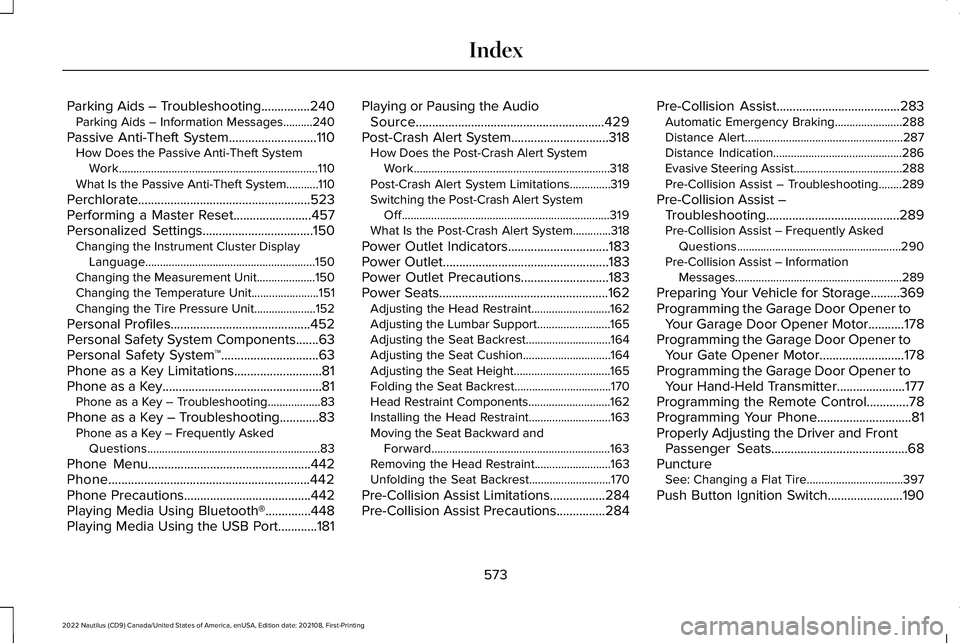
Parking Aids – Troubleshooting...............240Parking Aids – Information Messages..........240
Passive Anti-Theft System...........................110How Does the Passive Anti-Theft SystemWork....................................................................110What Is the Passive Anti-Theft System...........110
Perchlorate.....................................................523Performing a Master Reset........................457Personalized Settings..................................150Changing the Instrument Cluster DisplayLanguage..........................................................150Changing the Measurement Unit....................150Changing the Temperature Unit.......................151Changing the Tire Pressure Unit.....................152
Personal Profiles...........................................452Personal Safety System Components.......63Personal Safety System™..............................63Phone as a Key Limitations...........................81Phone as a Key.................................................81Phone as a Key – Troubleshooting..................83
Phone as a Key – Troubleshooting............83Phone as a Key – Frequently AskedQuestions...........................................................83
Phone Menu..................................................442Phone..............................................................442Phone Precautions.......................................442Playing Media Using Bluetooth®..............448Playing Media Using the USB Port............181
Playing or Pausing the AudioSource..........................................................429Post-Crash Alert System..............................318How Does the Post-Crash Alert SystemWork...................................................................318Post-Crash Alert System Limitations..............319Switching the Post-Crash Alert SystemOff.......................................................................319What Is the Post-Crash Alert System.............318
Power Outlet Indicators...............................183Power Outlet...................................................183Power Outlet Precautions...........................183Power Seats....................................................162Adjusting the Head Restraint...........................162Adjusting the Lumbar Support.........................165Adjusting the Seat Backrest.............................164Adjusting the Seat Cushion..............................164Adjusting the Seat Height.................................165Folding the Seat Backrest.................................170Head Restraint Components............................162Installing the Head Restraint............................163Moving the Seat Backward andForward.............................................................163Removing the Head Restraint..........................163Unfolding the Seat Backrest............................170
Pre-Collision Assist Limitations.................284Pre-Collision Assist Precautions...............284
Pre-Collision Assist......................................283Automatic Emergency Braking.......................288Distance Alert......................................................287Distance Indication............................................286Evasive Steering Assist.....................................288Pre-Collision Assist – Troubleshooting........289
Pre-Collision Assist –Troubleshooting.........................................289Pre-Collision Assist – Frequently AskedQuestions........................................................290Pre-Collision Assist – InformationMessages.........................................................289
Preparing Your Vehicle for Storage.........369Programming the Garage Door Opener toYour Garage Door Opener Motor...........178Programming the Garage Door Opener toYour Gate Opener Motor..........................178Programming the Garage Door Opener toYour Hand-Held Transmitter.....................177Programming the Remote Control.............78Programming Your Phone.............................81Properly Adjusting the Driver and FrontPassenger Seats..........................................68PunctureSee: Changing a Flat Tire.................................397
Push Button Ignition Switch.......................190
573
2022 Nautilus (CD9) Canada/United States of America, enUSA, Edition date: 202108, First-PrintingIndex
Page 578 of 586
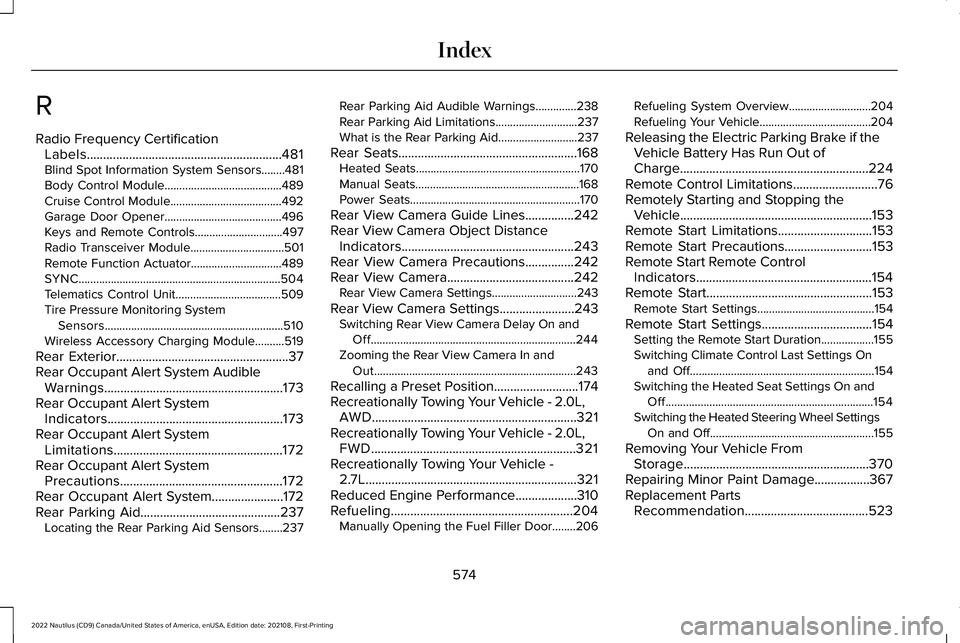
R
Radio Frequency CertificationLabels............................................................481Blind Spot Information System Sensors........481Body Control Module........................................489Cruise Control Module......................................492Garage Door Opener........................................496Keys and Remote Controls..............................497Radio Transceiver Module................................501Remote Function Actuator...............................489SYNC.....................................................................504Telematics Control Unit....................................509Tire Pressure Monitoring SystemSensors.............................................................510Wireless Accessory Charging Module..........519
Rear Exterior.....................................................37Rear Occupant Alert System AudibleWarnings.......................................................173Rear Occupant Alert SystemIndicators......................................................173Rear Occupant Alert SystemLimitations....................................................172Rear Occupant Alert SystemPrecautions..................................................172Rear Occupant Alert System......................172Rear Parking Aid...........................................237Locating the Rear Parking Aid Sensors........237
Rear Parking Aid Audible Warnings..............238Rear Parking Aid Limitations............................237What is the Rear Parking Aid...........................237
Rear Seats.......................................................168Heated Seats........................................................170Manual Seats........................................................168Power Seats..........................................................170
Rear View Camera Guide Lines...............242Rear View Camera Object DistanceIndicators.....................................................243Rear View Camera Precautions...............242Rear View Camera.......................................242Rear View Camera Settings.............................243
Rear View Camera Settings.......................243Switching Rear View Camera Delay On andOff......................................................................244Zooming the Rear View Camera In andOut.....................................................................243
Recalling a Preset Position..........................174Recreationally Towing Your Vehicle - 2.0L,AWD...............................................................321Recreationally Towing Your Vehicle - 2.0L,FWD...............................................................321Recreationally Towing Your Vehicle -2.7L.................................................................321Reduced Engine Performance...................310Refueling........................................................204Manually Opening the Fuel Filler Door........206
Refueling System Overview............................204Refueling Your Vehicle......................................204
Releasing the Electric Parking Brake if theVehicle Battery Has Run Out ofCharge..........................................................224Remote Control Limitations..........................76Remotely Starting and Stopping theVehicle...........................................................153Remote Start Limitations.............................153Remote Start Precautions...........................153Remote Start Remote ControlIndicators......................................................154Remote Start...................................................153Remote Start Settings........................................154
Remote Start Settings..................................154Setting the Remote Start Duration..................155Switching Climate Control Last Settings Onand Off...............................................................154Switching the Heated Seat Settings On andOff.......................................................................154Switching the Heated Steering Wheel SettingsOn and Off........................................................155
Removing Your Vehicle FromStorage.........................................................370Repairing Minor Paint Damage.................367Replacement PartsRecommendation......................................523
574
2022 Nautilus (CD9) Canada/United States of America, enUSA, Edition date: 202108, First-PrintingIndex
Page 579 of 586
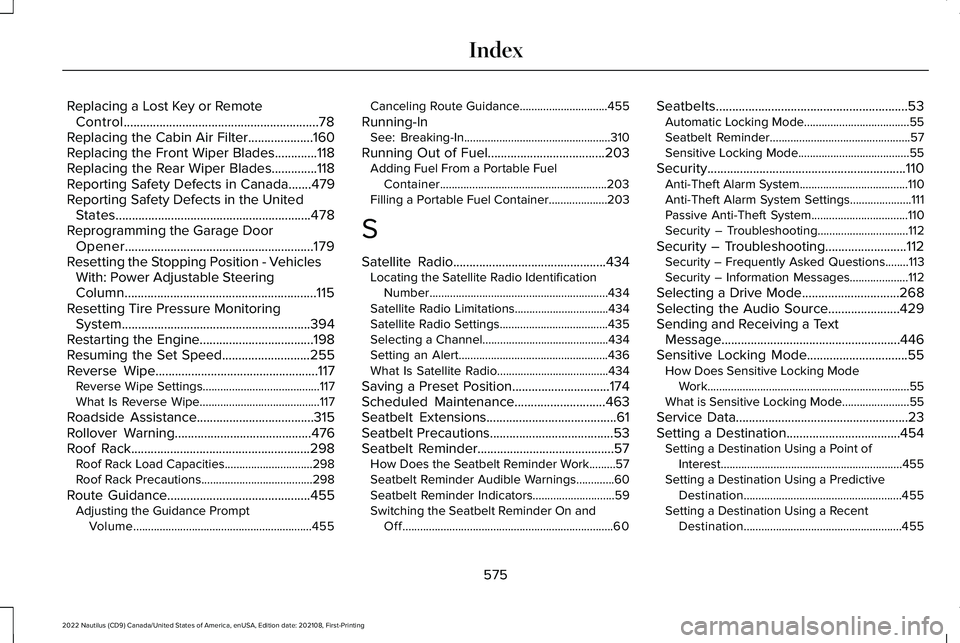
Replacing a Lost Key or RemoteControl............................................................78Replacing the Cabin Air Filter....................160Replacing the Front Wiper Blades.............118Replacing the Rear Wiper Blades..............118Reporting Safety Defects in Canada.......479Reporting Safety Defects in the UnitedStates............................................................478Reprogramming the Garage DoorOpener..........................................................179Resetting the Stopping Position - VehiclesWith: Power Adjustable SteeringColumn...........................................................115Resetting Tire Pressure MonitoringSystem..........................................................394Restarting the Engine...................................198Resuming the Set Speed...........................255Reverse Wipe..................................................117Reverse Wipe Settings........................................117What Is Reverse Wipe.........................................117
Roadside Assistance....................................315Rollover Warning..........................................476Roof Rack.......................................................298Roof Rack Load Capacities..............................298Roof Rack Precautions......................................298
Route Guidance............................................455Adjusting the Guidance PromptVolume.............................................................455
Canceling Route Guidance..............................455
Running-InSee: Breaking-In..................................................310
Running Out of Fuel....................................203Adding Fuel From a Portable FuelContainer.........................................................203Filling a Portable Fuel Container....................203
S
Satellite Radio...............................................434Locating the Satellite Radio IdentificationNumber.............................................................434Satellite Radio Limitations................................434Satellite Radio Settings.....................................435Selecting a Channel...........................................434Setting an Alert...................................................436What Is Satellite Radio......................................434
Saving a Preset Position..............................174Scheduled Maintenance............................463Seatbelt Extensions........................................61Seatbelt Precautions......................................53Seatbelt Reminder..........................................57How Does the Seatbelt Reminder Work.........57Seatbelt Reminder Audible Warnings.............60Seatbelt Reminder Indicators............................59Switching the Seatbelt Reminder On andOff........................................................................60
Seatbelts...........................................................53Automatic Locking Mode....................................55Seatbelt Reminder................................................57Sensitive Locking Mode......................................55
Security.............................................................110Anti-Theft Alarm System.....................................110Anti-Theft Alarm System Settings.....................111Passive Anti-Theft System.................................110Security – Troubleshooting...............................112
Security – Troubleshooting.........................112Security – Frequently Asked Questions........113Security – Information Messages....................112
Selecting a Drive Mode..............................268Selecting the Audio Source......................429Sending and Receiving a TextMessage.......................................................446Sensitive Locking Mode...............................55How Does Sensitive Locking ModeWork.....................................................................55What is Sensitive Locking Mode.......................55
Service Data.....................................................23Setting a Destination...................................454Setting a Destination Using a Point ofInterest..............................................................455Setting a Destination Using a PredictiveDestination......................................................455Setting a Destination Using a RecentDestination......................................................455
575
2022 Nautilus (CD9) Canada/United States of America, enUSA, Edition date: 202108, First-PrintingIndex
Page 580 of 586
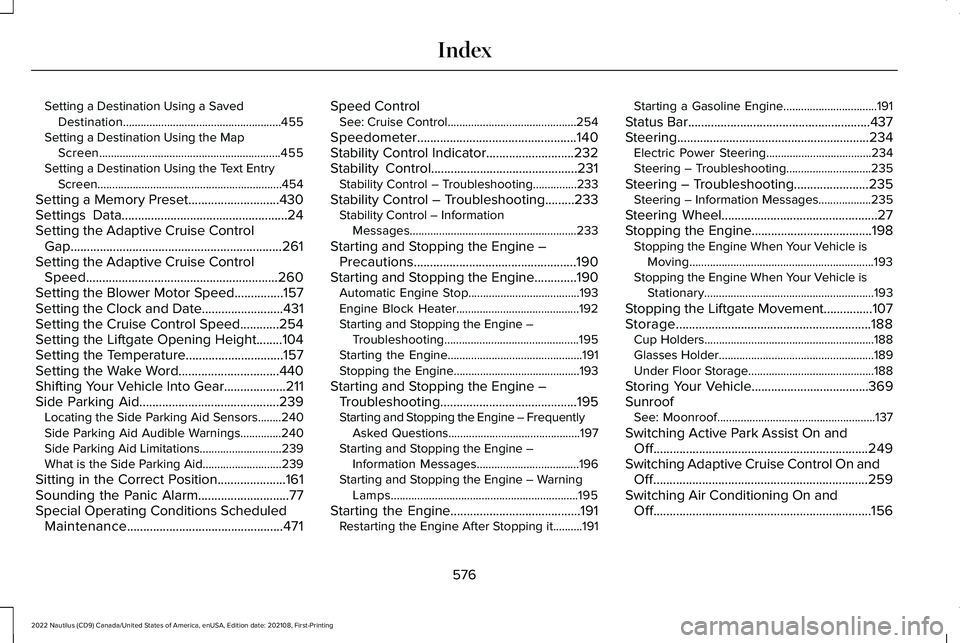
Setting a Destination Using a SavedDestination......................................................455Setting a Destination Using the MapScreen..............................................................455Setting a Destination Using the Text EntryScreen...............................................................454
Setting a Memory Preset............................430Settings Data...................................................24Setting the Adaptive Cruise ControlGap.................................................................261Setting the Adaptive Cruise ControlSpeed...........................................................260Setting the Blower Motor Speed...............157Setting the Clock and Date.........................431Setting the Cruise Control Speed............254Setting the Liftgate Opening Height........104Setting the Temperature..............................157Setting the Wake Word...............................440Shifting Your Vehicle Into Gear...................211Side Parking Aid...........................................239Locating the Side Parking Aid Sensors........240Side Parking Aid Audible Warnings..............240Side Parking Aid Limitations............................239What is the Side Parking Aid...........................239
Sitting in the Correct Position.....................161Sounding the Panic Alarm............................77Special Operating Conditions ScheduledMaintenance................................................471
Speed ControlSee: Cruise Control............................................254
Speedometer.................................................140Stability Control Indicator...........................232Stability Control.............................................231Stability Control – Troubleshooting...............233
Stability Control – Troubleshooting.........233Stability Control – InformationMessages.........................................................233
Starting and Stopping the Engine –Precautions..................................................190Starting and Stopping the Engine.............190Automatic Engine Stop......................................193Engine Block Heater..........................................192Starting and Stopping the Engine –Troubleshooting..............................................195Starting the Engine..............................................191Stopping the Engine...........................................193
Starting and Stopping the Engine –Troubleshooting..........................................195Starting and Stopping the Engine – FrequentlyAsked Questions.............................................197Starting and Stopping the Engine –Information Messages...................................196Starting and Stopping the Engine – WarningLamps................................................................195
Starting the Engine........................................191Restarting the Engine After Stopping it..........191
Starting a Gasoline Engine................................191
Status Bar........................................................437Steering...........................................................234Electric Power Steering....................................234Steering – Troubleshooting.............................235
Steering – Troubleshooting.......................235Steering – Information Messages..................235
Steering Wheel................................................27Stopping the Engine.....................................198Stopping the Engine When Your Vehicle isMoving...............................................................193Stopping the Engine When Your Vehicle isStationary..........................................................193
Stopping the Liftgate Movement...............107Storage............................................................188Cup Holders..........................................................188Glasses Holder.....................................................189Under Floor Storage...........................................188
Storing Your Vehicle....................................369SunroofSee: Moonroof......................................................137
Switching Active Park Assist On andOff..................................................................249Switching Adaptive Cruise Control On andOff..................................................................259Switching Air Conditioning On andOff...................................................................156
576
2022 Nautilus (CD9) Canada/United States of America, enUSA, Edition date: 202108, First-PrintingIndex