belt LINCOLN NAUTILUS 2022 Owner's Guide
[x] Cancel search | Manufacturer: LINCOLN, Model Year: 2022, Model line: NAUTILUS, Model: LINCOLN NAUTILUS 2022Pages: 586, PDF Size: 13.97 MB
Page 76 of 586
CRASH SENSORS AND AIRBAG
INDICATOR
WARNING: Modifying or addingequipment to the front of your vehiclecould affect the performance of the airbagsystem, increasing the risk of injury. Thisincludes the hood, bumper system, frame,front body structure, tow hooks, hood pins,push bar and snowplows.
Your vehicle has a collection of crash andoccupant sensors. These sensors provideinformation to the restraints control modulewhich activates the following:
•Front and rear seatbelt pretensioners.
•Driver airbag.
•Passenger airbag.
•Knee airbag(s).
•Seat mounted side airbags.
•Safety Canopy.
Based on the type of crash, the restraintscontrol module deploys the appropriatesafety devices.
The restraints control module also monitorsthe readiness of the above safety devicesplus the crash and occupant sensors. Thereadiness of the safety system is indicatedby a warning indicator light in the instrumentcluster or by a backup tone if the warninglight is not working. Routine maintenance ofthe airbag is not required.
A difficulty with the system is indicated byone or more of the following:
The readiness light will notilluminate immediately after youswitch the ignition on.
•The readiness light either flashes or stayson.
•You hear a series of five tones. The tonepattern repeats periodically until theproblem, the light or both are repaired.
If any of these things happen, evenintermittently, have the supplementalrestraint system serviced immediately.Unless serviced, the system may not functionproperly in the event of a crash.
The fact that the seatbelt pretensioners orfront airbags did not activate for both frontseat occupants in a crash does not meanthat something is wrong with the system.Rather, it means the restraints control moduledetermined the accident conditions (crashseverity, seatbelt usage) were notappropriate to activate these safety devices.
•The front airbags activate only in frontaland near-frontal crashes. Front airbagsmay activate in rollovers, side impacts orrear impacts if the crash causes sufficientfrontal deceleration.
•The seatbelt pretensioners activate infrontal, near-frontal and side crashes, andin rollovers.
•The knee airbag(s) deploy based oncrash severity and occupant conditions.
72
2022 Nautilus (CD9) Canada/United States of America, enUSA, Edition date: 202108, First-PrintingAirbagsE67017
Page 78 of 586
WHAT IS 911 ASSIST
911 Assist is a SYNC system feature that cancall for help.
For more information, please refer to theregional Lincoln website.
HOW DOES 911 ASSIST WORK
If a crash deploys an airbag, excluding kneeairbags and rear inflatable seatbelts, oractivates the fuel pump shut-off, your vehiclemay be able to contact emergency servicesby dialing 911 through a paired andconnected Bluetooth®-enabled phone.
Not all crashes will deploy an airbag oractivate the fuel pump shut-off. If aconnected cell phone sustains damage orloses its connection to SYNC during a crash,SYNC will search for and try to connect to apreviously paired cell phone. SYNC will thenattempt to call the emergency services.
Before making the call:
•SYNC provides about 10 seconds tocancel the call. If you fail to cancel thecall, SYNC attempts to dial 911.
•SYNC says the following, or a similarmessage: "SYNC will attempt to call 911,to cancel the call, press Cancel on yourscreen or press and hold the phonebutton on your steering wheel."
If you do not cancel the call and SYNC makesa successful call a pre-recorded messageplays for the 911 operator. The occupants inyour vehicle are able to talk with theoperator. Be prepared to provide your name,phone number and location immediatelybecause not all 911 systems are capable ofreceiving this information electronically.
During an emergency call the systemtransmits vehicle data to the emergencyservice.
EMERGENCY CALL
REQUIREMENTS
WARNING: Do not wait for 911 Assistto make an emergency call if you can doit yourself. Dial emergency servicesimmediately to avoid delayed responsetime which could increase the risk ofserious injury or death after a crash. If youdo not hear 911 Assist within five secondsof the crash, the system or phone may bedamaged or non-functional.
WARNING: Always place your phonein a secure location in your vehicle so itdoes not become a projectile or getdamaged in a crash. Failure to do so maycause serious injury to someone ordamage the phone which could prevent911 Assist from working properly.
WARNING: Unless the 911 Assistsetting is set on before a crash, the systemwill not dial for help which could delayresponse time, potentially increasing therisk of serious injury or death after a crash.
74
2022 Nautilus (CD9) Canada/United States of America, enUSA, Edition date: 202108, First-Printing911 Assist
Page 89 of 586
PRINCIPLE OF OPERATION
MyKey allows you to program keys withrestricted driving modes to promote gooddriving habits. All but one of the keys can beactivated with these restricted modes.
Any keys that remain unprogrammed arereferred to as administrator keys or adminkeys. They can be used to:
•Create a MyKey.
•Program configurable MyKey settings.
•Clear all MyKey features.
When you have created a MyKey, you canaccess the following information by usingthe information display to determine:
•How many admin keys and MyKeys areprogrammed to your vehicle.
•The total distance your vehicle traveledwith a MyKey.
Note:Switch the vehicle on to use thesystem.
Note:All MyKeys are programmed to thesame settings. You cannot program themindividually.
Note:For vehicles with push-button start,when both a MyKey and an admin key arepresent, the vehicle will recognize the adminkey when you switch the vehicle on.
Non-Configurable Settings
The following settings cannot be changedby an admin key user:
•Seatbelt reminder. You cannot disablethis feature. The audio system will mutewhen the driver and front-seat passengerseatbelts are not fastened.
•Early low fuel or charge. The low-fuel orlow charge warning activates earlier,giving the MyKey user more time to refuelor recharge.
•Restricted touchscreen operation in somemarkets. For example, MyKey mayprevent manual navigation destinationinput when the vehicle is in any gearother than park (P), or when the vehiclereaches a certain rate of speed.
•Satellite radio adult content restrictions,if available on your vehicle.
Note:If a phone is connected using AppleCarPlay or Android Auto when driving witha MyKey, the driver can receive phone callsand text messages even if the do not disturbrestriction is on. If the vehicle comes withsatellite radio, the adult content is notrestricted.
Note:The audio system may not mute witha basic AM/FM radio.
Note:You may be able to turn the lanedeparture warning feature off, but thefeature will automatically re-activate withevery new key cycle.
Configurable Settings
With an admin key, you can configure certainMyKey settings when you first create aMyKey and before you restart the vehicle.You can also change the settings afterwardwith an admin key.
Note:Available vehicle features will appearin your information display, providing youwith choices to switch them on or off, or toselect a more specific setting.
85
2022 Nautilus (CD9) Canada/United States of America, enUSA, Edition date: 202108, First-PrintingMyKey™
Page 91 of 586
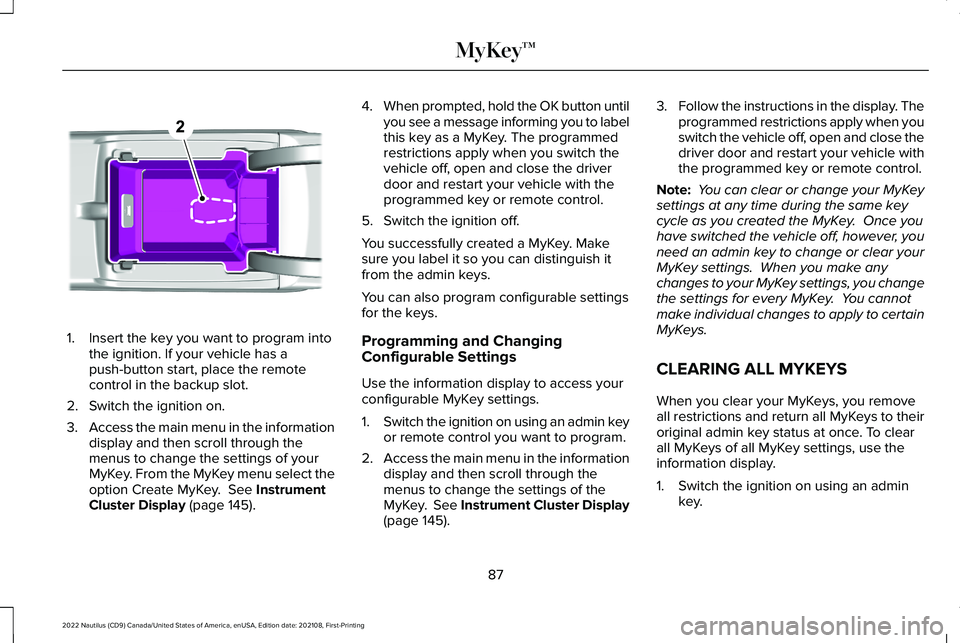
1.Insert the key you want to program intothe ignition. If your vehicle has apush-button start, place the remotecontrol in the backup slot.
2.Switch the ignition on.
3.Access the main menu in the informationdisplay and then scroll through themenus to change the settings of yourMyKey. From the MyKey menu select theoption Create MyKey. See InstrumentCluster Display (page 145).
4.When prompted, hold the OK button untilyou see a message informing you to labelthis key as a MyKey. The programmedrestrictions apply when you switch thevehicle off, open and close the driverdoor and restart your vehicle with theprogrammed key or remote control.
5.Switch the ignition off.
You successfully created a MyKey. Makesure you label it so you can distinguish itfrom the admin keys.
You can also program configurable settingsfor the keys.
Programming and ChangingConfigurable Settings
Use the information display to access yourconfigurable MyKey settings.
1.Switch the ignition on using an admin keyor remote control you want to program.
2.Access the main menu in the informationdisplay and then scroll through themenus to change the settings of theMyKey. See Instrument Cluster Display(page 145).
3.Follow the instructions in the display. Theprogrammed restrictions apply when youswitch the vehicle off, open and close thedriver door and restart your vehicle withthe programmed key or remote control.
Note: You can clear or change your MyKeysettings at any time during the same keycycle as you created the MyKey. Once youhave switched the vehicle off, however, youneed an admin key to change or clear yourMyKey settings. When you make anychanges to your MyKey settings, you changethe settings for every MyKey. You cannotmake individual changes to apply to certainMyKeys.
CLEARING ALL MYKEYS
When you clear your MyKeys, you removeall restrictions and return all MyKeys to theiroriginal admin key status at once. To clearall MyKeys of all MyKey settings, use theinformation display.
1.Switch the ignition on using an adminkey.
87
2022 Nautilus (CD9) Canada/United States of America, enUSA, Edition date: 202108, First-PrintingMyKey™E203694
Page 106 of 586
LIFTGATE PRECAUTIONS
WARNING: It is extremely dangerousto ride in a cargo area, inside or outside ofa vehicle. In a crash, people riding in theseareas are more likely to be seriouslyinjured or killed. Do not allow people toride in any area of your vehicle that is notequipped with seats and seatbelts. Makesure everyone in your vehicle is in a seatand properly using a seatbelt. Failure tofollow this warning could result in seriouspersonal injury or death.
WARNING: Make sure that you fullyclose the liftgate to prevent exhaust fumesfrom entering your vehicle. If you areunable to fully close the liftgate, open theair vents or the windows to allow fresh airto enter your vehicle. Failure to follow thisinstruction could result in personal injuryor death.
WARNING: Keep keys out of reachof children. Do not allow children tooperate or play near an open or movingpower liftgate. You should supervise theoperation of the power liftgate at all times.
OPENING THE LIFTGATE
OPENING THE LIFTGATE FROM INSIDEYOUR VEHICLE
With the transmission in park (P),press the button on the instrumentpanel.
Note:Be careful when opening or closingthe liftgate in a garage or other enclosedarea to avoid damaging the liftgate.
Note: Do not hang anything, for example abike rack, from the glass or liftgate. Thiscould damage the liftgate and itscomponents.
Note: Do not leave the liftgate open whiledriving. This could damage the liftgate andits components.
OPENING THE LIFTGATE FROMOUTSIDE YOUR VEHICLE
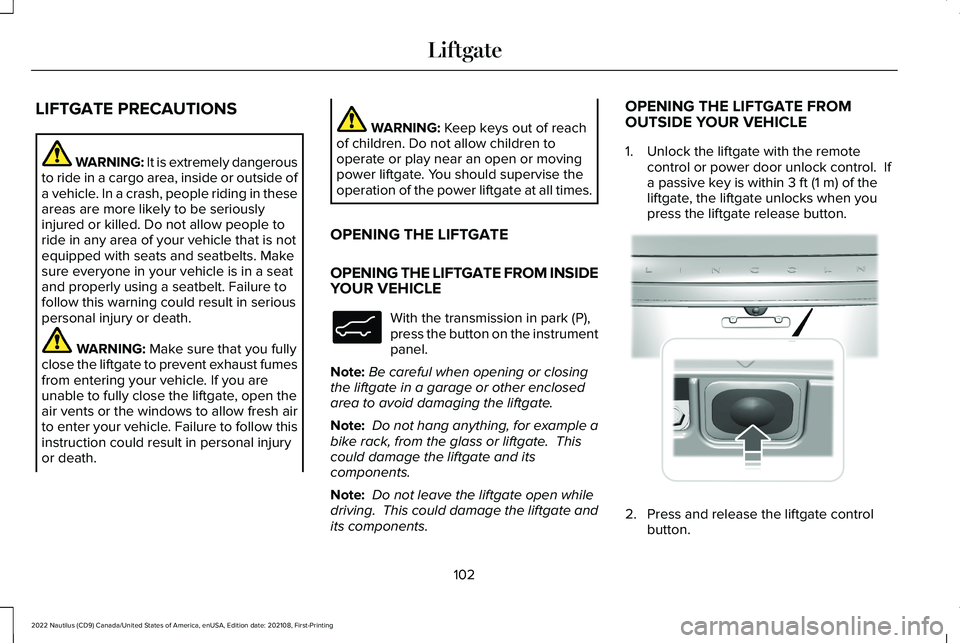
1.Unlock the liftgate with the remotecontrol or power door unlock control. Ifa passive key is within 3 ft (1 m) of theliftgate, the liftgate unlocks when youpress the liftgate release button.
2.Press and release the liftgate controlbutton.
102
2022 Nautilus (CD9) Canada/United States of America, enUSA, Edition date: 202108, First-PrintingLiftgateE138633 E291416
Page 146 of 586
Brake System
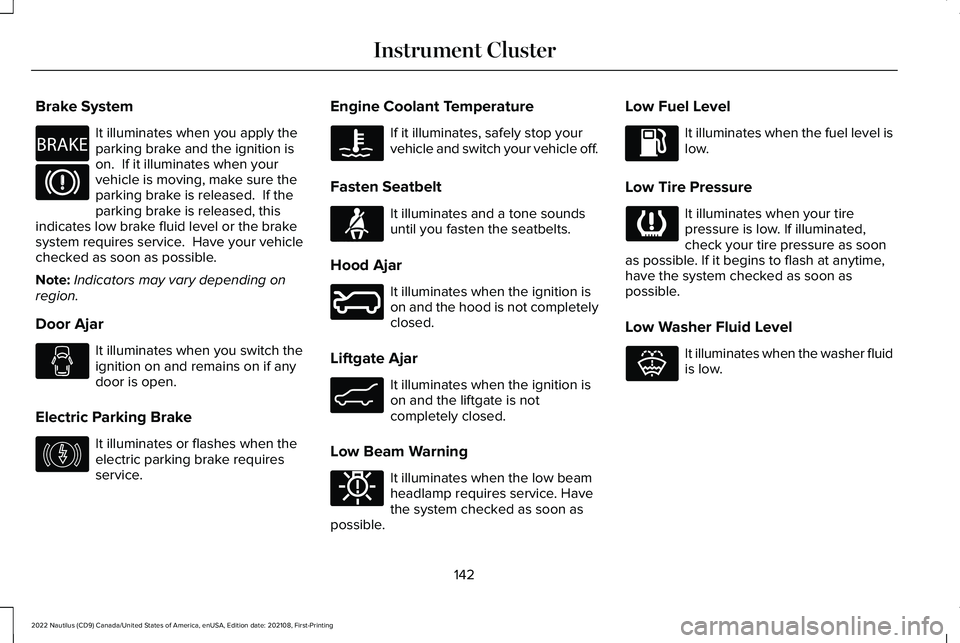
It illuminates when you apply theparking brake and the ignition ison. If it illuminates when yourvehicle is moving, make sure theparking brake is released. If theparking brake is released, thisindicates low brake fluid level or the brakesystem requires service. Have your vehiclechecked as soon as possible.
Note:Indicators may vary depending onregion.
Door Ajar
It illuminates when you switch theignition on and remains on if anydoor is open.
Electric Parking Brake
It illuminates or flashes when theelectric parking brake requiresservice.
Engine Coolant Temperature
If it illuminates, safely stop yourvehicle and switch your vehicle off.
Fasten Seatbelt
It illuminates and a tone soundsuntil you fasten the seatbelts.
Hood Ajar
It illuminates when the ignition ison and the hood is not completelyclosed.
Liftgate Ajar
It illuminates when the ignition ison and the liftgate is notcompletely closed.
Low Beam Warning
It illuminates when the low beamheadlamp requires service. Havethe system checked as soon aspossible.
Low Fuel Level
It illuminates when the fuel level islow.
Low Tire Pressure
It illuminates when your tirepressure is low. If illuminated,check your tire pressure as soonas possible. If it begins to flash at anytime,have the system checked as soon aspossible.
Low Washer Fluid Level
It illuminates when the washer fluidis low.
142
2022 Nautilus (CD9) Canada/United States of America, enUSA, Edition date: 202108, First-PrintingInstrument ClusterE270480 E146190 E71880 E246598 E162453 E181350 E132353
Page 165 of 586
FRONT SEAT PRECAUTIONS
WARNING: Sitting improperly, out ofposition or with the seatback reclined toofar can take weight off the seat cushionand affect the decision of the passengersensing system, resulting in serious injuryor death in the event of a crash. Always situpright against your seat back, with yourfeet on the floor.
WARNING: Do not recline the seatbackrest too far as this can cause theoccupant to slide under the seatbelt,resulting in personal injury in the event ofa crash.
WARNING: Do not place objectshigher than the top of the seat backrest.Failure to follow this instruction could resultin personal injury or death in the event ofa sudden stop or crash.
WARNING: Do not adjust the driverseat or seat backrest when your vehicle ismoving. This may result in sudden seatmovement, causing the loss of control ofyour vehicle.
SITTING IN THE CORRECT
POSITION
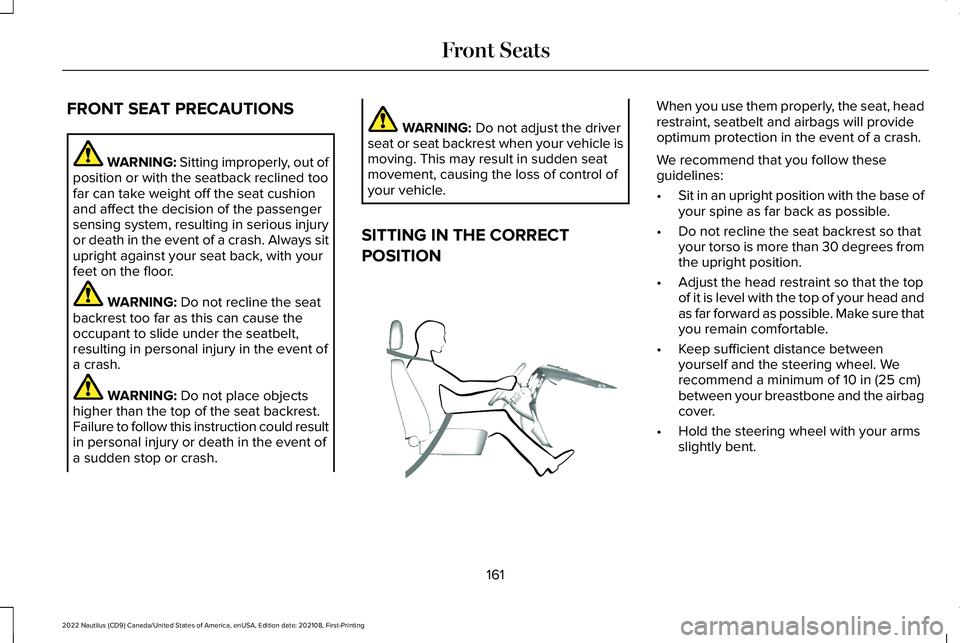
When you use them properly, the seat, headrestraint, seatbelt and airbags will provideoptimum protection in the event of a crash.
We recommend that you follow theseguidelines:
•Sit in an upright position with the base ofyour spine as far back as possible.
•Do not recline the seat backrest so thatyour torso is more than 30 degrees fromthe upright position.
•Adjust the head restraint so that the topof it is level with the top of your head andas far forward as possible. Make sure thatyou remain comfortable.
•Keep sufficient distance betweenyourself and the steering wheel. Werecommend a minimum of 10 in (25 cm)between your breastbone and the airbagcover.
•Hold the steering wheel with your armsslightly bent.
161
2022 Nautilus (CD9) Canada/United States of America, enUSA, Edition date: 202108, First-PrintingFront SeatsE68595
Page 166 of 586
•Bend your legs slightly so that you canpress the pedals fully.
•Position the shoulder strap of the seatbeltover the center of your shoulder andposition the lap strap tightly across yourhips.
Make sure that your driving position iscomfortable and that you can maintain fullcontrol of your vehicle.
POWER SEATS
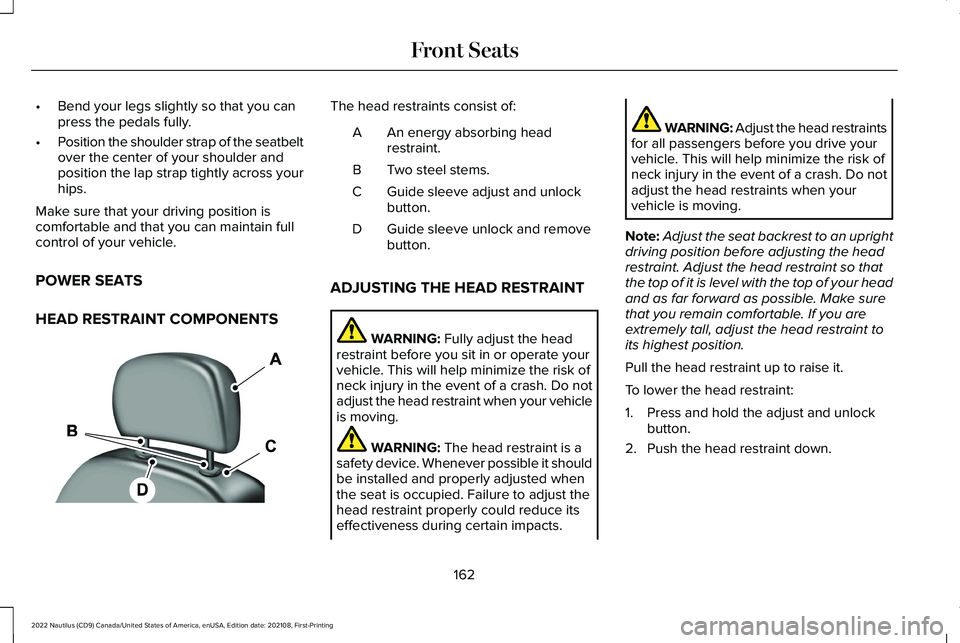
HEAD RESTRAINT COMPONENTS
The head restraints consist of:
An energy absorbing headrestraint.A
Two steel stems.B
Guide sleeve adjust and unlockbutton.C
Guide sleeve unlock and removebutton.D
ADJUSTING THE HEAD RESTRAINT
WARNING: Fully adjust the headrestraint before you sit in or operate yourvehicle. This will help minimize the risk ofneck injury in the event of a crash. Do notadjust the head restraint when your vehicleis moving.
WARNING: The head restraint is asafety device. Whenever possible it shouldbe installed and properly adjusted whenthe seat is occupied. Failure to adjust thehead restraint properly could reduce itseffectiveness during certain impacts.
WARNING: Adjust the head restraintsfor all passengers before you drive yourvehicle. This will help minimize the risk ofneck injury in the event of a crash. Do notadjust the head restraints when yourvehicle is moving.
Note:Adjust the seat backrest to an uprightdriving position before adjusting the headrestraint. Adjust the head restraint so thatthe top of it is level with the top of your headand as far forward as possible. Make surethat you remain comfortable. If you areextremely tall, adjust the head restraint toits highest position.
Pull the head restraint up to raise it.
To lower the head restraint:
1.Press and hold the adjust and unlockbutton.
2.Push the head restraint down.
162
2022 Nautilus (CD9) Canada/United States of America, enUSA, Edition date: 202108, First-PrintingFront SeatsE138642
Page 173 of 586
Center Head Restraint
1.Pull the head restraint up until it reachesits highest position.
2.Press and hold the adjust and unlockbutton, and the unlock and removebutton.
3.Pull the head restraint up.
INSTALLING THE HEAD RESTRAINT
Align the steel stems into the guide sleevesand push the head restraint down until itlocks.
FOLDING THE SEAT BACKREST
WARNING: To prevent possibledamage to the seat or seatbelts, make surethat the seatbelts are not fastened beforefolding the seatback.
WARNING: When folding or unfoldingthe seats, take care not to get your fingerscaught between the seat backrest and seatframe. Failure to follow this warning couldresult in serious personal injury.
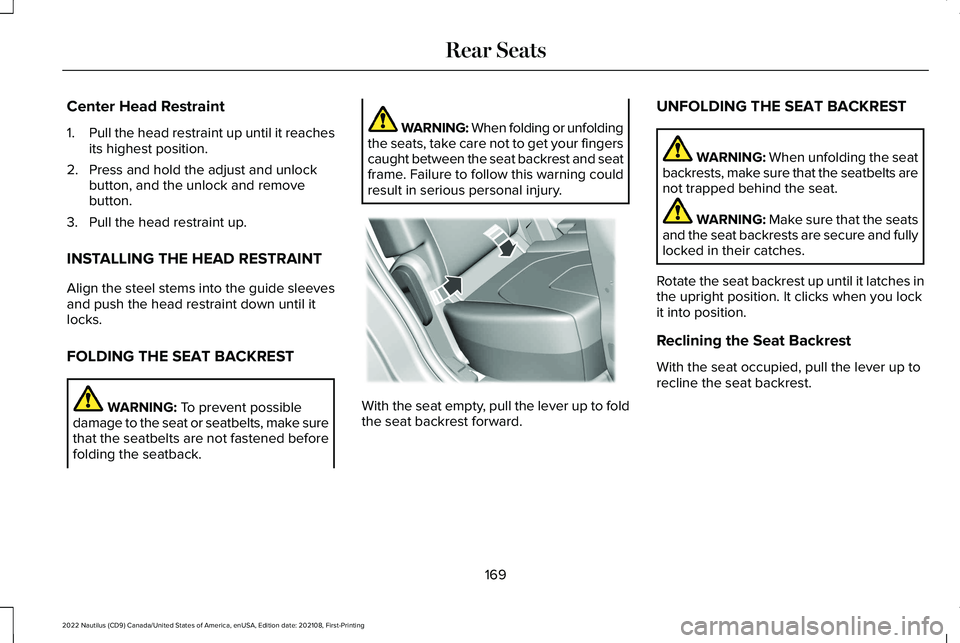
With the seat empty, pull the lever up to foldthe seat backrest forward.
UNFOLDING THE SEAT BACKREST
WARNING: When unfolding the seatbackrests, make sure that the seatbelts arenot trapped behind the seat.
WARNING: Make sure that the seatsand the seat backrests are secure and fullylocked in their catches.
Rotate the seat backrest up until it latches inthe upright position. It clicks when you lockit into position.
Reclining the Seat Backrest
With the seat occupied, pull the lever up torecline the seat backrest.
169
2022 Nautilus (CD9) Canada/United States of America, enUSA, Edition date: 202108, First-PrintingRear SeatsE186789
Page 217 of 586
Do not tow your vehicle in this mode. Failureto follow these instructions could result invehicle damage not covered by the vehiclewarranty.
ENTERING TEMPORARY NEUTRAL
MODE
1.Power your vehicle on.
2.Bring your vehicle to a complete stop.
3.Press and hold the brake pedal.
4.Shift into neutral (N).
Note:An instructional message appears.
5.Press the neutral (N) button.
Note:A confirmation message appearswhen your vehicle enters the mode.
6.Release the brake pedal.
Note:Your vehicle is free to roll.
7.Switch your vehicle off.
Note:Do not tow your vehicle in this mode.
Note:The neutral (N) indicator on thetransmission selector may flash in this mode.
EXITING TEMPORARY NEUTRALMODE
1.Press the brake pedal.
2.Shift into park (P), or power your vehicleon and shift into drive (D) or reverse (R).
AUTOMATIC RETURN TO PARK (P)
WHAT IS AUTOMATIC RETURN TOPARK (P)
Your vehicle shifts into park (P) if you attemptto exit your vehicle without the transmissionin park (P).
HOW DOES AUTOMATIC RETURN TOPARK (P) WORK
Your vehicle shifts into park (P) when yourvehicle is stationary and any of the followingoccur:
•You switch the vehicle off.
•You open the driver door with yourseatbelt unlatched.
•You unlatch the driver seatbelt when thedriver door is open.
Note:Do not use automatic return to park(P) when your vehicle is moving, except inan emergency. See Stopping the EngineWhen Your Vehicle is Moving (page 193).
AUTOMATIC RETURN TO PARK (P)LIMITATIONS
Automatic return to park may not work if thedoor ajar switch is malfunctioning.
See an authorized dealer if any of thefollowing occur:
213
2022 Nautilus (CD9) Canada/United States of America, enUSA, Edition date: 202108, First-PrintingAutomatic Transmission