door lock LINCOLN NAUTILUS 2022 Owners Manual
[x] Cancel search | Manufacturer: LINCOLN, Model Year: 2022, Model line: NAUTILUS, Model: LINCOLN NAUTILUS 2022Pages: 586, PDF Size: 13.97 MB
Page 6 of 586
How Does 911 Assist Work..........................74
Emergency Call Requirements...................74
Emergency Call Limitations.........................75
Keys and Remote Controls
Remote Control Limitations.........................76
Using the Remote Control...........................76
Sounding the Panic Alarm...........................77
Locating Your Vehicle...................................77
Changing the Remote Control Battery.........................................................................77
Replacing a Lost Key or Remote Control.........................................................................78
Programming the Remote Control............78
Keys and Remote Controls –Troubleshooting........................................80
Phone as a Key
What Is Phone As a Key................................81
Phone as a Key Limitations..........................81
Programming Your Phone............................81
Using the Valet Mode...................................82
Using the Backup Start Passcode.............82
Phone as a Key – Troubleshooting...........83
MyKey™
Principle of Operation..................................85
Creating a MyKey..........................................86
Clearing All MyKeys......................................87
Checking MyKey System Status................88
Using MyKey With Remote Start Systems.........................................................................88
MyKey – Troubleshooting...........................88
Doors and Locks
Operating the Doors From Outside YourVehicle.........................................................90
Operating the Doors From Inside YourVehicle..........................................................91
Autounlock.......................................................91
Autolock...........................................................92
Mislock.............................................................92
Doors and Locks Audible Warnings.........92
Doors and Locks – Troubleshooting........93
Keyless Entry
Locating the Keyless Entry Keypad..........94
Keyless Entry Limitations.............................94
Keyless Entry Settings..................................94
Using Keyless Entry......................................94
Locking and Unlocking the Doors UsingKeyless Entry..............................................95
Keyless Entry – Troubleshooting...............96
Keyless Entry Keypad
What Is the Keyless Entry Keypad.............97
Keyless Entry Keypad Limitations..............97
Locating the Keyless Entry Keypad...........97
Keyless Entry Keypad Master Access Code.........................................................................97
Keyless Entry Keypad Personal AccessCodes...........................................................98
Using the Keyless Entry Keypad................99
Keyless Entry Keypad – Troubleshooting.......................................................................100
Easy Entry and Exit
How Does Easy Entry and Exit Work.......101
Switching Easy Entry and Exit On and Off........................................................................101
2
2022 Nautilus (CD9) Canada/United States of America, enUSA, Edition date: 202108, First-PrintingTable of Contents
Page 23 of 586
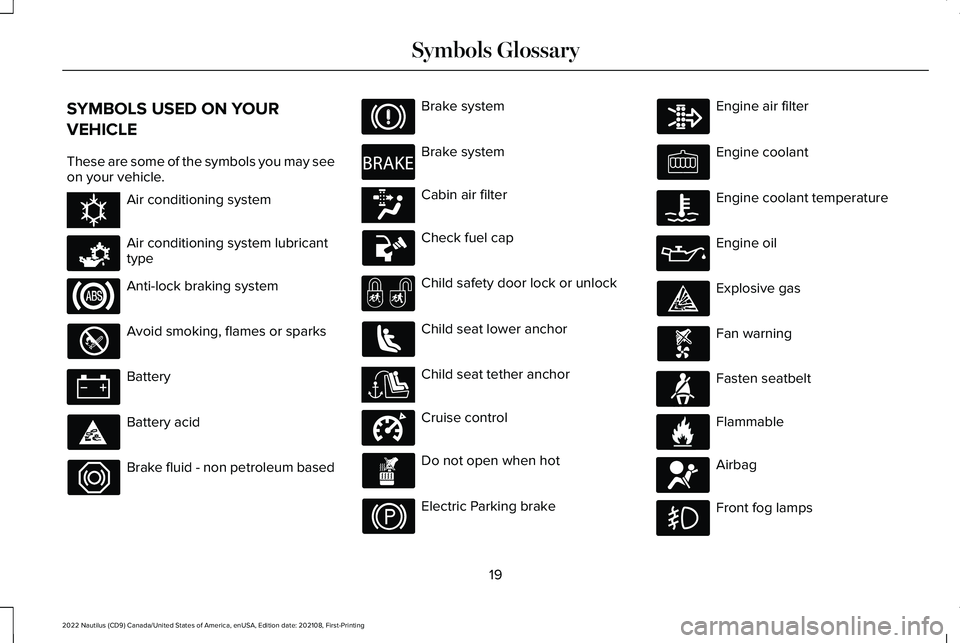
SYMBOLS USED ON YOUR
VEHICLE
These are some of the symbols you may seeon your vehicle.
Air conditioning system
Air conditioning system lubricanttype
Anti-lock braking system
Avoid smoking, flames or sparks
Battery
Battery acid
Brake fluid - non petroleum based
Brake system
Brake system
Cabin air filter
Check fuel cap
Child safety door lock or unlock
Child seat lower anchor
Child seat tether anchor
Cruise control
Do not open when hot
Electric Parking brake
Engine air filter
Engine coolant
Engine coolant temperature
Engine oil
Explosive gas
Fan warning
Fasten seatbelt
Flammable
Airbag
Front fog lamps
19
2022 Nautilus (CD9) Canada/United States of America, enUSA, Edition date: 202108, First-PrintingSymbols GlossaryE162384 E231157 E270480 E139223 E141128 E332905 E71880 E231160 E67017
Page 56 of 586
If the booster seat slides on the vehicle seatupon which it is being used, placing arubberized mesh sold as shelf or carpet linerunder the booster seat may improve thiscondition. Do not use any item thicker thanthis under the booster seat. Check with thebooster seat manufacturer's instructions.
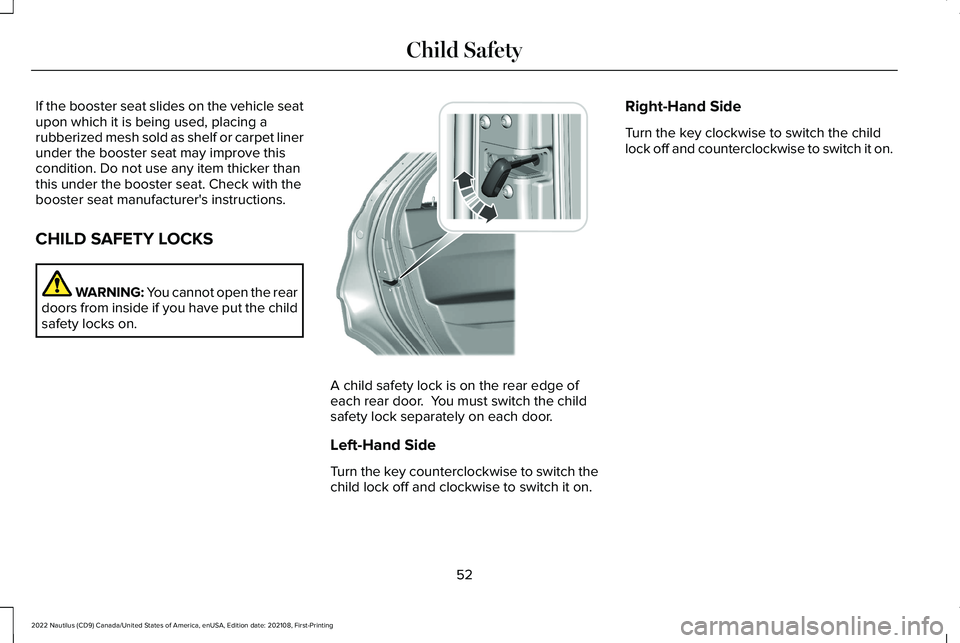
CHILD SAFETY LOCKS
WARNING: You cannot open the reardoors from inside if you have put the childsafety locks on.
A child safety lock is on the rear edge ofeach rear door. You must switch the childsafety lock separately on each door.
Left-Hand Side
Turn the key counterclockwise to switch thechild lock off and clockwise to switch it on.
Right-Hand Side
Turn the key clockwise to switch the childlock off and counterclockwise to switch it on.
52
2022 Nautilus (CD9) Canada/United States of America, enUSA, Edition date: 202108, First-PrintingChild Safety E287259
Page 80 of 586
REMOTE CONTROL LIMITATIONS
WARNING: Changes or modificationsnot expressively approved by the partyresponsible for compliance could void theuser's authority to operate the equipment.The term "IC:" before the radio certificationnumber only signifies that Industry Canadatechnical specifications were met.
This device complies with Part 15 of the FCCRules and with Industry Canadalicense-exempt RSS standard(s). Operationis subject to the following two conditions: (1)This device may not cause harmfulinterference, and (2) This device must acceptany interference received, includinginterference that may cause undesiredoperation.
Make sure a valid remote control is within5 ft (1.5 m) from the front door handles andrear of vehicle.
The system may not function if:
•The remote control remains stationaryfor about a minute.
•The vehicle battery has no charge.
•The remote control battery has nocharge.
•There is interference causing issues withthe remote control frequencies.
•The remote control is too close to metalobjects or electronic devices, for examplekeys or a cell phone.
USING THE REMOTE CONTROL
Use your remote control to access variousvehicle systems.
Note:The buttons on your remote may varydepending on the vehicle region or options.
Unlock
Press the button to unlock alldoors. See Unlocking andLocking the Doors Using theRemote Control (page 90).
Lock
Press the button to lock all doors.See Unlocking and Locking theDoors Using the Remote Control(page 90).
Remote Start (If Equipped)
Press the button to remote start.See Remotely Starting andStopping the Vehicle (page 153).
Liftgate (If Equipped)
Press the button to open or closethe liftgate. See Opening theLiftgate (page 102).
Panic Alarm (If Equipped)
Press the button to sound thepanic alarm. See Sounding thePanic Alarm (page 77).
76
2022 Nautilus (CD9) Canada/United States of America, enUSA, Edition date: 202108, First-PrintingKeys and Remote ControlsE138629 E138623 E138625 E267940 E138624
Page 85 of 586
WHAT IS PHONE AS A KEY
Phone as a Key allows you to use your phonein place of a passive key.
You can use your phone for the followingfunctions:
•Remote locking and unlocking.
•Passive entry and exit.
•Passive start and drive the vehicle.
•Remote start.
•Memory function recall.
PHONE AS A KEY LIMITATIONS
Limitations can vary based on the make andmodel of your phone, phone location andphysical obstructions.
The following items could impact Phone asa Key performance or prevent functionalityin some cases:
•The typical operating range for Phone asa Key is 131 ft (40 m).
•Your Bluetooth® connection is notenabled, is disrupted, or out of range.
•Your Phone as a Key is not active orenabled on at least one phone.
•Your vehicle battery has depleted.
•Your phone battery has depleted.
•Interference from other devices usingradio frequencies or physicalobstructions.
•Your phone is too close to metal objectsor other electronic devices.
Note:Do not leave a duplicate coded keyin the vehicle. Always take your keys andphone and lock all doors when leaving thevehicle.
PROGRAMMING YOUR PHONE
To program your smartphone as Phone as aKey:
1.Visit your device's app store to downloadthe Lincoln Way app.
2.Create or sign-in to the Lincoln Way appand add the vehicle identification numberto your account.
3.Once you add the vehicle identificationnumber, follow the prompts in the LincolnWay app to complete the Sync ConnectAuthorization process.
4.After the vehicle authorizes, you cansetup Phone as a Key following theprompts in the Lincoln Way app.
5.After Phone as a Key is setup, you cansetup the Backup Start Passcode byfollowing the prompts on yourtouchscreen.
Note:Keep your new Backup Start Passcodewith you in case of an emergency.
Resetting Phone as a Key
If the Phone as a Key belongs to youraccount, you can delete it from your phone.If not, reset Phone as a Key using thefollowing steps:
1.Press Settings on the touchscreen.
2.Press General.
3.Press Reset.
81
2022 Nautilus (CD9) Canada/United States of America, enUSA, Edition date: 202108, First-PrintingPhone as a Key (If Equipped)
Page 94 of 586
OPERATING THE DOORS FROM
OUTSIDE YOUR VEHICLE
UNLOCKING AND LOCKING THEDOORS USING THE REMOTECONTROL
You can only use the remote control whenyour vehicle is stationary.
Unlocking the Doors
Press the button to unlock alldoors.
Locking the Doors
Press the button to lock all doors. One short flash of the turn signallamps confirms that your vehiclehas locked.
UNLOCKING AND LOCKING THEDOORS USING THE KEY BLADE
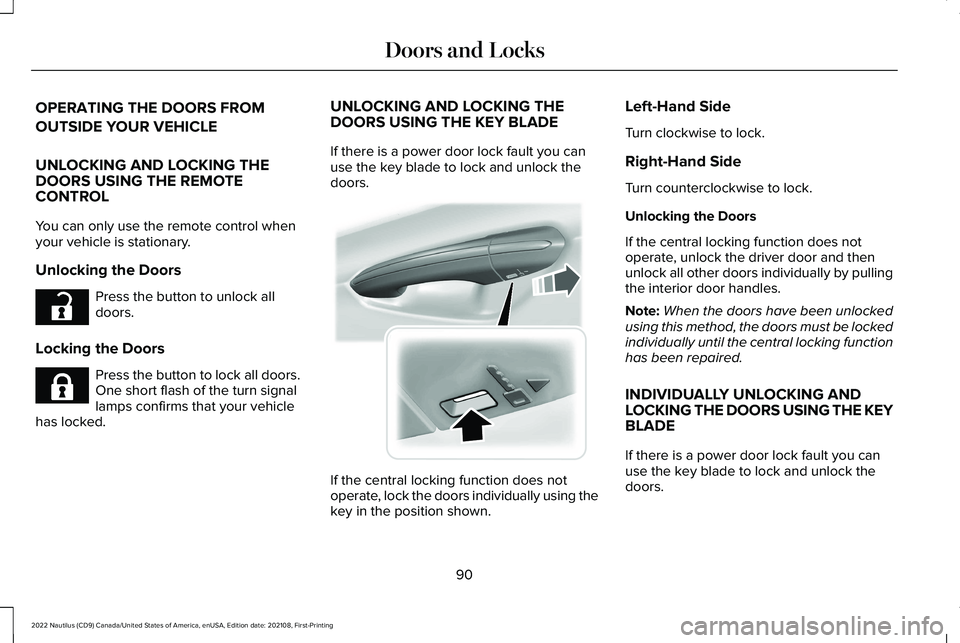
If there is a power door lock fault you canuse the key blade to lock and unlock thedoors.
If the central locking function does notoperate, lock the doors individually using thekey in the position shown.
Left-Hand Side
Turn clockwise to lock.
Right-Hand Side
Turn counterclockwise to lock.
Unlocking the Doors
If the central locking function does notoperate, unlock the driver door and thenunlock all other doors individually by pullingthe interior door handles.
Note:When the doors have been unlockedusing this method, the doors must be lockedindividually until the central locking functionhas been repaired.
INDIVIDUALLY UNLOCKING ANDLOCKING THE DOORS USING THE KEYBLADE
If there is a power door lock fault you canuse the key blade to lock and unlock thedoors.
90
2022 Nautilus (CD9) Canada/United States of America, enUSA, Edition date: 202108, First-PrintingDoors and LocksE267112 E267111 E151956
Page 95 of 586
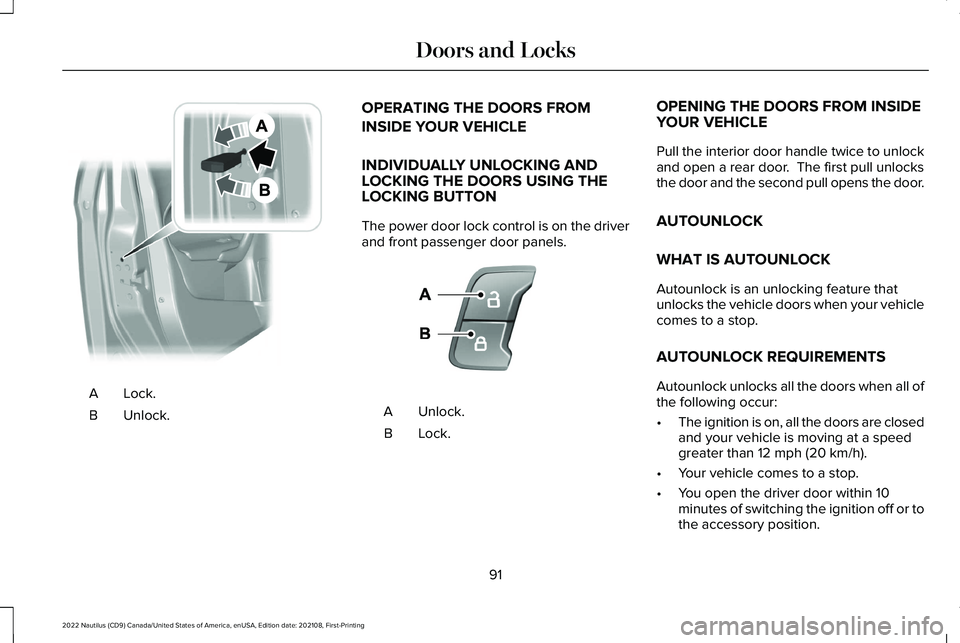
Lock.A
Unlock.B
OPERATING THE DOORS FROM
INSIDE YOUR VEHICLE
INDIVIDUALLY UNLOCKING ANDLOCKING THE DOORS USING THELOCKING BUTTON
The power door lock control is on the driverand front passenger door panels.
Unlock.A
Lock.B
OPENING THE DOORS FROM INSIDEYOUR VEHICLE
Pull the interior door handle twice to unlockand open a rear door. The first pull unlocksthe door and the second pull opens the door.
AUTOUNLOCK
WHAT IS AUTOUNLOCK
Autounlock is an unlocking feature thatunlocks the vehicle doors when your vehiclecomes to a stop.
AUTOUNLOCK REQUIREMENTS
Autounlock unlocks all the doors when all ofthe following occur:
•The ignition is on, all the doors are closedand your vehicle is moving at a speedgreater than 12 mph (20 km/h).
•Your vehicle comes to a stop.
•You open the driver door within 10minutes of switching the ignition off or tothe accessory position.
91
2022 Nautilus (CD9) Canada/United States of America, enUSA, Edition date: 202108, First-PrintingDoors and LocksE112203 E138628
Page 96 of 586
SWITCHING AUTOUNLOCK ON ANDOFF
1.Press the menu button on the steeringwheel to enter the information displaymain menu.
2.Select Settings.
3.Select Vehicle.
4.Select Locks.
5.Switch Autounlock on or off.
AUTOLOCK
WHAT IS AUTOLOCK
Autolock is a locking feature that locks yourvehicle doors when you start driving.
AUTOLOCK REQUIREMENTS
Autolock locks all the doors when all of thefollowing occur:
•All doors are closed.
•The ignition is on.
•Your vehicle reaches a speed greaterthan 12 mph (20 km/h).
MISLOCK
WHAT IS MISLOCK
Mislock is a locking feature that warns youif your vehicle has not locked.
MISLOCK LIMITATIONS
When you press the lock button once, thedirection indicators do not flash if any dooror the liftgate or hood is open.
1.If any door or the liftgate is open.
2.The hood is open.
SWITCHING MISLOCK ON AND OFF
1.Press the menu button on the steeringwheel to enter the information displaymain menu.
2.Select Settings.
3.Select Vehicle.
4.Select Locks.
5.Switch Mislock Chirp on or off.
DOORS AND LOCKS AUDIBLE
WARNINGS
Door Ajar Audible Warning
Sounds when a door is not fully closed andyour vehicle is moving.
92
2022 Nautilus (CD9) Canada/United States of America, enUSA, Edition date: 202108, First-PrintingDoors and Locks
Page 97 of 586
DOORS AND LOCKS –
TROUBLESHOOTING
DOORS AND LOCKS – WARNINGLAMPS
Door Ajar Warning Lamp
It illuminates when you switch theignition on and remains on if anydoor or the hood is open.
DOORS AND LOCKS – INFORMATION MESSAGES
ActionMessage
Displays if a door is open. Fully close the door.Driver Door Ajar
Passenger Door Ajar
Rear Left Door Ajar
Rear Right Door Ajar
93
2022 Nautilus (CD9) Canada/United States of America, enUSA, Edition date: 202108, First-PrintingDoors and LocksE249859
Page 98 of 586
LOCATING THE KEYLESS ENTRY
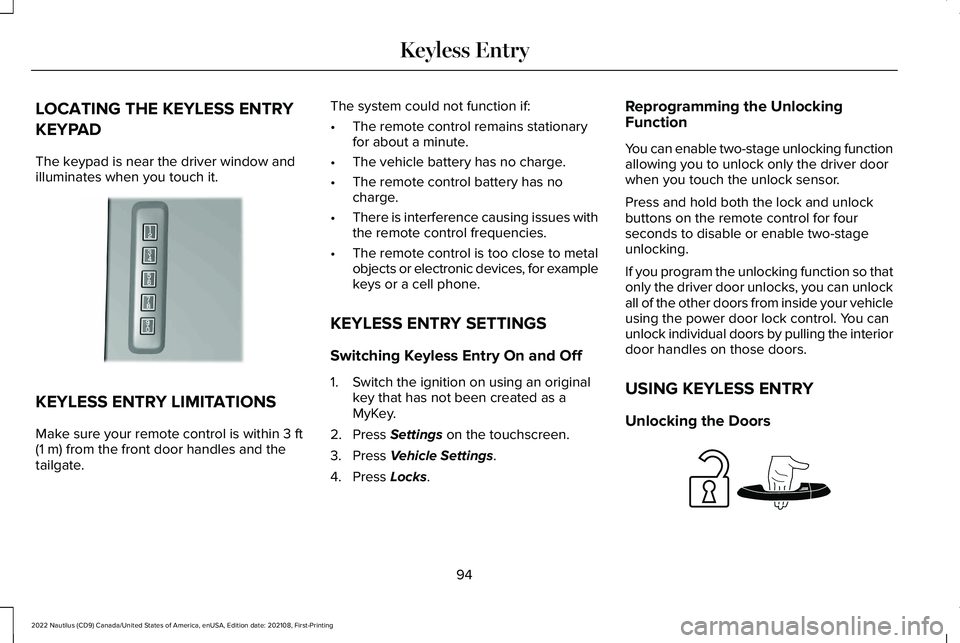
KEYPAD
The keypad is near the driver window andilluminates when you touch it.
KEYLESS ENTRY LIMITATIONS
Make sure your remote control is within 3 ft(1 m) from the front door handles and thetailgate.
The system could not function if:
•The remote control remains stationaryfor about a minute.
•The vehicle battery has no charge.
•The remote control battery has nocharge.
•There is interference causing issues withthe remote control frequencies.
•The remote control is too close to metalobjects or electronic devices, for examplekeys or a cell phone.
KEYLESS ENTRY SETTINGS
Switching Keyless Entry On and Off
1.Switch the ignition on using an originalkey that has not been created as aMyKey.
2.Press Settings on the touchscreen.
3.Press Vehicle Settings.
4.Press Locks.
Reprogramming the UnlockingFunction
You can enable two-stage unlocking functionallowing you to unlock only the driver doorwhen you touch the unlock sensor.
Press and hold both the lock and unlockbuttons on the remote control for fourseconds to disable or enable two-stageunlocking.
If you program the unlocking function so thatonly the driver door unlocks, you can unlockall of the other doors from inside your vehicleusing the power door lock control. You canunlock individual doors by pulling the interiordoor handles on those doors.
USING KEYLESS ENTRY
Unlocking the Doors
94
2022 Nautilus (CD9) Canada/United States of America, enUSA, Edition date: 202108, First-PrintingKeyless EntryE190936 E248553