transmission LINCOLN NAUTILUS 2023 User Guide
[x] Cancel search | Manufacturer: LINCOLN, Model Year: 2023, Model line: NAUTILUS, Model: LINCOLN NAUTILUS 2023Pages: 606, PDF Size: 13.57 MB
Page 180 of 606
HOW DOES THE MEMORY
FUNCTION WORK
The memory function recalls the position ofthese features:
•Driver seat.
•Power mirrors.
•Optional power steering column.
MEMORY FUNCTION
PRECAUTIONS
WARNING: Before activating thememory seat, make sure that the areaimmediately surrounding the seat is clearof obstructions and that all occupants areclear of moving parts.
WARNING: Do not use the memoryfunction when your vehicle is moving.
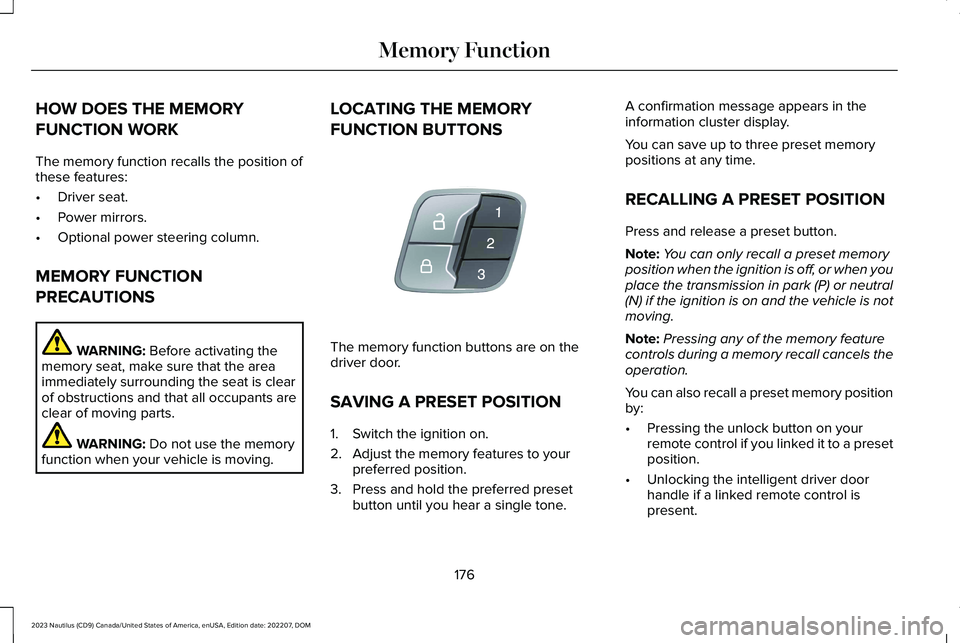
LOCATING THE MEMORY
FUNCTION BUTTONS
The memory function buttons are on thedriver door.
SAVING A PRESET POSITION
1.Switch the ignition on.
2.Adjust the memory features to yourpreferred position.
3.Press and hold the preferred presetbutton until you hear a single tone.
A confirmation message appears in theinformation cluster display.
You can save up to three preset memorypositions at any time.
RECALLING A PRESET POSITION
Press and release a preset button.
Note:You can only recall a preset memoryposition when the ignition is off, or when youplace the transmission in park (P) or neutral(N) if the ignition is on and the vehicle is notmoving.
Note:Pressing any of the memory featurecontrols during a memory recall cancels theoperation.
You can also recall a preset memory positionby:
•Pressing the unlock button on yourremote control if you linked it to a presetposition.
•Unlocking the intelligent driver doorhandle if a linked remote control ispresent.
176
2023 Nautilus (CD9) Canada/United States of America, enUSA, Edition date: 202207, DOMMemory FunctionE142554
Page 184 of 606
Note:You can program a maximum of threedevices. To change or replace any of thethree devices after they have been initiallyprogrammed, you must either clear all codes,or reprogram each individual button.
Note:We recommend that upon the sale orlease termination of your vehicle, you erasethe programmed function buttons for securityreasons.
Reprogramming the Garage DoorOpener
If a button on your garage door opener hasalready been programmed, you can overrideit. To program a device to a previouslytrained button:
1.Press and hold the desired button forapproximately 20 seconds until theindicator begins to flash.
2.Without releasing the button, proceed toStep 3 of Programming the Garage DoorOpener to your Handheld Transmitter.
Programming the Garage Door Openerto your Handheld Transmitter
Note:The programming steps below assumeyou are programming a HomeLink that wasnot previously programmed. If yourHomeLink was previously programmed, youmay need to clear or reprogram yourHomeLink buttons.
Note:Put a new battery in the handheldtransmitter. This allows for quicker trainingand accurate transmission of theradio-frequency signal.
Note:Make sure that the garage door andsecurity device are free from obstructionwhen you are programming. Do not programthe system with the vehicle in the garage.
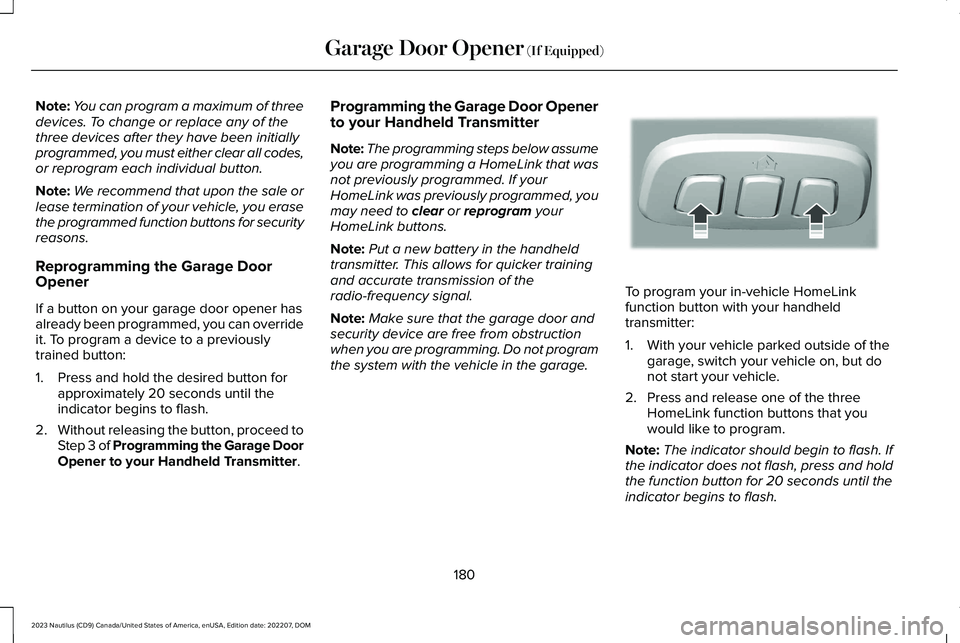
To program your in-vehicle HomeLinkfunction button with your handheldtransmitter:
1.With your vehicle parked outside of thegarage, switch your vehicle on, but donot start your vehicle.
2.Press and release one of the threeHomeLink function buttons that youwould like to program.
Note:The indicator should begin to flash. Ifthe indicator does not flash, press and holdthe function button for 20 seconds until theindicator begins to flash.
180
2023 Nautilus (CD9) Canada/United States of America, enUSA, Edition date: 202207, DOMGarage Door Opener (If Equipped)E188213
Page 186 of 606
Programming the Garage Door Openerto your Gate Opener Motor
Gate Operator / Canadian Programming
Canadian radio-frequency laws requiretransmitter signals to time-out (or quit) afterseveral seconds of transmission – which maynot be long enough for HomeLink to pick upthe signal during programming. Similar tothis Canadian law, some U.S. gate operatorsare designed to time-out in the same manner.
Note:If programming a garage door openeror gate operator, it is advised that youunplug the device during the cycling processto prevent possible overheating.
1.Press and release your handheldtransmitter, every two seconds, until theHomeLink indicator flashes rapidly or iscontinuously on.
2.Release the handheld transmitter button.
3.Press and hold the HomeLink functionbutton you want to program for twoseconds, then release. You may need todo this twice to activate the door.
Note:If the indicator stays on, theprogramming is complete.
Note:If the HomeLink indicator flashesrapidly, repeat Step 3.
4.To program additional buttons, repeatSteps 1–4.
Additional assistance can be found online atwww.homelink.com/Ford or by calling thetoll-free help line at 1-800-355-3515.
GARAGE DOOR OPENER
ADDITIONAL ASSISTANCE
Video Setup Instructions
Universal Garage Door Opener: HomeLink
Universal Garage Door Opener: HomeLinkfor Genie Intellicode 2
Universal Garage Door Opener Homelinkfor Genie Intellicode
Additional assistance can be found online atwww.homelink.com/Ford or by calling thetoll-free help line at 1-800-355-3515.
182
2023 Nautilus (CD9) Canada/United States of America, enUSA, Edition date: 202207, DOMGarage Door Opener (If Equipped)
Page 197 of 606
All electrical circuits and accessories areoperational and the warning lamps andindicators illuminate.
Note:Your vehicle has a battery saverfeature that shuts your vehicle off when itdetects a certain amount of battery drain, orafter approximately 30 minutes of inactivityin accessory mode.
Note:The system may not function if theremote control is close to metal objects orelectronic devices, for example keys or acell phone.
Note:You need a valid key inside yourvehicle to switch the ignition on and start theengine.
STARTING THE ENGINE
STARTING A GASOLINE ENGINE
Before starting your vehicle, check thefollowing:
•Make sure that the headlamps andelectrical accessories are off.
•Make sure that the parking brake is on.
•Make sure that the transmission is in park(P).
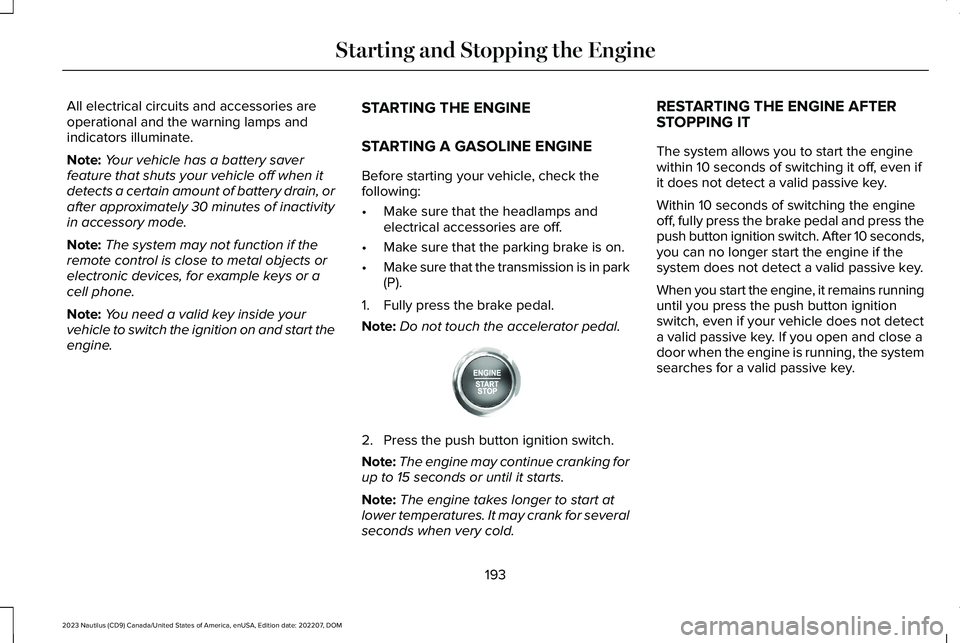
1.Fully press the brake pedal.
Note:Do not touch the accelerator pedal.
2.Press the push button ignition switch.
Note:The engine may continue cranking forup to 15 seconds or until it starts.
Note:The engine takes longer to start atlower temperatures. It may crank for severalseconds when very cold.
RESTARTING THE ENGINE AFTERSTOPPING IT
The system allows you to start the enginewithin 10 seconds of switching it off, even ifit does not detect a valid passive key.
Within 10 seconds of switching the engineoff, fully press the brake pedal and press thepush button ignition switch. After 10 seconds,you can no longer start the engine if thesystem does not detect a valid passive key.
When you start the engine, it remains runninguntil you press the push button ignitionswitch, even if your vehicle does not detecta valid passive key. If you open and close adoor when the engine is running, the systemsearches for a valid passive key.
193
2023 Nautilus (CD9) Canada/United States of America, enUSA, Edition date: 202207, DOMStarting and Stopping the EngineE357998
Page 203 of 606
STARTING AND STOPPING THEENGINE – FREQUENTLY ASKEDQUESTIONS
Why is the engine idle speed high when Iam starting the engine?
The speed at which the engine idlesimmediately after starting is optimizedto minimize vehicle emissions andmaximize cabin comfort and fueleconomy.
Why does the engine not crank?
You can only attempt to start the enginefor a limited amount of time before thestarting system temporarily disables. Ifyou exceed the starting time limit, amessage may appear and you cannotattempt to start the engine for at least15 minutes.
Why do I experience different drivingcharacteristics?
If you disconnect the battery, yourvehicle may exhibit some unusualdriving characteristics for approximately5 mi (8 km) after you reconnect it. Thisis because the engine managementsystem must realign itself with theengine. You can disregard any unusualdriving characteristics during this period.
Why can I not start the engine?
If you cannot start the engine after 3attempts, wait 10 seconds and do thefollowing:
1.Fully press the brake pedal.
Note:Make sure that the parking brake isapplied.
Note:Make sure that the transmission is inpark (P) or neutral (N).
2.Fully press the accelerator pedal andhold it there.
3.Press the push button ignition switch.
Note:The engine cranks for a short periodof time and then it stops.
4.Release the accelerator pedal.
5.Press the push button ignition switch.
Why does the system not detect a passivekey?
If the system does not detect a passivekey and you are unable to start theengine, insert the passive key into thebackup position and press the pushbutton ignition switch to start theengine. See Accessing the Passive KeyBackup Position (page 196).
199
2023 Nautilus (CD9) Canada/United States of America, enUSA, Edition date: 202207, DOMStarting and Stopping the EngineE321258
Page 204 of 606
WHAT IS AUTO-START-STOP
The system is designed to help reduce fuelconsumption and CO2 emissions by stopping
the engine when it is idling, for example attraffic lights.
AUTO-START-STOP PRECAUTIONS
WARNING: Apply the parking brake,shift into park (P), switch the ignition offand remove the key before you leave yourvehicle. Failure to follow this instructioncould result in personal injury or death.
WARNING: Apply the parking brake,shift into park (P), switch the ignition offand remove the key before you open thehood or have any service or repair workcompleted. If you do not switch the ignitionoff, the engine could restart at any time.Failure to follow this instruction could resultin personal injury or death.
SWITCHING AUTO-START-STOP
ON AND OFF
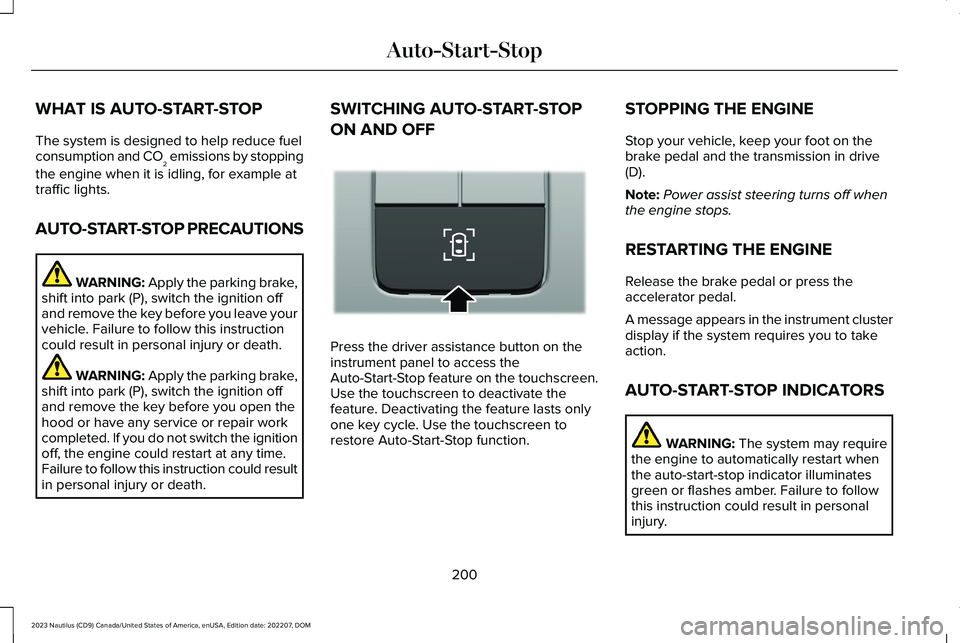
Press the driver assistance button on theinstrument panel to access theAuto-Start-Stop feature on the touchscreen.Use the touchscreen to deactivate thefeature. Deactivating the feature lasts onlyone key cycle. Use the touchscreen torestore Auto-Start-Stop function.
STOPPING THE ENGINE
Stop your vehicle, keep your foot on thebrake pedal and the transmission in drive(D).
Note:Power assist steering turns off whenthe engine stops.
RESTARTING THE ENGINE
Release the brake pedal or press theaccelerator pedal.
A message appears in the instrument clusterdisplay if the system requires you to takeaction.
AUTO-START-STOP INDICATORS
WARNING: The system may requirethe engine to automatically restart whenthe auto-start-stop indicator illuminatesgreen or flashes amber. Failure to followthis instruction could result in personalinjury.
200
2023 Nautilus (CD9) Canada/United States of America, enUSA, Edition date: 202207, DOMAuto-Start-StopE335855
Page 216 of 606
AUTOMATIC TRANSMISSION
PRECAUTIONS
WARNING: Always fully apply theparking brake and make sure you shift intopark (P). Failure to follow this instructioncould result in personal injury or death.
WARNING: Do not apply the brakepedal and accelerator pedalsimultaneously. Applying both pedalssimultaneously for more than a fewseconds will limit engine performance,which may result in difficulty maintainingspeed in traffic and could lead to seriousinjury.
WARNING: When your vehicle isstationary, keep the brake pedal fullypressed when shifting gears. Failure tofollow this instruction could result inpersonal injury, death or property damage.
Note:Do not use supplemental transmissionfluid additives, treatments, or cleaningagents. Failure to follow this instruction couldresult in vehicle damage not covered by thevehicle warranty.
AUTOMATIC TRANSMISSION
POSITIONS
PARK (P)
WARNING: Shift into park (P) onlywhen your vehicle is stationary.
In park (P) power is not transmitted to thedriven wheels.
Note:A tone sounds if you attempt to exityour vehicle without the vehicle in park (P).
Note:Your vehicle may not shift out of park(P) if the 12V battery has run out of charge.
Note:Your vehicle may not shift out of park(P) if a fuse is blown.
Note:Your vehicle may not shift out of park(P) unless the key or remote control is insideyour vehicle.
Note:The electronic parking brake couldapply when you power your vehicle on withthe selector in park (P).
Note:The electronic parking brake couldapply if you shift to park (P) without fullypressing the brake pedal.
Note:The electronic parking brake couldapply if you shift to park (P) on a slope.
Note:Do not manually release the parkingbrake when the selector is in park (P). SeeAutomatically Releasing the ElectricParking Brake (page 226).
Note:Your vehicle could shift into park (P) ifyou attempt to exit your vehicle without thetransmission in park (P). See How DoesAutomatic Return to Park (P) Work (page215).
Note:A tone could sound when you selectpark (P).
212
2023 Nautilus (CD9) Canada/United States of America, enUSA, Edition date: 202207, DOMAutomatic Transmission
Page 217 of 606
REVERSE (R)
WARNING: Shift into reverse (R) onlywhen your vehicle is stationary.
In reverse (R) power is transmitted to thedriven wheels.
NEUTRAL (N)
WARNING: In neutral (N) your vehicleis free to roll.
In neutral (N) power is not transmitted to thedriven wheels.
DRIVE (D)
In drive (D) power is transmitted to the drivenwheels.
SPORT (S)
In sport (S) your vehicle holds gears longer.
Note:We recommend using this mode for asportier feel or when driving on hilly ormountainous roads.
SHIFTING YOUR VEHICLE INTO
GEAR
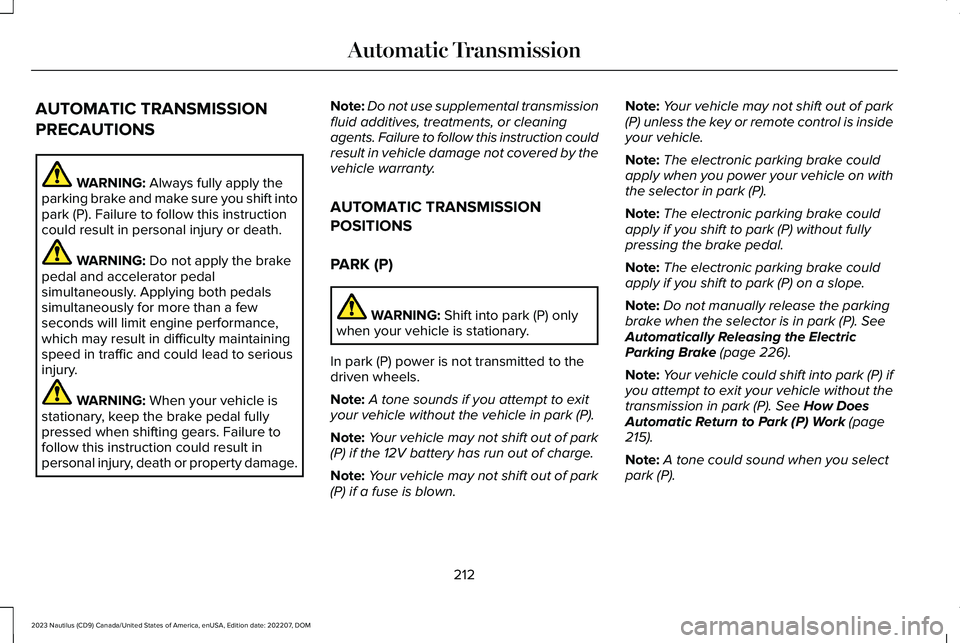
The transmission selector is on the centerstack.
1.Press and hold the brake pedal.
2.Press a button to select a position.
Note:The position illuminates on thetransmission selector.
AUTOMATIC TRANSMISSION
POSITION INDICATORS
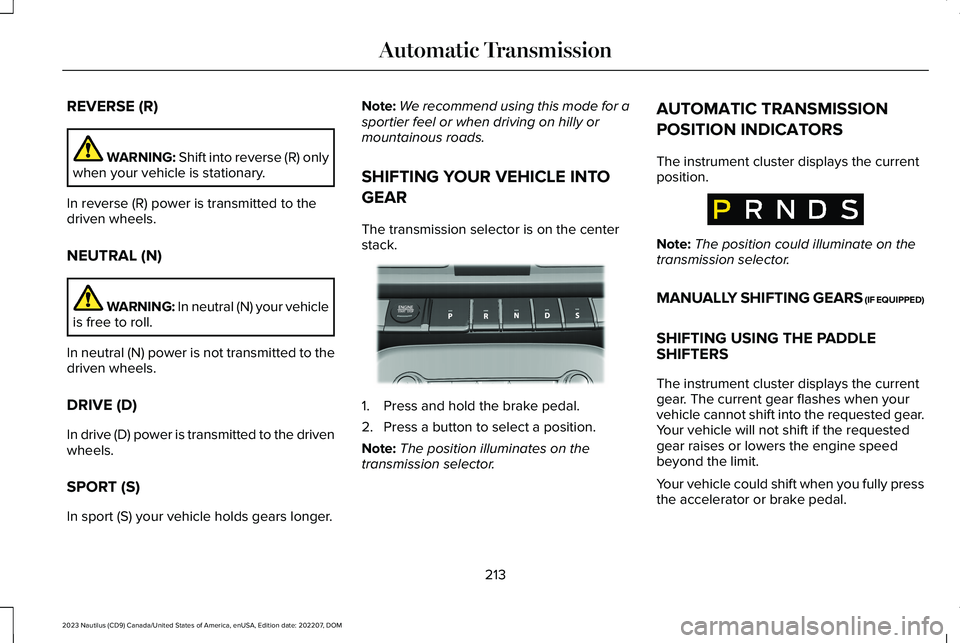
The instrument cluster displays the currentposition.
Note:The position could illuminate on thetransmission selector.
MANUALLY SHIFTING GEARS (IF EQUIPPED)
SHIFTING USING THE PADDLESHIFTERS
The instrument cluster displays the currentgear. The current gear flashes when yourvehicle cannot shift into the requested gear.Your vehicle will not shift if the requestedgear raises or lowers the engine speedbeyond the limit.
Your vehicle could shift when you fully pressthe accelerator or brake pedal.
213
2023 Nautilus (CD9) Canada/United States of America, enUSA, Edition date: 202207, DOMAutomatic TransmissionE334149 E317779
Page 218 of 606
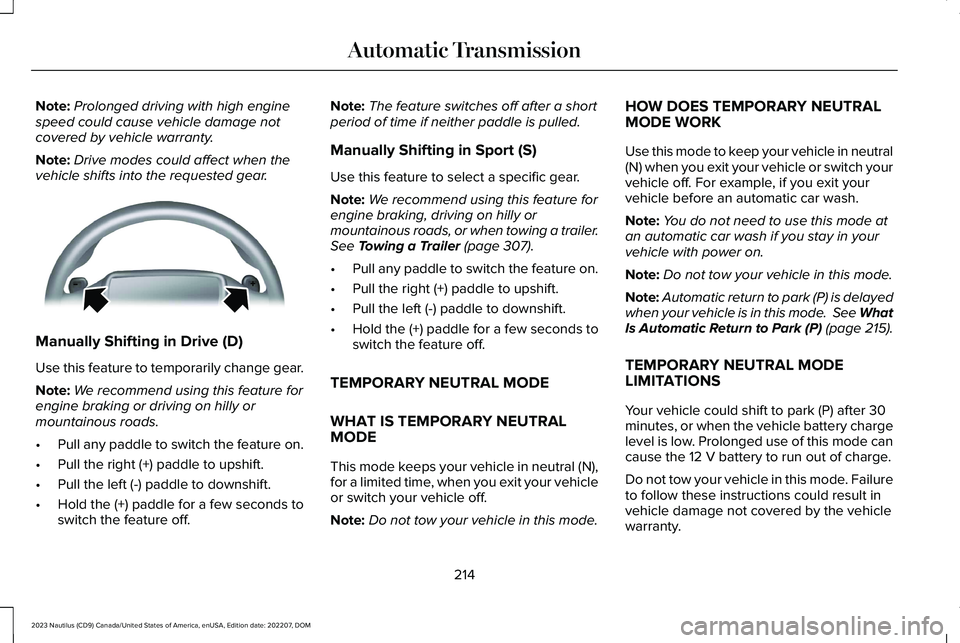
Note:Prolonged driving with high enginespeed could cause vehicle damage notcovered by vehicle warranty.
Note:Drive modes could affect when thevehicle shifts into the requested gear.
Manually Shifting in Drive (D)
Use this feature to temporarily change gear.
Note:We recommend using this feature forengine braking or driving on hilly ormountainous roads.
•Pull any paddle to switch the feature on.
•Pull the right (+) paddle to upshift.
•Pull the left (-) paddle to downshift.
•Hold the (+) paddle for a few seconds toswitch the feature off.
Note:The feature switches off after a shortperiod of time if neither paddle is pulled.
Manually Shifting in Sport (S)
Use this feature to select a specific gear.
Note:We recommend using this feature forengine braking, driving on hilly ormountainous roads, or when towing a trailer.See Towing a Trailer (page 307).
•Pull any paddle to switch the feature on.
•Pull the right (+) paddle to upshift.
•Pull the left (-) paddle to downshift.
•Hold the (+) paddle for a few seconds toswitch the feature off.
TEMPORARY NEUTRAL MODE
WHAT IS TEMPORARY NEUTRALMODE
This mode keeps your vehicle in neutral (N),for a limited time, when you exit your vehicleor switch your vehicle off.
Note:Do not tow your vehicle in this mode.
HOW DOES TEMPORARY NEUTRALMODE WORK
Use this mode to keep your vehicle in neutral(N) when you exit your vehicle or switch yourvehicle off. For example, if you exit yourvehicle before an automatic car wash.
Note:You do not need to use this mode atan automatic car wash if you stay in yourvehicle with power on.
Note:Do not tow your vehicle in this mode.
Note:Automatic return to park (P) is delayedwhen your vehicle is in this mode. See WhatIs Automatic Return to Park (P) (page 215).
TEMPORARY NEUTRAL MODELIMITATIONS
Your vehicle could shift to park (P) after 30minutes, or when the vehicle battery chargelevel is low. Prolonged use of this mode cancause the 12 V battery to run out of charge.
Do not tow your vehicle in this mode. Failureto follow these instructions could result invehicle damage not covered by the vehiclewarranty.
214
2023 Nautilus (CD9) Canada/United States of America, enUSA, Edition date: 202207, DOMAutomatic TransmissionE144821
Page 219 of 606
ENTERING TEMPORARY NEUTRALMODE
1.Bring your vehicle to a complete stop.
2.Press and hold the brake pedal.
3.Power your vehicle on.
4.Shift into neutral (N).
Note:An instructional message appears.
5.Press the neutral (N) button.
Note:A confirmation message appearswhen your vehicle enters the mode.
6.Release the brake pedal.
Note:Your vehicle is free to roll.
7.Switch your vehicle off.
Note:Do not tow your vehicle in this mode.
Note:The neutral (N) indicator on theselector may flash in this mode.
EXITING TEMPORARY NEUTRALMODE
1.Press the brake pedal.
2.Shift into park (P), or power your vehicleon and shift into drive (D) or reverse (R).
AUTOMATIC RETURN TO PARK (P)
WHAT IS AUTOMATIC RETURN TO
PARK (P)
Your vehicle shifts into park (P) if you attemptto exit your vehicle without the vehicle inpark (P).
HOW DOES AUTOMATIC RETURN TOPARK (P) WORK
Your vehicle shifts into park (P) when yourvehicle is stationary and any of the followingoccur:
•You switch the vehicle off.
•You open the driver door with yourseatbelt unlatched.
•You unlatch the driver seatbelt when thedriver door is open.
Note:Do not use automatic return to park(P) when your vehicle is moving, except inan emergency. See Stopping the EngineWhen Your Vehicle is Moving (page 195).
AUTOMATIC RETURN TO PARK (P)
LIMITATIONS
Automatic return to park (P) may not work ifthe door ajar sensor or seatbelt sensor aremalfunctioning.
See an authorized dealer if any of thefollowing occur:
•Seatbelt indicator illuminates or tonesounds with the seatbelt fastened.
•Door ajar indicator does not illuminatewith the driver door open.
•Door ajar indicator illuminates with thedriver door closed.
•Transmission not in park messageappears with the driver door closed, afteryou shift out of park (P).
215
2023 Nautilus (CD9) Canada/United States of America, enUSA, Edition date: 202207, DOMAutomatic Transmission