parking brake LINCOLN NAVIGATOR 2004 User Guide
[x] Cancel search | Manufacturer: LINCOLN, Model Year: 2004, Model line: NAVIGATOR, Model: LINCOLN NAVIGATOR 2004Pages: 368, PDF Size: 8.21 MB
Page 276 of 368
Removing the jack and tools
1. Open the liftgate, then locate the access panel on the floor behind the
3rd row seat. Unlatch and remove the panel.
2. Remove the jack and tools assembly tray from the compartment by
turning the wing-nut counterclockwise to relieve tension against the jack
assembly tray.
3. Unsnap the wheel lug nut wrench, jack extension and handle from the
plastic tray. Remove the jack and instruction sheet from the tray
assembly.
Removing the spare tire
1. Fold the rear seat down. Refer to
Rear seats in the Seating and
safety restraints chapter.
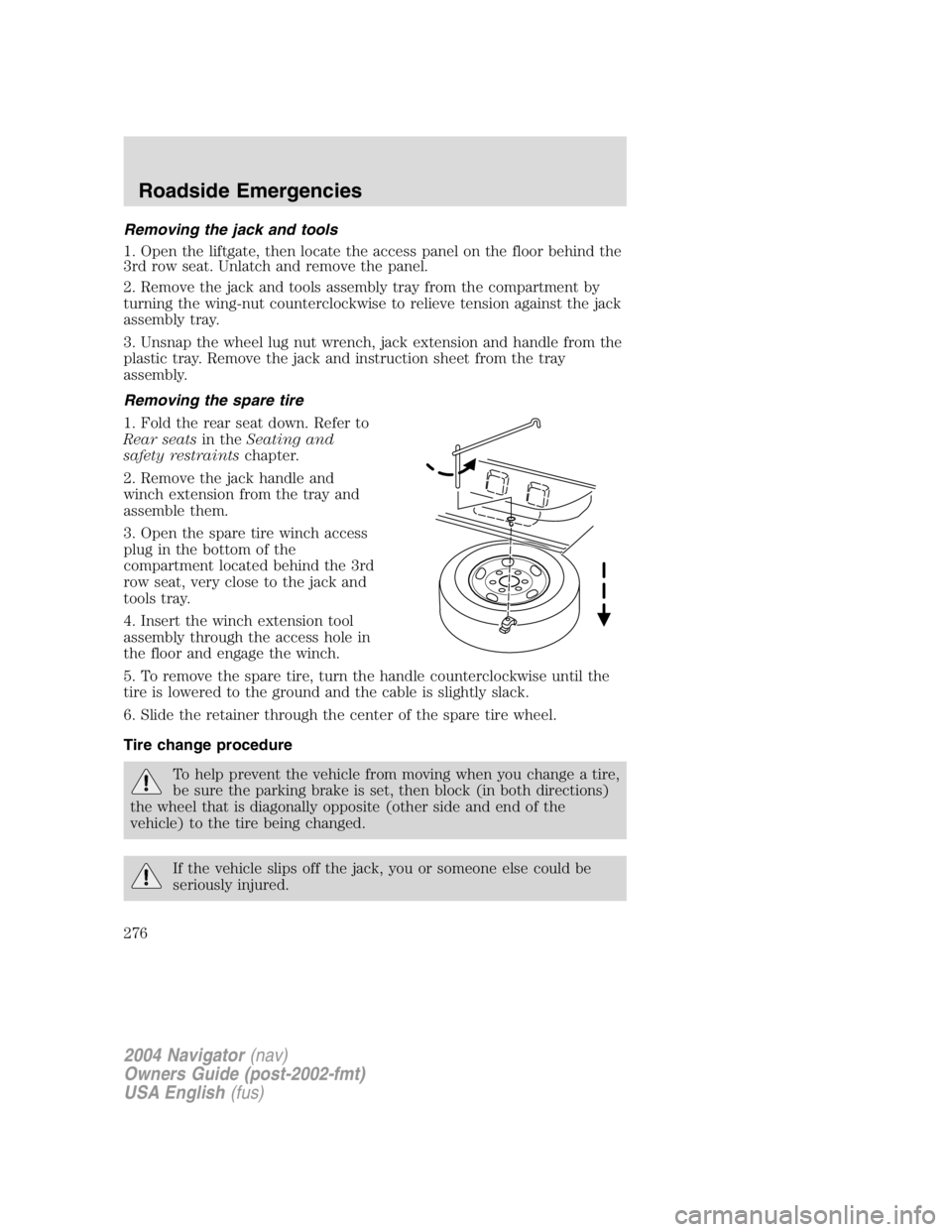
2. Remove the jack handle and
winch extension from the tray and
assemble them.
3. Open the spare tire winch access
plug in the bottom of the
compartment located behind the 3rd
row seat, very close to the jack and
tools tray.
4. Insert the winch extension tool
assembly through the access hole in
the floor and engage the winch.
5. To remove the spare tire, turn the handle counterclockwise until the
tire is lowered to the ground and the cable is slightly slack.
6. Slide the retainer through the center of the spare tire wheel.
Tire change procedure
To help prevent the vehicle from moving when you change a tire,
be sure the parking brake is set, then block (in both directions)
the wheel that is diagonally opposite (other side and end of the
vehicle) to the tire being changed.
If the vehicle slips off the jack, you or someone else could be
seriously injured.
2004 Navigator (nav)
Owners Guide (post-2002-fmt)
USA English (fus)Roadside Emergencies
276
Page 277 of 368
On vehicles equipped with Air Suspension, turn OFF the Air
Suspension switch prior to jacking, hoisting or towing your
vehicle.
Refer to the instruction sheet (located in the rear floor compartment
behind the 3rd row seat with the jack tray tools assembly kit) for
detailed tire change instructions.
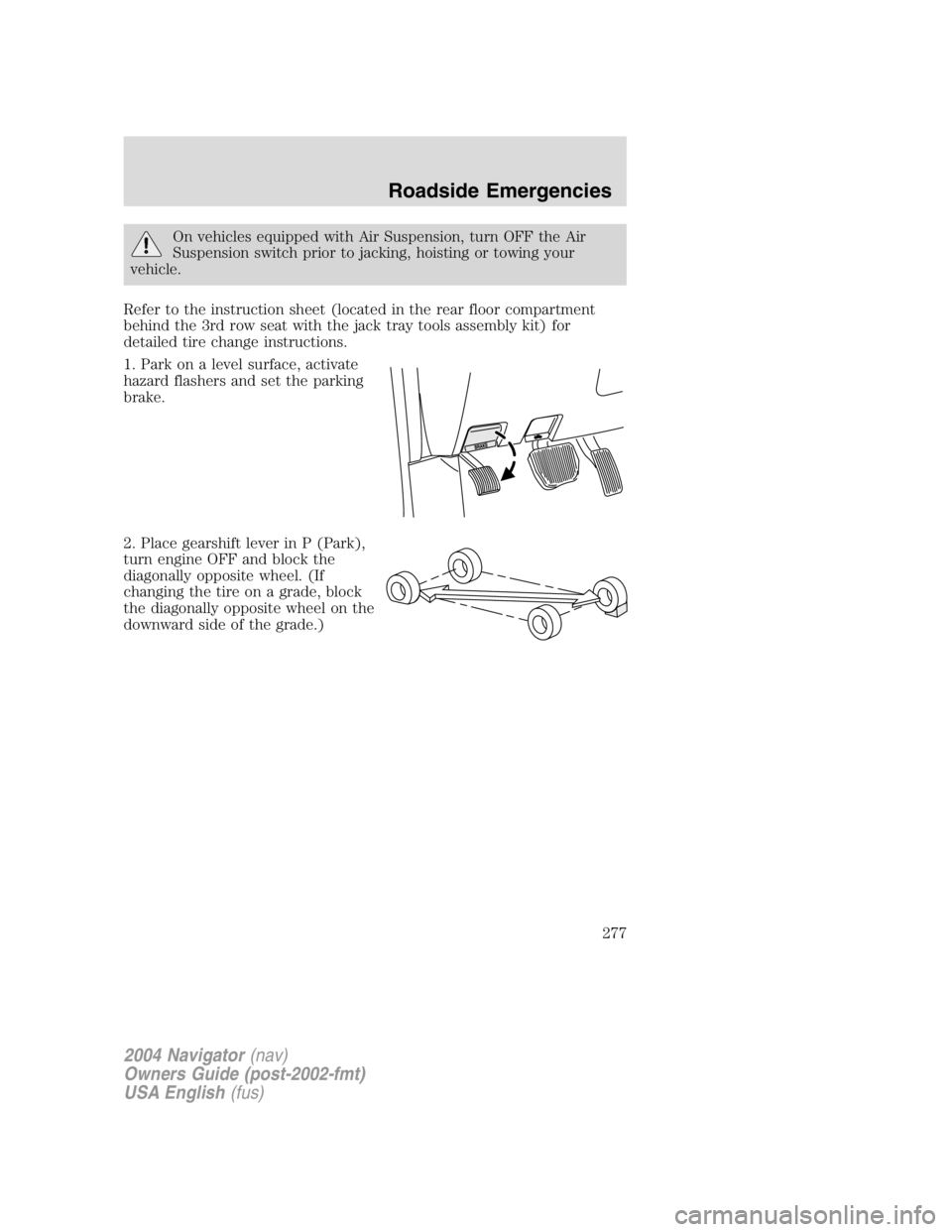
1. Park on a level surface, activate
hazard flashers and set the parking
brake.
2. Place gearshift lever in P (Park),
turn engine OFF and block the
diagonally opposite wheel. (If
changing the tire on a grade, block
the diagonally opposite wheel on the
downward side of the grade.)
2004 Navigator (nav)
Owners Guide (post-2002-fmt)
USA English (fus) Roadside Emergencies
277
Page 279 of 368
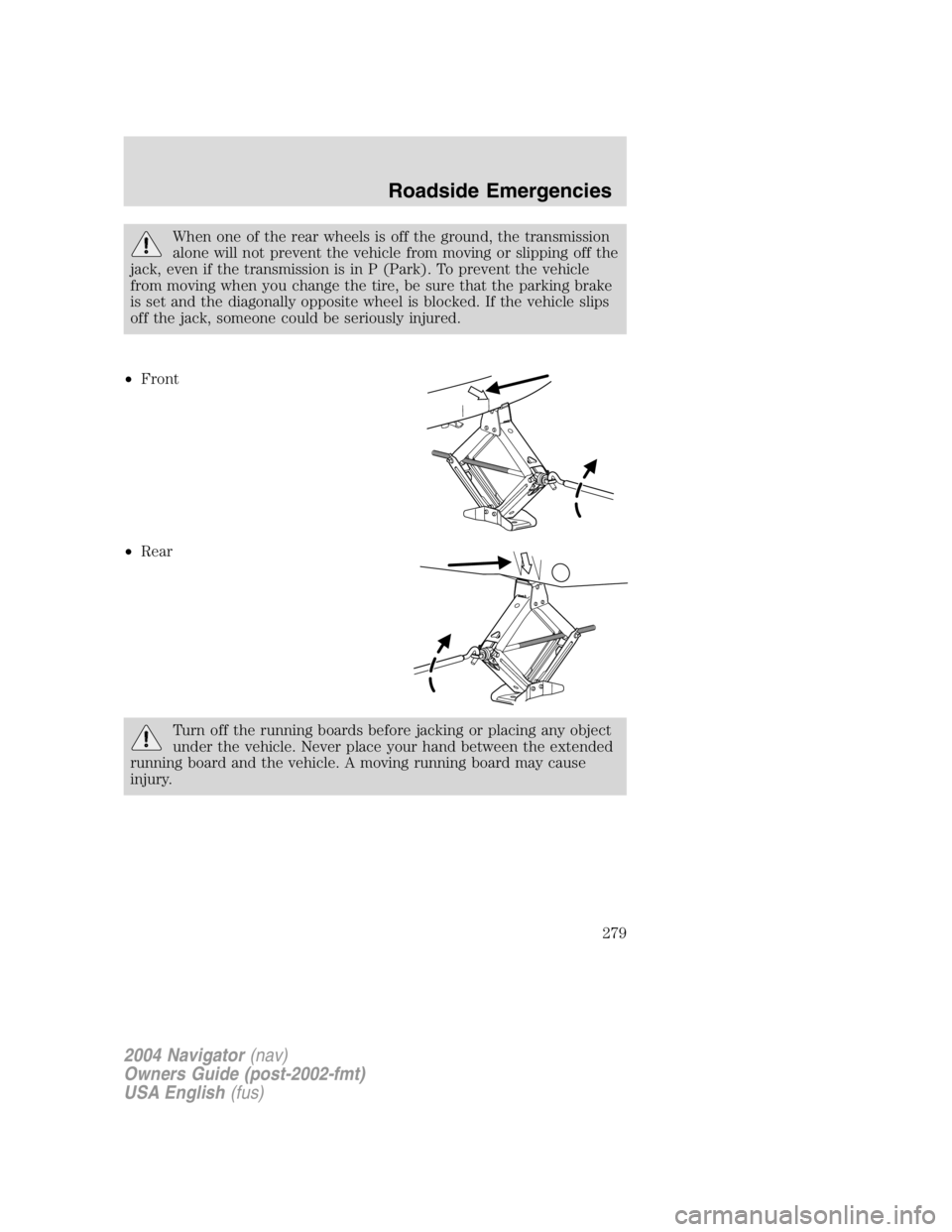
When one of the rear wheels is off the ground, the transmission
alone will not prevent the vehicle from moving or slipping off the
jack, even if the transmission is in P (Park). To prevent the vehicle
from moving when you change the tire, be sure that the parking brake
is set and the diagonally opposite wheel is blocked. If the vehicle slips
off the jack, someone could be seriously injured.
• Front
• Rear
Turn off the running boards before jacking or placing any object
under the vehicle. Never place your hand between the extended
running board and the vehicle. A moving running board may cause
injury.
2004 Navigator (nav)
Owners Guide (post-2002-fmt)
USA English (fus) Roadside Emergencies
279
Page 282 of 368
JUMP STARTING YOUR VEHICLE
The gases around the battery can explode if exposed to flames,
sparks, or lit cigarettes. An explosion could result in injury or
vehicle damage.
Batteries contain sulfuric acid which can burn skin, eyes and
clothing, if contacted.
Do not attempt to push-start your vehicle. Automatic
transmissions do not have push-start capability; doing so may
damage the catalytic converter.
Preparing your vehicle
When the battery is disconnected or a new battery is installed, the
transmission must relearn its shift strategy. As a result, the transmission
may have firm and/or soft shifts. This operation is considered normal and
will not affect function or durability of the transmission. Over time, the
adaptive learning process will fully update transmission operation.
1. Use only a 12 – volt supply to start your vehicle.
2. Do not disconnect the battery of the disabled vehicle as this could
damage the vehicle ’ s electrical system.
3. Park the booster vehicle close to the hood of the disabled vehicle
making sure the two vehicles do not touch. Set the parking brake on
both vehicles and stay clear of the engine cooling fan and other moving
parts.
4. Check all battery terminals and remove any excessive corrosion before
you attach the battery cables. Ensure that vent caps are tight and level.
5. Turn the heater fan on in both vehicles to protect any electrical
surges. Turn all other accessories off.
2004 Navigator (nav)
Owners Guide (post-2002-fmt)
USA English (fus)Roadside Emergencies
282
Page 289 of 368
If the vehicle is towed by other means or incorrectly, vehicle
damage may occur.
With a disabled vehicle (without access to wheel dollies, car hauling
trailer or flatbed transport vehicle) your vehicle can be towed (all wheels
on the ground) under the following conditions:
Special Conditions:
• Release the parking brake.
• Turn the air suspension control to OFF.
• Turn the ignition to the OFF/UNLOCKED position.
• Place the transmission in N (Neutral).
If the vehicle ’ s battery is discharged, refer to Automatic transmission
operation in the Driving chapter for directions on how to move the
gearshift lever out of the P (Park) position, for proper towing.
• Do not exceed a distance of 80 km (50 miles).
• Do not exceed 56 km/h (35 mph) vehicle speed.
Ford Motor Company produces a towing manual for all authorized tow
truck operators. Have your tow truck operator refer to this manual for
proper hook-up and towing procedures for your vehicle.
2004 Navigator (nav)
Owners Guide (post-2002-fmt)
USA English (fus) Roadside Emergencies
289
Page 305 of 368
SERVICE RECOMMENDATIONS
To help you service your vehicle:
• We highlight do-it-yourself items in the engine compartment for easy
location.
• We provide a scheduled maintenance guide which makes tracking
routine service easy.
If your vehicle requires professional service, your dealership can provide
the necessary parts and service. Check your Warranty Guide/Owner
Information Guide to find out which parts and services are covered.
Use only recommended fuels, lubricants, fluids and service parts
conforming to specifications. Motorcraft parts are designed and built to
provide the best performance in your vehicle.
PRECAUTIONS WHEN SERVICING YOUR VEHICLE
• Do not work on a hot engine.
• Make sure that nothing gets caught in moving parts.
• Do not work on a vehicle with the engine running in an enclosed
space, unless you are sure you have enough ventilation.
• Keep all open flames and other lit material away from the battery and
all fuel related parts.
Working with the engine off
1. Set the parking brake and shift to P (Park).
2. Turn off the engine and remove the key.
3. Block the wheels.
Working with the engine on
1. Set the parking brake and shift to P (Park).
2. Block the wheels.
Note: Do not start your engine with the air cleaner removed and do not
remove it while the engine is running.
2004 Navigator (nav)
Owners Guide (post-2002-fmt)
USA English (fus)Maintenance and Specifications
Maintenance and Specifications
305
Page 308 of 368
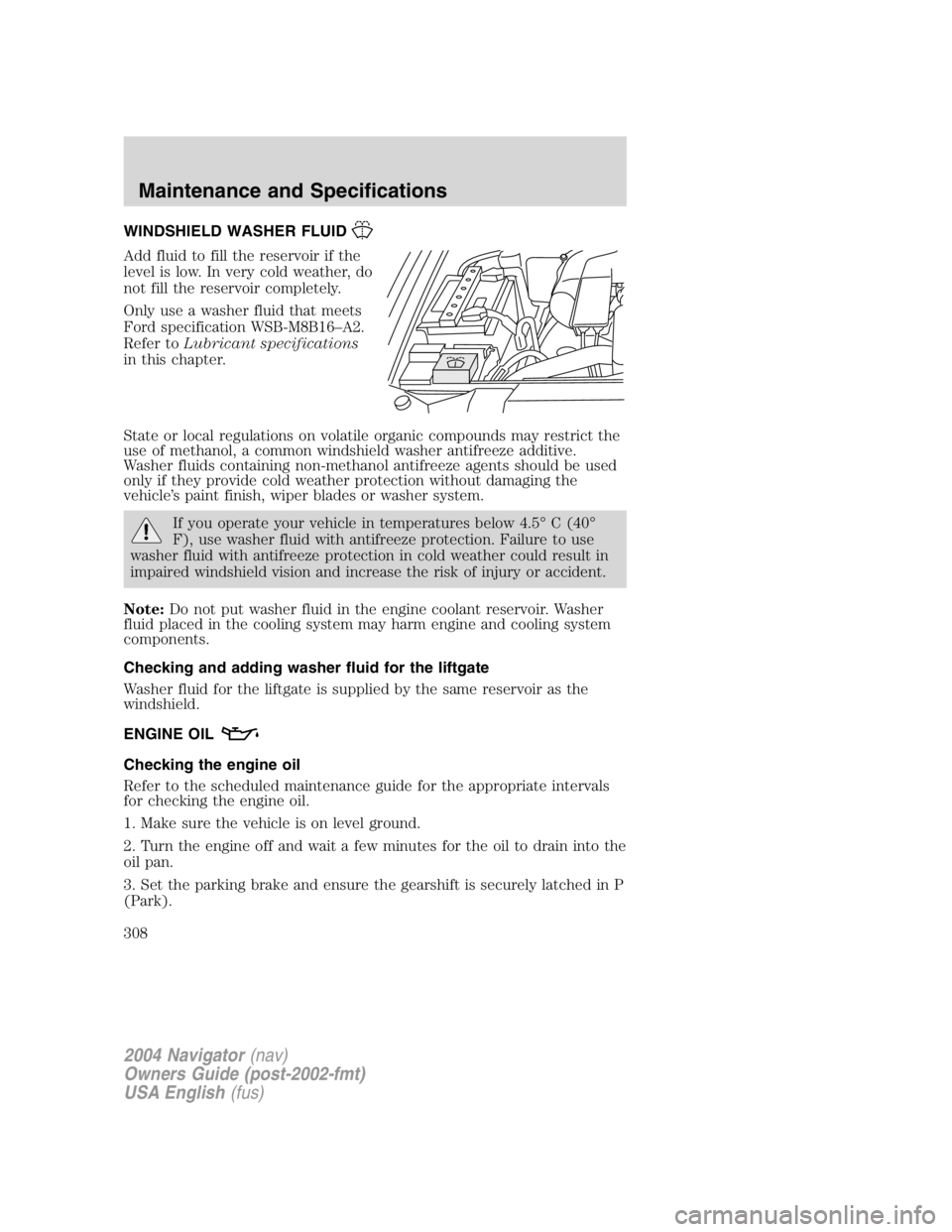
WINDSHIELD WASHER FLUID
Add fluid to fill the reservoir if the
level is low. In very cold weather, do
not fill the reservoir completely.
Only use a washer fluid that meets
Ford specification WSB-M8B16 – A2.
Refer to Lubricant specifications
in this chapter.
State or local regulations on volatile organic compounds may restrict the
use of methanol, a common windshield washer antifreeze additive.
Washer fluids containing non-methanol antifreeze agents should be used
only if they provide cold weather protection without damaging the
vehicle ’ s paint finish, wiper blades or washer system.
If you operate your vehicle in temperatures below 4.5 ° C (40 °
F), use washer fluid with antifreeze protection. Failure to use
washer fluid with antifreeze protection in cold weather could result in
impaired windshield vision and increase the risk of injury or accident.
Note: Do not put washer fluid in the engine coolant reservoir. Washer
fluid placed in the cooling system may harm engine and cooling system
components.
Checking and adding washer fluid for the liftgate
Washer fluid for the liftgate is supplied by the same reservoir as the
windshield.
ENGINE OIL
Checking the engine oil
Refer to the scheduled maintenance guide for the appropriate intervals
for checking the engine oil.
1. Make sure the vehicle is on level ground.
2. Turn the engine off and wait a few minutes for the oil to drain into the
oil pan.
3. Set the parking brake and ensure the gearshift is securely latched in P
(Park).
2004 Navigator (nav)
Owners Guide (post-2002-fmt)
USA English (fus)Maintenance and Specifications
308
Page 312 of 368
Batteries normally produce explosive gases which can cause
personal injury. Therefore, do not allow flames, sparks or lighted
substances to come near the battery. When working near the battery,
always shield your face and protect your eyes. Always provide proper
ventilation.
When lifting a plastic-cased battery, excessive pressure on the
end walls could cause acid to flow through the vent caps,
resulting in personal injury and/or damage to the vehicle or battery.
Lift the battery with a battery carrier or with your hands on opposite
corners.
Keep batteries out of reach of children. Batteries contain sulfuric
acid. Avoid contact with skin, eyes or clothing. Shield your eyes
when working near the battery to protect against possible splashing of
acid solution. In case of acid contact with skin or eyes, flush
immediately with water for a minimum of 15 minutes and get prompt
medical attention. If acid is swallowed, call a physician immediately.
Battery posts, terminals and related accessories contain lead and
lead compounds. Wash hands after handling .
For information on transmission operation after the battery has been
disconnected see “ Shift strategy ” in the driving section.
Because your vehicle ’ s engine is electronically controlled by a computer,
some control conditions are maintained by power from the battery. When
the battery is disconnected or a new battery is installed, the engine must
relearn its idle and fuel trim strategy for optimum driveability and
performance. To begin this process:
1. With the vehicle at a complete stop, set the parking brake.
2. Put the gearshift in P (Park), turn off all accessories and start the
engine.
3. Run the engine until it reaches normal operating temperature.
4. Allow the engine to idle for at least one minute.
5. Turn the A/C on and allow the engine to idle for at least one minute.
6. Release the parking brake. With your foot on the brake pedal and with
the A/C on, put the vehicle in D (Drive) and allow the engine to idle for
at least one minute.
2004 Navigator (nav)
Owners Guide (post-2002-fmt)
USA English (fus)Maintenance and Specifications
312
Page 330 of 368
TRANSMISSION FLUID
Checking automatic transmission fluid
Refer to your scheduled maintenance guide for scheduled intervals for
fluid checks and changes. Your transmission does not consume fluid.
However, the fluid level should be checked if the transmission is not
working properly, i.e., if the transmission slips or shifts slowly or if you
notice some sign of fluid leakage.
Automatic transmission fluid expands when warmed. To obtain an
accurate fluid check, drive the vehicle until it is at normal operating
temperature (approximately 30 km [20 miles]). If your vehicle has been
operated for an extended period at high speeds, in city traffic during hot
weather or pulling a trailer, the vehicle should be turned off for about 30
minutes to allow fluid to cool before checking.
1. Drive the vehicle 30 km (20 miles) or until it reaches normal operating
temperature.
2. Park the vehicle on a level surface and engage the parking brake.
3. With the parking brake engaged and your foot on the brake pedal,
start the engine and move the gearshift lever through all of the gear
ranges. Allow sufficient time for each gear to engage.
4. Latch the gearshift lever in P (Park) and leave the engine running.
5. Remove the dipstick, wiping it clean with a clean, dry lint free rag. If
necessary, refer to Identifying components in the engine compartment
in this chapter for the location of the dipstick.
6. Install the dipstick making sure it is fully seated in the filler tube.
7. Remove the dipstick and inspect the fluid level. The fluid should be in
the designated area for normal operating temperature or ambient
temperature.
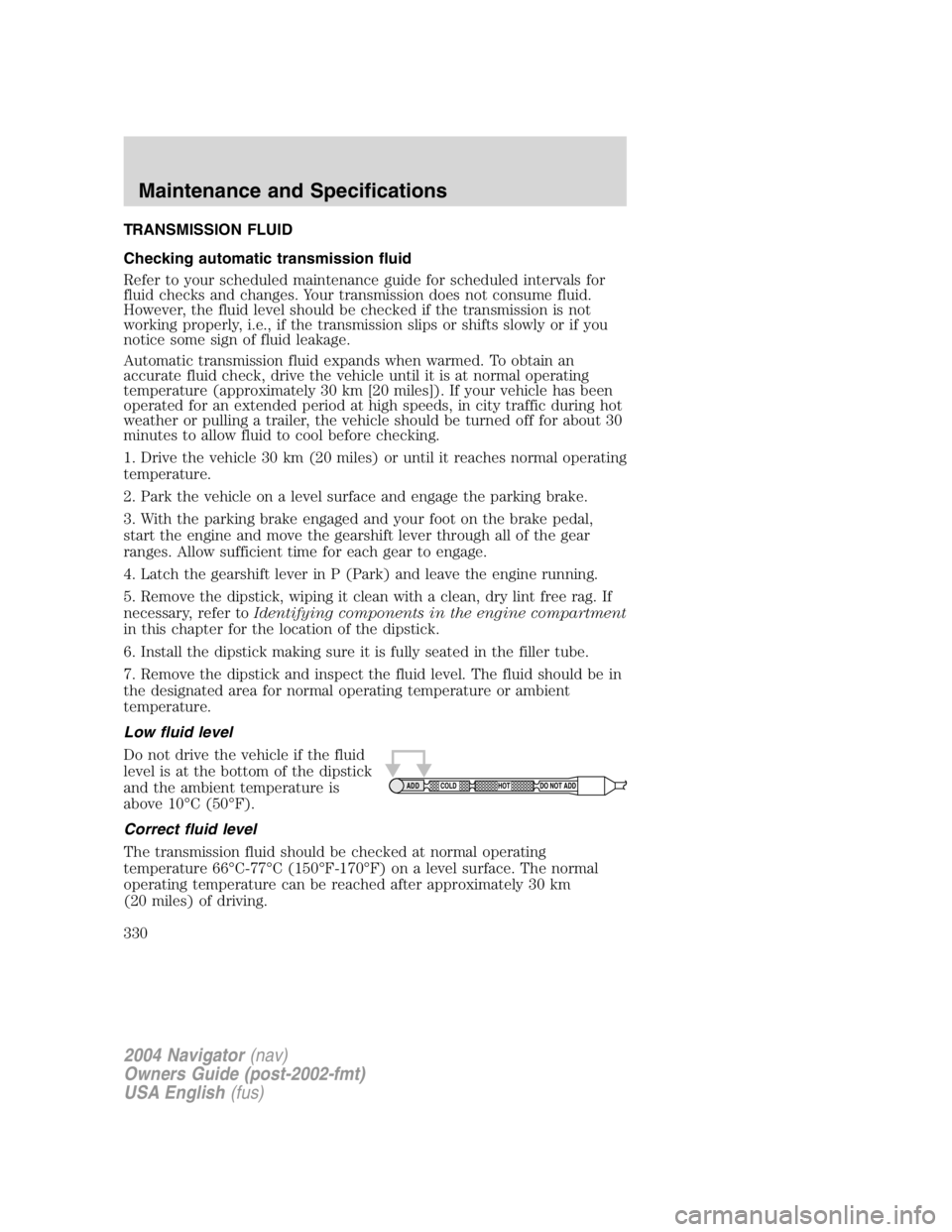
Low fluid level
Do not drive the vehicle if the fluid
level is at the bottom of the dipstick
and the ambient temperature is
above 10 ° C (50 ° F).
Correct fluid level
The transmission fluid should be checked at normal operating
temperature 66 ° C-77 ° C (150 ° F-170 ° F) on a level surface. The normal
operating temperature can be reached after approximately 30 km
(20 miles) of driving. ADD COLD HOT DO NOT ADD
2004 Navigator (nav)
Owners Guide (post-2002-fmt)
USA English (fus)Maintenance and Specifications
330
Page 361 of 368
A
ABS (see Brakes) .....................221
Accessory delay ........................122
Air bag supplemental restraint
system ................................195, 199
and child safety seats ............197
description ......................195, 199
disposal ....................................202
driver air bag ..................197, 200
indicator light .................199, 202
operation .........................197, 200
passenger air bag ...........197, 200
side air bag ..............................199
Air cleaner filter ...............332, 348
Air conditioning
auxiliary heater and air
conditioner ................................97
Air suspension ...........................225
description ..............................225
Antifreeze
(see Engine coolant) ................313
Anti-lock brake system
(see Brakes) ......................221 – 222
Audio system (see Radio) ...16, 21
Automatic transmission
driving an automatic
overdrive .................................233
fluid, adding ............................330
fluid, checking ........................330
fluid, refill capacities ..............349
fluid, specification ..................354
Auxiliary power point ...............118
Axle
lubricant specifications ..351, 354
refill capacities ........................349
B
Battery .......................................311 acid, treating emergencies .....311
jumping a disabled battery ....282
maintenance-free ....................311
replacement, specifications ...348
servicing ..................................311
BeltMinder .................................191
Brakes ........................................221
anti-lock ...........................221 – 222
anti-lock brake system (ABS)
warning light ...........................222
fluid, checking and adding ....329
fluid, refill capacities ..............349
fluid, specifications .........351, 354
lubricant specifications ..351, 354
parking ....................................223
shift interlock ..........................231
Bulbs ..........................................103
C
Calculating load ........................254
Capacities for refilling fluids ....349
Cassette tape player ...................21
CD-single premium .....................16
Cell phone use ..........................148
Certification Label ....................356
Changing a tire .........................275
Child safety restraints ..............203
child safety belts ....................203
Child safety seats ......................206
in front seat ............................208
in rear seat ..............................208
Cleaning your vehicle
engine compartment ..............300
instrument panel ....................302
interior .............................302 – 303
interior trim ............................303
plastic parts ............................301
2004 Navigator (nav)
Owners Guide (post-2002-fmt)
USA English (fus)Index
Index
361