seats LINCOLN NAVIGATOR 2008 User Guide
[x] Cancel search | Manufacturer: LINCOLN, Model Year: 2008, Model line: NAVIGATOR, Model: LINCOLN NAVIGATOR 2008Pages: 352, PDF Size: 3.01 MB
Page 144 of 352
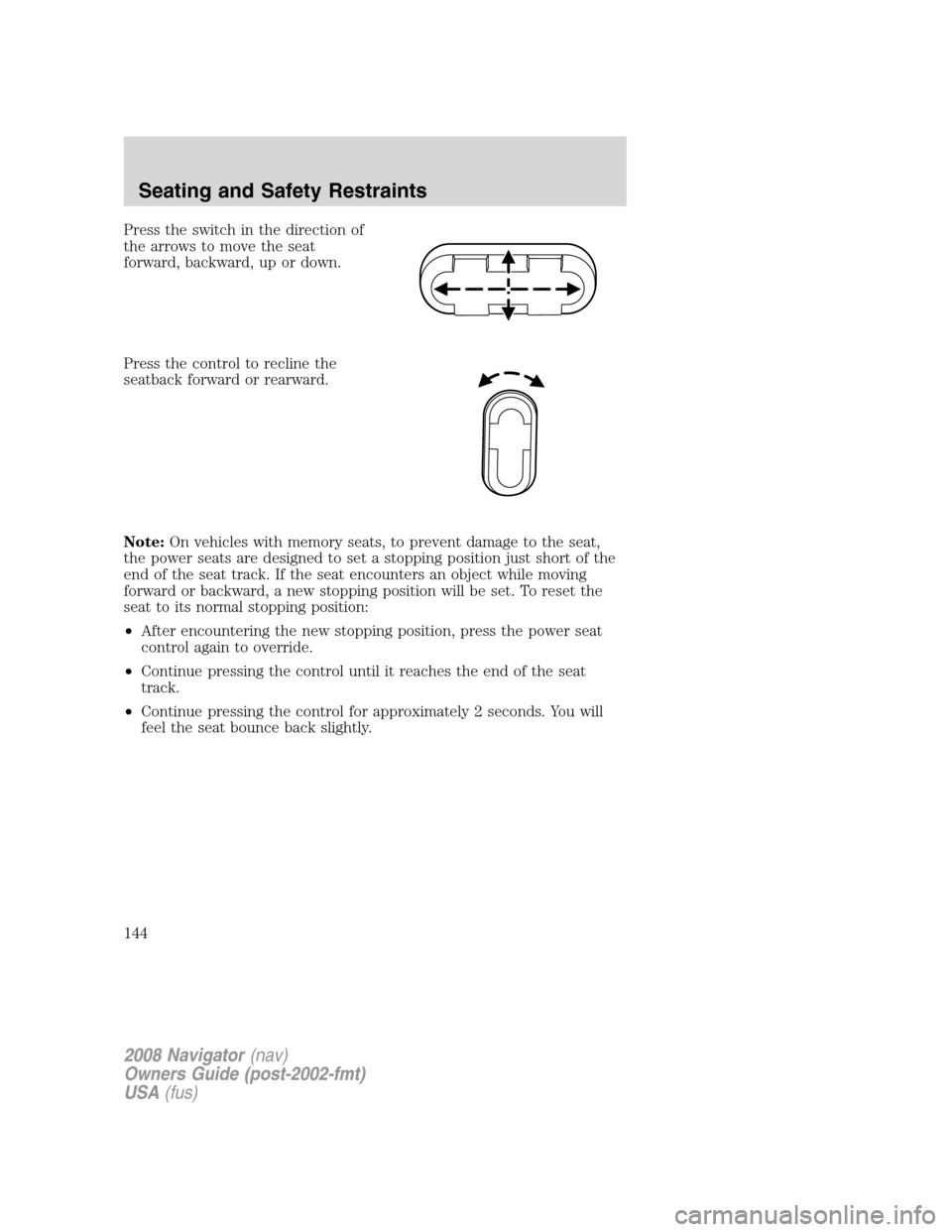
Press the switch in the direction of
the arrows to move the seat
forward, backward, up or down.
Press the control to recline the
seatback forward or rearward.
Note:On vehicles with memory seats, to prevent damage to the seat,
the power seats are designed to set a stopping position just short of the
end of the seat track. If the seat encounters an object while moving
forward or backward, a new stopping position will be set. To reset the
seat to its normal stopping position:
•After encountering the new stopping position, press the power seat
control again to override.
•Continue pressing the control until it reaches the end of the seat
track.
•Continue pressing the control for approximately 2 seconds. You will
feel the seat bounce back slightly.
2008 Navigator(nav)
Owners Guide (post-2002-fmt)
USA(fus)
Seating and Safety Restraints
144
Page 145 of 352
Memory seats/power mirrors/adjustable pedals (if equipped)
This system allows automatic
positioning of the driver seat, power
mirrors, and adjustable pedals to
two programmable positions.
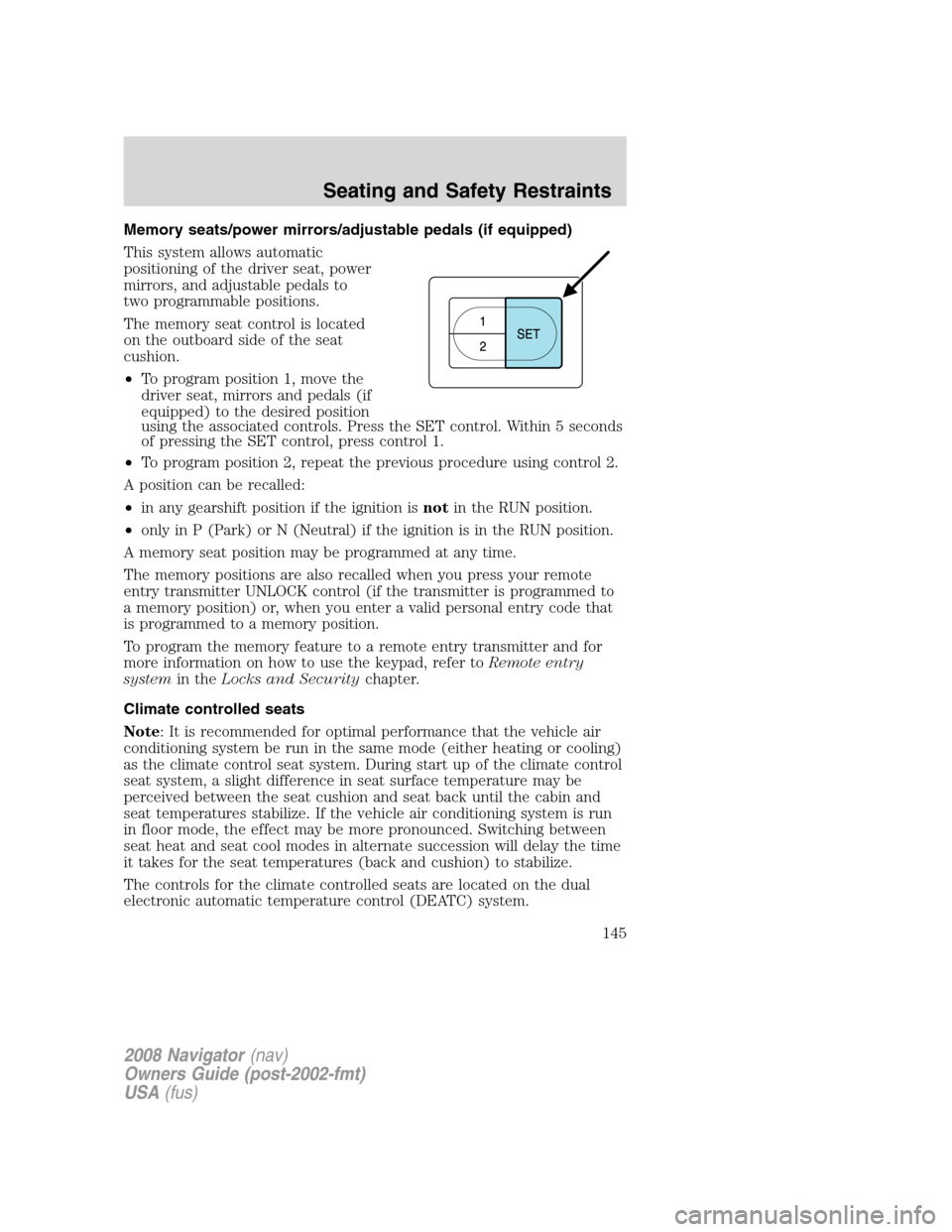
The memory seat control is located
on the outboard side of the seat
cushion.
•To program position 1, move the
driver seat, mirrors and pedals (if
equipped) to the desired position
using the associated controls. Press the SET control. Within 5 seconds
of pressing the SET control, press control 1.
•To program position 2, repeat the previous procedure using control 2.
A position can be recalled:
•in any gearshift position if the ignition isnotin the RUN position.
•only in P (Park) or N (Neutral) if the ignition is in the RUN position.
A memory seat position may be programmed at any time.
The memory positions are also recalled when you press your remote
entry transmitter UNLOCK control (if the transmitter is programmed to
a memory position) or, when you enter a valid personal entry code that
is programmed to a memory position.
To program the memory feature to a remote entry transmitter and for
more information on how to use the keypad, refer toRemote entry
systemin theLocks and Securitychapter.
Climate controlled seats
Note: It is recommended for optimal performance that the vehicle air
conditioning system be run in the same mode (either heating or cooling)
as the climate control seat system. During start up of the climate control
seat system, a slight difference in seat surface temperature may be
perceived between the seat cushion and seat back until the cabin and
seat temperatures stabilize. If the vehicle air conditioning system is run
in floor mode, the effect may be more pronounced. Switching between
seat heat and seat cool modes in alternate succession will delay the time
it takes for the seat temperatures (back and cushion) to stabilize.
The controls for the climate controlled seats are located on the dual
electronic automatic temperature control (DEATC) system.
2008 Navigator(nav)
Owners Guide (post-2002-fmt)
USA(fus)
Seating and Safety Restraints
145
Page 146 of 352
Heated seats
The heated seats will only function when the engine is running.
To operate the heated seats:
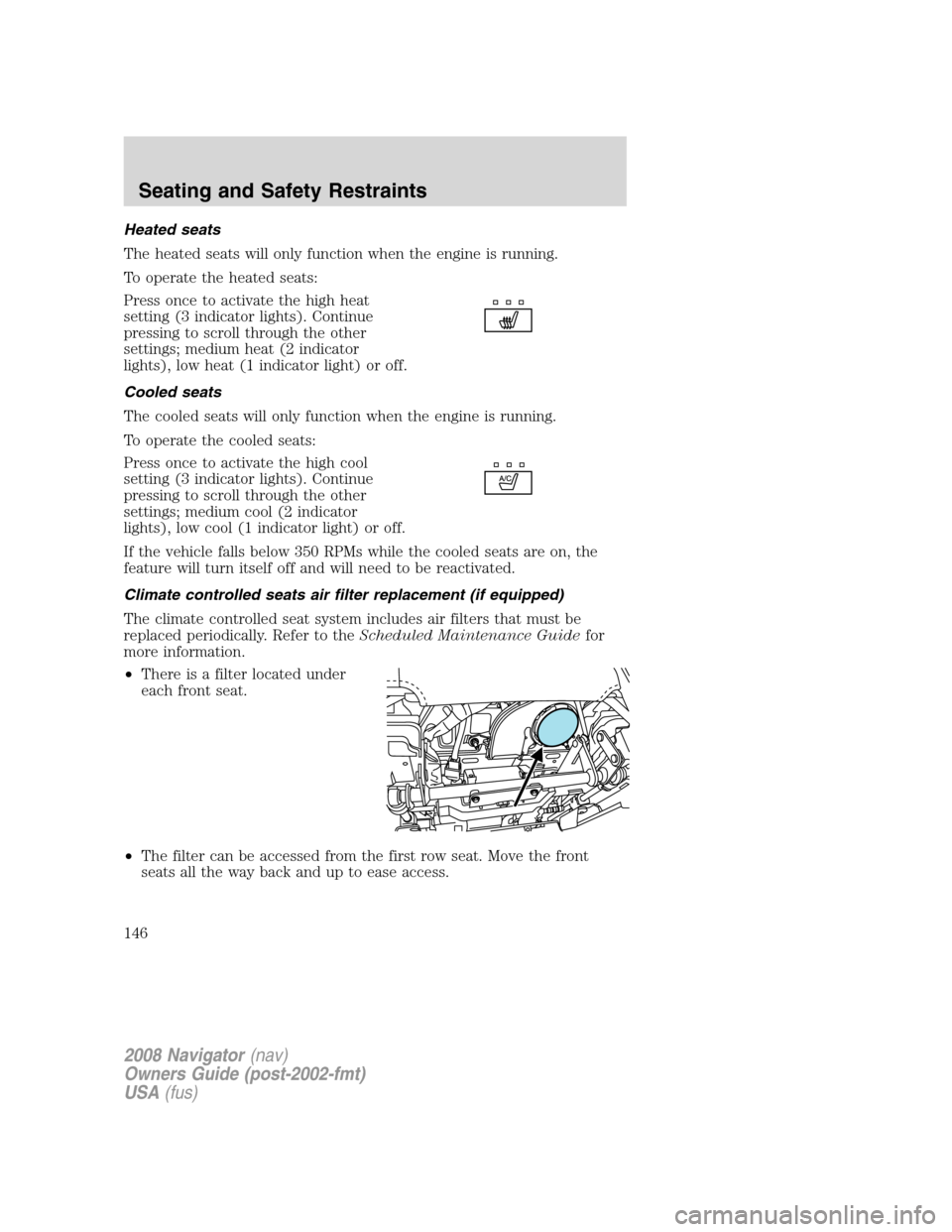
Press once to activate the high heat
setting (3 indicator lights). Continue
pressing to scroll through the other
settings; medium heat (2 indicator
lights), low heat (1 indicator light) or off.
Cooled seats
The cooled seats will only function when the engine is running.
To operate the cooled seats:
Press once to activate the high cool
setting (3 indicator lights). Continue
pressing to scroll through the other
settings; medium cool (2 indicator
lights), low cool (1 indicator light) or off.
If the vehicle falls below 350 RPMs while the cooled seats are on, the
feature will turn itself off and will need to be reactivated.
Climate controlled seats air filter replacement (if equipped)
The climate controlled seat system includes air filters that must be
replaced periodically. Refer to theScheduled Maintenance Guidefor
more information.
•There is a filter located under
each front seat.
•The filter can be accessed from the first row seat. Move the front
seats all the way back and up to ease access.
2008 Navigator(nav)
Owners Guide (post-2002-fmt)
USA(fus)
Seating and Safety Restraints
146
Page 147 of 352
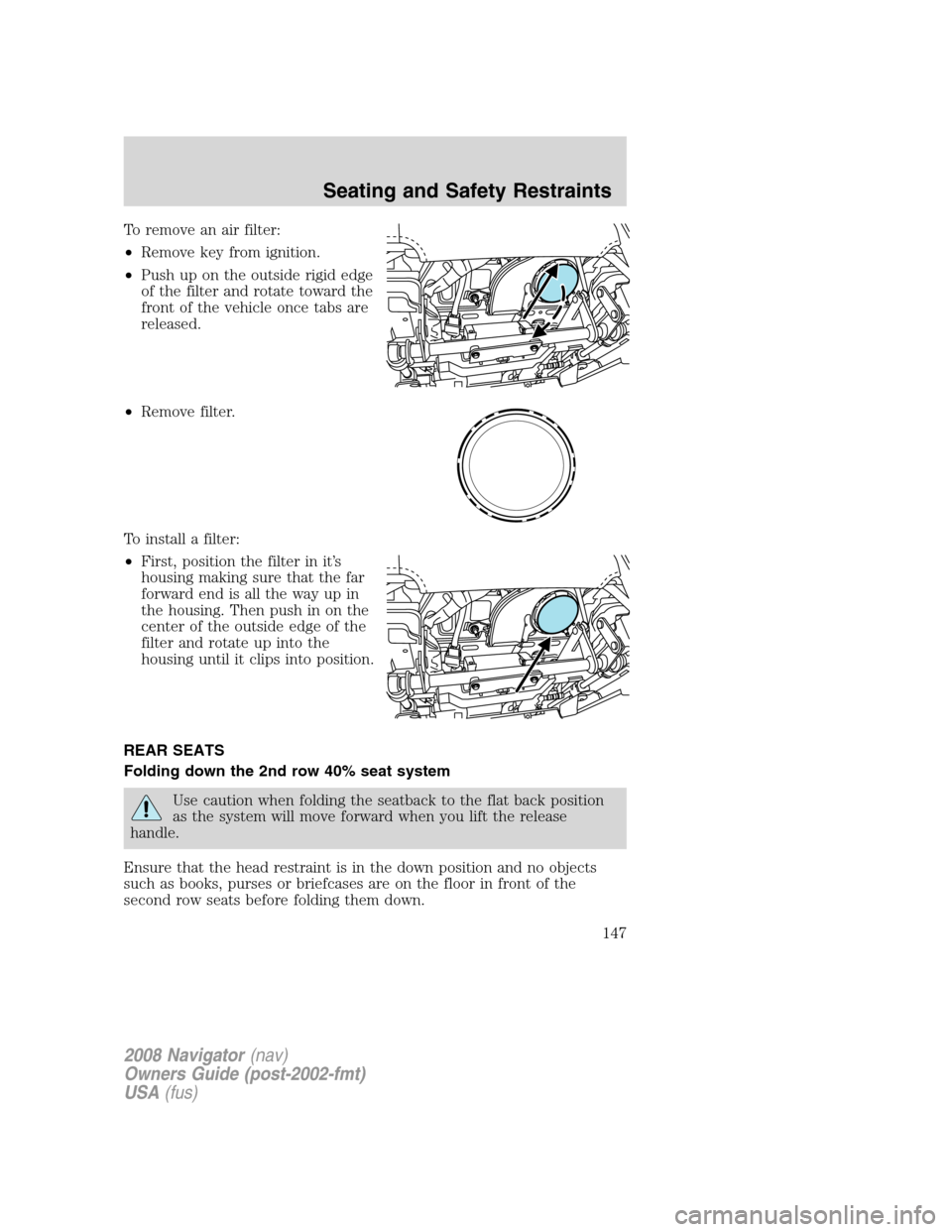
To remove an air filter:
•Remove key from ignition.
•Push up on the outside rigid edge
of the filter and rotate toward the
front of the vehicle once tabs are
released.
•Remove filter.
To install a filter:
•First, position the filter in it’s
housing making sure that the far
forward end is all the way up in
the housing. Then push in on the
center of the outside edge of the
filter and rotate up into the
housing until it clips into position.
REAR SEATS
Folding down the 2nd row 40% seat system
Use caution when folding the seatback to the flat back position
as the system will move forward when you lift the release
handle.
Ensure that the head restraint is in the down position and no objects
such as books, purses or briefcases are on the floor in front of the
second row seats before folding them down.
2008 Navigator(nav)
Owners Guide (post-2002-fmt)
USA(fus)
Seating and Safety Restraints
147
Page 149 of 352
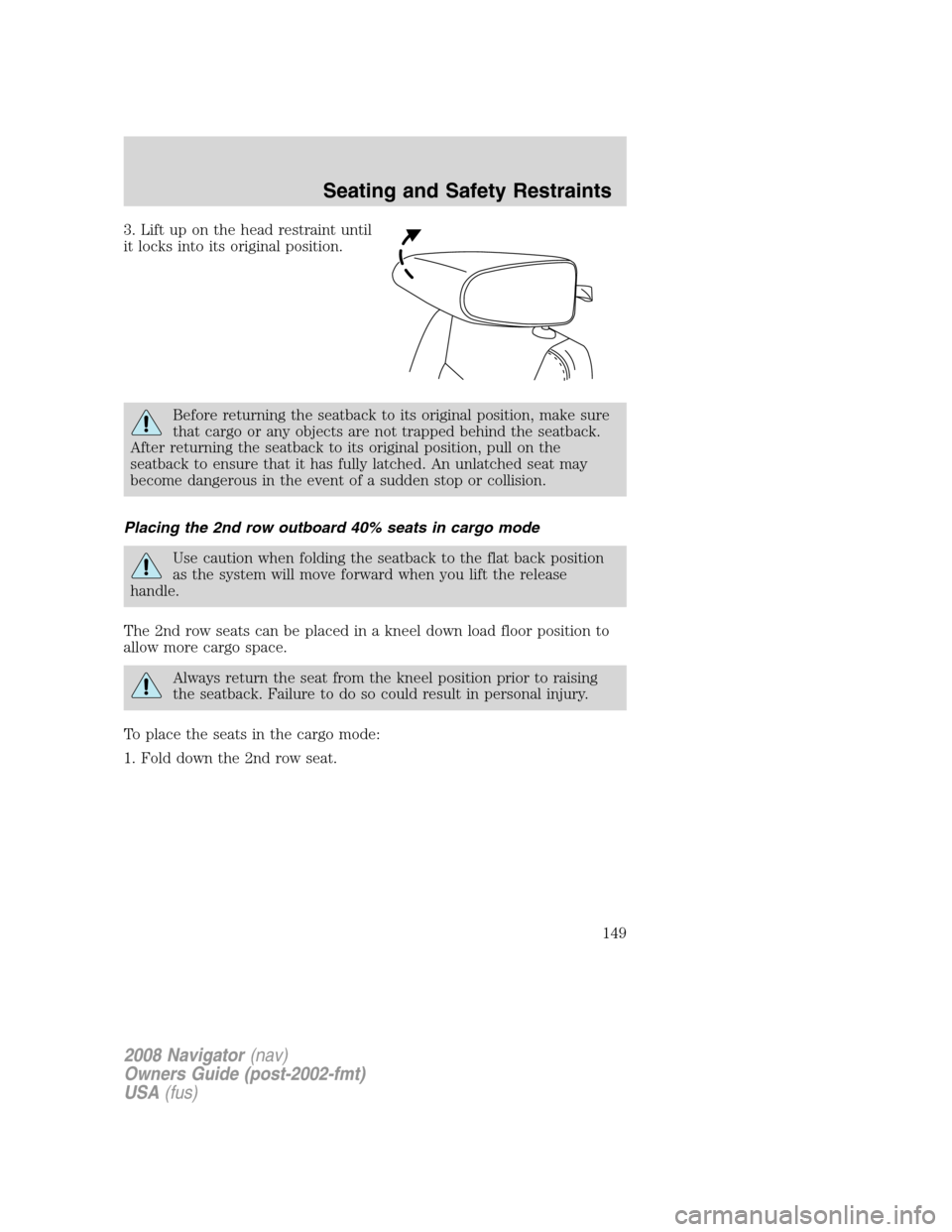
3. Lift up on the head restraint until
it locks into its original position.
Before returning the seatback to its original position, make sure
that cargo or any objects are not trapped behind the seatback.
After returning the seatback to its original position, pull on the
seatback to ensure that it has fully latched. An unlatched seat may
become dangerous in the event of a sudden stop or collision.
Placing the 2nd row outboard 40% seats in cargo mode
Use caution when folding the seatback to the flat back position
as the system will move forward when you lift the release
handle.
The 2nd row seats can be placed in a kneel down load floor position to
allow more cargo space.
Always return the seat from the kneel position prior to raising
the seatback. Failure to do so could result in personal injury.
To place the seats in the cargo mode:
1. Fold down the 2nd row seat.
2008 Navigator(nav)
Owners Guide (post-2002-fmt)
USA(fus)
Seating and Safety Restraints
149
Page 154 of 352
Before returning the seatback to its original position, make sure
that cargo or any objects are not trapped underneath the
seatback. After returning the seatback to its original position, pull on
the seatback to ensure that it has fully latched. An unlatched seat may
become dangerous in the event of a sudden stop or collision.
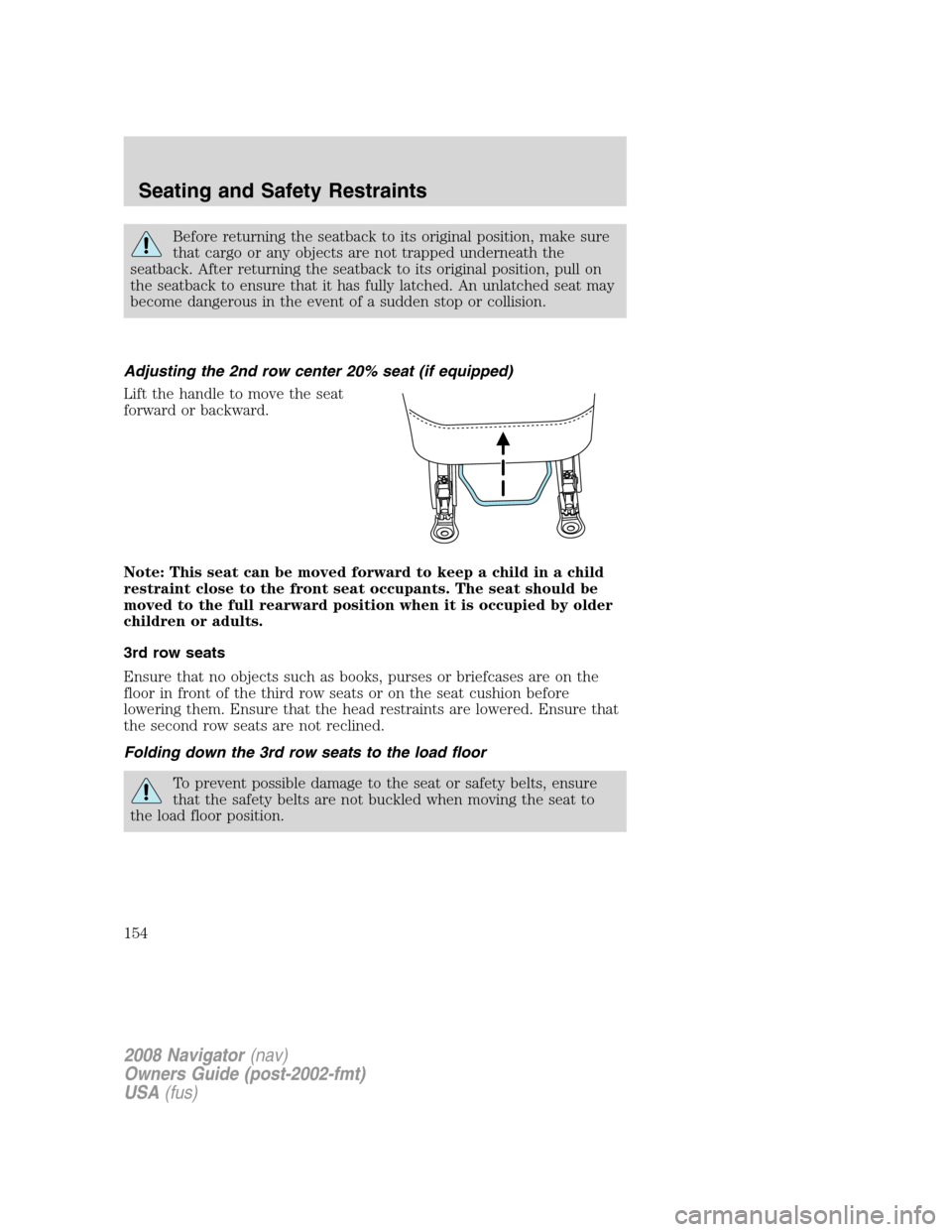
Adjusting the 2nd row center 20% seat (if equipped)
Lift the handle to move the seat
forward or backward.
Note: This seat can be moved forward to keep a child in a child
restraint close to the front seat occupants. The seat should be
moved to the full rearward position when it is occupied by older
children or adults.
3rd row seats
Ensure that no objects such as books, purses or briefcases are on the
floor in front of the third row seats or on the seat cushion before
lowering them. Ensure that the head restraints are lowered. Ensure that
the second row seats are not reclined.
Folding down the 3rd row seats to the load floor
To prevent possible damage to the seat or safety belts, ensure
that the safety belts are not buckled when moving the seat to
the load floor position.
2008 Navigator(nav)
Owners Guide (post-2002-fmt)
USA(fus)
Seating and Safety Restraints
154
Page 155 of 352
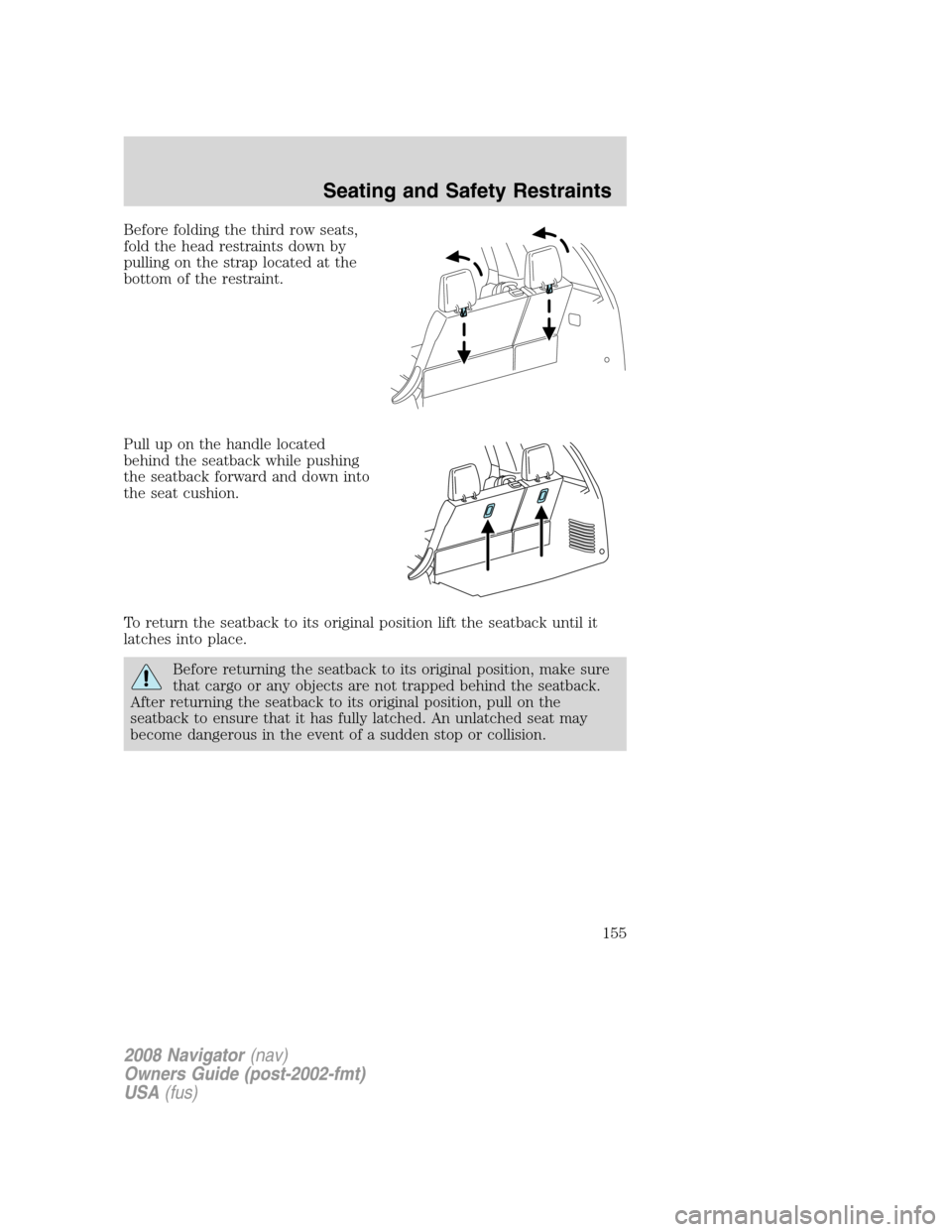
Before folding the third row seats,
fold the head restraints down by
pulling on the strap located at the
bottom of the restraint.
Pull up on the handle located
behind the seatback while pushing
the seatback forward and down into
the seat cushion.
To return the seatback to its original position lift the seatback until it
latches into place.
Before returning the seatback to its original position, make sure
that cargo or any objects are not trapped behind the seatback.
After returning the seatback to its original position, pull on the
seatback to ensure that it has fully latched. An unlatched seat may
become dangerous in the event of a sudden stop or collision.
2008 Navigator(nav)
Owners Guide (post-2002-fmt)
USA(fus)
Seating and Safety Restraints
155
Page 156 of 352
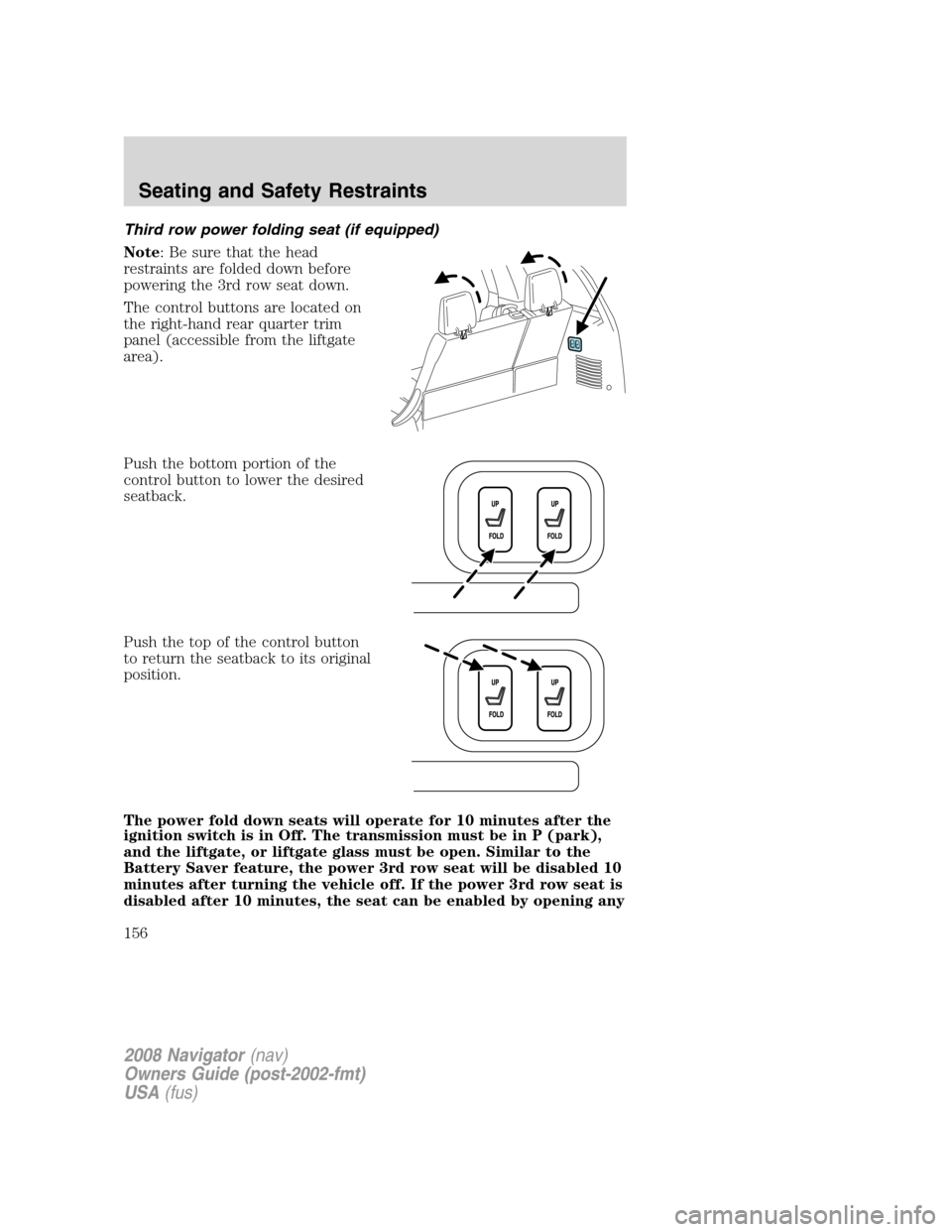
Third row power folding seat (if equipped)
Note: Be sure that the head
restraints are folded down before
powering the 3rd row seat down.
The control buttons are located on
the right-hand rear quarter trim
panel (accessible from the liftgate
area).
Push the bottom portion of the
control button to lower the desired
seatback.
Push the top of the control button
to return the seatback to its original
position.
The power fold down seats will operate for 10 minutes after the
ignition switch is in Off. The transmission must be in P (park),
and the liftgate, or liftgate glass must be open. Similar to the
Battery Saver feature, the power 3rd row seat will be disabled 10
minutes after turning the vehicle off. If the power 3rd row seat is
disabled after 10 minutes, the seat can be enabled by opening any
2008 Navigator(nav)
Owners Guide (post-2002-fmt)
USA(fus)
Seating and Safety Restraints
156
Page 160 of 352
It is extremely dangerous to ride in a cargo area, inside or
outside of a vehicle. In a collision, people riding in these areas
are more likely to be seriously injured or killed. Do not allow people to
ride in any area of your vehicle that is not equipped with seats and
safety belts. Be sure everyone in your vehicle is in a seat and using a
safety belt properly.
In a rollover crash, an unbelted person is significantly more likely
to die than a person wearing a safety belt.
Each seating position in your vehicle has a specific safety belt
assembly which is made up of one buckle and one tongue that
are designed to be used as a pair. 1) Use the shoulder belt on the
outside shoulder only. Never wear the shoulder belt under the arm.
2) Never swing the safety belt around your neck over the inside
shoulder. 3) Never use a single belt for more than one person.
Always transport children 12 years old and under in the back
seat and always properly use appropriate child restraints.
Safety belts and seats can become hot in a vehicle that has been
closed up in sunny weather; they could burn a small child. Check
seat covers and buckles before you place a child anywhere near them.
Combination lap and shoulder belts
1. Insert the belt tongue into the proper buckle (the buckle closest to
the direction the tongue is coming from) until you hear a snap and feel it
latch. Make sure the tongue is securely fastened in the buckle.
2008 Navigator(nav)
Owners Guide (post-2002-fmt)
USA(fus)
Seating and Safety Restraints
160
Page 161 of 352
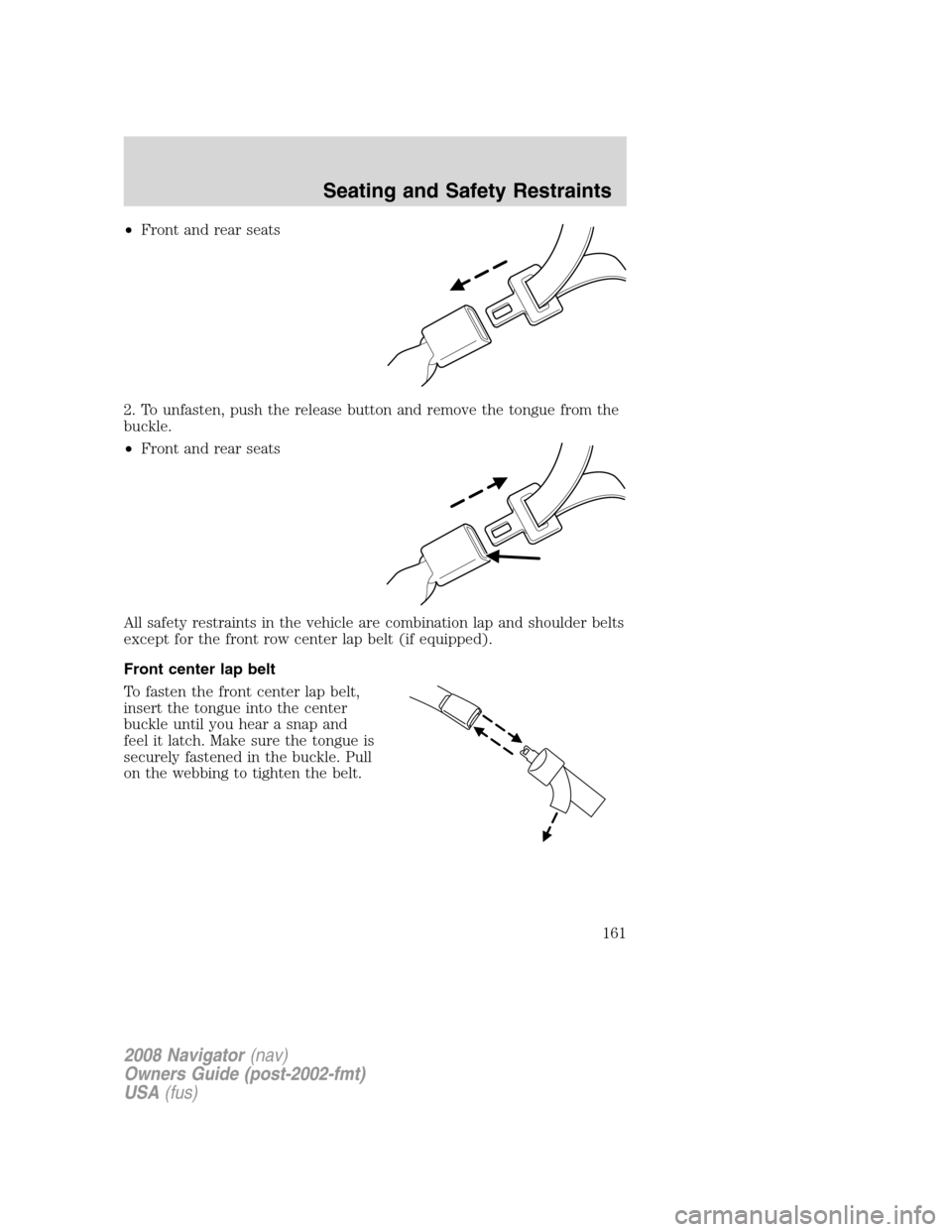
•Front and rear seats
2. To unfasten, push the release button and remove the tongue from the
buckle.
•Front and rear seats
All safety restraints in the vehicle are combination lap and shoulder belts
except for the front row center lap belt (if equipped).
Front center lap belt
To fasten the front center lap belt,
insert the tongue into the center
buckle until you hear a snap and
feel it latch. Make sure the tongue is
securely fastened in the buckle. Pull
on the webbing to tighten the belt.
2008 Navigator(nav)
Owners Guide (post-2002-fmt)
USA(fus)
Seating and Safety Restraints
161