Running boards LINCOLN NAVIGATOR 2008 Owners Manual
[x] Cancel search | Manufacturer: LINCOLN, Model Year: 2008, Model line: NAVIGATOR, Model: LINCOLN NAVIGATOR 2008Pages: 352, PDF Size: 3.01 MB
Page 94 of 352
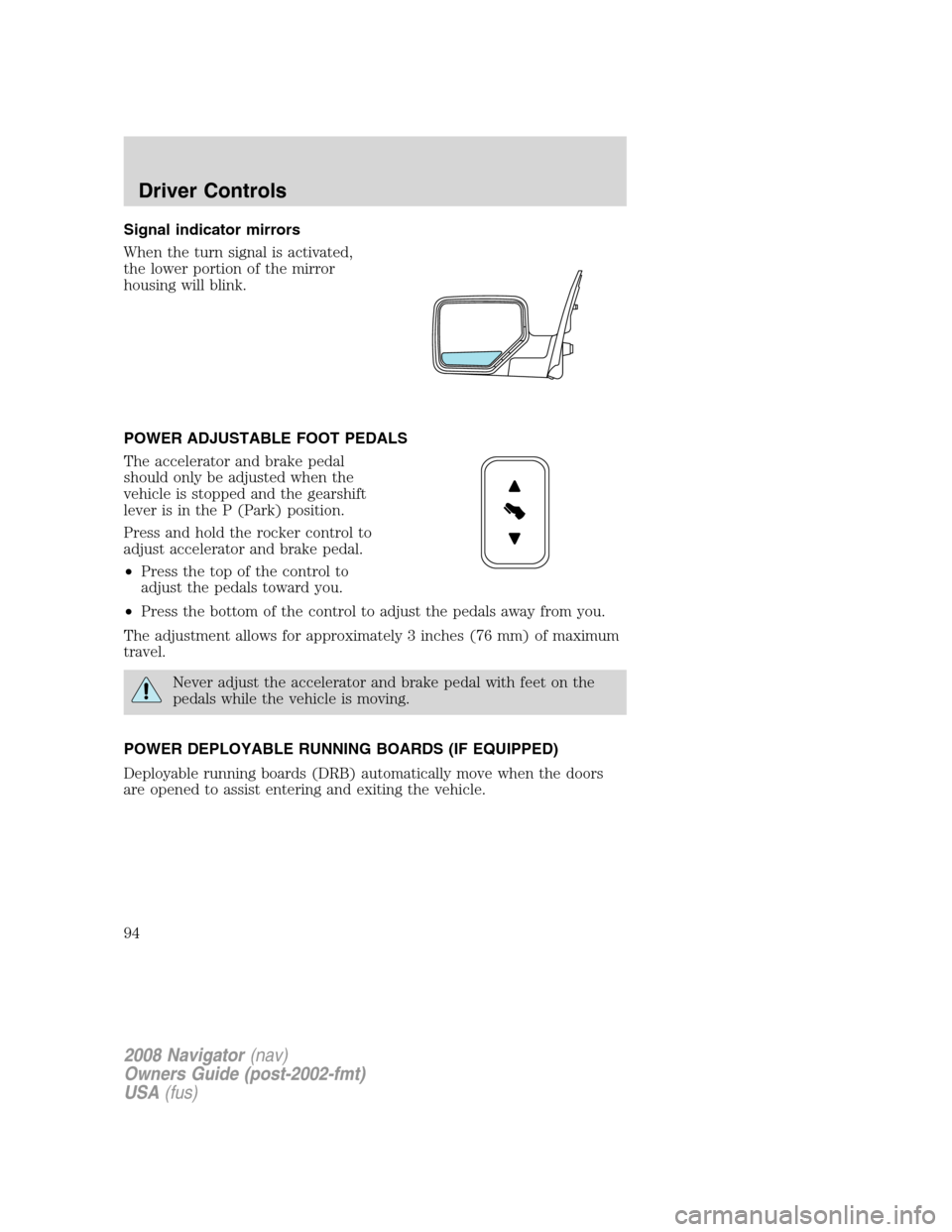
Signal indicator mirrors
When the turn signal is activated,
the lower portion of the mirror
housing will blink.
POWER ADJUSTABLE FOOT PEDALS
The accelerator and brake pedal
should only be adjusted when the
vehicle is stopped and the gearshift
lever is in the P (Park) position.
Press and hold the rocker control to
adjust accelerator and brake pedal.
•Press the top of the control to
adjust the pedals toward you.
•Press the bottom of the control to adjust the pedals away from you.
The adjustment allows for approximately 3 inches (76 mm) of maximum
travel.
Never adjust the accelerator and brake pedal with feet on the
pedals while the vehicle is moving.
POWER DEPLOYABLE RUNNING BOARDS (IF EQUIPPED)
Deployable running boards (DRB) automatically move when the doors
are opened to assist entering and exiting the vehicle.
2008 Navigator(nav)
Owners Guide (post-2002-fmt)
USA(fus)
Driver Controls
94
Page 95 of 352
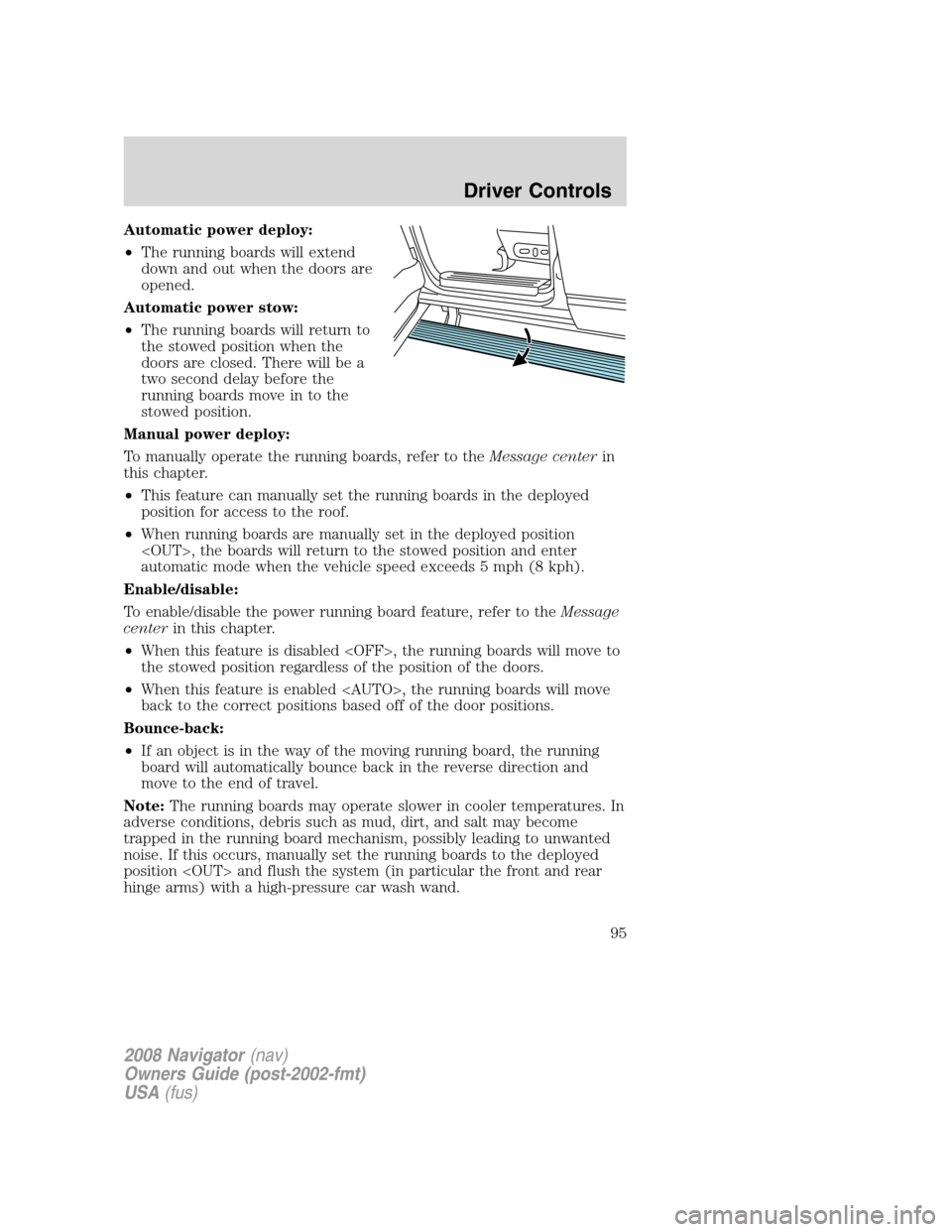
Automatic power deploy:
•The running boards will extend
down and out when the doors are
opened.
Automatic power stow:
•The running boards will return to
the stowed position when the
doors are closed. There will be a
two second delay before the
running boards move in to the
stowed position.
Manual power deploy:
To manually operate the running boards, refer to theMessage centerin
this chapter.
•This feature can manually set the running boards in the deployed
position for access to the roof.
•When running boards are manually set in the deployed position
automatic mode when the vehicle speed exceeds 5 mph (8 kph).
Enable/disable:
To enable/disable the power running board feature, refer to theMessage
centerin this chapter.
•When this feature is disabled
the stowed position regardless of the position of the doors.
•When this feature is enabled
back to the correct positions based off of the door positions.
Bounce-back:
•If an object is in the way of the moving running board, the running
board will automatically bounce back in the reverse direction and
move to the end of travel.
Note:The running boards may operate slower in cooler temperatures. In
adverse conditions, debris such as mud, dirt, and salt may become
trapped in the running board mechanism, possibly leading to unwanted
noise. If this occurs, manually set the running boards to the deployed
position
hinge arms) with a high-pressure car wash wand.
2008 Navigator(nav)
Owners Guide (post-2002-fmt)
USA(fus)
Driver Controls
95
Page 96 of 352
Note:Do not use the running boards, front and rear hinge assemblies,
running board motors, or the running board under body mounts to lift
the vehicle when jacking. Please utilize proper jacking points. Refer to
Changing tiresin theRoadside Emergencieschapter.
In extreme climates, excessive ice buildup may occur, causing
the running boards not to deploy. Be sure that the running
boards have deployed, and have finished moving before attempting to
step on them. Note: The running boards will resume normal function
once the blockage is cleared.
Turn off the running boards before jacking or placing any object
under the vehicle. Never place your hand between the extended
running board and the vehicle. A moving running board may cause
injury.
SPEED CONTROL
With speed control set, you can maintain a set speed without keeping
your foot on the accelerator pedal.
Do not use the speed control in heavy traffic or on roads that
are winding, slippery or unpaved.
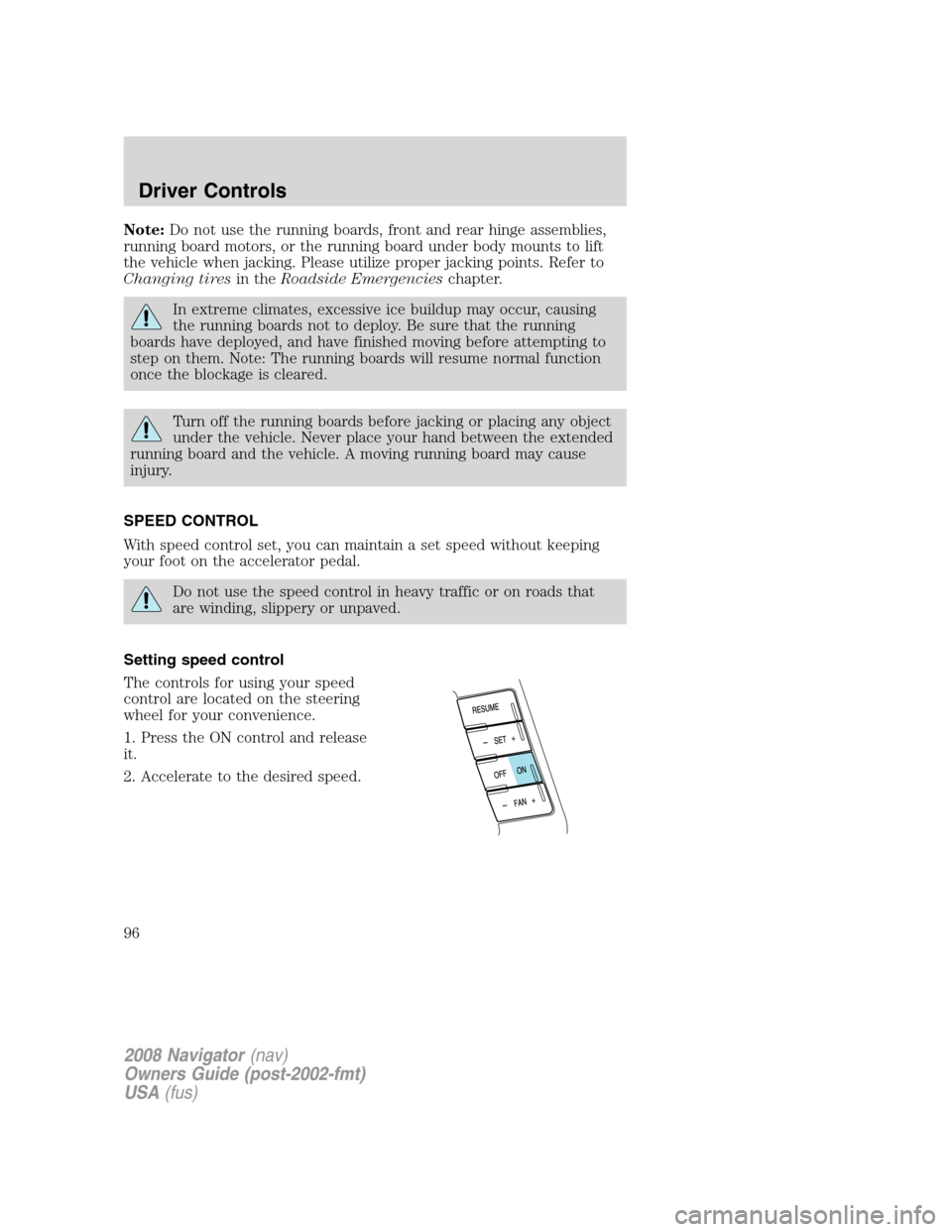
Setting speed control
The controls for using your speed
control are located on the steering
wheel for your convenience.
1. Press the ON control and release
it.
2. Accelerate to the desired speed.
2008 Navigator(nav)
Owners Guide (post-2002-fmt)
USA(fus)
Driver Controls
96
Page 110 of 352
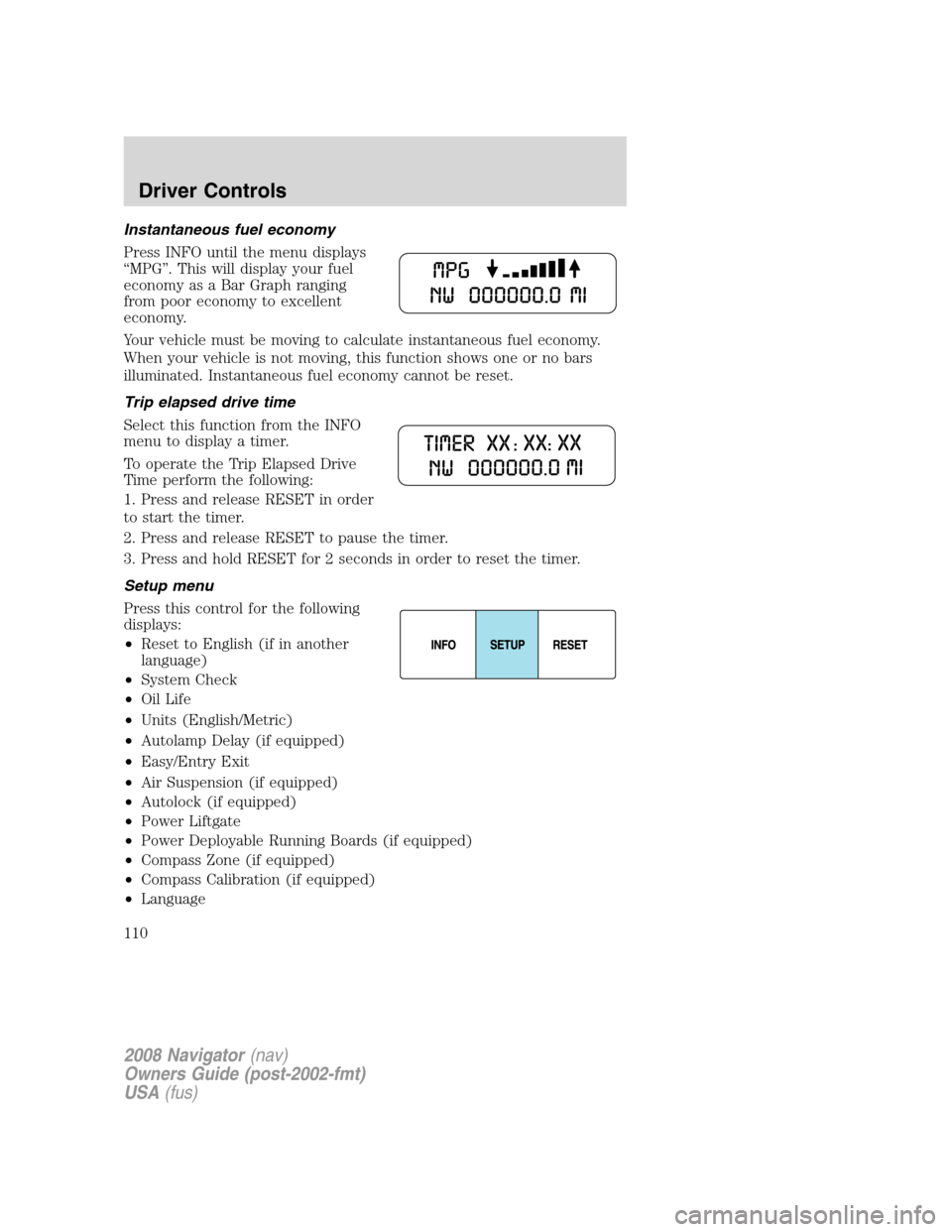
Instantaneous fuel economy
Press INFO until the menu displays
“MPG”. This will display your fuel
economy as a Bar Graph ranging
from poor economy to excellent
economy.
Your vehicle must be moving to calculate instantaneous fuel economy.
When your vehicle is not moving, this function shows one or no bars
illuminated. Instantaneous fuel economy cannot be reset.
Trip elapsed drive time
Select this function from the INFO
menu to display a timer.
To operate the Trip Elapsed Drive
Time perform the following:
1. Press and release RESET in order
to start the timer.
2. Press and release RESET to pause the timer.
3. Press and hold RESET for 2 seconds in order to reset the timer.
Setup menu
Press this control for the following
displays:
•Reset to English (if in another
language)
•System Check
•Oil Life
•Units (English/Metric)
•Autolamp Delay (if equipped)
•Easy/Entry Exit
•Air Suspension (if equipped)
•Autolock (if equipped)
•Power Liftgate
•Power Deployable Running Boards (if equipped)
•Compass Zone (if equipped)
•Compass Calibration (if equipped)
•Language
2008 Navigator(nav)
Owners Guide (post-2002-fmt)
USA(fus)
Driver Controls
110
Page 112 of 352
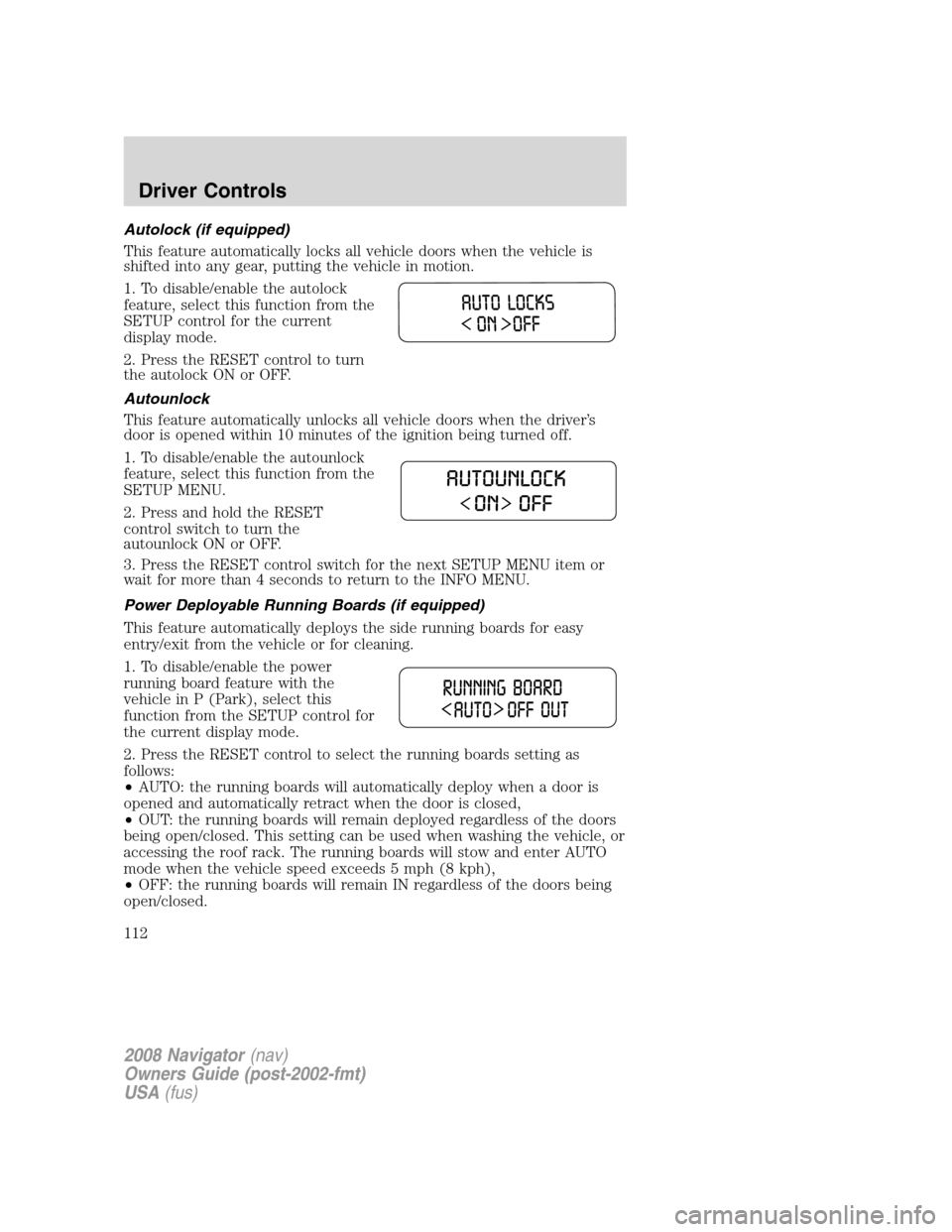
Autolock (if equipped)
This feature automatically locks all vehicle doors when the vehicle is
shifted into any gear, putting the vehicle in motion.
1. To disable/enable the autolock
feature, select this function from the
SETUP control for the current
display mode.
2. Press the RESET control to turn
the autolock ON or OFF.
Autounlock
This feature automatically unlocks all vehicle doors when the driver’s
door is opened within 10 minutes of the ignition being turned off.
1. To disable/enable the autounlock
feature, select this function from the
SETUP MENU.
2. Press and hold the RESET
control switch to turn the
autounlock ON or OFF.
3. Press the RESET control switch for the next SETUP MENU item or
wait for more than 4 seconds to return to the INFO MENU.
Power Deployable Running Boards (if equipped)
This feature automatically deploys the side running boards for easy
entry/exit from the vehicle or for cleaning.
1. To disable/enable the power
running board feature with the
vehicle in P (Park), select this
function from the SETUP control for
the current display mode.
2. Press the RESET control to select the running boards setting as
follows:
•AUTO: the running boards will automatically deploy when a door is
opened and automatically retract when the door is closed,
•OUT: the running boards will remain deployed regardless of the doors
being open/closed. This setting can be used when washing the vehicle, or
accessing the roof rack. The running boards will stow and enter AUTO
mode when the vehicle speed exceeds 5 mph (8 kph),
•OFF: the running boards will remain IN regardless of the doors being
open/closed.
2008 Navigator(nav)
Owners Guide (post-2002-fmt)
USA(fus)
Driver Controls
112
Page 272 of 352
To reduce risk of electrical shock, always replace the cover to
the Power Distribution Box before reconnecting the battery or
refilling fluid reservoirs.
If the battery has been disconnected and reconnected, refer to the
Batterysection of theMaintenance and Specificationschapter.
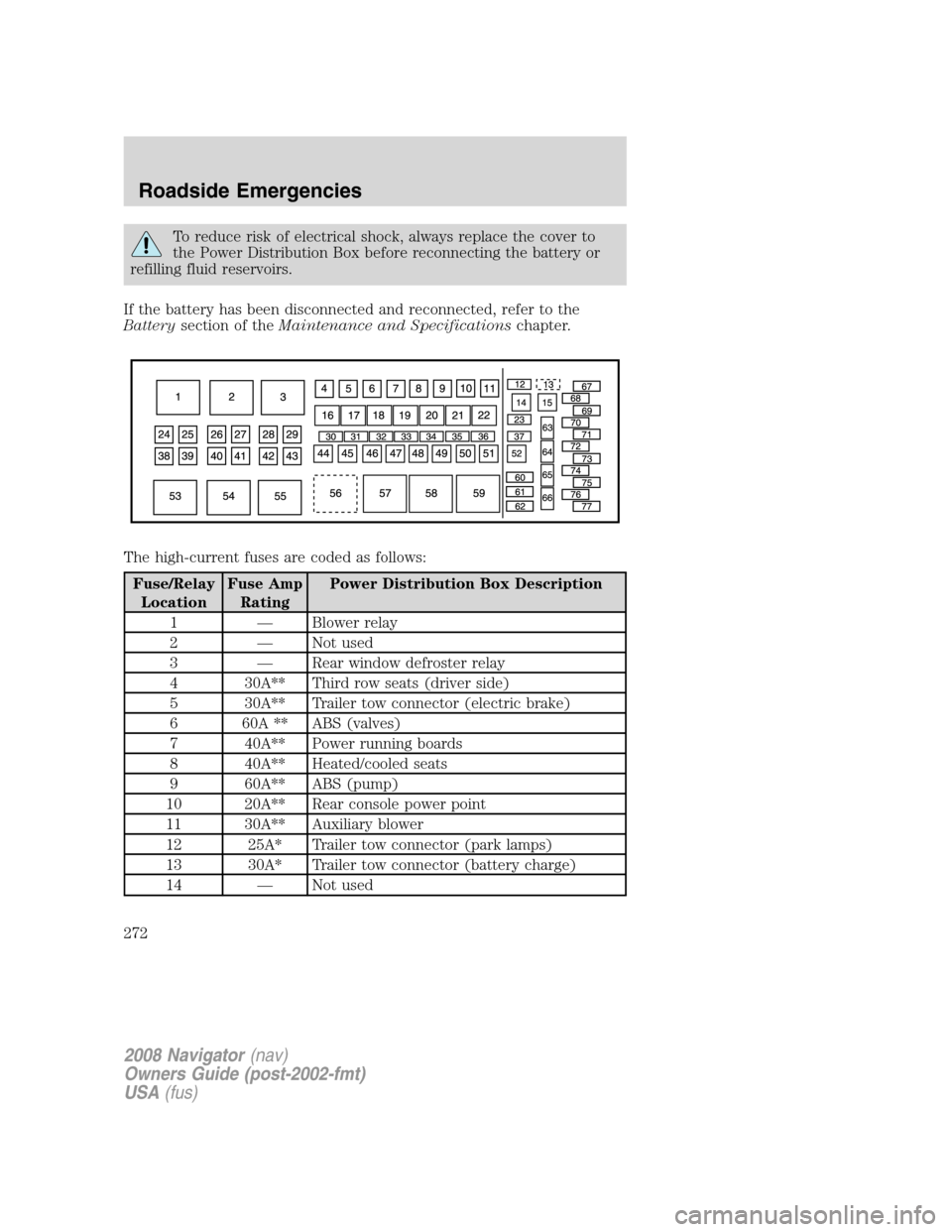
The high-current fuses are coded as follows:
Fuse/Relay
LocationFuse Amp
RatingPower Distribution Box Description
1 — Blower relay
2 — Not used
3 — Rear window defroster relay
4 30A** Third row seats (driver side)
5 30A** Trailer tow connector (electric brake)
6 60A ** ABS (valves)
7 40A** Power running boards
8 40A** Heated/cooled seats
9 60A** ABS (pump)
10 20A** Rear console power point
11 30A** Auxiliary blower
12 25A* Trailer tow connector (park lamps)
13 30A* Trailer tow connector (battery charge)
14 — Not used
2008 Navigator(nav)
Owners Guide (post-2002-fmt)
USA(fus)
Roadside Emergencies
272
Page 279 of 352
Tire change procedure
To help prevent the vehicle from moving when you change a tire,
be sure the parking brake is set, then block the wheels (both
front or both rear) on the opposite end of the vehicle from the wheel
being changed. If on a grade, block both opposite wheels on the
downward side of the hill.
If the vehicle slips off the jack, you or someone else could be
seriously injured.
On vehicles equipped with Air Suspension, turn OFF the Air
Suspension system prior to jacking, hoisting or towing your
vehicle.
Turn off the running boards (if equipped) before jacking or
placing any object under the vehicle. Never place your hand
between the extended running board and the vehicle. A moving
running board may cause injury.
Do not attempt to change a tire on the side of the vehicle close
to moving traffic. Pull far enough off the road to avoid the
danger of being hit when operating the jack and changing the wheel.
If your vehicle is equipped with air suspension, refer to Message center
in the Driver Controls chapter for instructions on turning the air
suspension system off.
Refer to the instruction sheet (located in the rear floor compartment
behind the 3rd row seat with the jack tray tools assembly kit) for
detailed tire change instructions.
2008 Navigator (nav)
Owners Guide (post-2002-fmt)
USA (fus)
Roadside Emergencies
279
Page 280 of 352
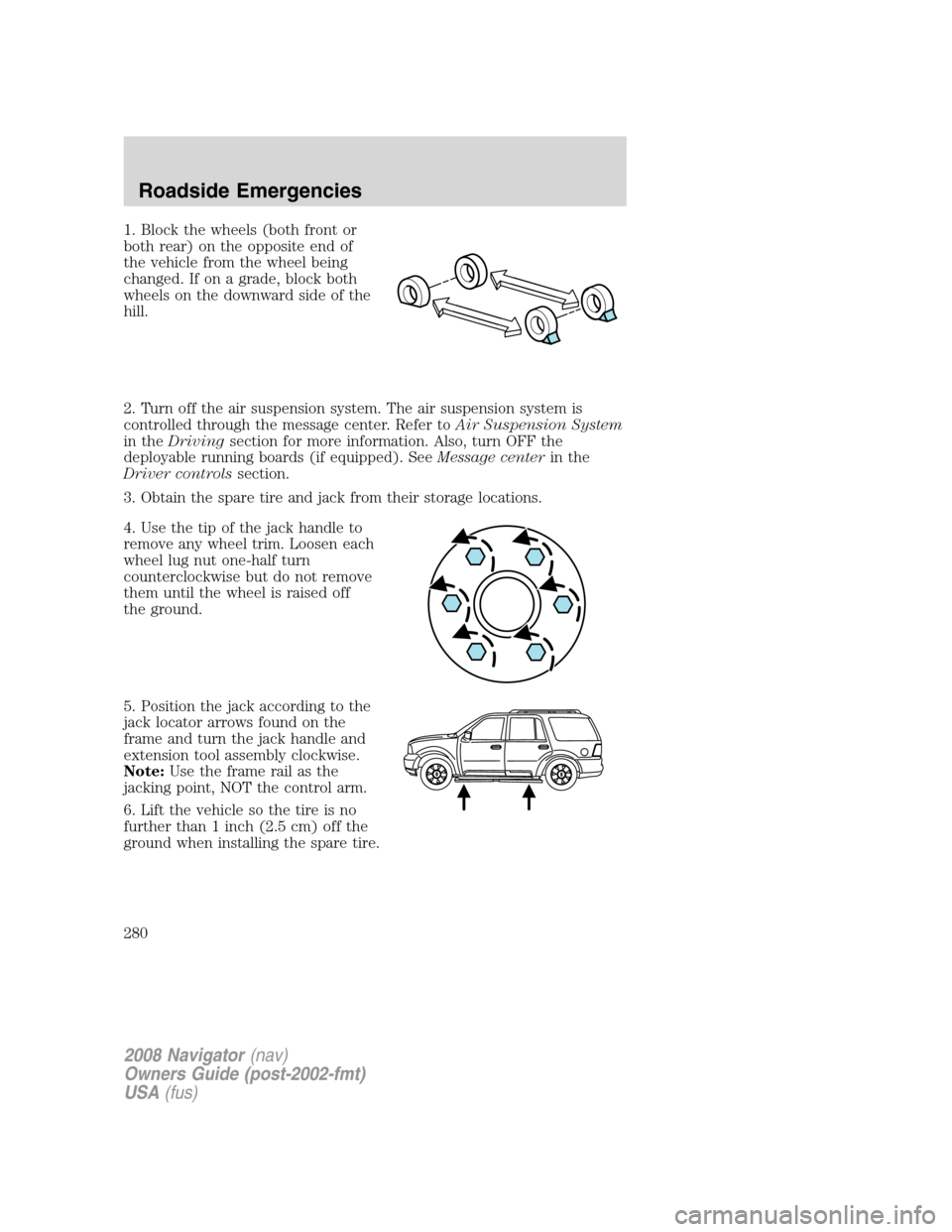
1. Block the wheels (both front or
both rear) on the opposite end of
the vehicle from the wheel being
changed. If on a grade, block both
wheels on the downward side of the
hill.
2. Turn off the air suspension system. The air suspension system is
controlled through the message center. Refer toAir Suspension System
in the Driving section for more information. Also, turn OFF the
deployable running boards (if equipped). See Message centerin the
Driver controls section.
3. Obtain the spare tire and jack from their storage locations.
4. Use the tip of the jack handle to
remove any wheel trim. Loosen each
wheel lug nut one-half turn
counterclockwise but do not remove
them until the wheel is raised off
the ground.
5. Position the jack according to the
jack locator arrows found on the
frame and turn the jack handle and
extension tool assembly clockwise.
Note: Use the frame rail as the
jacking point, NOT the control arm.
6. Lift the vehicle so the tire is no
further than 1 inch (2.5 cm) off the
ground when installing the spare tire.
2008 Navigator (nav)
Owners Guide (post-2002-fmt)
USA (fus)
Roadside Emergencies
280
Page 281 of 352
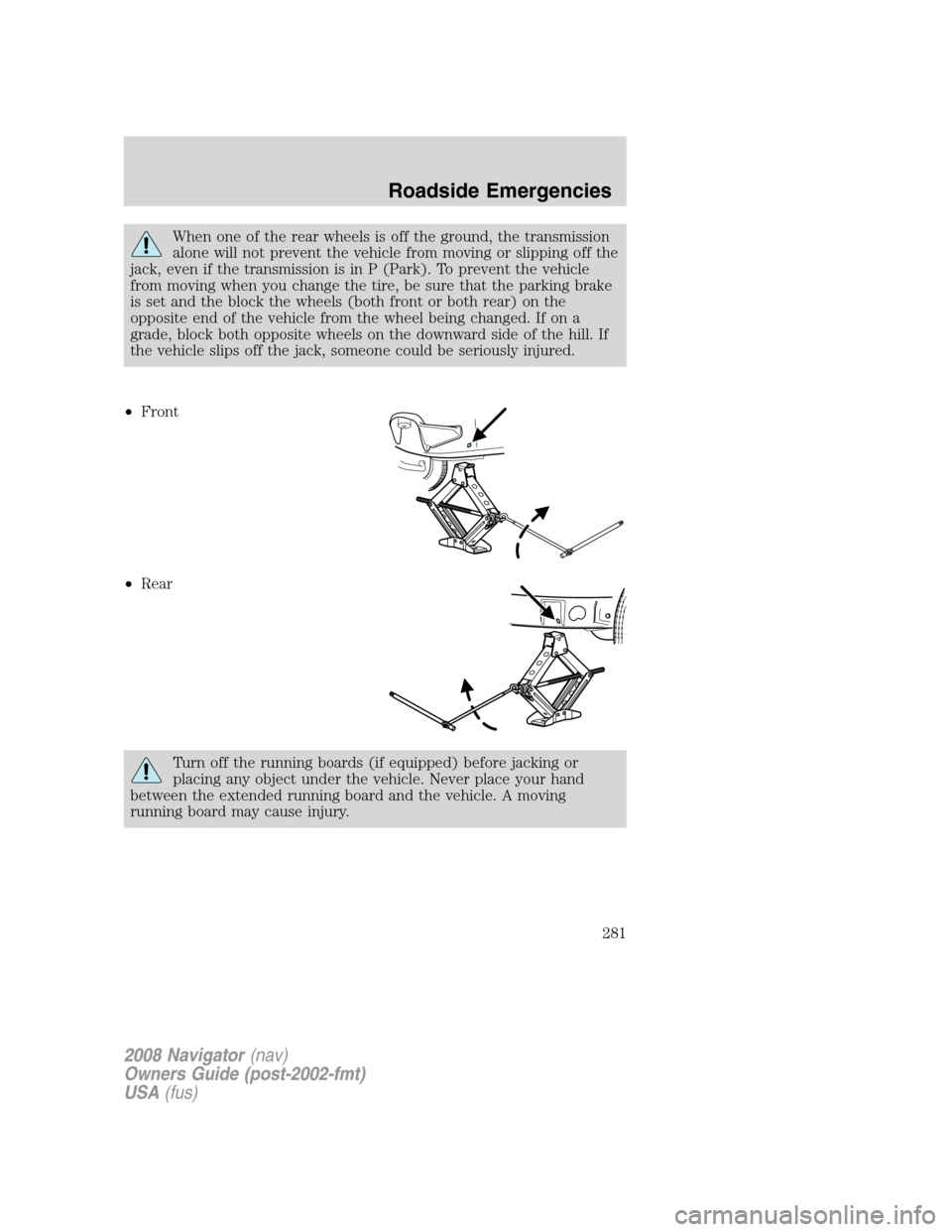
When one of the rear wheels is off the ground, the transmission
alone will not prevent the vehicle from moving or slipping off the
jack, even if the transmission is in P (Park). To prevent the vehicle
from moving when you change the tire, be sure that the parking brake
is set and the block the wheels (both front or both rear) on the
opposite end of the vehicle from the wheel being changed. If on a
grade, block both opposite wheels on the downward side of the hill. If
the vehicle slips off the jack, someone could be seriously injured.
• Front
• Rear
Turn off the running boards (if equipped) before jacking or
placing any object under the vehicle. Never place your hand
between the extended running board and the vehicle. A moving
running board may cause injury.
2008 Navigator (nav)
Owners Guide (post-2002-fmt)
USA (fus)
Roadside Emergencies
281
Page 301 of 352
WASHING THE EXTERIOR
Wash your vehicle regularly with cool or lukewarm water and a neutral
pH shampoo, such as Motorcraft Detail Wash (ZC-3–A), which is
available from your authorized dealer.
•Never use strong household detergents or soap, such as dish washing
or laundry liquid. These products can discolor and spot painted
surfaces.
•Never wash a vehicle that is “hot to the touch” or during exposure to
strong, direct sunlight.
•Always use a clean sponge or car wash mitt with plenty of water for
best results.
•Dry the vehicle with a chamois or soft terry cloth towel in order to
eliminate water spotting.
•It is especially important to wash the vehicle regularly during the
winter months, as dirt and road salt are difficult to remove and cause
damage to the vehicle.
•Immediately remove items such as gasoline, diesel fuel, bird droppings
and insect deposits because they can cause damage to the vehicle’s
paintwork and trim over time. Use Bug and Tar Remover, ZC-42,
which is available from your authorized dealer.
•Remove any exterior accessories, such as antennas, before entering a
car wash.
•Suntan lotions and insect repellents can damage any painted
surface; if these substances come in contact with your vehicle,
wash off as soon as possible.
•If your vehicle is equipped with running boards, do not use
rubber, plastic and vinyl protectant products on the running
board surface, as the area may become slippery.
•If your vehicle is equipped with power deployable running
boards, you may experience noise while deploying the system
due to excessive grit and grime buildup. While the system is
unaffected by this buildup, it is important to wash the area
regularly in order to maintain the system’s optimal operation.
Exterior chrome
•Wash the vehicle first, using cool or lukewarm water and a neutral pH
shampoo, such as Motorcraft Detail Wash (ZC-3-A).
•Use Custom Bright Metal Cleaner (ZC-15), available from your
authorized dealer. Apply the product as you would a wax to clean
2008 Navigator(nav)
Owners Guide (post-2002-fmt)
USA(fus)
Cleaning
301