remove seats LINCOLN NAVIGATOR 2008 Owners Manual
[x] Cancel search | Manufacturer: LINCOLN, Model Year: 2008, Model line: NAVIGATOR, Model: LINCOLN NAVIGATOR 2008Pages: 352, PDF Size: 3.01 MB
Page 70 of 352
•For maximum cooling performance, MAX A/C:
In AUTO: Press AUTO control and set to desired temperature.
In Manual Override Control: Press the
(panel), A/C,
and
(recirculation) controls, set the temperature to 60°F (15°C)
and the fan to the highest blower setting.
•Do not put objects under the front seats that will interfere with the
airflow to the back seats.
•Remove any snow, ice or leaves from the air intake area at the base of
the windshield.
To aid in side window defogging/demisting in cold weather:
1. Select
.
2. Select A/C.
3. Adjust the temperature control to maintain comfort.
4. Set the fan speed to the highest setting.
5. Direct the outer instrument panel vents towards the side windows.
To increase airflow to the outer instrument panel vents, close the vents
located in the middle of the instrument panel.
Do not place objects on top of the instrument panel as these
objects may become projectiles in a collision or sudden stop.
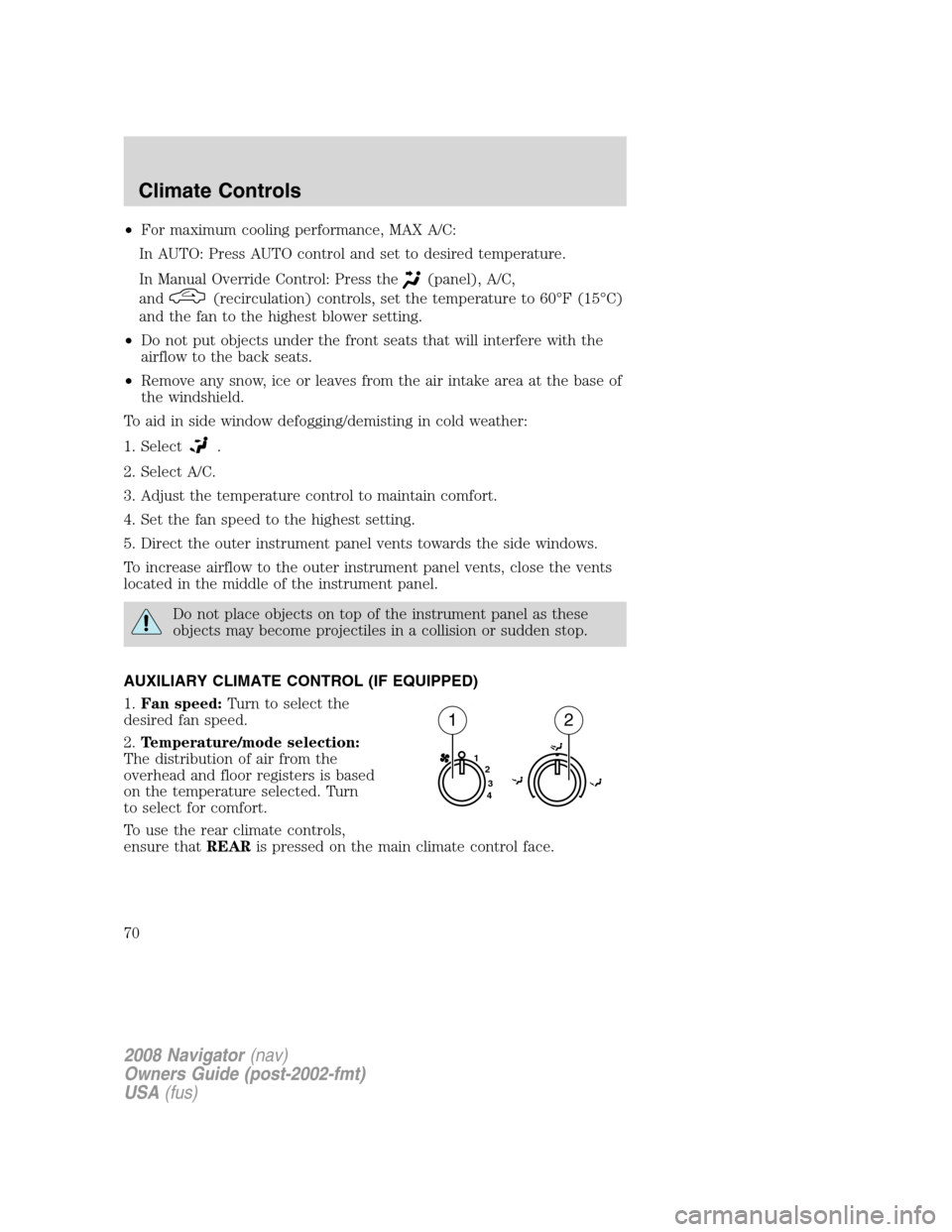
AUXILIARY CLIMATE CONTROL (IF EQUIPPED)
1.Fan speed:Turn to select the
desired fan speed.
2.Temperature/mode selection:
The distribution of air from the
overhead and floor registers is based
on the temperature selected. Turn
to select for comfort.
To use the rear climate controls,
ensure thatREARis pressed on the main climate control face.
1
2
3
4
12
2008 Navigator(nav)
Owners Guide (post-2002-fmt)
USA(fus)
Climate Controls
70
Page 84 of 352
For rear wash cycle, rotate (and hold as desired) the rear wiper/washer
control to either
position.
From either position, the control will automatically return to the INT 2
or OFF position.
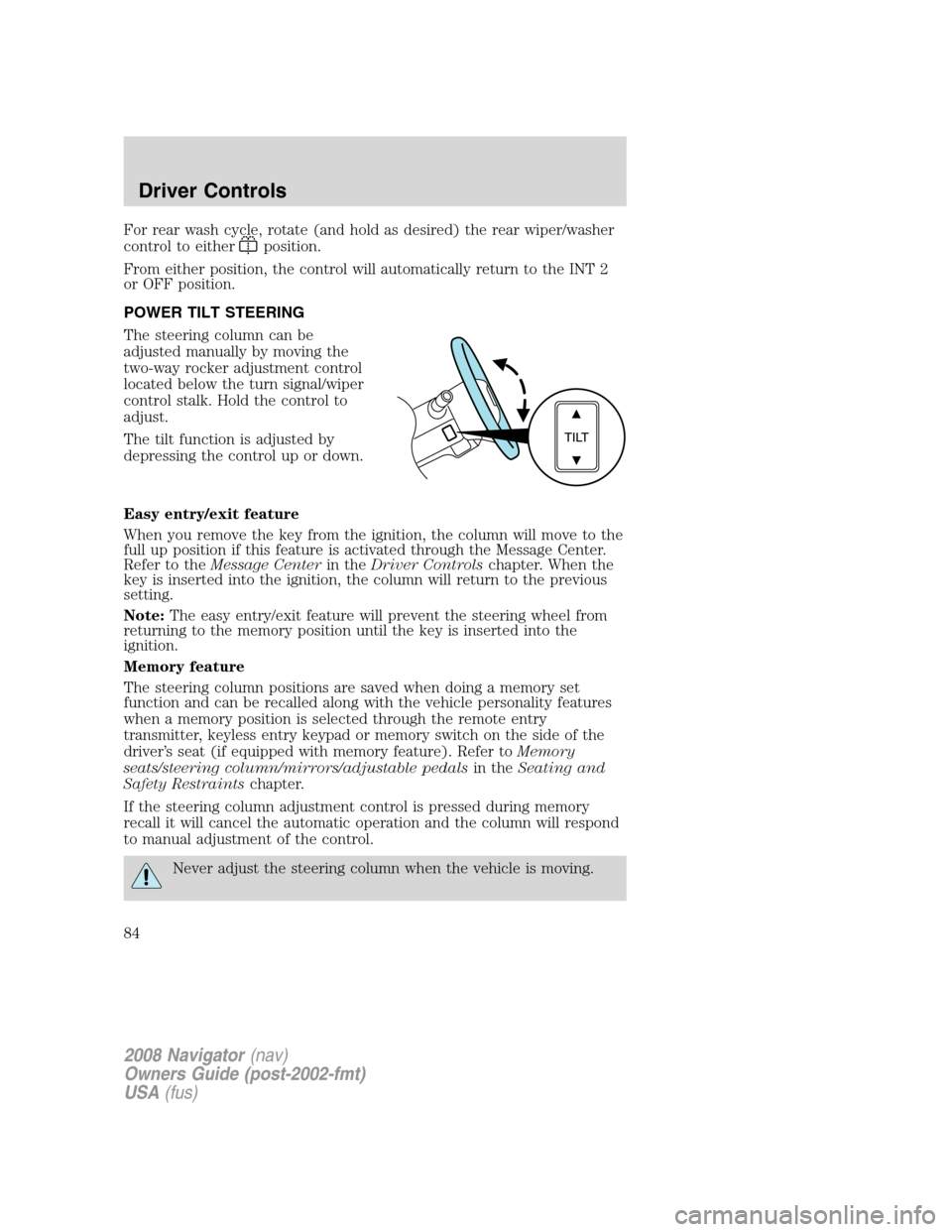
POWER TILT STEERING
The steering column can be
adjusted manually by moving the
two-way rocker adjustment control
located below the turn signal/wiper
control stalk. Hold the control to
adjust.
The tilt function is adjusted by
depressing the control up or down.
Easy entry/exit feature
When you remove the key from the ignition, the column will move to the
full up position if this feature is activated through the Message Center.
Refer to theMessage Centerin theDriver Controlschapter. When the
key is inserted into the ignition, the column will return to the previous
setting.
Note:The easy entry/exit feature will prevent the steering wheel from
returning to the memory position until the key is inserted into the
ignition.
Memory feature
The steering column positions are saved when doing a memory set
function and can be recalled along with the vehicle personality features
when a memory position is selected through the remote entry
transmitter, keyless entry keypad or memory switch on the side of the
driver’s seat (if equipped with memory feature). Refer toMemory
seats/steering column/mirrors/adjustable pedalsin theSeating and
Safety Restraintschapter.
If the steering column adjustment control is pressed during memory
recall it will cancel the automatic operation and the column will respond
to manual adjustment of the control.
Never adjust the steering column when the vehicle is moving.
2008 Navigator(nav)
Owners Guide (post-2002-fmt)
USA(fus)
Driver Controls
84
Page 147 of 352
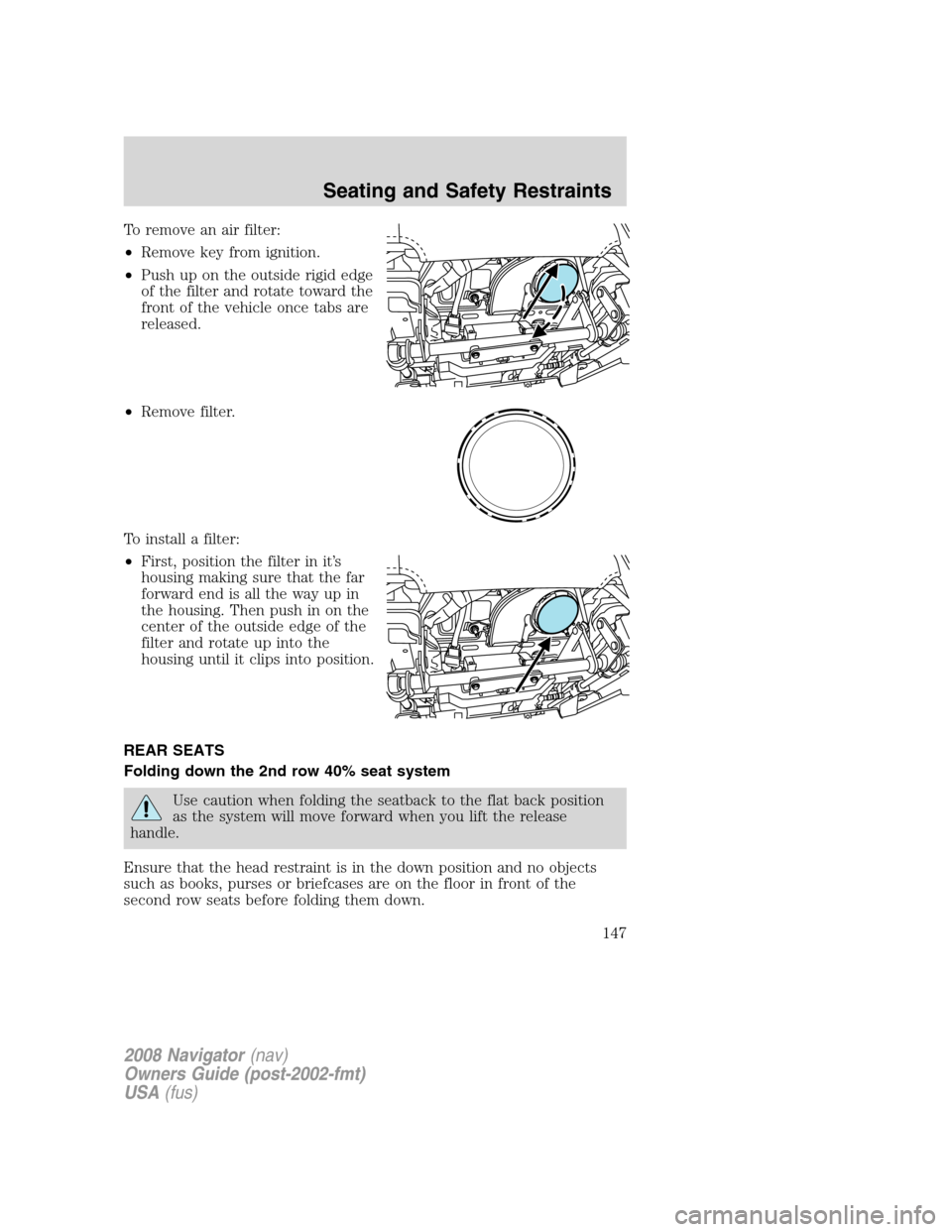
To remove an air filter:
•Remove key from ignition.
•Push up on the outside rigid edge
of the filter and rotate toward the
front of the vehicle once tabs are
released.
•Remove filter.
To install a filter:
•First, position the filter in it’s
housing making sure that the far
forward end is all the way up in
the housing. Then push in on the
center of the outside edge of the
filter and rotate up into the
housing until it clips into position.
REAR SEATS
Folding down the 2nd row 40% seat system
Use caution when folding the seatback to the flat back position
as the system will move forward when you lift the release
handle.
Ensure that the head restraint is in the down position and no objects
such as books, purses or briefcases are on the floor in front of the
second row seats before folding them down.
2008 Navigator(nav)
Owners Guide (post-2002-fmt)
USA(fus)
Seating and Safety Restraints
147
Page 161 of 352
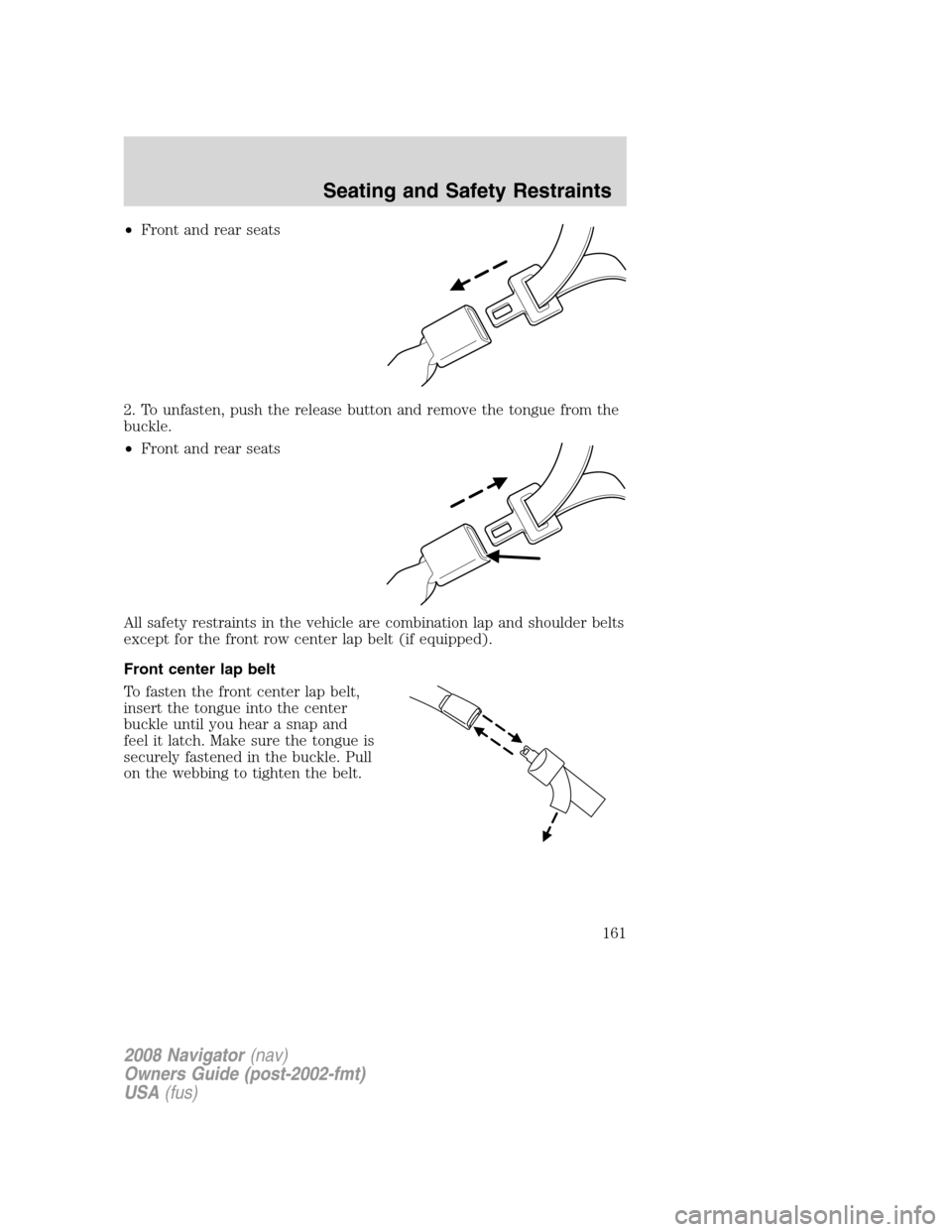
•Front and rear seats
2. To unfasten, push the release button and remove the tongue from the
buckle.
•Front and rear seats
All safety restraints in the vehicle are combination lap and shoulder belts
except for the front row center lap belt (if equipped).
Front center lap belt
To fasten the front center lap belt,
insert the tongue into the center
buckle until you hear a snap and
feel it latch. Make sure the tongue is
securely fastened in the buckle. Pull
on the webbing to tighten the belt.
2008 Navigator(nav)
Owners Guide (post-2002-fmt)
USA(fus)
Seating and Safety Restraints
161
Page 162 of 352
All combination lap/shoulder belts, other than the driver’s belt, have two
modes:
Vehicle sensitive mode
This is the normal retractor mode, which allows free shoulder belt length
adjustment to your movements and locking in response to vehicle
movement. For example, if the driver brakes suddenly or turns a corner
sharply, or the vehicle receives an impact of approximately 5 mph (8
km/h) or more, the combination safety belts will lock to help reduce
forward movement of the driver and passengers.
Automatic locking mode
In this mode, the shoulder belt is pre-locked. The belt will still retract to
remove any slack in the shoulder belt.
The automatic locking mode is not available on the driver safety belt.
When to use the automatic locking mode
•Anytimea child safety seat (except a booster) is installed in the
vehicle. Children 12 years old and under should be properly restrained
in the rear seat whenever possible. Refer toSafety restraints for
childrenorSafety seats for childrenlater in this chapter.
How to use the automatic locking mode
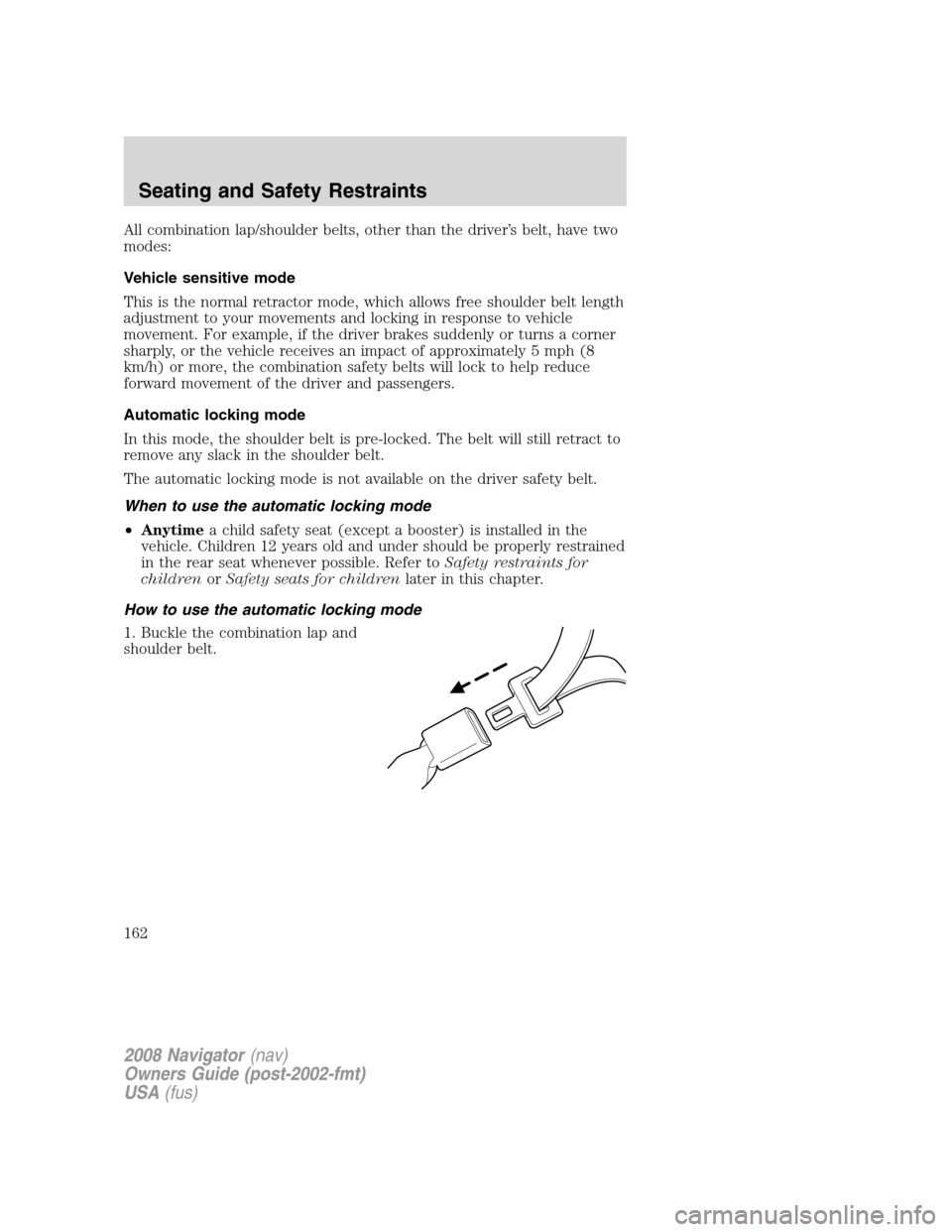
1. Buckle the combination lap and
shoulder belt.
2008 Navigator(nav)
Owners Guide (post-2002-fmt)
USA(fus)
Seating and Safety Restraints
162
Page 163 of 352
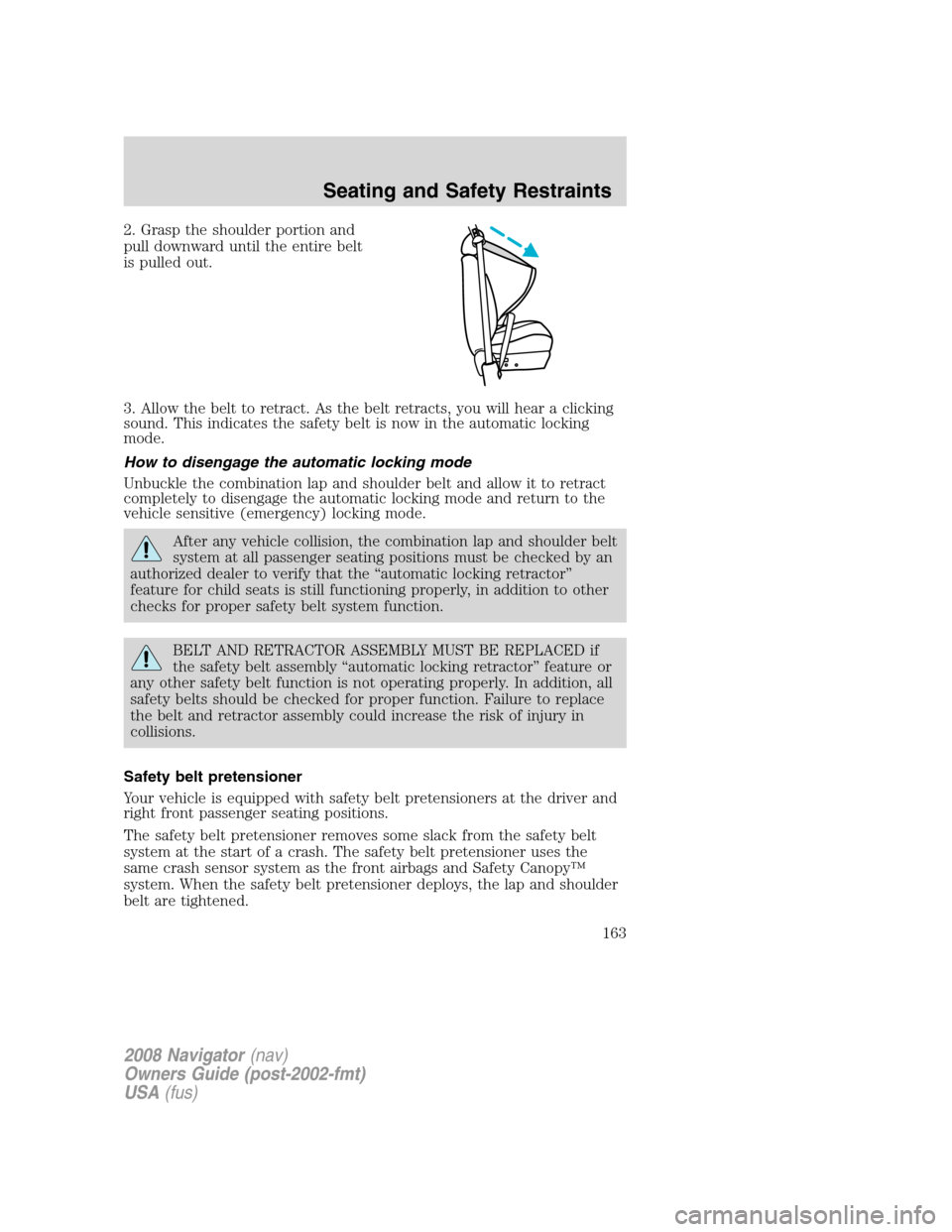
2. Grasp the shoulder portion and
pull downward until the entire belt
is pulled out.
3. Allow the belt to retract. As the belt retracts, you will hear a clicking
sound. This indicates the safety belt is now in the automatic locking
mode.
How to disengage the automatic locking mode
Unbuckle the combination lap and shoulder belt and allow it to retract
completely to disengage the automatic locking mode and return to the
vehicle sensitive (emergency) locking mode.
After any vehicle collision, the combination lap and shoulder belt
system at all passenger seating positions must be checked by an
authorized dealer to verify that the “automatic locking retractor”
feature for child seats is still functioning properly, in addition to other
checks for proper safety belt system function.
BELT AND RETRACTOR ASSEMBLY MUST BE REPLACED if
the safety belt assembly “automatic locking retractor” feature or
any other safety belt function is not operating properly. In addition, all
safety belts should be checked for proper function. Failure to replace
the belt and retractor assembly could increase the risk of injury in
collisions.
Safety belt pretensioner
Your vehicle is equipped with safety belt pretensioners at the driver and
right front passenger seating positions.
The safety belt pretensioner removes some slack from the safety belt
system at the start of a crash. The safety belt pretensioner uses the
same crash sensor system as the front airbags and Safety Canopy™
system. When the safety belt pretensioner deploys, the lap and shoulder
belt are tightened.
2008 Navigator(nav)
Owners Guide (post-2002-fmt)
USA(fus)
Seating and Safety Restraints
163
Page 182 of 352
When children should use booster seats
Children need to use booster seats from the time they outgrow the
toddler seat until they are big enough for the vehicle seat and
lap/shoulder belt to fit properly. Generally this is when they weigh about
80 lb. (36 kg) (about 8 to 12 years old).
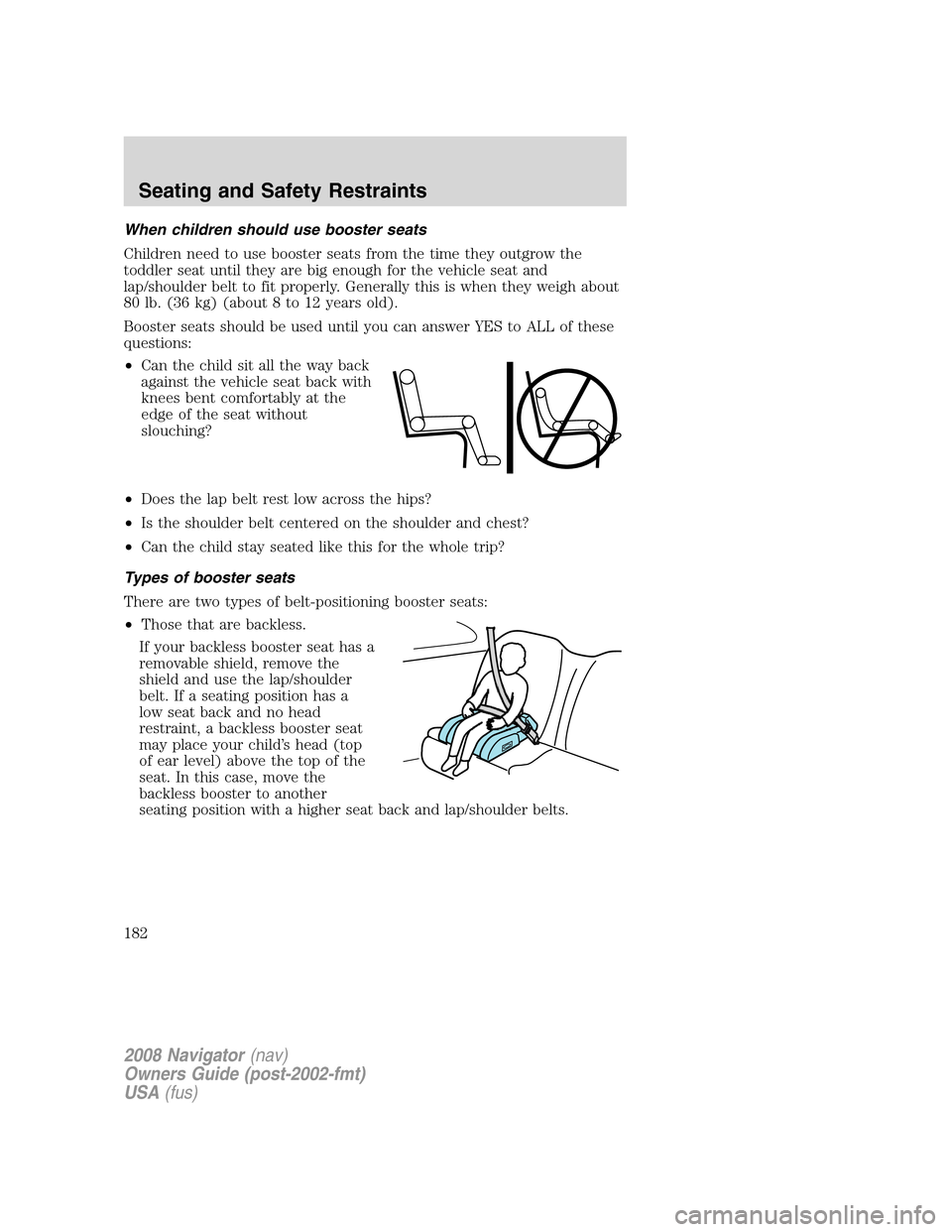
Booster seats should be used until you can answer YES to ALL of these
questions:
•Can the child sit all the way back
against the vehicle seat back with
knees bent comfortably at the
edge of the seat without
slouching?
•Does the lap belt rest low across the hips?
•Is the shoulder belt centered on the shoulder and chest?
•Can the child stay seated like this for the whole trip?
Types of booster seats
There are two types of belt-positioning booster seats:
•Those that are backless.
If your backless booster seat has a
removable shield, remove the
shield and use the lap/shoulder
belt. If a seating position has a
low seat back and no head
restraint, a backless booster seat
may place your child’s head (top
of ear level) above the top of the
seat. In this case, move the
backless booster to another
seating position with a higher seat back and lap/shoulder belts.
2008 Navigator(nav)
Owners Guide (post-2002-fmt)
USA(fus)
Seating and Safety Restraints
182
Page 188 of 352
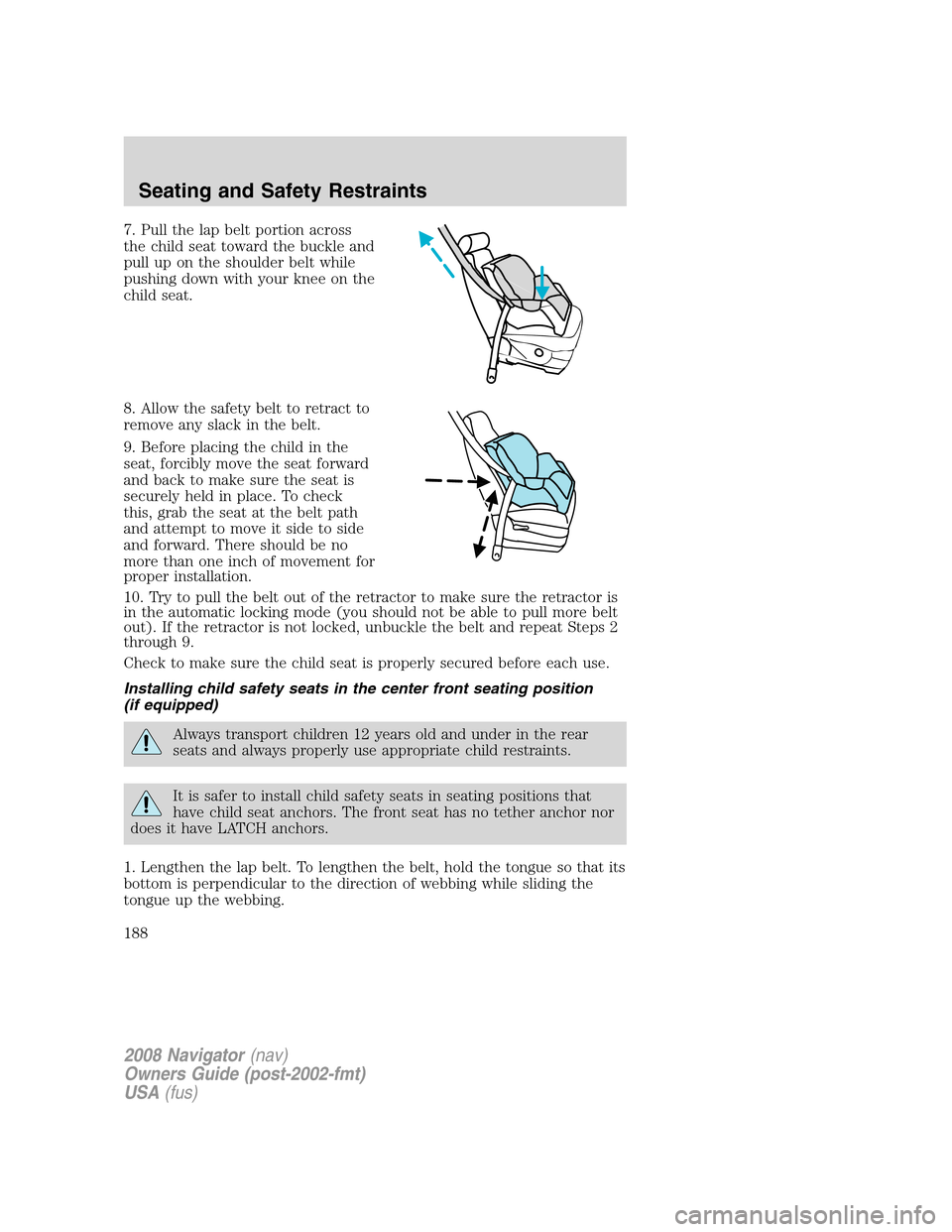
7. Pull the lap belt portion across
the child seat toward the buckle and
pull up on the shoulder belt while
pushing down with your knee on the
child seat.
8. Allow the safety belt to retract to
remove any slack in the belt.
9. Before placing the child in the
seat, forcibly move the seat forward
and back to make sure the seat is
securely held in place. To check
this, grab the seat at the belt path
and attempt to move it side to side
and forward. There should be no
more than one inch of movement for
proper installation.
10. Try to pull the belt out of the retractor to make sure the retractor is
in the automatic locking mode (you should not be able to pull more belt
out). If the retractor is not locked, unbuckle the belt and repeat Steps 2
through 9.
Check to make sure the child seat is properly secured before each use.
Installing child safety seats in the center front seating position
(if equipped)
Always transport children 12 years old and under in the rear
seats and always properly use appropriate child restraints.
It is safer to install child safety seats in seating positions that
have child seat anchors. The front seat has no tether anchor nor
does it have LATCH anchors.
1. Lengthen the lap belt. To lengthen the belt, hold the tongue so that its
bottom is perpendicular to the direction of webbing while sliding the
tongue up the webbing.
2008 Navigator(nav)
Owners Guide (post-2002-fmt)
USA(fus)
Seating and Safety Restraints
188
Page 305 of 352
cotton cloth; you may also use Motorcraft Dash & Vinyl Cleaner
(ZC-38-A) on the instrument panel and interior trim areas.
•Avoid cleaners or polishes that increase the gloss of the upper portion
of the instrument panel. The dull finish in this area helps protect the
driver from undesirable windshield reflection.
•Be certain to wash or wipe your hands clean if you have been in
contact with certain products such as insect repellent and suntan
lotion in order to avoid possible damage to the interior painted
surfaces.
•Do not use household or glass cleaners as these may damage the
finish of the instrument panel, interior trim and cluster lens.
Do not use chemical solvents or strong detergents when cleaning
the steering wheel or instrument panel to avoid contamination of
the airbag system.
If a staining liquid like coffee/juice has been spilled on the instrument
panel or on interior trim surfaces, clean as follows:
1. Wipe up spilled liquid using a clean, white, cotton cloth.
2. Apply Motorcraft Deluxe Leather and Vinyl Cleaner (ZC-11-A) [In
Canada use Motorcraft Multi-Purpose Cleaner (CXC-101)] to the wiped
area and spread around evenly.
3. Apply more Motorcraft cleaner to a clean, white, cotton cloth and
press the cloth onto the soiled area–allow this to set at room
temperature for 30 minutes.
4. Remove the soaked cloth, and if it is not soiled badly, use this cloth to
clean the area by using a rubbing motion for 60 seconds.
5. Following this, wipe area dry with a clean, white, cotton cloth.
INTERIOR
For fabric, carpets, cloth seats, safety belts and seats equipped with side
airbags:
•Remove dust and loose dirt with a vacuum cleaner.
•Remove light stains and soil with Motorcraft Professional Strength
Carpet & Upholstery Cleaner (ZC-54).
•If grease or tar is present on the material, spot-clean the area first
with Motorcraft Spot and Stain Remover (ZC-14).
•If a ring forms on the fabric after spot cleaning, clean the entire area
immediately (but do not oversaturate) or the ring will set.
2008 Navigator(nav)
Owners Guide (post-2002-fmt)
USA(fus)
Cleaning
305
Page 306 of 352
•Do not use household cleaning products or glass cleaners, which can
stain and discolor the fabric and affect the flame retardant abilities of
the seat materials.
Do not use cleaning solvents, bleach or dye on the vehicle’s
safety belts, as these actions may weaken the belt webbing.
Do not use chemical solvents or strong detergents when cleaning
the seat-mounted side airbag (vehicles equipped with
seat-mounted side airbags only). Such products could contaminate the
side airbag system and affect performance of the side airbag in a
collision.
CLEANING THE CLIMATE CONTROLLED SEATS (IF EQUIPPED)
Remove dust and loose dirt with a whisk broom or a vacuum cleaner.
Remove fresh spots immediately. Clean the seat with a damp cloth, using
a mild soap and water solution, if necessary.
LEATHER SEATS
Your leather seating surfaces have a clear, protective coating over the
leather.
•To clean, use a soft cloth with Motorcraft Deluxe Leather and Vinyl
Cleaner (ZC-11-A). Dry the area with a soft cloth.
•To help maintain its resiliency and color, use the Motorcraft Deluxe
Leather Care Kit (ZC-11-D), available from your authorized dealer.
•Do not use household cleaning products, alcohol solutions, solvents or
cleaners intended for rubber, vinyl and plastics, or oil/petroleum-based
leather conditioners. These products may cause premature wearing of
the clear, protective coating.
Note:In some instances, color or dye transfer can occur when wet
clothing comes in contact with leather upholstery. If this occurs, the
leather should be cleaned immediately to avoid permanent staining.
UNDERBODY
Flush the complete underside of your vehicle frequently. Keep body and
door drain holes free from packed dirt.
FORD AND LINCOLN MERCURY CAR CARE PRODUCTS
Your Ford or Lincoln Mercury authorized dealer has many quality
products available to clean your vehicle and protect its finishes. These
2008 Navigator(nav)
Owners Guide (post-2002-fmt)
USA(fus)
Cleaning
306