seats LINCOLN NAVIGATOR 2011 Owners Manual
[x] Cancel search | Manufacturer: LINCOLN, Model Year: 2011, Model line: NAVIGATOR, Model: LINCOLN NAVIGATOR 2011Pages: 370, PDF Size: 2.6 MB
Page 6 of 370
Do not add friction modifier compounds or special break-in oils since
these additives may prevent piston ring seating. SeeEngine oilin the
Maintenance and Specificationschapter for more information on oil
usage.
SPECIAL NOTICES
New Vehicle Limited Warranty
For a detailed description of what is covered and what is not covered by
your vehicle’s New Vehicle Limited Warranty, refer to theWarranty
Guidethat is provided to you along with your Owner’s Guide.
Special instructions
For your added safety, your vehicle is fitted with sophisticated electronic
controls.
WARNING:Please read the sectionAirbag Supplemental
Restraint System (SRS)in theSeating and Safety Restraints
chapter. Failure to follow the specific warnings and instructions could
result in personal injury.
WARNING:Front seat mounted rear-facing child or infant seats
shouldNEVERbe placed in front of an active passenger airbag.
Notice to owners of pickup trucks and utility type vehicles
WARNING:Utility vehicles have a significantly higher rollover
rate than other types of vehicles.
Before you drive your vehicle, please read this Owner’s Guide carefully.
Your vehicle is not a passenger car. As with other vehicles of this type,
failure to operate this vehicle correctly may result in loss of vehicle
control, vehicle rollover, personal injury or death.
Using your vehicle with a snowplow
Do not use this vehicle for snowplowing.
Your vehicle is not equipped with a snowplowing package.
Introduction
6
2011 Navigator(nav)
Owners Guide, 1st Printing
USA(fus)
Page 34 of 370
Treble:Press/to adjust the treble setting. Press OK to close and
return to the main menu.
Balance:Press
/to adjust the audio between the right and left
speakers. Press OK to close and return to the main menu.
Fade:Press
/to adjust the audio between the front and rear
speakers. Press OK to close and return to the main menu.
Speed sensitive volume:Radio volume automatically changes slightly
with vehicle speed to compensate for road and wind noise. Use
/
to adjust. Recommended level is 1–3. Level 7 is the maximum setting.
Press OK to close and return to the main menu.
Occupancy mode:Use
/to select and optimize sound for ALL
SEATS, DRIVERS SEAT or FRONT SEATS. Press OK to close and return
to the main menu.
Compression:Available in CD mode, this feature brings soft and loud
CD passages together for a more consistent listening level. Press MENU
until compression status is displayed. Press
/to turn the feature
on/off. Press OK to close and return to the main menu.
FES options (if equipped):Some FES options will also be available
when scrolling through the menu. SeeFamily entertainment DVD
systemin theEntertainment systemschapter for more information.
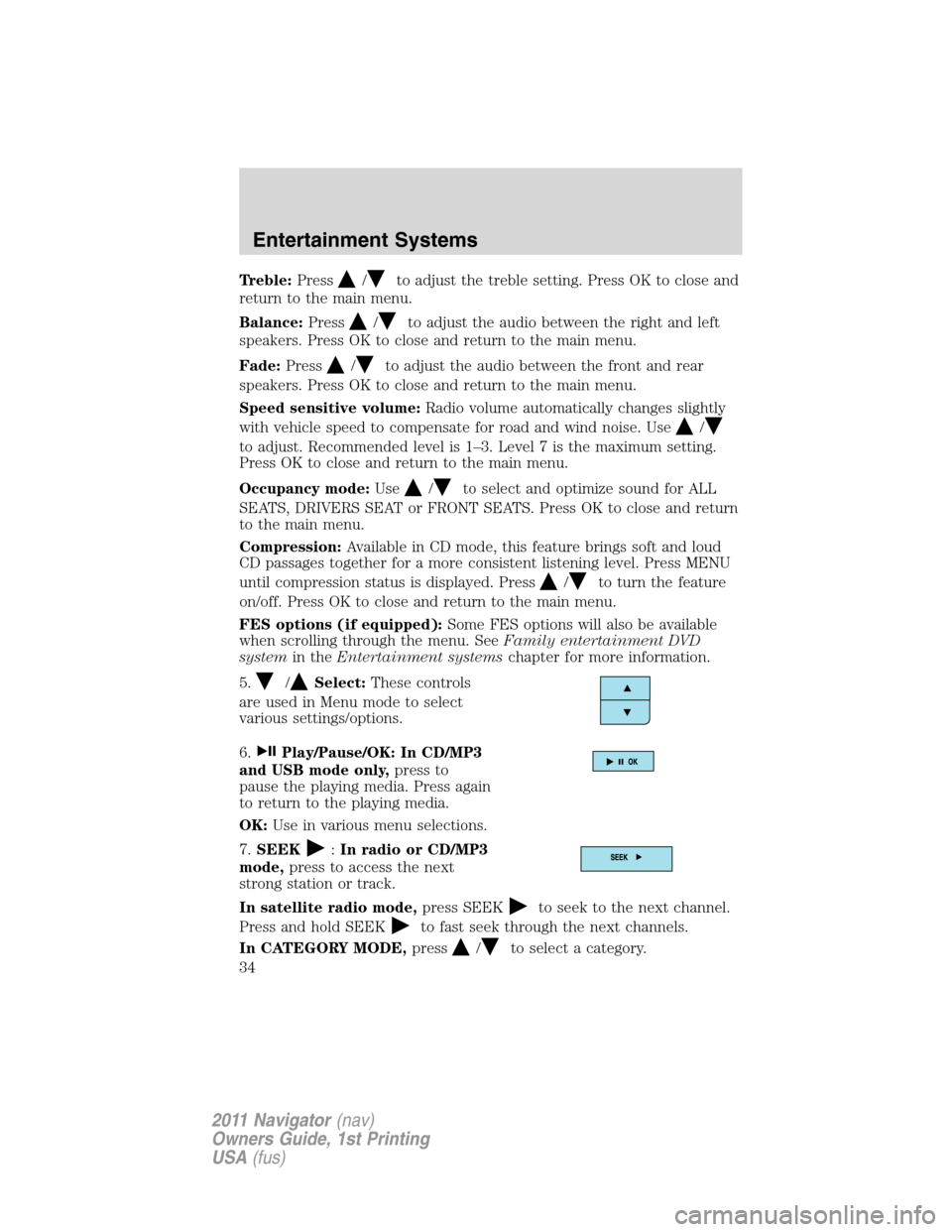
5.
/Select:These controls
are used in Menu mode to select
various settings/options.
6.
Play/Pause/OK: In CD/MP3
and USB mode only,press to
pause the playing media. Press again
to return to the playing media.
OK:Use in various menu selections.
7.SEEK
:In radio or CD/MP3
mode,press to access the next
strong station or track.
In satellite radio mode,press SEEK
to seek to the next channel.
Press and hold SEEK
to fast seek through the next channels.
In CATEGORY MODE,press
/to select a category.
Entertainment Systems
34
2011 Navigator(nav)
Owners Guide, 1st Printing
USA(fus)
Page 50 of 370
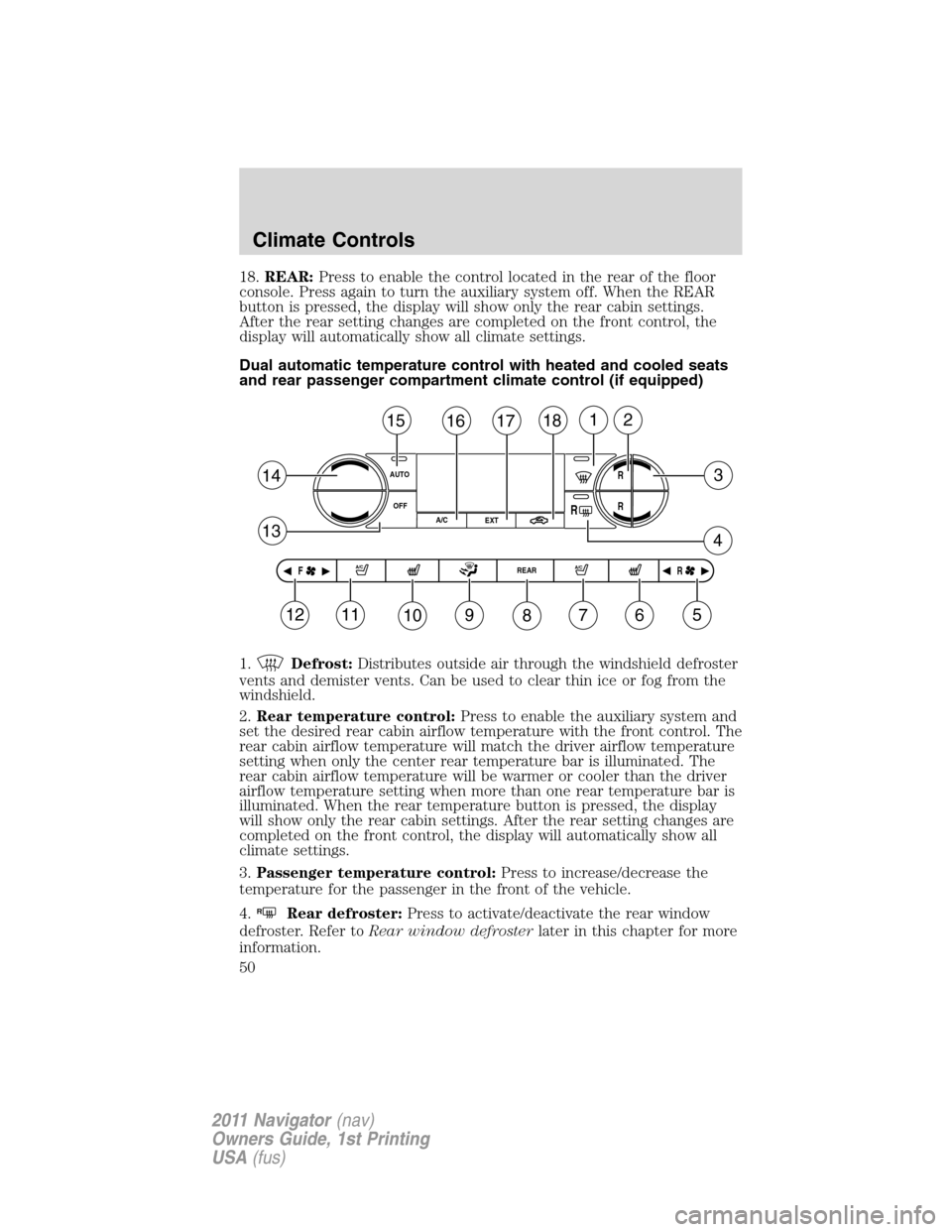
18.REAR:Press to enable the control located in the rear of the floor
console. Press again to turn the auxiliary system off. When the REAR
button is pressed, the display will show only the rear cabin settings.
After the rear setting changes are completed on the front control, the
display will automatically show all climate settings.
Dual automatic temperature control with heated and cooled seats
and rear passenger compartment climate control (if equipped)
1.
Defrost:Distributes outside air through the windshield defroster
vents and demister vents. Can be used to clear thin ice or fog from the
windshield.
2.Rear temperature control:Press to enable the auxiliary system and
set the desired rear cabin airflow temperature with the front control. The
rear cabin airflow temperature will match the driver airflow temperature
setting when only the center rear temperature bar is illuminated. The
rear cabin airflow temperature will be warmer or cooler than the driver
airflow temperature setting when more than one rear temperature bar is
illuminated. When the rear temperature button is pressed, the display
will show only the rear cabin settings. After the rear setting changes are
completed on the front control, the display will automatically show all
climate settings.
3.Passenger temperature control:Press to increase/decrease the
temperature for the passenger in the front of the vehicle.
4.
RRear defroster:Press to activate/deactivate the rear window
defroster. Refer toRear window defrosterlater in this chapter for more
information.
AUTO
OFF
151
3
4
14
13
R
18
EXT
11109876
RF
512
R
R
REAR A/C
17162
A/C
A/C
Climate Controls
50
2011 Navigator(nav)
Owners Guide, 1st Printing
USA(fus)
Page 51 of 370
5. RRear fan speed control:Press to enable the auxiliary system
or to adjust the rear fan speed from the front control. Press to manually
increase or decrease the fan speed. When the rear fan button is pressed,
the display will show only the rear cabin settings. After the rear setting
changes are completed on the front control, the display will
automatically show all climate settings.
6.
Passenger heated seat control (if equipped):Press to
activate/deactivate the passenger heated seat. SeeClimate controlled
seatsin theSeating and Safety Restraintschapter.
7.
Passenger cooled seat control (if equipped):Press to
activate/deactivate the passenger cooled seat. SeeClimate controlled
seatsin theSeating and Safety Restraintschapter.
8.REAR:Press to enable the control located in the rear floor console (if
equipped). Press again to turn the auxiliary system off. When the REAR
button is pressed, the display will show only the rear cabin settings.
After the rear setting changes are completed on the front control, the
display will automatically show all climate settings.
9.
Airflow direction control:Press to toggle through the air
distribution modes listed below. The selected mode will be shown in the
display.
:Distributes air through the instrument panel vents.
:Distributes air through the instrument panel and the floor vents.
:Distributes air through the floor vents.
:Distributes air through the windshield defroster vents, demister
vents and the floor vents.
10.
Driver heated seat control (if equipped):Press to
activate/deactivate the driver heated seat. SeeClimate controlled seats
in theSeating and Safety Restraintschapter.
11.
Driver cooled seat control (if equipped):Press to
activate/deactivate the driver cooled seat. SeeClimate controlled seats
in theSeating and Safety Restraintschapter.
12. F
Front fan speed control:Press to manually increase or
decrease the fan speed. To return to full automatic control, press AUTO.
13.OFF:Outside air is shut out and the climate system is turned off.
Climate Controls
51
2011 Navigator(nav)
Owners Guide, 1st Printing
USA(fus)
Page 52 of 370
14.Driver temperature control:Press to increase or decrease the
temperature on the driver side of the cabin. Sets the passenger side
temperature also when DUAL is disengaged.Note:The recommended
vehicle cabin setting is between 72°F (22°C) and 75°F (24°C).
15.AUTO:Press to engage full automatic operation, and select the
desired temperature using the temperature control. The system will
automatically determine fan speed, airflow location, A/C on or off, and
outside or recirculated air, to heat or cool the vehicle to reach the
desired temperature.
16.A/C:Press to activate/deactivate air conditioning. Use with
recirculated air to improve cooling performance and efficiency. Engages
automatically in AUTO,
(defrost), and(floor/defrost).
17.EXT:Press to display the outside temperature. Press again to display
cabin temperature settings.Note:Exterior readings are more accurate
when the vehicle is moving.
18.
Recirculated air:Press to activate/deactivate air recirculation
in the vehicle cabin. Recirculated air may reduce the amount of time to
cool down the interior of the vehicle and may also help reduce undesired
odors from reaching the interior of the vehicle. Recirculated air can be
engaged manually in any airflow selection except
. Recirculated air
may turn off automatically in all airflow selections.
Operating tips
•To reduce fog build-up on the windshield during humid weather, place
the air flow selector in the
position.
•To reduce humidity build-up inside the vehicle: do not drive with the
system off or with recirculated air
engaged.
•Under normal weather conditions, do not leave the air flow selector in
A/C and recirculated air
or with the system off when the
vehicle is parked. This allows the vehicle to “breathe” using the
outside air inlet vents.
•Do not put objects under the front seats that will interfere with the
airflow to the back seats.
•Remove any snow, ice or leaves from the air intake area at the base of
the windshield.
•To improve the A/C cool down, drive with the windows slightly open
for 2-3 minutes after start up or until the vehicle has been “aired out.”
Climate Controls
52
2011 Navigator(nav)
Owners Guide, 1st Printing
USA(fus)
Page 59 of 370
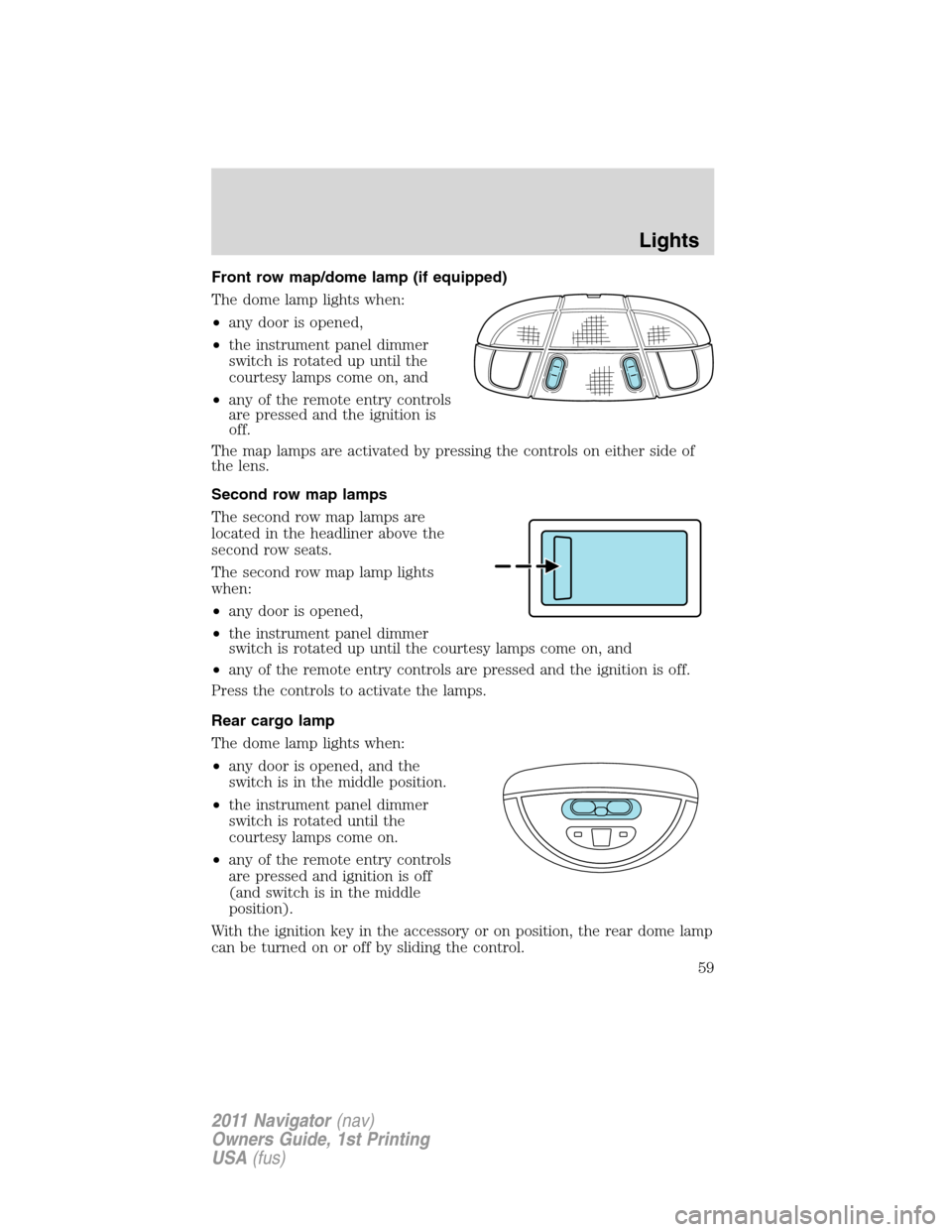
Front row map/dome lamp (if equipped)
The dome lamp lights when:
•any door is opened,
•the instrument panel dimmer
switch is rotated up until the
courtesy lamps come on, and
•any of the remote entry controls
are pressed and the ignition is
off.
The map lamps are activated by pressing the controls on either side of
the lens.
Second row map lamps
The second row map lamps are
located in the headliner above the
second row seats.
The second row map lamp lights
when:
•any door is opened,
•the instrument panel dimmer
switch is rotated up until the courtesy lamps come on, and
•any of the remote entry controls are pressed and the ignition is off.
Press the controls to activate the lamps.
Rear cargo lamp
The dome lamp lights when:
•any door is opened, and the
switch is in the middle position.
•the instrument panel dimmer
switch is rotated until the
courtesy lamps come on.
•any of the remote entry controls
are pressed and ignition is off
(and switch is in the middle
position).
With the ignition key in the accessory or on position, the rear dome lamp
can be turned on or off by sliding the control.
Lights
59
2011 Navigator(nav)
Owners Guide, 1st Printing
USA(fus)
Page 71 of 370
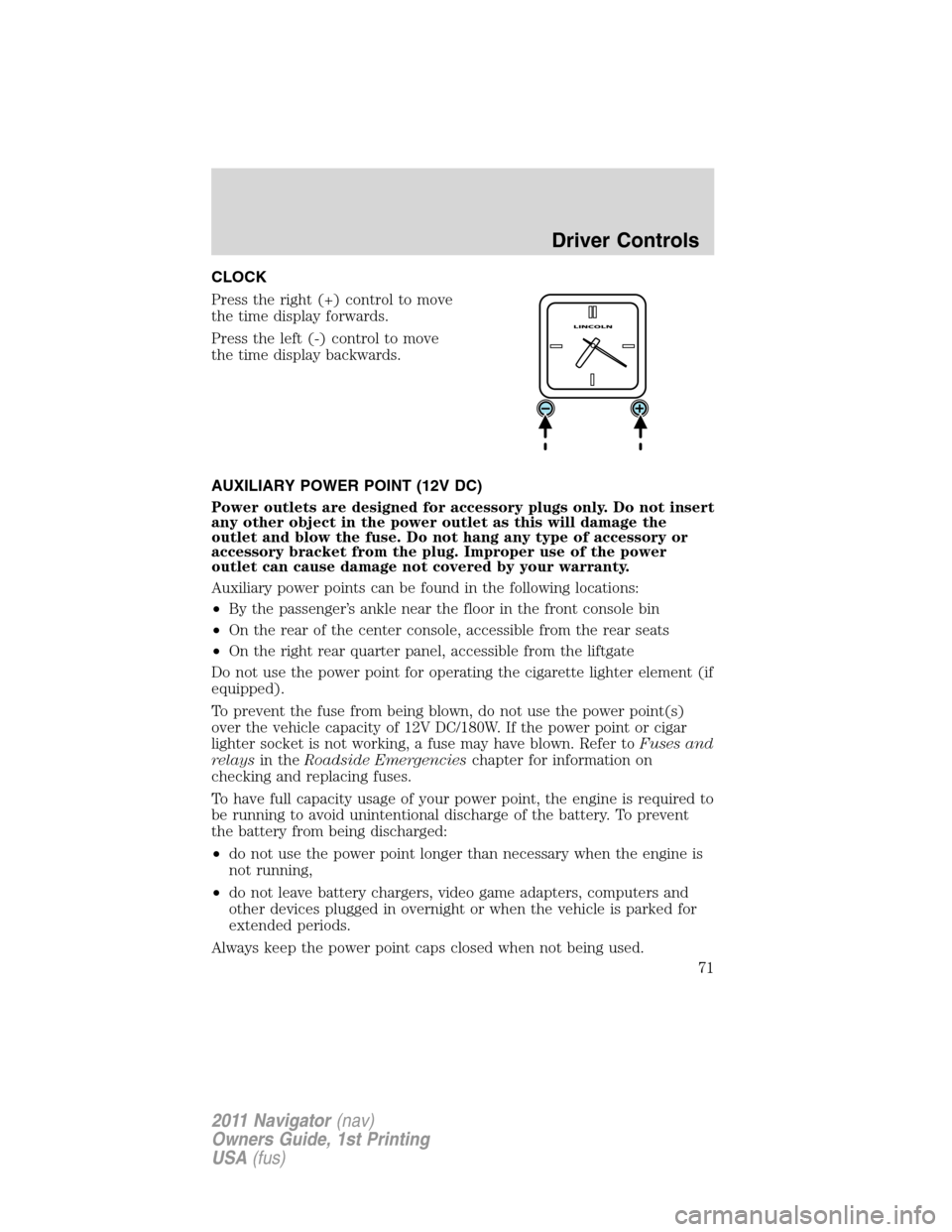
CLOCK
Press the right (+) control to move
the time display forwards.
Press the left (-) control to move
the time display backwards.
AUXILIARY POWER POINT (12V DC)
Power outlets are designed for accessory plugs only. Do not insert
any other object in the power outlet as this will damage the
outlet and blow the fuse. Do not hang any type of accessory or
accessory bracket from the plug. Improper use of the power
outlet can cause damage not covered by your warranty.
Auxiliary power points can be found in the following locations:
•By the passenger’s ankle near the floor in the front console bin
•On the rear of the center console, accessible from the rear seats
•On the right rear quarter panel, accessible from the liftgate
Do not use the power point for operating the cigarette lighter element (if
equipped).
To prevent the fuse from being blown, do not use the power point(s)
over the vehicle capacity of 12V DC/180W. If the power point or cigar
lighter socket is not working, a fuse may have blown. Refer toFuses and
relaysin theRoadside Emergencieschapter for information on
checking and replacing fuses.
To have full capacity usage of your power point, the engine is required to
be running to avoid unintentional discharge of the battery. To prevent
the battery from being discharged:
•do not use the power point longer than necessary when the engine is
not running,
•do not leave battery chargers, video game adapters, computers and
other devices plugged in overnight or when the vehicle is parked for
extended periods.
Always keep the power point caps closed when not being used.
Driver Controls
71
2011 Navigator(nav)
Owners Guide, 1st Printing
USA(fus)
Page 124 of 370
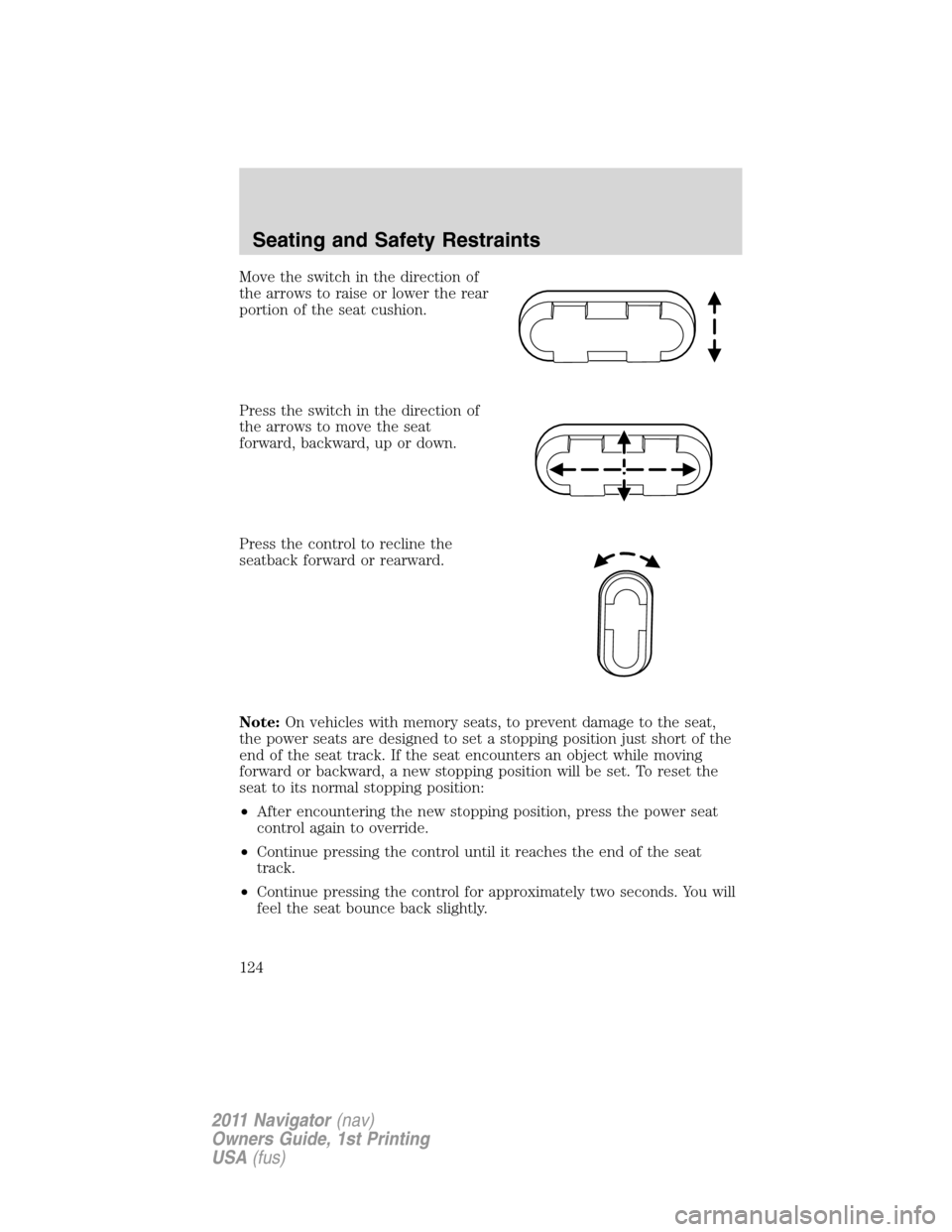
Move the switch in the direction of
the arrows to raise or lower the rear
portion of the seat cushion.
Press the switch in the direction of
the arrows to move the seat
forward, backward, up or down.
Press the control to recline the
seatback forward or rearward.
Note:On vehicles with memory seats, to prevent damage to the seat,
the power seats are designed to set a stopping position just short of the
end of the seat track. If the seat encounters an object while moving
forward or backward, a new stopping position will be set. To reset the
seat to its normal stopping position:
•After encountering the new stopping position, press the power seat
control again to override.
•Continue pressing the control until it reaches the end of the seat
track.
•Continue pressing the control for approximately two seconds. You will
feel the seat bounce back slightly.
Seating and Safety Restraints
124
2011 Navigator(nav)
Owners Guide, 1st Printing
USA(fus)
Page 125 of 370
Memory seat/power mirrors/adjustable pedals/steering column
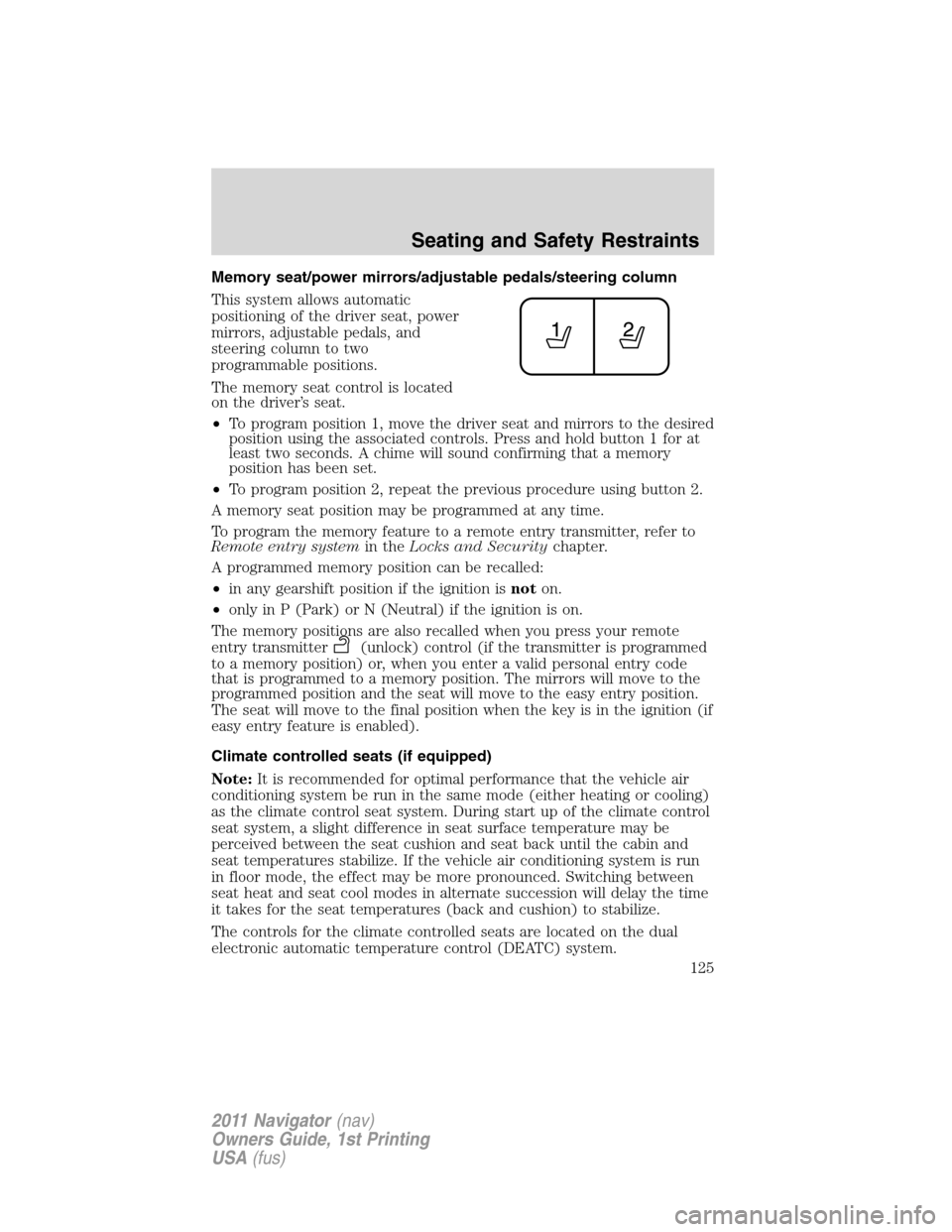
This system allows automatic
positioning of the driver seat, power
mirrors, adjustable pedals, and
steering column to two
programmable positions.
The memory seat control is located
on the driver’s seat.
•To program position 1, move the driver seat and mirrors to the desired
position using the associated controls. Press and hold button 1 for at
least two seconds. A chime will sound confirming that a memory
position has been set.
•To program position 2, repeat the previous procedure using button 2.
A memory seat position may be programmed at any time.
To program the memory feature to a remote entry transmitter, refer to
Remote entry systemin theLocks and Securitychapter.
A programmed memory position can be recalled:
•in any gearshift position if the ignition isnoton.
•only in P (Park) or N (Neutral) if the ignition is on.
The memory positions are also recalled when you press your remote
entry transmitter
(unlock) control (if the transmitter is programmed
to a memory position) or, when you enter a valid personal entry code
that is programmed to a memory position. The mirrors will move to the
programmed position and the seat will move to the easy entry position.
The seat will move to the final position when the key is in the ignition (if
easy entry feature is enabled).
Climate controlled seats (if equipped)
Note:It is recommended for optimal performance that the vehicle air
conditioning system be run in the same mode (either heating or cooling)
as the climate control seat system. During start up of the climate control
seat system, a slight difference in seat surface temperature may be
perceived between the seat cushion and seat back until the cabin and
seat temperatures stabilize. If the vehicle air conditioning system is run
in floor mode, the effect may be more pronounced. Switching between
seat heat and seat cool modes in alternate succession will delay the time
it takes for the seat temperatures (back and cushion) to stabilize.
The controls for the climate controlled seats are located on the dual
electronic automatic temperature control (DEATC) system.
Seating and Safety Restraints
125
2011 Navigator(nav)
Owners Guide, 1st Printing
USA(fus)
Page 126 of 370
Heated seats
WARNING:Persons who are unable to feel pain to the skin
because of advanced age, chronic illness, diabetes, spinal cord
injury, medication, alcohol use, exhaustion, or other physical
conditions, must exercise care when using the seat heater. The seat
heater may cause burns even at low temperatures, especially if used
for long periods of time. Do not place anything on the seat that
insulates against heat, such as a blanket or cushion, because this may
cause the seat heater to overheat. Do not puncture the seat with pins,
needles, or other pointed objects because this may damage the heating
element which may cause the seat heater to overheat. An overheated
seat may cause serious personal injury.
Note:Do not do the following:
•Place heavy objects on the seat
•Operate the seat heater if water or any other liquid is spilled on the
seat. Allow the seat to dry thoroughly.
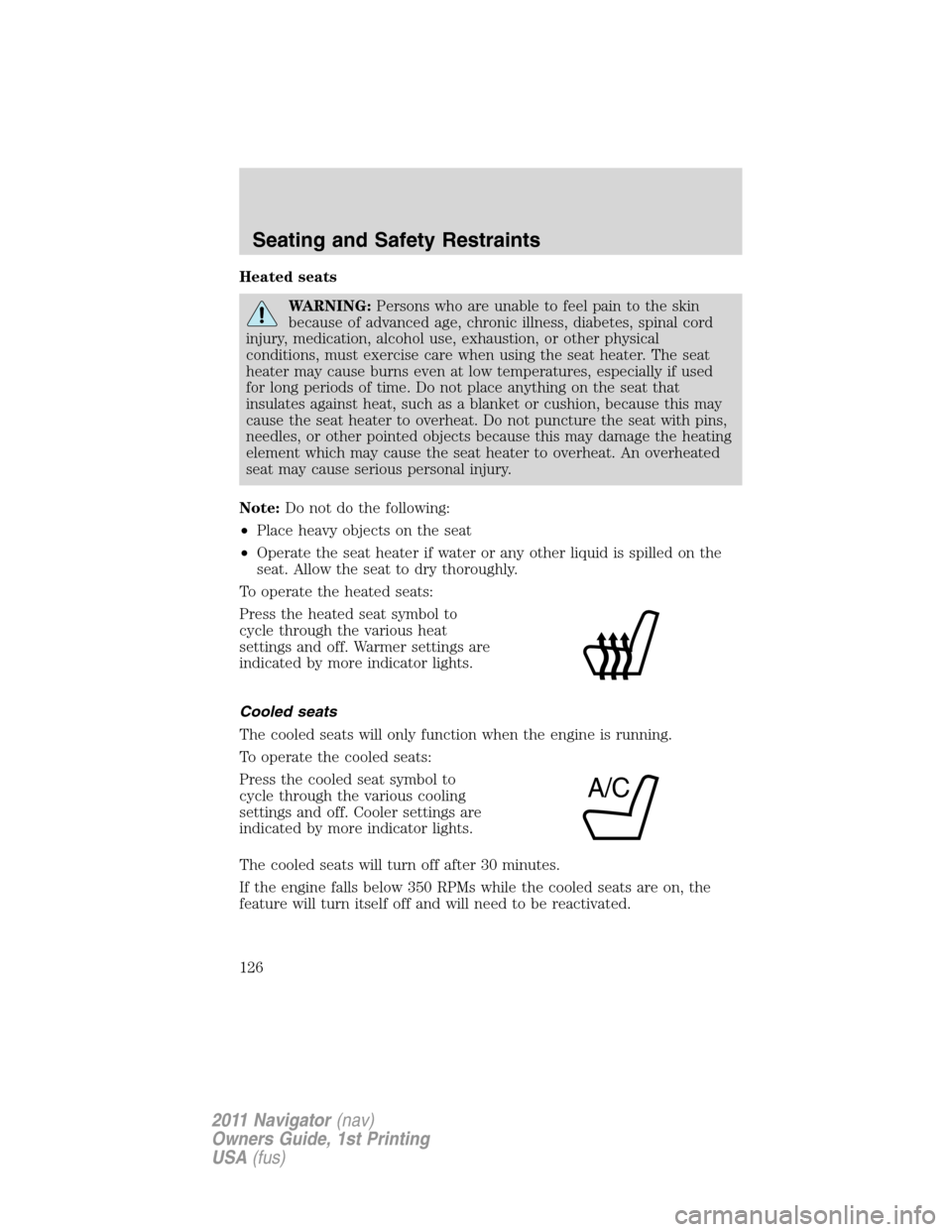
To operate the heated seats:
Press the heated seat symbol to
cycle through the various heat
settings and off. Warmer settings are
indicated by more indicator lights.
Cooled seats
The cooled seats will only function when the engine is running.
To operate the cooled seats:
Press the cooled seat symbol to
cycle through the various cooling
settings and off. Cooler settings are
indicated by more indicator lights.
The cooled seats will turn off after 30 minutes.
If the engine falls below 350 RPMs while the cooled seats are on, the
feature will turn itself off and will need to be reactivated.
A/C
Seating and Safety Restraints
126
2011 Navigator(nav)
Owners Guide, 1st Printing
USA(fus)