center console LINCOLN NAVIGATOR 2015 User Guide
[x] Cancel search | Manufacturer: LINCOLN, Model Year: 2015, Model line: NAVIGATOR, Model: LINCOLN NAVIGATOR 2015Pages: 475, PDF Size: 5.13 MB
Page 379 of 475
“CD”
“Pause” “Repeat off” “Play” “Repeat track”
“Play next track” “Shuffle”
“Play previous track” “Shuffle CD”
*
“Play track <1–512>” “Shuffle folder”*
“Repeat”“Shuffle off”
“Repeat folder”*“Help”
*This applies to WMA or MP3 files only.
SD Card Slot and USB Port
SD Card Slot
Note: Your SD card slot is spring-loaded. To remove the SD card, press
the card in and the system ejects it. Do not attempt to pull the card to
remove it as this could cause damage.
Note: The navigation system also uses this card slot. See Navigation
system later in this chapter for more information.
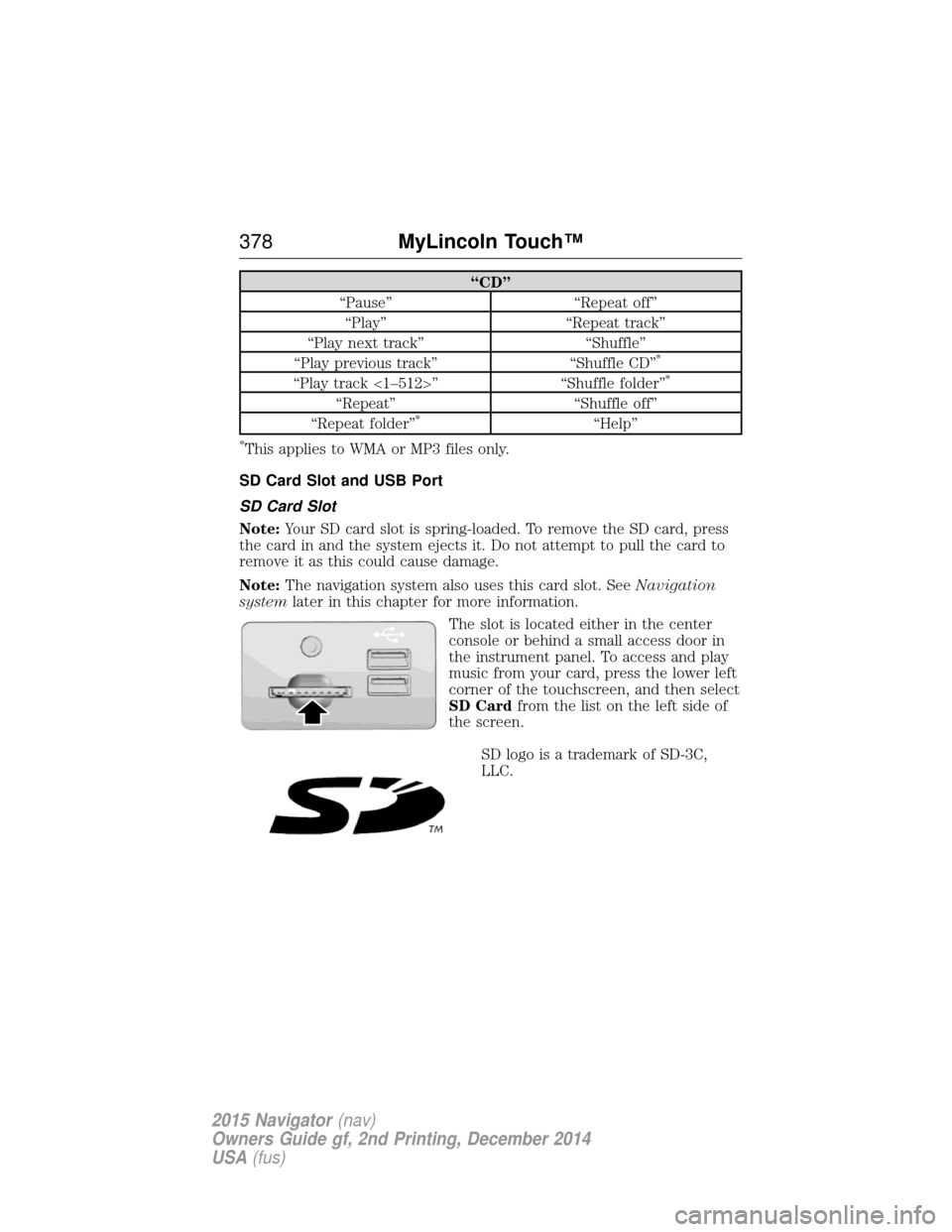
The slot is located either in the center
console or behind a small access door in
the instrument panel. To access and play
music from your card, press the lower left
corner of the touchscreen, and then select
SD Cardfrom the list on the left side of
the screen.
SD logo is a trademark of SD-3C,
LLC.
378 MyLincoln Touch™
2015 Navigator(nav)
Owners Guide gf, 2nd Printing, December 2014
USA (fus)
Page 380 of 475
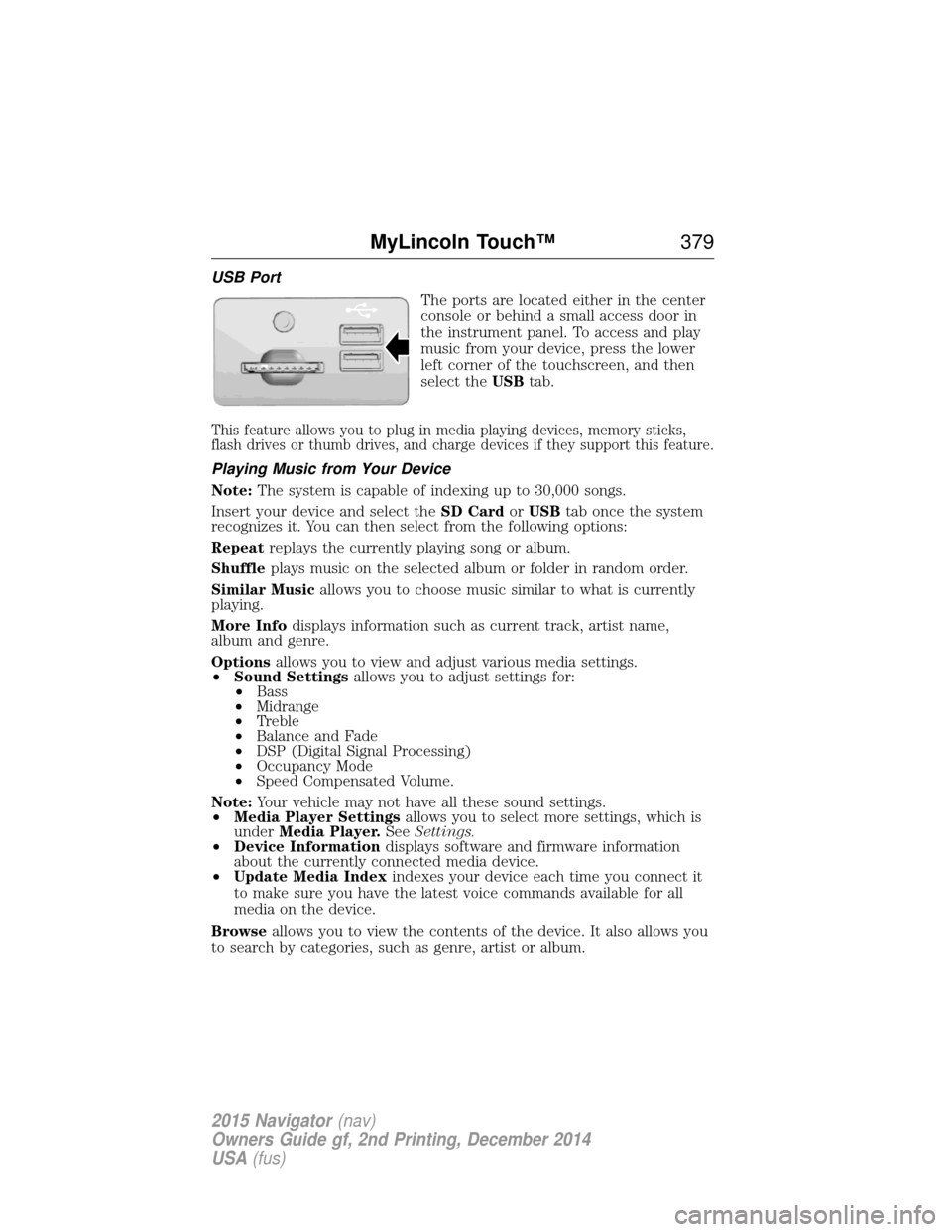
USB PortThe ports are located either in the center
console or behind a small access door in
the instrument panel. To access and play
music from your device, press the lower
left corner of the touchscreen, and then
select theUSBtab.
This feature allows you to plug in media playing devices, memory sticks,
flash drives or thumb drives, and charge devices if they support this feature.
Playing Music from Your Device
Note: The system is capable of indexing up to 30,000 songs.
Insert your device and select the SD CardorUSB tab once the system
recognizes it. You can then select from the following options:
Repeat replays the currently playing song or album.
Shuffle plays music on the selected album or folder in random order.
Similar Music allows you to choose music similar to what is currently
playing.
More Info displays information such as current track, artist name,
album and genre.
Options allows you to view and adjust various media settings.
• Sound Settings allows you to adjust settings for:
• Bass
• Midrange
• Treble
• Balance and Fade
• DSP (Digital Signal Processing)
• Occupancy Mode
• Speed Compensated Volume.
Note: Your vehicle may not have all these sound settings.
• Media Player Settings allows you to select more settings, which is
under Media Player. SeeSettings.
• Device Information displays software and firmware information
about the currently connected media device.
• Update Media Index indexes your device each time you connect it
to make sure you have the latest voice commands available for all
media on the device.
Browse allows you to view the contents of the device. It also allows you
to search by categories, such as genre, artist or album.
MyLincoln Touch™ 379
2015 Navigator(nav)
Owners Guide gf, 2nd Printing, December 2014
USA (fus)
Page 383 of 475
Bluetooth Audio
Your system allows you to stream audio over your vehicle’s speakers from
your connected, Bluetooth-enabled cellular phone.To access, press the lower left corner on the touchscreen, then
select the BT Stereo tab.
Bluetooth Audio Voice Commands If you are listening to a Bluetooth audio device, press the voice
button on the steering wheel control. When prompted, say
“Next song”, “Pause”, “Play” or “Previous song”.
If you are not listening to a Bluetooth audio device, press the voice
button and, after the tone, say “Bluetooth Audio”, then “Next song”,
“Pause”, “Play” or “Previous song”.
Line In (Auxiliary Input Jack)
WARNING: Driving while distracted can result in loss of vehicle
control, crash and injury. We strongly recommend that you use
extreme caution when using any device that may take your focus off
the road. Your primary responsibility is the safe operation of your
vehicle. We recommend against the use of any hand-held device while
driving and encourage the use of voice-operated systems when possible.
Make sure you are aware of all applicable local laws that may affect the
use of electronic devices while driving.
WARNING: For safety reasons, do not connect or adjust the
settings on your portable music player while your vehicle is
moving.
WARNING: Store the portable music player in a secure location,
such as the center console or the glove box, when your vehicle is
in motion. Hard objects may become projectiles in a crash or sudden
stop, which may increase the risk of serious injury. The audio extension
cable must be long enough to allow the portable music player to be
safely stored while your vehicle is moving.
382 MyLincoln Touch™
2015 Navigator(nav)
Owners Guide gf, 2nd Printing, December 2014
USA (fus)