climate settings LINCOLN NAVIGATOR 2015 User Guide
[x] Cancel search | Manufacturer: LINCOLN, Model Year: 2015, Model line: NAVIGATOR, Model: LINCOLN NAVIGATOR 2015Pages: 475, PDF Size: 5.13 MB
Page 355 of 475
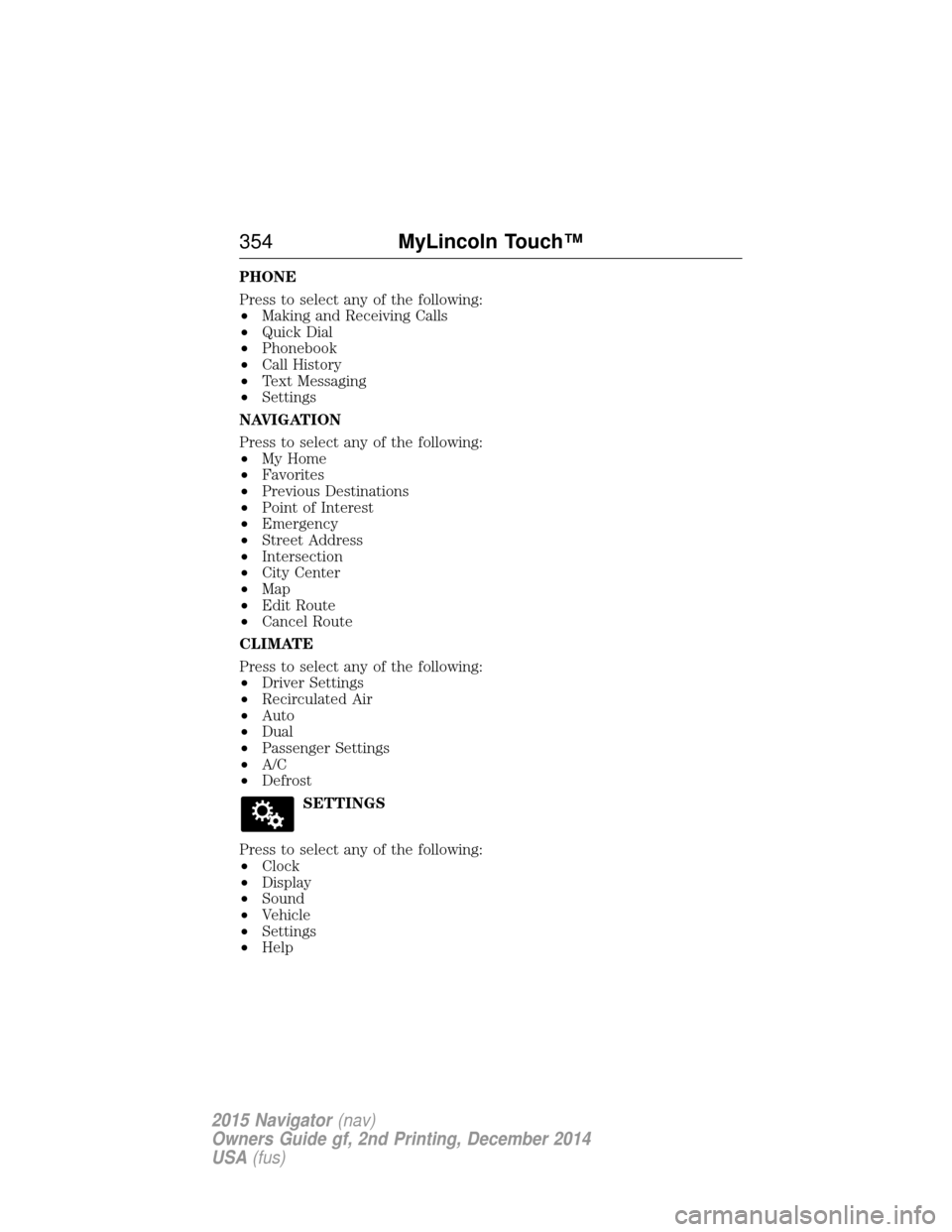
PHONE
Press to select any of the following:
•Making and Receiving Calls
• Quick Dial
• Phonebook
• Call History
• Text Messaging
• Settings
NAVIGATION
Press to select any of the following:
• My Home
• Favorites
• Previous Destinations
• Point of Interest
• Emergency
• Street Address
• Intersection
• City Center
• Map
• Edit Route
• Cancel Route
CLIMATE
Press to select any of the following:
• Driver Settings
• Recirculated Air
• Auto
• Dual
• Passenger Settings
• A/C
• Defrost
SETTINGS
Press to select any of the following:
• Clock
• Display
• Sound
• Vehicle
• Settings
• Help
354 MyLincoln Touch™
2015 Navigator(nav)
Owners Guide gf, 2nd Printing, December 2014
USA (fus)
Page 357 of 475
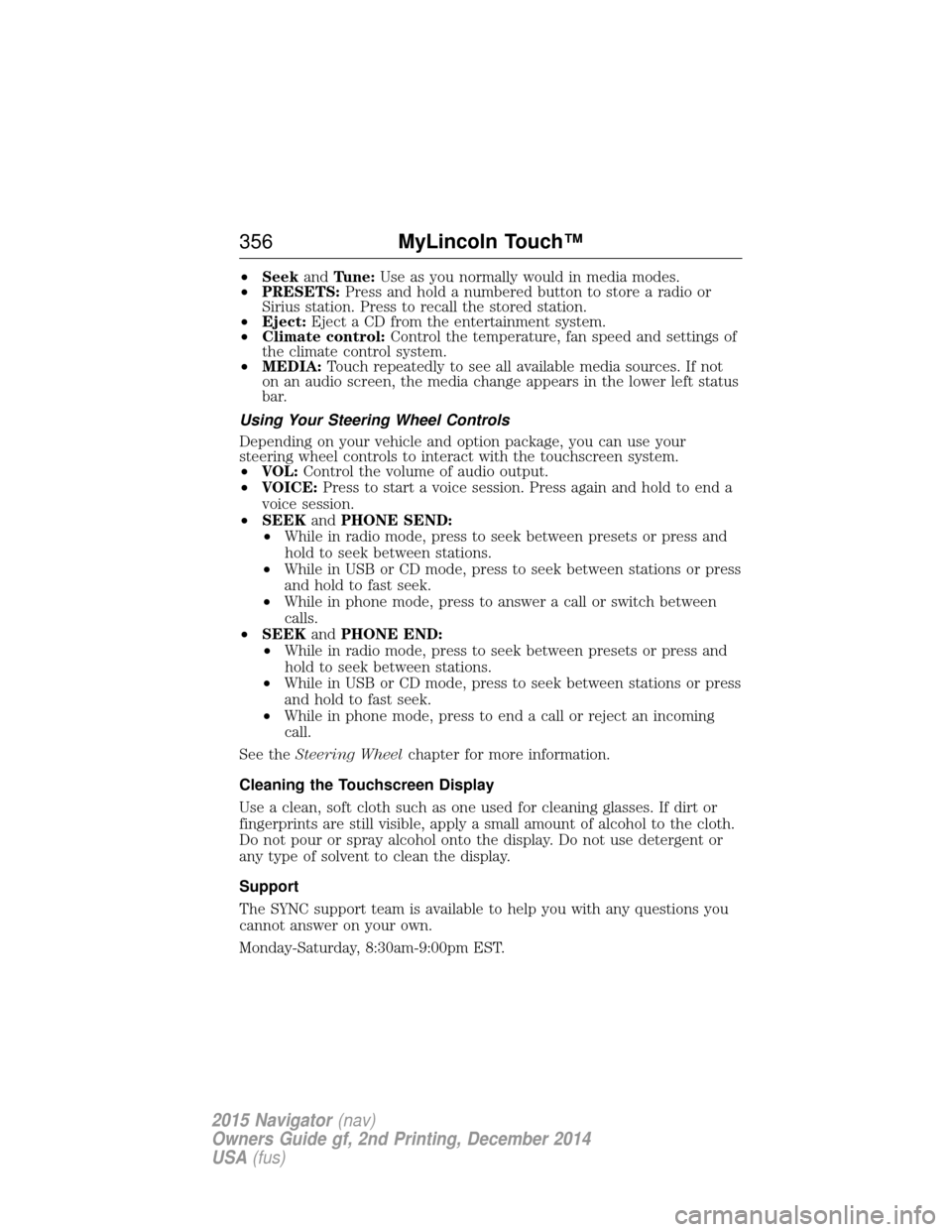
•Seek andTune: Use as you normally would in media modes.
• PRESETS: Press and hold a numbered button to store a radio or
Sirius station. Press to recall the stored station.
• Eject: Eject a CD from the entertainment system.
• Climate control: Control the temperature, fan speed and settings of
the climate control system.
• MEDIA: Touch repeatedly to see all available media sources. If not
on an audio screen, the media change appears in the lower left status
bar.
Using Your Steering Wheel Controls
Depending on your vehicle and option package, you can use your
steering wheel controls to interact with the touchscreen system.
• VOL: Control the volume of audio output.
• VOICE: Press to start a voice session. Press again and hold to end a
voice session.
• SEEK andPHONE SEND:
• While in radio mode, press to seek between presets or press and
hold to seek between stations.
• While in USB or CD mode, press to seek between stations or press
and hold to fast seek.
• While in phone mode, press to answer a call or switch between
calls.
• SEEK andPHONE END:
• While in radio mode, press to seek between presets or press and
hold to seek between stations.
• While in USB or CD mode, press to seek between stations or press
and hold to fast seek.
• While in phone mode, press to end a call or reject an incoming
call.
See the Steering Wheel chapter for more information.
Cleaning the Touchscreen Display
Use a clean, soft cloth such as one used for cleaning glasses. If dirt or
fingerprints are still visible, apply a small amount of alcohol to the cloth.
Do not pour or spray alcohol onto the display. Do not use detergent or
any type of solvent to clean the display.
Support
The SYNC support team is available to help you with any questions you
cannot answer on your own.
Monday-Saturday, 8:30am-9:00pm EST.
356 MyLincoln Touch™
2015 Navigator(nav)
Owners Guide gf, 2nd Printing, December 2014
USA (fus)
Page 363 of 475
Helpful Hints
•Make sure the interior of your vehicle is as quiet as possible. Wind
noise from open windows and road vibrations may prevent the system
from correctly recognizing spoken commands.
• After pressing the voice icon, wait until after the tone sounds and
Listening appears before saying a command. Any command spoken
prior to this does not register with the system.
• Speak naturally, without long pauses between words.
• At any time, you can interrupt the system while it is speaking by
pressing the voice icon.
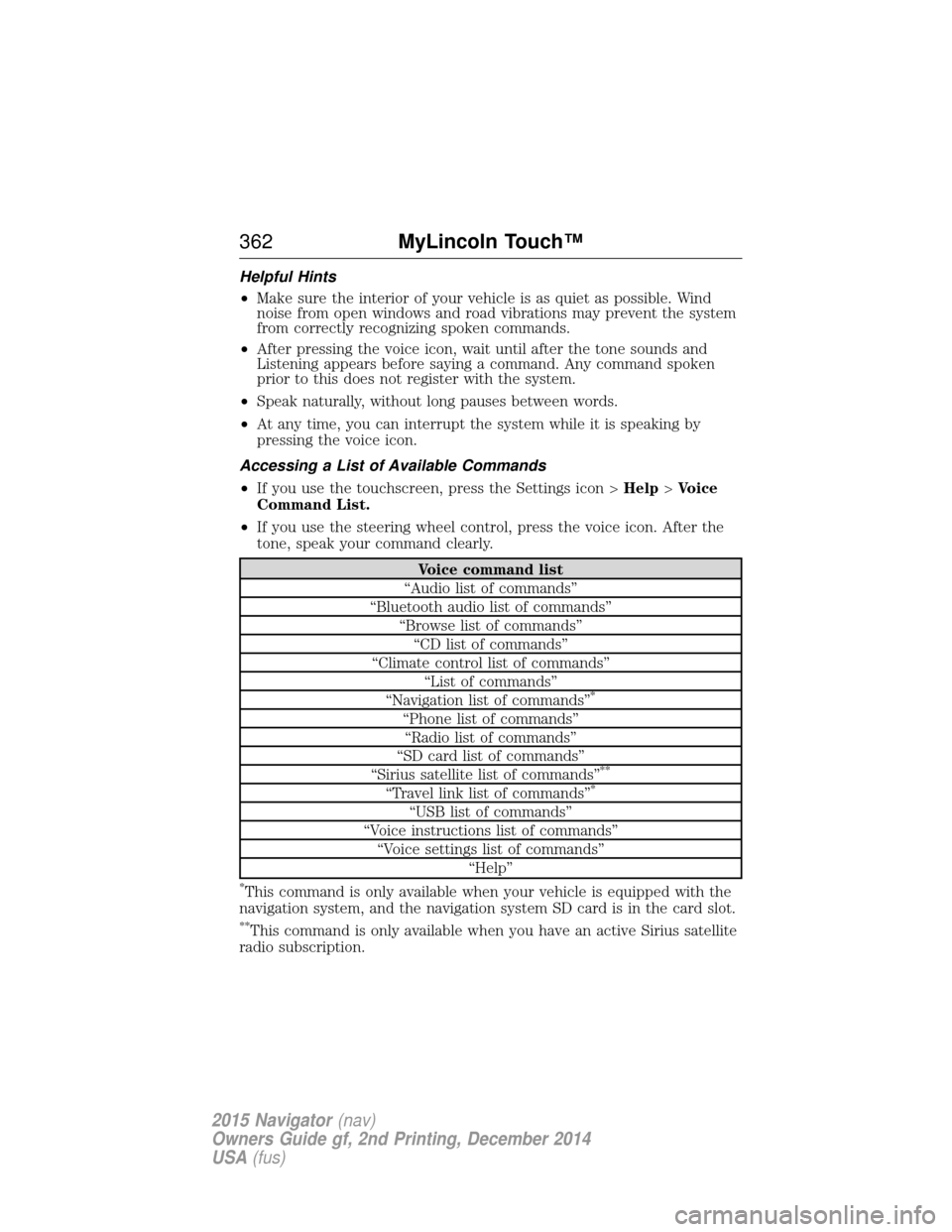
Accessing a List of Available Commands
• If you use the touchscreen, press the Settings icon > Help>Voice
Command List.
• If you use the steering wheel control, press the voice icon. After the
tone, speak your command clearly.
Voice command list
“Audio list of commands”
“Bluetooth audio list of commands” “Browse list of commands”“CD list of commands”
“Climate control list of commands” “List of commands”
“Navigation list of commands”
*
“Phone list of commands” “Radio list of commands”
“SD card list of commands”
“Sirius satellite list of commands”
**
“Travel link list of commands”*
“USB list of commands”
“Voice instructions list of commands” “Voice settings list of commands” “Help”
*This command is only available when your vehicle is equipped with the
navigation system, and the navigation system SD card is in the card slot.
**This command is only available when you have an active Sirius satellite
radio subscription.
362 MyLincoln Touch™
2015 Navigator(nav)
Owners Guide gf, 2nd Printing, December 2014
USA (fus)
Page 408 of 475
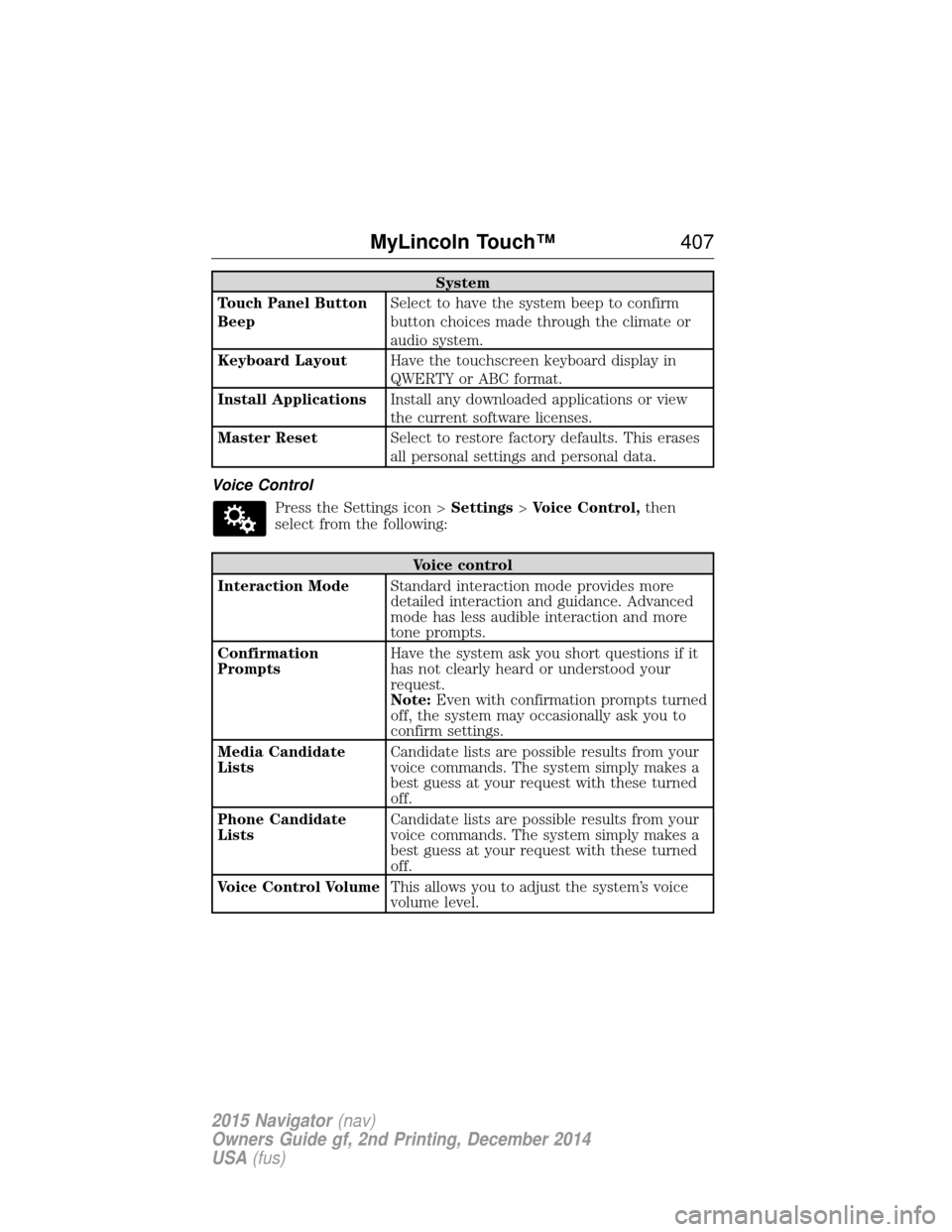
System
Touch Panel Button
Beep Select to have the system beep to confirm
button choices made through the climate or
audio system.
Keyboard Layout Have the touchscreen keyboard display in
QWERTY or ABC format.
Install Applications Install any downloaded applications or view
the current software licenses.
Master Reset Select to restore factory defaults. This erases
all personal settings and personal data.
Voice Control Press the Settings icon > Settings>Voice Control, then
select from the following:
Voice control
Interaction Mode Standard interaction mode provides more
detailed interaction and guidance. Advanced
mode has less audible interaction and more
tone prompts.
Confirmation
Prompts Have the system ask you short questions if it
has not clearly heard or understood your
request.
Note:
Even with confirmation prompts turned
off, the system may occasionally ask you to
confirm settings.
Media Candidate
Lists Candidate lists are possible results from your
voice commands. The system simply makes a
best guess at your request with these turned
off.
Phone Candidate
Lists Candidate lists are possible results from your
voice commands. The system simply makes a
best guess at your request with these turned
off.
Voice Control Volume This allows you to adjust the system’s voice
volume level.
MyLincoln Touch™ 407
2015 Navigator(nav)
Owners Guide gf, 2nd Printing, December 2014
USA (fus)
Page 416 of 475
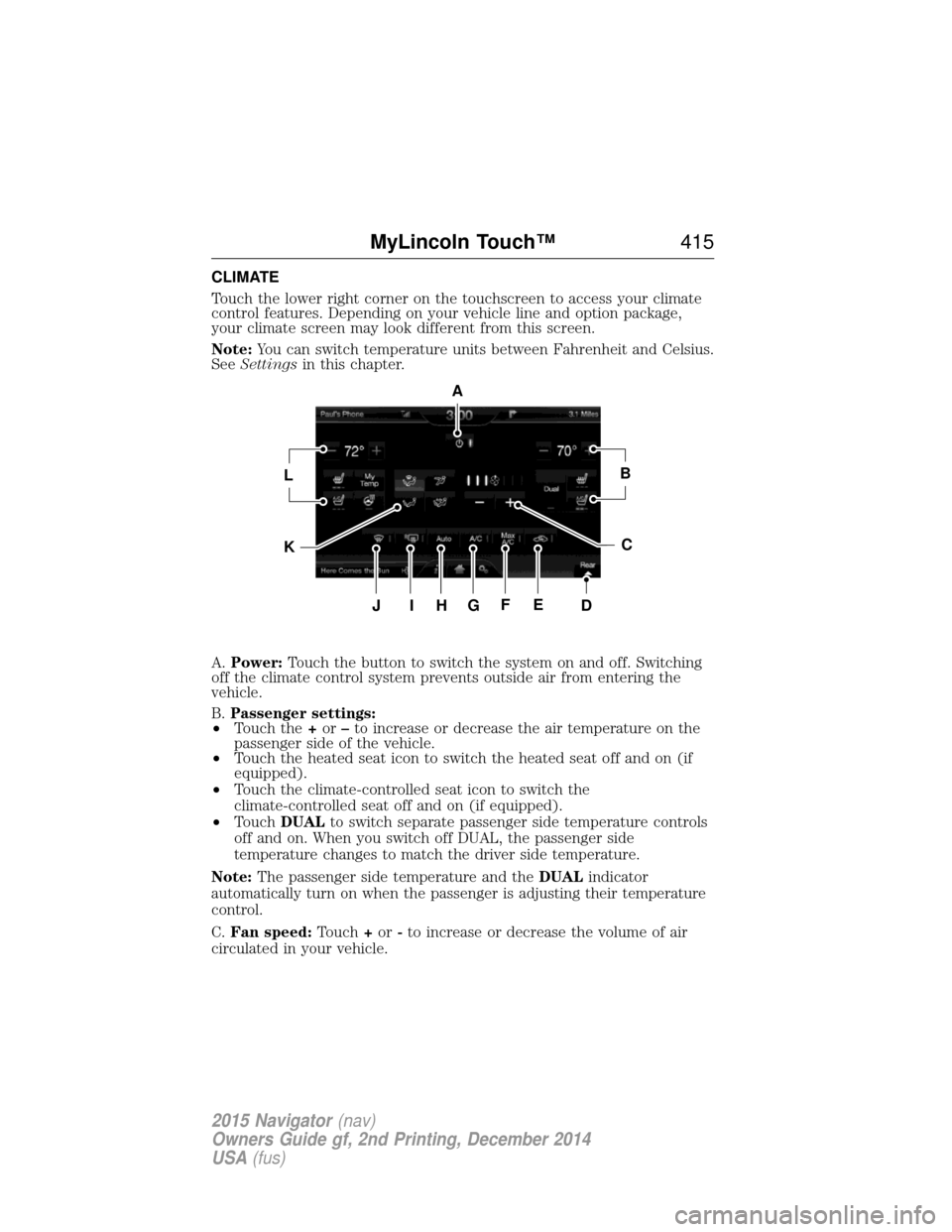
CLIMATE
Touch the lower right corner on the touchscreen to access your climate
control features. Depending on your vehicle line and option package,
your climate screen may look different from this screen.
Note:You can switch temperature units between Fahrenheit and Celsius.
See Settings in this chapter.
A. Power: Touch the button to switch the system on and off. Switching
off the climate control system prevents outside air from entering the
vehicle.
B. Passenger settings:
• Touch the +or –to increase or decrease the air temperature on the
passenger side of the vehicle.
• Touch the heated seat icon to switch the heated seat off and on (if
equipped).
• Touch the climate-controlled seat icon to switch the
climate-controlled seat off and on (if equipped).
• Touch DUAL to switch separate passenger side temperature controls
off and on. When you switch off DUAL, the passenger side
temperature changes to match the driver side temperature.
Note: The passenger side temperature and the DUALindicator
automatically turn on when the passenger is adjusting their temperature
control.
C. Fan speed: Touch+or -to increase or decrease the volume of air
circulated in your vehicle.
A
LB
KC
JIHGFED
MyLincoln Touch™ 415
2015 Navigator(nav)
Owners Guide gf, 2nd Printing, December 2014
USA (fus)
Page 417 of 475
Note:When the system is controlling the fan speed automatically, all
the fan speed indicators turn off.
D. Rear: Touch to access the rear climate control. Rear climate control
settings appear at the bottom of the screen.
• Touch the power icon to turn the rear climate control functions off
and on.
• Touch Rear Control to allow the rear seat passengers to adjust the
rear climate settings. Touch it again to prevent the rear seat
passengers from adjusting the settings. Rear Controlautomatically
turns off when you use the touchscreen to adjust the rear climate
settings.
• Touch +or –to adjust the temperature.
• To adjust fan speed, touch +or –next to the fan icon.
• Touch Rearagain to close the rear controls. Closing the rear climate
control functions does not affect their current settings.
E. Recirculated air: Touch the button to switch between outside air
and recirculated air. When you select recirculated air, the air currently in
the passenger compartment recirculates. This may reduce the time
needed to cool the interior (when used with A/C) and may reduce
unwanted odors from entering your vehicle.
Note: Recirculated air may turn off automatically (or be prevented
from turning on) in all airflow modes except MAX A/Cto reduce risk
of fogging.
F. MAX A/C: Touch the button to maximize cooling. Recirculated air
flows through the instrument panel vents, air conditioning automatically
turns on, and the fan automatically adjusts to the highest speed.
G. A/C: Touch the button to switch the air conditioning compressor on
or off. Use air conditioning with recirculated air to improve cooling
performance and efficiency.
Note: In certain conditions, the air conditioning compressor may
continue to operate even after you switch off the air conditioning with
the A/C button.
H. AUTO: Touch the button to switch on automatic operation. Select the
desired temperature using the temperature control. The system adjusts
fan speed, air distribution, air conditioning operation, and selects outside
air or recirculated air to heat or cool the vehicle in order to maintain the
desired temperature. You can also use the AUTObutton to switch off
dual zone operation by touching and holding the button for more than
two seconds.
I. Heated rear window: Turns the heated rear window on and off. See
Heated windows and mirrors in theClimate Control chapter.
416 MyLincoln Touch™
2015 Navigator(nav)
Owners Guide gf, 2nd Printing, December 2014
USA (fus)
Page 418 of 475
J.Defrost: Touch the button to distribute air to the windshield vents
and de-mister. Air distribution to instrument panel and footwell vents
turn off. You can use this setting to defog and clear the windshield of a
thin covering of ice.
K. Manual controls: Touch these buttons to switch airflow from the
windshield, instrument panel, or footwell vents on or off. The system can
distribute air through any combination of these vents.
L. Driver settings: Depending on your vehicle and option package, you
may have the following features:
• Touch the +or –to increase or decrease the air temperature on the
passenger side of the vehicle.
• Touch the heated seat icon to switch the heated seat off and on (if
equipped).
• Touch the climate-controlled seat icon to switch the
climate-controlled seat off and on (if equipped).
• Touch MyTemp to select your preset temperature setpoint. Touch
and hold MyTemp to save a new preset temperature setpoint.
• If your vehicle is equipped with a heated steering wheel, touch the
heated steering wheel icon to warm the steering wheel.
Note: If your vehicle is equipped with a wood-trimmed steering wheel, it
does not heat between the 10 o’clock and 2 o’clock positions.
Climate Control Voice Commands
The following voice commands are available at the main menu
level of a voice session. For example, press the voice button
and after the prompt, “Say a command”; say any of the
following commands:
Climate control voice commands
“Climate automatic”
“Climate my temperature” “Climate off”“Climate on”
“Climate temperature <15.5–29.5> degrees” “Climate temperature <60–85> degrees” “Help”
MyLincoln Touch™ 417
2015 Navigator(nav)
Owners Guide gf, 2nd Printing, December 2014
USA (fus)
Page 470 of 475
C
Capacities for refilling fluids ....328
Cargo management system ......220
CD ..............................................343
CD player ..........................341, 377
CD voice commands .................377
Cell phone use ............................14
Changing a tire .........................318
Changing the air filter ..............277
Child safety seatsautomatic locking mode
(retractor) .................................37
LATCH .......................................22
Child safety seats - booster
seats .............................................30
Cleaning the touchscreen ........356
Cleaning your vehicle ...............284 engine compartment ..............286
instrument panel ....................289
interior .............................288–289
plastic parts ............................285
washing ....................................284
waxing .....................................286
wheels ......................................291
wiper blades ............................287
Climate voice commands .........417
Clock ..........................................403
Console overhead ......................96–97, 155
Controls power seat ...............................131
Coolant ......................................267 checking and adding ..............267
refill capacities ........................328
specifications ..........................328
Cross Traffic Alert ....................205 Cruise control ...........................203
Customer Assistance ................241
Ford Extended Service
Plan ..........................................338
Getting roadside assistance ...241
Getting the service you
need .........................................247
Ordering additional owner’s
literature .................................253
Utilizing the
Mediation/Arbitration
Program ...................................251
D
Daytime running lamps
(see Lamps) ................................89
Defrost .......................................122 rear window ............................126
Dipstick automatic transmission
fluid ..........................................271
engine oil .................................266
Display settings .........................404
Driving under special
conditions ..................178, 182, 184 sand .........................................183
snow and ice ...........................185
through water .................183, 238
Dual automatic temperature
control (DATC) .........................122
E
Electronic stability control ......192
Emergencies, roadside jump-starting ..........................244
running out of fuel .................164
Emission control system ..........169
End user license agreement ....431
Index 469
2015 Navigator(nav)
Owners Guide gf, 2nd Printing, December 2014
USA (fus)
Page 473 of 475
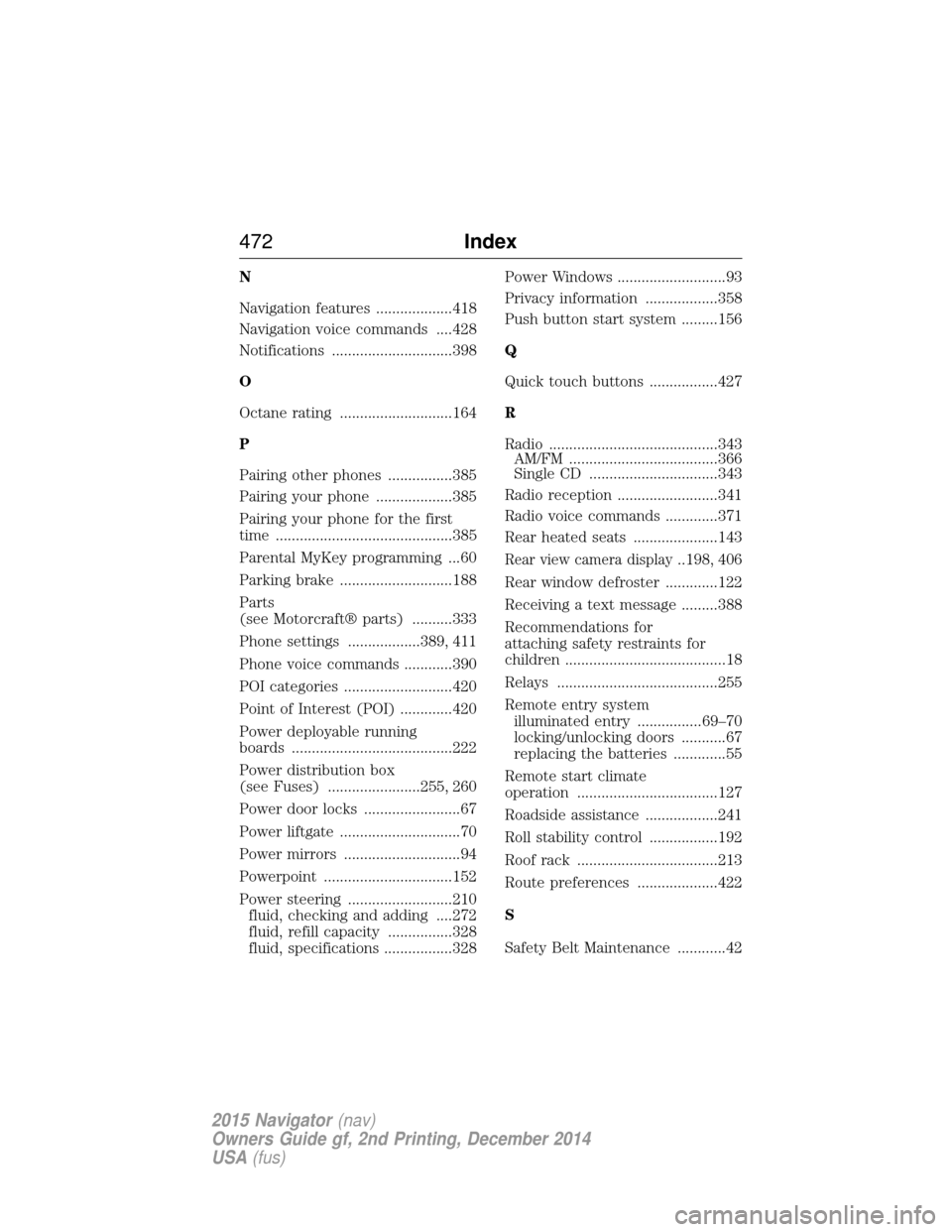
N
Navigation features ...................418
Navigation voice commands ....428
Notifications ..............................398
O
Octane rating ............................164
P
Pairing other phones ................385
Pairing your phone ...................385
Pairing your phone for the first
time ............................................385
Parental MyKey programming ...60
Parking brake ............................188
Parts
(see Motorcraft® parts) ..........333
Phone settings ..................389, 411
Phone voice commands ............390
POI categories ...........................420
Point of Interest (POI) .............420
Power deployable running
boards ........................................222
Power distribution box
(see Fuses) .......................255, 260
Power door locks ........................67
Power liftgate ..............................70
Power mirrors .............................94
Powerpoint ................................152
Power steering ..........................210fluid, checking and adding ....272
fluid, refill capacity ................328
fluid, specifications .................328 Power Windows ...........................93
Privacy information ..................358
Push button start system .........156
Q
Quick touch buttons .................427
R
Radio ..........................................343
AM/FM .....................................366
Single CD ................................343
Radio reception .........................341
Radio voice commands .............371
Rear heated seats .....................143
Rear view camera display..198, 406
Rear window defroster .............122
Receiving a text message .........388
Recommendations for
attaching safety restraints for
children ........................................18
Relays ........................................255
Remote entry system illuminated entry ................69–70
locking/unlocking doors ...........67
replacing the batteries .............55
Remote start climate
operation ...................................127
Roadside assistance ..................241
Roll stability control .................192
Roof rack ...................................213
Route preferences ....................422
S
Safety Belt Maintenance ............42
472 Index
2015 Navigator(nav)
Owners Guide gf, 2nd Printing, December 2014
USA (fus)
Page 474 of 475
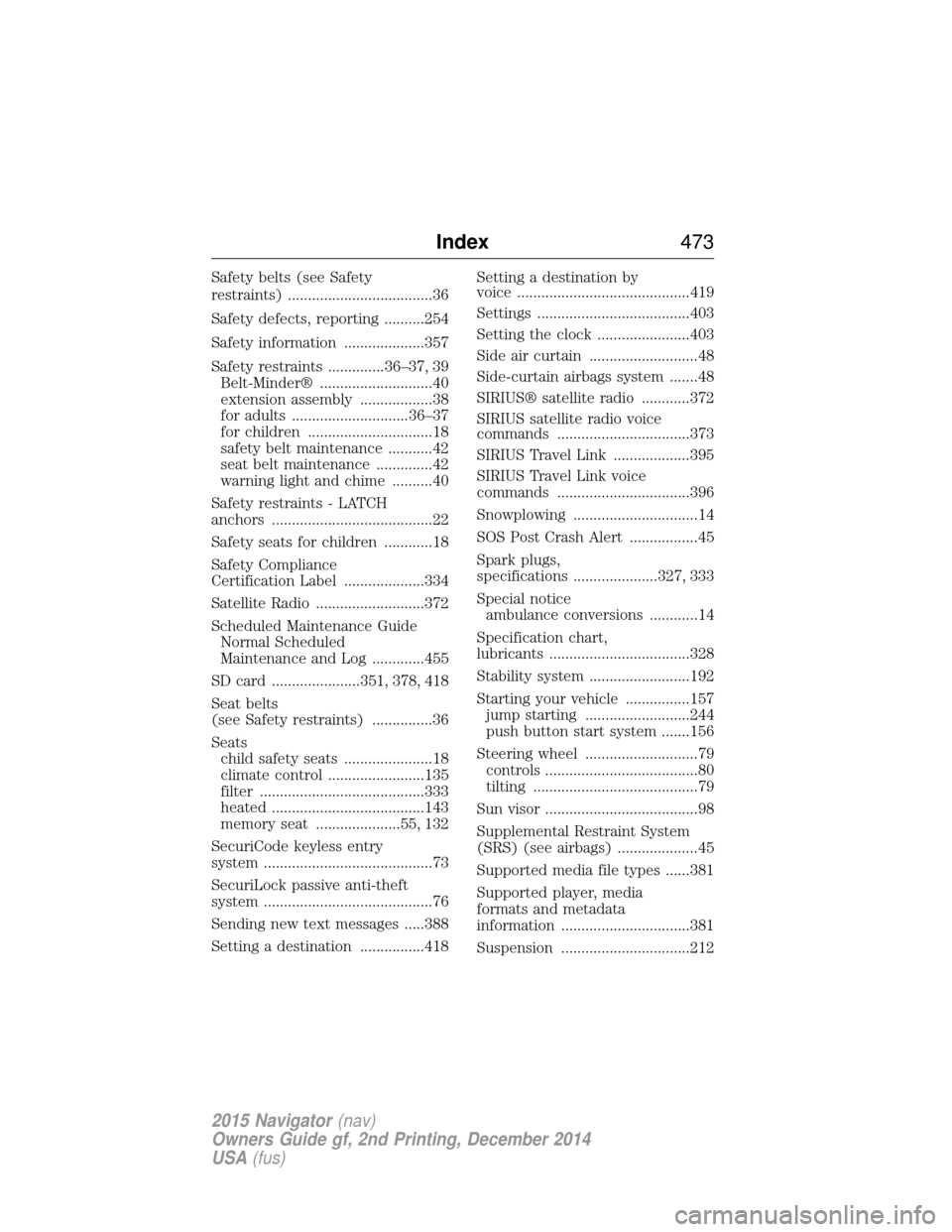
Safety belts (see Safety
restraints) ....................................36
Safety defects, reporting ..........254
Safety information ....................357
Safety restraints ..............36–37, 39Belt-Minder® ............................40
extension assembly ..................38
for adults .............................36–37
for children ...............................18
safety belt maintenance ...........42
seat belt maintenance ..............42
warning light and chime ..........40
Safety restraints - LATCH
anchors ........................................22
Safety seats for children ............18
Safety Compliance
Certification Label ....................334
Satellite Radio ...........................372
Scheduled Maintenance Guide Normal Scheduled
Maintenance and Log .............455
SD card ......................351, 378, 418
Seat belts
(see Safety restraints) ...............36
Seats child safety seats ......................18
climate control ........................135
filter .........................................333
heated ......................................143
memory seat .....................55, 132
SecuriCode keyless entry
system ..........................................73
SecuriLock passive anti-theft
system ..........................................76
Sending new text messages .....388
Setting a destination ................418 Setting a destination by
voice ...........................................419
Settings ......................................403
Setting the clock .......................403
Side air curtain ...........................48
Side-curtain airbags system .......48
SIRIUS® satellite radio ............372
SIRIUS satellite radio voice
commands .................................373
SIRIUS Travel Link ...................395
SIRIUS Travel Link voice
commands .................................396
Snowplowing ...............................14
SOS Post Crash Alert .................45
Spark plugs,
specifications .....................327, 333
Special notice
ambulance conversions ............14
Specification chart,
lubricants ...................................328
Stability system .........................192
Starting your vehicle ................157 jump starting ..........................244
push button start system .......156
Steering wheel ............................79 controls ......................................80
tilting .........................................79
Sun visor ......................................98
Supplemental Restraint System
(SRS) (see airbags) ....................45
Supported media file types ......381
Supported player, media
formats and metadata
information ................................381
Suspension ................................212
Index 473
2015 Navigator(nav)
Owners Guide gf, 2nd Printing, December 2014
USA (fus)