service LINCOLN NAVIGATOR 2015 User Guide
[x] Cancel search | Manufacturer: LINCOLN, Model Year: 2015, Model line: NAVIGATOR, Model: LINCOLN NAVIGATOR 2015Pages: 475, PDF Size: 5.13 MB
Page 77 of 475
SECURILOCK® PASSIVE ANTI-THEFT SYSTEM
Note:The system is not compatible with non-Ford aftermarket remote
start systems. Use of these systems may result in vehicle starting
problems and a loss of security protection.
Note: Metallic objects, electronic devices or a second coded key on the
same key chain may cause vehicle starting issues if they are too close to
the key when starting your vehicle. Prevent these objects from touching
the coded key while starting the engine. Switch the ignition off, move all
objects on the key chain away from the coded key and restart your
vehicle if a problem occurs.
Note: Do not leave a duplicate coded key in your vehicle. Always take
your keys and lock all doors when leaving your vehicle.
The system helps prevent the engine from starting unless you use a
coded key programmed to your vehicle. Using the wrong key may
prevent your vehicle from starting. A message may appear in the
information display.
If you are unable to start your vehicle with a correctly coded key, a
malfunction has occurred. A message may appear in the information
display.
Automatic Arming
Your vehicle arms immediately after you switch the ignition off.
Anti-Theft Indicator
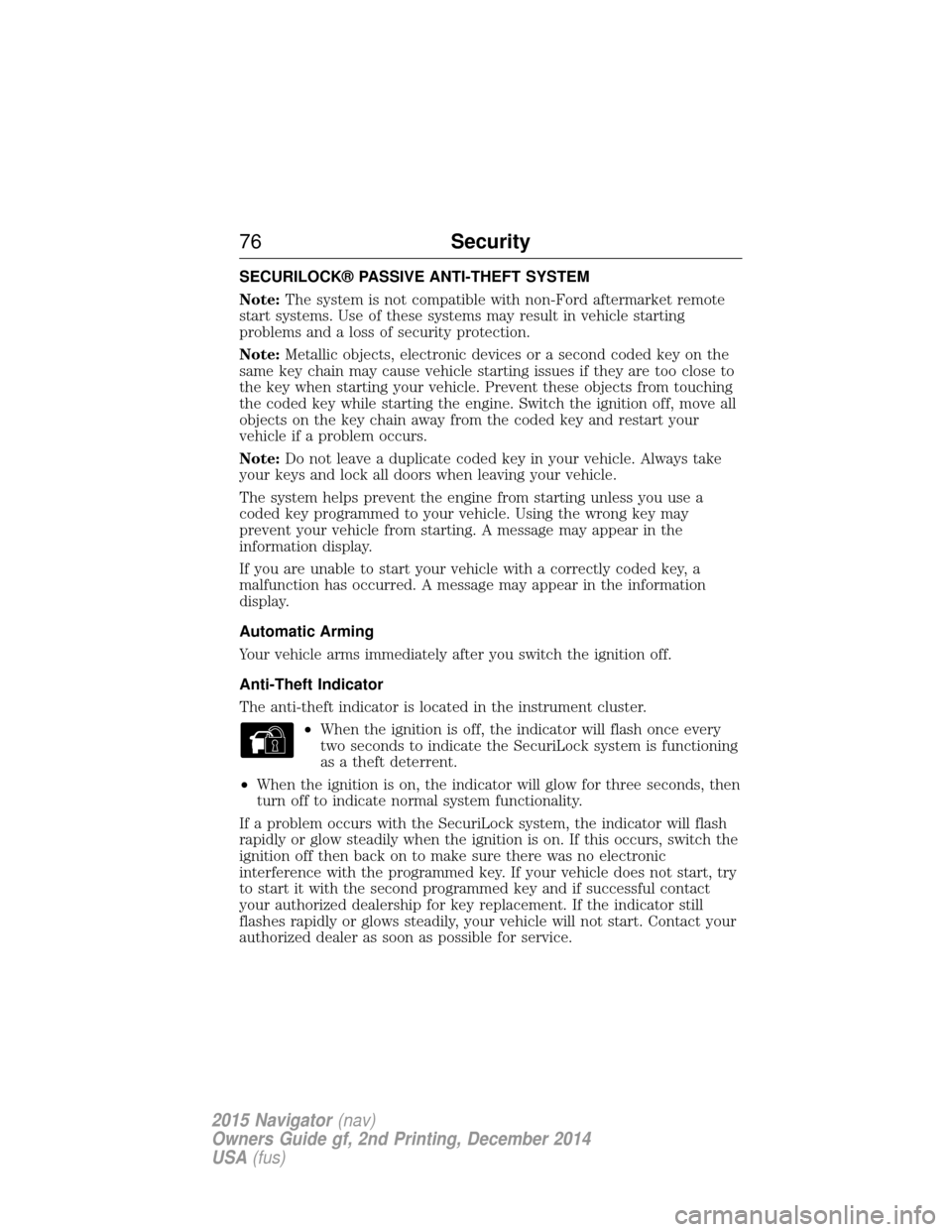
The anti-theft indicator is located in the instrument cluster.
•When the ignition is off, the indicator will flash once every
two seconds to indicate the SecuriLock system is functioning
as a theft deterrent.
• When the ignition is on, the indicator will glow for three seconds, then
turn off to indicate normal system functionality.
If a problem occurs with the SecuriLock system, the indicator will flash
rapidly or glow steadily when the ignition is on. If this occurs, switch the
ignition off then back on to make sure there was no electronic
interference with the programmed key. If your vehicle does not start, try
to start it with the second programmed key and if successful contact
your authorized dealership for key replacement. If the indicator still
flashes rapidly or glows steadily, your vehicle will not start. Contact your
authorized dealer as soon as possible for service.
76 Security
2015 Navigator(nav)
Owners Guide gf, 2nd Printing, December 2014
USA (fus)
Page 104 of 475
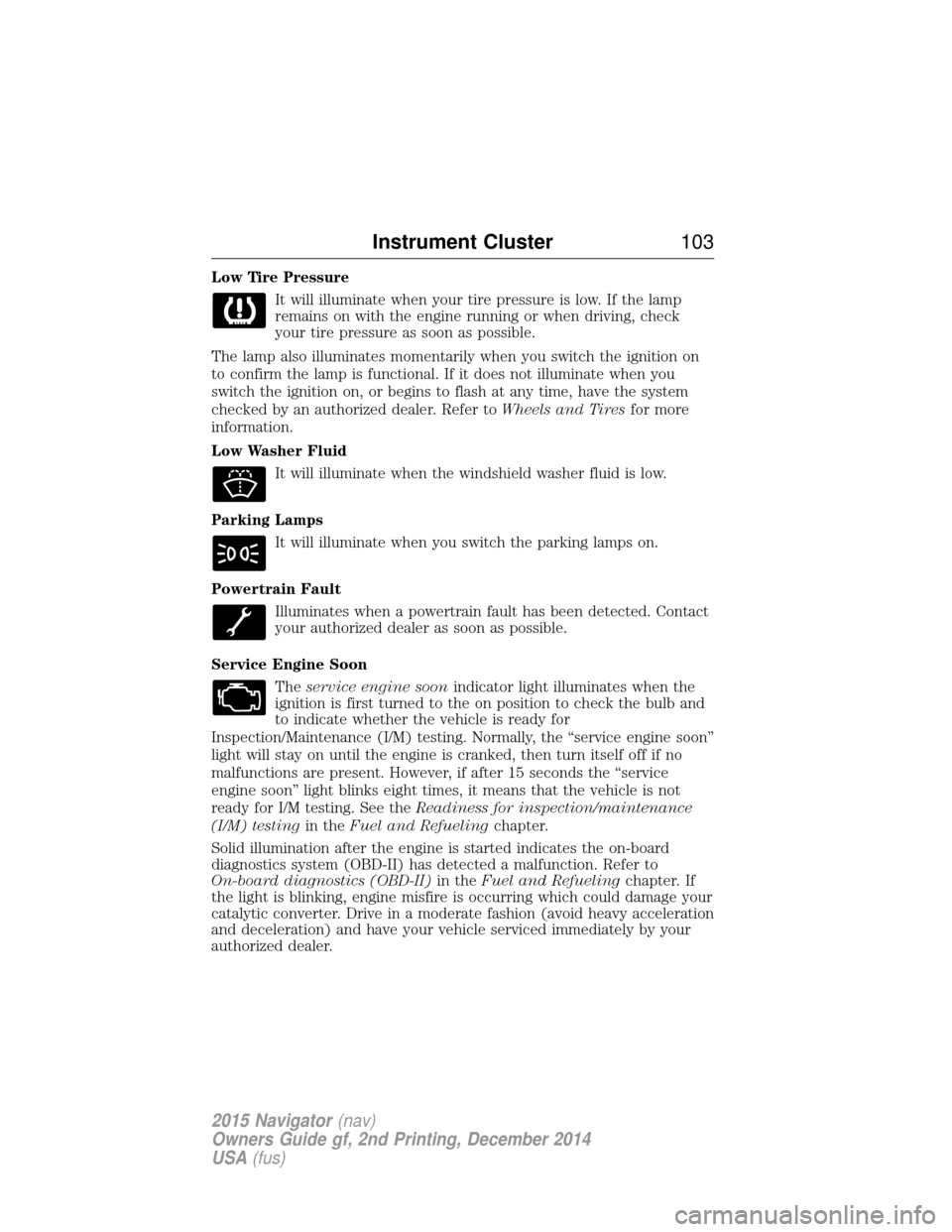
Low Tire PressureIt will illuminate when your tire pressure is low. If the lamp
remains on with the engine running or when driving, check
your tire pressure as soon as possible.
The lamp also illuminates momentarily when you switch the ignition on
to confirm the lamp is functional. If it does not illuminate when you
switch the ignition on, or begins to flash at any time, have the system
checked by an authorized dealer. Refer to Wheels and Tiresfor more
information.
Low Washer Fluid
It will illuminate when the windshield washer fluid is low.
Parking Lamps It will illuminate when you switch the parking lamps on.
Powertrain Fault Illuminates when a powertrain fault has been detected. Contact
your authorized dealer as soon as possible.
Service Engine Soon Theservice engine soon indicator light illuminates when the
ignition is first turned to the on position to check the bulb and
to indicate whether the vehicle is ready for
Inspection/Maintenance (I/M) testing. Normally, the “service engine soon”
light will stay on until the engine is cranked, then turn itself off if no
malfunctions are present. However, if after 15 seconds the “service
engine soon” light blinks eight times, it means that the vehicle is not
ready for I/M testing. See the Readiness for inspection/maintenance
(I/M) testing in theFuel and Refueling chapter.
Solid illumination after the engine is started indicates the on-board
diagnostics system (OBD-II) has detected a malfunction. Refer to
On-board diagnostics (OBD-II) in theFuel and Refueling chapter. If
the light is blinking, engine misfire is occurring which could damage your
catalytic converter. Drive in a moderate fashion (avoid heavy acceleration
and deceleration) and have your vehicle serviced immediately by your
authorized dealer.
Instrument Cluster 103
2015 Navigator(nav)
Owners Guide gf, 2nd Printing, December 2014
USA (fus)
Page 105 of 475
WARNING:Under engine misfire conditions, excessive exhaust
temperatures could damage the catalytic converter, the fuel
system, interior floor coverings or other vehicle components, possibly
causing a fire. Have an authorized dealer service your vehicle
immediately.
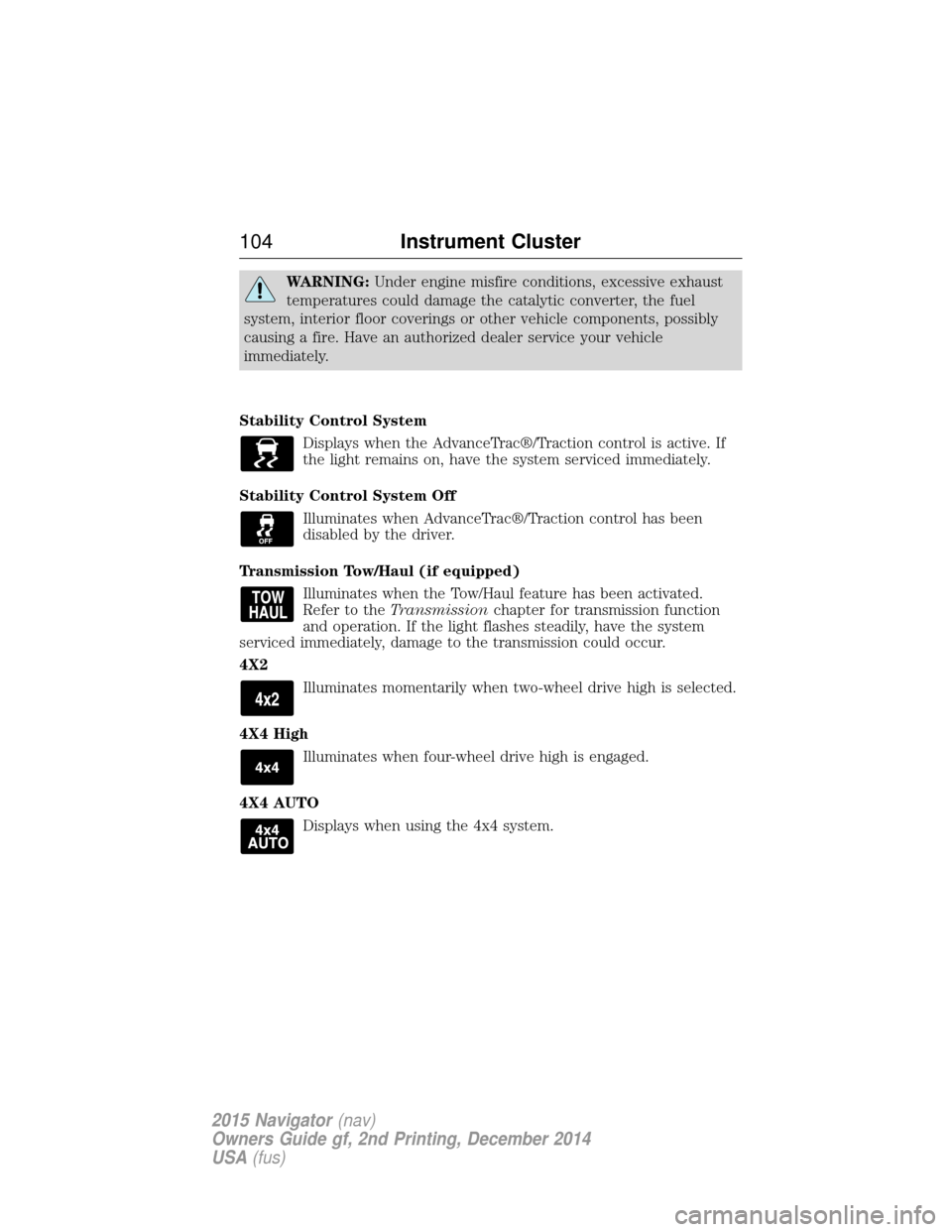
Stability Control System Displays when the AdvanceTrac®/Traction control is active. If
the light remains on, have the system serviced immediately.
Stability Control System Off Illuminates when AdvanceTrac®/Traction control has been
disabled by the driver.
Transmission Tow/Haul (if equipped) Illuminates when the Tow/Haul feature has been activated.
Refer to the Transmission chapter for transmission function
and operation. If the light flashes steadily, have the system
serviced immediately, damage to the transmission could occur.
4X2
Illuminates momentarily when two-wheel drive high is selected.
4X4 High Illuminates when four-wheel drive high is engaged.
4X4 AUTO Displays when using the 4x4 system.
104 Instrument Cluster
2015 Navigator(nav)
Owners Guide gf, 2nd Printing, December 2014
USA (fus)
Page 112 of 475
INFORMATION MESSAGES
Note:Depending on the vehicle options equipped with your vehicle, not
all of the messages will display or be available. Certain messages may be
abbreviated or shortened depending upon which cluster type you have.
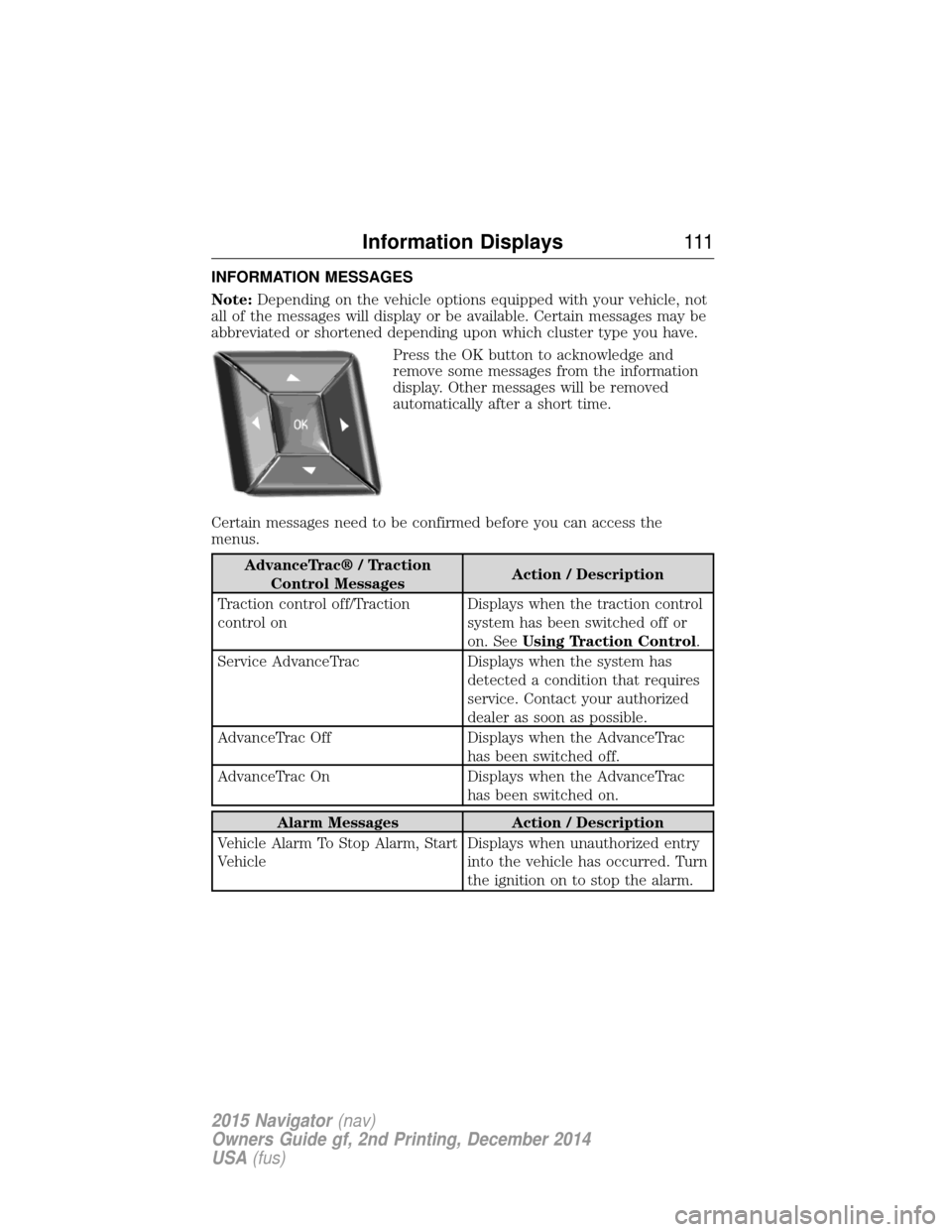
Press the OK button to acknowledge and
remove some messages from the information
display. Other messages will be removed
automatically after a short time.
Certain messages need to be confirmed before you can access the
menus.
AdvanceTrac® / Traction Control Messages Action / Description
Traction control off/Traction
control on Displays when the traction control
system has been switched off or
on. See
Using Traction Control .
Service AdvanceTrac Displays when the system has detected a condition that requires
service. Contact your authorized
dealer as soon as possible.
AdvanceTrac Off Displays when the AdvanceTrac has been switched off.
AdvanceTrac On Displays when the AdvanceTrac has been switched on.
Alarm MessagesAction / Description
Vehicle Alarm To Stop Alarm, Start
Vehicle Displays when unauthorized entry
into the vehicle has occurred. Turn
the ignition on to stop the alarm.
Information Displays
111
2015 Navigator(nav)
Owners Guide gf, 2nd Printing, December 2014
USA (fus)
Page 116 of 475
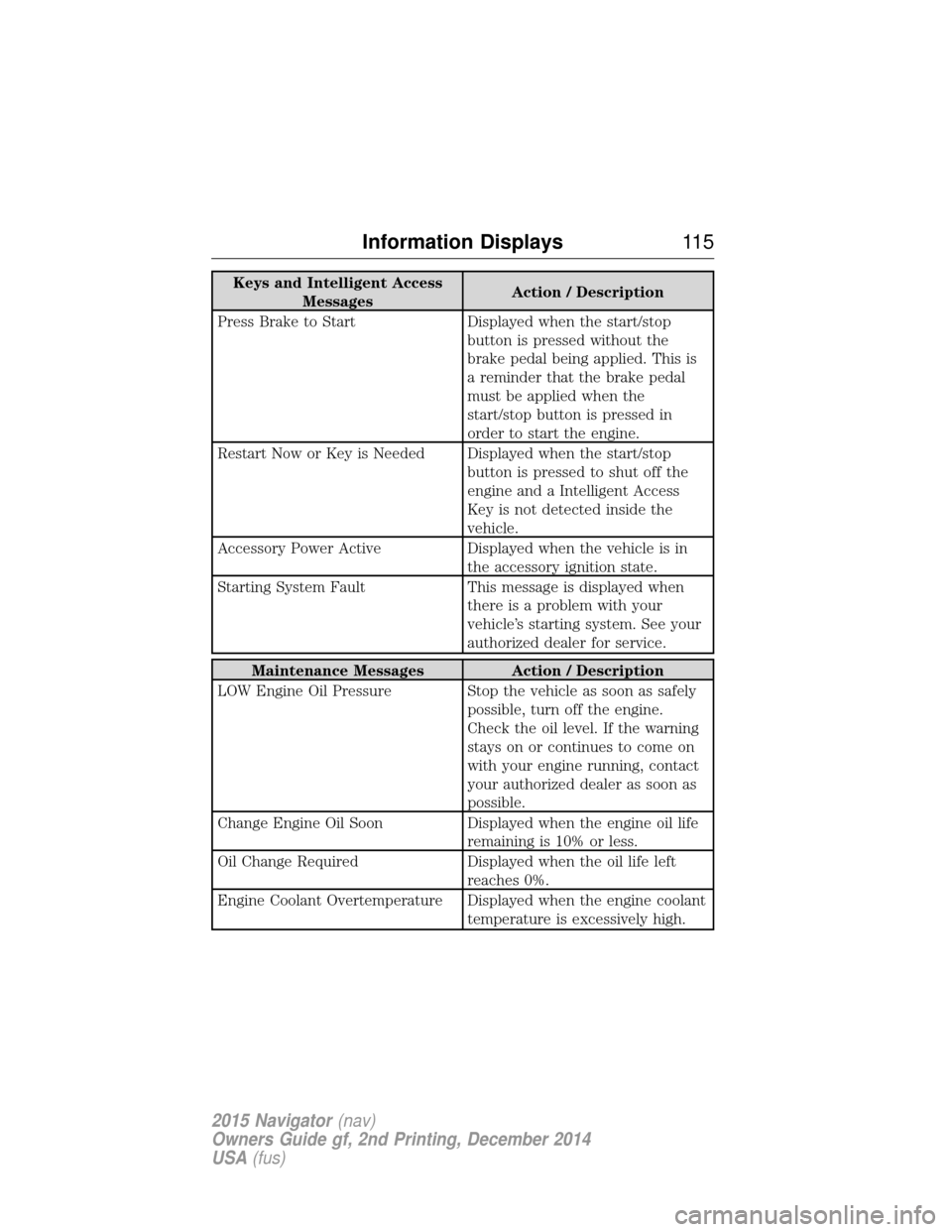
Keys and Intelligent AccessMessages Action / Description
Press Brake to Start Displayed when the start/stop button is pressed without the
brake pedal being applied. This is
a reminder that the brake pedal
must be applied when the
start/stop button is pressed in
order to start the engine.
Restart Now or Key is Needed Displayed when the start/stop button is pressed to shut off the
engine and a Intelligent Access
Key is not detected inside the
vehicle.
Accessory Power Active Displayed when the vehicle is in the accessory ignition state.
Starting System Fault This message is displayed when there is a problem with your
vehicle’s starting system. See your
authorized dealer for service.
Maintenance Messages Action / Description
LOW Engine Oil Pressure Stop the vehicle as soon as safely possible, turn off the engine.
Check the oil level. If the warning
stays on or continues to come on
with your engine running, contact
your authorized dealer as soon as
possible.
Change Engine Oil Soon Displayed when the engine oil life
remaining is 10% or less.
Oil Change Required Displayed when the oil life left
reaches 0%.
Engine Coolant Overtemperature Displayed when the engine coolant temperature is excessively high.
Information Displays11 5
2015 Navigator(nav)
Owners Guide gf, 2nd Printing, December 2014
USA (fus)
Page 117 of 475
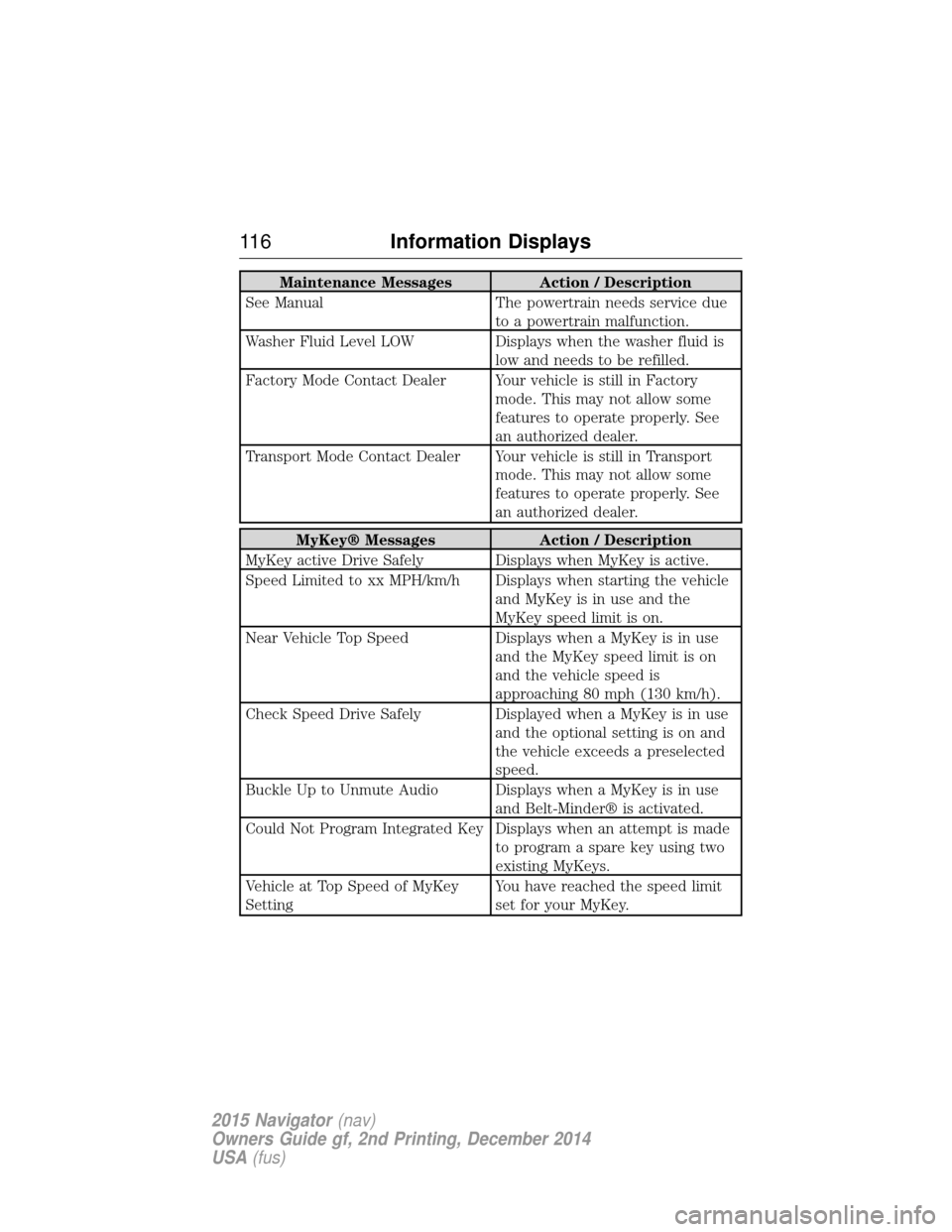
Maintenance MessagesAction / Description
See Manual The powertrain needs service due
to a powertrain malfunction.
Washer Fluid Level LOW Displays when the washer fluid is
low and needs to be refilled.
Factory Mode Contact Dealer Your vehicle is still in Factory mode. This may not allow some
features to operate properly. See
an authorized dealer.
Transport Mode Contact Dealer Your vehicle is still in Transport mode. This may not allow some
features to operate properly. See
an authorized dealer.
MyKey® MessagesAction / Description
MyKey active Drive Safely Displays when MyKey is active.
Speed Limited to xx MPH/km/h Displays when starting the vehicle and MyKey is in use and the
MyKey speed limit is on.
Near Vehicle Top Speed Displays when a MyKey is in use
and the MyKey speed limit is on
and the vehicle speed is
approaching 80 mph (130 km/h).
Check Speed Drive Safely Displayed when a MyKey is in use and the optional setting is on and
the vehicle exceeds a preselected
speed.
Buckle Up to Unmute Audio Displays when a MyKey is in use and Belt-Minder® is activated.
Could Not Program Integrated Key Displays when an attempt is made to program a spare key using two
existing MyKeys.
Vehicle at Top Speed of MyKey
Setting You have reached the speed limit
set for your MyKey.
11 6
Information Displays
2015 Navigator (nav)
Owners Guide gf, 2nd Printing, December 2014
USA (fus)
Page 119 of 475
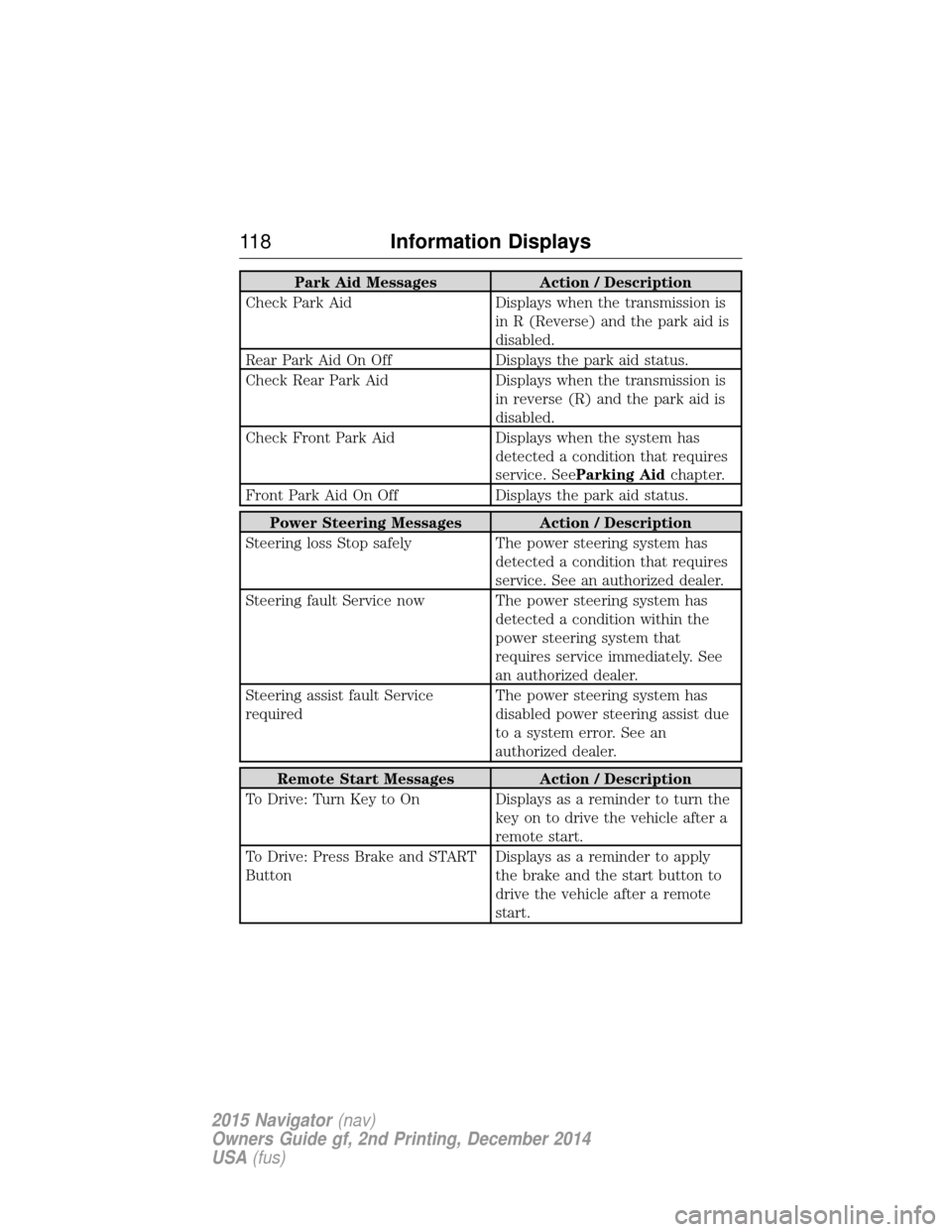
Park Aid MessagesAction / Description
Check Park Aid Displays when the transmission is
in R (Reverse) and the park aid is
disabled.
Rear Park Aid On Off Displays the park aid status.
Check Rear Park Aid Displays when the transmission is
in reverse (R) and the park aid is
disabled.
Check Front Park Aid Displays when the system has
detected a condition that requires
service. See Parking Aid chapter.
Front Park Aid On Off Displays the park aid status.
Power Steering Messages Action / Description
Steering loss Stop safely The power steering system has
detected a condition that requires
service. See an authorized dealer.
Steering fault Service now The power steering system has detected a condition within the
power steering system that
requires service immediately. See
an authorized dealer.
Steering assist fault Service
required The power steering system has
disabled power steering assist due
to a system error. See an
authorized dealer.
Remote Start Messages
Action / Description
To Drive: Turn Key to On Displays as a reminder to turn the key on to drive the vehicle after a
remote start.
To Drive: Press Brake and START
Button Displays as a reminder to apply
the brake and the start button to
drive the vehicle after a remote
start.
11 8
Information Displays
2015 Navigator (nav)
Owners Guide gf, 2nd Printing, December 2014
USA (fus)
Page 120 of 475
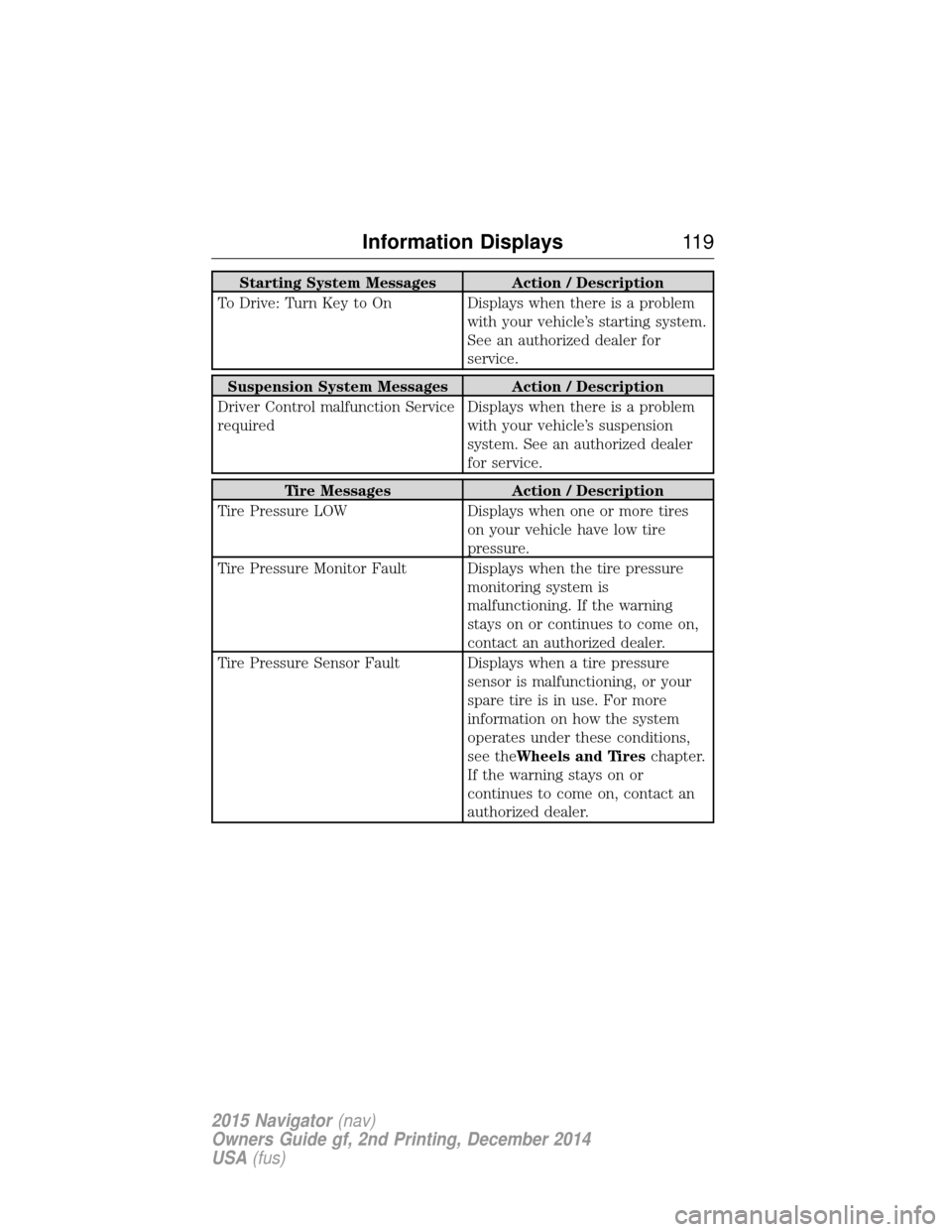
Starting System Messages Action / Description
To Drive: Turn Key to On Displays when there is a problem with your vehicle’s starting system.
See an authorized dealer for
service.
Suspension System Messages Action / Description
Driver Control malfunction Service
required Displays when there is a problem
with your vehicle’s suspension
system. See an authorized dealer
for service.
Tire Messages
Action / Description
Tire Pressure LOW Displays when one or more tires
on your vehicle have low tire
pressure.
Tire Pressure Monitor Fault Displays when the tire pressure monitoring system is
malfunctioning. If the warning
stays on or continues to come on,
contact an authorized dealer.
Tire Pressure Sensor Fault Displays when a tire pressure sensor is malfunctioning, or your
spare tire is in use. For more
information on how the system
operates under these conditions,
see theWheels and Tireschapter.
If the warning stays on or
continues to come on, contact an
authorized dealer.
Information Displays 11 9
2015 Navigator(nav)
Owners Guide gf, 2nd Printing, December 2014
USA (fus)
Page 165 of 475
Note:Use of any fuel other than recommended fuel can cause
powertrain damage, impair the emission control system or cause loss of
vehicle performance. Any damage to the vehicle that is caused by the
use of fuel not recommended will not be covered under warranty.
Octane Recommendations
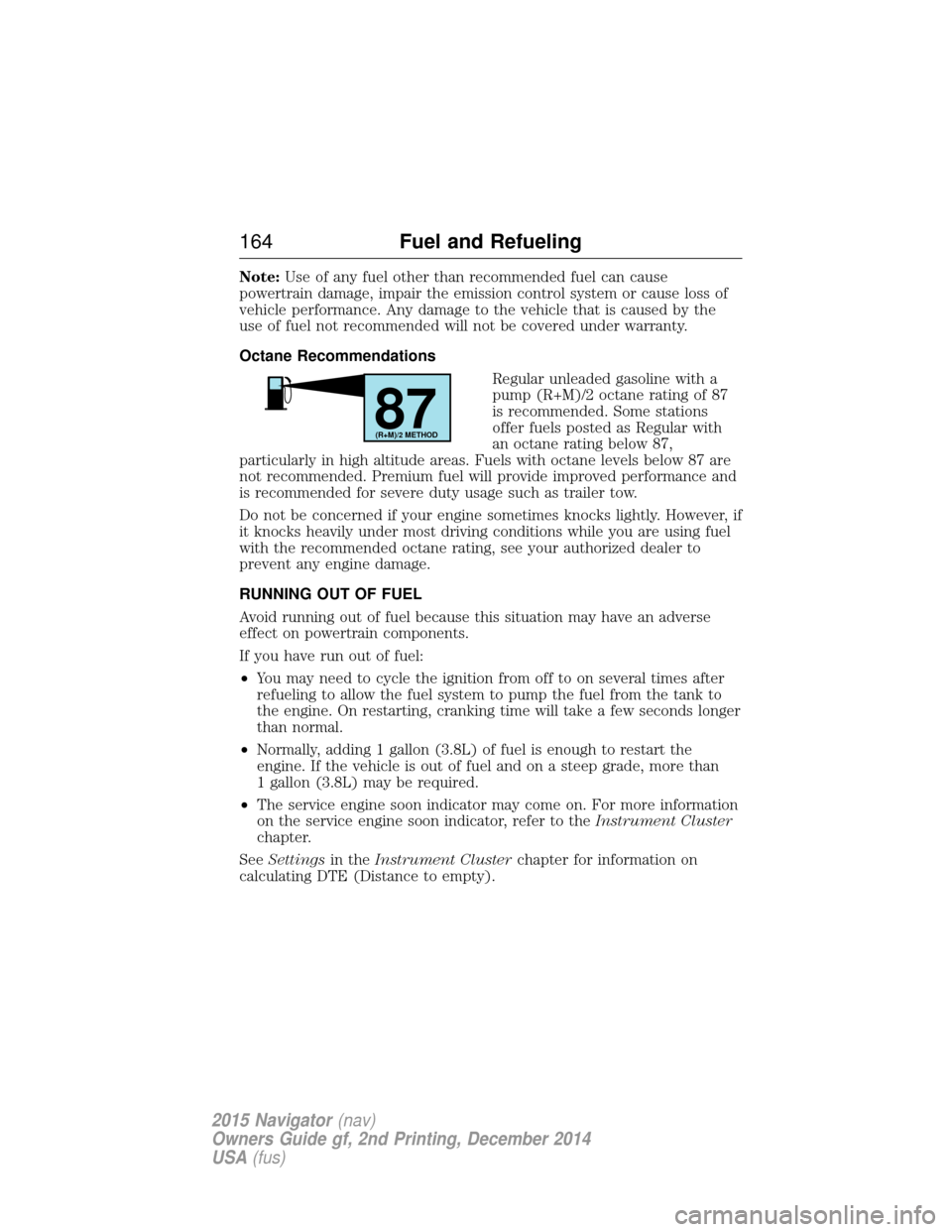
Regular unleaded gasoline with a
pump (R+M)/2 octane rating of 87
is recommended. Some stations
offer fuels posted as Regular with
an octane rating below 87,
particularly in high altitude areas. Fuels with octane levels below 87 are
not recommended. Premium fuel will provide improved performance and
is recommended for severe duty usage such as trailer tow.
Do not be concerned if your engine sometimes knocks lightly. However, if
it knocks heavily under most driving conditions while you are using fuel
with the recommended octane rating, see your authorized dealer to
prevent any engine damage.
RUNNING OUT OF FUEL
Avoid running out of fuel because this situation may have an adverse
effect on powertrain components.
If you have run out of fuel:
• You may need to cycle the ignition from off to on several times after
refueling to allow the fuel system to pump the fuel from the tank to
the engine. On restarting, cranking time will take a few seconds longer
than normal.
• Normally, adding 1 gallon (3.8L) of fuel is enough to restart the
engine. If the vehicle is out of fuel and on a steep grade, more than
1 gallon (3.8L) may be required.
• The service engine soon indicator may come on. For more information
on the service engine soon indicator, refer to the Instrument Cluster
chapter.
See Settings in theInstrument Cluster chapter for information on
calculating DTE (Distance to empty).
87(R+M)/2 METHOD
164 Fuel and Refueling
2015 Navigator(nav)
Owners Guide gf, 2nd Printing, December 2014
USA (fus)
Page 168 of 475
When fueling your vehicle:
1. Turn the engine off.
2. Open the fuel door by pulling the indent on the door.
3. Insert the fuel plug key (if equipped) into the locking plug and turn it
counterclockwise to unlock it.
4. Slowly insert the fuel filler nozzle fully into the fuel system, and leave
the nozzle fully inserted until you are done pumping.
5. After you are done pumping fuel, slowly remove the fuel filler
nozzle—allow about ten seconds after pumping fuel before removing the
fuel filler nozzle. This allows residual fuel to drain back into the fuel tank
and not spill onto the vehicle.
6. Reinstall the plug (if equipped) into the fuel fill inlet and turn the key
clockwise to lock.
Note:Do not overfill the tank or fuel spillage will occur.
If the fuel fill inlet was not properly closed, a Check Fuel Fill Inlet
message may appear on the information display. See the Information
Displays chapter for more information.
At the next opportunity, do the following:
1. Safely pull off the road.
2. Turn off the engine.
3. Open the fuel filler door and remove any visible debris from the fuel
fill opening.
4. Insert either the fuel fill nozzle or the fuel fill funnel provided with the
vehicle several times to dislodge any debris and/or allow the inlet to
close properly.
If this action corrects the problem, the message may not reset
immediately. It may take several driving cycles for the message to turn
off. A driving cycle consists of an engine start-up (after four or more
hours with the engine off) followed by city/highway driving. Continuing
to drive with the message on may cause the service engine soon lamp to
turn on as well.
Fuel and Refueling 167
2015 Navigator(nav)
Owners Guide gf, 2nd Printing, December 2014
USA (fus)