steering LINCOLN NAVIGATOR 2015 User Guide
[x] Cancel search | Manufacturer: LINCOLN, Model Year: 2015, Model line: NAVIGATOR, Model: LINCOLN NAVIGATOR 2015Pages: 475, PDF Size: 5.13 MB
Page 84 of 475
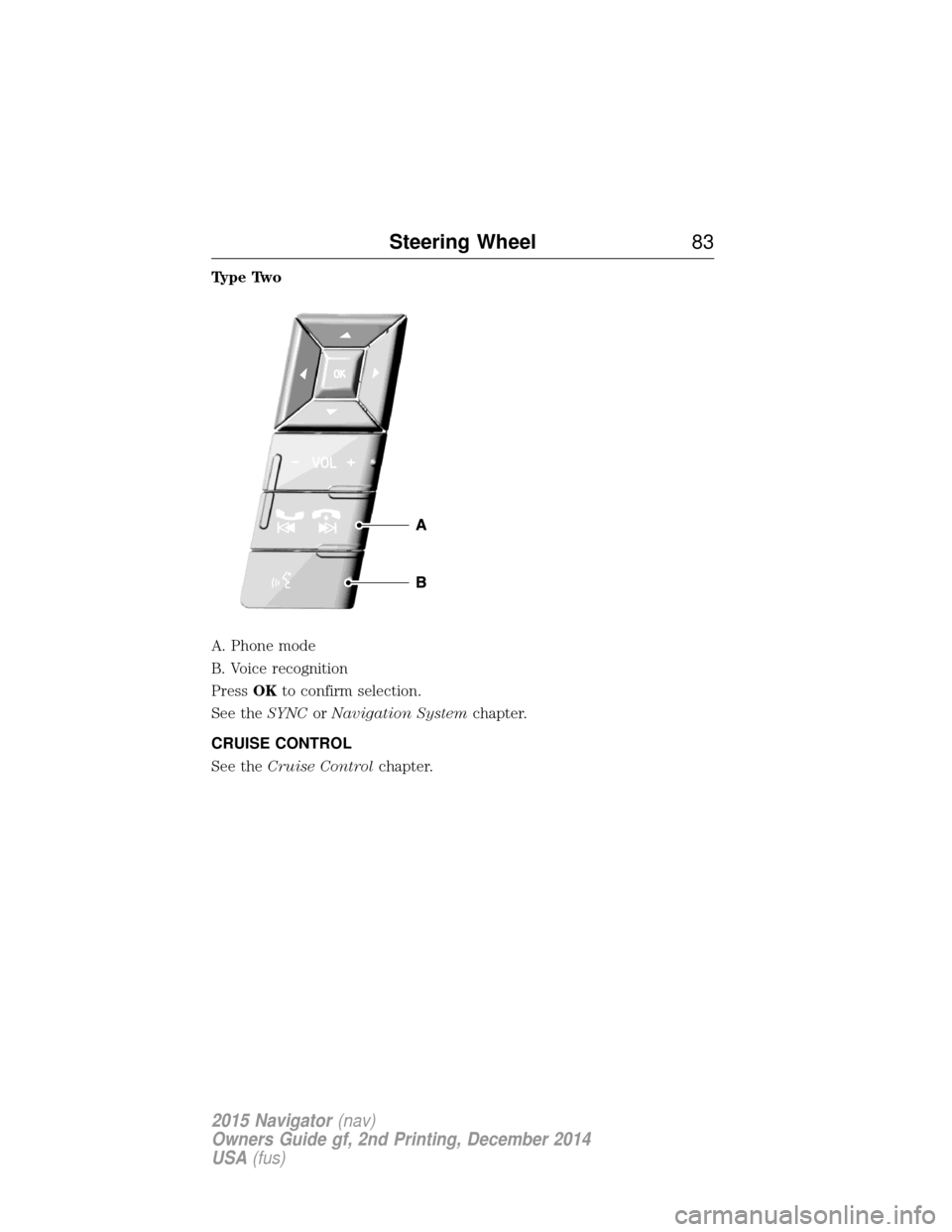
Type Two
A. Phone mode
B. Voice recognition
PressOKto confirm selection.
See the SYNCorNavigation System chapter.
CRUISE CONTROL
See the Cruise Control chapter.
Steering Wheel 83
2015 Navigator(nav)
Owners Guide gf, 2nd Printing, December 2014
USA (fus)
Page 85 of 475
ADJUSTABLE PEDALS (IF EQUIPPED)
WARNING:Never adjust the accelerator and brake pedal with
feet on the pedals while the vehicle is moving.
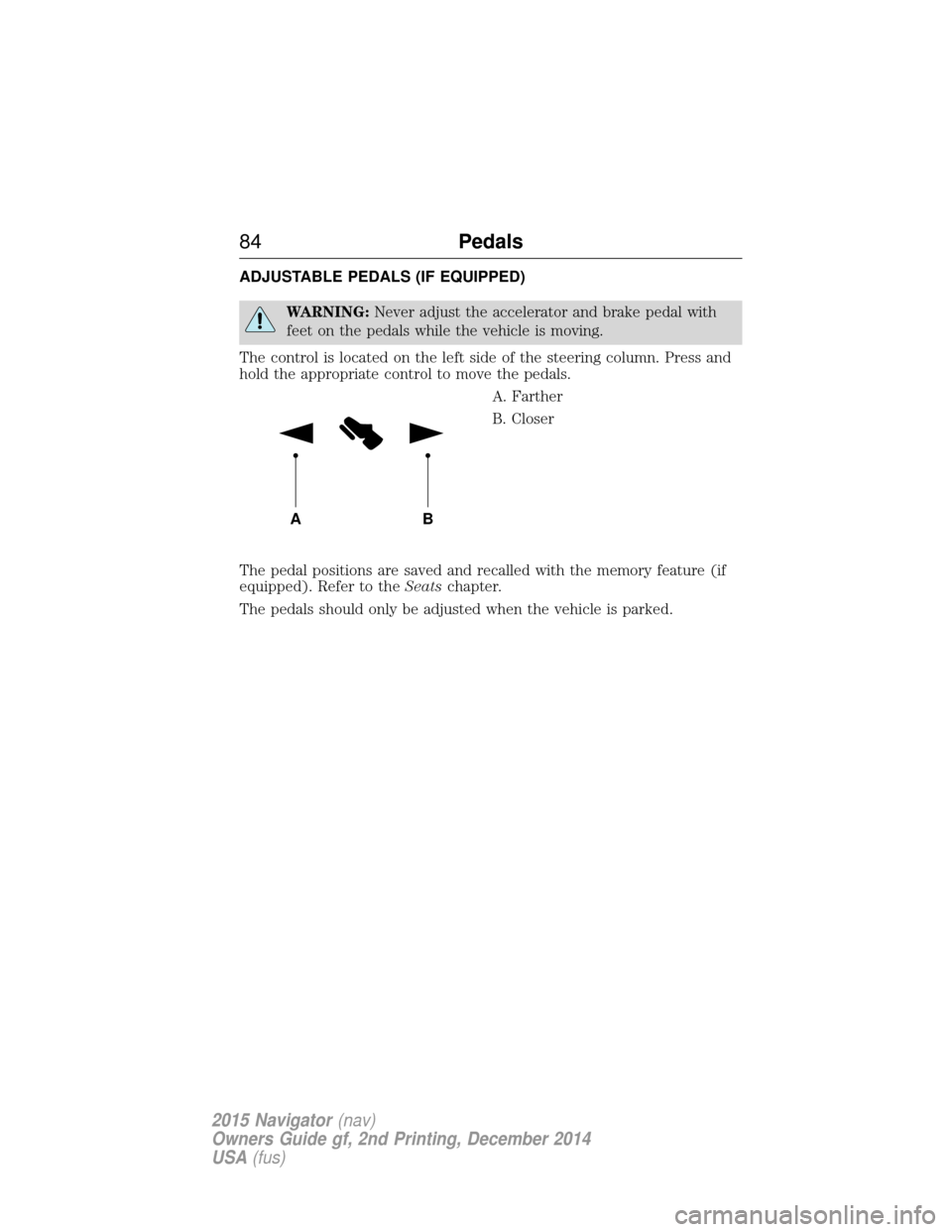
The control is located on the left side of the steering column. Press and
hold the appropriate control to move the pedals. A. Farther
B. Closer
The pedal positions are saved and recalled with the memory feature (if
equipped). Refer to the Seatschapter.
The pedals should only be adjusted when the vehicle is parked.
AB
84 Pedals
2015 Navigator(nav)
Owners Guide gf, 2nd Printing, December 2014
USA (fus)
Page 91 of 475
ADAPTIVE HEADLAMPS
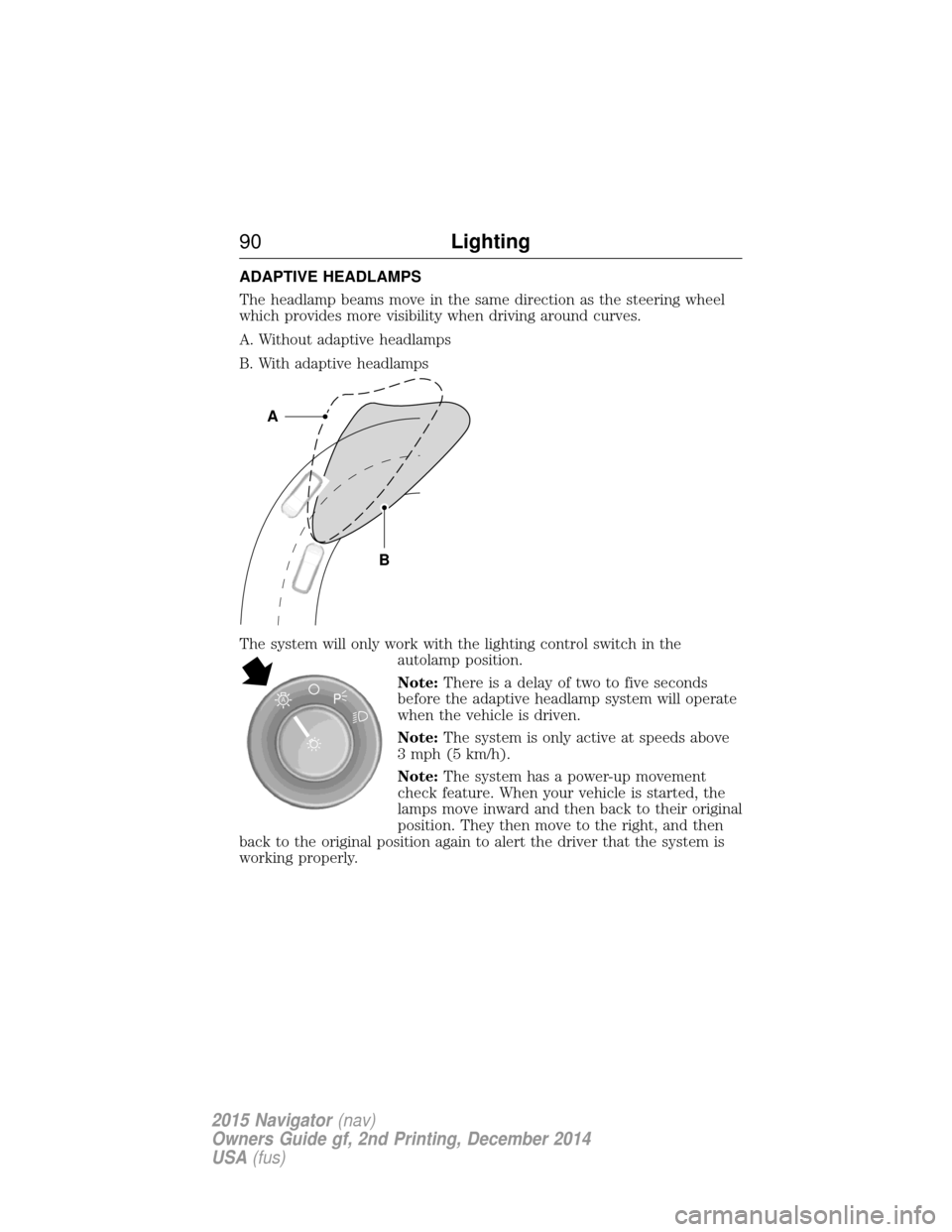
The headlamp beams move in the same direction as the steering wheel
which provides more visibility when driving around curves.
A. Without adaptive headlamps
B. With adaptive headlamps
The system will only work with the lighting control switch in theautolamp position.
Note:There is a delay of two to five seconds
before the adaptive headlamp system will operate
when the vehicle is driven.
Note: The system is only active at speeds above
3 mph (5 km/h).
Note: The system has a power-up movement
check feature. When your vehicle is started, the
lamps move inward and then back to their original
position. They then move to the right, and then
back to the original position again to alert the driver that the system is
working properly.
B
A
A
90 Lighting
2015 Navigator(nav)
Owners Guide gf, 2nd Printing, December 2014
USA (fus)
Page 107 of 475
GENERAL INFORMATION
WARNING:Driving while distracted can result in loss of vehicle
control, crash and injury. We strongly recommend that you use
extreme caution when using any device that may take your focus off
the road. Your primary responsibility is the safe operation of your
vehicle. We recommend against the use of any handheld device while
driving and encourage the use of voice-operated systems when possible.
Make sure you are aware of all applicable local laws that may affect the
use of electronic devices while driving.
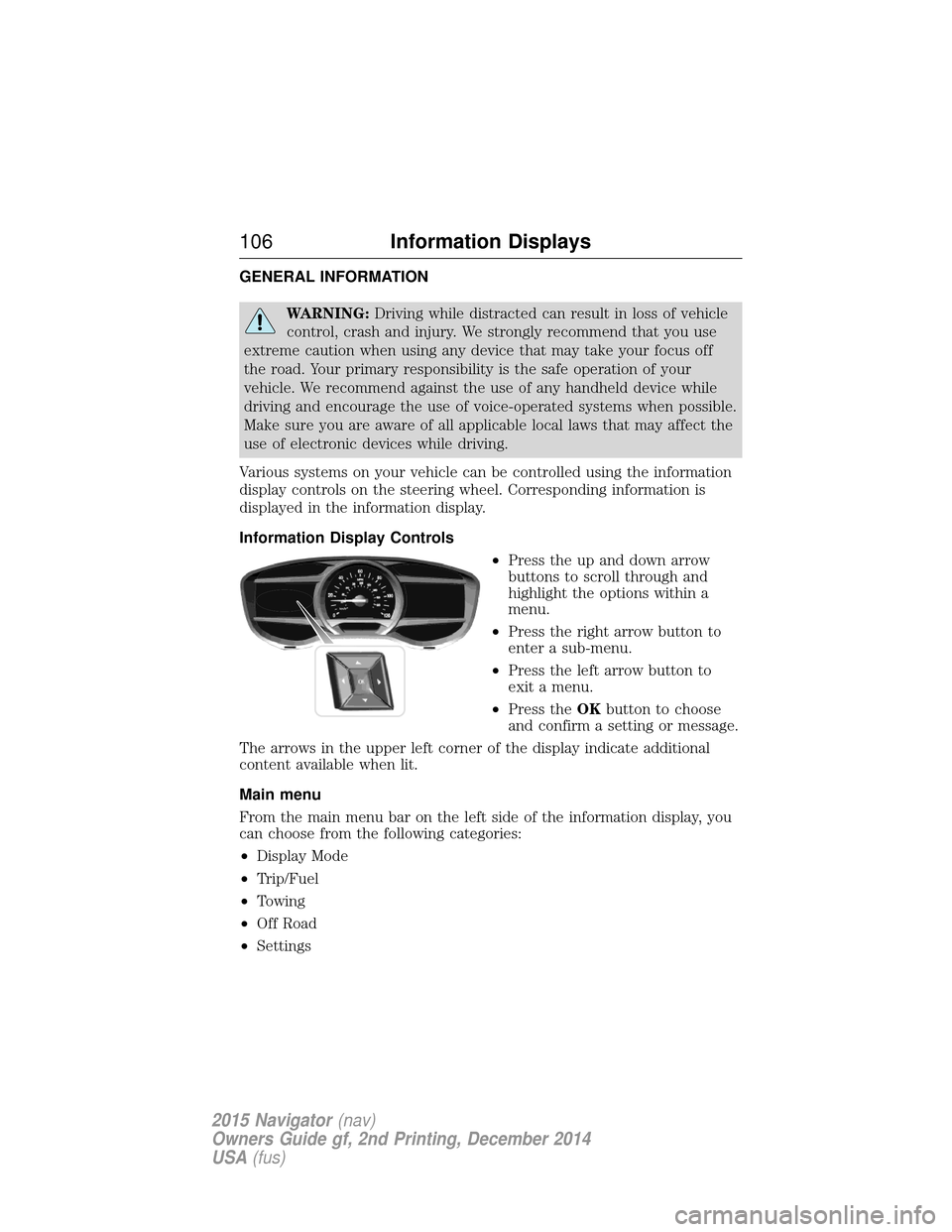
Various systems on your vehicle can be controlled using the information
display controls on the steering wheel. Corresponding information is
displayed in the information display.
Information Display Controls •Press the up and down arrow
buttons to scroll through and
highlight the options within a
menu.
• Press the right arrow button to
enter a sub-menu.
• Press the left arrow button to
exit a menu.
• Press the OKbutton to choose
and confirm a setting or message.
The arrows in the upper left corner of the display indicate additional
content available when lit.
Main menu
From the main menu bar on the left side of the information display, you
can choose from the following categories:
• Display Mode
• Trip/Fuel
• Towing
• Off Road
• Settings
106 Information Displays
2015 Navigator (nav)
Owners Guide gf, 2nd Printing, December 2014
USA (fus)
Page 119 of 475
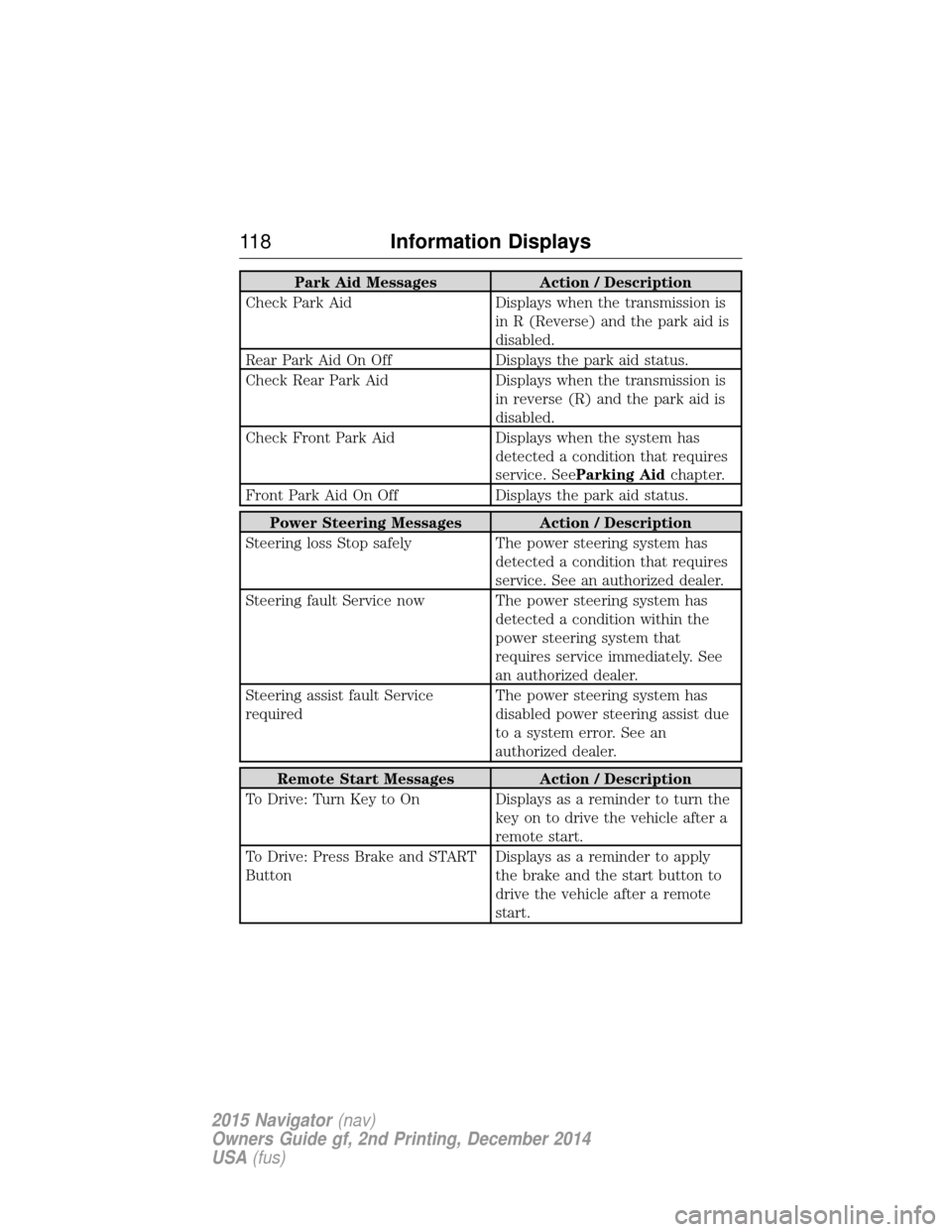
Park Aid MessagesAction / Description
Check Park Aid Displays when the transmission is
in R (Reverse) and the park aid is
disabled.
Rear Park Aid On Off Displays the park aid status.
Check Rear Park Aid Displays when the transmission is
in reverse (R) and the park aid is
disabled.
Check Front Park Aid Displays when the system has
detected a condition that requires
service. See Parking Aid chapter.
Front Park Aid On Off Displays the park aid status.
Power Steering Messages Action / Description
Steering loss Stop safely The power steering system has
detected a condition that requires
service. See an authorized dealer.
Steering fault Service now The power steering system has detected a condition within the
power steering system that
requires service immediately. See
an authorized dealer.
Steering assist fault Service
required The power steering system has
disabled power steering assist due
to a system error. See an
authorized dealer.
Remote Start Messages
Action / Description
To Drive: Turn Key to On Displays as a reminder to turn the key on to drive the vehicle after a
remote start.
To Drive: Press Brake and START
Button Displays as a reminder to apply
the brake and the start button to
drive the vehicle after a remote
start.
11 8
Information Displays
2015 Navigator (nav)
Owners Guide gf, 2nd Printing, December 2014
USA (fus)
Page 128 of 475
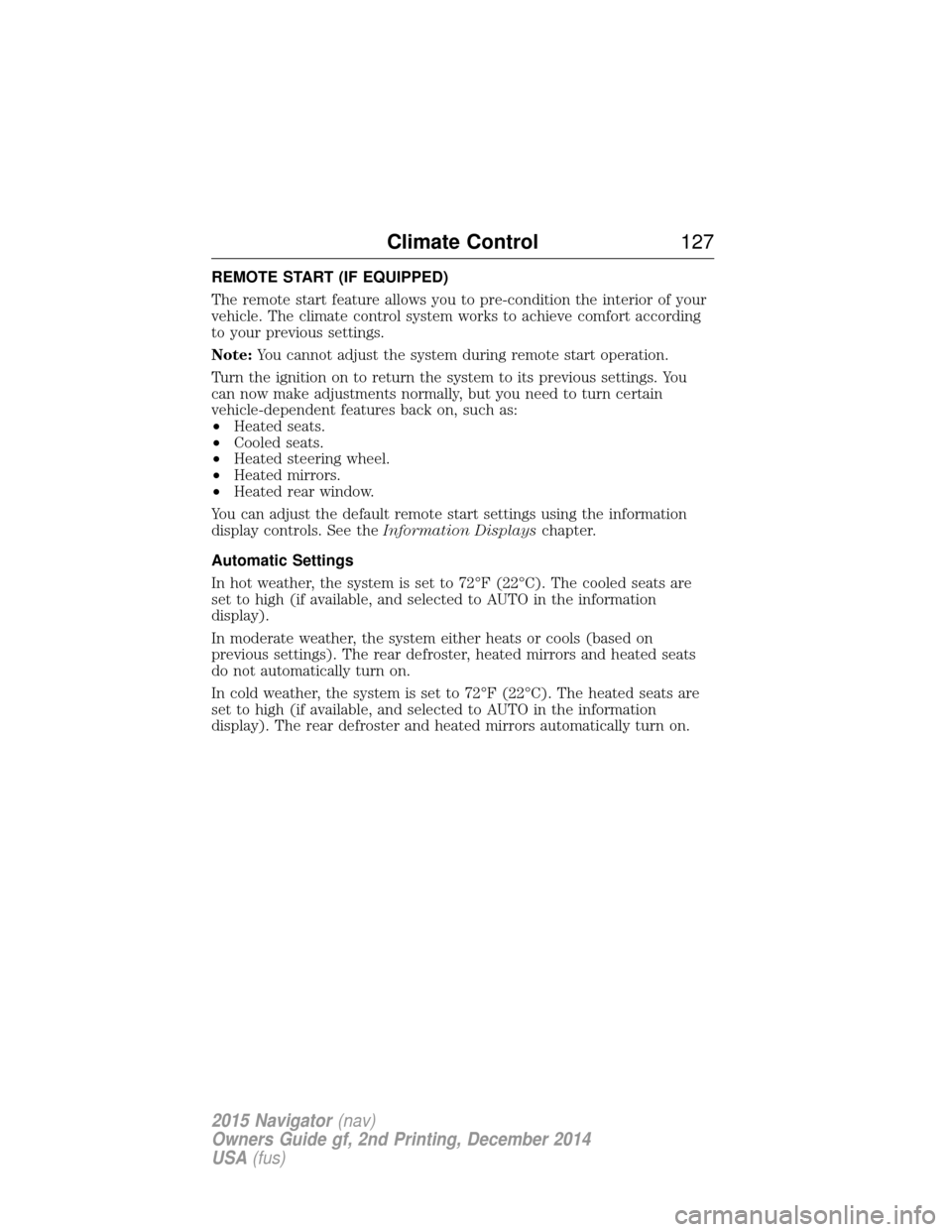
REMOTE START (IF EQUIPPED)
The remote start feature allows you to pre-condition the interior of your
vehicle. The climate control system works to achieve comfort according
to your previous settings.
Note:You cannot adjust the system during remote start operation.
Turn the ignition on to return the system to its previous settings. You
can now make adjustments normally, but you need to turn certain
vehicle-dependent features back on, such as:
• Heated seats.
• Cooled seats.
• Heated steering wheel.
• Heated mirrors.
• Heated rear window.
You can adjust the default remote start settings using the information
display controls. See the Information Displayschapter.
Automatic Settings
In hot weather, the system is set to 72°F (22°C). The cooled seats are
set to high (if available, and selected to AUTO in the information
display).
In moderate weather, the system either heats or cools (based on
previous settings). The rear defroster, heated mirrors and heated seats
do not automatically turn on.
In cold weather, the system is set to 72°F (22°C). The heated seats are
set to high (if available, and selected to AUTO in the information
display). The rear defroster and heated mirrors automatically turn on.
Climate Control 127
2015 Navigator(nav)
Owners Guide gf, 2nd Printing, December 2014
USA (fus)
Page 129 of 475
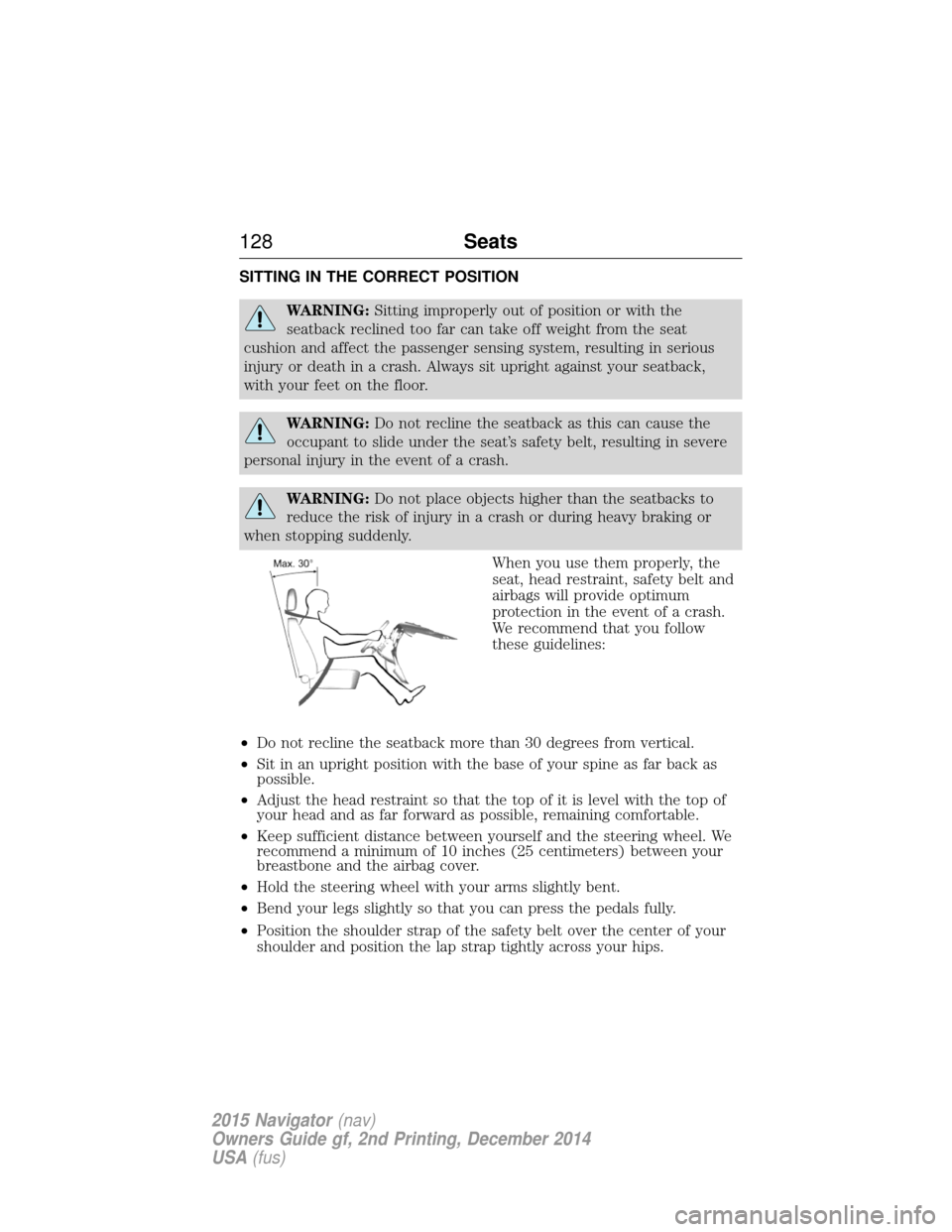
SITTING IN THE CORRECT POSITION
WARNING:Sitting improperly out of position or with the
seatback reclined too far can take off weight from the seat
cushion and affect the passenger sensing system, resulting in serious
injury or death in a crash. Always sit upright against your seatback,
with your feet on the floor.
WARNING: Do not recline the seatback as this can cause the
occupant to slide under the seat’s safety belt, resulting in severe
personal injury in the event of a crash.
WARNING: Do not place objects higher than the seatbacks to
reduce the risk of injury in a crash or during heavy braking or
when stopping suddenly.
When you use them properly, the
seat, head restraint, safety belt and
airbags will provide optimum
protection in the event of a crash.
We recommend that you follow
these guidelines:
• Do not recline the seatback more than 30 degrees from vertical.
• Sit in an upright position with the base of your spine as far back as
possible.
• Adjust the head restraint so that the top of it is level with the top of
your head and as far forward as possible, remaining comfortable.
• Keep sufficient distance between yourself and the steering wheel. We
recommend a minimum of 10 inches (25 centimeters) between your
breastbone and the airbag cover.
• Hold the steering wheel with your arms slightly bent.
• Bend your legs slightly so that you can press the pedals fully.
• Position the shoulder strap of the safety belt over the center of your
shoulder and position the lap strap tightly across your hips.
128 Seats
2015 Navigator(nav)
Owners Guide gf, 2nd Printing, December 2014
USA (fus)
Page 133 of 475
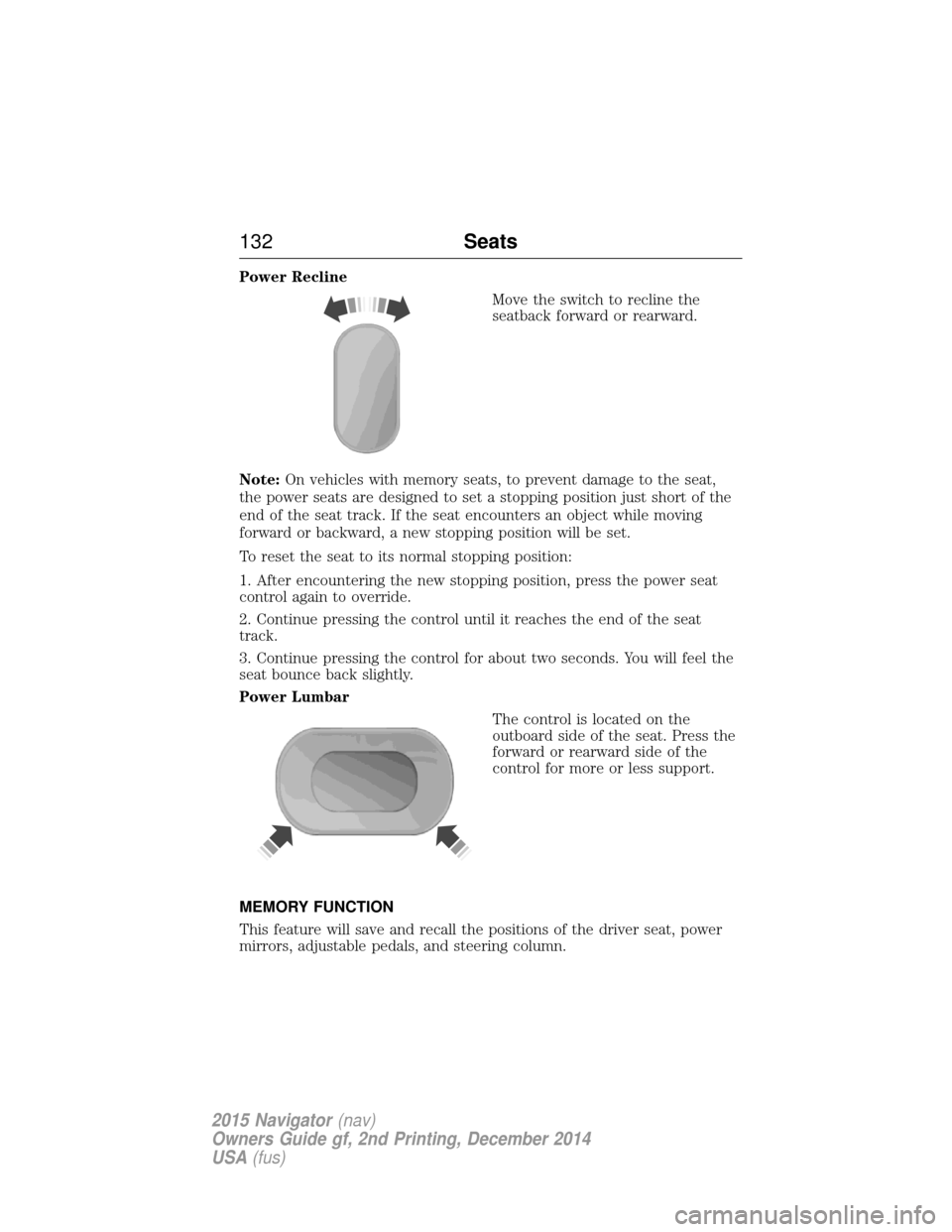
Power ReclineMove the switch to recline the
seatback forward or rearward.
Note: On vehicles with memory seats, to prevent damage to the seat,
the power seats are designed to set a stopping position just short of the
end of the seat track. If the seat encounters an object while moving
forward or backward, a new stopping position will be set.
To reset the seat to its normal stopping position:
1. After encountering the new stopping position, press the power seat
control again to override.
2. Continue pressing the control until it reaches the end of the seat
track.
3. Continue pressing the control for about two seconds. You will feel the
seat bounce back slightly.
Power Lumbar
The control is located on the
outboard side of the seat. Press the
forward or rearward side of the
control for more or less support.
MEMORY FUNCTION
This feature will save and recall the positions of the driver seat, power
mirrors, adjustable pedals, and steering column.
132 Seats
2015 Navigator(nav)
Owners Guide gf, 2nd Printing, December 2014
USA (fus)
Page 134 of 475
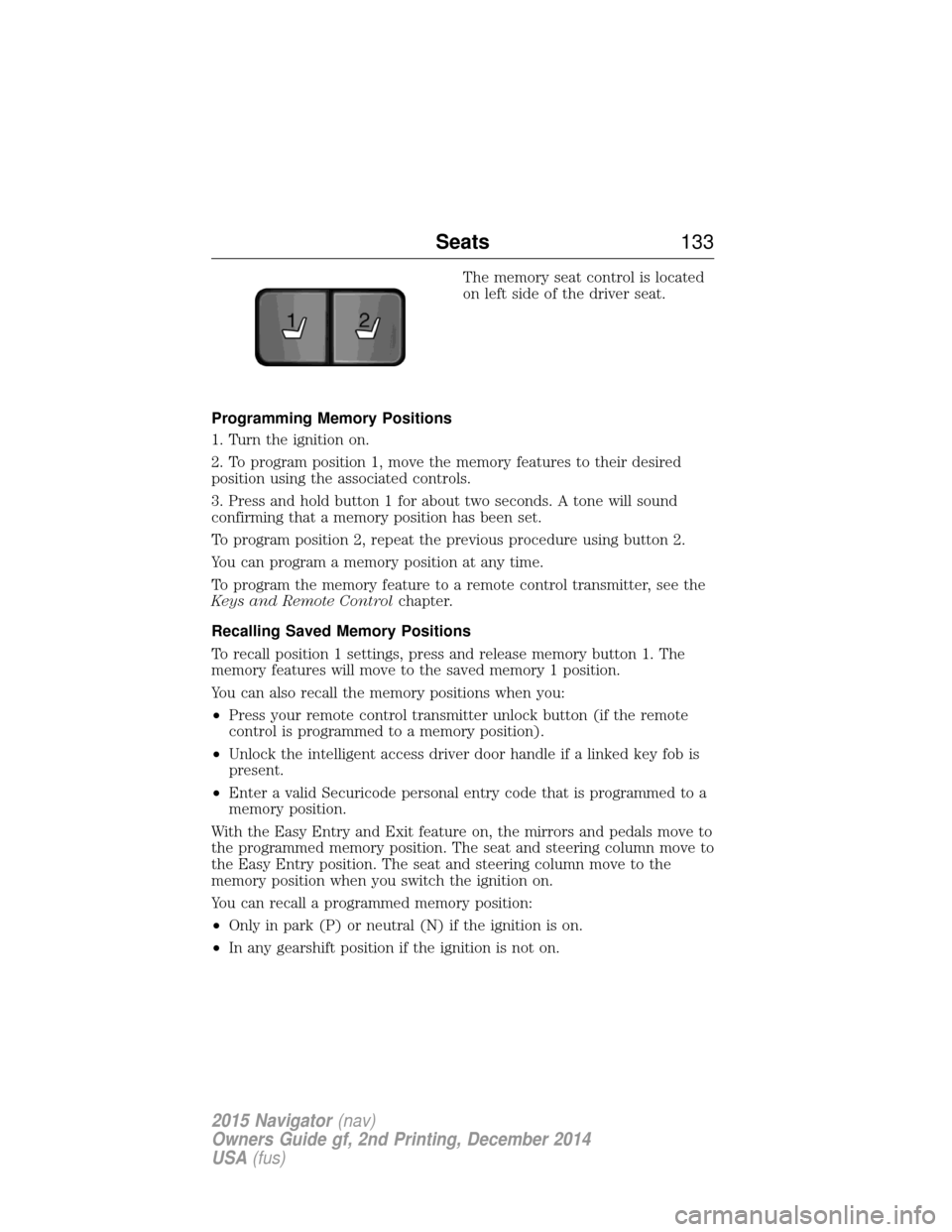
The memory seat control is located
on left side of the driver seat.
Programming Memory Positions
1. Turn the ignition on.
2. To program position 1, move the memory features to their desired
position using the associated controls.
3. Press and hold button 1 for about two seconds. A tone will sound
confirming that a memory position has been set.
To program position 2, repeat the previous procedure using button 2.
You can program a memory position at any time.
To program the memory feature to a remote control transmitter, see the
Keys and Remote Control chapter.
Recalling Saved Memory Positions
To recall position 1 settings, press and release memory button 1. The
memory features will move to the saved memory 1 position.
You can also recall the memory positions when you:
• Press your remote control transmitter unlock button (if the remote
control is programmed to a memory position).
• Unlock the intelligent access driver door handle if a linked key fob is
present.
• Enter a valid Securicode personal entry code that is programmed to a
memory position.
With the Easy Entry and Exit feature on, the mirrors and pedals move to
the programmed memory position. The seat and steering column move to
the Easy Entry position. The seat and steering column move to the
memory position when you switch the ignition on.
You can recall a programmed memory position:
• Only in park (P) or neutral (N) if the ignition is on.
• In any gearshift position if the ignition is not on.
21
Seats 133
2015 Navigator(nav)
Owners Guide gf, 2nd Printing, December 2014
USA (fus)
Page 135 of 475
Easy Entry and Exit Feature
The Easy Entry and Exit feature adjusts the position of the seat and
steering column to allow easier exit and entry to the vehicle.
The driver seat automatically moves 2 inches (5 centimeters) rearward
when the transmission is in park (P) and you switch the ignition off.
The driver seat returns to the previous position when you switch the
ignition on.
Enable or disable this feature through the information display. See the
Information Displayschapter for more information.
Climate Controlled Seats (If Equipped)
Heated Seats
WARNING: Persons who are unable to feel pain to the skin
because of advanced age, chronic illness, diabetes, spinal cord
injury, medication, alcohol use, exhaustion, or other physical conditions,
must exercise care when using the seat heater. The seat heater may
cause burns even at low temperatures, especially if used for long
periods of time. Do not place anything on the seat that insulates against
heat, such as a blanket or cushion, because this may cause the seat
heater to overheat. Do not puncture the seat with pins, needles, or
other pointed objects because this may damage the heating element
which may cause the seat heater to overheat. An overheated seat may
cause serious personal injury.
Note: Do not do the following:
• Place heavy objects on the seat.
• Operate the seat heater if water or any other liquid is spilled on the
seat. Allow the seat to dry thoroughly.
The heated seats will only function when the engine is running.
To operate the heated seats: Press the heated seat symbol to cycle through the various
heat settings and off. Warmer settings are indicated by
more indicator lights.
134 Seats
2015 Navigator(nav)
Owners Guide gf, 2nd Printing, December 2014
USA (fus)