air condition LINCOLN NAVIGATOR 2015 Owner's Manual
[x] Cancel search | Manufacturer: LINCOLN, Model Year: 2015, Model line: NAVIGATOR, Model: LINCOLN NAVIGATOR 2015Pages: 475, PDF Size: 5.13 MB
Page 308 of 475
6. Visually inspect the tires to make sure there are no nails or other
objects embedded that could poke a hole in the tire and cause an air
leak.
7. Check the sidewalls to make sure there are no gouges, cuts or bulges.
Inspecting Your Tires and Wheel Valve Stems
Periodically inspect the tire treads for uneven or excessive wear and
remove objects such as stones, nails or glass that may be wedged in the
tread grooves. Check the tire and valve stems for holes, cracks, or cuts
that may permit air leakage and repair or replace the tire and replace
the valve stem. Inspect the tire sidewalls for cracking, cuts, bruises and
other signs of damage or excessive wear. If internal damage to the tire is
suspected, have the tire demounted and inspected in case it needs to be
repaired or replaced. For your safety, tires that are damaged or show
signs of excessive wear should not be used because they are more likely
to blow out or fail.
Improper or inadequate vehicle maintenance can cause tires to wear
abnormally. Inspect all your tires, including the spare, frequently, and
replace them if one or more of the following conditions exist:
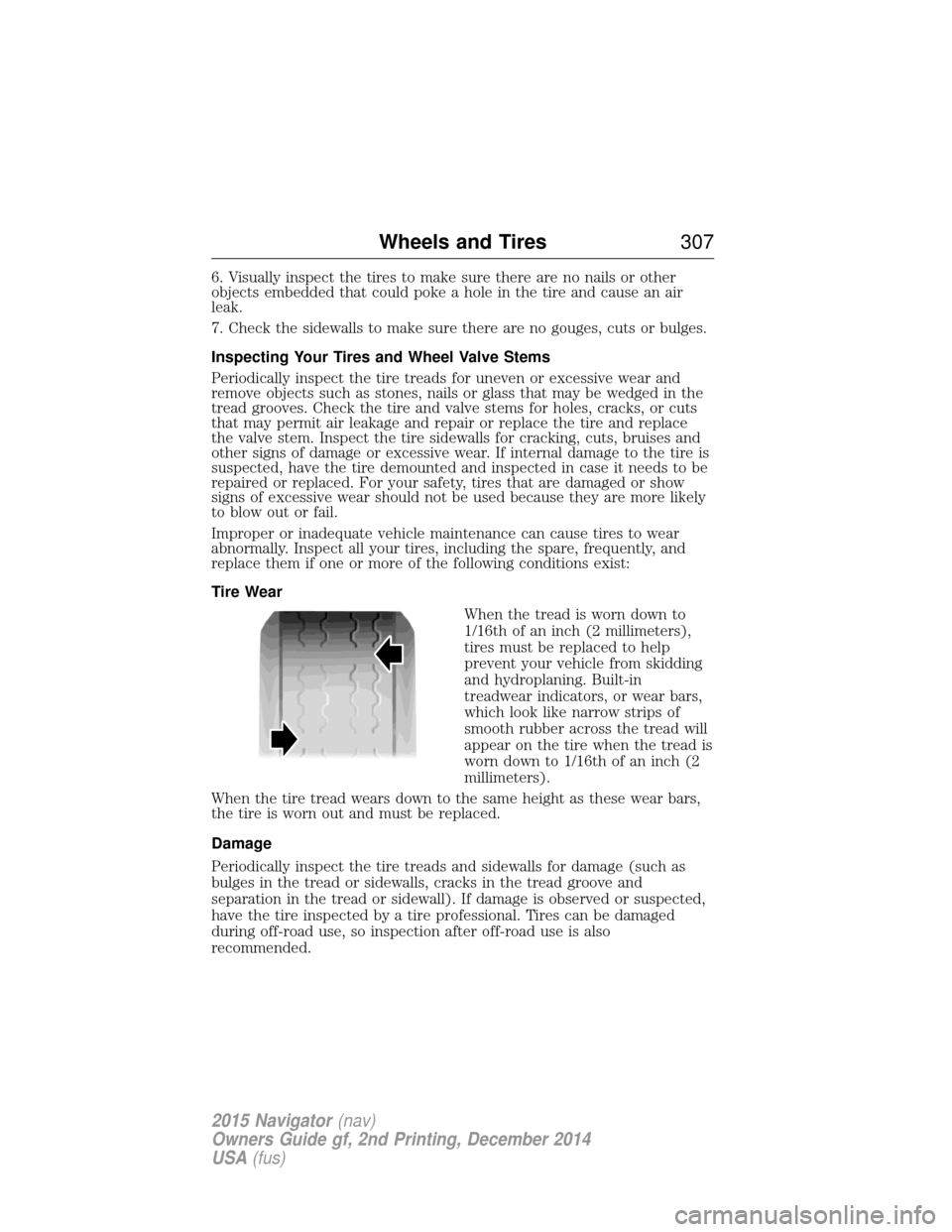
Tire WearWhen the tread is worn down to
1/16th of an inch (2 millimeters),
tires must be replaced to help
prevent your vehicle from skidding
and hydroplaning. Built-in
treadwear indicators, or wear bars,
which look like narrow strips of
smooth rubber across the tread will
appear on the tire when the tread is
worn down to 1/16th of an inch (2
millimeters).
When the tire tread wears down to the same height as these wear bars,
the tire is worn out and must be replaced.
Damage
Periodically inspect the tire treads and sidewalls for damage (such as
bulges in the tread or sidewalls, cracks in the tread groove and
separation in the tread or sidewall). If damage is observed or suspected,
have the tire inspected by a tire professional. Tires can be damaged
during off-road use, so inspection after off-road use is also
recommended.
Wheels and Tires 307
2015 Navigator(nav)
Owners Guide gf, 2nd Printing, December 2014
USA (fus)
Page 316 of 475
telltale after replacing one or more tires or wheels on your vehicle to
ensure that the replacement or alternate tires and wheels allow the
TPMS to continue to function properly.
The tire pressure monitoring system complies with part 15 of the FCC
rules and with RSS-210 of Industry Canada. Operation is subject to the
following two conditions: (1) This device may not cause harmful
interference, and (2) This device must accept any interference received,
including interference that may cause undesired operation.
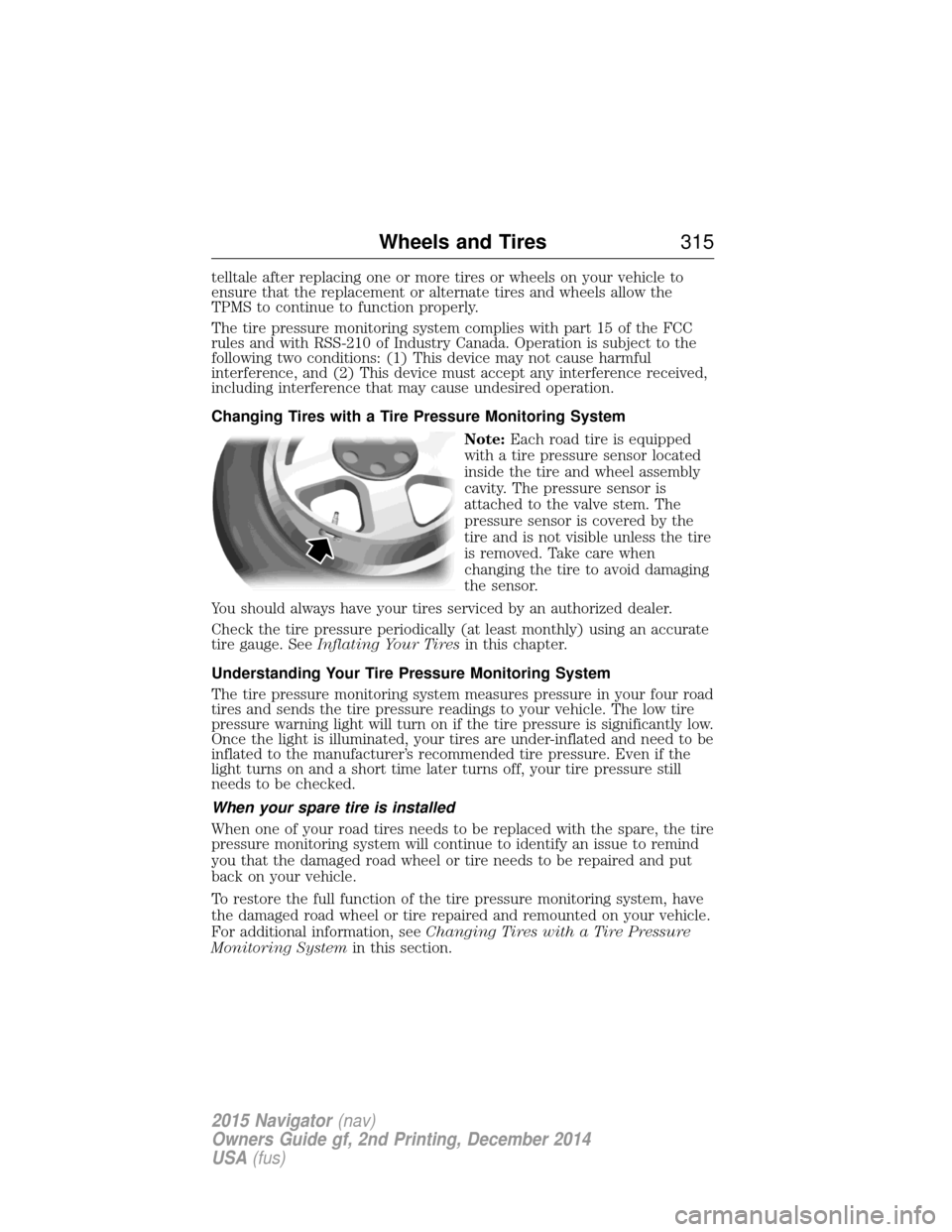
Changing Tires with a Tire Pressure Monitoring SystemNote:Each road tire is equipped
with a tire pressure sensor located
inside the tire and wheel assembly
cavity. The pressure sensor is
attached to the valve stem. The
pressure sensor is covered by the
tire and is not visible unless the tire
is removed. Take care when
changing the tire to avoid damaging
the sensor.
You should always have your tires serviced by an authorized dealer.
Check the tire pressure periodically (at least monthly) using an accurate
tire gauge. See Inflating Your Tires in this chapter.
Understanding Your Tire Pressure Monitoring System
The tire pressure monitoring system measures pressure in your four road
tires and sends the tire pressure readings to your vehicle. The low tire
pressure warning light will turn on if the tire pressure is significantly low.
Once the light is illuminated, your tires are under-inflated and need to be
inflated to the manufacturer’s recommended tire pressure. Even if the
light turns on and a short time later turns off, your tire pressure still
needs to be checked.
When your spare tire is installed
When one of your road tires needs to be replaced with the spare, the tire
pressure monitoring system will continue to identify an issue to remind
you that the damaged road wheel or tire needs to be repaired and put
back on your vehicle.
To restore the full function of the tire pressure monitoring system, have
the damaged road wheel or tire repaired and remounted on your vehicle.
For additional information, see Changing Tires with a Tire Pressure
Monitoring System in this section.
Wheels and Tires 315
2015 Navigator(nav)
Owners Guide gf, 2nd Printing, December 2014
USA (fus)
Page 333 of 475
ItemCapacity Ford part name Ford part
number / Ford specification
6Your vehicle’s rear axle is filled with a synthetic rear axle lubricant and is considered lubricated
for life. These lubricants are not to be checked or changed unless a leak is suspected, service is
required or the axle has been submerged in water. The axle lubricant should be changed any
time the axle has been submerged in water.7Add 4 oz. (118 ml) of Additive Friction Modifier XL-3 or equivalent for complete refill of Ford
limited slip rear axles.8See the warning below:
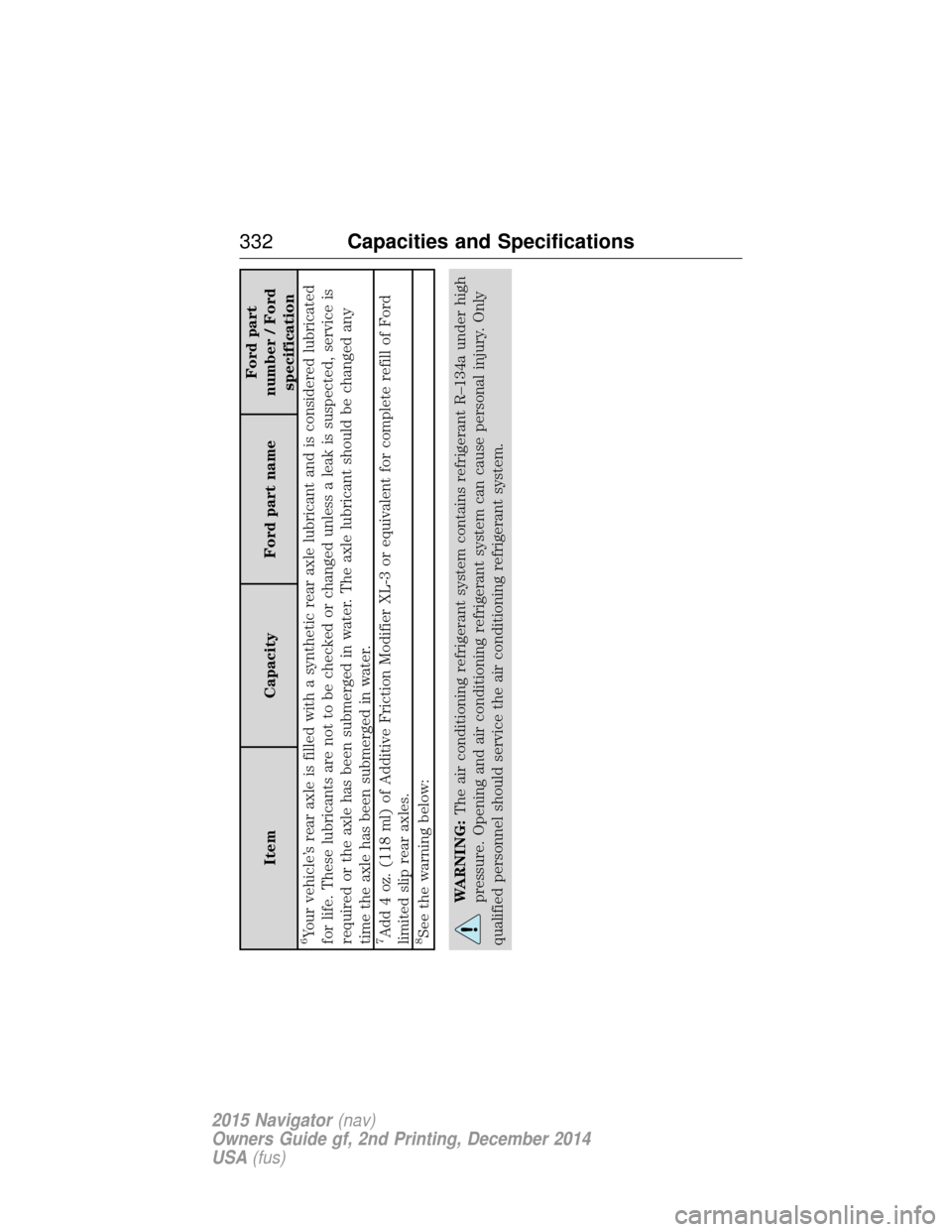
WARNING: The air conditioning refrigerant system contains refrigerant R–134a under high
pressure. Opening and air conditioning refrigerant system can cause personal injury. Only
qualified personnel should service the air conditioning refrigerant system.
332 Capacities and Specifications
2015 Navigator (nav)
Owners Guide gf, 2nd Printing, December 2014
USA (fus)
Page 358 of 475
Sunday, 10:30am-7:30pm EST.
In the United States, call: 1-800-521-4140.
In Canada, call: 800–387–9333.
Times are subject to change due to holidays.
Safety Information
WARNING:Driving while distracted can result in loss of vehicle
control, crash and injury. We strongly recommend that you use
extreme caution when using any device that may take your focus off
the road. Your primary responsibility is the safe operation of your
vehicle. We recommend against the use of any handheld device while
driving and encourage the use of voice-operated systems when possible.
Make sure you are aware of all applicable local laws that may affect the
use of electronic devices while driving.
When using SYNC:
• Do not operate playing devices if the power cords or cables are
broken, split or damaged. Place cords and cables out of the way, so
they do not interfere with the operation of pedals, seats,
compartments or safe driving abilities.
• Do not leave playing devices in your vehicle during extreme conditions
as it could cause them damage. See your device’s manual for further
information.
• Do not attempt to service or repair the system. See your authorized
dealer.
For your safety, some SYNC functions are speed-dependent. Their use is
limited to when your vehicle is traveling at speeds under 3 mph
(5 km/h).
Make sure that you review your device’s manual before using it with SYNC.
Speed-restricted Features
Some features of this system may be too difficult to use while your
vehicle is moving so they are restricted from use unless your vehicle is
stationary.
• Screens that are too crowded with information, such as Point of
Interest reviews and ratings, Sirius Travel Link sports scores, movie
times and ski conditions.
MyLincoln Touch™ 357
2015 Navigator(nav)
Owners Guide gf, 2nd Printing, December 2014
USA (fus)
Page 393 of 475
Note:This feature does not function properly if you have enabled caller
ID blocking on your mobile phone. Make sure your mobile phone is not
blocking caller ID before using SYNC Services.
Note: The driver is ultimately responsible for the safe operation of the
vehicle, and therefore, must evaluate whether it is safe to follow the
suggested directions. Any navigation features are provided only as an aid.
Make your driving decisions based on your observations of local
conditions and existing traffic regulations. Do not follow the route
suggestions if doing so would result in an unsafe or illegal maneuver, if
you would be placed in an unsafe situation, or if you would be directed
into an area that you consider unsafe. Maps used by this system may be
inaccurate because of errors, changes in roads, traffic conditions or
driving conditions.
Note: When you connect, the service uses GPS technology and advanced
vehicle sensors to collect your vehicle’s current location, travel direction
and speed to help provide you with the directions, traffic reports, or
business searches you request. Further, to provide the services you
request, for continuous improvement, the service may collect and record
call details and voice communications. For more information, see SYNC
Services Terms and Conditions at www.SYNCMyRide.com. If you do not
want Ford or its service providers to collect your vehicle travel
information or other information identified in the Terms and Conditions,
do not subscribe or use the service.
SYNC Services uses advanced vehicle sensors, integrated GPS technology
and comprehensive map and traffic data, to give you personalized traffic
reports, precise turn-by-turn directions, business search, news, sports,
weather and more. For a complete list of services, or to learn more,
please visit www.SYNCMyRide.com.
Connecting to SYNC Services Using Voice Commands
Press the voice button on the steering wheel controls.
1. When prompted, say “Services”. This initiates an outgoingcall to SYNC Services using your paired and connected
Bluetooth-enabled cellular phone.
2. Once you connect to the service, follow the voice prompts to request the desired service, such as “Traffic” or “Directions”. You can also
say, “What are my choices?” to receive a list of available services
from which to choose.
3. Say, “Services” to return to the Services main menu or for help, say, “Help”.
392 MyLincoln Touch™
2015 Navigator(nav)
Owners Guide gf, 2nd Printing, December 2014
USA (fus)
Page 403 of 475
Note:In order to allow a break-in period for your vehicle, you may not
be able to create a Vehicle Health Report until your vehicle odometer has
reached 200 miles.
Note: Cellular phone and SMS charges may apply when making a report.
Register for Vehicle Health Report and set your report preferences at
www.SYNCMyRide.com. After registering, you can request a Vehicle
Health Report (inside your vehicle). Return to your account at
www.SYNCMyRide.com to view your report. You can also choose for
SYNC to remind you automatically to run reports at specific mileage
intervals. Cellular phone airtime usage may apply when reporting.
The system allows you to check your vehicle’s overall health in the form
of a diagnostic report card. The Vehicle Health Report contains valuable
information, such as:
• Vehicle Diagnostic Information
• Scheduled maintenance
• Open Recalls and Field Service Actions
• Items noted during vehicle inspections by your authorized dealer that
still need servicing.
Making a Report If your vehicle is equipped with Navigation, touch the i
(Information) button to access these features. If your vehicle is
not equipped with Navigation, touch the corner of the
touchscreen with the green tab.
If you want to run a report by using the touchscreen, touch Apps>
Vehicle Health Report.
To run a report by voice command, press the voice button on
the steering wheel and, when prompted, say “Vehicle health
report”.
Vehicle Health Report Privacy Notice
When you create a Vehicle Health Report, Ford Motor Company may
collect your cellular phone number (to process your report request) and
diagnostic information about your vehicle. Certain versions or updates to
Vehicle Health Report may also collect more vehicle information. Ford
may use your vehicle information it collects for any purpose. If you do
not want to disclose your cellular phone number or vehicle information,
do not run the feature or set up your Vehicle Health Report profile at
www.SYNCMyRide.com. See www.SYNCMyRide.com (Vehicle Health
Report Terms and Conditions, and Privacy Statement) for more
information.
402 MyLincoln Touch™
2015 Navigator(nav)
Owners Guide gf, 2nd Printing, December 2014
USA (fus)
Page 405 of 475
You can also turn the outside air temperature display on and off. It
appears at the top center of the touchscreen, next to the time and date.
The system automatically saves any updates you make to the settings.
Display
You can adjust the touchscreen display through the touchscreen or by
pressing the voice button on your steering wheel controls and when
prompted, say, “Display settings”.Press the Settings icon > Display,to access and make
adjustments using the touchscreen.
• Brightness allows you to make the screen display brighter or
dimmer.
• Auto DIM, when set to On,lets you use the Auto Dim Manual Offset
feature. When set to Off,screen brightness does not change.
• Mode allows you to set the screen to a certain brightness or have the
system automatically change based on the outside light level, or turn
the display off.
• If you select AUTOorNIGHT, you have the options of turning
the display’s Auto Dim feature on or off and changing the Auto
Dim Manual Offset feature.
• Auto Dim Manual Offset allows you to adjust screen dimming as
the outside lighting conditions change from day to night. This feature
also allows you to adjust screen brightness using the instrument panel
dimming control.
Edit Wallpaper
• You can have your touchscreen display the default photo or upload
your own.
Uploading Photos for Your Home Screen Wallpaper
Note: You cannot load photos directly from your camera. You must
access the photos either from your USB mass storage device or from an
SD card.
Note: Photographs with extremely large dimensions (such as 2048 x
1536) may not be compatible and appear as a blank (black) image on the
display.
Your system allows you to upload and view up to 32 photos.
To access, press the Settings icon > Display>Edit Wallpaper, and
then follow the system prompts to upload your photographs.
404 MyLincoln Touch™
2015 Navigator(nav)
Owners Guide gf, 2nd Printing, December 2014
USA (fus)
Page 417 of 475
Note:When the system is controlling the fan speed automatically, all
the fan speed indicators turn off.
D. Rear: Touch to access the rear climate control. Rear climate control
settings appear at the bottom of the screen.
• Touch the power icon to turn the rear climate control functions off
and on.
• Touch Rear Control to allow the rear seat passengers to adjust the
rear climate settings. Touch it again to prevent the rear seat
passengers from adjusting the settings. Rear Controlautomatically
turns off when you use the touchscreen to adjust the rear climate
settings.
• Touch +or –to adjust the temperature.
• To adjust fan speed, touch +or –next to the fan icon.
• Touch Rearagain to close the rear controls. Closing the rear climate
control functions does not affect their current settings.
E. Recirculated air: Touch the button to switch between outside air
and recirculated air. When you select recirculated air, the air currently in
the passenger compartment recirculates. This may reduce the time
needed to cool the interior (when used with A/C) and may reduce
unwanted odors from entering your vehicle.
Note: Recirculated air may turn off automatically (or be prevented
from turning on) in all airflow modes except MAX A/Cto reduce risk
of fogging.
F. MAX A/C: Touch the button to maximize cooling. Recirculated air
flows through the instrument panel vents, air conditioning automatically
turns on, and the fan automatically adjusts to the highest speed.
G. A/C: Touch the button to switch the air conditioning compressor on
or off. Use air conditioning with recirculated air to improve cooling
performance and efficiency.
Note: In certain conditions, the air conditioning compressor may
continue to operate even after you switch off the air conditioning with
the A/C button.
H. AUTO: Touch the button to switch on automatic operation. Select the
desired temperature using the temperature control. The system adjusts
fan speed, air distribution, air conditioning operation, and selects outside
air or recirculated air to heat or cool the vehicle in order to maintain the
desired temperature. You can also use the AUTObutton to switch off
dual zone operation by touching and holding the button for more than
two seconds.
I. Heated rear window: Turns the heated rear window on and off. See
Heated windows and mirrors in theClimate Control chapter.
416 MyLincoln Touch™
2015 Navigator(nav)
Owners Guide gf, 2nd Printing, December 2014
USA (fus)
Page 454 of 475
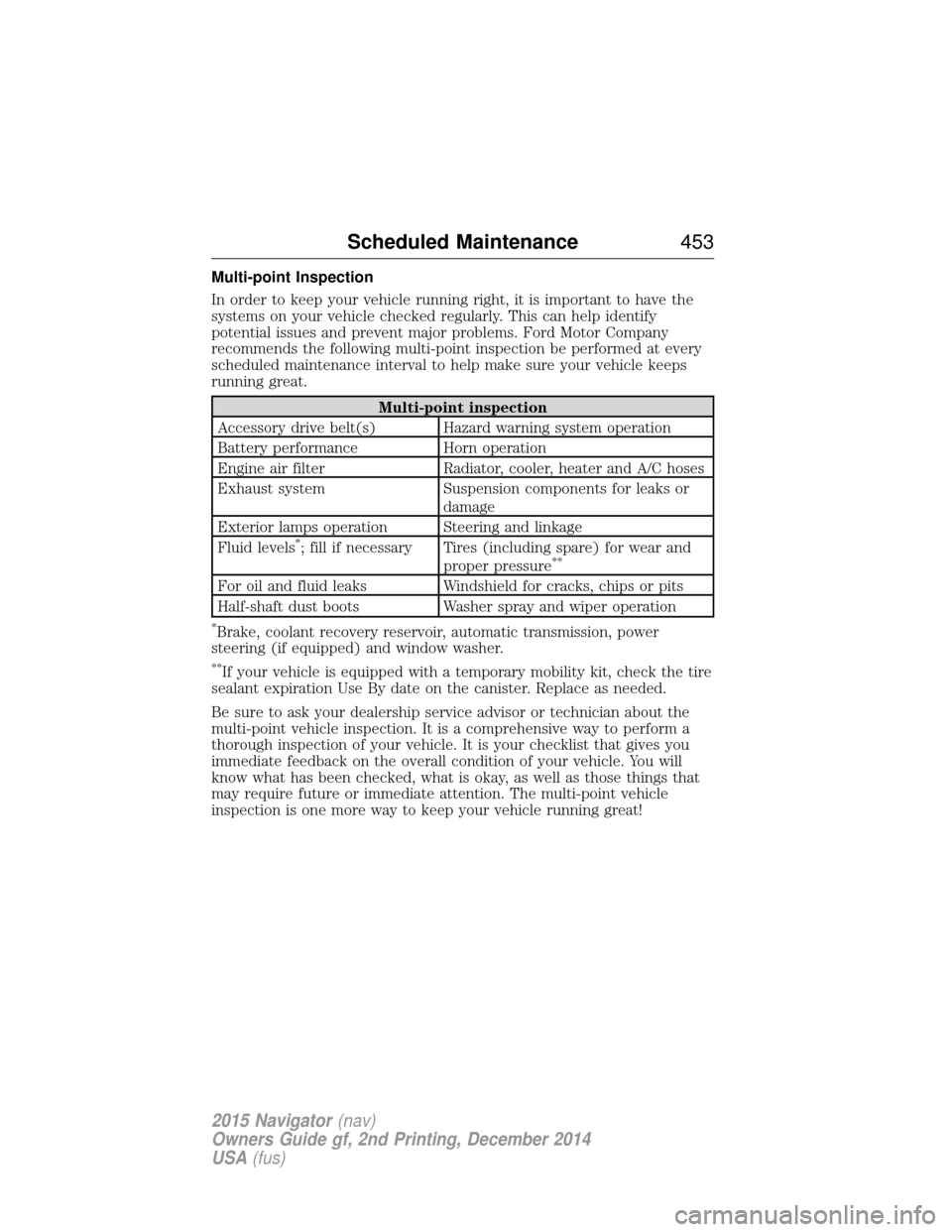
Multi-point Inspection
In order to keep your vehicle running right, it is important to have the
systems on your vehicle checked regularly. This can help identify
potential issues and prevent major problems. Ford Motor Company
recommends the following multi-point inspection be performed at every
scheduled maintenance interval to help make sure your vehicle keeps
running great.
Multi-point inspection
Accessory drive belt(s) Hazard warning system operation
Battery performance Horn operation
Engine air filter Radiator, cooler, heater and A/C hoses
Exhaust system Suspension components for leaks or damage
Exterior lamps operation Steering and linkage
Fluid levels
*; fill if necessary Tires (including spare) for wear and proper pressure**
For oil and fluid leaks Windshield for cracks, chips or pits
Half-shaft dust boots Washer spray and wiper operation
*Brake, coolant recovery reservoir, automatic transmission, power
steering (if equipped) and window washer.
**If your vehicle is equipped with a temporary mobility kit, check the tire
sealant expiration Use By date on the canister. Replace as needed.
Be sure to ask your dealership service advisor or technician about the
multi-point vehicle inspection. It is a comprehensive way to perform a
thorough inspection of your vehicle. It is your checklist that gives you
immediate feedback on the overall condition of your vehicle. You will
know what has been checked, what is okay, as well as those things that
may require future or immediate attention. The multi-point vehicle
inspection is one more way to keep your vehicle running great!
Scheduled Maintenance 453
2015 Navigator(nav)
Owners Guide gf, 2nd Printing, December 2014
USA (fus)
Page 462 of 475
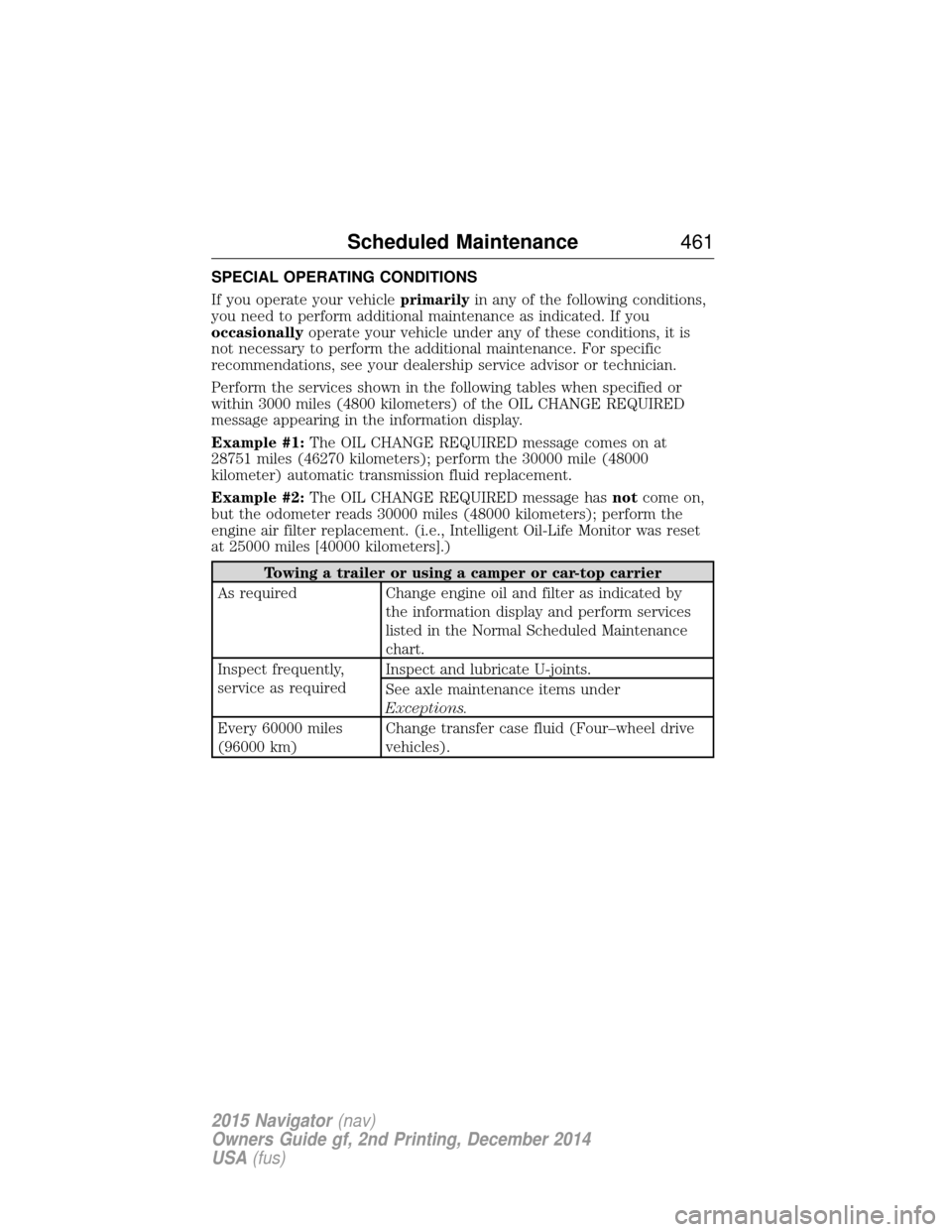
SPECIAL OPERATING CONDITIONS
If you operate your vehicleprimarilyin any of the following conditions,
you need to perform additional maintenance as indicated. If you
occasionally operate your vehicle under any of these conditions, it is
not necessary to perform the additional maintenance. For specific
recommendations, see your dealership service advisor or technician.
Perform the services shown in the following tables when specified or
within 3000 miles (4800 kilometers) of the OIL CHANGE REQUIRED
message appearing in the information display.
Example #1: The OIL CHANGE REQUIRED message comes on at
28751 miles (46270 kilometers); perform the 30000 mile (48000
kilometer) automatic transmission fluid replacement.
Example #2: The OIL CHANGE REQUIRED message has notcome on,
but the odometer reads 30000 miles (48000 kilometers); perform the
engine air filter replacement. (i.e., Intelligent Oil-Life Monitor was reset
at 25000 miles [40000 kilometers].)
Towing a trailer or using a camper or car-top carrier
As required Change engine oil and filter as indicated by the information display and perform services
listed in the Normal Scheduled Maintenance
chart.
Inspect frequently,
service as required Inspect and lubricate U-joints.
See axle maintenance items under
Exceptions.
Every 60000 miles
(96000 km) Change transfer case fluid (Four–wheel drive
vehicles).
Scheduled Maintenance
461
2015 Navigator(nav)
Owners Guide gf, 2nd Printing, December 2014
USA (fus)