spare wheel LINCOLN NAVIGATOR 2015 Owner's Manual
[x] Cancel search | Manufacturer: LINCOLN, Model Year: 2015, Model line: NAVIGATOR, Model: LINCOLN NAVIGATOR 2015Pages: 475, PDF Size: 5.13 MB
Page 325 of 475
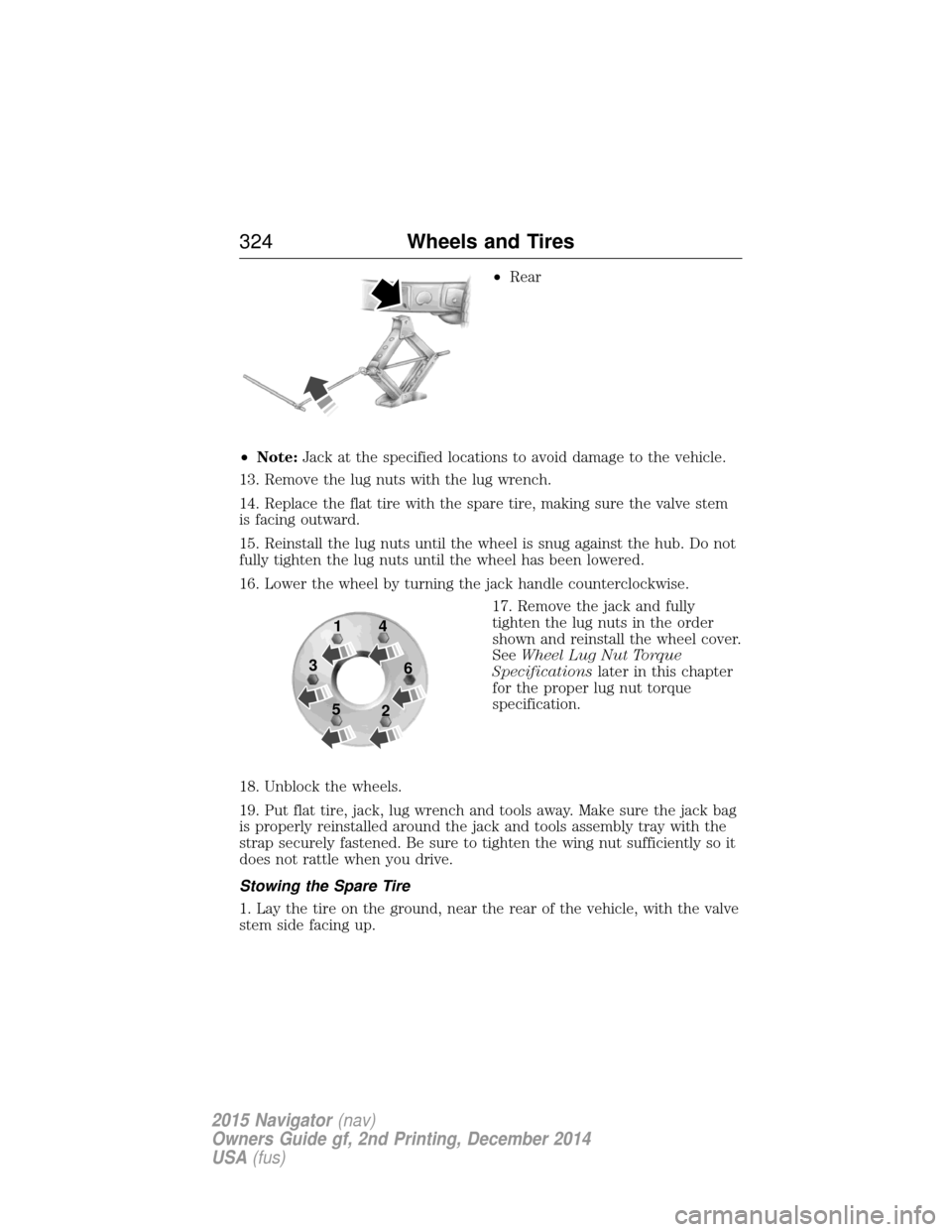
•Rear
• Note: Jack at the specified locations to avoid damage to the vehicle.
13. Remove the lug nuts with the lug wrench.
14. Replace the flat tire with the spare tire, making sure the valve stem
is facing outward.
15. Reinstall the lug nuts until the wheel is snug against the hub. Do not
fully tighten the lug nuts until the wheel has been lowered.
16. Lower the wheel by turning the jack handle counterclockwise. 17. Remove the jack and fully
tighten the lug nuts in the order
shown and reinstall the wheel cover.
SeeWheel Lug Nut Torque
Specifications later in this chapter
for the proper lug nut torque
specification.
18. Unblock the wheels.
19. Put flat tire, jack, lug wrench and tools away. Make sure the jack bag
is properly reinstalled around the jack and tools assembly tray with the
strap securely fastened. Be sure to tighten the wing nut sufficiently so it
does not rattle when you drive.
Stowing the Spare Tire
1. Lay the tire on the ground, near the rear of the vehicle, with the valve
stem side facing up.
1
3
5 4
6
2
324 Wheels and Tires
2015 Navigator(nav)
Owners Guide gf, 2nd Printing, December 2014
USA (fus)
Page 326 of 475
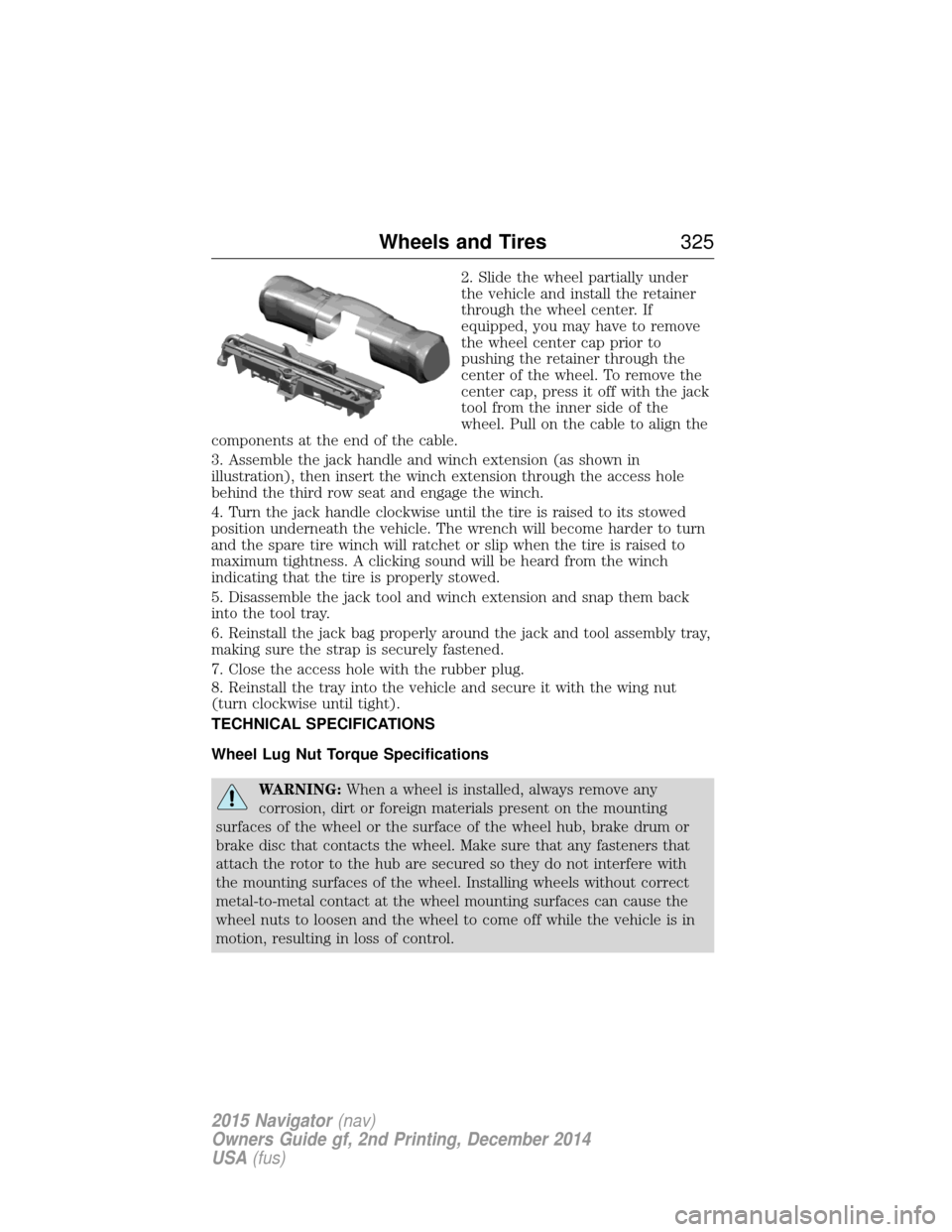
2. Slide the wheel partially under
the vehicle and install the retainer
through the wheel center. If
equipped, you may have to remove
the wheel center cap prior to
pushing the retainer through the
center of the wheel. To remove the
center cap, press it off with the jack
tool from the inner side of the
wheel. Pull on the cable to align the
components at the end of the cable.
3. Assemble the jack handle and winch extension (as shown in
illustration), then insert the winch extension through the access hole
behind the third row seat and engage the winch.
4. Turn the jack handle clockwise until the tire is raised to its stowed
position underneath the vehicle. The wrench will become harder to turn
and the spare tire winch will ratchet or slip when the tire is raised to
maximum tightness. A clicking sound will be heard from the winch
indicating that the tire is properly stowed.
5. Disassemble the jack tool and winch extension and snap them back
into the tool tray.
6. Reinstall the jack bag properly around the jack and tool assembly tray,
making sure the strap is securely fastened.
7. Close the access hole with the rubber plug.
8. Reinstall the tray into the vehicle and secure it with the wing nut
(turn clockwise until tight).
TECHNICAL SPECIFICATIONS
Wheel Lug Nut Torque Specifications
WARNING: When a wheel is installed, always remove any
corrosion, dirt or foreign materials present on the mounting
surfaces of the wheel or the surface of the wheel hub, brake drum or
brake disc that contacts the wheel. Make sure that any fasteners that
attach the rotor to the hub are secured so they do not interfere with
the mounting surfaces of the wheel. Installing wheels without correct
metal-to-metal contact at the wheel mounting surfaces can cause the
wheel nuts to loosen and the wheel to come off while the vehicle is in
motion, resulting in loss of control.
Wheels and Tires 325
2015 Navigator(nav)
Owners Guide gf, 2nd Printing, December 2014
USA (fus)
Page 475 of 475
SYNC® customer support ........356
SYNC® Services ........................391
System settings .........................406
T
Temperature control
(see Climate control) .......122, 415
Text messaging .........................387
Third-row power fold seat .......145
Tilt steering wheel ......................79
Tires ...........................297–298, 318alignment ................................311
care ..........................................297
changing ..........................318, 320
checking the pressure ............307
inflating ...................................305
label .........................................304
replacing ..................................309
rotating ....................................312
safety practices .......................311
sidewall information ...............299
snow tires and chains ............312
spare tire .................................318
terminology .............................298
tire grades ...............................298
treadwear ........................298, 307
Touchscreen features
(climate) ....................................415
Towing .......................224, 235–236 recreational towing .................236
trailer towing ..........................224
wrecker ....................................235
Traction control ........................190
Traffic preferences ...................422
Trailer sway control ..................225 Transmission
brake-shift interlock (BSI) ....176
fluid, checking and adding
(automatic) .............................271
fluid, refill capacities ..............328
lubricant specifications ..........328
Turn signal ..................................91
U
USB port ............................351, 378
V
Vehicle health report ................401
Vehicle Identification Number
(VIN) ..........................................333
Vehicle loading ..........................213
Ventilating your vehicle ...........160
Voice recognition ......................361
W
Warning lights (see Lights) .....100
Washer fluid ......................272–273
Water, Driving through .............238
Windows power .........................................93
rear wiper/washer .....................86
Windshield washer fluid and
wipers ..........................................85 checking and adding
fluid ..................................272–273
replacing wiper blades ...........275
Wrecker towing .........................235
474 Index
2015 Navigator(nav)
Owners Guide gf, 2nd Printing, December 2014
USA (fus)