warning light LINCOLN NAVIGATOR 2015 Owner's Manual
[x] Cancel search | Manufacturer: LINCOLN, Model Year: 2015, Model line: NAVIGATOR, Model: LINCOLN NAVIGATOR 2015Pages: 475, PDF Size: 5.13 MB
Page 107 of 475
GENERAL INFORMATION
WARNING:Driving while distracted can result in loss of vehicle
control, crash and injury. We strongly recommend that you use
extreme caution when using any device that may take your focus off
the road. Your primary responsibility is the safe operation of your
vehicle. We recommend against the use of any handheld device while
driving and encourage the use of voice-operated systems when possible.
Make sure you are aware of all applicable local laws that may affect the
use of electronic devices while driving.
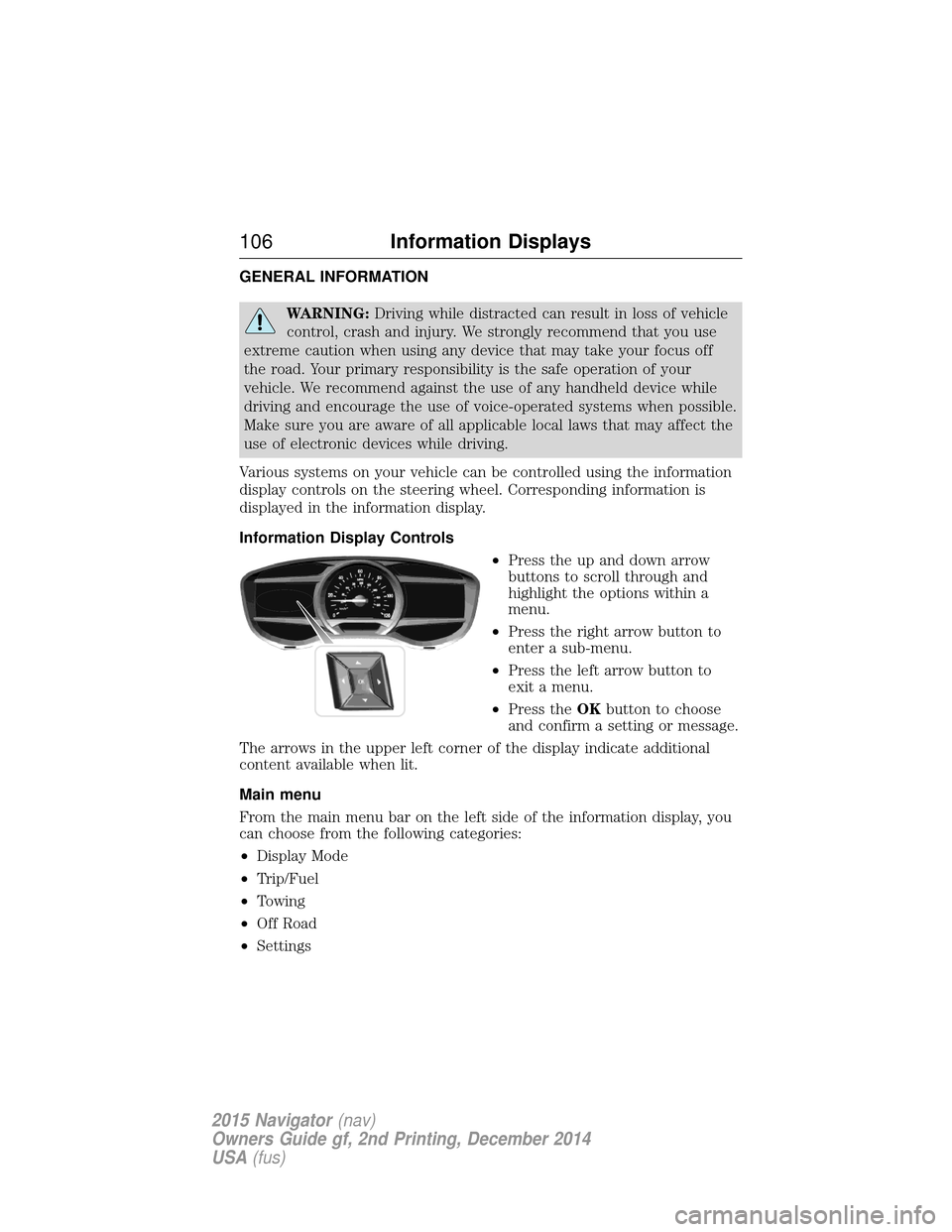
Various systems on your vehicle can be controlled using the information
display controls on the steering wheel. Corresponding information is
displayed in the information display.
Information Display Controls •Press the up and down arrow
buttons to scroll through and
highlight the options within a
menu.
• Press the right arrow button to
enter a sub-menu.
• Press the left arrow button to
exit a menu.
• Press the OKbutton to choose
and confirm a setting or message.
The arrows in the upper left corner of the display indicate additional
content available when lit.
Main menu
From the main menu bar on the left side of the information display, you
can choose from the following categories:
• Display Mode
• Trip/Fuel
• Towing
• Off Road
• Settings
106 Information Displays
2015 Navigator (nav)
Owners Guide gf, 2nd Printing, December 2014
USA (fus)
Page 129 of 475
SITTING IN THE CORRECT POSITION
WARNING:Sitting improperly out of position or with the
seatback reclined too far can take off weight from the seat
cushion and affect the passenger sensing system, resulting in serious
injury or death in a crash. Always sit upright against your seatback,
with your feet on the floor.
WARNING: Do not recline the seatback as this can cause the
occupant to slide under the seat’s safety belt, resulting in severe
personal injury in the event of a crash.
WARNING: Do not place objects higher than the seatbacks to
reduce the risk of injury in a crash or during heavy braking or
when stopping suddenly.
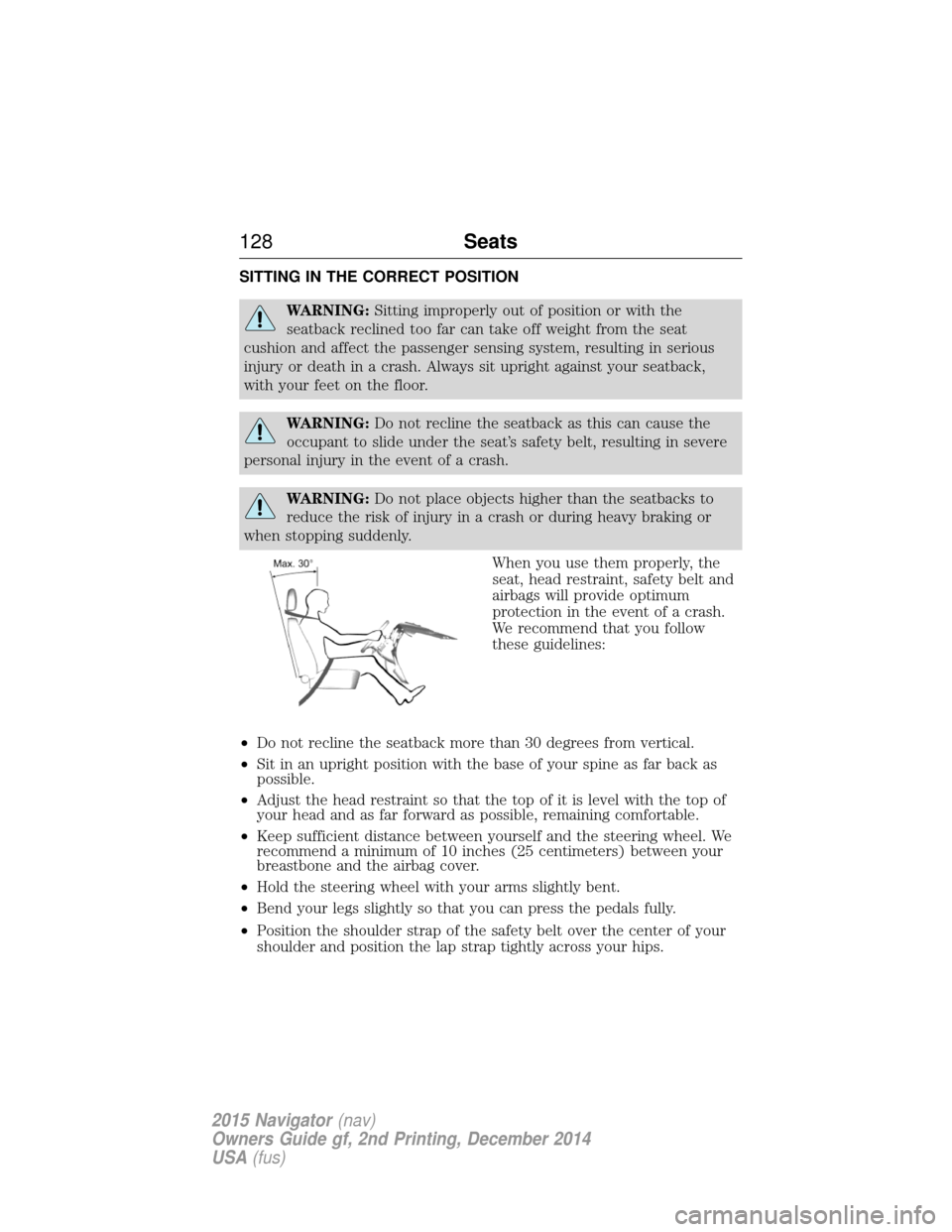
When you use them properly, the
seat, head restraint, safety belt and
airbags will provide optimum
protection in the event of a crash.
We recommend that you follow
these guidelines:
• Do not recline the seatback more than 30 degrees from vertical.
• Sit in an upright position with the base of your spine as far back as
possible.
• Adjust the head restraint so that the top of it is level with the top of
your head and as far forward as possible, remaining comfortable.
• Keep sufficient distance between yourself and the steering wheel. We
recommend a minimum of 10 inches (25 centimeters) between your
breastbone and the airbag cover.
• Hold the steering wheel with your arms slightly bent.
• Bend your legs slightly so that you can press the pedals fully.
• Position the shoulder strap of the safety belt over the center of your
shoulder and position the lap strap tightly across your hips.
128 Seats
2015 Navigator(nav)
Owners Guide gf, 2nd Printing, December 2014
USA (fus)
Page 135 of 475
Easy Entry and Exit Feature
The Easy Entry and Exit feature adjusts the position of the seat and
steering column to allow easier exit and entry to the vehicle.
The driver seat automatically moves 2 inches (5 centimeters) rearward
when the transmission is in park (P) and you switch the ignition off.
The driver seat returns to the previous position when you switch the
ignition on.
Enable or disable this feature through the information display. See the
Information Displayschapter for more information.
Climate Controlled Seats (If Equipped)
Heated Seats
WARNING: Persons who are unable to feel pain to the skin
because of advanced age, chronic illness, diabetes, spinal cord
injury, medication, alcohol use, exhaustion, or other physical conditions,
must exercise care when using the seat heater. The seat heater may
cause burns even at low temperatures, especially if used for long
periods of time. Do not place anything on the seat that insulates against
heat, such as a blanket or cushion, because this may cause the seat
heater to overheat. Do not puncture the seat with pins, needles, or
other pointed objects because this may damage the heating element
which may cause the seat heater to overheat. An overheated seat may
cause serious personal injury.
Note: Do not do the following:
• Place heavy objects on the seat.
• Operate the seat heater if water or any other liquid is spilled on the
seat. Allow the seat to dry thoroughly.
The heated seats will only function when the engine is running.
To operate the heated seats: Press the heated seat symbol to cycle through the various
heat settings and off. Warmer settings are indicated by
more indicator lights.
134 Seats
2015 Navigator(nav)
Owners Guide gf, 2nd Printing, December 2014
USA (fus)
Page 145 of 475
The heated seats only operate when the ignition is on. To operate the
heated seats:Press the heated seat button to cycle through the various
heat settings and off. Warmer settings are indicated by
more indicator lights.
Third Row Seats
Make sure that no objects are on the floor in front of the third row seats
or on the seat cushion before lowering them. Make sure that the head
restraints are lowered and the second row seats are not reclined.
Folding Down the Third Row Seats to the Load Floor
WARNING: To prevent possible damage to the seat or safety
belts, make sure that the safety belts are not buckled when
moving the seat to the load floor position.
WARNING: Before returning the seatback to its original position,
make sure that cargo or any objects are not trapped behind the
seatback. After returning the seat back to its original position, pull on
the seatback to make sure that it has fully latched. An unlatched seat
may become dangerous in the event of a sudden stop or crash.
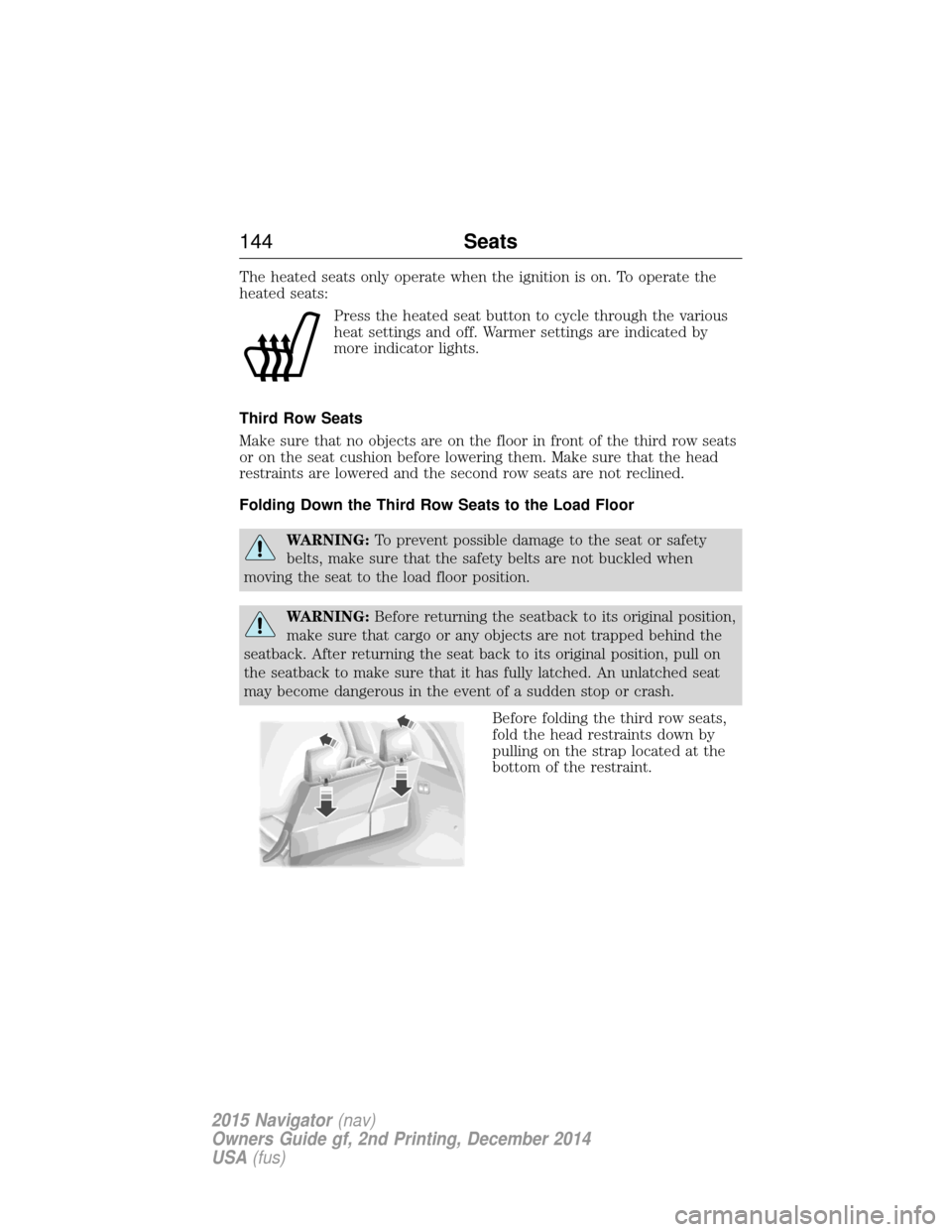
Before folding the third row seats,
fold the head restraints down by
pulling on the strap located at the
bottom of the restraint.
144Seats
2015 Navigator(nav)
Owners Guide gf, 2nd Printing, December 2014
USA (fus)
Page 148 of 475
HOMELINK® WIRELESS CONTROL SYSTEM (IF EQUIPPED)
WARNING:Make sure that the garage door and security device
are free from obstruction when you are programming. Do not
program the system with the vehicle in the garage.
WARNING: Do not use the system with any garage door opener
that does not have the safety stop and reverse feature as
required by U.S. Federal Safety Standards (this includes any garage
door opener manufactured before April 1, 1982).
Note: Make sure you keep the original remote control transmitter for
use in other vehicles as well as for future system programming.
Note: We recommend that upon the sale or lease termination of your
vehicle, you erase the programmed function buttons for security reasons.
See Erasing the function button codes later in this section.
Note: You can program a maximum of three devices. To change or
replace any of the three devices after it has been initially programmed,
you must first erase the current settings. See Erasing the function
button codes later in this section.
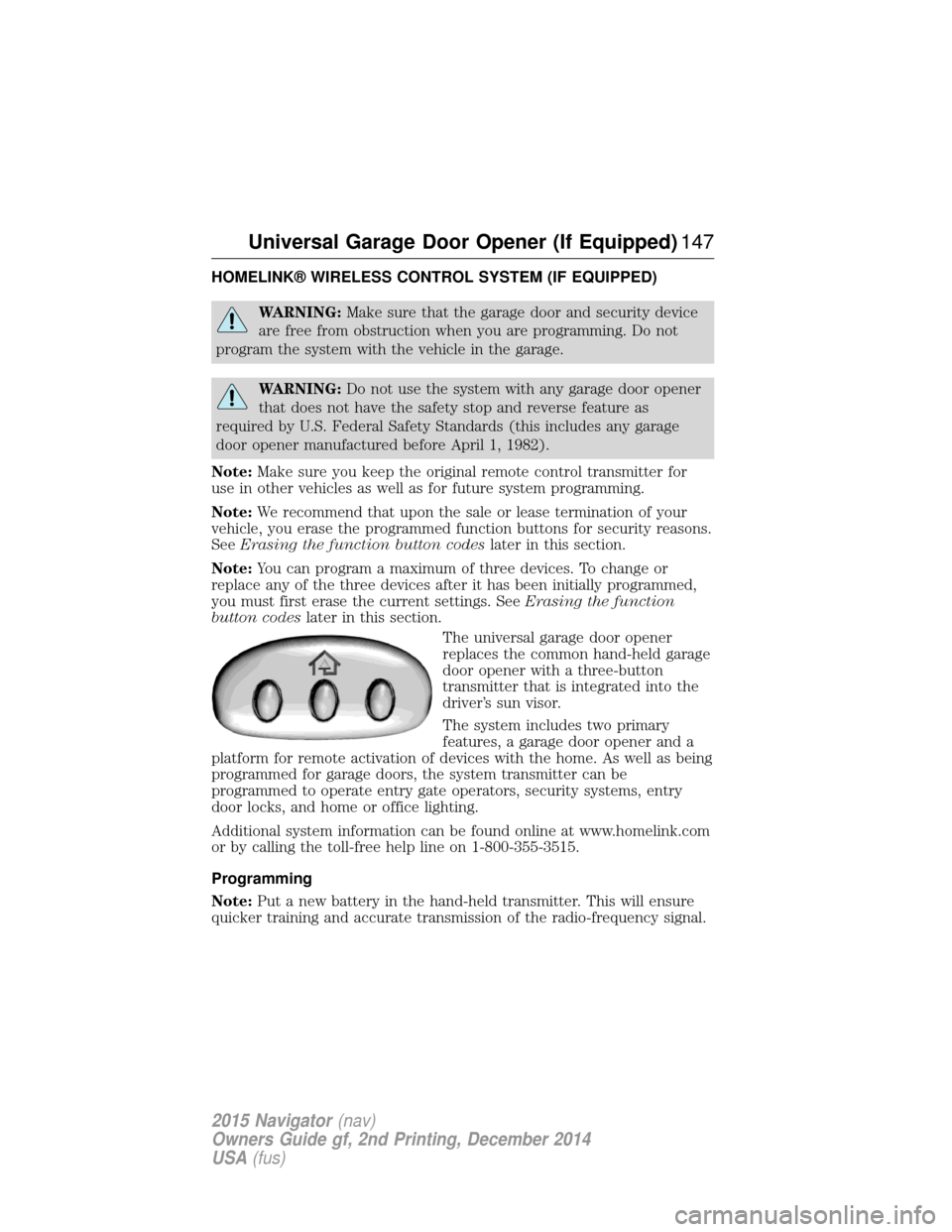
The universal garage door opener
replaces the common hand-held garage
door opener with a three-button
transmitter that is integrated into the
driver’s sun visor.
The system includes two primary
features, a garage door opener and a
platform for remote activation of devices with the home. As well as being
programmed for garage doors, the system transmitter can be
programmed to operate entry gate operators, security systems, entry
door locks, and home or office lighting.
Additional system information can be found online at www.homelink.com
or by calling the toll-free help line on 1-800-355-3515.
Programming
Note: Put a new battery in the hand-held transmitter. This will ensure
quicker training and accurate transmission of the radio-frequency signal.
Universal Garage Door Opener (If Equipped) 147
2015 Navigator(nav)
Owners Guide gf, 2nd Printing, December 2014
USA (fus)
Page 153 of 475
AUXILIARY POWER POINTS
WARNING:Do not plug optional electrical accessories into the
cigarette lighter socket (if equipped). Improper use of the lighter
can cause damage not covered by your warranty, and can result in fire
or serious injury.
Note: If used when the engine is not running, the battery will discharge.
There may be insufficient power to restart your engine.
Note: Do not insert objects other than an accessory plug into the power
point. This will damage the outlet and blow the fuse.
Note: Do not hang any type of accessory or accessory bracket from the
plug.
Note: Do not use the power point over the vehicle capacity of 12 volt
DC 180 watts or a fuse may blow.
Note: Do not use the power point for operating a cigarette lighter
element.
Note: Improper use of the power outlet can cause damage not covered
by your warranty.
Note: Always keep the power point caps closed when not in use.
Run the engine for full capacity use of the power point. To prevent the
battery from being discharged:
• Do not use the power point longer than necessary when the engine is
not running.
• Do not leave devices plugged in overnight or when the vehicle is
parked for extended periods.
Locations
Power points may be found:
• By the passenger’s ankle near the floor on the front console.
• In the console bin.
• On the rear of the center console.
• On the right rear quarter panel.
152 Auxiliary Power Points
2015 Navigator (nav)
Owners Guide gf, 2nd Printing, December 2014
USA (fus)
Page 158 of 475
Ignition Modes
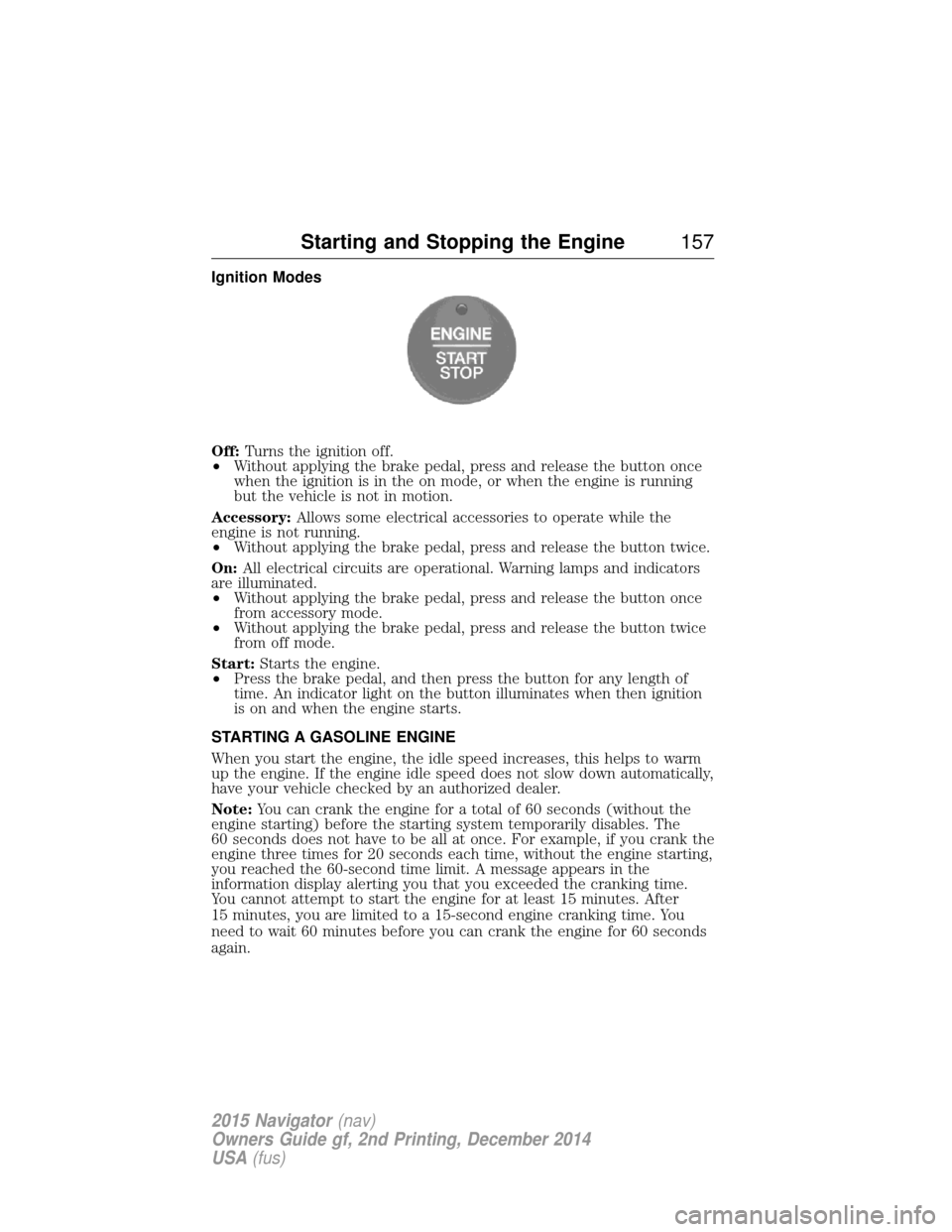
Off:Turns the ignition off.
• Without applying the brake pedal, press and release the button once
when the ignition is in the on mode, or when the engine is running
but the vehicle is not in motion.
Accessory: Allows some electrical accessories to operate while the
engine is not running.
• Without applying the brake pedal, press and release the button twice.
On: All electrical circuits are operational. Warning lamps and indicators
are illuminated.
• Without applying the brake pedal, press and release the button once
from accessory mode.
• Without applying the brake pedal, press and release the button twice
from off mode.
Start: Starts the engine.
• Press the brake pedal, and then press the button for any length of
time. An indicator light on the button illuminates when then ignition
is on and when the engine starts.
STARTING A GASOLINE ENGINE
When you start the engine, the idle speed increases, this helps to warm
up the engine. If the engine idle speed does not slow down automatically,
have your vehicle checked by an authorized dealer.
Note: You can crank the engine for a total of 60 seconds (without the
engine starting) before the starting system temporarily disables. The
60 seconds does not have to be all at once. For example, if you crank the
engine three times for 20 seconds each time, without the engine starting,
you reached the 60-second time limit. A message appears in the
information display alerting you that you exceeded the cranking time.
You cannot attempt to start the engine for at least 15 minutes. After
15 minutes, you are limited to a 15-second engine cranking time. You
need to wait 60 minutes before you can crank the engine for 60 seconds
again.
Starting and Stopping the Engine 157
2015 Navigator(nav)
Owners Guide gf, 2nd Printing, December 2014
USA (fus)
Page 170 of 475
EMISSION CONTROL SYSTEM
WARNING:Do not park, idle, or drive your vehicle in dry grass
or other dry ground cover. The emission system heats up the
engine compartment and exhaust system, which can start a fire.
WARNING: Exhaust leaks may result in entry of harmful and
potentially lethal fumes into the passenger compartment. If you
smell exhaust fumes inside your vehicle, have your dealer inspect your
vehicle immediately. Do not drive if you smell exhaust fumes.
Your vehicle is equipped with various emission control components and a
catalytic converter which will enable your vehicle to comply with
applicable exhaust emission standards. To make sure that the catalytic
converter and other emission control components continue to work
properly:
• Use only the specified fuel listed.
• Avoid running out of fuel.
• Do not turn off the ignition while your vehicle is moving, especially at
high speeds.
• Have the items listed in Scheduled Maintenance Information
performed according to the specified schedule.
The scheduled maintenance items listed in Scheduled Maintenance
Information are essential to the life and performance of your vehicle
and to its emissions system.
If other than Ford, Motorcraft® or Ford-authorized parts are used for
maintenance replacements or for service of components affecting
emission control, such non-Ford parts should be equivalent to genuine
Ford Motor Company parts in performance and durability.
Illumination of the service engine soon indicator, charging system
warning light or the temperature warning light, fluid leaks, strange odors,
smoke or loss of engine power could indicate that the emission control
system is not working properly.
An improperly operating or damaged exhaust system may allow exhaust
to enter the vehicle. Have a damaged or improperly operating exhaust
system inspected and repaired immediately.
Do not make any unauthorized changes to your vehicle or engine. By
law, vehicle owners and anyone who manufactures, repairs, services,
Fuel and Refueling 169
2015 Navigator(nav)
Owners Guide gf, 2nd Printing, December 2014
USA (fus)
Page 173 of 475
AUTOMATIC TRANSMISSION
WARNING:Always set the parking brake fully and make sure
the gearshift is latched in P (Park). Turn the ignition to the off
position and remove the key whenever you leave your vehicle.
WARNING: Do not use the tow/haul feature when driving in icy
or slippery conditions as the increased engine braking can cause
the rear wheels to slide and the vehicle to swing around with the
possible loss of vehicle control.
Your vehicle has been designed to improve fuel economy by reducing
fuel using while coasting or decelerating. When you take your foot off
the accelerator pedal and the vehicle begins to slow down, the torque
converter clutch locks up and aggressively shuts off fuel flow to the
engine while decelerating. This fuel economy benefit may be perceived
as a light to medium braking sensation when removing your foot from
the accelerator pedal.
This vehicle is equipped with an Adaptive Transmission Shift Strategy.
The Adaptive Transmission Shift Strategy offers the optimal transmission
operation and shift quality. When the engine is turned off, the shift data
which includes the adaptive information will be stored automatically in
the Powertrain Control Module. If the battery is disconnected for any
reason, the stored information from the last time the key was turned to
off will be read. This way, no information will be lost with any battery
removal or disconnect.
172 Transmission
2015 Navigator(nav)
Owners Guide gf, 2nd Printing, December 2014
USA (fus)
Page 180 of 475
USING FOUR-WHEEL DRIVE (4WD) (if equipped)
WARNING:For important information regarding safe operation
of this type of vehicle, see General Informationin theWheels
and Tires chapter.
Note: Do not use 4X4 mode on dry, hard surfaced roads. Doing so will
produce excessive noise, increase tire wear and may damage drive
components. 4X4 mode is only intended for consistently slippery or loose
surfaces.
Your 4x4 features the heavy-duty Control Trac® 4WD system which
includes a computer-operated transfer case. This unique system is
interactive with the road, continually monitoring and adjusting torque
delivery to the front and rear wheels to optimize vehicle control.
4WD Indicator Lights
The indicator lights illuminate in the message center in the
reconfigurable telltale (RTT) location under the following conditions.
Refer to Warning Lamps and Indicators in theInstrument Cluster
chapter.
Note: When a 4X4 system fault is present, the system will typically
remain in whichever 4X4 mode was selected prior to the fault condition
occurring. It will not default to 4X2 in all circumstances. When this
warning is displayed, have your vehicle serviced by an authorized dealer.
4X2- Momentarily illuminates when 2H is selected.
4X4 AUTO - Continuously illuminates when 4A is selected
4X4 - Continuously illuminates when 4H is selected.
CHECK 4X4 - Displays when a 4X4 fault is present.
Four-Wheel Drive (If Equipped) 179
2015 Navigator(nav)
Owners Guide gf, 2nd Printing, December 2014
USA (fus)