keyless LINCOLN NAVIGATOR 2015 Owners Manual
[x] Cancel search | Manufacturer: LINCOLN, Model Year: 2015, Model line: NAVIGATOR, Model: LINCOLN NAVIGATOR 2015Pages: 475, PDF Size: 5.13 MB
Page 3 of 475
Locks67
Locking and unlocking ..................................67
SecuriCode™ keyless entry keypad .........................73
Security 76
SecuriLock® passive anti-theft system .......................76
Anti-theft alarm .......................................77
Steering Wheel 79
Adjusting the steering wheel ..............................79
Steering wheel controls .................................80
Pedals 84
Adjustable pedals ......................................84
Wipers and Washers 85
Windshield wipers .....................................85
Rain-sensing wipers ....................................85
Windshield washers ....................................86
Rear-window wiper and washer ............................86
Lighting 87
Lighting control .......................................87
Autolamps ...........................................88
Instrument lighting dimmer ...............................89
Daytime running lamps ..................................89
Adaptive headlamps ....................................90
Directionindicators ....................................91
Interior lamps ........................................91
Windows and Mirrors 93
Power windows .......................................93
Exteriormirrors.......................................94
Interiormirrors .......................................96
Sunvisors ...........................................98
Moonroof ............................................98
2 Table of Contents
2015 Navigator(nav)
Owners Guide gf, 2nd Printing, December 2014
USA (fus)
Page 62 of 475
WARNING:Do not set MyKey maximum speed limit to a limit
that will prevent the driver from maintaining a safe speed
considering posted speed limits and prevailing road conditions. The
driver is always responsible to drive in accordance with local laws and
prevailing conditions. Failure to do so could result in accident or injury.
• Audio system maximum volume of 45% for some audio systems. A
message will be shown in the display when you attempt to exceed the
limited volume. Also, the speed-sensitive or compensated automatic
volume control will be disabled.
• Always on setting. When this is selected, you will not be able to turn
off certain features.
CREATING A MYKEY
Use the information display to create a MyKey.
1. Insert the key you want to program into the ignition.
2. Switch the ignition on.
3. Access the main menu on the information display. Press SETUP
using the information display buttons until PRESS RESET TO
CREATE MYKEY is displayed.
4. Press and release the RESETbutton.HOLD RESET TO
CONFIRM MYKEY will be displayed.
5. Press and hold the RESETbutton for two seconds until MARK
THIS AS RESTRICTED is displayed Wait untilKEY
RESTRICTED AT NEXT START is displayed.
MyKey is successfully created. Make sure you label it so you can
distinguish it from the admin keys.
You can also program configurable settings for the key(s). Refer to
Programming/Changing Configurable Settings .
Programming/Changing Configurable Settings
Use the Information display to access your configurable MyKey settings:
1. Switch the ignition on with an admin key. If your vehicle has keyless start, place the intelligent access transmitter into the backup slot.
The location of your backup slot is in another chapter. See Starting
and Stopping the Engine .
2. Access the main menu on the information display controls and press SETUP until you see RESET FOR MYKEY SETTINGS in the
display.
MyKey 61
2015 Navigator(nav)
Owners Guide gf, 2nd Printing, December 2014
USA (fus)
Page 68 of 475
LOCKING AND UNLOCKING
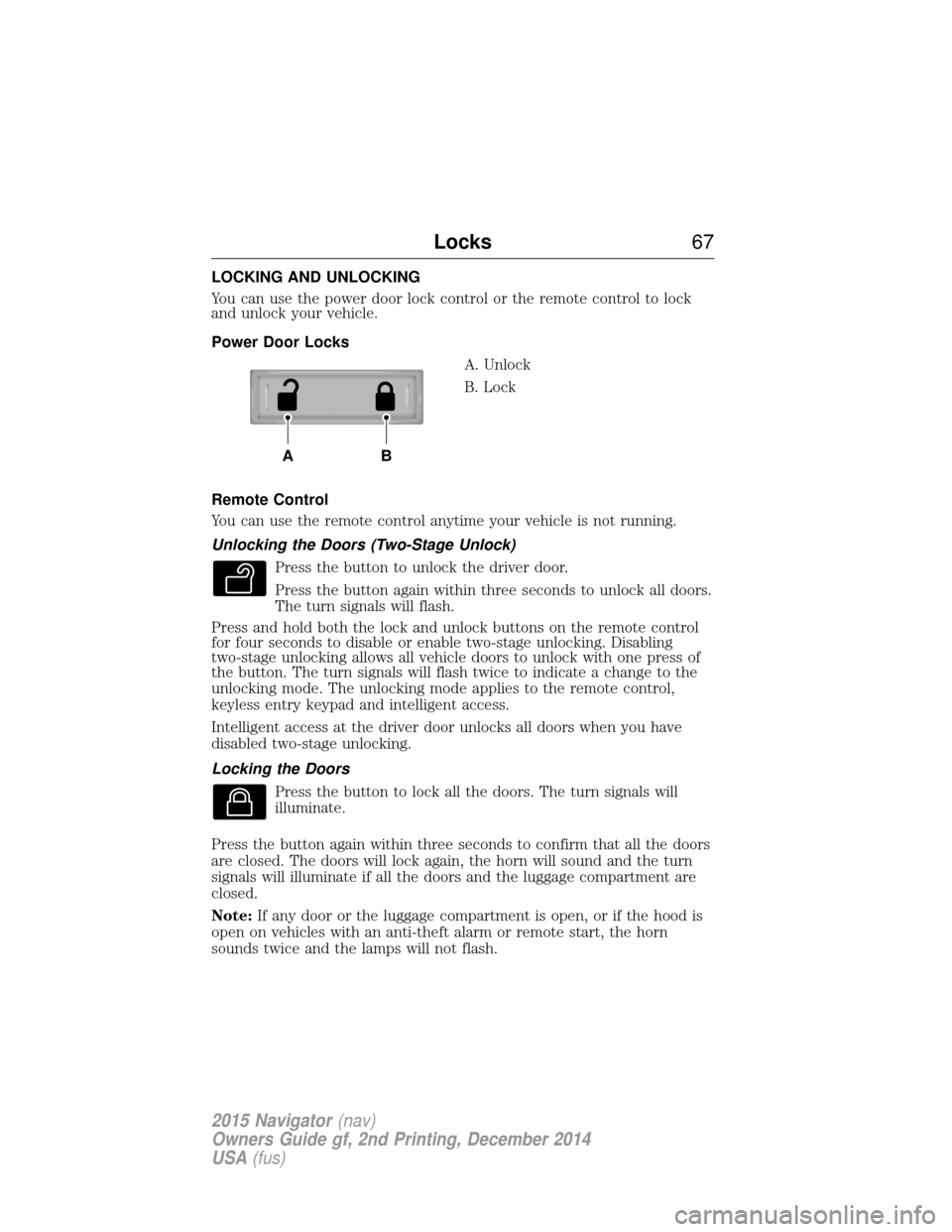
You can use the power door lock control or the remote control to lock
and unlock your vehicle.
Power Door LocksA. Unlock
B. Lock
Remote Control
You can use the remote control anytime your vehicle is not running.
Unlocking the Doors (Two-Stage Unlock) Press the button to unlock the driver door.
Press the button again within three seconds to unlock all doors.
The turn signals will flash.
Press and hold both the lock and unlock buttons on the remote control
for four seconds to disable or enable two-stage unlocking. Disabling
two-stage unlocking allows all vehicle doors to unlock with one press of
the button. The turn signals will flash twice to indicate a change to the
unlocking mode. The unlocking mode applies to the remote control,
keyless entry keypad and intelligent access.
Intelligent access at the driver door unlocks all doors when you have
disabled two-stage unlocking.
Locking the Doors
Press the button to lock all the doors. The turn signals will
illuminate.
Press the button again within three seconds to confirm that all the doors
are closed. The doors will lock again, the horn will sound and the turn
signals will illuminate if all the doors and the luggage compartment are
closed.
Note: If any door or the luggage compartment is open, or if the hood is
open on vehicles with an anti-theft alarm or remote start, the horn
sounds twice and the lamps will not flash.
AB
Locks 67
2015 Navigator(nav)
Owners Guide gf, 2nd Printing, December 2014
USA (fus)
Page 69 of 475
Activating Intelligent Access (If Equipped)
You must have the intelligent access key within 3 feet (1 meter) of the
driver’s door.
At the Front Driver Door
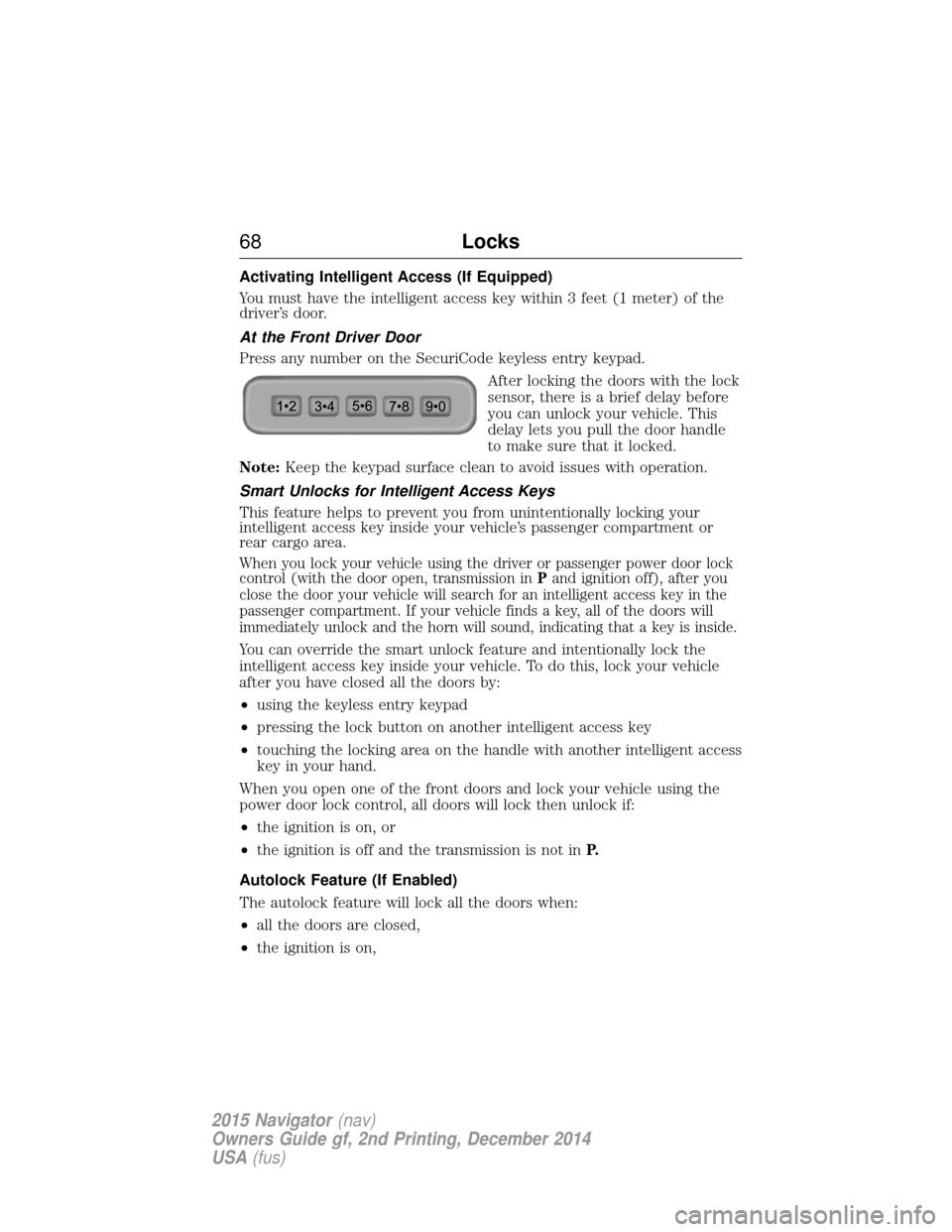
Press any number on the SecuriCode keyless entry keypad.After locking the doors with the lock
sensor, there is a brief delay before
you can unlock your vehicle. This
delay lets you pull the door handle
to make sure that it locked.
Note: Keep the keypad surface clean to avoid issues with operation.
Smart Unlocks for Intelligent Access Keys
This feature helps to prevent you from unintentionally locking your
intelligent access key inside your vehicle’s passenger compartment or
rear cargo area.
When you lock your vehicle using the driver or passenger power door lock
control (with the door open, transmission in Pand ignition off), after you
close the door your vehicle will search for an intelligent access key in the
passenger compartment. If your vehicle finds a key, all of the doors will
immediately unlock and the horn will sound, indicating that a key is inside.
You can override the smart unlock feature and intentionally lock the
intelligent access key inside your vehicle. To do this, lock your vehicle
after you have closed all the doors by:
• using the keyless entry keypad
• pressing the lock button on another intelligent access key
• touching the locking area on the handle with another intelligent access
key in your hand.
When you open one of the front doors and lock your vehicle using the
power door lock control, all doors will lock then unlock if:
• the ignition is on, or
• the ignition is off and the transmission is not in P.
Autolock Feature (If Enabled)
The autolock feature will lock all the doors when:
• all the doors are closed,
• the ignition is on,
68 Locks
2015 Navigator(nav)
Owners Guide gf, 2nd Printing, December 2014
USA (fus)
Page 70 of 475
•you shift into any gear putting your vehicle in motion, and
• your vehicle reaches a speed greater than 12 mph (20 km/h).
The autolock feature repeats when:
• you open then close any door while the ignition is on and the vehicle
speed is 9 mph (15 km/h) or lower, and
• your vehicle then reaches a speed greater than 12 mph (20 km/h).
Autounlock Feature (If Enabled)
The autounlock feature will unlock all the doors when:
• the ignition is on, all the doors are closed, and your vehicle has been
in motion at a speed greater than 12 mph (20 km/h);
• your vehicle has then come to a stop and the ignition is switched off
or to accessory; and
• the driver door is opened within 10 minutes of the ignition being
switched off or to accessory.
Note: The doors will not autounlock if you electronically lock the vehicle
after you switch the ignition off and before you open the driver door.
Enabling or Disabling
Note: You can enable or disable the autolock and autounlock features
independently of each other.
You can enable or disable these features:
• through an authorized dealer
• using the information display (if equipped with this feature).
Illuminated Entry
The interior lamps and select exterior lamps illuminate when you use the
intelligent access key or the keyless entry keypad to unlock the vehicle.
The system will turn off the lights if:
• you switch the ignition on
• you press the lock button on the remote control
• you lock your vehicle using the keyless entry keypad
• after 25 seconds of illumination.
The lights will not turn off if:
• you turn them on with the dimmer control
• any door is open.
Locks 69
2015 Navigator(nav)
Owners Guide gf, 2nd Printing, December 2014
USA (fus)
Page 74 of 475
Obstacle Detection
When closing:The liftgate reverses to full open when it detects an
obstacle. A chime sounds three times as the liftgate begins to reopen.
Remove the obstacle to close the liftgate.
Note: Entering your vehicle while the liftgate is closing can cause your
vehicle to bounce and activate obstacle detection. To prevent this, let the
power liftgate close completely before you enter your vehicle. Before
driving off, check the instrument cluster for a liftgate or door ajar
message or warning indicator. Failure to do this could result in
unintentionally leaving the liftgate open while driving.
When opening: The system stops when it detects an obstacle and a
tone sounds three times. Remove the obstacle to operate the liftgate.
Resetting the Power Liftgate
The liftgate may not operate properly and you may need to reset it if any
of the following conditions occur:
• A low voltage or dead battery.
• Disconnected battery.
• The liftgate is manually closed and left ajar (unlatched).
To reset the power liftgate:
1.
Disconnect the battery for 20 seconds, and then reconnect the battery.
2. Manually close and fully latch the liftgate.
3. Power open the liftgate by using the remote control or the instrument panel button.
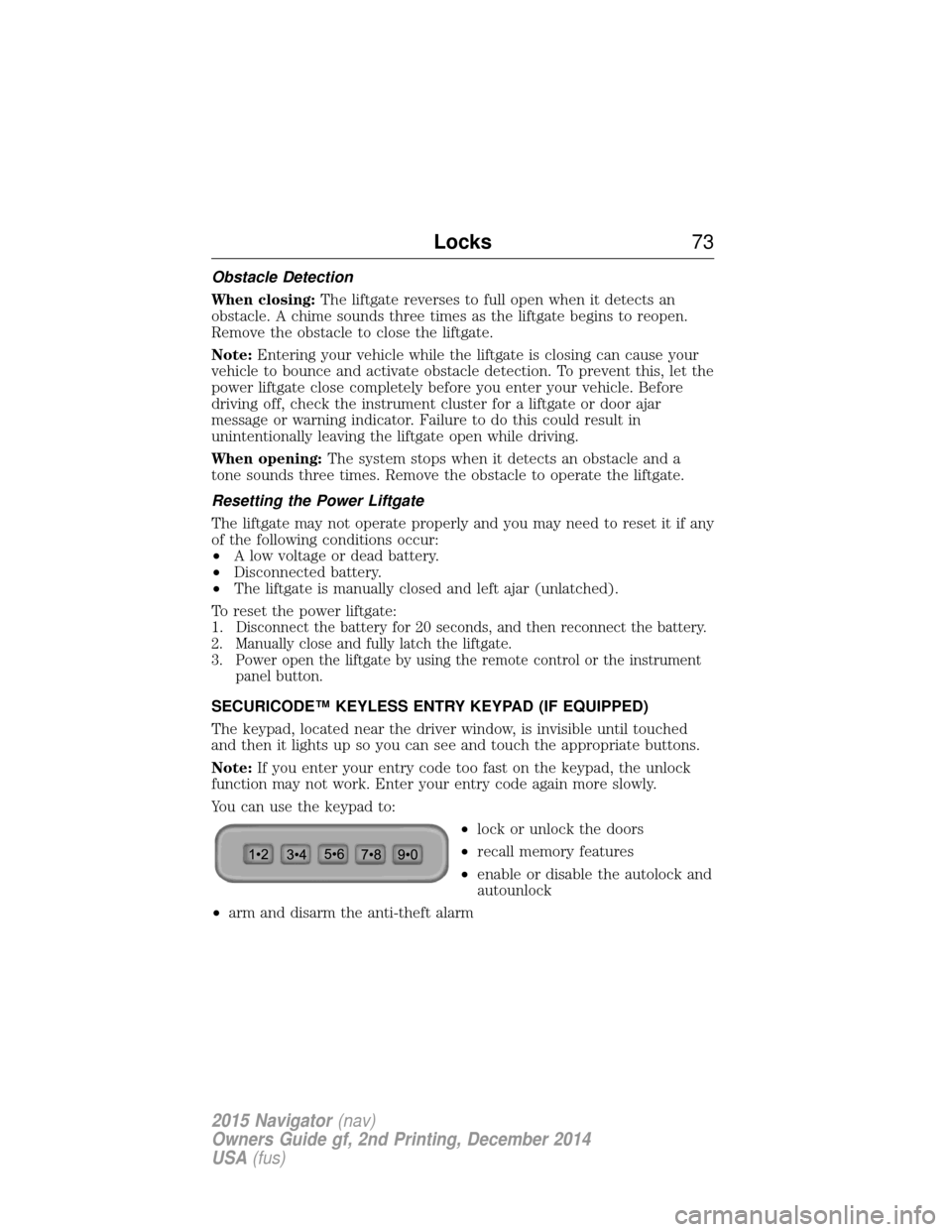
SECURICODE™ KEYLESS ENTRY KEYPAD (IF EQUIPPED)
The keypad, located near the driver window, is invisible until touched
and then it lights up so you can see and touch the appropriate buttons.
Note: If you enter your entry code too fast on the keypad, the unlock
function may not work. Enter your entry code again more slowly.
You can use the keypad to:
•lock or unlock the doors
• recall memory features
• enable or disable the autolock and
autounlock
• arm and disarm the anti-theft alarm
Locks 73
2015 Navigator(nav)
Owners Guide gf, 2nd Printing, December 2014
USA (fus)
Page 79 of 475
Disarming the Alarm
To disarm the alarm, do any of the following:
•Press the power door unlock button within the 20-second pre-armed
mode.
• Press the unlock button on the remote control.
• Unlock the doors with the keyless entry pad.
• Turn the ignition on with a valid key.
• Press the panic button on the remote control. The alarm system will
still be armed, but this shuts off the horn and turn lamps when the
alarm is sounding.
Note: If the driver’s door is unlocked with a key, a chime will sound
when you open the door. You will have 12 seconds to disarm the alarm
using any of the actions above, otherwise the alarm will trigger.
78 Security
2015 Navigator(nav)
Owners Guide gf, 2nd Printing, December 2014
USA (fus)
Page 147 of 475
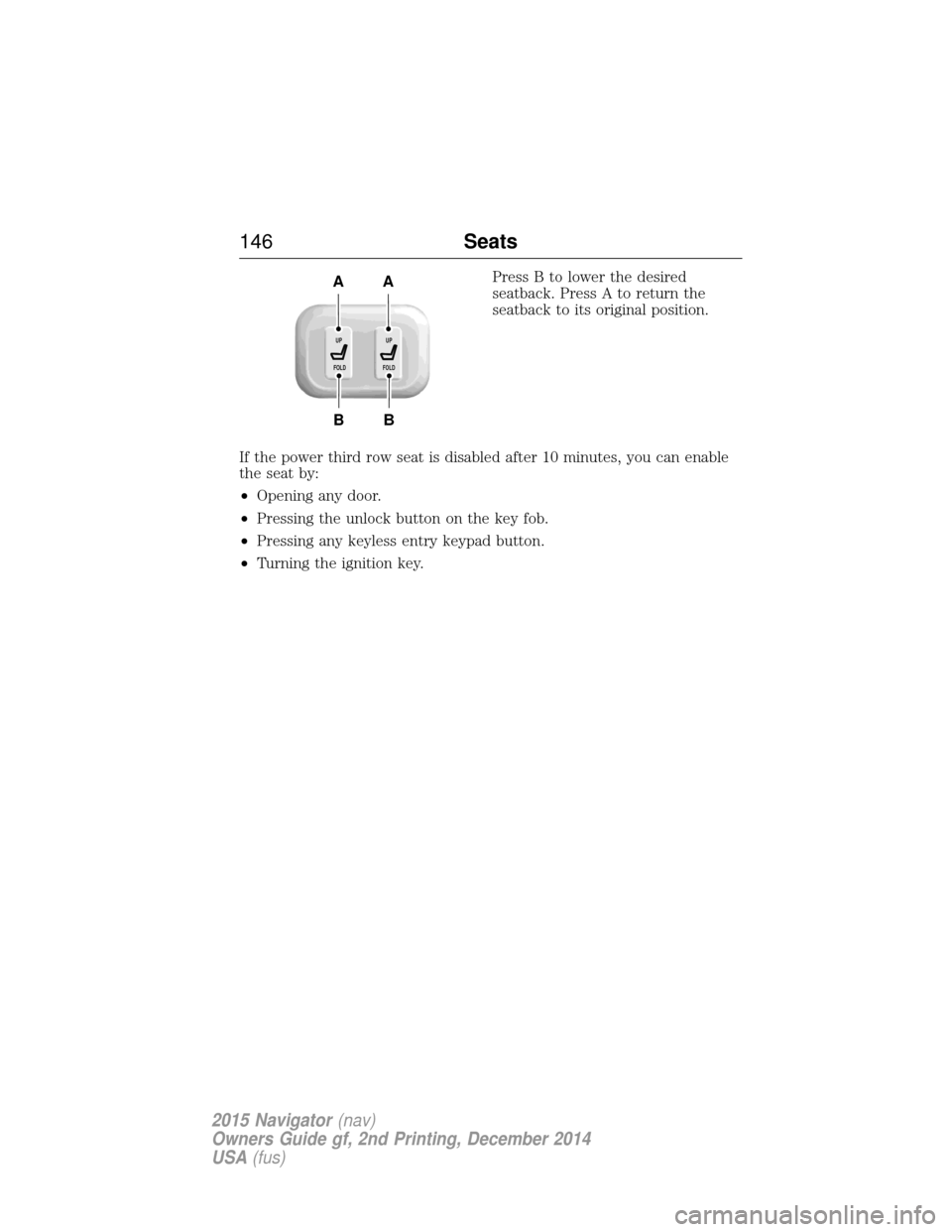
Press B to lower the desired
seatback. Press A to return the
seatback to its original position.
If the power third row seat is disabled after 10 minutes, you can enable
the seat by:
• Opening any door.
• Pressing the unlock button on the key fob.
• Pressing any keyless entry keypad button.
• Turning the ignition key.
B
AA
B
UP
FOLDUP
FOLD
146 Seats
2015 Navigator(nav)
Owners Guide gf, 2nd Printing, December 2014
USA (fus)
Page 157 of 475
GENERAL INFORMATION
WARNING:Extended idling at high engine speeds can produce
very high temperatures in the engine and exhaust system,
creating the risk of fire or other damage.
WARNING: Do not park, idle, or drive your vehicle on dry grass
or other dry ground cover. The emission system heats up the
engine compartment and exhaust system, which can start a fire.
WARNING: Do not start your vehicle in a closed garage or in
other enclosed areas. Exhaust fumes can be toxic. Always open
the garage door before you start the engine.
WARNING: If you smell exhaust fumes inside your vehicle, have
your vehicle checked by an authorized dealer immediately. Do
not drive if you smell exhaust fumes.
If you disconnect the battery, your vehicle may exhibit some unusual
driving characteristics for approximately 5 miles (8 kilometers) after you
connect it. This is because the engine management system must realign
itself with the engine. You may disregard any unusual driving
characteristics during this period.
The powertrain control system meets all Canadian interference-causing
equipment standard requirements regulating the impulse electrical field
or radio noise.
Do not press the accelerator pedal while starting the engine. If you have
difficulty starting the engine, see Failure to startlater in this section.
KEYLESS STARTING
Note: The keyless starting system may not function if the key is close to
metal objects or electronic devices such as cellular phones.
Note: A valid key must be located inside your vehicle to switch the
ignition on and start the engine.
Note: When locking your vehicle, any remote controls left inside the
vehicle may become disabled. A message may appear in the information
display indicating that there is no key detected if you try to start the
engine. Press the unlock button on the remote control to enable it, and
then start the engine.
156 Starting and Stopping the Engine
2015 Navigator (nav)
Owners Guide gf, 2nd Printing, December 2014
USA (fus)
Page 407 of 475
Door Keypad Code
To change the keypad code for your keyless entry keypad system:
1. Press the Settings icon >Vehicle>Door Keypad Code.
2. Enter your current factory code, then, when prompted, enter your new code.
Camera Settings
This menu allows you to access settings for your rear view camera.
Press the Settings icon > Vehicle>Camera Settings, then select from
the following settings:
• Enhanced Park Aids.
• Rear Camera Delay.
Enable Valet Mode
Valet mode allows you to lock the system. No information is accessible
until the system is unlocked with the correct PIN.
1. Press the Settings icon > Vehicle>Enable Valet Mode.
2. Enter a four-digit pin twice, as prompted.
After you press Continue, the system locks until you enter the PIN again.
Note: If the system locks, and you need to reset the PIN, enter 3681 and
the system unlocks.
Settings
Access and adjust system settings, voice features, as well as phone,
navigation and wireless settings.
System
Press the Settings icon > Settings>System, then select from
the following:
System
Language Select to have the touchscreen display in
English, Spanish or French.
Distance Select to display units in kilometers or miles.
Temperature Select to display units in Celsius or
Fahrenheit.
System Prompt
Volume Adjust the volume of voice prompts from the
system.
Touch Screen Button
Beep Select to have the system beep to confirm
choices made through the touchscreen.
406
MyLincoln Touch™
2015 Navigator(nav)
Owners Guide gf, 2nd Printing, December 2014
USA (fus)