lights LINCOLN NAVIGATOR 2015 Owners Manual
[x] Cancel search | Manufacturer: LINCOLN, Model Year: 2015, Model line: NAVIGATOR, Model: LINCOLN NAVIGATOR 2015Pages: 475, PDF Size: 5.13 MB
Page 46 of 475
•Driver seat position sensor.
• Front crash severity sensors.
• Restraints control module with impact and safing sensors.
• Restraint system warning light and backup tone.
• The electrical wiring for the airbags, crash sensor(s), safety belt
pretensioners, front safety belt usage sensors, driver seat position
sensor, and indicator lights.
How does the Restraint Safety System work?
The Restraint Safety System can adapt the deployment strategy of your
vehicle’s safety devices according to crash severity and occupant
conditions. A collection of crash and occupant sensors provides
information to the restraints control module. During a crash, the
restraints control module may activate the safety belt pretensioners
and/or either one or both stages of the dual-stage airbag supplemental
restraints based on crash severity and occupant conditions.
SOS POST-CRASH ALERT SYSTEM™
The system flashes the direction indicator lamps and the horn sounds
(intermittently) in the event of a serious impact that deploys an airbag
equipped on your vehicle.
The horn and lamps turn off when:
• You press the hazard button.
• You press the panic button (if equipped) on the remote entry
transmitter.
• Your vehicle runs out of power.
DRIVER AND PASSENGER AIRBAGS
WARNING: Never place your arm or any objects over an airbag
module. Placing your arm over a deploying airbag can result in
serious arm fractures or other injuries. Objects placed on or over the
airbag inflation area may cause those objects to be propelled by the
airbag into your face and torso causing serious injury.
Supplementary Restraints System 45
2015 Navigator(nav)
Owners Guide gf, 2nd Printing, December 2014
USA (fus)
Page 70 of 475
•you shift into any gear putting your vehicle in motion, and
• your vehicle reaches a speed greater than 12 mph (20 km/h).
The autolock feature repeats when:
• you open then close any door while the ignition is on and the vehicle
speed is 9 mph (15 km/h) or lower, and
• your vehicle then reaches a speed greater than 12 mph (20 km/h).
Autounlock Feature (If Enabled)
The autounlock feature will unlock all the doors when:
• the ignition is on, all the doors are closed, and your vehicle has been
in motion at a speed greater than 12 mph (20 km/h);
• your vehicle has then come to a stop and the ignition is switched off
or to accessory; and
• the driver door is opened within 10 minutes of the ignition being
switched off or to accessory.
Note: The doors will not autounlock if you electronically lock the vehicle
after you switch the ignition off and before you open the driver door.
Enabling or Disabling
Note: You can enable or disable the autolock and autounlock features
independently of each other.
You can enable or disable these features:
• through an authorized dealer
• using the information display (if equipped with this feature).
Illuminated Entry
The interior lamps and select exterior lamps illuminate when you use the
intelligent access key or the keyless entry keypad to unlock the vehicle.
The system will turn off the lights if:
• you switch the ignition on
• you press the lock button on the remote control
• you lock your vehicle using the keyless entry keypad
• after 25 seconds of illumination.
The lights will not turn off if:
• you turn them on with the dimmer control
• any door is open.
Locks 69
2015 Navigator(nav)
Owners Guide gf, 2nd Printing, December 2014
USA (fus)
Page 74 of 475
Obstacle Detection
When closing:The liftgate reverses to full open when it detects an
obstacle. A chime sounds three times as the liftgate begins to reopen.
Remove the obstacle to close the liftgate.
Note: Entering your vehicle while the liftgate is closing can cause your
vehicle to bounce and activate obstacle detection. To prevent this, let the
power liftgate close completely before you enter your vehicle. Before
driving off, check the instrument cluster for a liftgate or door ajar
message or warning indicator. Failure to do this could result in
unintentionally leaving the liftgate open while driving.
When opening: The system stops when it detects an obstacle and a
tone sounds three times. Remove the obstacle to operate the liftgate.
Resetting the Power Liftgate
The liftgate may not operate properly and you may need to reset it if any
of the following conditions occur:
• A low voltage or dead battery.
• Disconnected battery.
• The liftgate is manually closed and left ajar (unlatched).
To reset the power liftgate:
1.
Disconnect the battery for 20 seconds, and then reconnect the battery.
2. Manually close and fully latch the liftgate.
3. Power open the liftgate by using the remote control or the instrument panel button.
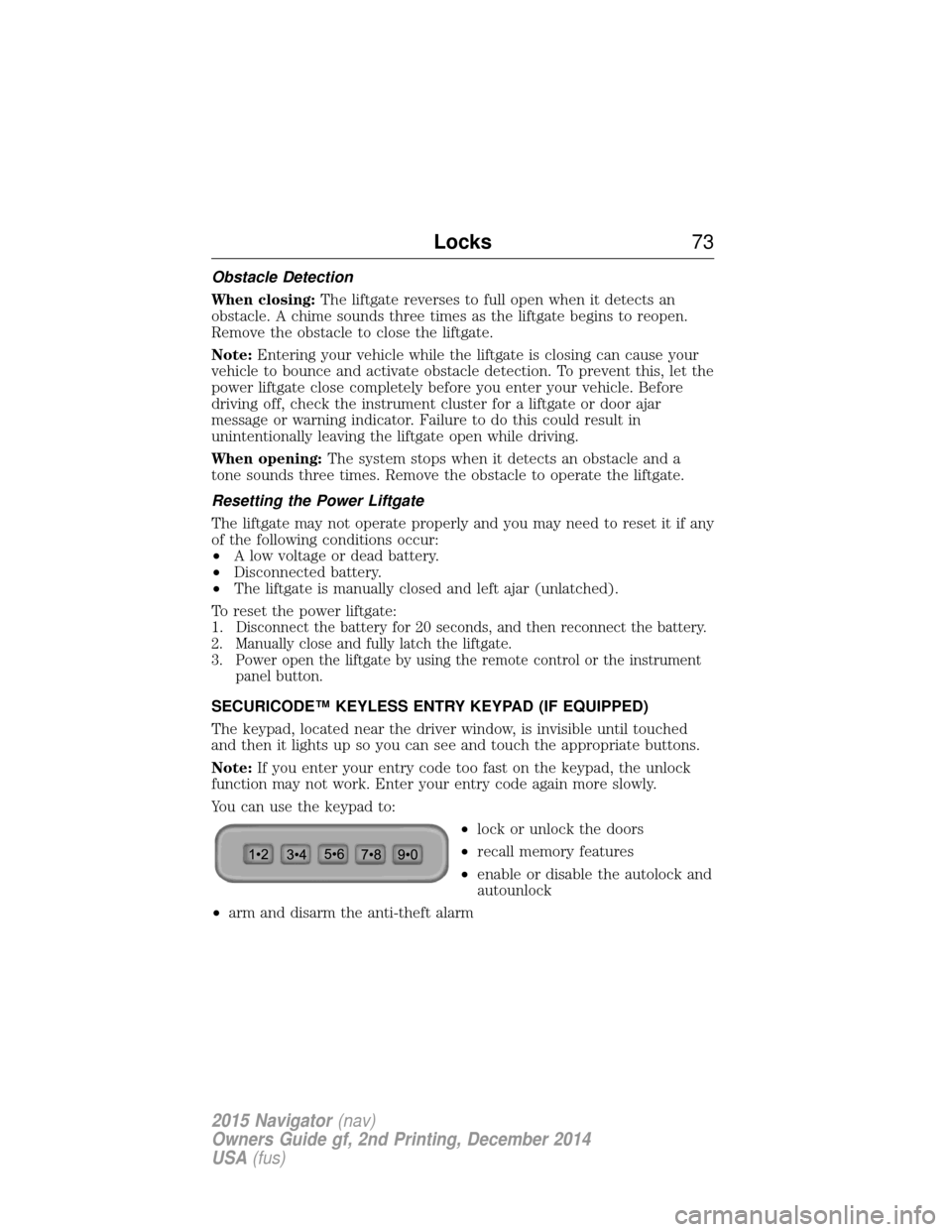
SECURICODE™ KEYLESS ENTRY KEYPAD (IF EQUIPPED)
The keypad, located near the driver window, is invisible until touched
and then it lights up so you can see and touch the appropriate buttons.
Note: If you enter your entry code too fast on the keypad, the unlock
function may not work. Enter your entry code again more slowly.
You can use the keypad to:
•lock or unlock the doors
• recall memory features
• enable or disable the autolock and
autounlock
• arm and disarm the anti-theft alarm
Locks 73
2015 Navigator(nav)
Owners Guide gf, 2nd Printing, December 2014
USA (fus)
Page 90 of 475
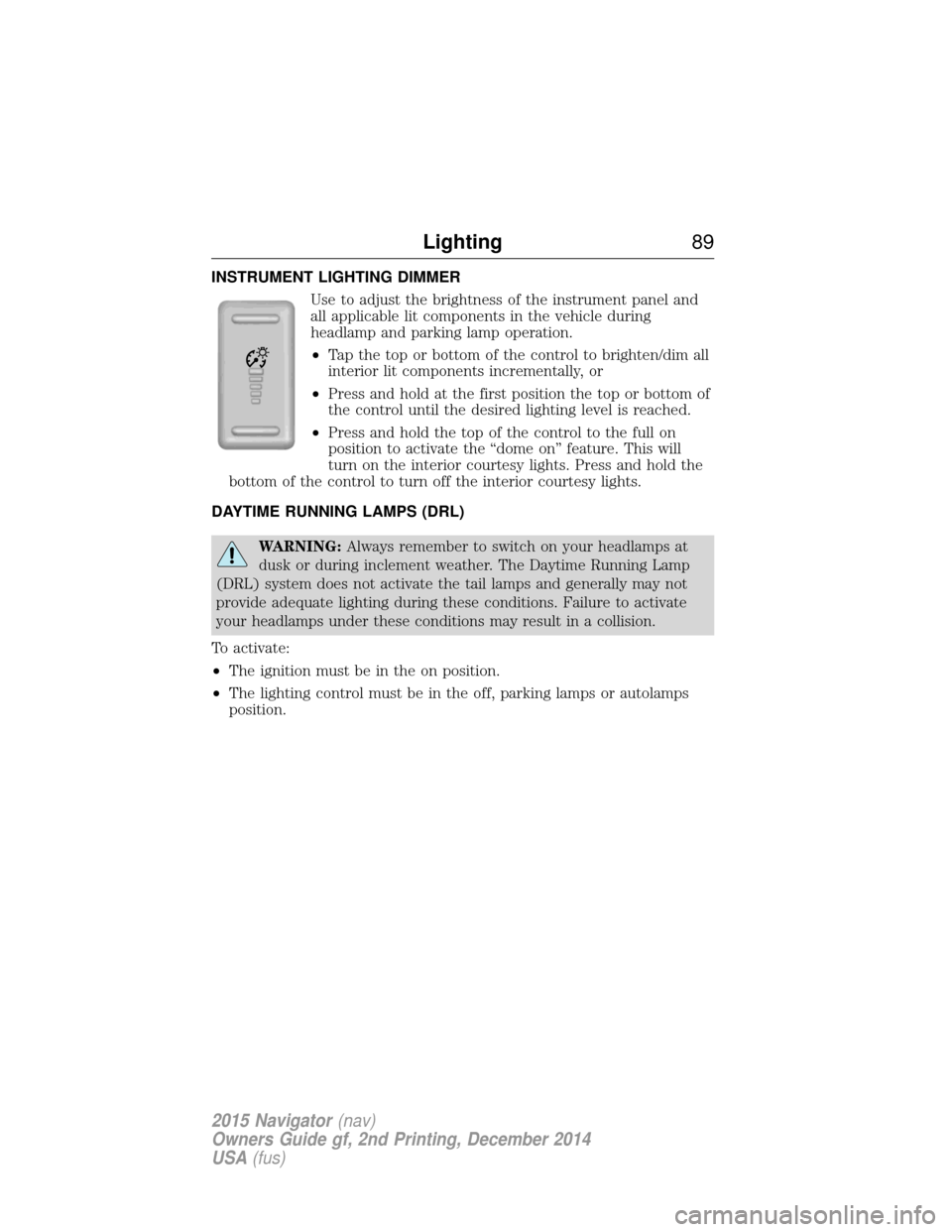
INSTRUMENT LIGHTING DIMMERUse to adjust the brightness of the instrument panel and
all applicable lit components in the vehicle during
headlamp and parking lamp operation.
•Tap the top or bottom of the control to brighten/dim all
interior lit components incrementally, or
• Press and hold at the first position the top or bottom of
the control until the desired lighting level is reached.
• Press and hold the top of the control to the full on
position to activate the “dome on” feature. This will
turn on the interior courtesy lights. Press and hold the
bottom of the control to turn off the interior courtesy lights.
DAYTIME RUNNING LAMPS (DRL)
WARNING: Always remember to switch on your headlamps at
dusk or during inclement weather. The Daytime Running Lamp
(DRL) system does not activate the tail lamps and generally may not
provide adequate lighting during these conditions. Failure to activate
your headlamps under these conditions may result in a collision.
To activate:
• The ignition must be in the on position.
• The lighting control must be in the off, parking lamps or autolamps
position.
Lighting 89
2015 Navigator(nav)
Owners Guide gf, 2nd Printing, December 2014
USA (fus)
Page 92 of 475
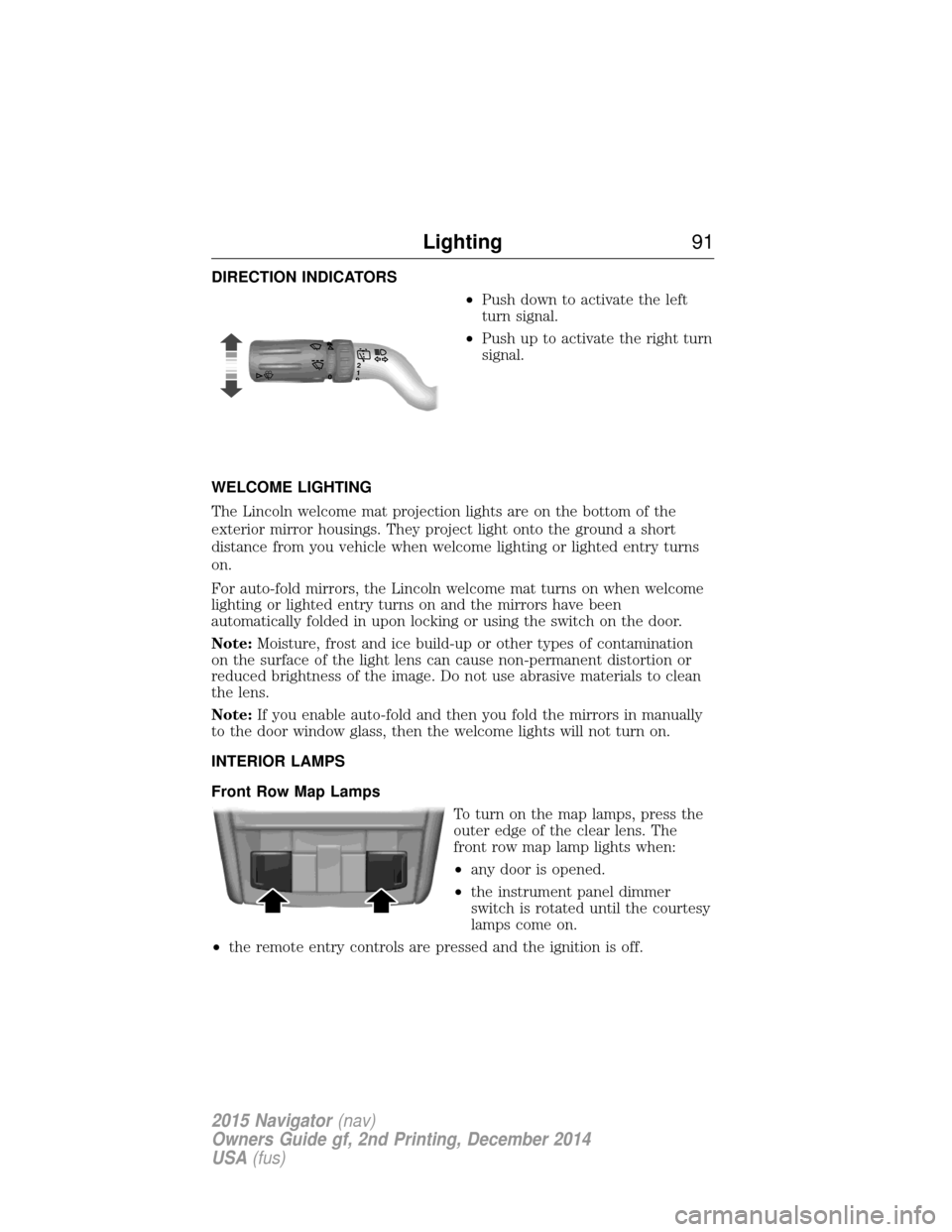
DIRECTION INDICATORS•Push down to activate the left
turn signal.
• Push up to activate the right turn
signal.
WELCOME LIGHTING
The Lincoln welcome mat projection lights are on the bottom of the
exterior mirror housings. They project light onto the ground a short
distance from you vehicle when welcome lighting or lighted entry turns
on.
For auto-fold mirrors, the Lincoln welcome mat turns on when welcome
lighting or lighted entry turns on and the mirrors have been
automatically folded in upon locking or using the switch on the door.
Note: Moisture, frost and ice build-up or other types of contamination
on the surface of the light lens can cause non-permanent distortion or
reduced brightness of the image. Do not use abrasive materials to clean
the lens.
Note: If you enable auto-fold and then you fold the mirrors in manually
to the door window glass, then the welcome lights will not turn on.
INTERIOR LAMPS
Front Row Map Lamps
To turn on the map lamps, press the
outer edge of the clear lens. The
front row map lamp lights when:
•any door is opened.
• the instrument panel dimmer
switch is rotated until the courtesy
lamps come on.
• the remote entry controls are pressed and the ignition is off.
120
Lighting 91
2015 Navigator(nav)
Owners Guide gf, 2nd Printing, December 2014
USA (fus)
Page 93 of 475
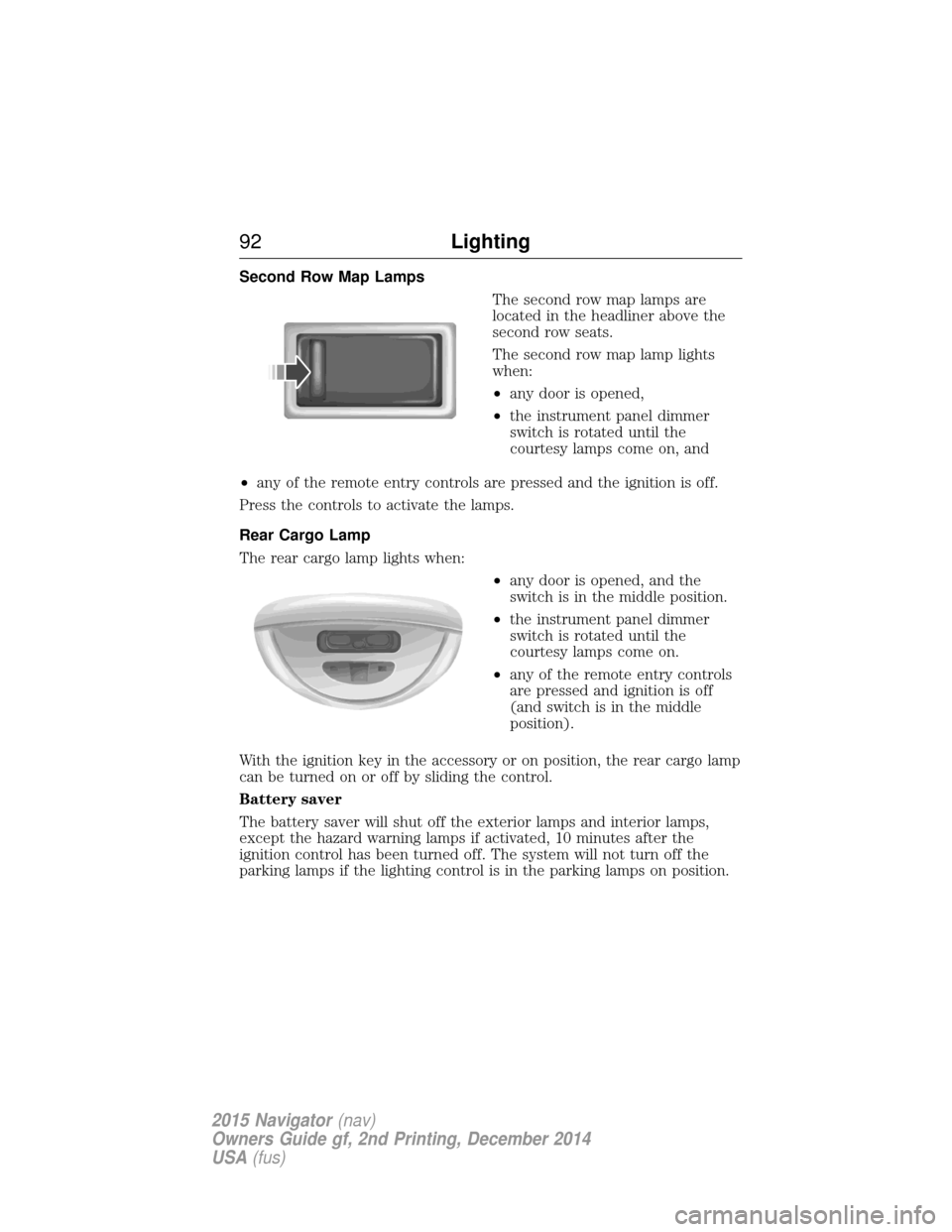
Second Row Map LampsThe second row map lamps are
located in the headliner above the
second row seats.
The second row map lamp lights
when:
•any door is opened,
• the instrument panel dimmer
switch is rotated until the
courtesy lamps come on, and
• any of the remote entry controls are pressed and the ignition is off.
Press the controls to activate the lamps.
Rear Cargo Lamp
The rear cargo lamp lights when: •any door is opened, and the
switch is in the middle position.
• the instrument panel dimmer
switch is rotated until the
courtesy lamps come on.
• any of the remote entry controls
are pressed and ignition is off
(and switch is in the middle
position).
With the ignition key in the accessory or on position, the rear cargo lamp
can be turned on or off by sliding the control.
Battery saver
The battery saver will shut off the exterior lamps and interior lamps,
except the hazard warning lamps if activated, 10 minutes after the
ignition control has been turned off. The system will not turn off the
parking lamps if the lighting control is in the parking lamps on position.
92 Lighting
2015 Navigator(nav)
Owners Guide gf, 2nd Printing, December 2014
USA (fus)
Page 97 of 475
Blind Spot Information System (BLIS®) with Cross Traffic Alert
(CTA) (If Equipped)
Refer toBlind Spot Information System (BLIS®) with Cross Traffic
Alert (CTA) in theDriving Aids chapter.
INTERIOR MIRROR
WARNING: Do not adjust the mirror when your vehicle is
moving.
Note: Do not clean the housing or glass of any mirror with harsh
abrasives, fuel or other petroleum or ammonia based cleaning products.
You can adjust the interior mirror to your preference. Some mirrors also
have a second pivot point. This lets you move the mirror head up or
down and from side to side.
Auto-Dimming Mirror
Note: Do not block the sensors on the front and back of the mirror.
Mirror performance may be affected. A rear center passenger or raised
rear center head restraint may also block light from reaching the sensor.
The mirror will dim automatically to reduce glare when bright lights are
detected from behind your vehicle. It will automatically return to normal
reflection when you select reverse gear to make sure you have a clear
view when backing up.
CHILDMINDER MIRROR (IF EQUIPPED)
On double bin overhead consoles, the conversation mirror allows the
driver to view the rear seating area.
WARNING: Do not use the childminder mirror to view rearward
traffic, do not allow rear passengers to distract you from the
driving task, and make sure the rear view mirror has a clear view of
rearward traffic. Failure to do so could increase the risk of a crash from
an unseen vehicle, which may result in serious injury.
96 Windows and Mirrors
2015 Navigator (nav)
Owners Guide gf, 2nd Printing, December 2014
USA (fus)
Page 109 of 475
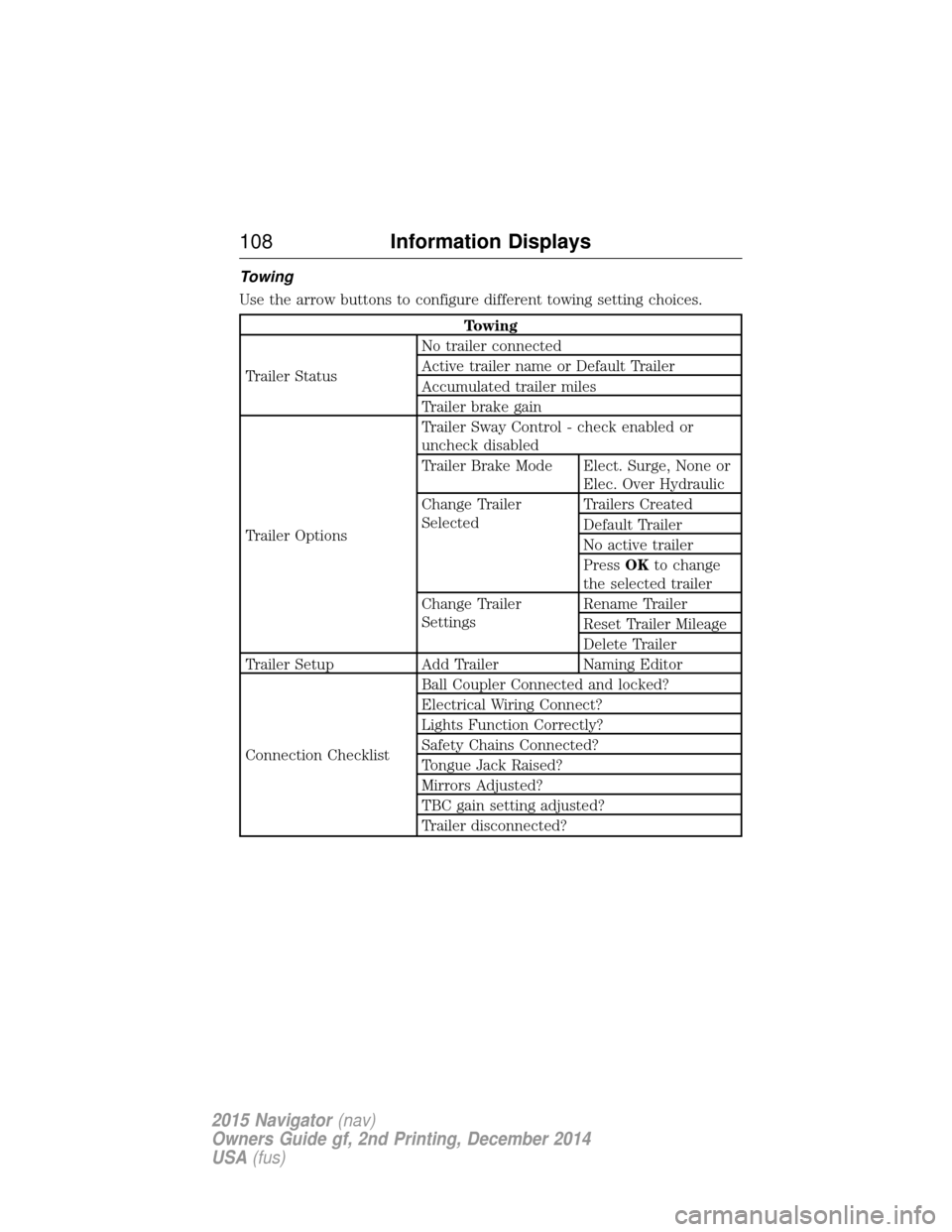
Towing
Use the arrow buttons to configure different towing setting choices.
Towing
Trailer Status No trailer connected
Active trailer name or Default Trailer
Accumulated trailer miles
Trailer brake gain
Trailer Options Trailer Sway Control - check enabled or
uncheck disabled
Trailer Brake Mode Elect. Surge, None or
Elec. Over Hydraulic
Change Trailer
Selected Trailers Created
Default Trailer
No active trailer
Press
OKto change
the selected trailer
Change Trailer
Settings Rename Trailer
Reset Trailer Mileage
Delete Trailer
Trailer Setup Add Trailer Naming Editor
Connection Checklist Ball Coupler Connected and locked?
Electrical Wiring Connect?
Lights Function Correctly?
Safety Chains Connected?
Tongue Jack Raised?
Mirrors Adjusted?
TBC gain setting adjusted?
Trailer disconnected?
108
Information Displays
2015 Navigator (nav)
Owners Guide gf, 2nd Printing, December 2014
USA (fus)
Page 135 of 475
Easy Entry and Exit Feature
The Easy Entry and Exit feature adjusts the position of the seat and
steering column to allow easier exit and entry to the vehicle.
The driver seat automatically moves 2 inches (5 centimeters) rearward
when the transmission is in park (P) and you switch the ignition off.
The driver seat returns to the previous position when you switch the
ignition on.
Enable or disable this feature through the information display. See the
Information Displayschapter for more information.
Climate Controlled Seats (If Equipped)
Heated Seats
WARNING: Persons who are unable to feel pain to the skin
because of advanced age, chronic illness, diabetes, spinal cord
injury, medication, alcohol use, exhaustion, or other physical conditions,
must exercise care when using the seat heater. The seat heater may
cause burns even at low temperatures, especially if used for long
periods of time. Do not place anything on the seat that insulates against
heat, such as a blanket or cushion, because this may cause the seat
heater to overheat. Do not puncture the seat with pins, needles, or
other pointed objects because this may damage the heating element
which may cause the seat heater to overheat. An overheated seat may
cause serious personal injury.
Note: Do not do the following:
• Place heavy objects on the seat.
• Operate the seat heater if water or any other liquid is spilled on the
seat. Allow the seat to dry thoroughly.
The heated seats will only function when the engine is running.
To operate the heated seats: Press the heated seat symbol to cycle through the various
heat settings and off. Warmer settings are indicated by
more indicator lights.
134 Seats
2015 Navigator(nav)
Owners Guide gf, 2nd Printing, December 2014
USA (fus)
Page 136 of 475
Cooled Seats
The cooled seats will only function when the engine is running.
To operate the cooled seats:Press the cooled seat symbol to cycle through the various
cooling settings and off. Cooler settings are indicated by
more indicator lights.
If the engine falls below 350 RPM while the cooled seats are on, the
feature will turn itself off. You will need to reactivate it.
Climate Controlled Seats Air Filter Replacement (If Equipped)
The climate controlled seat system includes air filters. You must replace
them periodically. See scheduled maintenance information for more
information.
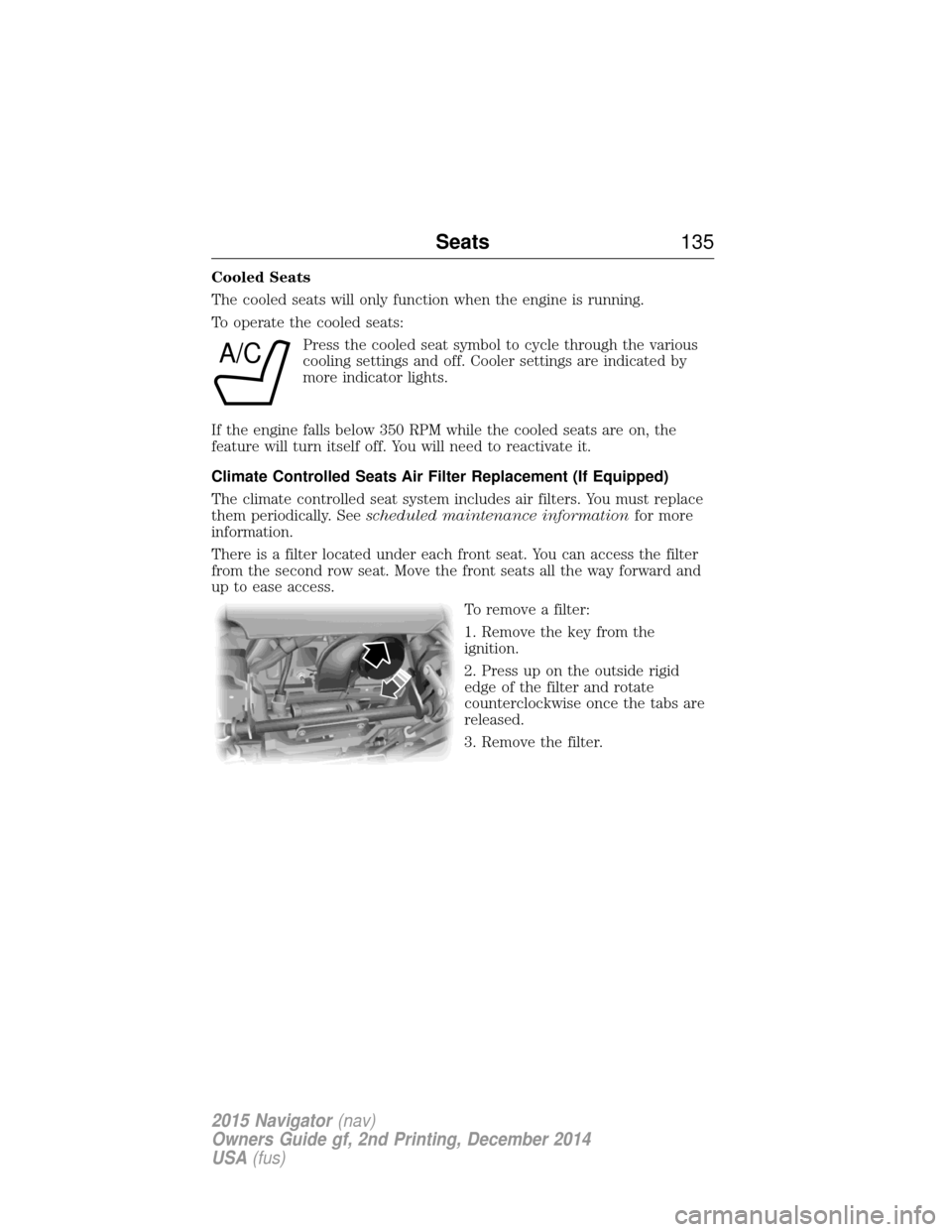
There is a filter located under each front seat. You can access the filter
from the second row seat. Move the front seats all the way forward and
up to ease access.
To remove a filter:
1. Remove the key from the
ignition.
2. Press up on the outside rigid
edge of the filter and rotate
counterclockwise once the tabs are
released.
3. Remove the filter.
A/C
Seats135
2015 Navigator(nav)
Owners Guide gf, 2nd Printing, December 2014
USA (fus)