parking brake LINCOLN NAVIGATOR 2015 Owners Manual
[x] Cancel search | Manufacturer: LINCOLN, Model Year: 2015, Model line: NAVIGATOR, Model: LINCOLN NAVIGATOR 2015Pages: 475, PDF Size: 5.13 MB
Page 5 of 475
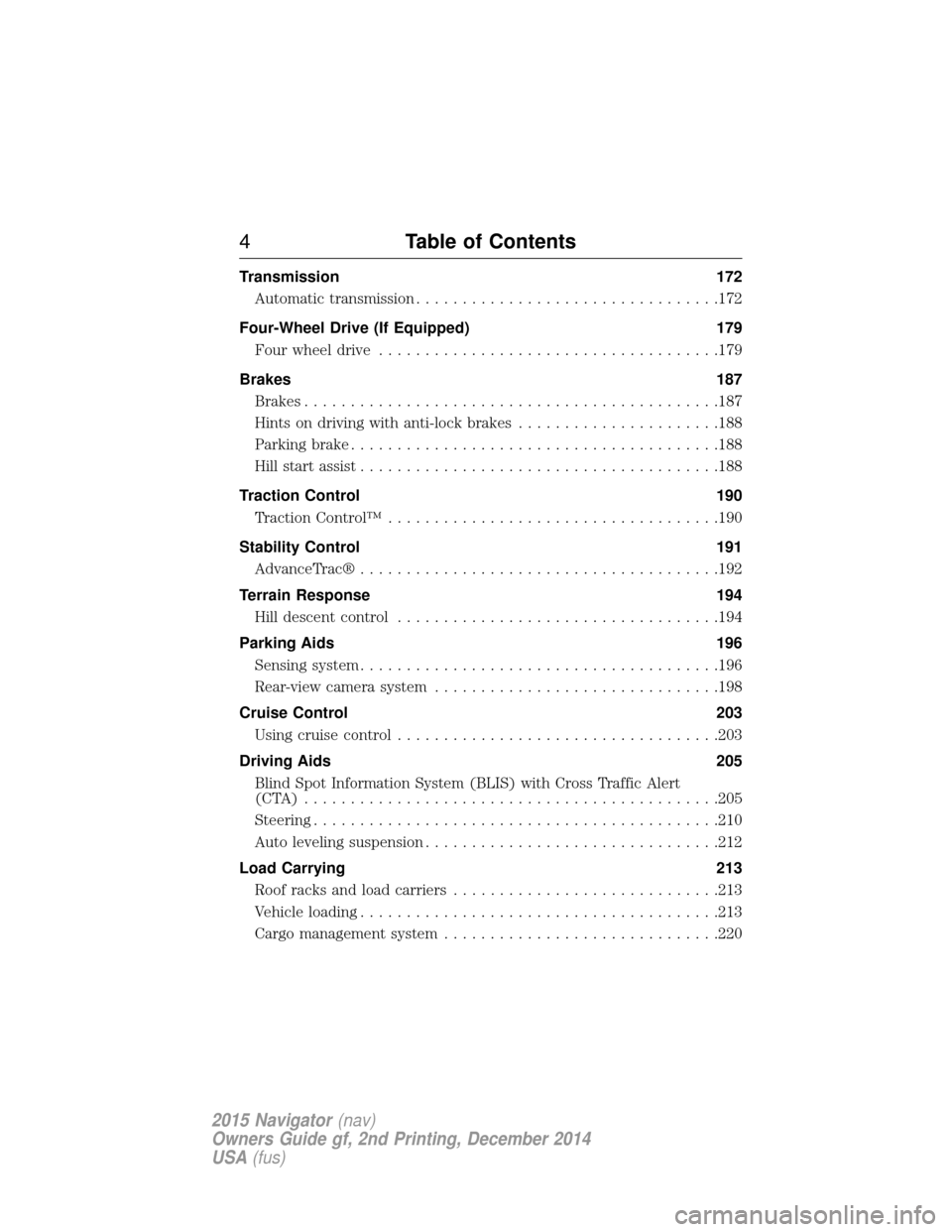
Transmission172
Automatic transmission .................................172
Four-Wheel Drive (If Equipped) 179
Four wheel drive .....................................179
Brakes 187
Brakes .............................................187
Hints on driving with anti-lock brakes ......................188
Parking brake ........................................188
Hill start assist .......................................188
Traction Control 190
TractionControl™ ....................................190
Stability Control 191
AdvanceTrac® .......................................192
Terrain Response 194
Hill descent control ...................................194
Parking Aids 196
Sensing system .......................................196
Rear-view camera system ...............................198
Cruise Control 203
Usingcruisecontrol ...................................203
Driving Aids 205
Blind Spot Information System (BLIS) with Cross Traffic Alert
(CTA) .............................................205
Steering............................................210
Auto leveling suspension ................................212
Load Carrying 213
Roof racks and load carriers .............................213
Vehicle loading .......................................213
Cargo management system ..............................220
4Table of Contents
2015 Navigator(nav)
Owners Guide gf, 2nd Printing, December 2014
USA (fus)
Page 11 of 475
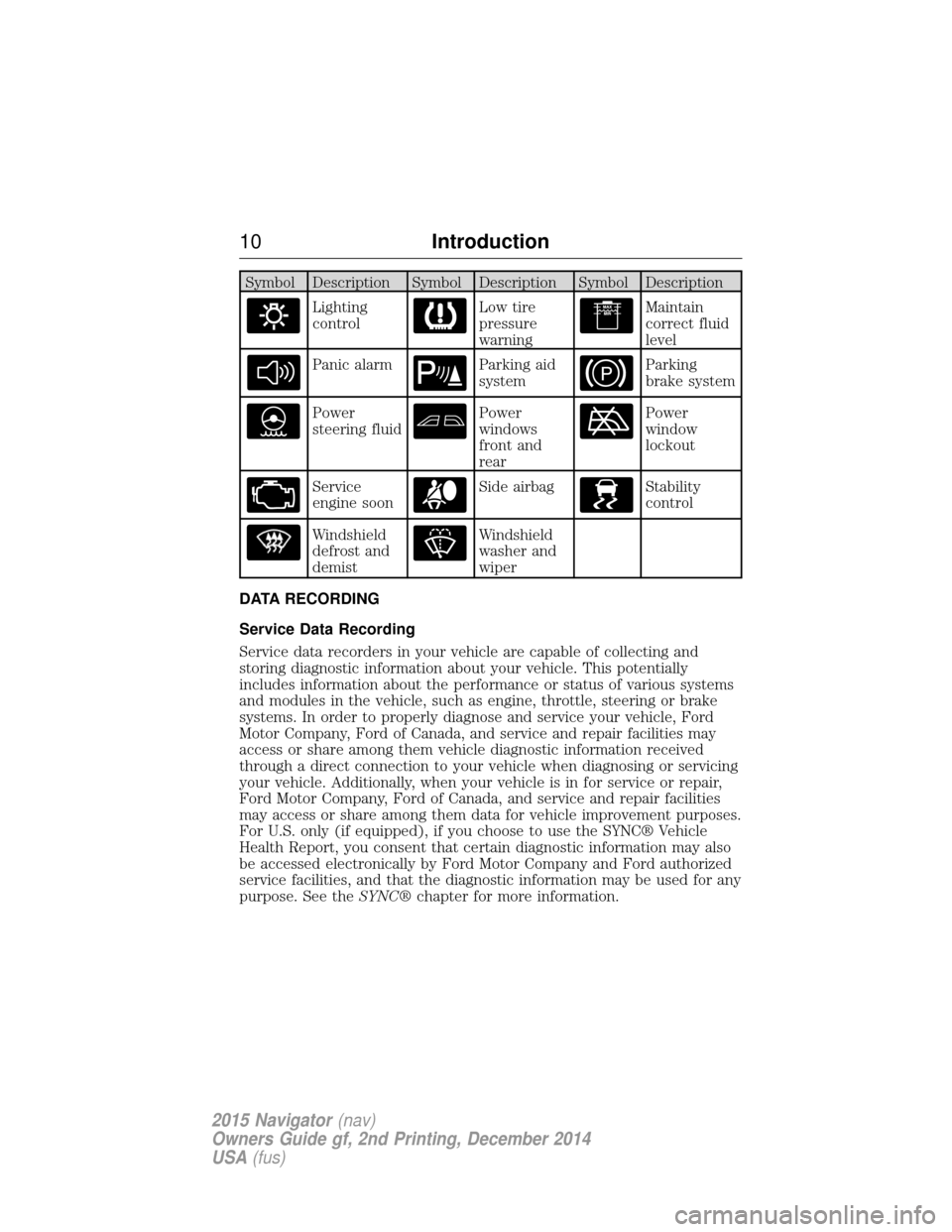
Symbol Description Symbol Description Symbol Description
Lighting
controlLow tire
pressure
warningMaintain
correct fluid
level
Panic alarmParking aid
systemParking
brake system
Power
steering fluidPower
windows
front and
rearPower
window
lockout
Service
engine soonSide airbagStability
control
Windshield
defrost and
demistWindshield
washer and
wiper
DATA RECORDING
Service Data Recording
Service data recorders in your vehicle are capable of collecting and
storing diagnostic information about your vehicle. This potentially
includes information about the performance or status of various systems
and modules in the vehicle, such as engine, throttle, steering or brake
systems. In order to properly diagnose and service your vehicle, Ford
Motor Company, Ford of Canada, and service and repair facilities may
access or share among them vehicle diagnostic information received
through a direct connection to your vehicle when diagnosing or servicing
your vehicle. Additionally, when your vehicle is in for service or repair,
Ford Motor Company, Ford of Canada, and service and repair facilities
may access or share among them data for vehicle improvement purposes.
For U.S. only (if equipped), if you choose to use the SYNC® Vehicle
Health Report, you consent that certain diagnostic information may also
be accessed electronically by Ford Motor Company and Ford authorized
service facilities, and that the diagnostic information may be used for any
purpose. See the SYNC®chapter for more information.
10 Introduction
2015 Navigator(nav)
Owners Guide gf, 2nd Printing, December 2014
USA (fus)
Page 42 of 475
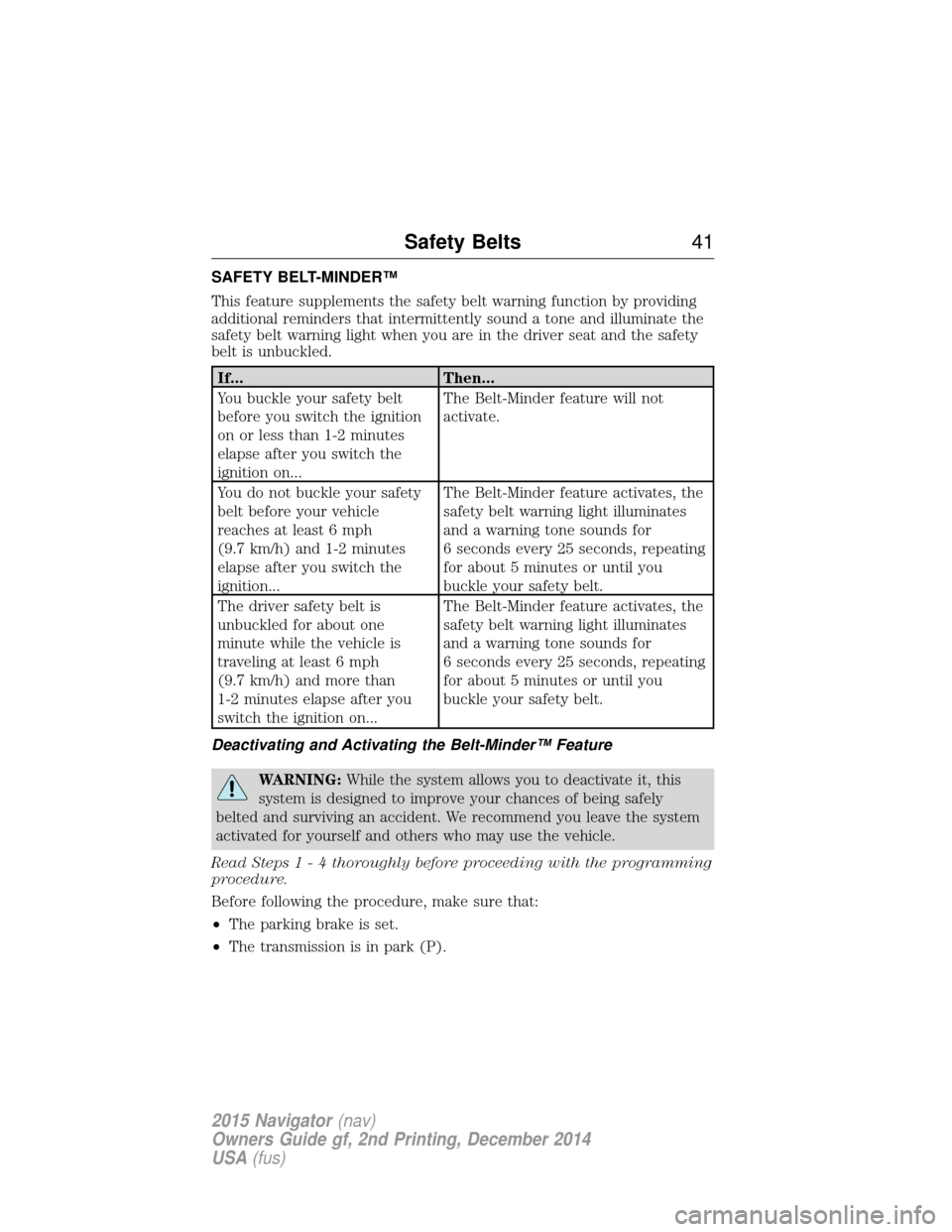
SAFETY BELT-MINDER™
This feature supplements the safety belt warning function by providing
additional reminders that intermittently sound a tone and illuminate the
safety belt warning light when you are in the driver seat and the safety
belt is unbuckled.
If...Then...
You buckle your safety belt
before you switch the ignition
on or less than 1-2 minutes
elapse after you switch the
ignition on... The Belt-Minder feature will not
activate.
You do not buckle your safety
belt before your vehicle
reaches at least 6 mph
(9.7 km/h) and 1-2 minutes
elapse after you switch the
ignition... The Belt-Minder feature activates, the
safety belt warning light illuminates
and a warning tone sounds for
6 seconds every 25 seconds, repeating
for about 5 minutes or until you
buckle your safety belt.
The driver safety belt is
unbuckled for about one
minute while the vehicle is
traveling at least 6 mph
(9.7 km/h) and more than
1-2 minutes elapse after you
switch the ignition on... The Belt-Minder feature activates, the
safety belt warning light illuminates
and a warning tone sounds for
6 seconds every 25 seconds, repeating
for about 5 minutes or until you
buckle your safety belt.
Deactivating and Activating the Belt-Minder™ Feature
WARNING: While the system allows you to deactivate it, this
system is designed to improve your chances of being safely
belted and surviving an accident. We recommend you leave the system
activated for yourself and others who may use the vehicle.
Read Steps1-4t horoughly before proceeding with the programming
procedure.
Before following the procedure, make sure that:
• The parking brake is set.
• The transmission is in park (P).
Safety Belts 41
2015 Navigator(nav)
Owners Guide gf, 2nd Printing, December 2014
USA (fus)
Page 59 of 475
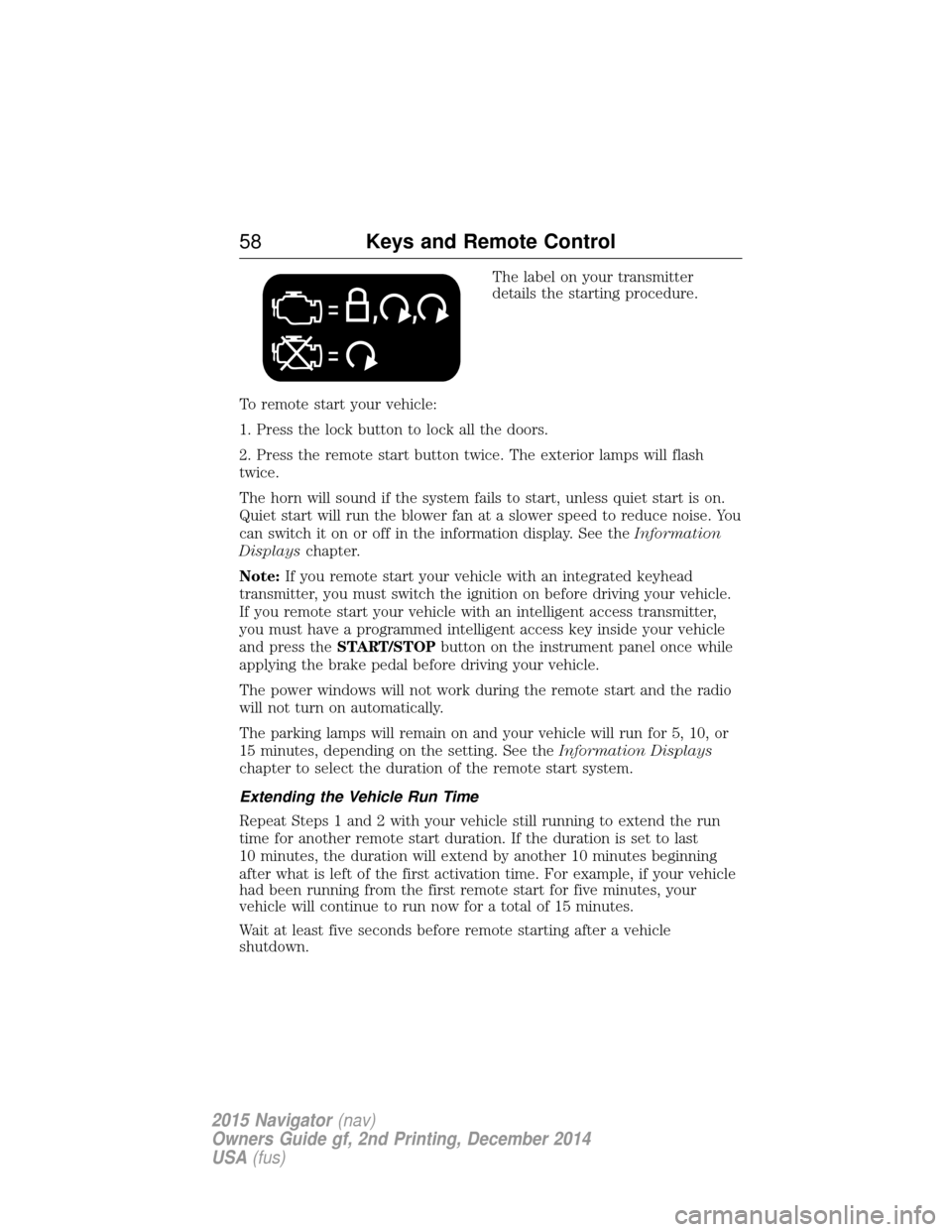
The label on your transmitter
details the starting procedure.
To remote start your vehicle:
1. Press the lock button to lock all the doors.
2. Press the remote start button twice. The exterior lamps will flash
twice.
The horn will sound if the system fails to start, unless quiet start is on.
Quiet start will run the blower fan at a slower speed to reduce noise. You
can switch it on or off in the information display. See the Information
Displays chapter.
Note: If you remote start your vehicle with an integrated keyhead
transmitter, you must switch the ignition on before driving your vehicle.
If you remote start your vehicle with an intelligent access transmitter,
you must have a programmed intelligent access key inside your vehicle
and press the START/STOP button on the instrument panel once while
applying the brake pedal before driving your vehicle.
The power windows will not work during the remote start and the radio
will not turn on automatically.
The parking lamps will remain on and your vehicle will run for 5, 10, or
15 minutes, depending on the setting. See the Information Displays
chapter to select the duration of the remote start system.
Extending the Vehicle Run Time
Repeat Steps 1 and 2 with your vehicle still running to extend the run
time for another remote start duration. If the duration is set to last
10 minutes, the duration will extend by another 10 minutes beginning
after what is left of the first activation time. For example, if your vehicle
had been running from the first remote start for five minutes, your
vehicle will continue to run now for a total of 15 minutes.
Wait at least five seconds before remote starting after a vehicle
shutdown.
58 Keys and Remote Control
2015 Navigator (nav)
Owners Guide gf, 2nd Printing, December 2014
USA (fus)
Page 102 of 475
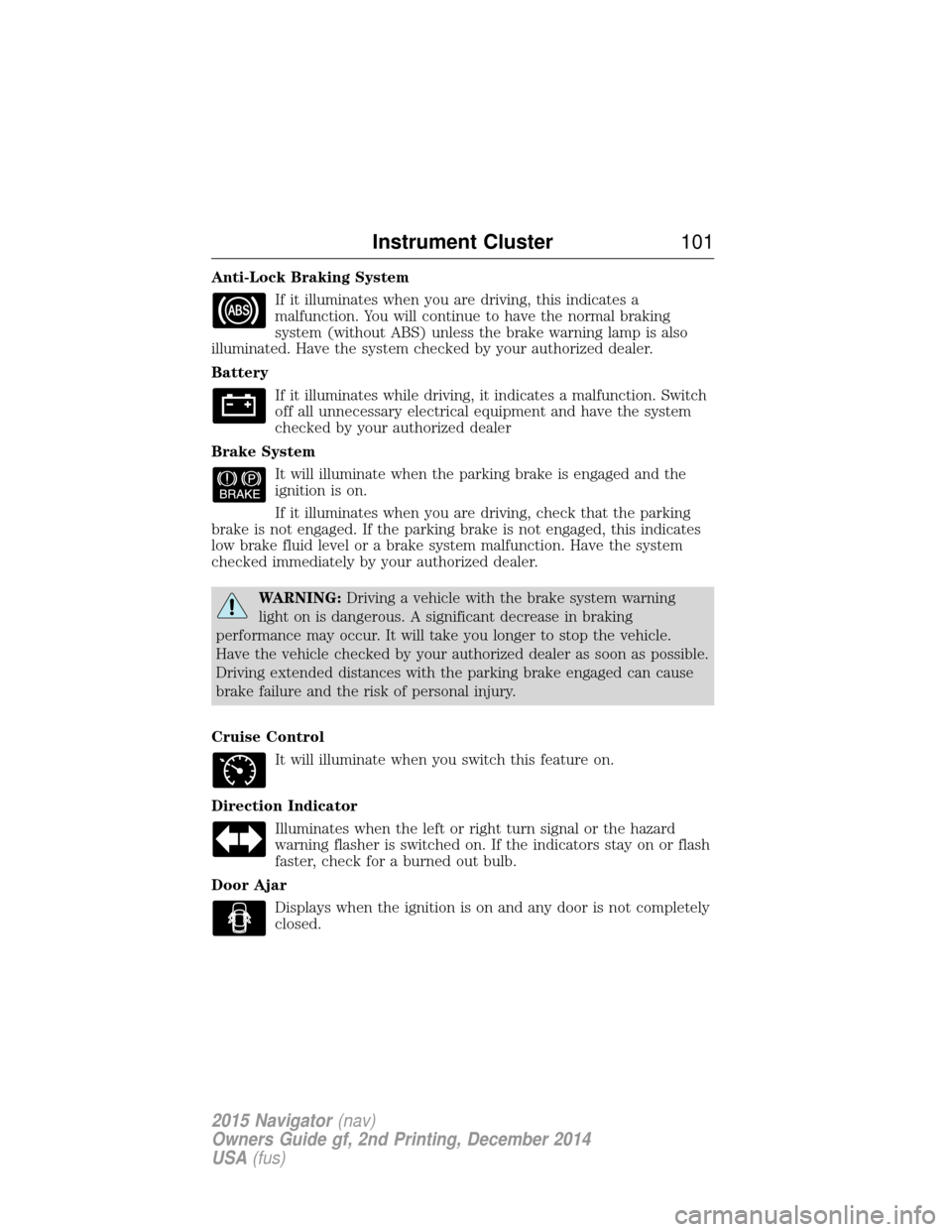
Anti-Lock Braking SystemIf it illuminates when you are driving, this indicates a
malfunction. You will continue to have the normal braking
system (without ABS) unless the brake warning lamp is also
illuminated. Have the system checked by your authorized dealer.
Battery
If it illuminates while driving, it indicates a malfunction. Switch
off all unnecessary electrical equipment and have the system
checked by your authorized dealer
Brake System It will illuminate when the parking brake is engaged and the
ignition is on.
If it illuminates when you are driving, check that the parking
brake is not engaged. If the parking brake is not engaged, this indicates
low brake fluid level or a brake system malfunction. Have the system
checked immediately by your authorized dealer.
WARNING: Driving a vehicle with the brake system warning
light on is dangerous. A significant decrease in braking
performance may occur. It will take you longer to stop the vehicle.
Have the vehicle checked by your authorized dealer as soon as possible.
Driving extended distances with the parking brake engaged can cause
brake failure and the risk of personal injury.
Cruise Control It will illuminate when you switch this feature on.
Direction Indicator Illuminates when the left or right turn signal or the hazard
warning flasher is switched on. If the indicators stay on or flash
faster, check for a burned out bulb.
Door Ajar Displays when the ignition is on and any door is not completely
closed.
Instrument Cluster 101
2015 Navigator(nav)
Owners Guide gf, 2nd Printing, December 2014
USA (fus)
Page 106 of 475
AUDIBLE WARNINGS AND INDICATORS
Key In Ignition Warning Chime
Sounds when the key is left in the ignition and the driver’s door is
opened.
Headlamps On Warning Chime
Sounds when the headlamps or parking lamps are on, the ignition is off
(the key is not in the ignition) and the driver’s door is opened.
Parking Brake On Warning Chime
Sounds when you have left the parking brake on and drive your vehicle.
If the warning chime remains on after you have released the parking
brake, have the system checked by your authorized dealer immediately.
Turn Signal Chime
Sounds when the direction indicator has been activated to signal a turn
and not turned off after the vehicle is driven more than 1.5 miles
(2.4 km).
Instrument Cluster105
2015 Navigator(nav)
Owners Guide gf, 2nd Printing, December 2014
USA (fus)
Page 114 of 475
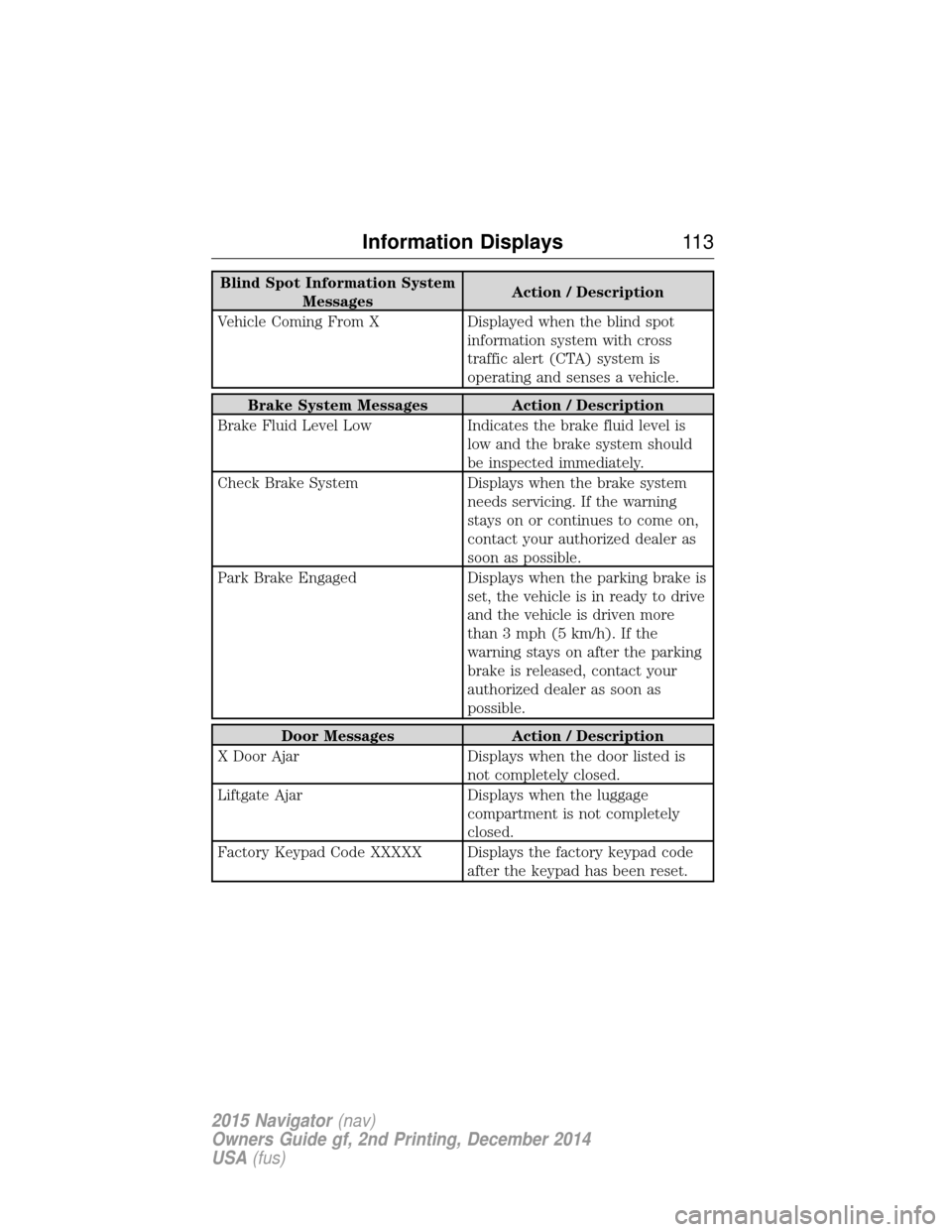
Blind Spot Information SystemMessages Action / Description
Vehicle Coming From X Displayed when the blind spot information system with cross
traffic alert (CTA) system is
operating and senses a vehicle.
Brake System Messages Action / Description
Brake Fluid Level Low Indicates the brake fluid level is
low and the brake system should
be inspected immediately.
Check Brake System Displays when the brake system
needs servicing. If the warning
stays on or continues to come on,
contact your authorized dealer as
soon as possible.
Park Brake Engaged Displays when the parking brake is
set, the vehicle is in ready to drive
and the vehicle is driven more
than 3 mph (5 km/h). If the
warning stays on after the parking
brake is released, contact your
authorized dealer as soon as
possible.
Door Messages Action / Description
X Door Ajar Displays when the door listed is
not completely closed.
Liftgate Ajar Displays when the luggage
compartment is not completely
closed.
Factory Keypad Code XXXXX Displays the factory keypad code after the keypad has been reset.
Information Displays11 3
2015 Navigator(nav)
Owners Guide gf, 2nd Printing, December 2014
USA (fus)
Page 119 of 475
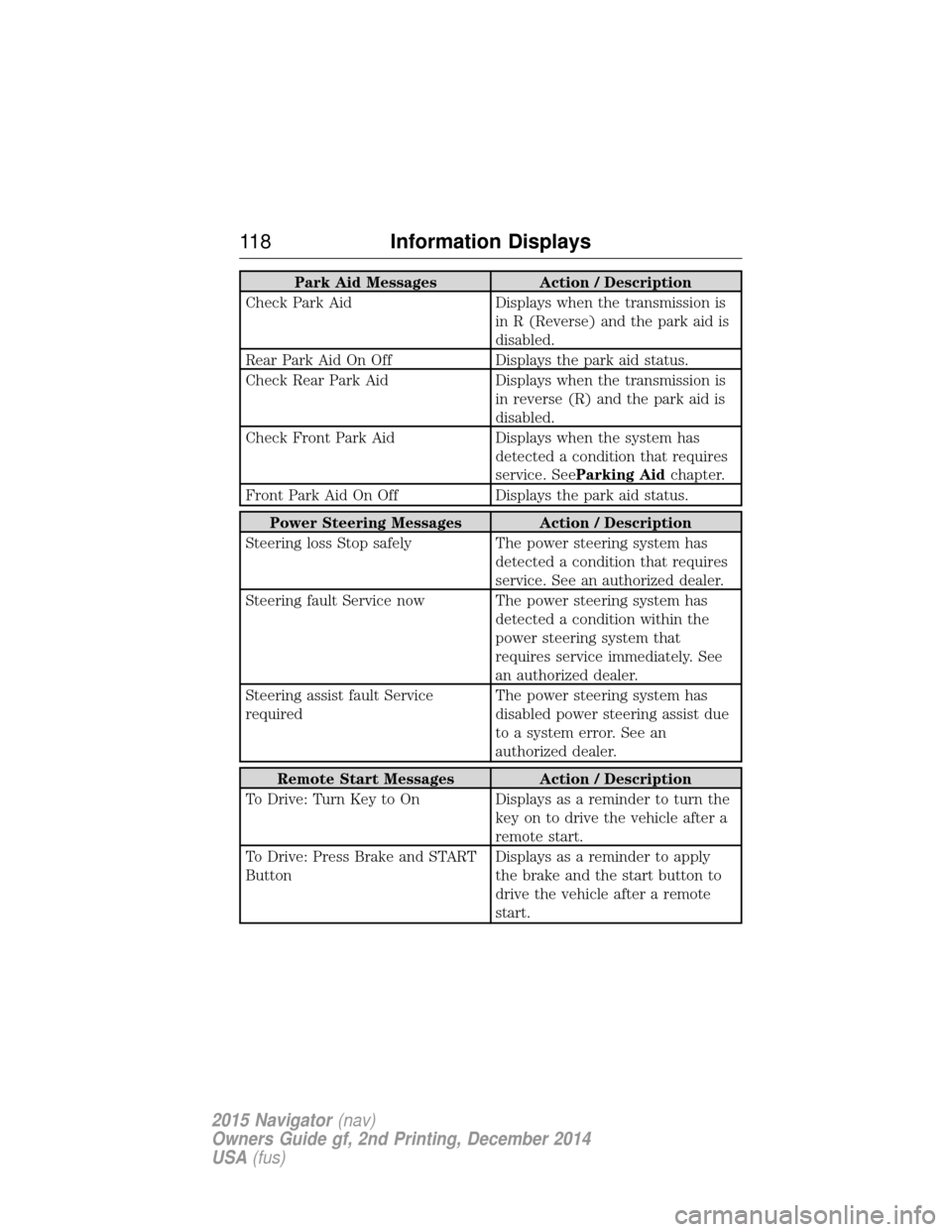
Park Aid MessagesAction / Description
Check Park Aid Displays when the transmission is
in R (Reverse) and the park aid is
disabled.
Rear Park Aid On Off Displays the park aid status.
Check Rear Park Aid Displays when the transmission is
in reverse (R) and the park aid is
disabled.
Check Front Park Aid Displays when the system has
detected a condition that requires
service. See Parking Aid chapter.
Front Park Aid On Off Displays the park aid status.
Power Steering Messages Action / Description
Steering loss Stop safely The power steering system has
detected a condition that requires
service. See an authorized dealer.
Steering fault Service now The power steering system has detected a condition within the
power steering system that
requires service immediately. See
an authorized dealer.
Steering assist fault Service
required The power steering system has
disabled power steering assist due
to a system error. See an
authorized dealer.
Remote Start Messages
Action / Description
To Drive: Turn Key to On Displays as a reminder to turn the key on to drive the vehicle after a
remote start.
To Drive: Press Brake and START
Button Displays as a reminder to apply
the brake and the start button to
drive the vehicle after a remote
start.
11 8
Information Displays
2015 Navigator (nav)
Owners Guide gf, 2nd Printing, December 2014
USA (fus)
Page 159 of 475
Before starting the engine check the following:
•Make sure all occupants have fastened their safety belts.
• Make sure the headlamps and electrical accessories are off.
• Make sure the parking brake is on.
• Make sure the gearshift is in position P.
Note: Do not touch the accelerator pedal.
1. Fully press the brake pedal.
2. Press the button.
The system does not function if:
• The key frequencies are jammed.
• The key battery has no charge.
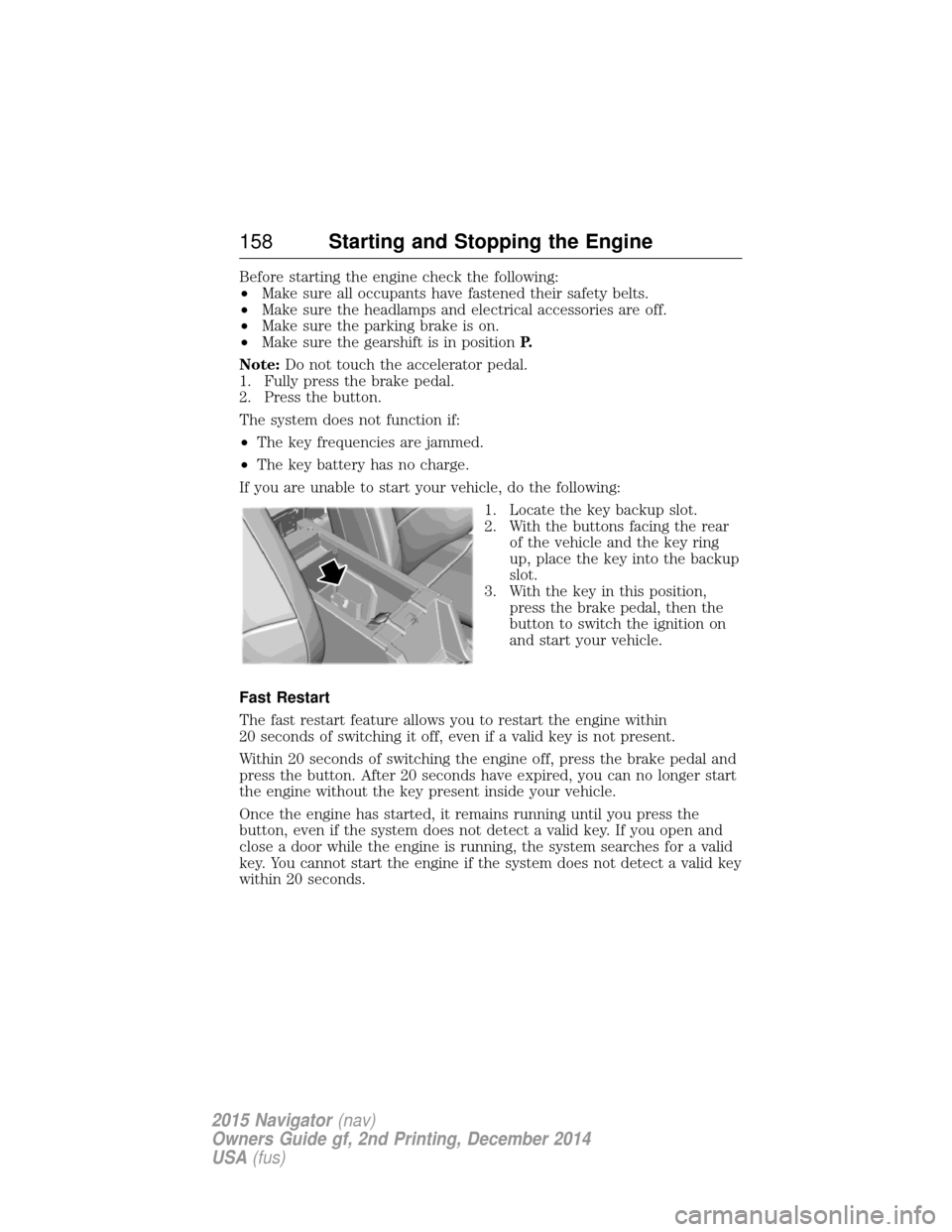
If you are unable to start your vehicle, do the following: 1. Locate the key backup slot.
2. With the buttons facing the rearof the vehicle and the key ring
up, place the key into the backup
slot.
3. With the key in this position, press the brake pedal, then the
button to switch the ignition on
and start your vehicle.
Fast Restart
The fast restart feature allows you to restart the engine within
20 seconds of switching it off, even if a valid key is not present.
Within 20 seconds of switching the engine off, press the brake pedal and
press the button. After 20 seconds have expired, you can no longer start
the engine without the key present inside your vehicle.
Once the engine has started, it remains running until you press the
button, even if the system does not detect a valid key. If you open and
close a door while the engine is running, the system searches for a valid
key. You cannot start the engine if the system does not detect a valid key
within 20 seconds.
158 Starting and Stopping the Engine
2015 Navigator (nav)
Owners Guide gf, 2nd Printing, December 2014
USA (fus)
Page 160 of 475
Failure to Start
If you cannot start the engine after three attempts, wait 10 seconds and
follow this procedure:
1. Fully press the brake pedal.
2. Fully press the accelerator pedal and hold it there.
3. Start the engine.
Stopping the Engine When Your Vehicle is Stationary
1. Move the transmission selector lever to positionP.
2. Press the button once.
3. Apply the parking brake.
Note: This switches off the ignition, all electrical circuits, warning lamps
and indicators.
Note: If the engine is idling for 30 minutes, the ignition and engine
automatically shut down.
Stopping the Engine When Your Vehicle is Moving
WARNING: Switching off the engine when the vehicle is still
moving will result in a loss of brake and steering assistance. The
steering will not lock, but higher effort will be required. When the
ignition is switched off, some electrical circuits, including air bags,
warning lamps and indicators may also be off. If the ignition was turned
off accidentally, you can shift into Neutral and restart the engine.
1. Move the transmission selector lever to position Nand use the brakes
to bring your vehicle to a safe stop.
2. When your vehicle has stopped, move the transmission selector lever to position Pand switch the ignition off by pressing and holding the
button for one second, or pressing it three times within two seconds.
3. Apply the parking brake.
Your vehicle may have remote start capability. Refer to Remote startin
the Keys and Remote Control chapter.
Guarding Against Exhaust Fumes
WARNING: If you smell exhaust fumes inside your vehicle, have
this checked immediately. Do not drive your vehicle if you smell
exhaust fumes. Carbon monoxide is present in exhaust fumes. Take
precautions to avoid its dangerous effects.
Starting and Stopping the Engine 159
2015 Navigator(nav)
Owners Guide gf, 2nd Printing, December 2014
USA (fus)