power steering LINCOLN NAVIGATOR 2016 Owners Manual
[x] Cancel search | Manufacturer: LINCOLN, Model Year: 2016, Model line: NAVIGATOR, Model: LINCOLN NAVIGATOR 2016Pages: 419, PDF Size: 3.59 MB
Page 5 of 419
Steering Wheel
Adjusting the Steering Wheel......................77
Audio Control...................................................78
Voice Control
....................................................81
Cruise Control.................................................82
Information Display Control
.........................82
Heated Steering Wheel
................................82
Pedals
Adjusting the Pedals
......................................83
Wipers and Washers
Windshield Wipers
..........................................84
Autowipers.......................................................84
Windshield Washers
......................................85
Rear Window Wiper and Washers..............85
Lighting
General Information
.......................................87
Lighting Control
...............................................87
Autolamps.........................................................88
Instrument Lighting Dimmer........................89
Daytime Running Lamps...............................89 Adaptive Headlamps
.....................................90
Direction Indicators.........................................91
Welcome Lighting
............................................91
Interior Lamps
...................................................91
Ambient Lighting
............................................92
Windows and Mirrors
Power Windows
..............................................93
Exterior Mirrors
................................................94
Interior Mirror...................................................95
Childminder Mirror
.........................................95
Rear Quarter Windows
..................................96
Sun Visors
.........................................................96
Moonroof...........................................................97
Instrument Cluster
Gauges..............................................................99
Warning Lamps and Indicators...................101
Audible Warnings and Indicators
..............104
Information Displays
General Information.....................................105
Information Messages....................................111 Climate Control
Automatic Climate Control
.........................125
Hints on Controlling the Interior Climate.........................................................127
Rear Passenger Climate Controls.............129
Heated Windows and Mirrors....................130
Remote Start
...................................................130
Seats
Sitting in the Correct Position....................132
Head Restraints.............................................132
Power Seats....................................................134
Memory Function
..........................................135
Rear Seats
.......................................................137
Heated Seats
..................................................144
Climate Controlled Seats
............................145
Universal Garage Door Opener
Universal Garage Door Opener
................148
Auxiliary Power Points
Auxiliary Power Points.................................153
2
Navigator (TB5) Canada/United States of America, enUSA, First Printing Table of Contents
Page 12 of 419
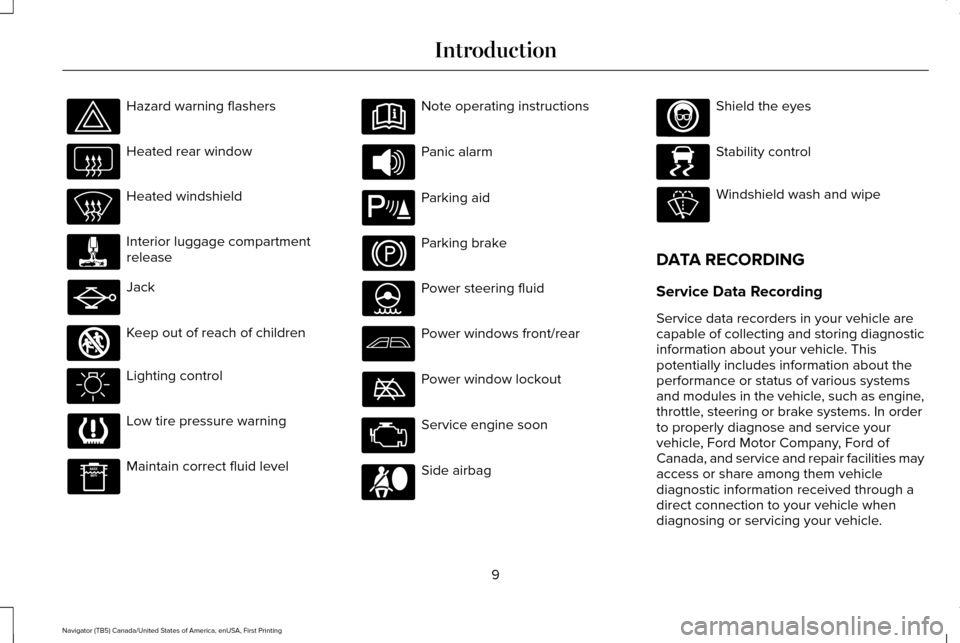
Hazard warning flashers
Heated rear window
Heated windshield
Interior luggage compartment
release
Jack
Keep out of reach of children
Lighting control
Low tire pressure warning
Maintain correct fluid level Note operating instructions
Panic alarm
Parking aid
Parking brake
Power steering fluid
Power windows front/rear
Power window lockout
Service engine soon
Side airbag Shield the eyes
Stability control
Windshield wash and wipe
DATA RECORDING
Service Data Recording
Service data recorders in your vehicle are
capable of collecting and storing diagnostic
information about your vehicle. This
potentially includes information about the
performance or status of various systems
and modules in the vehicle, such as engine,
throttle, steering or brake systems. In order
to properly diagnose and service your
vehicle, Ford Motor Company, Ford of
Canada, and service and repair facilities may
access or share among them vehicle
diagnostic information received through a
direct connection to your vehicle when
diagnosing or servicing your vehicle.
9
Navigator (TB5) Canada/United States of America, enUSA, First Printing Introduction E161353 E139213 E167012 E138639
Page 56 of 419
Memory Feature (If Equipped)
You can use the intelligent access key to
recall memory settings for the driver seat,
power mirrors, power steering column and
power adjustable foot pedals. Unlock your
vehicle with the intelligent access key to
recall the memory positions. You can
program the intelligent access key to recall
memory positions.
See Memory Function
(page 135).
REPLACING A LOST KEY OR
REMOTE CONTROL
Replacement keys or remote controls can
be purchased from an authorized dealer.
Authorized dealers can program remote
controls for your vehicle.
See Passive
Anti-Theft System (page 73).
53
Navigator (TB5) Canada/United States of America, enUSA, First Printing Keys and Remote Controls
Page 124 of 419
 and the park aid disa\
bles.
Check Park Aid
Displays the park aid status.
Rear Park Aid On Off
Displays when the trans")
Park Aid Messages
Action
Message
Displays when the transmission is in reverse (R) and the park aid disa\
bles.
Check Park Aid
Displays the park aid status.
Rear Park Aid On Off
Displays when the transmission is in reverse (R) and the park aid disa\
bles.
Check Rear Park Aid
Displays when the system detects a condition that requires service. See Parking Aids (page
195).
Check Front Park Aid
Displays the park aid status.
Front Park Aid On Off
Power Steering Messages Action
Message
The power steering system detects a condition that requires service. Contact an authorized dealer.
Steering loss Stop safely
The power steering system detects a condition within the power steering \
system that requiresservice immediately. Contact an authorized dealer.
Steering fault Service now
The power steering system disables power steering assist due to a system\
error. Contact an authorized dealer.
Steering assist fault Service required
121
Navigator (TB5) Canada/United States of America, enUSA, First Printing Information Displays
Page 139 of 419
WARNINGS
Do not use the memory function when
your vehicle is moving.
This feature automatically recalls the position
of the following:
•
Driver seat.
• Power mirrors.
• Power steering column.
• Power adjustable foot pedals.
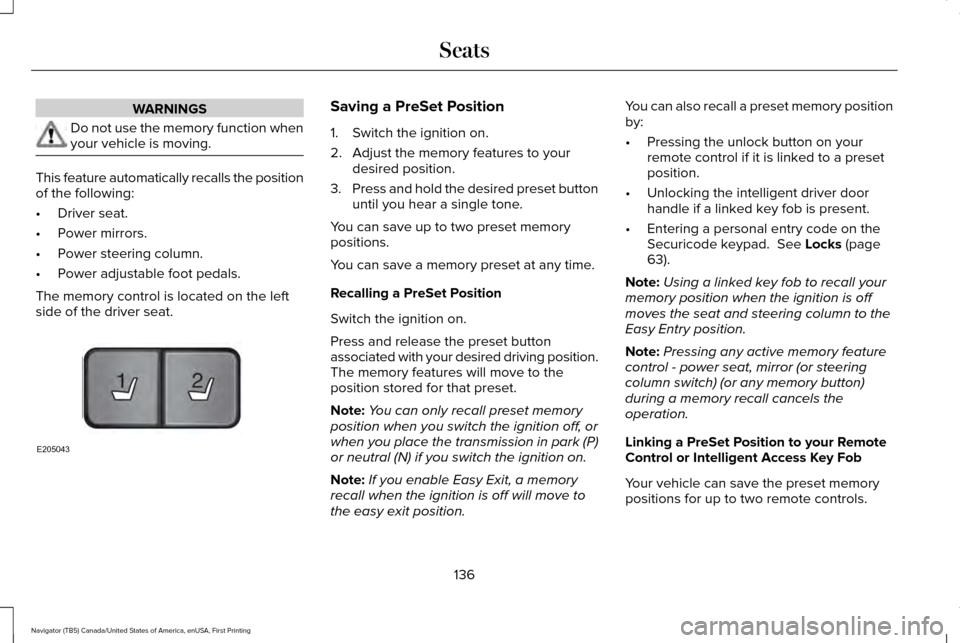
The memory control is located on the left
side of the driver seat. Saving a PreSet Position
1. Switch the ignition on.
2. Adjust the memory features to your
desired position.
3. Press and hold the desired preset button
until you hear a single tone.
You can save up to two preset memory
positions.
You can save a memory preset at any time.
Recalling a PreSet Position
Switch the ignition on.
Press and release the preset button
associated with your desired driving position.
The memory features will move to the
position stored for that preset.
Note: You can only recall preset memory
position when you switch the ignition off, or
when you place the transmission in park (P)
or neutral (N) if you switch the ignition on.
Note: If you enable Easy Exit, a memory
recall when the ignition is off will move to
the easy exit position. You can also recall a preset memory position
by:
•
Pressing the unlock button on your
remote control if it is linked to a preset
position.
• Unlocking the intelligent driver door
handle if a linked key fob is present.
• Entering a personal entry code on the
Securicode keypad. See Locks (page
63).
Note: Using a linked key fob to recall your
memory position when the ignition is off
moves the seat and steering column to the
Easy Entry position.
Note: Pressing any active memory feature
control - power seat, mirror (or steering
column switch) (or any memory button)
during a memory recall cancels the
operation.
Linking a PreSet Position to your Remote
Control or Intelligent Access Key Fob
Your vehicle can save the preset memory
positions for up to two remote controls.
136
Navigator (TB5) Canada/United States of America, enUSA, First Printing Seats21
E205043
Page 162 of 419
Automatic Engine Shutdown
For vehicles with a keyless ignition, this
feature automatically shuts down the engine
if it has been idling for an extended period.
The ignition also turns off to save battery
power. Before your vehicle shuts down, a
message appears in the information display
showing a timer counting down. If you do
not intervene within 30 seconds, your vehicle
shuts down. Another message appears in
the information display to inform you that
your vehicle has shut down to save fuel.
Start your vehicle as normal.
Automatic Engine Shutdown Override
Note:
You cannot permanently switch off
the automatic shutdown. When you switch
it off temporarily, it turns on at the next
ignition cycle. You can stop the shutdown, or reset the
timer, at any point before the 30-second
countdown has expired by doing any of the
following:
•
Interacting with your vehicle, for example
pressing the brake or accelerator pedal.
• You can temporarily switch off the
shutdown feature any time the ignition is
on using the information display. See
Information Displays (page 105). The
feature only remains off for the current
ignition cycle.
• During the 30-second countdown, the
system prompts you to press OK or
RESET to temporarily switch the feature
off for the current ignition cycle only.
Stopping the Engine When Your
Vehicle is Stationary
1. Shift into park (P).
2. Press the push button ignition switch.
3. Apply the parking brake.
Note: The ignition, all electrical circuits and
all warning lamps and indicators will be
turned off. Note:
If the engine is idling for 30 minutes,
the ignition and engine automatically shuts
down.
Stopping the Engine When Your
Vehicle is Moving WARNING
Switching off the engine when the
vehicle is still moving will result in a
loss of brake and steering assistance. The
steering will not lock, but higher effort will
be required. When the ignition is switched
off, some electrical circuits, including air
bags, warning lamps and indicators may also
be off. If the ignition was turned off
accidentally, you can shift into neutral (N) and
re-start the engine. 1. Shift into neutral and use the brakes to
bring your vehicle to a safe stop.
2. When your vehicle has stopped, shift into
park (P).
3. Press and hold the push button ignition switch, or press it three times within two
seconds.
159
Navigator (TB5) Canada/United States of America, enUSA, First Printing Starting and Stopping the Engine
Page 181 of 419
How Your Vehicle Differs From Other
Vehicles
WARNING
Vehicles with a higher center of gravity
such as utility and four-wheel drive
vehicles handle differently than vehicles with
a lower center of gravity. Utility and
four-wheel drive vehicles are not designed
for cornering at speeds as high as passenger
cars any more than low-slung sports cars are
designed to perform satisfactorily under
off-road conditions. Avoid sharp turns,
excessive speed and abrupt maneuvers in
these vehicles. Failure to drive cautiously
could result in an increased risk of loss of
vehicle control, vehicle rollover, personal
injury and death. Truck and utility vehicles can differ from
some other vehicles. Your vehicle may be
higher to allow it to travel over rough terrain
without getting hung up or damaging
underbody components.
The differences that make your vehicle so
versatile also make it handle differently than
an ordinary passenger car. Maintain steering wheel control at all times,
especially in rough terrain. Since sudden
changes in terrain can result in abrupt
steering wheel motion, make sure you grip
the steering wheel from the outside. Do not
grip the spokes.
Drive cautiously to avoid vehicle damage
from concealed objects such as rocks and
stumps.
You should either know the terrain or
examine maps of the area before driving.
Map out your route before driving in the area.
To maintain steering and braking control of
your vehicle, you must have all four wheels
on the ground and they must be rolling, not
sliding or spinning.
Driving Off-Road With Truck and Utility
Vehicles
Note:
On some models, the initial shift from
two-wheel drive to four-wheel drive while
the vehicle is moving can cause some
momentary clunk and ratcheting sounds.
This is the front drivetrain coming up to
speed and the automatic locking hubs
engaging and is not cause for concern. Note:
Your vehicle may be equipped with a
front air dam that can become damaged
(due to reduced ground clearance) when
taking your vehicle off-road. This air dam
can be taken off by removing two bolts.
Four-wheel drive vehicles are specially
equipped for driving on sand, snow, mud and
rough terrain and have operating
characteristics that are somewhat different
from conventional vehicles, both on and off
the road.
Power is supplied to all four wheels through
a transfer case. On Four-wheel drive
vehicles, the transfer case allows you to
select different 4WD modes when necessary.
Information on transfer case operation and
shifting procedures can be found in this
chapter. Information on transfer case
maintenance can be found in the
Maintenance chapter. You should become
thoroughly familiar with this information
before you operate your vehicle.
178
Navigator (TB5) Canada/United States of America, enUSA, First Printing Four-Wheel Drive (If Equipped)
Page 182 of 419
Four-wheel drive (when you select a 4WD
mode) uses all four wheels to power the
vehicle. This increases traction, enabling you
to drive over terrain and road conditions that
a conventional two-wheel drive vehicle
cannot.
Basic Operating Principles
•
Do not use 4X4 mode on dry, hard
surfaced roads. Doing so will produce
excessive noise, increase tire wear and
may damage drive components. 4X4
mode is only intended for consistently
slippery or loose surfaces.
• Drive slower in strong crosswinds which
can affect the normal steering
characteristics of your vehicle.
• When driving your vehicle on surfaces
made slippery by loose sand, water,
gravel, snow or ice proceed with care. If Your Vehicle leaves the Road
If your vehicle leaves the road, reduce your
vehicle speed and avoid severe braking.
When your vehicle speed has been reduced
ease your vehicle back onto the road. Do
not turn the steering wheel sharply while
returning your vehicle to the road.
It may be safer to stay on the shoulder of the
road and slow down gradually before
returning to the road. You may lose control
if you do not slow down or if you turn the
steering wheel too sharply or abruptly.
It may be less risky to strike small objects,
such as freeway reflectors, with minor
damage to your vehicle rather than attempt
a sudden return to the road which could
cause your vehicle to slide sideways out of
control or roll over. Remember, your safety
and the safety of others should be your
primary concern. If your vehicle gets stuck WARNING
Do not spin the wheels at over 35 mph
(56 km/h). The tires may fail and injure
a passenger or bystander. Note:
Do not rock your vehicle if the engine
is not at normal operating temperature,
damage to the transmission may occur.
Note: Do not rock your vehicle for more than
a minute, damage to the transmission and
tires may occur or the engine may overheat.
If your vehicle gets stuck in mud or snow it
may be rocked out by shifting between
forward and reverse gears, stopping
between shifts, in a steady pattern. Press
lightly on the accelerator in each gear.
Emergency Maneuvers
In an unavoidable emergency situation
where a sudden sharp turn must be made,
remember to avoid over-driving your vehicle
(i.e. turn the steering wheel only as rapidly
and as far as required to avoid the
emergency). Excessive steering can result
179
Navigator (TB5) Canada/United States of America, enUSA, First Printing Four-Wheel Drive (If Equipped)
Page 184 of 419
“Tread Lightly” is an educational program
designed to increase public awareness of
land-use regulations and responsibilities in
our nations wilderness areas. Ford Motor
Company joins the U.S. Forest Service and
the Bureau of Land Management in
encouraging you to help preserve our
national forest and other public and private
lands by “treading lightly”
.
Driving on Hilly or Sloping Terrain
Note: Avoid driving crosswise or turning on
steep slopes or hills.
Note: Avoid turning on steep slopes or hills.
A danger lies in losing traction, slipping
sideways and possible vehicle roll over.
Whenever driving on a hill, determine
beforehand the route you will use. Do not
drive over the crest of a hill without seeing
what conditions are on the other side. Do
not drive in reverse over a hill without the
aid of an observer.
Although natural obstacles may make it
necessary to travel diagonally up or down a
hill or steep incline, you should always try to
drive straight up or straight down. When climbing a steep slope or hill, start in
a lower gear rather than downshifting to a
lower gear from a higher gear once the
ascent has started. This reduces strain on
the engine and the possibility of stalling.
If your vehicle stalls, do not try to turn around
because this could cause vehicle roll over.
It is better to reverse back to a safe location.
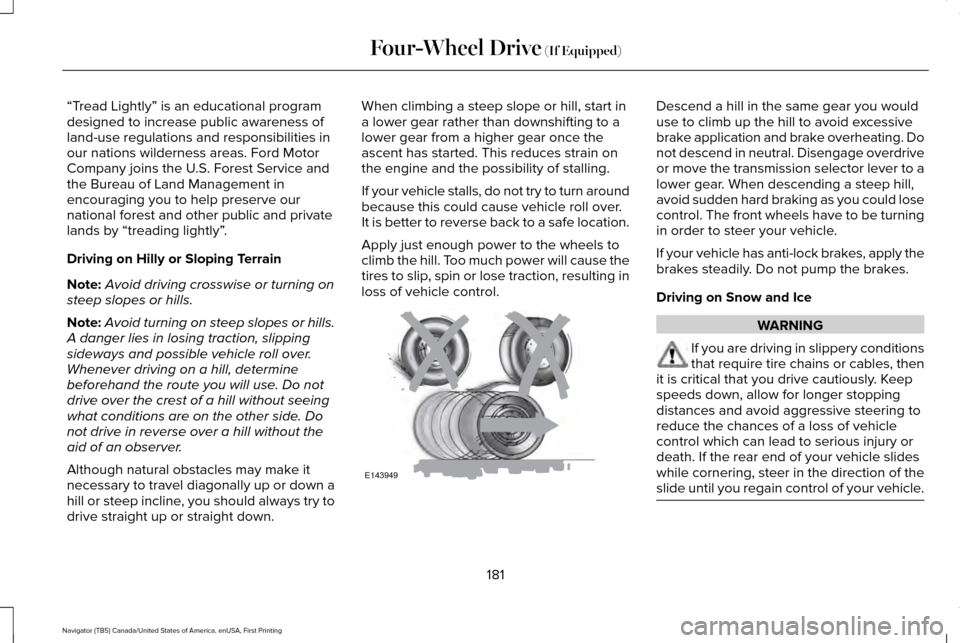
Apply just enough power to the wheels to
climb the hill. Too much power will cause the
tires to slip, spin or lose traction, resulting in
loss of vehicle control. Descend a hill in the same gear you would
use to climb up the hill to avoid excessive
brake application and brake overheating. Do
not descend in neutral. Disengage overdrive
or move the transmission selector lever to a
lower gear. When descending a steep hill,
avoid sudden hard braking as you could lose
control. The front wheels have to be turning
in order to steer your vehicle.
If your vehicle has anti-lock brakes, apply the
brakes steadily. Do not pump the brakes.
Driving on Snow and Ice
WARNING
If you are driving in slippery conditions
that require tire chains or cables, then
it is critical that you drive cautiously. Keep
speeds down, allow for longer stopping
distances and avoid aggressive steering to
reduce the chances of a loss of vehicle
control which can lead to serious injury or
death. If the rear end of your vehicle slides
while cornering, steer in the direction of the
slide until you regain control of your vehicle. 181
Navigator (TB5) Canada/United States of America, enUSA, First Printing Four-Wheel Drive (If Equipped)E143949
Page 185 of 419
Note:
Excessive tire slippage can cause
transmission damage.
Four-wheel drive vehicles have advantages
over two-wheel drive vehicles in snow and
ice but can skid like any other vehicle.
Should you start to slide while driving on
snowy or icy roads, turn the steering wheel
in the direction of the slide until you regain
control.
Avoid sudden applications of power and
quick changes of direction on snow and ice.
Apply the accelerator slowly and steadily
when starting from a full stop.
Avoid sudden braking. Although a four-wheel
drive vehicle may accelerate better than a
two-wheel drive vehicle in snow and ice, it
will not stop any faster as braking occurs at
all four wheels. Do not become
overconfident as to road conditions.
Make sure you allow sufficient distance
between you and other vehicles for stopping.
Drive slower than usual and consider using
one of the lower gears. In emergency
stopping situations, apply the brake steadily.
Do not pump the brake pedal. See Hints on
Driving With Anti-Lock Brakes (page 184). Maintenance and Modifications
The suspension and steering systems on
your vehicle have been designed and tested
to provide predictable performance whether
loaded or empty. For this reason, we strongly
recommend that you do not make
modifications such as adding or removing
parts (i.e. lift kits or stabilizer bars) or by using
replacement parts not equivalent to the
original factory equipment.
We recommend that you use caution when
your vehicle has either a high load or device
(i.e. ladder or luggage racks). Any
modifications to your vehicle that raise the
center of gravity may cause your vehicle to
roll over when there is a loss of vehicle
control.
Failure to maintain your vehicle correctly may
void the warranty, increase your repair cost,
reduce vehicle performance and operational
capabilities and adversely affect you and
your passenger's safety. We recommend you
frequently inspect your vehicle's chassis
components when your vehicle is subject to
off road usage.
182
Navigator (TB5) Canada/United States of America, enUSA, First Printing Four-Wheel Drive
(If Equipped)