alarm LINCOLN NAVIGATOR 2017 User Guide
[x] Cancel search | Manufacturer: LINCOLN, Model Year: 2017, Model line: NAVIGATOR, Model: LINCOLN NAVIGATOR 2017Pages: 532, PDF Size: 3.9 MB
Page 207 of 532
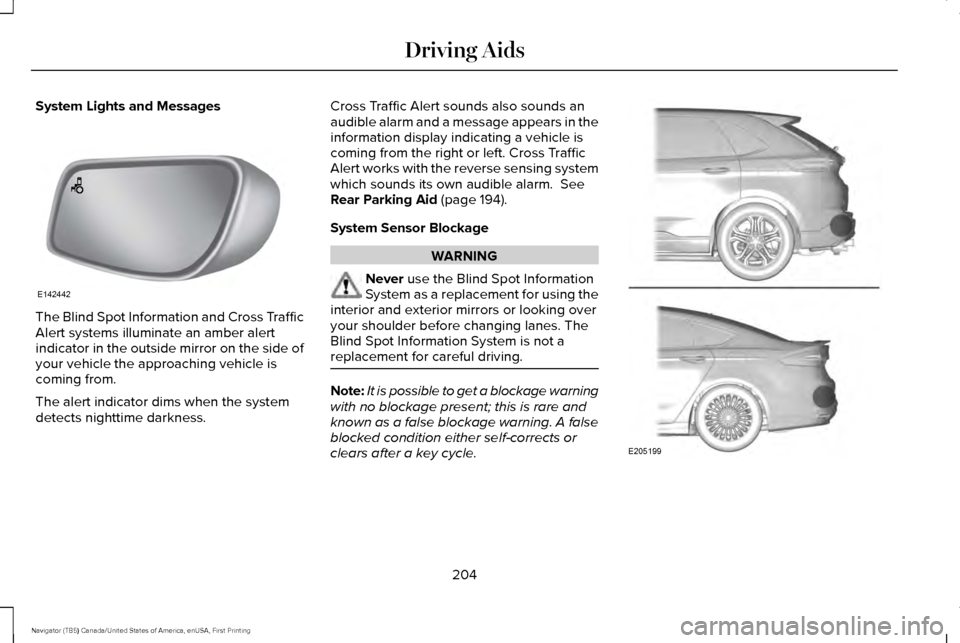
System Lights and Messages
The Blind Spot Information and Cross Traffic
Alert systems illuminate an amber alert
indicator in the outside mirror on the side of
your vehicle the approaching vehicle is
coming from.
The alert indicator dims when the system
detects nighttime darkness. Cross Traffic Alert sounds also sounds an
audible alarm and a message appears in the
information display indicating a vehicle is
coming from the right or left. Cross Traffic
Alert works with the reverse sensing system
which sounds its own audible alarm. See
Rear Parking Aid (page 194).
System Sensor Blockage WARNING
Never
use the Blind Spot Information
System as a replacement for using the
interior and exterior mirrors or looking over
your shoulder before changing lanes. The
Blind Spot Information System is not a
replacement for careful driving. Note:
It is possible to get a blockage warning
with no blockage present; this is rare and
known as a false blockage warning. A false
blocked condition either self-corrects or
clears after a key cycle. 204
Navigator (TB5) Canada/United States of America, enUSA, First Printing Driving AidsE142442 E205199
Page 455 of 532
For maximum vehicle performance, keep the
following information in mind when adding
accessories or equipment to your vehicle:
•
When adding accessories, equipment,
passengers and luggage to your vehicle,
do not exceed the total weight capacity
of the vehicle or of the front or rear axle
(GVWR or GAWR as indicated on the
Safety Compliance Certification label).
Ask an authorized dealer for specific
weight information.
• The Federal Communications
Commission (FCC) and Canadian Radio
Telecommunications Commission (CRTC)
regulate the use of mobile
communications systems that are
equipped with radio transmitters, for
example, two-way radios, telephones and
theft alarms. Any such equipment
installed in your vehicle should comply
with Federal Communications
Commission (FCC) and Canadian Radio
Telecommunications Commission (CRTC)
regulations and should be installed only
by an authorized dealer. •
Mobile communications systems may
harm the operation of your vehicle,
particularly if their manufacturer did not
design them specifically for automotive
use.
• If you or an authorized Lincoln dealer add
any non-Lincoln electrical or electronic
accessories or components to your
vehicle, you may adversely affect battery
performance and durability. In addition,
you may also adversely affect the
performance of other electrical systems
in the vehicle.
452
Navigator (TB5) Canada/United States of America, enUSA, First Printing Accessories
Page 522 of 532
4
4WD
See: Four-Wheel Drive.......................................174
A
A/C See: Climate Control..........................................122
About This Manual............................................7
ABS See: Brakes...........................................................182
ABS driving hints See: Hints on Driving With Anti-Lock
Brakes................................................................182
Accessories....................................................451 Exterior Style........................................................451
Interior Style..........................................................451
Lifestyle..................................................................451
Peace of Mind......................................................451
Accessories See: Replacement Parts Recommendation.....12
Adaptive Headlamps
.....................................87
Adjusting the Headlamps...........................278 Horizontal Aim Adjustment..............................279
Vertical Aim Adjustment...................................278
Adjusting the Pedals
......................................80 Adjusting the Steering Wheel......................74
Easy Entry and Exit Feature................................74
End of Travel Position..........................................74
Memory Feature....................................................74
AFS See: Adaptive Headlamps..................................87
Airbag Disposal...............................................48
Air Conditioning See: Climate Control..........................................122
Air Filter See: Changing the Engine Air Filter..............283
Alarm See: Anti-Theft Alarm............................................71
Ambient Lighting
............................................89
Anti-Theft Alarm...............................................71
Arming the Alarm...................................................71
Disarming the Alarm..............................................71
Appendices....................................................488
Apps..................................................................414 ........................................................................\
..........414
SiriusXM Traffic and Travel Link.......................
416
Audible Warnings and Indicators...............101 Direction Indicator Chime..................................101
Headlamps On Warning Chime
........................101
Key in Ignition Warning Chime..........................101
Parking Brake On Warning Chime...................101
Audio Control
...................................................75
Media........................................................................\
77 Seek, Next or Previous........................................77
Type One.................................................................76
Type Two.................................................................77
Audio System................................................339 General Information...........................................339
Audio Unit - Vehicles With: Premium AM/ FM/CD..........................................................340
Rear Seat Audio Controls.................................342
Autolamps.........................................................85 Windshield Wiper Activated Headlamps........86
Automatic Climate Control
.........................122
Automatic Transmission..............................169 Brake-Shift Interlock...........................................172
If Your Vehicle Gets Stuck In Mud or
Snow...................................................................173
SelectShift™ Automatic Transmission..............171
Understanding the Shift Positions of your Automatic Transmission................................
169
Automatic Transmission Fluid Check............................................................272
Autowipers........................................................81
Auxiliary Power Points.................................150 110 Volt AC Power Point....................................150
12 Volt DC Power Point......................................150
Locations...............................................................150
519
Navigator (TB5) Canada/United States of America, enUSA, First Printing Index
Page 526 of 532
Recommended Settings for Cooling .............124
Recommended Settings for Heating..............124
Side Window Defogging in Cold Weather.............................................................124
Hints on Driving With Anti-Lock Brakes
...........................................................182
Home Screen................................................366
Hood Lock See: Opening and Closing the Hood............262
I
In California (U.S. Only)...............................239
Information Display Control
.........................79
Information Displays.....................................102
General Information............................................102
Information Messages
.................................108
AdvanceTrac ™ / Traction Control
Messages.........................................................109
Alarm Messages...................................................110
Battery and Charging System Messages.......110
Blind Spot Information System Messages......
111
Brake System Messages....................................112
Door Messages.....................................................112
Engine Messages.................................................113
Fuel Messages......................................................113
Keys and Intelligent Access Messages..........114
Maintenance Messages......................................115 MyKey™ Messages...............................................116
Off Road Messages..............................................117
Park Aid Messages..............................................118
Power Steering Messages.................................
118
Remote Start Messages......................................119
Suspension System Messages.........................119
Tire Messages......................................................120
Trailer Messages.................................................120
Transmission Messages.....................................121
Installing Child Restraints
..............................18
Child Seats...............................................................18
Combining Seatbelt and LATCH Lower
Anchors for Attaching Child Safety
Seats....................................................................22
Using Lap and Shoulder Belts ...........................18
Using Lower Anchors and Tethers for CHildren (LATCH)..............................................21
Using Tether Straps..............................................23
Instrument Cluster
..........................................96
Instrument Lighting Dimmer........................86
Interior Lamps..................................................88 Front Map Lamps (If equipped).........................88
Rear Dome and Map Lamps..............................89
Interior Mirror
...................................................92
Auto-Dimming Mirror...........................................92
Introduction
.........................................................7 J
Jump Starting the Vehicle..........................233
Connecting the Jumper Cables......................
234
Jump Starting......................................................234
Preparing Your Vehicle.....................................233
Removing the Jumper Cables.........................
235
K
Keyless Entry...................................................68 SECURICODE™ KEYLESS ENTRY
KEYPAD..............................................................68
Unlocking and Locking the Doors....................69
Keyless Starting.............................................153 Starting Your Vehicle..........................................154
Switching the Ignition On..................................153
Keys and Remote Controls...........................49
L
Lighting Control...............................................84 Headlamp Flasher................................................85
High Beams............................................................85
Lighting..............................................................84 General Information.............................................84
Limited Slip Differential
.................................181
Lincoln Automotive Financial Services......12
523
Navigator (TB5) Canada/United States of America, enUSA, First Printing Index
Page 528 of 532
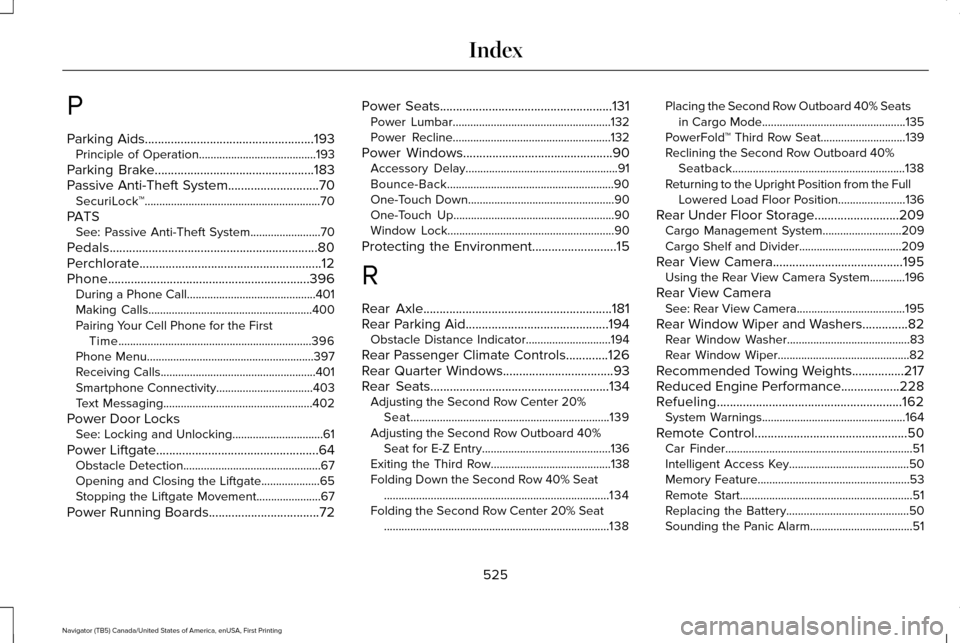
P
Parking Aids....................................................193
Principle of Operation........................................193
Parking Brake.................................................183
Passive Anti-Theft System............................70 SecuriLock™............................................................70
PATS See: Passive Anti-Theft System
........................70
Pedals................................................................80
Perchlorate........................................................12
Phone..............................................................396 During a Phone Call............................................401
Making Calls........................................................400
Pairing Your Cell Phone for the First
Time..................................................................396
Phone Menu.........................................................397
Receiving Calls.....................................................401
Smartphone Connectivity.................................403
Text Messaging...................................................402
Power Door Locks See: Locking and Unlocking...............................61
Power Liftgate
..................................................64
Obstacle Detection...............................................67
Opening and Closing the Liftgate....................
65
Stopping the Liftgate Movement......................67
Power Running Boards..................................72 Power Seats.....................................................131
Power Lumbar......................................................132
Power Recline......................................................132
Power Windows..............................................90 Accessory Delay....................................................91
Bounce-Back.........................................................90
One-Touch Down..................................................90
One-Touch Up.......................................................90
Window Lock.........................................................90
Protecting the Environment
..........................15
R
Rear Axle
..........................................................181
Rear Parking Aid............................................194 Obstacle Distance Indicator.............................
194
Rear Passenger Climate Controls.............126
Rear Quarter Windows
..................................93
Rear Seats.......................................................134 Adjusting the Second Row Center 20%
Seat....................................................................139
Adjusting the Second Row Outboard 40% Seat for E-Z Entry............................................136
Exiting the Third Row.........................................138
Folding Down the Second Row 40% Seat ........................................................................\
.....134
Folding the Second Row Center 20% Seat ........................................................................\
.....138 Placing the Second Row Outboard 40% Seats
in Cargo Mode.................................................135
PowerFold™ Third Row Seat.............................139
Reclining the Second Row Outboard 40% Seatback...........................................................138
Returning to the Upright Position from the Full Lowered Load Floor Position.......................136
Rear Under Floor Storage..........................209 Cargo Management System...........................
209
Cargo Shelf and Divider...................................209
Rear View Camera
........................................195
Using the Rear View Camera System............196
Rear View Camera See: Rear View Camera.....................................195
Rear Window Wiper and Washers..............82 Rear Window Washer..........................................83
Rear Window Wiper.............................................82
Recommended Towing Weights
................217
Reduced Engine Performance..................228
Refueling.........................................................162 System Warnings.................................................164
Remote Control
...............................................50
Car Finder................................................................51
Intelligent Access Key.........................................50
Memory Feature....................................................53
Remote Start...........................................................51
Replacing the Battery..........................................50
Sounding the Panic Alarm...................................51
525
Navigator (TB5) Canada/United States of America, enUSA, First Printing Index