keyless LINCOLN NAVIGATOR 2017 User Guide
[x] Cancel search | Manufacturer: LINCOLN, Model Year: 2017, Model line: NAVIGATOR, Model: LINCOLN NAVIGATOR 2017Pages: 532, PDF Size: 3.9 MB
Page 143 of 532
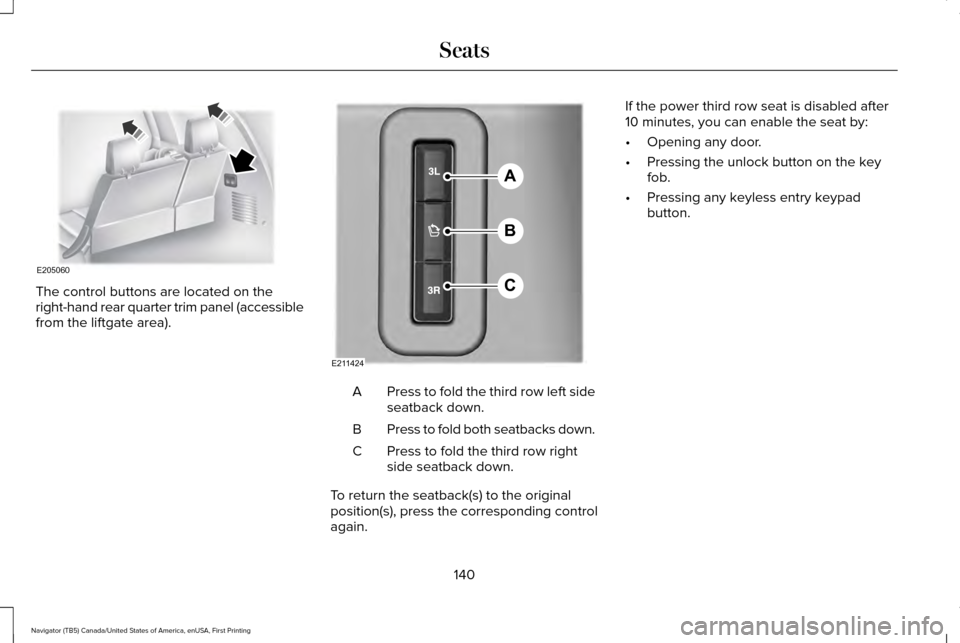
The control buttons are located on the
right-hand rear quarter trim panel (accessible
from the liftgate area).
Press to fold the third row left side
seatback down.
A
Press to fold both seatbacks down.
B
Press to fold the third row right
side seatback down.
C
To return the seatback(s) to the original
position(s), press the corresponding control
again. If the power third row seat is disabled after
10 minutes, you can enable the seat by:
•
Opening any door.
• Pressing the unlock button on the key
fob.
• Pressing any keyless entry keypad
button.
140
Navigator (TB5) Canada/United States of America, enUSA, First Printing SeatsE205060 A
B
C
E211424
Page 156 of 532
GENERAL INFORMATION
WARNINGS
Extended idling at high engine speeds
can produce very high temperatures
in the engine and exhaust system, creating
the risk of fire or other damage. Do not park, idle or drive your vehicle
on dry grass or other dry ground cover.
The emission system heats up the engine
compartment and exhaust system, creating
the risk of fire. Do not start the engine in a closed
garage or in other enclosed areas.
Exhaust fumes can be toxic. Always open
the garage door before you start the engine. If you smell exhaust fumes inside your
vehicle, have your vehicle checked by
an authorized dealer immediately. Do not
drive your vehicle if you smell exhaust fumes. If you disconnect the battery, your vehicle
may exhibit some unusual driving
characteristics for approximately 5 miles (8
kilometers) after you reconnect it. This is
because the engine management system
must realign itself with the engine. You can
disregard any unusual driving characteristics
during this period.
The powertrain control system meets all
Canadian interference-causing equipment
standard requirements regulating the
impulse electrical field or radio noise.
When you start the engine, avoid pressing
the accelerator pedal before and during
operation. Only use the accelerator pedal
when you have difficulty starting the engine.
KEYLESS STARTING
Note:
The system may not function if the
passive key is close to metal objects or
electronic devices, for example keys or a
cell phone.
Note: A valid passive key must be located
inside your vehicle to switch the ignition on
and start your vehicle. Note:
A light on the button illuminates when
the ignition is on and when your vehicle
starts.
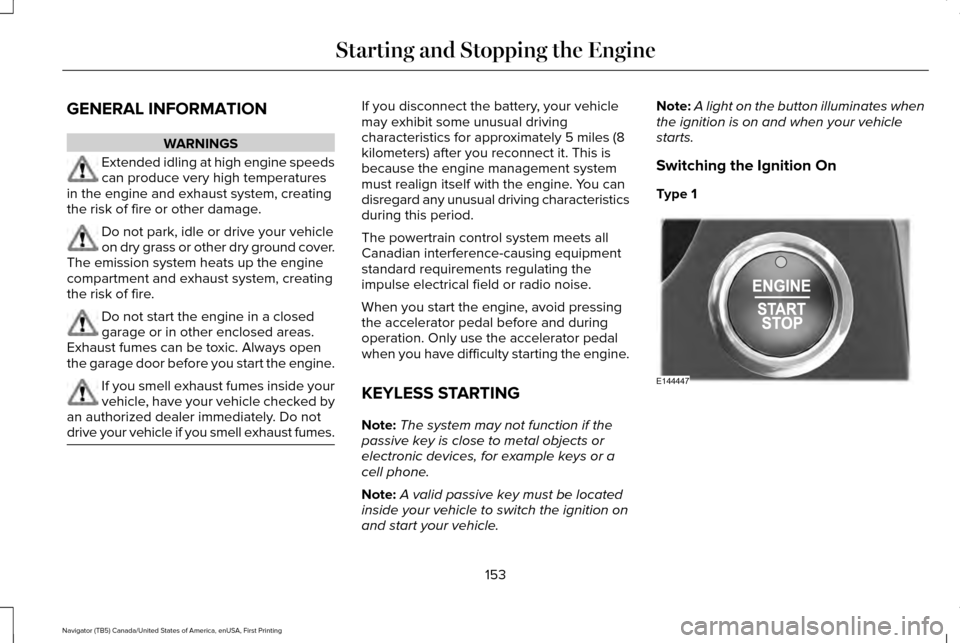
Switching the Ignition On
Type 1 153
Navigator (TB5) Canada/United States of America, enUSA, First Printing Starting and Stopping the EngineE144447
Page 159 of 532
Automatic Engine Shutdown
For vehicles with a keyless ignition, this
automatically shuts down your vehicle if it
has been idling for an extended period. The
ignition also turns off to save battery power.
Before your vehicle shuts down, a message
appears in the information display showing
a timer counting down. If you do not
intervene within 30 seconds, your vehicle
shuts down. Another message appears in
the information display to inform you that
your vehicle has shut down to save fuel.
Start your vehicle as normal.
Automatic Engine Shutdown Override
Note:
You cannot permanently switch off
the automatic shutdown. When you switch
it off temporarily, it turns on at the next
ignition cycle. You can stop the shutdown, or reset the
timer, at any point before the 30-second
countdown has expired by doing any of the
following:
•
Interacting with your vehicle, for example
pressing the brake or accelerator pedal.
• You can temporarily switch off the
shutdown feature any time the ignition is
on using the information display. See
Information Displays (page 102). The
feature only remains off for the current
ignition cycle.
• During the 30-second countdown, the
system prompts you to press OK or
RESET to temporarily switch the feature
off for the current ignition cycle only.
Stopping the Engine When Your
Vehicle is Stationary
1. Shift into park (P).
2. Press the push button ignition switch.
3. Apply the parking brake.
Note: The ignition, all electrical circuits and
all warning lamps and indicators will be
turned off. Note:
If the engine is idling for 30 minutes,
the ignition and engine automatically shuts
down.
Stopping the Engine When Your
Vehicle is Moving WARNING
Switching off the engine when the
vehicle is still moving will result in a
loss of brake and steering assistance. The
steering will not lock, but higher effort will
be required. When the ignition is switched
off, some electrical circuits, including air
bags, warning lamps and indicators may also
be off. If the ignition was turned off
accidentally, you can shift into neutral (N) and
re-start the engine. 1. Shift into neutral and use the brakes to
bring your vehicle to a safe stop.
2. When your vehicle has stopped, shift into
park (P).
3. Press and hold the push button ignition switch, or press it three times within two
seconds.
156
Navigator (TB5) Canada/United States of America, enUSA, First Printing Starting and Stopping the Engine
Page 526 of 532
Recommended Settings for Cooling .............124
Recommended Settings for Heating..............124
Side Window Defogging in Cold Weather.............................................................124
Hints on Driving With Anti-Lock Brakes
...........................................................182
Home Screen................................................366
Hood Lock See: Opening and Closing the Hood............262
I
In California (U.S. Only)...............................239
Information Display Control
.........................79
Information Displays.....................................102
General Information............................................102
Information Messages
.................................108
AdvanceTrac ™ / Traction Control
Messages.........................................................109
Alarm Messages...................................................110
Battery and Charging System Messages.......110
Blind Spot Information System Messages......
111
Brake System Messages....................................112
Door Messages.....................................................112
Engine Messages.................................................113
Fuel Messages......................................................113
Keys and Intelligent Access Messages..........114
Maintenance Messages......................................115 MyKey™ Messages...............................................116
Off Road Messages..............................................117
Park Aid Messages..............................................118
Power Steering Messages.................................
118
Remote Start Messages......................................119
Suspension System Messages.........................119
Tire Messages......................................................120
Trailer Messages.................................................120
Transmission Messages.....................................121
Installing Child Restraints
..............................18
Child Seats...............................................................18
Combining Seatbelt and LATCH Lower
Anchors for Attaching Child Safety
Seats....................................................................22
Using Lap and Shoulder Belts ...........................18
Using Lower Anchors and Tethers for CHildren (LATCH)..............................................21
Using Tether Straps..............................................23
Instrument Cluster
..........................................96
Instrument Lighting Dimmer........................86
Interior Lamps..................................................88 Front Map Lamps (If equipped).........................88
Rear Dome and Map Lamps..............................89
Interior Mirror
...................................................92
Auto-Dimming Mirror...........................................92
Introduction
.........................................................7 J
Jump Starting the Vehicle..........................233
Connecting the Jumper Cables......................
234
Jump Starting......................................................234
Preparing Your Vehicle.....................................233
Removing the Jumper Cables.........................
235
K
Keyless Entry...................................................68 SECURICODE™ KEYLESS ENTRY
KEYPAD..............................................................68
Unlocking and Locking the Doors....................69
Keyless Starting.............................................153 Starting Your Vehicle..........................................154
Switching the Ignition On..................................153
Keys and Remote Controls...........................49
L
Lighting Control...............................................84 Headlamp Flasher................................................85
High Beams............................................................85
Lighting..............................................................84 General Information.............................................84
Limited Slip Differential
.................................181
Lincoln Automotive Financial Services......12
523
Navigator (TB5) Canada/United States of America, enUSA, First Printing Index