tire type LINCOLN NAVIGATOR 2017 User Guide
[x] Cancel search | Manufacturer: LINCOLN, Model Year: 2017, Model line: NAVIGATOR, Model: LINCOLN NAVIGATOR 2017Pages: 532, PDF Size: 3.9 MB
Page 310 of 532
![LINCOLN NAVIGATOR 2017 User Guide Note:
If you are checking tire pressure
when the tire is hot, (for example, driven
more than 1 mile [1.6 kilometers]), never
bleed or reduce air pressure. The tires
are hot from driving and it is norm](/img/15/7039/w960_7039-309.png "LINCOLN NAVIGATOR 2017 User Guide Note:
If you are checking tire pressure
when the tire is hot, (for example, driven
more than 1 mile [1.6 kilometers]), never
bleed or reduce air pressure. The tires
are hot from driving and it is norm")
Note:
If you are checking tire pressure
when the tire is hot, (for example, driven
more than 1 mile [1.6 kilometers]), never
bleed or reduce air pressure. The tires
are hot from driving and it is normal for
pressures to increase above
recommended cold pressures. A hot tire
at or below recommended cold inflation
pressure could be significantly
under-inflated.
Note: If you have to drive a distance to
get air for your tire(s), check and record
the tire pressure first and add the
appropriate air pressure when you get
to the pump. It is normal for tires to heat
up and the air pressure inside to go up
as you drive.
2. Remove the cap from the valve on
one tire, then firmly press the tire gauge
onto the valve and measure the
pressure.
3. Add enough air to reach the
recommended air pressure. Note:
If you overfill the tire, release air
by pressing on the metal stem in the
center of the valve. Then recheck the
pressure with your tire gauge.
4. Replace the valve cap.
5. Repeat this procedure for each tire,
including the spare.
Note: Some spare tires operate at a
higher inflation pressure than the other
tires. For T type mini-spare tires, see the
Dissimilar spare wheel and tire
assembly information for a description.
Store and maintain at 60 psi (4.15 bar).
For full-size and dissimilar spare tires,
see the Dissimilar spare wheel and tire
assembly information for a description.
Store and maintain at the higher of the
front and rear inflation pressure as
shown on the Safety Compliance
Certification Label or Tire Label.
6. Visually inspect the tires to make sure
there are no nails or other objects
embedded that could poke a hole in the
tire and cause an air leak. 7. Check the sidewalls to make sure
there are no gouges, cuts or bulges.
Inspecting Your Tires and Wheel Valve
Stems
Periodically inspect the tire treads for
uneven or excessive wear and remove
objects such as stones, nails or glass
that may be wedged in the tread
grooves. Check the tire and valve stems
for holes, cracks, or cuts that may permit
air leakage and repair or replace the tire
and replace the valve stem. Inspect the
tire sidewalls for cracking, cuts, bruises
and other signs of damage or excessive
wear. If internal damage to the tire is
suspected, have the tire demounted and
inspected in case it needs to be repaired
or replaced. For your safety, tires that
are damaged or show signs of excessive
wear should not be used because they
are more likely to blow out or fail.
307
Navigator (TB5) Canada/United States of America, enUSA, First Printing Wheels and Tires
Page 312 of 532
U.S. DOT Tire Identification Number
Both United States and Canada Federal
regulations require tire manufacturers
to place standardized information on the
sidewall of all tires. This information
identifies and describes the fundamental
characteristics of the tire and also
provides a U.S. DOT Tire Identification
Number for safety standard certification
and in case of a recall.
This begins with the letters DOT and
indicates that the tire meets all federal
standards. The next two numbers or
letters are the plant code designating
where it was manufactured, the next two
are the tire size code and the last four
numbers represent the week and year
the tire was built. For example, the
numbers 317 mean the 31st week of
1997. After 2000 the numbers go to four
digits. For example, 2501 means the
25th week of 2001. The numbers in
between are identification codes used
for traceability. This information is used
to contact customers if a tire defect
requires a recall.
Tire Replacement Requirements
Your vehicle is equipped with tires
designed to provide a safe ride and
handling capability.
WARNINGS
Only use replacement tires and
wheels that are the same size, load
index, speed rating and type (such as
P-metric versus LT-metric or all-season
versus all-terrain) as those originally
provided by Ford. The recommended
tire and wheel size may be found on
either the Safety Compliance
Certification Label (affixed to either the
door hinge pillar, door-latch post, or the
door edge that meets the door-latch
post, next to the driver’ s seating
position), or the Tire Label which is
located on the B-Pillar or edge of the
driver’ s door. If this information is not
found on these labels, then you should
contact your authorized dealer as soon WARNINGS
as possible. Use of any tire or wheel not
recommended by Ford can affect the
safety and performance of your vehicle,
which could result in an increased risk
of loss of vehicle control, vehicle
rollover, personal injury and death. To reduce the risk of serious injury,
when mounting replacement tires
and wheels, you should not exceed the
maximum pressure indicated on the
sidewall of the tire to set the beads
without additional precautions listed
below. If the beads do not seat at the
maximum pressure indicated,
re-lubricate and try again. When inflating the tire for mounting
pressures up to 20 psi (1.38 bar)
greater than the maximum pressure on
the tire sidewall, the following
precautions must be taken to protect
the person mounting the tire: 1. Make sure that you have the
correct tire and wheel size.
309
Navigator (TB5) Canada/United States of America, enUSA, First Printing Wheels and Tires
Page 315 of 532
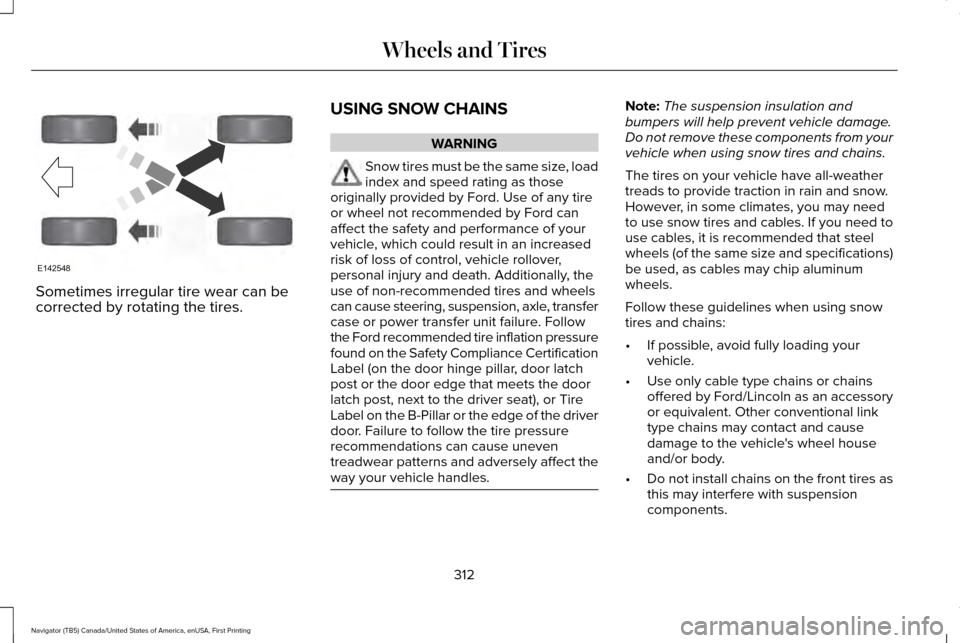
Sometimes irregular tire wear can be
corrected by rotating the tires.
USING SNOW CHAINS WARNING
Snow tires must be the same size, load
index and speed rating as those
originally provided by Ford. Use of any tire
or wheel not recommended by Ford can
affect the safety and performance of your
vehicle, which could result in an increased
risk of loss of control, vehicle rollover,
personal injury and death. Additionally, the
use of non-recommended tires and wheels
can cause steering, suspension, axle, transfer
case or power transfer unit failure. Follow
the Ford recommended tire inflation pressure
found on the Safety Compliance Certification
Label (on the door hinge pillar, door latch
post or the door edge that meets the door
latch post, next to the driver seat), or Tire
Label on the B-Pillar or the edge of the driver
door. Failure to follow the tire pressure
recommendations can cause uneven
treadwear patterns and adversely affect the
way your vehicle handles. Note:
The suspension insulation and
bumpers will help prevent vehicle damage.
Do not remove these components from your
vehicle when using snow tires and chains.
The tires on your vehicle have all-weather
treads to provide traction in rain and snow.
However, in some climates, you may need
to use snow tires and cables. If you need to
use cables, it is recommended that steel
wheels (of the same size and specifications)
be used, as cables may chip aluminum
wheels.
Follow these guidelines when using snow
tires and chains:
• If possible, avoid fully loading your
vehicle.
• Use only cable type chains or chains
offered by Ford/Lincoln as an accessory
or equivalent. Other conventional link
type chains may contact and cause
damage to the vehicle's wheel house
and/or body.
• Do not install chains on the front tires as
this may interfere with suspension
components.
312
Navigator (TB5) Canada/United States of America, enUSA, First Printing Wheels and TiresE142548
Page 323 of 532
Note:
The tire pressure monitoring system
indicator light will illuminate when the spare
tire is in use. To restore the full function of
the monitoring system, all road wheels
equipped with tire pressure monitoring
sensors must be mounted on this vehicle.
If you get a flat tire while driving, do not apply
the brake heavily. Instead, gradually
decrease your speed. Hold the steering
wheel firmly and slowly move to a safe place
on the side of the road.
Have a flat serviced by an authorized dealer
in order to prevent damage to the system
sensors See Tire Pressure Monitoring
System (page 313). Replace the spare tire
with a road tire as soon as possible. During
repairing or replacing of the flat tire, have
the authorized dealer inspect the system
sensor for damage.
Dissimilar Spare Wheel and Tire
Assembly Information WARNING
Failure to follow these guidelines could
result in an increased risk of loss of
vehicle control, injury or death. If you have a dissimilar spare wheel and tire,
then it is intended for temporary use only.
This means that if you need to use it, you
should replace it as soon as possible with a
road wheel and tire assembly that is the
same size and type as the road tires and
wheels that were originally provided by Ford.
If the dissimilar spare tire or wheel is
damaged, it should be replaced rather than
repaired.
A dissimilar spare wheel and tire assembly
is defined as a spare wheel and tire assembly
that is different in brand, size or appearance
from the road tires and wheels and can be
one of three types:
1. T-type mini-spare: This spare tire begins
with the letter T for tire size and may have
Temporary Use Only molded in the sidewall.
2.
Full-size dissimilar spare with label on
wheel: This spare tire has a label on the
wheel that states: THIS WHEEL AND TIRE
ASSEMBLY FOR TEMPORARY USE ONLY When driving with one of the dissimilar spare
tires listed above, do not:
•
Exceed
50 mph (80 km/h).
• Load the vehicle beyond maximum
vehicle load rating listed on the Safety
Compliance Label.
• Tow a trailer.
• Use snow chains on the end of the
vehicle with the dissimilar spare tire.
• Use more than one dissimilar spare tire
at a time.
• Use commercial car washing equipment.
• Try to repair the dissimilar spare tire.
Use of one of the dissimilar spare tires listed
above at any one wheel location can lead to
impairment of the following:
• Handling, stability and braking
performance.
• Comfort and noise.
• Ground clearance and parking at curbs.
• Winter weather driving capability.
• Wet weather driving capability.
• All-wheel driving capability.
320
Navigator (TB5) Canada/United States of America, enUSA, First Printing Wheels and Tires
Page 516 of 532
NO CIRCUMSTANCES SHALL NAV2’
s OR
ITS SUPPLIERS’ LIABILITY HEREUNDER
EXCEED THE PRICE PAID. Certain liability
exclusions may not be permitted under
applicable law, so to that extent the above
exclusion may not apply to you.
Export Control
You agree not to export to anywhere any
part of the Data provided to you or any direct
product thereof except in compliance with,
and with all licenses and approvals required
under, applicable export laws, rules and
regulations.
IP Protection
The Data are owned by NAV2 or its suppliers
and are protected by applicable copyright
and other intellectual property law and
treaties. The Data are provided solely on the
basis of a license to use, not sale. Entire Agreement
These terms and conditions constitute the
entire agreement between NAV2(and its
licensors, including their licensors and
suppliers) and you pertaining to the subject
matter hereof, and supersedes in their
entirety any and all written or oral
agreements previously existing between us
with respect to such subject matter.
Governing Law.
The above terms and conditions shall be
governed by the laws of the People
’s
Republic of China, without giving effect to (i)
its conflict of laws provisions, or (ii) the United
Nations Convention for Contracts for the
International Sale of Goods, which is
explicitly excluded. Any dispute arising from
or in connection with the Data provided to
you hereunder shall be submitted to the
Shanghai International Economic and Trade
Arbitration Commission for arbitration.
Gracenote® Copyright
CD and music-related data from Gracenote,
Inc., copyright© 2000-2007 Gracenote. Gracenote Software,
copyright © 2000-2007 Gracenote. This
product and service may practice one or
more of the following U.S. Patents 5,987,525;
6,061,680; 6,154,773; 6,161,132; 6,230,192;
6,230,207; 6.240,459; 6,330,593 and other
patents issued or pending. Some services
supplied under license from Open Globe,
Inc. for U.S. Patent 6,304,523.
Gracenote and CDDB are registered
trademarks of Gracenote. The Gracenote
logo and logotype, and the "Powered by
Gracenote
™" logo are trademarks of
Gracenote.
Gracenote® End User License Agreement
(EULA)
This device contains software from
Gracenote, Inc. of 2000 Powell Street
Emeryville, California 94608 ("Gracenote").
The software from Gracenote (the
"Gracenote Software") enables this device
to do disc and music file identification and
obtain music-related information, including
name, artist, track, and title information
("Gracenote Data") from online servers
("Gracenote Servers"), and to perform other
513
Navigator (TB5) Canada/United States of America, enUSA, First Printing Appendices
Page 523 of 532
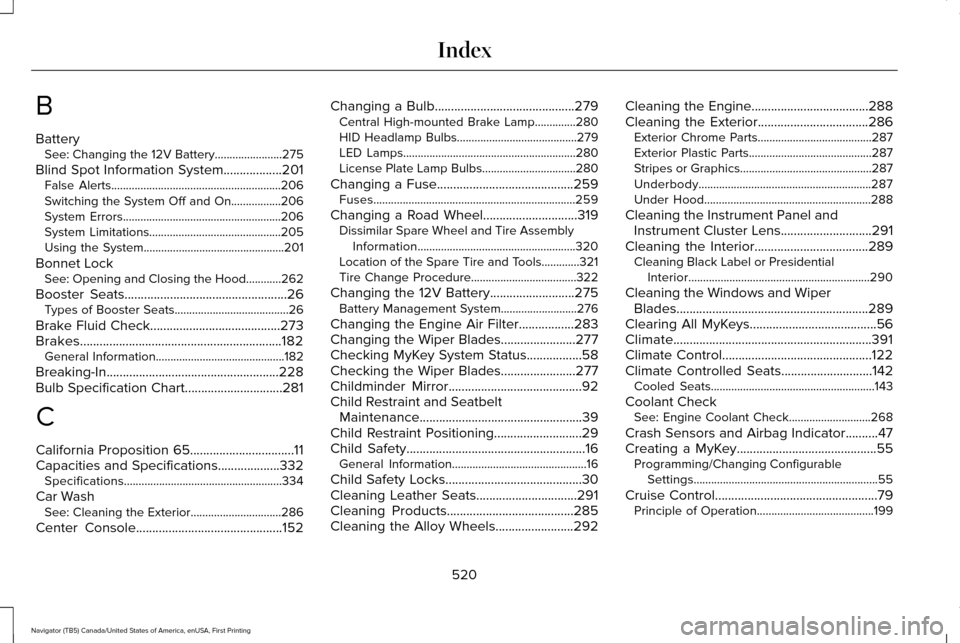
B
Battery
See: Changing the 12V Battery.......................275
Blind Spot Information System..................201
False Alerts..........................................................206
Switching the System Off and On.................206
System Errors......................................................206
System Limitations.............................................205
Using the System................................................201
Bonnet Lock See: Opening and Closing the Hood............262
Booster Seats
..................................................26
Types of Booster Seats.......................................26
Brake Fluid Check
........................................273
Brakes..............................................................182 General Information............................................182
Breaking-In.....................................................228
Bulb Specification Chart
..............................281
C
California Proposition 65................................11
Capacities and Specifications...................332 Specifications......................................................334
Car Wash See: Cleaning the Exterior...............................286
Center Console
.............................................152 Changing a Bulb
...........................................279
Central High-mounted Brake Lamp..............280
HID Headlamp Bulbs.........................................279
LED Lamps...........................................................280
License Plate Lamp Bulbs................................280
Changing a Fuse..........................................259 Fuses.....................................................................259
Changing a Road Wheel.............................319 Dissimilar Spare Wheel and Tire Assembly
Information......................................................320
Location of the Spare Tire and Tools.............321
Tire Change Procedure....................................
322
Changing the 12V Battery
..........................275
Battery Management System..........................276
Changing the Engine Air Filter.................283
Changing the Wiper Blades.......................277
Checking MyKey System Status.................58
Checking the Wiper Blades
.......................277
Childminder Mirror.........................................92
Child Restraint and Seatbelt Maintenance..................................................39
Child Restraint Positioning
...........................29
Child Safety.......................................................16
General Information..............................................16
Child Safety Locks..........................................30
Cleaning Leather Seats...............................291
Cleaning Products
.......................................285
Cleaning the Alloy Wheels........................292 Cleaning the Engine....................................288
Cleaning the Exterior..................................286
Exterior Chrome Parts.......................................287
Exterior Plastic Parts..........................................287
Stripes or Graphics.............................................287
Underbody...........................................................287
Under Hood.........................................................288
Cleaning the Instrument Panel and Instrument Cluster Lens............................291
Cleaning the Interior...................................289 Cleaning Black Label or Presidential
Interior..............................................................290
Cleaning the Windows and Wiper Blades...........................................................289
Clearing All MyKeys.......................................56
Climate.............................................................391
Climate Control..............................................122
Climate Controlled Seats
............................142
Cooled Seats........................................................143
Coolant Check See: Engine Coolant Check............................268
Crash Sensors and Airbag Indicator..........47
Creating a MyKey...........................................55 Programming/Changing Configurable
Settings...............................................................55
Cruise Control
..................................................79
Principle of Operation........................................199
520
Navigator (TB5) Canada/United States of America, enUSA, First Printing Index
Page 531 of 532
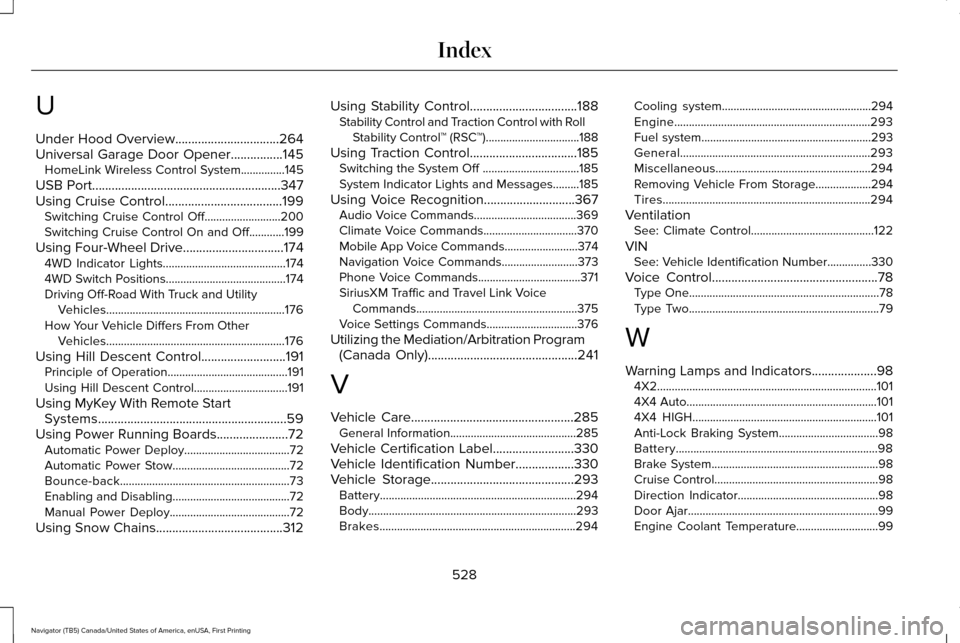
U
Under Hood Overview................................264
Universal Garage Door Opener................145
HomeLink Wireless Control System...............145
USB Port..........................................................347
Using Cruise Control....................................199
Switching Cruise Control Off..........................200
Switching Cruise Control On and Off............199
Using Four-Wheel Drive
...............................174
4WD Indicator Lights..........................................174
4WD Switch Positions.........................................174
Driving Off-Road With Truck and Utility
Vehicles.............................................................176
How Your Vehicle Differs From Other Vehicles.............................................................176
Using Hill Descent Control..........................191 Principle of Operation.........................................
191
Using Hill Descent Control................................191
Using MyKey With Remote Start Systems..........................................................59
Using Power Running Boards......................72 Automatic Power Deploy....................................72
Automatic Power Stow........................................72
Bounce-back..........................................................73
Enabling and Disabling........................................72
Manual Power Deploy.........................................72
Using Snow Chains.......................................312 Using Stability Control.................................188
Stability Control and Traction Control with Roll
Stability Control™ (RSC™)................................188
Using Traction Control.................................185 Switching the System Off .................................185
System Indicator Lights and Messages.........
185
Using Voice Recognition............................367 Audio Voice Commands...................................369
Climate Voice Commands................................370
Mobile App Voice Commands.........................374
Navigation Voice Commands..........................373
Phone Voice Commands...................................371
SiriusXM Traffic and Travel Link Voice
Commands.......................................................375
Voice Settings Commands...............................376
Utilizing the Mediation/Arbitration Program (Canada Only)
..............................................241
V
Vehicle Care
..................................................285
General Information...........................................285
Vehicle Certification Label
.........................330
Vehicle Identification Number..................330
Vehicle Storage............................................293
Battery...................................................................294
Body.......................................................................293
Brakes...................................................................294 Cooling system...................................................294
Engine...................................................................293
Fuel system..........................................................293
General.................................................................293
Miscellaneous.....................................................294
Removing Vehicle From Storage...................294
Tires.......................................................................294
Ventilation See: Climate Control..........................................122
VIN See: Vehicle Identification Number...............330
Voice Control
...................................................78
Type One.................................................................78
Type Two.................................................................79
W
Warning Lamps and Indicators
....................98
4X2........................................................................\
...101
4X4 Auto.................................................................101
4X4 HIGH...............................................................101
Anti-Lock Braking System..................................98
Battery.....................................................................98
Brake System.........................................................98
Cruise Control........................................................98
Direction Indicator................................................98
Door Ajar.................................................................99
Engine Coolant Temperature............................99
528
Navigator (TB5) Canada/United States of America, enUSA, First Printing Index