Rear LINCOLN NAVIGATOR 2017 Owner's Manual
[x] Cancel search | Manufacturer: LINCOLN, Model Year: 2017, Model line: NAVIGATOR, Model: LINCOLN NAVIGATOR 2017Pages: 532, PDF Size: 3.9 MB
Page 49 of 532
WARNINGS
Do not attempt to service, repair, or
modify the curtain airbags, its fuses,
the A, B, or C pillar trim, or the headliner on
a vehicle containing curtain airbags as you
could be seriously injured or killed. Contact
your authorized dealer as soon as possible. All occupants of your vehicle including
the driver should always wear their
safety belts even when an airbag
supplemental restraint system and curtain
airbag is provided. Failure to properly wear
your safety belt could seriously increase the
risk of injury or death. To reduce risk of injury, do not obstruct
or place objects in the deployment
path of the curtain airbag. If the curtain airbags have deployed,
the curtain airbags will not function
again. The curtain airbags (including the A,
B and C pillar trim and headliner) must be
inspected and serviced by an authorized
dealer. If the curtain airbag is not replaced,
the unrepaired area will increase the risk of
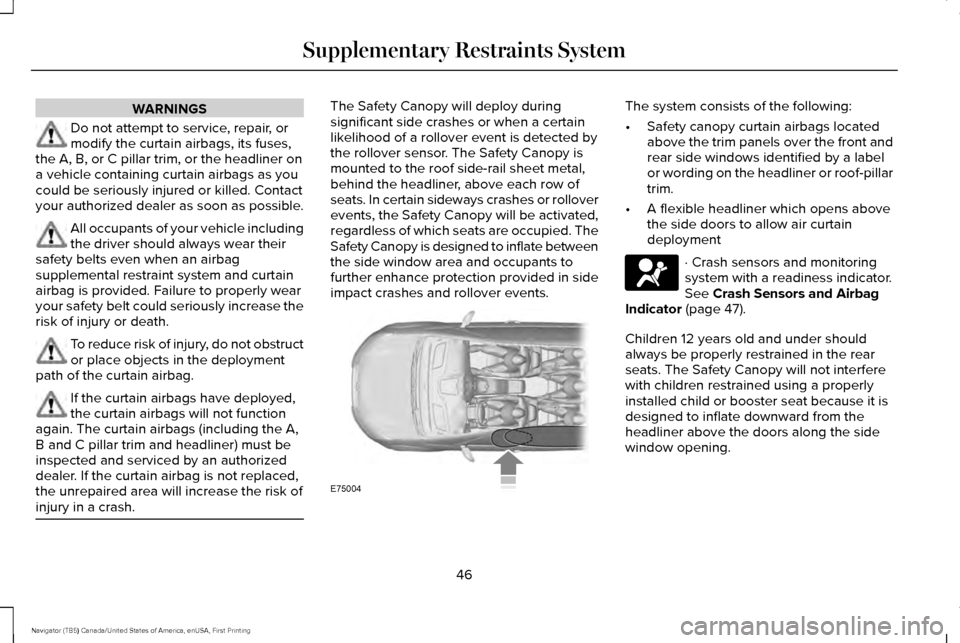
injury in a crash. The Safety Canopy will deploy during
significant side crashes or when a certain
likelihood of a rollover event is detected by
the rollover sensor. The Safety Canopy is
mounted to the roof side-rail sheet metal,
behind the headliner, above each row of
seats. In certain sideways crashes or rollover
events, the Safety Canopy will be activated,
regardless of which seats are occupied. The
Safety Canopy is designed to inflate between
the side window area and occupants to
further enhance protection provided in side
impact crashes and rollover events. The system consists of the following:
•
Safety canopy curtain airbags located
above the trim panels over the front and
rear side windows identified by a label
or wording on the headliner or roof-pillar
trim.
• A flexible headliner which opens above
the side doors to allow air curtain
deployment · Crash sensors and monitoring
system with a readiness indicator.
See Crash Sensors and Airbag
Indicator (page 47).
Children 12 years old and under should
always be properly restrained in the rear
seats. The Safety Canopy will not interfere
with children restrained using a properly
installed child or booster seat because it is
designed to inflate downward from the
headliner above the doors along the side
window opening.
46
Navigator (TB5) Canada/United States of America, enUSA, First Printing Supplementary Restraints SystemE75004
Page 51 of 532
The fact that the safety belt pretensioners or
front airbags did not activate for both front
seat occupants in a crash does not mean
that something is wrong with the system.
Rather, it means the restraints control module
determined the accident conditions (crash
severity, belt usage) were not appropriate to
activate these safety devices.
•
The design of the front airbags is to
activate only in frontal and near-frontal
crashes (not rollovers, side impacts or
rear impacts) unless the crash causes
sufficient frontal deceleration.
• The design of the safety belt
pretensioners is to activate in frontal,
near-frontal and side crashes, and in
rollovers. •
The design of the side airbags is to inflate
in certain side impact crashes. Side
airbags may activate in other types of
crashes if the vehicle experiences
sufficient sideways motion or
deformation.
• The design of the Safety Canopy is to
inflate in certain side impact crashes or
rollover events. The Safety Canopy may
activate in other types of crashes if the
vehicle experiences sufficient sideways
motion or deformation, or a certain
likelihood of rollover.
AIRBAG DISPOSAL
Contact your authorized dealer as soon as
possible. Airbags must be disposed of by
qualified personnel.
48
Navigator (TB5) Canada/United States of America, enUSA, First Printing Supplementary Restraints System
Page 64 of 532
LOCKING AND UNLOCKING
You can use the power door lock control or
the remote control to lock and unlock your
vehicle.
Power Door Locks
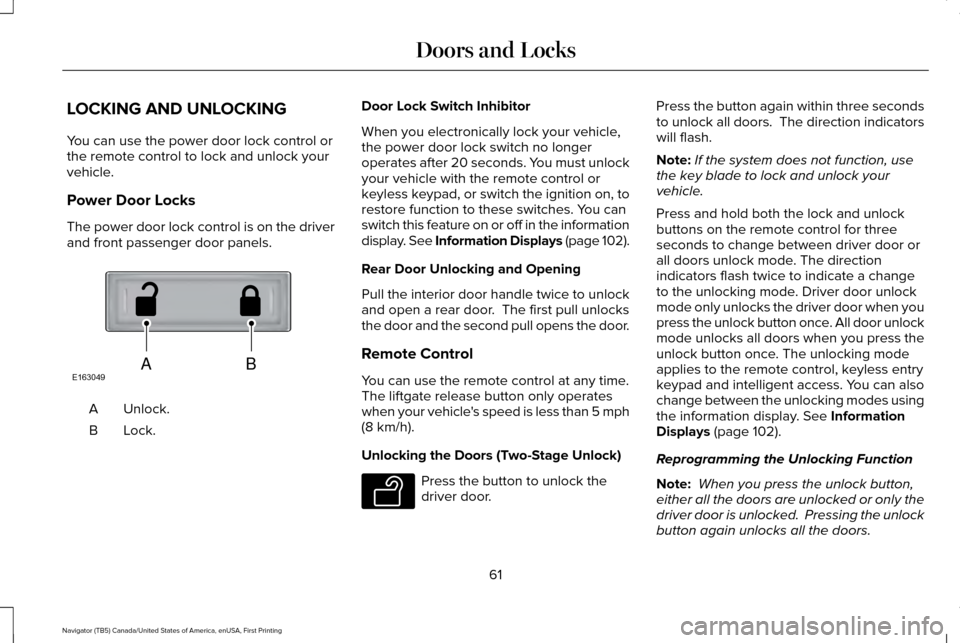
The power door lock control is on the driver
and front passenger door panels.
Unlock.
A
Lock.B Door Lock Switch Inhibitor
When you electronically lock your vehicle,
the power door lock switch no longer
operates after 20 seconds. You must unlock
your vehicle with the remote control or
keyless keypad, or switch the ignition on, to
restore function to these switches. You can
switch this feature on or off in the information
display. See Information Displays (page 102).
Rear Door Unlocking and Opening
Pull the interior door handle twice to unlock
and open a rear door. The first pull unlocks
the door and the second pull opens the door.
Remote Control
You can use the remote control at any time.
The liftgate release button only operates
when your vehicle's speed is less than 5 mph
(8 km/h).
Unlocking the Doors (Two-Stage Unlock) Press the button to unlock the
driver door.Press the button again within three seconds
to unlock all doors. The direction indicators
will flash.
Note:
If the system does not function, use
the key blade to lock and unlock your
vehicle.
Press and hold both the lock and unlock
buttons on the remote control for three
seconds to change between driver door or
all doors unlock mode. The direction
indicators flash twice to indicate a change
to the unlocking mode. Driver door unlock
mode only unlocks the driver door when you
press the unlock button once. All door unlock
mode unlocks all doors when you press the
unlock button once. The unlocking mode
applies to the remote control, keyless entry
keypad and intelligent access. You can also
change between the unlocking modes using
the information display. See Information
Displays (page 102).
Reprogramming the Unlocking Function
Note: When you press the unlock button,
either all the doors are unlocked or only the
driver door is unlocked. Pressing the unlock
button again unlocks all the doors.
61
Navigator (TB5) Canada/United States of America, enUSA, First Printing Doors and LocksABE163049 E138629
Page 65 of 532
Press and hold the unlock and lock buttons
on the remote control simultaneously for at
least four seconds with the ignition off. The
direction indicators flash twice to confirm the
change.
To return to the original unlocking function,
repeat the process.
Locking the Doors
Press the button to lock all doors.
The direction indicators will flash.
Press the button again within three seconds
to confirm that all the doors are closed. The
doors will lock again, the horn will sound and
the direction indicators will flash if all the
doors and the liftgate are closed.
Note: If the system does not function, use
the key blade to lock and unlock your
vehicle. Mislock
If any door or the liftgate is open, or if the
hood is open on vehicles with an anti-theft
alarm or remote start, the horn sounds twice
and the direction indicators do not flash. You
can switch this feature on or off in the
information display. See Information
Displays (page 102).
Opening the Liftgate Press twice within three seconds
to open the liftgate.
Activating Intelligent Access
The intelligent access key must be within 3 ft
(1 m)
of the driver door or liftgate.
At a Door
You can use the keyless entry keypad to lock
and unlock the doors.
See Keyless Entry
(page 68). At the Liftgate
The liftgate unlocks and opens automatically
when you press the liftgate release button.
See
Power Liftgate (page 64).
Smart Unlocks for Intelligent Access
Keys
This helps to prevent you from locking your
key inside the passenger compartment or
rear cargo area.
When you electronically lock your vehicle
with any door open, the transmission is in
park (P) and the ignition is off, the system
searches for an intelligent access key inside
your vehicle after you close the last door. If
the system finds a key, all of the doors will
immediately unlock and the horn will sound
twice, indicating that a key is inside.
You can override the smart unlock feature
and intentionally lock the intelligent access
key inside your vehicle.
62
Navigator (TB5) Canada/United States of America, enUSA, First Printing Doors and LocksE138623 E138630
Page 70 of 532
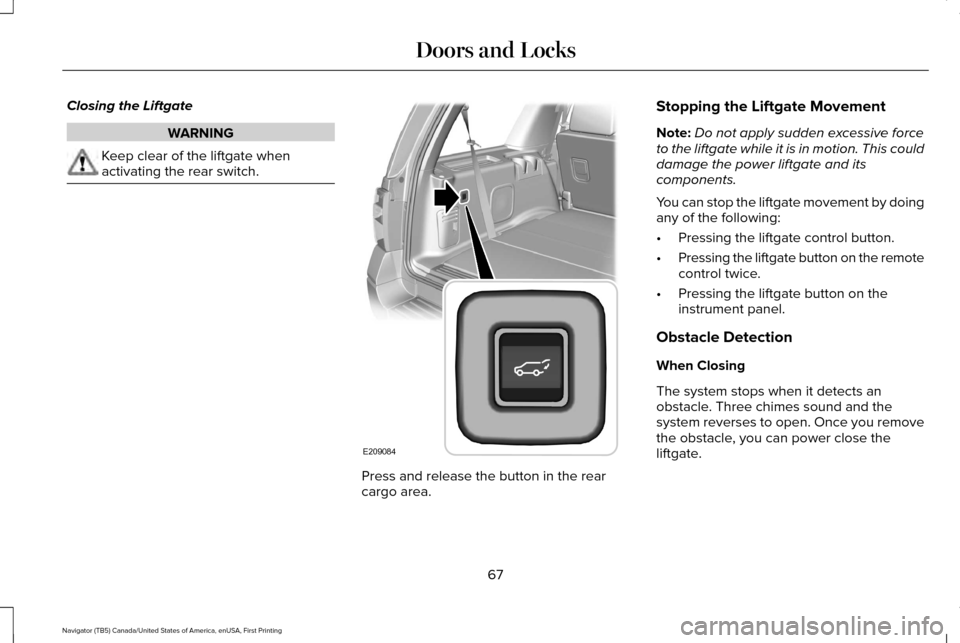
Closing the Liftgate
WARNING
Keep clear of the liftgate when
activating the rear switch.
Press and release the button in the rear
cargo area.Stopping the Liftgate Movement
Note:
Do not apply sudden excessive force
to the liftgate while it is in motion. This could
damage the power liftgate and its
components.
You can stop the liftgate movement by doing
any of the following:
• Pressing the liftgate control button.
• Pressing the liftgate button on the remote
control twice.
• Pressing the liftgate button on the
instrument panel.
Obstacle Detection
When Closing
The system stops when it detects an
obstacle. Three chimes sound and the
system reverses to open. Once you remove
the obstacle, you can power close the
liftgate.
67
Navigator (TB5) Canada/United States of America, enUSA, First Printing Doors and LocksE209084
Page 75 of 532
USING POWER RUNNING BOARDS
WARNINGS
In extreme climates, excessive ice
buildup may occur, causing the running
boards not to deploy. Make sure that the
running boards have deployed, and have
finished moving before attempting to step
on them. The running boards will resume
normal function once the blockage is
cleared. Turn off the running boards before
jacking or placing any object under
your vehicle. Never place your hand between
the extended running board and your
vehicle. A moving running board may cause
injury. Note:
Do not use the running boards, front
and rear hinge assemblies, running board
motors, or the running board underbody
mounts to lift your vehicle when jacking.
Always use proper jacking points.
Note: The running boards may operate more
slowly in cool temperatures. Note:
The running board mechanism may
trap debris such as mud, dirt, snow, ice and
salt. This may cause unwanted noise. If this
happens, manually set the running boards
to the deployed position. Then, wash the
system, in particular the front and rear hinge
arms, with a high-pressure car wash wand.
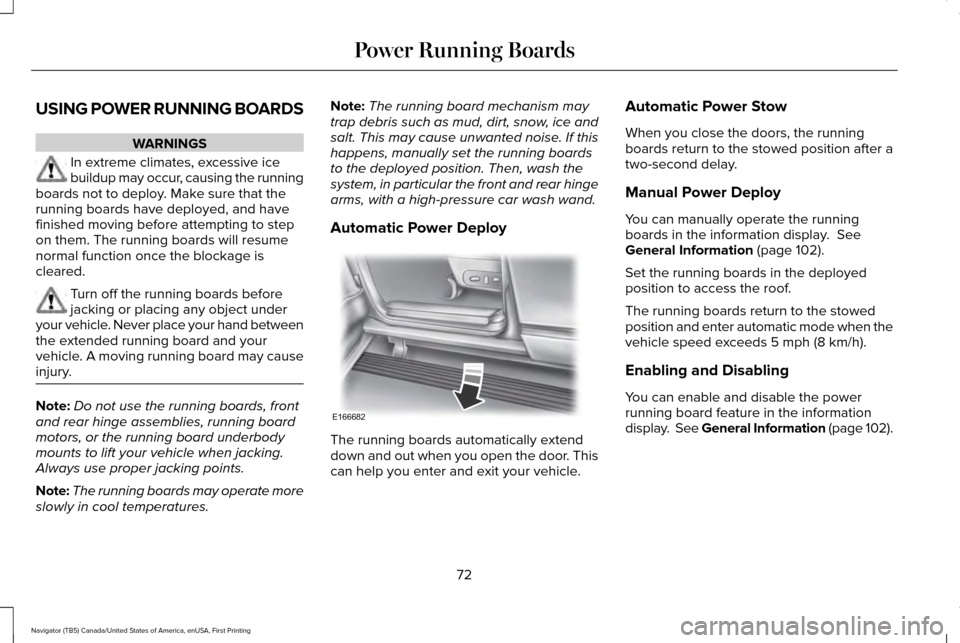
Automatic Power Deploy The running boards automatically extend
down and out when you open the door. This
can help you enter and exit your vehicle.Automatic Power Stow
When you close the doors, the running
boards return to the stowed position after a
two-second delay.
Manual Power Deploy
You can manually operate the running
boards in the information display. See
General Information (page 102).
Set the running boards in the deployed
position to access the roof.
The running boards return to the stowed
position and enter automatic mode when the
vehicle speed exceeds
5 mph (8 km/h).
Enabling and Disabling
You can enable and disable the power
running board feature in the information
display. See General Information (page 102).
72
Navigator (TB5) Canada/United States of America, enUSA, First Printing Power Running BoardsE166682
Page 77 of 532
ADJUSTING THE STEERING WHEEL
Note:
Make sure that you are sitting in the
correct position. See Sitting in the Correct
Position (page 129). WARNING
Do not adjust the steering wheel when
your vehicle is moving. Use the control on the side of the steering
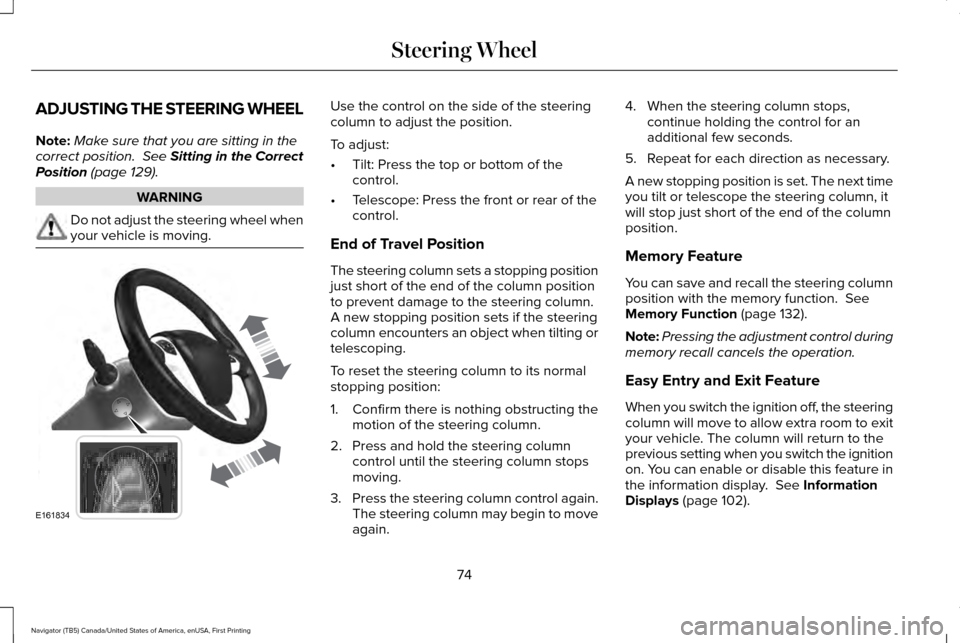
column to adjust the position.
To adjust:
•
Tilt: Press the top or bottom of the
control.
• Telescope: Press the front or rear of the
control.
End of Travel Position
The steering column sets a stopping position
just short of the end of the column position
to prevent damage to the steering column.
A new stopping position sets if the steering
column encounters an object when tilting or
telescoping.
To reset the steering column to its normal
stopping position:
1. Confirm there is nothing obstructing the motion of the steering column.
2. Press and hold the steering column control until the steering column stops
moving.
3. Press the steering column control again.
The steering column may begin to move
again. 4. When the steering column stops,
continue holding the control for an
additional few seconds.
5. Repeat for each direction as necessary.
A new stopping position is set. The next time
you tilt or telescope the steering column, it
will stop just short of the end of the column
position.
Memory Feature
You can save and recall the steering column
position with the memory function.
See
Memory Function (page 132).
Note: Pressing the adjustment control during
memory recall cancels the operation.
Easy Entry and Exit Feature
When you switch the ignition off, the steering
column will move to allow extra room to exit
your vehicle. The column will return to the
previous setting when you switch the ignition
on. You can enable or disable this feature in
the information display.
See Information
Displays (page 102).
74
Navigator (TB5) Canada/United States of America, enUSA, First Printing Steering WheelE161834
Page 85 of 532
Use the rotary control to adjust the sensitivity
of the rain sensor. Set the control to low
sensitivity, and the wipers will turn on when
the rain sensor detects a large amount of
moisture on the windshield. Set the control
to high sensitivity, and the wipers will turn
on when the rain sensor detects a small
amount of moisture on the windshield.
Note:
When you set the wiper system to
intermittent wipe and the autowiper system
is on, the autowiper sensitivity setting adjusts
the wiper speed according to the moisture
on the windshield only. Use the wiper lever
to wipe the windshield on-demand.
Keep the outside of the windshield clean.
The rain sensor is very sensitive. If the area
around the mirror is dirty, then the wipers
may operate if dirt, mist or insects hit the
windshield. WINDSHIELD WASHERS
Note:
Do not operate the wipers on a dry
windshield. This may scratch the glass,
damage the wiper blades or cause the wiper
motor to burn out. Always use the windshield
washers before wiping a dry windshield.
Note: Do not operate the washers when the
washer reservoir is empty. This may cause
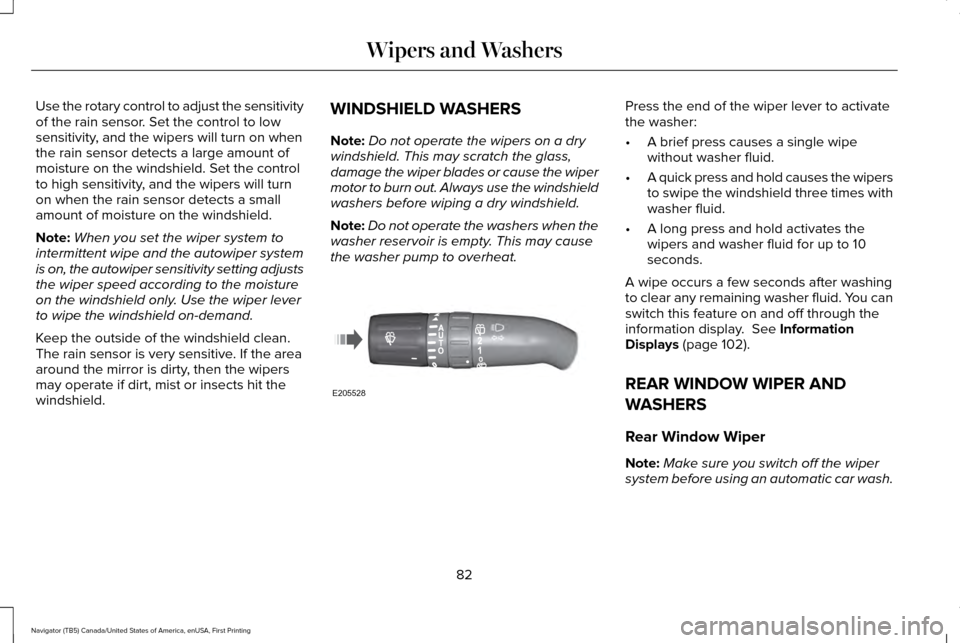
the washer pump to overheat. Press the end of the wiper lever to activate
the washer:
•
A brief press causes a single wipe
without washer fluid.
• A quick press and hold causes the wipers
to swipe the windshield three times with
washer fluid.
• A long press and hold activates the
wipers and washer fluid for up to 10
seconds.
A wipe occurs a few seconds after washing
to clear any remaining washer fluid. You can
switch this feature on and off through the
information display. See Information
Displays (page 102).
REAR WINDOW WIPER AND
WASHERS
Rear Window Wiper
Note: Make sure you switch off the wiper
system before using an automatic car wash.
82
Navigator (TB5) Canada/United States of America, enUSA, First Printing Wipers and WashersE205528
Page 86 of 532
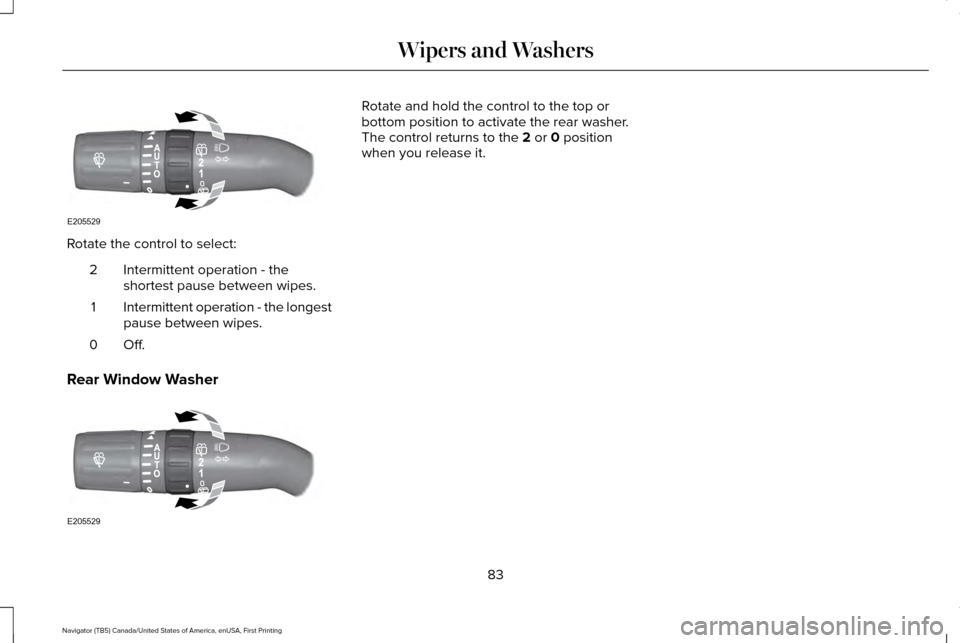
Rotate the control to select:
Intermittent operation - the
shortest pause between wipes.
2
Intermittent operation - the longest
pause between wipes.
1
Off.0
Rear Window Washer Rotate and hold the control to the top or
bottom position to activate the rear washer.
The control returns to the 2 or 0 position
when you release it.
83
Navigator (TB5) Canada/United States of America, enUSA, First Printing Wipers and WashersE205529 E205529
Page 89 of 532
The headlamps remain on for a period of
time after you switch the ignition off. Use the
information display controls to adjust the
period of time that the headlamps remain
on. See Information Displays (page 102).
Note: With the headlamps in the autolamps
position, you cannot switch the high beam
headlamps on until the autolamps system
turns the low beam headlamps on.
Windshield Wiper Activated Headlamps
The windshield wiper activated headlamps
turn on within 10 seconds when you switch
the windshield wipers on and the lighting
control is in the autolamps position. They
turn off approximately 60 seconds after you
switch the windshield wipers off.
The headlamps do not turn on by wiper
activation:
• During a mist wipe.
• When the wipers are on to clear washer
fluid during a wash condition.
• If the wipers are in intermittent mode. Note:
If you switch autolamps and
autowipers on, the headlamps will
automatically turn on when the windshield
wipers continuously operate.
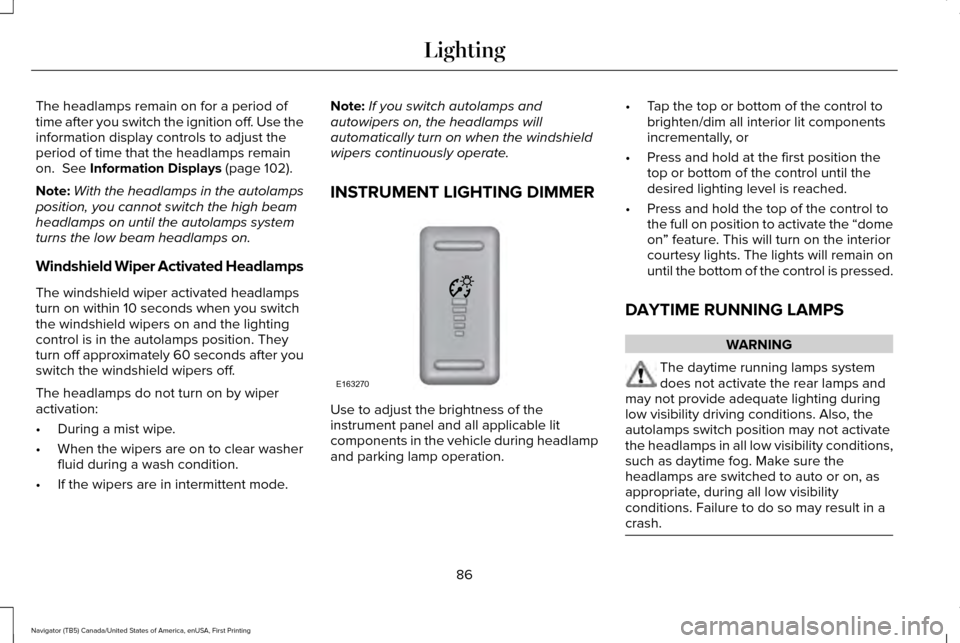
INSTRUMENT LIGHTING DIMMER Use to adjust the brightness of the
instrument panel and all applicable lit
components in the vehicle during headlamp
and parking lamp operation.•
Tap the top or bottom of the control to
brighten/dim all interior lit components
incrementally, or
• Press and hold at the first position the
top or bottom of the control until the
desired lighting level is reached.
• Press and hold the top of the control to
the full on position to activate the “dome
on” feature. This will turn on the interior
courtesy lights. The lights will remain on
until the bottom of the control is pressed.
DAYTIME RUNNING LAMPS WARNING
The daytime running lamps system
does not activate the rear lamps and
may not provide adequate lighting during
low visibility driving conditions. Also, the
autolamps switch position may not activate
the headlamps in all low visibility conditions,
such as daytime fog. Make sure the
headlamps are switched to auto or on, as
appropriate, during all low visibility
conditions. Failure to do so may result in a
crash. 86
Navigator (TB5) Canada/United States of America, enUSA, First Printing LightingE163270