power steering LINCOLN NAVIGATOR 2017 Owner's Manual
[x] Cancel search | Manufacturer: LINCOLN, Model Year: 2017, Model line: NAVIGATOR, Model: LINCOLN NAVIGATOR 2017Pages: 532, PDF Size: 3.9 MB
Page 279 of 532
Because your vehicle
’s engine is
electronically controlled by a computer, some
control conditions are maintained by power
from the battery. When the battery is
disconnected or a new battery is installed,
the engine must relearn its idle and fuel trim
strategy for optimum driveability and
performance. Flexible fuel vehicles (FFV)
must also relearn the ethanol content of the
fuel for optimum driveability and
performance.
To restore the settings, do the following:
1. Apply the parking brake.
2. Shift into park (P) or neutral (N).
3. Switch off all accessories.
4. Press the brake pedal and start your vehicle.
5. Run the engine until it reaches normal operating temperature. While the engine
is warming up, complete the following:
Reset the clock. See Audio System
(page 339). Reset the power windows
bounce-back feature. See Windows and
Mirrors (page 90). Reset the radio station
presets.
See Audio System (page 339). 6. Allow the engine to idle for at least one
minute.
7. Drive the vehicle at least 10 mi (16 km) to
completely relearn the idle trim and fuel
trim strategy.
Note: If you do not allow the engine to
relearn the idle and fuel trim strategy, the
idle quality of your vehicle may be adversely
affected until the engine computer
eventually relearns the idle trim and fuel trim
strategy.
Note: For flexible fuel vehicles, if you are
operating on E85, you may experience poor
starts or an inability to start the engine and
driveability problems until the fuel trim and
ethanol content have been relearned.
Make sure that you dispose of old batteries
in an environmentally friendly way. Seek
advice from your local authority about
recycling old batteries.
If storing your vehicle for more than 30 days
without recharging the battery, we
recommend that you disconnect the battery
cables to maintain battery charge for quick
starting. Battery Management System
(If Equipped)
The battery management system monitors
battery conditions and takes actions to
extend battery life. If excessive battery drain
is detected, the system temporarily disables
some electrical systems to protect the
battery.
Systems included are:
• Heated rear window.
• Heated seats.
• Climate control.
• Heated steering wheel.
• Audio unit.
• Navigation system.
A message may appear in the information
displays to alert you that battery protection
actions are active. These messages are only
for notification that an action is taking place,
and not intended to indicate an electrical
problem or that the battery requires
replacement.
276
Navigator (TB5) Canada/United States of America, enUSA, First Printing Maintenance
Page 315 of 532
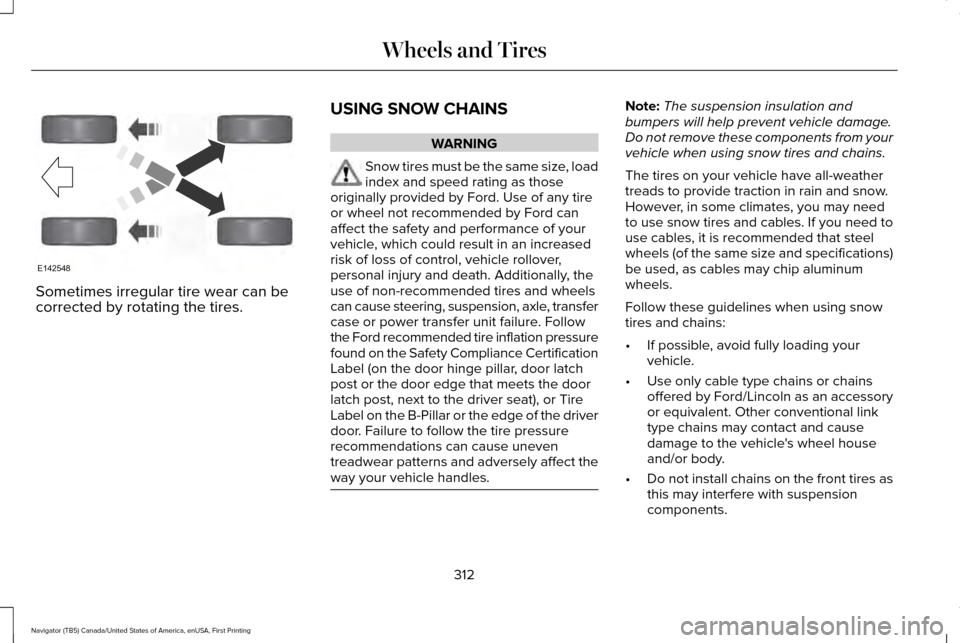
Sometimes irregular tire wear can be
corrected by rotating the tires.
USING SNOW CHAINS WARNING
Snow tires must be the same size, load
index and speed rating as those
originally provided by Ford. Use of any tire
or wheel not recommended by Ford can
affect the safety and performance of your
vehicle, which could result in an increased
risk of loss of control, vehicle rollover,
personal injury and death. Additionally, the
use of non-recommended tires and wheels
can cause steering, suspension, axle, transfer
case or power transfer unit failure. Follow
the Ford recommended tire inflation pressure
found on the Safety Compliance Certification
Label (on the door hinge pillar, door latch
post or the door edge that meets the door
latch post, next to the driver seat), or Tire
Label on the B-Pillar or the edge of the driver
door. Failure to follow the tire pressure
recommendations can cause uneven
treadwear patterns and adversely affect the
way your vehicle handles. Note:
The suspension insulation and
bumpers will help prevent vehicle damage.
Do not remove these components from your
vehicle when using snow tires and chains.
The tires on your vehicle have all-weather
treads to provide traction in rain and snow.
However, in some climates, you may need
to use snow tires and cables. If you need to
use cables, it is recommended that steel
wheels (of the same size and specifications)
be used, as cables may chip aluminum
wheels.
Follow these guidelines when using snow
tires and chains:
• If possible, avoid fully loading your
vehicle.
• Use only cable type chains or chains
offered by Ford/Lincoln as an accessory
or equivalent. Other conventional link
type chains may contact and cause
damage to the vehicle's wheel house
and/or body.
• Do not install chains on the front tires as
this may interfere with suspension
components.
312
Navigator (TB5) Canada/United States of America, enUSA, First Printing Wheels and TiresE142548
Page 361 of 532
Note:
If your vehicle is not equipped with
navigation, compass appears in the display
instead of navigation. If you press the right
arrow to go into the compass menu, you can
see the compass graphic. The compass
displays the direction in which the vehicle is
traveling, not true direction (for example, if
the vehicle is traveling west, the middle of
the compass graphic displays west; north
displays to the left of west though its true
direction is to the right of west).
Using the Steering Wheel Controls
Depending on your vehicle and option
package, you can use different controls on
your steering wheel to interact with the
touchscreen system in different ways.
VOL: Control the volume of audio output.
Mute:
Mute the audio output.
Voice:
Press to start a voice session. Press
again to stop the voice prompt and
immediately begin speaking. Press and hold
to end a voice session. SEEK NEXT:
•
While in radio mode, press to seek
between memory presets.
• While in USB, Bluetooth Audio or CD
mode, press to seek between songs or
press and hold to fast seek.
SEEK PREVIOUS:
• While in radio mode, press to seek
between memory presets.
• While in USB, Bluetooth Audio or CD
mode, press to seek between songs or
press and hold to fast seek.
PHONE ACCEPT:
Press to answer a call or
switch between calls.
PHONE REJECT: Press to end a call or reject
an incoming call.
Note: On some models, SEEK NEXT may be
combined with
PHONE REJECT and SEEK
PREVIOUS may be combined with PHONE
ACCEPT.
M:
Touch the control repeatedly to switch
between media sources (modes).
See
Steering Wheel (page 74). Using Your Bezel Controls
Depending on your vehicle and option
package, you may also have these controls
on your instrument panel:
•
Power:
Switch the audio system on and
off.
• VOL:
Control the volume of playing
audio.
• Seek
and Tune: Use as you normally
would in audio modes.
• Eject:
Eject a CD from the audio system.
• SOURCE
or MEDIA: Press repeatedly to
advance through available media modes.
• SOUND:
Press to access the Sound
menu where you can adjust sound and
other audio settings.
• 1-6:
Press and hold to store or press to
select an AM, FM or SIRIUS memory
preset.
See Audio System (page 339).
358
Navigator (TB5) Canada/United States of America, enUSA, First Printing SYNC™ 3
Page 363 of 532
Website
www.syncmaroute.ca
For important information about airbag
deployment and the fuel pump shut-off
please see the Supplementary Restrains and
Roadside Emergencies sections of your
owner manual.
To switch 911 Assist on and off please view
the settings information. See Settings (page
417).
To make sure that 911 Assist works correctly:
• SYNC must be powered and working
properly at the time of the incident and
throughout feature activation and use.
• The 911 Assist feature must be set on
before the incident.
• You must pair and connect a
Bluetooth-enabled and compatible cell
phone to SYNC.
• A connected Bluetooth-enabled phone
must have the ability to make and
maintain an outgoing call at the time of
the incident. •
A connected Bluetooth-enabled phone
must have adequate network coverage,
battery power and signal strength.
• The vehicle must have battery power and
be located in the U.S., Canada or in a
territory in which 911 is the emergency
number.
In the Event of a Crash
Not all crashes will deploy an airbag or
activate the fuel pump shut-off (the triggers
for 911 Assist). If a connected cell phone
sustains damage or loses its connection to
SYNC during a crash, SYNC will search for
and try to connect to a previously paired cell
phone; SYNC will then attempt to call the
emergency services. Before making the call:
•
SYNC provides a short window of time
(about 10 seconds) to cancel the call. If
you fail to cancel the call, SYNC attempts
to dial 911.
• SYNC says the following, or a similar
message: "SYNC will attempt to call 911,
to cancel the call, press Cancel on your
screen or press and hold the phone
button on your steering wheel."
If you do not cancel the call, and SYNC
makes a successful call, a pre-recorded
message plays for the 911 operator, and then
the occupant(s) in your vehicle is able to talk
with the operator. Be prepared to provide
your name, phone number and location
immediately, because not all 911 systems are
capable of receiving this information
electronically.
360
Navigator (TB5) Canada/United States of America, enUSA, First Printing SYNC™ 3
Page 396 of 532
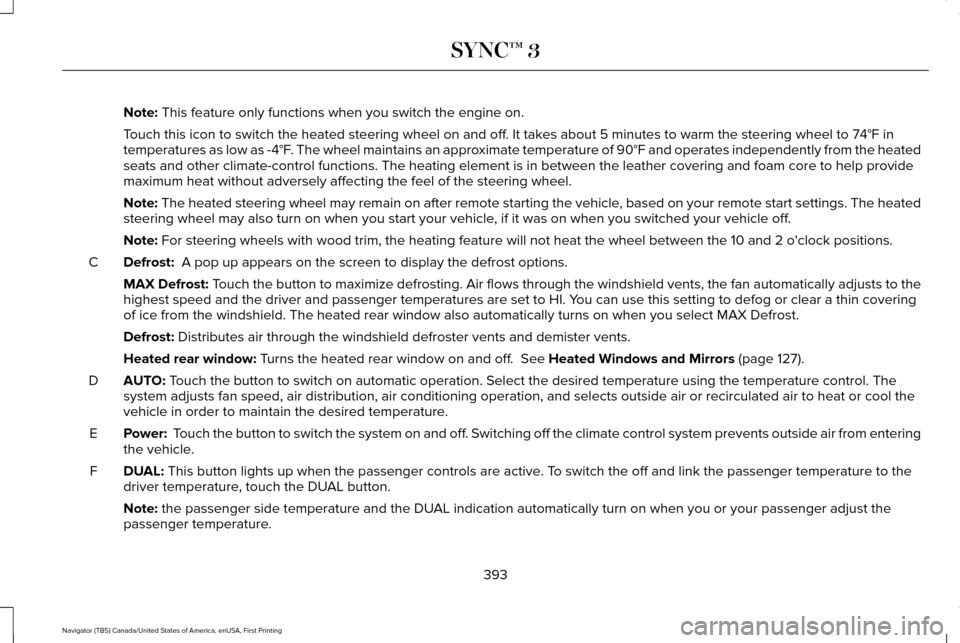
Note: This feature only functions when you switch the engine on.
Touch this icon to switch the heated steering wheel on and off. It takes about 5 minutes to warm the steering wheel to 74°F in
temperatures as low as -4°F. The wheel maintains an approximate temperature of 90°F and operates independently from the heated\
seats and other climate-control functions. The heating element is in bet\
ween the leather covering and foam core to help provide
maximum heat without adversely affecting the feel of the steering wheel.\
Note:
The heated steering wheel may remain on after remote starting the vehic\
le, based on your remote start settings. The heated
steering wheel may also turn on when you start your vehicle, if it was on when you switched your vehicle off.
Note:
For steering wheels with wood trim, the heating feature will not heat t\
he wheel between the 10 and 2 o'clock positions.
Defrost:
A pop up appears on the screen to display the defrost options.
C
MAX Defrost: Touch the button to maximize defrosting. Air flows through the windshield\
vents, the fan automatically adjusts to the
highest speed and the driver and passenger temperatures are set to HI. Y\
ou can use this setting to defog or clear a thin covering
of ice from the windshield. The heated rear window also automatically tu\
rns on when you select MAX Defrost.
Defrost:
Distributes air through the windshield defroster vents and demister vent\
s.
Heated rear window:
Turns the heated rear window on and off. See Heated Windows and Mirrors (page 127).
AUTO:
Touch the button to switch on automatic operation. Select the desired tem\
perature using the temperature control. The
system adjusts fan speed, air distribution, air conditioning operation, \
and selects outside air or recirculated air to heat or cool the
vehicle in order to maintain the desired temperature.
D
Power:
Touch the button to switch the system on and off. Switching off the climate control system prevents outside air from enteri\
ng
the vehicle.
E
DUAL:
This button lights up when the passenger controls are active. To switch the off and link the passenger temperature to the
driver temperature, touch the DUAL button.
F
Note:
the passenger side temperature and the DUAL indication automatically turn on when you or your passenger adjust th\
e
passenger temperature.
393
Navigator (TB5) Canada/United States of America, enUSA, First Printing SYNC™ 3
Page 522 of 532
4
4WD
See: Four-Wheel Drive.......................................174
A
A/C See: Climate Control..........................................122
About This Manual............................................7
ABS See: Brakes...........................................................182
ABS driving hints See: Hints on Driving With Anti-Lock
Brakes................................................................182
Accessories....................................................451 Exterior Style........................................................451
Interior Style..........................................................451
Lifestyle..................................................................451
Peace of Mind......................................................451
Accessories See: Replacement Parts Recommendation.....12
Adaptive Headlamps
.....................................87
Adjusting the Headlamps...........................278 Horizontal Aim Adjustment..............................279
Vertical Aim Adjustment...................................278
Adjusting the Pedals
......................................80 Adjusting the Steering Wheel......................74
Easy Entry and Exit Feature................................74
End of Travel Position..........................................74
Memory Feature....................................................74
AFS See: Adaptive Headlamps..................................87
Airbag Disposal...............................................48
Air Conditioning See: Climate Control..........................................122
Air Filter See: Changing the Engine Air Filter..............283
Alarm See: Anti-Theft Alarm............................................71
Ambient Lighting
............................................89
Anti-Theft Alarm...............................................71
Arming the Alarm...................................................71
Disarming the Alarm..............................................71
Appendices....................................................488
Apps..................................................................414 ........................................................................\
..........414
SiriusXM Traffic and Travel Link.......................
416
Audible Warnings and Indicators...............101 Direction Indicator Chime..................................101
Headlamps On Warning Chime
........................101
Key in Ignition Warning Chime..........................101
Parking Brake On Warning Chime...................101
Audio Control
...................................................75
Media........................................................................\
77 Seek, Next or Previous........................................77
Type One.................................................................76
Type Two.................................................................77
Audio System................................................339 General Information...........................................339
Audio Unit - Vehicles With: Premium AM/ FM/CD..........................................................340
Rear Seat Audio Controls.................................342
Autolamps.........................................................85 Windshield Wiper Activated Headlamps........86
Automatic Climate Control
.........................122
Automatic Transmission..............................169 Brake-Shift Interlock...........................................172
If Your Vehicle Gets Stuck In Mud or
Snow...................................................................173
SelectShift™ Automatic Transmission..............171
Understanding the Shift Positions of your Automatic Transmission................................
169
Automatic Transmission Fluid Check............................................................272
Autowipers........................................................81
Auxiliary Power Points.................................150 110 Volt AC Power Point....................................150
12 Volt DC Power Point......................................150
Locations...............................................................150
519
Navigator (TB5) Canada/United States of America, enUSA, First Printing Index
Page 525 of 532
Exterior Mirrors.................................................91
Auto-Dimming Feature........................................92
Blind Spot Monitor................................................92
Fold-Away Exterior Mirrors..................................91
Heated Exterior Mirrors.......................................92
Memory Mirrors.....................................................92
Power Exterior Mirrors..........................................91
Power-Folding Mirrors..........................................91
Signal Indicator Mirrors.......................................92
F
Fastening the Seatbelts
................................33
Seatbelt Locking Modes.....................................34
Using Seatbelts During Pregnancy..................
33
Floor Mats......................................................229
Foot Pedals See: Adjusting the Pedals..................................80
Four-Wheel Drive
...........................................174
Front Parking Aid...........................................194
Fuel and Refueling........................................159
Fuel Consumption.........................................164
Calculating Fuel Economy................................165
Filling the Fuel Tank............................................165
Fuel Filler Funnel Location..........................161
Fuel Filter
........................................................275
Fuel Quality....................................................160
Choosing the Right Fuel....................................160 Fuel Shutoff
...................................................232
Fuses...............................................................246
Fuse Specification Chart............................246
Passenger Compartment Fuse Panel...........252
Power Distribution Box.....................................246
G
Garage Door Opener See: Universal Garage Door Opener.............145
Gauges..............................................................96
General Information on Radio Frequencies...................................................49
Intelligent Access..................................................49
General Maintenance Information...........456 Multi-Point Inspection........................................459
Owner Checks and Services...........................458
Protecting Your Investment.............................
456
Why Maintain Your Vehicle?............................456
Why Maintain Your Vehicle at Your Dealership?......................................................456
Getting Assistance Outside the U.S. and Canada.........................................................242
Getting the Services You Need................238 Away From Home..............................................238 H
Handbrake
See: Parking Brake.............................................183
Hazard Warning Flashers...........................232
HDC See: Using Hill Descent Control.......................191
Headlamp Adjusting See: Adjusting the Headlamps.......................278
Head Restraints.............................................129 Adjusting the Head Restraint...........................130
Heated Seats
...................................................141
Front Seats.............................................................141
Rear Seats..............................................................141
Heated Steering Wheel.................................79
Heated Windows and Mirrors....................127 Heated Exterior Mirror........................................127
Heated Rear Window.........................................
127
Heating See: Climate Control..........................................122
Hill Start Assist...............................................183 Switching the System On and Off...................
184
Using Hill Start Assist.........................................184
Hints on Controlling the Interior Climate..........................................................124
Cooling the Interior Quickly..............................
124
General Hints........................................................124
Heating the Interior Quickly.............................
124
522
Navigator (TB5) Canada/United States of America, enUSA, First Printing Index
Page 526 of 532
Recommended Settings for Cooling .............124
Recommended Settings for Heating..............124
Side Window Defogging in Cold Weather.............................................................124
Hints on Driving With Anti-Lock Brakes
...........................................................182
Home Screen................................................366
Hood Lock See: Opening and Closing the Hood............262
I
In California (U.S. Only)...............................239
Information Display Control
.........................79
Information Displays.....................................102
General Information............................................102
Information Messages
.................................108
AdvanceTrac ™ / Traction Control
Messages.........................................................109
Alarm Messages...................................................110
Battery and Charging System Messages.......110
Blind Spot Information System Messages......
111
Brake System Messages....................................112
Door Messages.....................................................112
Engine Messages.................................................113
Fuel Messages......................................................113
Keys and Intelligent Access Messages..........114
Maintenance Messages......................................115 MyKey™ Messages...............................................116
Off Road Messages..............................................117
Park Aid Messages..............................................118
Power Steering Messages.................................
118
Remote Start Messages......................................119
Suspension System Messages.........................119
Tire Messages......................................................120
Trailer Messages.................................................120
Transmission Messages.....................................121
Installing Child Restraints
..............................18
Child Seats...............................................................18
Combining Seatbelt and LATCH Lower
Anchors for Attaching Child Safety
Seats....................................................................22
Using Lap and Shoulder Belts ...........................18
Using Lower Anchors and Tethers for CHildren (LATCH)..............................................21
Using Tether Straps..............................................23
Instrument Cluster
..........................................96
Instrument Lighting Dimmer........................86
Interior Lamps..................................................88 Front Map Lamps (If equipped).........................88
Rear Dome and Map Lamps..............................89
Interior Mirror
...................................................92
Auto-Dimming Mirror...........................................92
Introduction
.........................................................7 J
Jump Starting the Vehicle..........................233
Connecting the Jumper Cables......................
234
Jump Starting......................................................234
Preparing Your Vehicle.....................................233
Removing the Jumper Cables.........................
235
K
Keyless Entry...................................................68 SECURICODE™ KEYLESS ENTRY
KEYPAD..............................................................68
Unlocking and Locking the Doors....................69
Keyless Starting.............................................153 Starting Your Vehicle..........................................154
Switching the Ignition On..................................153
Keys and Remote Controls...........................49
L
Lighting Control...............................................84 Headlamp Flasher................................................85
High Beams............................................................85
Lighting..............................................................84 General Information.............................................84
Limited Slip Differential
.................................181
Lincoln Automotive Financial Services......12
523
Navigator (TB5) Canada/United States of America, enUSA, First Printing Index
Page 530 of 532
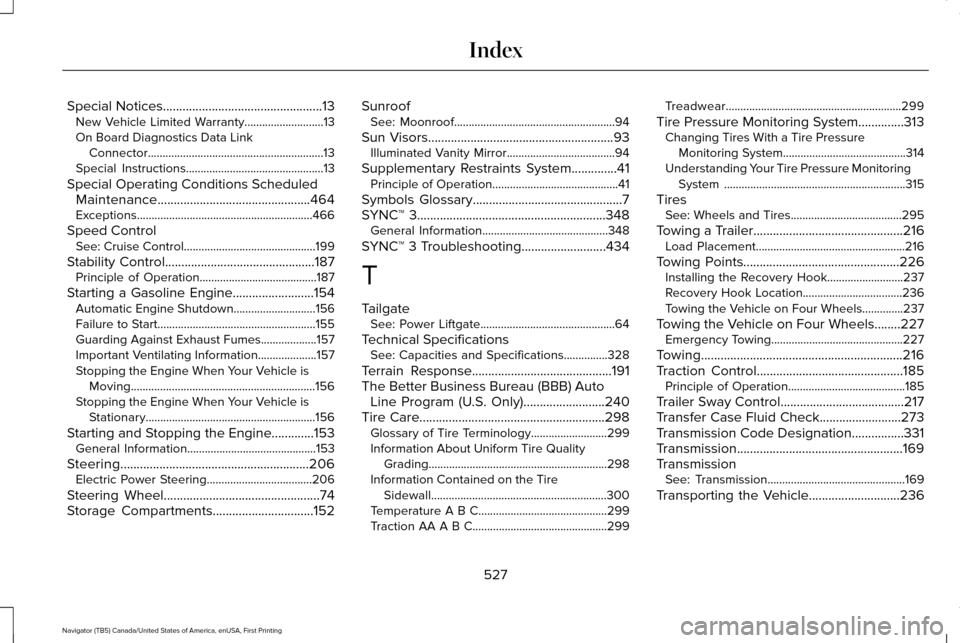
Special Notices.................................................13
New Vehicle Limited Warranty...........................13
On Board Diagnostics Data Link Connector............................................................13
Special Instructions...............................................13
Special Operating Conditions Scheduled Maintenance...............................................464
Exceptions............................................................466
Speed Control See: Cruise Control .............................................199
Stability Control
..............................................187
Principle of Operation........................................187
Starting a Gasoline Engine.........................154 Automatic Engine Shutdown............................
156
Failure to Start......................................................155
Guarding Against Exhaust Fumes...................157
Important Ventilating Information....................157
Stopping the Engine When Your Vehicle is Moving...............................................................156
Stopping the Engine When Your Vehicle is Stationary..........................................................156
Starting and Stopping the Engine.............153 General Information............................................153
Steering..........................................................206 Electric Power Steering....................................206
Steering Wheel
................................................74
Storage Compartments...............................152 Sunroof
See: Moonroof.......................................................94
Sun Visors
.........................................................93
Illuminated Vanity Mirror.....................................94
Supplementary Restraints System
..............41
Principle of Operation...........................................41
Symbols Glossary
..............................................7
SYNC™ 3..........................................................348 General Information...........................................348
SYNC™ 3 Troubleshooting
..........................434
T
Tailgate See: Power Liftgate..............................................64
Technical Specifications See: Capacities and Specifications...............328
Terrain Response...........................................191
The Better Business Bureau (BBB) Auto Line Program (U.S. Only).........................240
Tire Care
.........................................................298
Glossary of Tire Terminology..........................299
Information About Uniform Tire Quality
Grading.............................................................298
Information Contained on the Tire Sidewall............................................................300
Temperature A B C............................................299
Traction AA A B C..............................................299 Treadwear............................................................299
Tire Pressure Monitoring System..............313 Changing Tires With a Tire Pressure
Monitoring System..........................................314
Understanding Your Tire Pressure Monitoring System ..............................................................315
Tires See: Wheels and Tires......................................295
Towing a Trailer
..............................................216
Load Placement...................................................216
Towing Points................................................226 Installing the Recovery Hook..........................237
Recovery Hook Location..................................236
Towing the Vehicle on Four Wheels..............237
Towing the Vehicle on Four Wheels........227 Emergency Towing.............................................227
Towing..............................................................216
Traction Control
.............................................185
Principle of Operation........................................185
Trailer Sway Control
......................................217
Transfer Case Fluid Check.........................273
Transmission Code Designation................331
Transmission...................................................169
Transmission See: Transmission...............................................169
Transporting the Vehicle............................236
527
Navigator (TB5) Canada/United States of America, enUSA, First Printing Index