cooling LINCOLN NAVIGATOR 2018 User Guide
[x] Cancel search | Manufacturer: LINCOLN, Model Year: 2018, Model line: NAVIGATOR, Model: LINCOLN NAVIGATOR 2018Pages: 649, PDF Size: 4.96 MB
Page 372 of 649
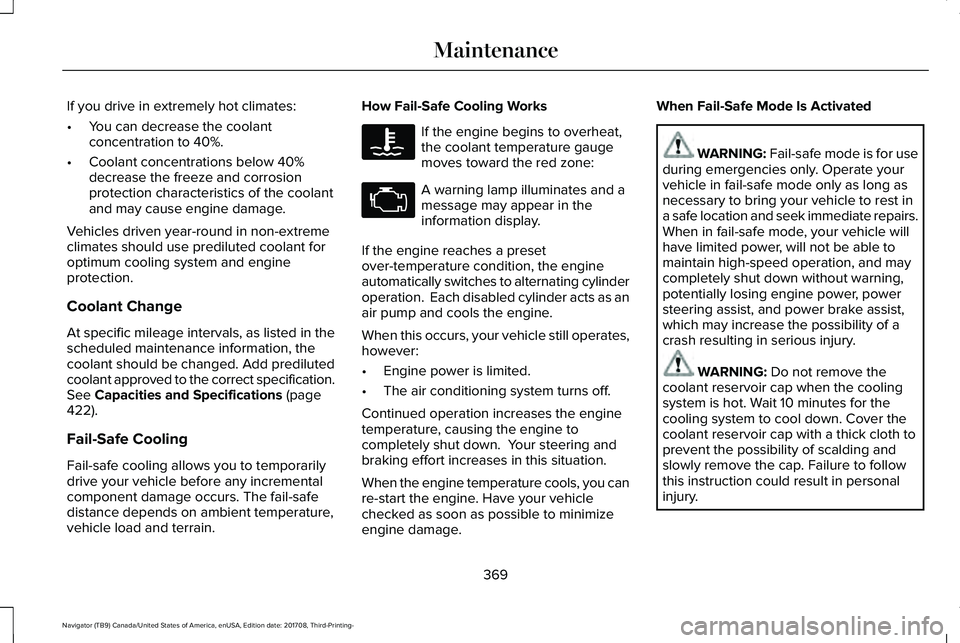
If you drive in extremely hot climates:
•You can decrease the coolantconcentration to 40%.
•Coolant concentrations below 40%decrease the freeze and corrosionprotection characteristics of the coolantand may cause engine damage.
Vehicles driven year-round in non-extremeclimates should use prediluted coolant foroptimum cooling system and engineprotection.
Coolant Change
At specific mileage intervals, as listed in thescheduled maintenance information, thecoolant should be changed. Add predilutedcoolant approved to the correct specification.See Capacities and Specifications (page422).
Fail-Safe Cooling
Fail-safe cooling allows you to temporarilydrive your vehicle before any incrementalcomponent damage occurs. The fail-safedistance depends on ambient temperature,vehicle load and terrain.
How Fail-Safe Cooling Works
If the engine begins to overheat,the coolant temperature gaugemoves toward the red zone:
A warning lamp illuminates and amessage may appear in theinformation display.
If the engine reaches a presetover-temperature condition, the engineautomatically switches to alternating cylinderoperation. Each disabled cylinder acts as anair pump and cools the engine.
When this occurs, your vehicle still operates,however:
•Engine power is limited.
•The air conditioning system turns off.
Continued operation increases the enginetemperature, causing the engine tocompletely shut down. Your steering andbraking effort increases in this situation.
When the engine temperature cools, you canre-start the engine. Have your vehiclechecked as soon as possible to minimizeengine damage.
When Fail-Safe Mode Is Activated
WARNING: Fail-safe mode is for useduring emergencies only. Operate yourvehicle in fail-safe mode only as long asnecessary to bring your vehicle to rest ina safe location and seek immediate repairs.When in fail-safe mode, your vehicle willhave limited power, will not be able tomaintain high-speed operation, and maycompletely shut down without warning,potentially losing engine power, powersteering assist, and power brake assist,which may increase the possibility of acrash resulting in serious injury.
WARNING: Do not remove thecoolant reservoir cap when the coolingsystem is hot. Wait 10 minutes for thecooling system to cool down. Cover thecoolant reservoir cap with a thick cloth toprevent the possibility of scalding andslowly remove the cap. Failure to followthis instruction could result in personalinjury.
369
Navigator (TB9) Canada/United States of America, enUSA, Edition date: 201708, Third-Printing-
Maintenance
Page 394 of 649
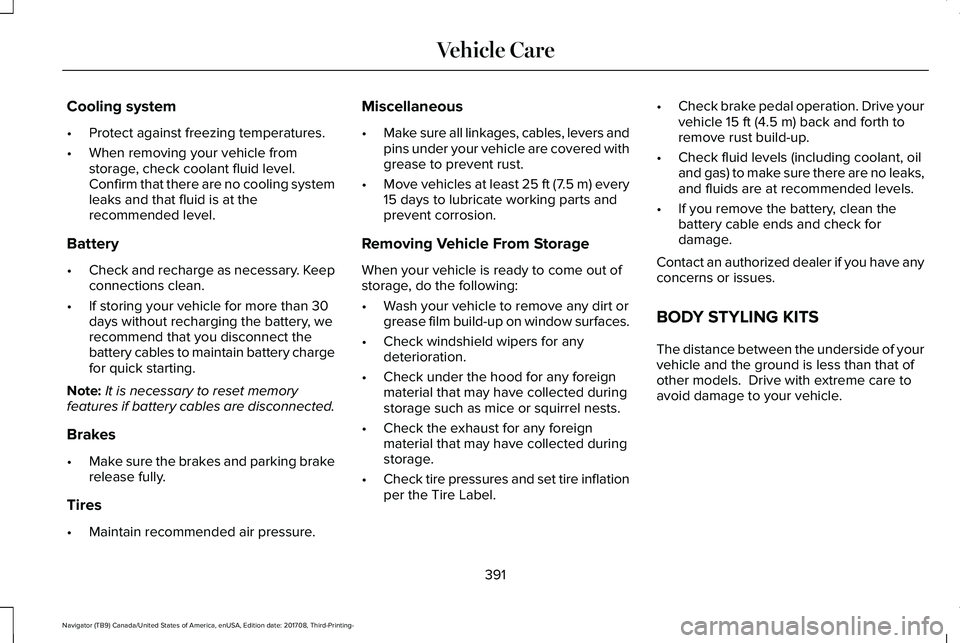
Cooling system
•Protect against freezing temperatures.
•When removing your vehicle fromstorage, check coolant fluid level.Confirm that there are no cooling systemleaks and that fluid is at therecommended level.
Battery
•Check and recharge as necessary. Keepconnections clean.
•If storing your vehicle for more than 30days without recharging the battery, werecommend that you disconnect thebattery cables to maintain battery chargefor quick starting.
Note:It is necessary to reset memoryfeatures if battery cables are disconnected.
Brakes
•Make sure the brakes and parking brakerelease fully.
Tires
•Maintain recommended air pressure.
Miscellaneous
•Make sure all linkages, cables, levers andpins under your vehicle are covered withgrease to prevent rust.
•Move vehicles at least 25 ft (7.5 m) every15 days to lubricate working parts andprevent corrosion.
Removing Vehicle From Storage
When your vehicle is ready to come out ofstorage, do the following:
•Wash your vehicle to remove any dirt orgrease film build-up on window surfaces.
•Check windshield wipers for anydeterioration.
•Check under the hood for any foreignmaterial that may have collected duringstorage such as mice or squirrel nests.
•Check the exhaust for any foreignmaterial that may have collected duringstorage.
•Check tire pressures and set tire inflationper the Tire Label.
•Check brake pedal operation. Drive yourvehicle 15 ft (4.5 m) back and forth toremove rust build-up.
•Check fluid levels (including coolant, oiland gas) to make sure there are no leaks,and fluids are at recommended levels.
•If you remove the battery, clean thebattery cable ends and check fordamage.
Contact an authorized dealer if you have anyconcerns or issues.
BODY STYLING KITS
The distance between the underside of yourvehicle and the ground is less than that ofother models. Drive with extreme care toavoid damage to your vehicle.
391
Navigator (TB9) Canada/United States of America, enUSA, Edition date: 201708, Third-Printing-
Vehicle Care
Page 553 of 649
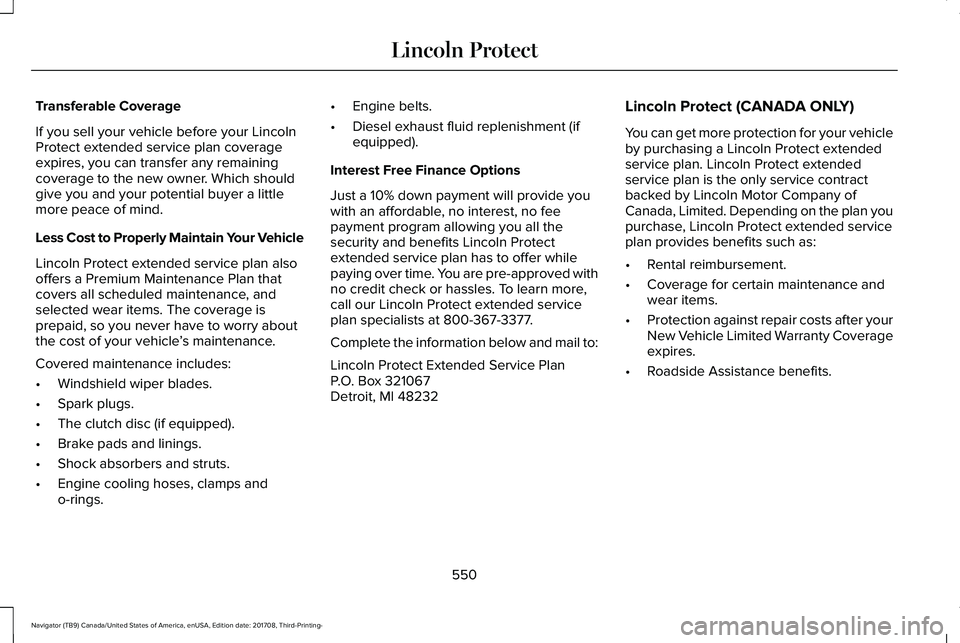
Transferable Coverage
If you sell your vehicle before your LincolnProtect extended service plan coverageexpires, you can transfer any remainingcoverage to the new owner. Which shouldgive you and your potential buyer a littlemore peace of mind.
Less Cost to Properly Maintain Your Vehicle
Lincoln Protect extended service plan alsooffers a Premium Maintenance Plan thatcovers all scheduled maintenance, andselected wear items. The coverage isprepaid, so you never have to worry aboutthe cost of your vehicle’s maintenance.
Covered maintenance includes:
•Windshield wiper blades.
•Spark plugs.
•The clutch disc (if equipped).
•Brake pads and linings.
•Shock absorbers and struts.
•Engine cooling hoses, clamps ando-rings.
•Engine belts.
•Diesel exhaust fluid replenishment (ifequipped).
Interest Free Finance Options
Just a 10% down payment will provide youwith an affordable, no interest, no feepayment program allowing you all thesecurity and benefits Lincoln Protectextended service plan has to offer whilepaying over time. You are pre-approved withno credit check or hassles. To learn more,call our Lincoln Protect extended serviceplan specialists at 800-367-3377.
Complete the information below and mail to:
Lincoln Protect Extended Service PlanP.O. Box 321067Detroit, MI 48232
Lincoln Protect (CANADA ONLY)
You can get more protection for your vehicleby purchasing a Lincoln Protect extendedservice plan. Lincoln Protect extendedservice plan is the only service contractbacked by Lincoln Motor Company ofCanada, Limited. Depending on the plan youpurchase, Lincoln Protect extended serviceplan provides benefits such as:
•Rental reimbursement.
•Coverage for certain maintenance andwear items.
•Protection against repair costs after yourNew Vehicle Limited Warranty Coverageexpires.
•Roadside Assistance benefits.
550
Navigator (TB9) Canada/United States of America, enUSA, Edition date: 201708, Third-Printing-
Lincoln Protect
Page 557 of 649
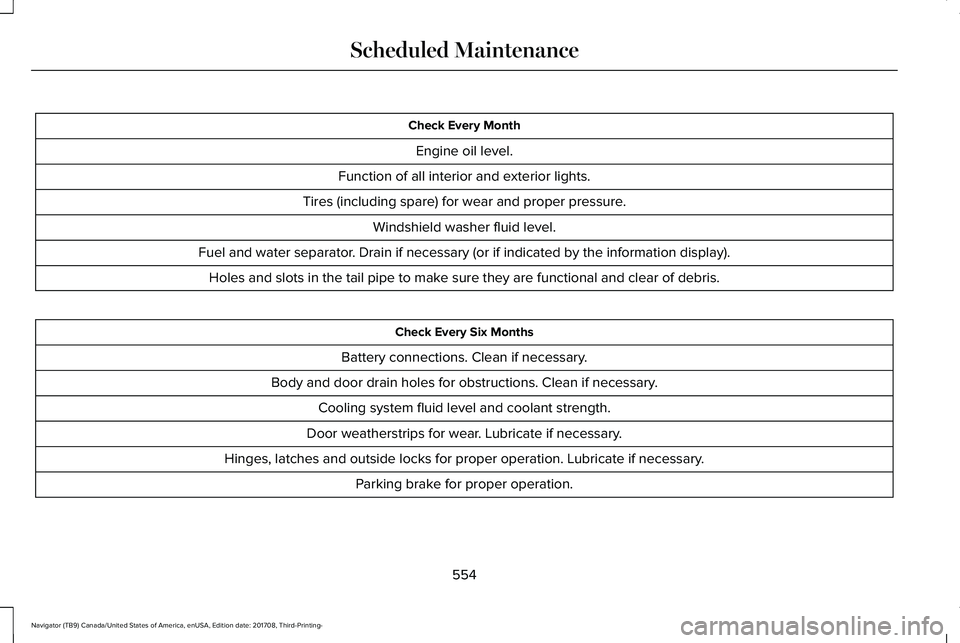
Check Every Month
Engine oil level.
Function of all interior and exterior lights.
Tires (including spare) for wear and proper pressure.
Windshield washer fluid level.
Fuel and water separator. Drain if necessary (or if indicated by the information display).
Holes and slots in the tail pipe to make sure they are functional and clear of debris.
Check Every Six Months
Battery connections. Clean if necessary.
Body and door drain holes for obstructions. Clean if necessary.
Cooling system fluid level and coolant strength.
Door weatherstrips for wear. Lubricate if necessary.
Hinges, latches and outside locks for proper operation. Lubricate if necessary.
Parking brake for proper operation.
554
Navigator (TB9) Canada/United States of America, enUSA, Edition date: 201708, Third-Printing-
Scheduled Maintenance
Page 561 of 649
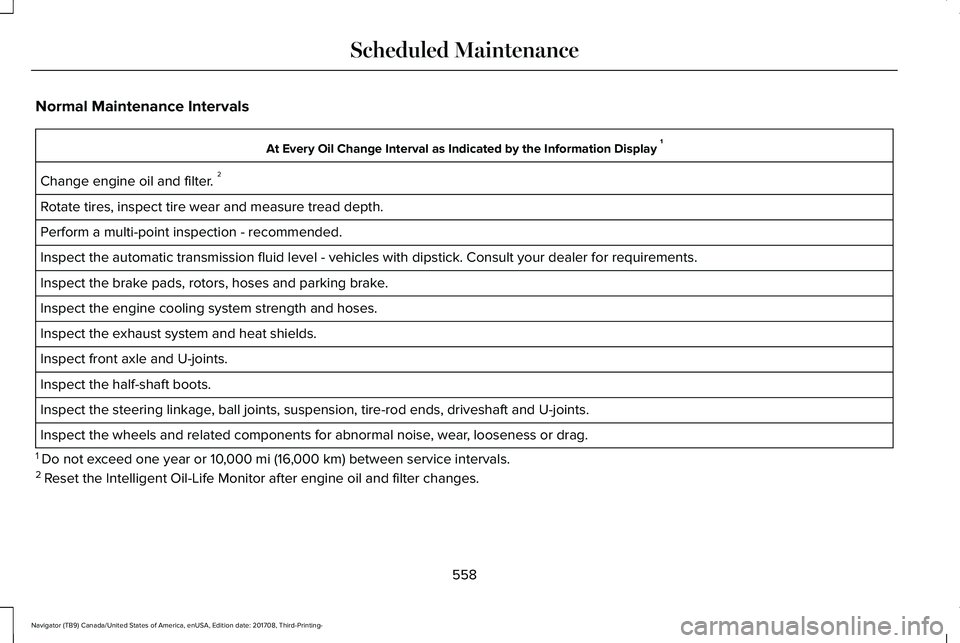
Normal Maintenance Intervals
At Every Oil Change Interval as Indicated by the Information Display 1
Change engine oil and filter. 2
Rotate tires, inspect tire wear and measure tread depth.
Perform a multi-point inspection - recommended.
Inspect the automatic transmission fluid level - vehicles with dipstick. Consult your dealer for requirements.
Inspect the brake pads, rotors, hoses and parking brake.
Inspect the engine cooling system strength and hoses.
Inspect the exhaust system and heat shields.
Inspect front axle and U-joints.
Inspect the half-shaft boots.
Inspect the steering linkage, ball joints, suspension, tire-rod ends, driveshaft and U-joints.
Inspect the wheels and related components for abnormal noise, wear, looseness or drag.
1 Do not exceed one year or 10,000 mi (16,000 km) between service intervals.2 Reset the Intelligent Oil-Life Monitor after engine oil and filter changes.
558
Navigator (TB9) Canada/United States of America, enUSA, Edition date: 201708, Third-Printing-
Scheduled Maintenance
Page 639 of 649
Proper Driver and Front Passenger SeatingAdjustment.........................................................54
Driving Aids...................................................265Driving Hints..................................................324Driving Through Water...............................325DRLSee: Daytime Running Lamps...........................98
E
Economical Driving......................................324Electric Parking Brake.................................226Applying the Electric Parking Brake..............226Battery With No Charge...................................228Releasing the Electric Parking Brake............227Using the Electric Parking Brake In AnEmergency.......................................................227
Electromagnetic Compatibility..................584Emission Law................................................206Noise Emissions Warranty, ProhibitedTampering Acts and Maintenance............207Tampering With a Noise ControlSystem..............................................................206
End User License Agreement...................589VEHICLE SOFTWARE END USER LICENSEAGREEMENT (EULA) ....................................589
Engine Block Heater....................................194Using the Engine Block Heater.......................195
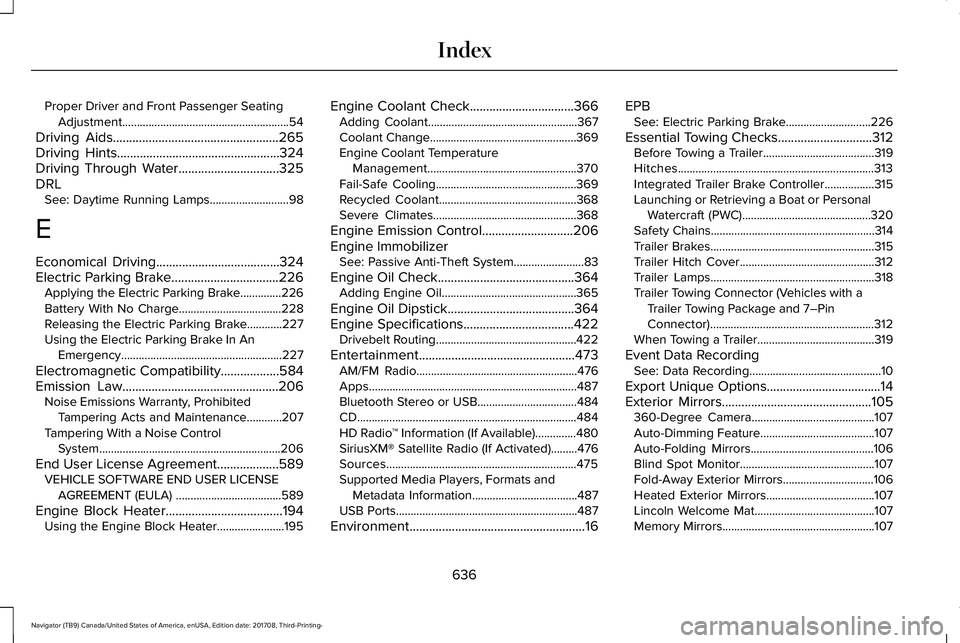
Engine Coolant Check................................366Adding Coolant...................................................367Coolant Change..................................................369Engine Coolant TemperatureManagement...................................................370Fail-Safe Cooling................................................369Recycled Coolant...............................................368Severe Climates.................................................368
Engine Emission Control............................206Engine ImmobilizerSee: Passive Anti-Theft System........................83
Engine Oil Check..........................................364Adding Engine Oil..............................................365
Engine Oil Dipstick.......................................364Engine Specifications..................................422Drivebelt Routing................................................422
Entertainment................................................473AM/FM Radio.......................................................476Apps.......................................................................487Bluetooth Stereo or USB..................................484CD...........................................................................484HD Radio™ Information (If Available)..............480SiriusXM® Satellite Radio (If Activated).........476Sources.................................................................475Supported Media Players, Formats andMetadata Information....................................487USB Ports..............................................................487
Environment......................................................16
EPBSee: Electric Parking Brake.............................226
Essential Towing Checks.............................312Before Towing a Trailer......................................319Hitches...................................................................313Integrated Trailer Brake Controller.................315Launching or Retrieving a Boat or PersonalWatercraft (PWC)............................................320Safety Chains........................................................314Trailer Brakes........................................................315Trailer Hitch Cover..............................................312Trailer Lamps........................................................318Trailer Towing Connector (Vehicles with aTrailer Towing Package and 7–PinConnector)........................................................312When Towing a Trailer........................................319
Event Data RecordingSee: Data Recording.............................................10
Export Unique Options...................................14Exterior Mirrors..............................................105360-Degree Camera..........................................107Auto-Dimming Feature.......................................107Auto-Folding Mirrors..........................................106Blind Spot Monitor..............................................107Fold-Away Exterior Mirrors...............................106Heated Exterior Mirrors.....................................107Lincoln Welcome Mat.........................................107Memory Mirrors....................................................107
636
Navigator (TB9) Canada/United States of America, enUSA, Edition date: 201708, Third-Printing-
Index
Page 641 of 649
Rear Seats.............................................................178
Heated Steering Wheel................................92Heated Windows and Mirrors....................156Heated Exterior Mirrors.....................................156Heated Rear Window.........................................156Windshield Wiper De-icer.................................156
HeatingSee: Climate Control...........................................151
Hill Descent Control....................................236Principle of Operation.......................................236
Hill Start Assist..............................................228Switching the System On and Off..................229Using Hill Start Assist........................................229
Hints on Controlling the InteriorClimate..........................................................153Defogging the Side Windows in ColdWeather.............................................................154General Hints........................................................153Quickly Cooling the Interior..............................154Quickly Heating the Interior.............................154Recommended Settings for Cooling..............154Recommended Settings for Heating..............154
Hints on Driving With Anti-LockBrakes..........................................................226Home Screen.................................................461Hood LockSee: Opening and Closing the Hood.............361
I
In California (U.S. Only)...............................335Information Display Control..........................91Information Displays......................................119General Information.............................................119
Information Messages..................................124Active Park............................................................125Adaptive Cruise Control....................................125Adaptive Headlamps..........................................126Alarm......................................................................126Automatic Engine Shutdown............................126Battery and Charging System..........................127Blind Spot Information and Cross Traffic AlertSystem...............................................................128Doors and Locks..................................................129Driver Alert............................................................129Drivetrain...............................................................130Four-Wheel Drive..................................................131Fuel.........................................................................132Hill Start Assist.....................................................133Keys and Intelligent Access..............................133Lane Keeping System.........................................134Maintenance.........................................................135MyKey.....................................................................136Off Road.................................................................137Park Aid..................................................................137Park Brake.............................................................138
Power Steering....................................................139Pre-Collision Assist.............................................140Pro Trailer Backup Assist™.................................140Remote Start.........................................................142Seats.......................................................................142Stability Control....................................................142Starting System ...................................................143Tire Pressure Monitoring System....................143Trailer......................................................................144Transmission.........................................................145
Installing Child Restraints..............................21Child Seats..............................................................21Combining Seatbelt and LATCH LowerAnchors for Attaching Child SafetySeats....................................................................29Using Lap and Shoulder Belts............................21Using Lower Anchors and Tethers forCHildren (LATCH).............................................27Using Tether Straps..............................................29
Instrument Cluster..........................................112Instrument Lighting Dimmer........................98Instrument Panel Overview...........................17Interior Lamps................................................102Front Interior Lamp.............................................102Rear Interior Lamps.............................................103
Interior Mirror..................................................107Auto-Dimming Mirror..........................................107
Introduction.........................................................7
638
Navigator (TB9) Canada/United States of America, enUSA, Edition date: 201708, Third-Printing-
Index
Page 647 of 649
Unique Driving Characteristics..................196Universal Garage Door Opener.................181HomeLink Wireless Control System................181
USB Port.........................................................445Using Adaptive Cruise Control.................257Automatic Cancellation.....................................261Blocked Sensor...................................................263Canceling the Set Speed..................................261Changing the Set Speed...................................261Detection Issues.................................................262Following a Vehicle...........................................259Following a Vehicle to a CompleteStop...................................................................259Hilly Condition and Trailer Tow Usage..........261Overriding the Set Speed................................260Park Brake Application......................................261Resuming the Set Speed..................................261Setting the Adaptive Cruise Speed...............258Setting the Adaptive Cruise Speed When YourVehicle is Stationary......................................258Setting the Gap Distance.................................259Switching Adaptive Cruise Control Off..........261Switching Adaptive Cruise Control On.........258Switching to Normal Cruise Control..............264System Not Available........................................263
Using Cruise Control...................................256Switching Cruise Control Off...........................257Switching Cruise Control On...........................256
Using Four-Wheel Drive..............................2164X4 Indicator Lights............................................2164X4 Modes............................................................216Driving Off-Road With Truck and UtilityVehicles.............................................................219How Your Vehicle Differs From OtherVehicles.............................................................218Operating 4WD Vehicles With Spare orMismatched Tires...........................................218
Using Hill Descent Control........................236Hill Descent Modes...........................................236
Using MyKey With Remote StartSystems..........................................................70Using Power Running Boards......................87Automatic Power Deploy....................................87Automatic Power Stow........................................87Bounce-back..........................................................88Enabling and Disabling.......................................88Manual Power Deploy.........................................88
Using Snow Chains.....................................408Using Stability Control................................234Stability Control and Traction Control with RollStability Control™ (RSC™)...............................234
Using Traction Control................................232Switching the System On and Off..................232System Indicator Lights and Messages........232
Using Voice Recognition............................463Audio Voice Commands...................................465
Climate Voice Commands...............................466Mobile App Voice Commands.........................471Navigation Voice Commands.........................469Phone Voice Commands..................................466SiriusXM Traffic and Travel Link VoiceCommands........................................................471Voice Settings Commands...............................472
Utilizing the Mediation/Arbitration Program(Canada Only).............................................337
V
Vehicle Care..................................................382General Information...........................................382
Vehicle Certification Label.........................424Vehicle Identification Number..................424Vehicle Storage............................................390Battery....................................................................391Body.......................................................................390Brakes....................................................................391Cooling system....................................................391Engine...................................................................390Fuel system..........................................................390General.................................................................390Miscellaneous......................................................391Removing Vehicle From Storage....................391Tires........................................................................391
644
Navigator (TB9) Canada/United States of America, enUSA, Edition date: 201708, Third-Printing-
Index