instrument panel LINCOLN NAVIGATOR 2018 Owners Manual
[x] Cancel search | Manufacturer: LINCOLN, Model Year: 2018, Model line: NAVIGATOR, Model: LINCOLN NAVIGATOR 2018Pages: 649, PDF Size: 4.96 MB
Page 4 of 649
Introduction
About This Manual...........................................7
Symbols Glossary.............................................7
Data Recording...............................................10
Perchlorate.......................................................12
Lincoln Automotive Financial Services..........................................................................12
Replacement Parts Recommendation..........................................................................13
Special Notices...............................................13
Mobile Communications Equipment.........14
Export Unique Options..................................14
Environment
Protecting the Environment.........................16
At a Glance
Instrument Panel Overview..........................17
Child Safety
General Information.......................................19
Installing Child Restraints.............................21
Booster Seats.................................................34
Child Restraint Positioning..........................37
Child Safety Locks.........................................39
Seatbelts
Principle of Operation..................................40
Fastening the Seatbelts................................41
Seatbelt Height Adjustment.......................46
Seatbelt Warning Lamp and IndicatorChime...........................................................46
Seatbelt Reminder.........................................47
Child Restraint and Seatbelt Maintenance.........................................................................49
Seatbelt Extension........................................50
Personal Safety System™
Personal Safety System™..............................51
Supplementary Restraints System
Principle of Operation..................................52
Driver and Passenger Airbags...................53
Front Passenger Sensing System.............55
Side Airbags....................................................57
Safety Canopy™..............................................58
Crash Sensors and Airbag Indicator........60
Airbag Disposal...............................................61
Keys and Remote Controls
General Information on Radio Frequencies........................................................................62
Remote Control..............................................63
Replacing a Lost Key or Remote Control.........................................................................67
MyKey™
Principle of Operation..................................68
Creating a MyKey..........................................69
Clearing All MyKeys......................................70
Checking MyKey System Status................70
Using MyKey With Remote Start Systems.........................................................................70
MyKey — Troubleshooting..........................70
Doors and Locks
Locking and Unlocking.................................72
Keyless Entry...................................................76
1
Navigator (TB9) Canada/United States of America, enUSA, Edition date: 201708, Third-Printing-
Table of Contents
Page 8 of 649
Reporting Safety Defects (U.S. Only)......340
Reporting Safety Defects (Canada Only).......................................................................341
Fuses
Fuse Specification Chart...........................342
Changing a Fuse.........................................358
Maintenance
General Information.....................................361
Opening and Closing the Hood...............361
Under Hood Overview...............................362
Engine Oil Dipstick.....................................364
Engine Oil Check........................................364
Oil Change Indicator Reset......................365
Engine Coolant Check...............................366
Automatic Transmission Fluid Check......371
Transfer Case Fluid Check.........................371
Brake Fluid Check.......................................372
Washer Fluid Check....................................373
Fuel Filter.......................................................373
Changing the 12V Battery.........................373
Checking the Wiper Blades......................375
Changing the Wiper Blades......................376
Adjusting the Headlamps..........................376
Changing a Bulb..........................................378
Bulb Specification Chart............................378
Changing the Engine Air Filter.................381
Vehicle Care
General Information....................................382
Cleaning Products......................................382
Cleaning the Exterior.................................383
Waxing...........................................................384
Cleaning the Engine...................................385
Cleaning the Windows and Wiper Blades......................................................................385
Cleaning the Interior..................................386
Cleaning the Instrument Panel andInstrument Cluster Lens........................388
Cleaning Leather Seats.............................388
Repairing Minor Paint Damage................389
Cleaning the Wheels..................................389
Vehicle Storage...........................................390
Body Styling Kits...........................................391
Wheels and Tires
General Information...................................392
Tire Care........................................................394
Using Snow Chains....................................408
Tire Pressure Monitoring System...........409
Changing a Road Wheel.............................414
Technical Specifications............................420
Capacities and Specifications
Engine Specifications.................................422
Motorcraft Parts...........................................423
Vehicle Identification Number.................424
Vehicle Certification Label........................424
Transmission Code Designation.............425
Capacities and Specifications..................426
Audio System
General Information....................................434
Audio Unit.....................................................436
Satellite Radio..............................................442
USB Port........................................................445
5
Navigator (TB9) Canada/United States of America, enUSA, Edition date: 201708, Third-Printing-
Table of Contents
Page 20 of 649
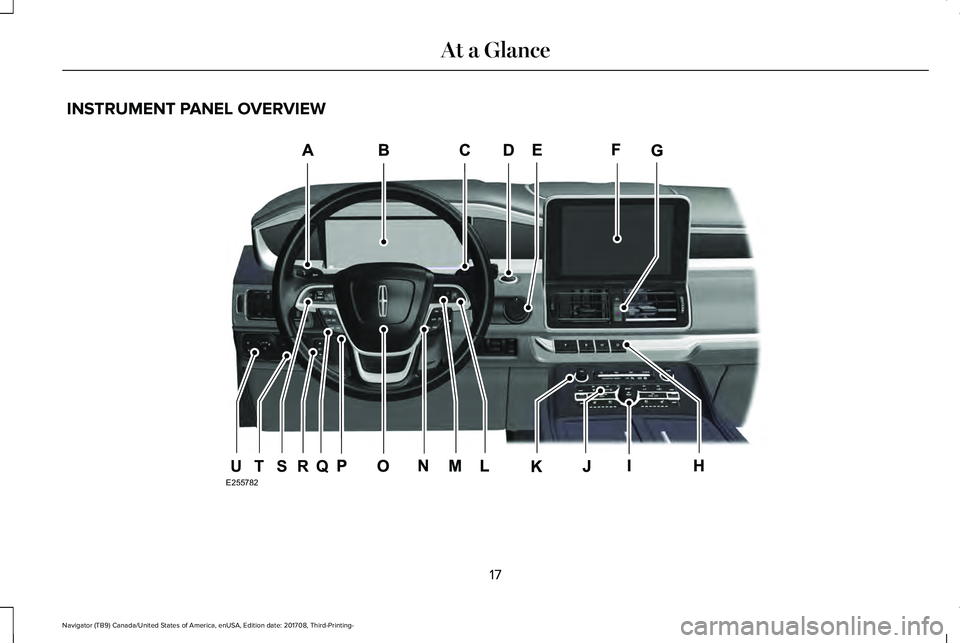
INSTRUMENT PANEL OVERVIEW
17
Navigator (TB9) Canada/United States of America, enUSA, Edition date: 201708, Third-Printing-
At a GlanceE255782QRSTU
Page 58 of 649
FRONT PASSENGER SENSING
SYSTEM
WARNING: Even with advancedrestraints systems, properly restrainchildren 12 and under in a rear seatingposition. Failure to follow this couldseriously increase the risk of injury ordeath.
WARNING: Sitting improperly, out ofposition or with the seatback reclined toofar can take weight off the seat cushionand affect the decision of the passengersensing system, resulting in serious injuryor death in the event of a crash. Always situpright against your seat back, with yourfeet on the floor.
WARNING: Any alteration ormodification to the front passenger seatmay affect the performance of the frontpassenger sensing system. This couldseriously increase the risk of injury ordeath.
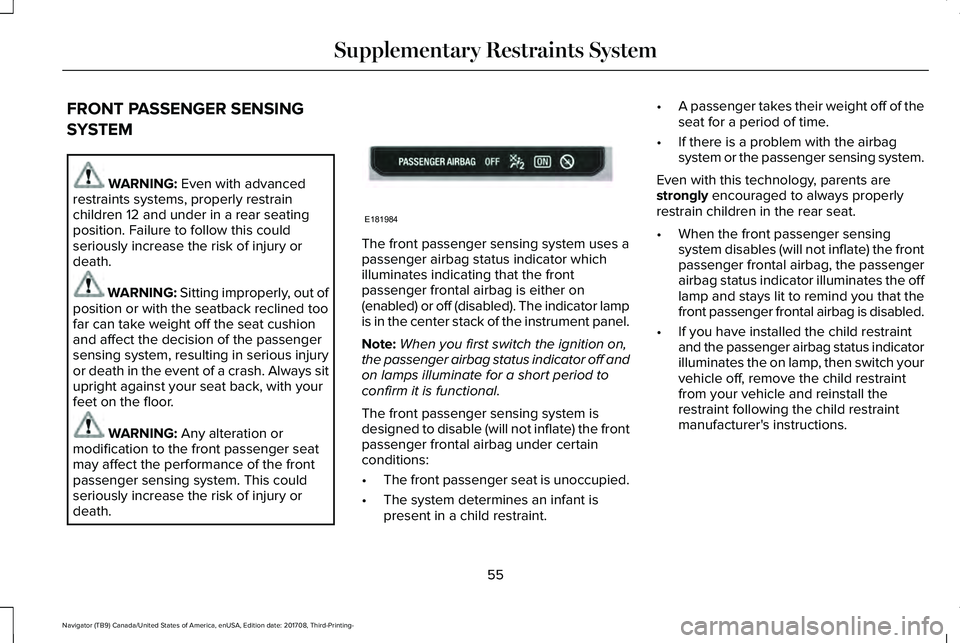
The front passenger sensing system uses apassenger airbag status indicator whichilluminates indicating that the frontpassenger frontal airbag is either on(enabled) or off (disabled). The indicator lampis in the center stack of the instrument panel.
Note:When you first switch the ignition on,the passenger airbag status indicator off andon lamps illuminate for a short period toconfirm it is functional.
The front passenger sensing system isdesigned to disable (will not inflate) the frontpassenger frontal airbag under certainconditions:
•The front passenger seat is unoccupied.
•The system determines an infant ispresent in a child restraint.
•A passenger takes their weight off of theseat for a period of time.
•If there is a problem with the airbagsystem or the passenger sensing system.
Even with this technology, parents arestrongly encouraged to always properlyrestrain children in the rear seat.
•When the front passenger sensingsystem disables (will not inflate) the frontpassenger frontal airbag, the passengerairbag status indicator illuminates the offlamp and stays lit to remind you that thefront passenger frontal airbag is disabled.
•If you have installed the child restraintand the passenger airbag status indicatorilluminates the on lamp, then switch yourvehicle off, remove the child restraintfrom your vehicle and reinstall therestraint following the child restraintmanufacturer's instructions.
55
Navigator (TB9) Canada/United States of America, enUSA, Edition date: 201708, Third-Printing-
Supplementary Restraints SystemE181984
Page 69 of 649
Remote Start
WARNING: To avoid exhaust fumes,do not use remote start if your vehicle isparked indoors or in areas that are not wellventilated.
Note:Do not use remote start if your fuellevel is low.
The remote start button is on thetransmitter.
This feature allows you to start your vehiclefrom outside the vehicle. The transmitter hasan extended operating range.
Vehicles with automatic climate control canbe configured to operate when the vehicleis remote started. See Automatic ClimateControl (page 151).
Many states and provinces have restrictionsfor the use of remote start. Check your localand state or provincial laws for specificrequirements regarding remote startsystems.
The system does not work if:
•The ignition is on.
•The anti-theft alarm triggers.
•You switch off the feature in theinformation display. See GeneralInformation (page 119).
•The hood is open.
•The transmission is not in park (P).
•The battery voltage is below theminimum operating voltage.
Remote Starting your Vehicle
Note: You must press each button withinthree seconds of each other. If you do notfollow this sequence, your vehicle does notstart remotely, the direction indicators donot flash twice and the horn does not sound.
To remote start your vehicle:
1. Press the lock button to lock all thedoors.
2.Press the remote start button twice. Theexterior lamps flash twice.
The horn sounds if the system fails to start.
Note:Press the push button ignition switchon the instrument panel once to exit remotestart.
The power windows do not work duringremote start and the radio does not turn onautomatically.
The parking lamps remain on and the vehicleruns for 5, 10 or 15 minutes, depending onthe setting.
66
Navigator (TB9) Canada/United States of America, enUSA, Edition date: 201708, Third-Printing-
Keys and Remote ControlsE138625 E138626
Page 83 of 649
Note: Objects too close to your vehicle, forexample a wall, garage door or anothervehicle may come into contact with themoving liftgate. Make sure the area behindyour vehicle is free from obstruction and thatthere is enough room for you to operate theliftgate. This could damage the liftgate andits components.
Note:Be careful when opening or closingthe liftgate in a garage or other enclosedarea to avoid damaging the liftgate.
Note: Do not leave the liftgate open whendriving. This could damage the liftgate andits components.
From the Instrument Panel
With the transmission in park (P),press the button on the instrumentpanel.
Remote Control
Press the button twice within a fewseconds.
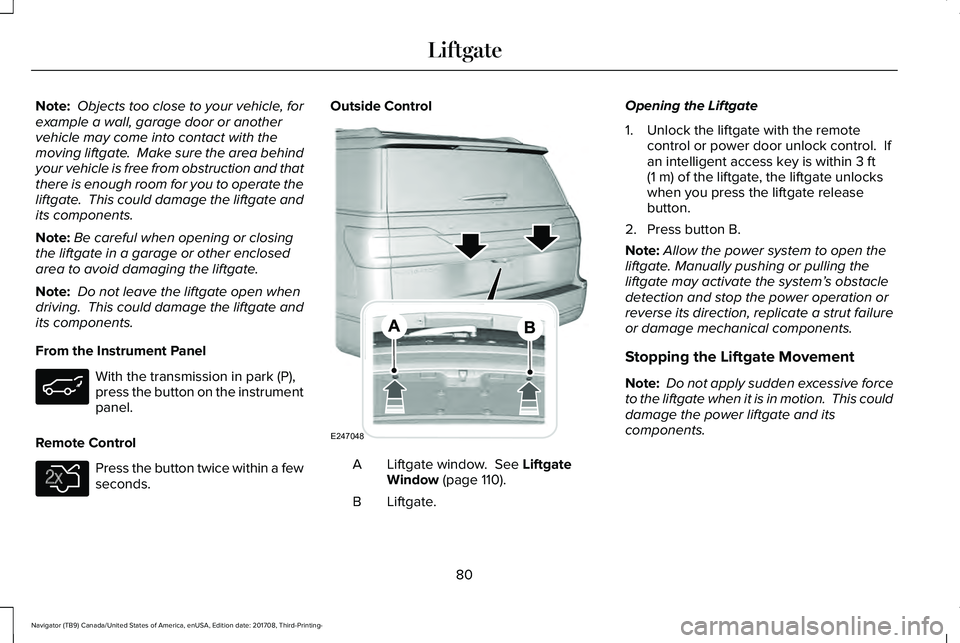
Outside Control
Liftgate window. See LiftgateWindow (page 110).A
Liftgate.B
Opening the Liftgate
1. Unlock the liftgate with the remotecontrol or power door unlock control. Ifan intelligent access key is within 3 ft(1 m) of the liftgate, the liftgate unlockswhen you press the liftgate releasebutton.
2. Press button B.
Note:Allow the power system to open theliftgate. Manually pushing or pulling theliftgate may activate the system’s obstacledetection and stop the power operation orreverse its direction, replicate a strut failureor damage mechanical components.
Stopping the Liftgate Movement
Note: Do not apply sudden excessive forceto the liftgate when it is in motion. This coulddamage the power liftgate and itscomponents.
80
Navigator (TB9) Canada/United States of America, enUSA, Edition date: 201708, Third-Printing-
Liftgate E138630 E247048
Page 84 of 649
You can stop the liftgate movement by doingany of the following:
•Pressing the liftgate control button.
•Pressing the liftgate button on the remotecontrol twice.
•Pressing the liftgate button on theinstrument panel.
Setting the Liftgate Open Height
1. Open the liftgate.
2. Stop the liftgate movement by pressingthe control button on the liftgate when itreaches the desired height.
Note:Once the liftgate has stopped moving,you can also manually move it to the desiredheight.
3.Press and hold the liftgate control buttonon the liftgate until a tone sounds,indicating programming is complete.
Note:You can only use the liftgate controlbutton to program the height.
Note:You cannot program the height if theliftgate position is too low.
The new open liftgate height is recalledwhen the power liftgate is opened. Tochange the programmed height, repeat theabove procedure. Once you open the powerliftgate, you can manually move it to adifferent height.
Note:The system recalls the newprogrammed height, even if you disconnectthe battery.
When operating the power liftgate after youhave programmed a lower height than fullyopen, you can fully open the liftgate bymanually pushing it upward to the maximumopen position.
Obstacle Detection
When Closing
The system stops when it detects anobstacle. Three tones sound and the systemreverses to open. When you remove theobstacle, you can power close the liftgate.
Note:Entering your vehicle when the liftgateis closing can cause your vehicle to bounceand activate obstacle detection. To preventthis, let the power liftgate close completelybefore you enter your vehicle. Before drivingoff, check the instrument cluster for a liftgateor door ajar message or warning indicator.Failure to do this could result inunintentionally leaving the liftgate openwhen driving.
When Opening
The system stops when it detects anobstacle and two short tones sound. Remove the obstacle to operate the liftgate.
Using the Hands-Free Liftgate (If Equipped)
Make sure you have an intelligent accesskey within 3 ft (1 m) of the liftgate.
1. Stand behind your vehicle, and face theliftgate.
2. Move your foot, in a single-kick motion,without pausing, under and away fromthe rear bumper detection area.
3. The liftgate power opens or closes.
81
Navigator (TB9) Canada/United States of America, enUSA, Edition date: 201708, Third-Printing-
Liftgate
Page 99 of 649
GENERAL INFORMATION
Condensation in the Exterior FrontLamps and Rear Lamps
Exterior front lamps and rear lamps havevents to accommodate normal changes inair pressure.
Condensation can be a natural by-productof this design. When moist air enters thelamp assembly through the vents, there is apossibility that condensation can occur whenthe temperature is cold. When normalcondensation occurs, a fine mist can form onthe interior of the lens. The fine misteventually clears and exits through the ventsduring normal operation.
Clearing time may take as long as 48 hoursunder dry weather conditions.
Examples of acceptable condensation are:
•The presence of a fine mist (no streaks,drip marks or large droplets).
•A fine mist covers less than 50% of thelens.
Examples of unacceptable condensation are:
•A water puddle inside the lamp.
•Streaks, drip marks or large dropletspresent on the interior of the lens.
If you see any unacceptable condensation,have your vehicle checked by an authorizeddealer.
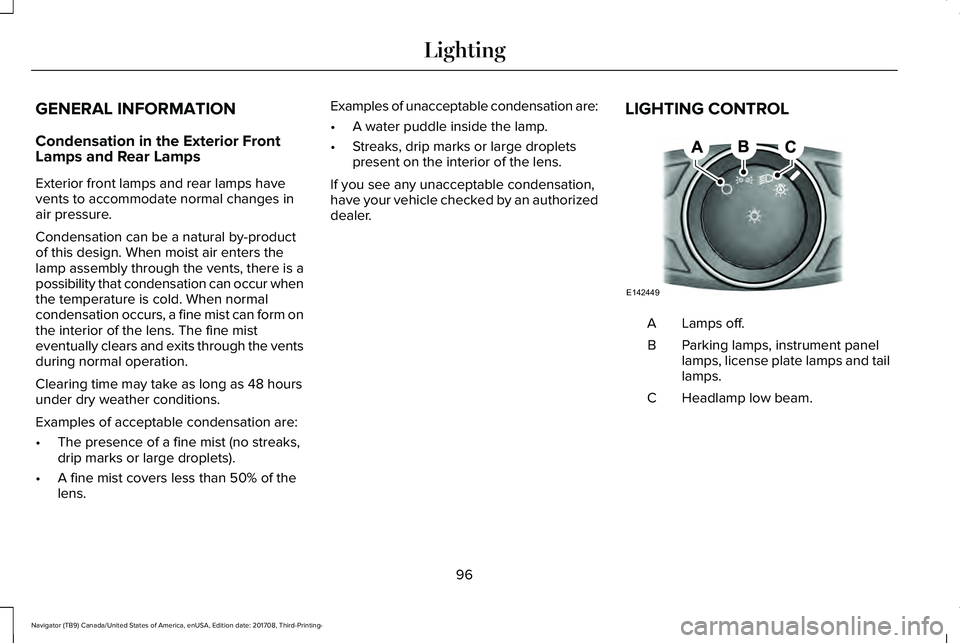
LIGHTING CONTROL
Lamps off.A
Parking lamps, instrument panellamps, license plate lamps and taillamps.
B
Headlamp low beam.C
96
Navigator (TB9) Canada/United States of America, enUSA, Edition date: 201708, Third-Printing-
LightingE142449
Page 155 of 649
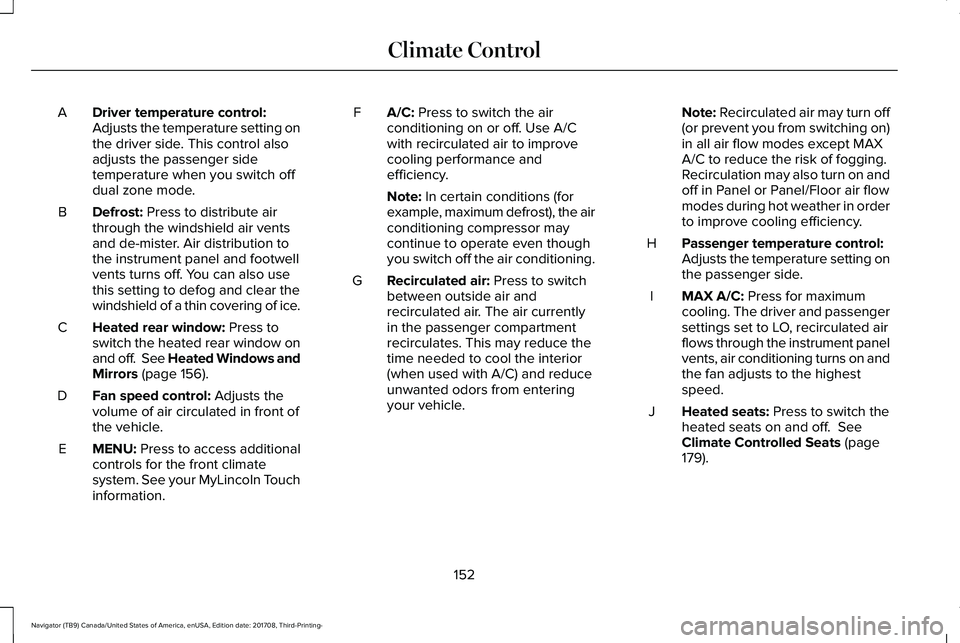
Driver temperature control:Adjusts the temperature setting onthe driver side. This control alsoadjusts the passenger sidetemperature when you switch offdual zone mode.
A
Defrost: Press to distribute airthrough the windshield air ventsand de-mister. Air distribution tothe instrument panel and footwellvents turns off. You can also usethis setting to defog and clear thewindshield of a thin covering of ice.
B
Heated rear window: Press toswitch the heated rear window onand off. See Heated Windows andMirrors (page 156).
C
Fan speed control: Adjusts thevolume of air circulated in front ofthe vehicle.
D
MENU: Press to access additionalcontrols for the front climatesystem. See your MyLincoln Touchinformation.
E
A/C: Press to switch the airconditioning on or off. Use A/Cwith recirculated air to improvecooling performance andefficiency.
F
Note: In certain conditions (forexample, maximum defrost), the airconditioning compressor maycontinue to operate even thoughyou switch off the air conditioning.
Recirculated air: Press to switchbetween outside air andrecirculated air. The air currentlyin the passenger compartmentrecirculates. This may reduce thetime needed to cool the interior(when used with A/C) and reduceunwanted odors from enteringyour vehicle.
G
Note: Recirculated air may turn off(or prevent you from switching on)in all air flow modes except MAXA/C to reduce the risk of fogging.Recirculation may also turn on andoff in Panel or Panel/Floor air flowmodes during hot weather in orderto improve cooling efficiency.
Passenger temperature control:Adjusts the temperature setting onthe passenger side.
H
MAX A/C: Press for maximumcooling. The driver and passengersettings set to LO, recirculated airflows through the instrument panelvents, air conditioning turns on andthe fan adjusts to the highestspeed.
I
Heated seats: Press to switch theheated seats on and off. SeeClimate Controlled Seats (page179).
J
152
Navigator (TB9) Canada/United States of America, enUSA, Edition date: 201708, Third-Printing-
Climate Control
Page 157 of 649
Note:For the system to function efficiently,the instrument panel and side air ventsshould be fully open.
Note:If you select AUTO during cold outsidetemperatures, the system directs air flow tothe windshield and side window air vents. Inaddition, the blower motor may run at aslower speed until the engine warms up.
Note:If you select AUTO during hottemperatures and the inside of the vehicleis hot, the system uses recirculated air tomaximize interior cooling. Blower motorspeed may also reduce until the air cools.
Quickly Heating the Interior
1. Press and release AUTO.
2. Adjust the temperature function to thesetting you prefer.
Recommended Settings for Heating
1. Press and release AUTO.
2. Adjust the temperature function to thesetting you prefer. Use 72°F (22°C) as astarting point, then adjust the setting asnecessary.
Quickly Cooling the Interior
1. Press and release MAX A/C.
Recommended Settings for Cooling
1. Press and release AUTO.
2. Adjust the temperature function to thesetting you prefer. Use 72°F (22°C) as astarting point, then adjust the setting asnecessary.
Defogging the Side Windows in ColdWeather
1. Press and release defrost.
2. Adjust the temperature control to thesetting you prefer. Use 72°F (22°C) as astarting point, then adjust the setting asnecessary.
REAR PASSENGER CLIMATE CONTROLS
154
Navigator (TB9) Canada/United States of America, enUSA, Edition date: 201708, Third-Printing-
Climate Control