instrument panel LINCOLN NAVIGATOR 2018 Owner's Manual
[x] Cancel search | Manufacturer: LINCOLN, Model Year: 2018, Model line: NAVIGATOR, Model: LINCOLN NAVIGATOR 2018Pages: 649, PDF Size: 4.96 MB
Page 457 of 649
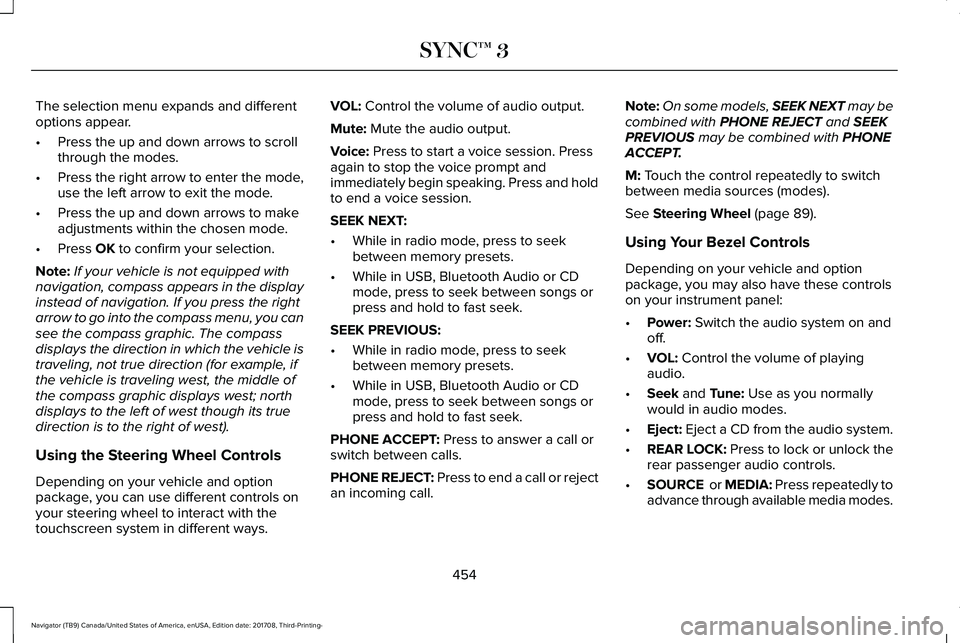
The selection menu expands and differentoptions appear.
•Press the up and down arrows to scrollthrough the modes.
•Press the right arrow to enter the mode,use the left arrow to exit the mode.
•Press the up and down arrows to makeadjustments within the chosen mode.
•Press OK to confirm your selection.
Note:If your vehicle is not equipped withnavigation, compass appears in the displayinstead of navigation. If you press the rightarrow to go into the compass menu, you cansee the compass graphic. The compassdisplays the direction in which the vehicle istraveling, not true direction (for example, ifthe vehicle is traveling west, the middle ofthe compass graphic displays west; northdisplays to the left of west though its truedirection is to the right of west).
Using the Steering Wheel Controls
Depending on your vehicle and optionpackage, you can use different controls onyour steering wheel to interact with thetouchscreen system in different ways.
VOL: Control the volume of audio output.
Mute: Mute the audio output.
Voice: Press to start a voice session. Pressagain to stop the voice prompt andimmediately begin speaking. Press and holdto end a voice session.
SEEK NEXT:
•While in radio mode, press to seekbetween memory presets.
•While in USB, Bluetooth Audio or CDmode, press to seek between songs orpress and hold to fast seek.
SEEK PREVIOUS:
•While in radio mode, press to seekbetween memory presets.
•While in USB, Bluetooth Audio or CDmode, press to seek between songs orpress and hold to fast seek.
PHONE ACCEPT: Press to answer a call orswitch between calls.
PHONE REJECT: Press to end a call or rejectan incoming call.
Note:On some models, SEEK NEXT may becombined with PHONE REJECT and SEEKPREVIOUS may be combined with PHONEACCEPT.
M: Touch the control repeatedly to switchbetween media sources (modes).
See Steering Wheel (page 89).
Using Your Bezel Controls
Depending on your vehicle and optionpackage, you may also have these controlson your instrument panel:
•Power: Switch the audio system on andoff.
•VOL: Control the volume of playingaudio.
•Seek and Tune: Use as you normallywould in audio modes.
•Eject: Eject a CD from the audio system.
•REAR LOCK: Press to lock or unlock therear passenger audio controls.
•SOURCE or MEDIA: Press repeatedly toadvance through available media modes.
454
Navigator (TB9) Canada/United States of America, enUSA, Edition date: 201708, Third-Printing-
SYNC™ 3
Page 490 of 649
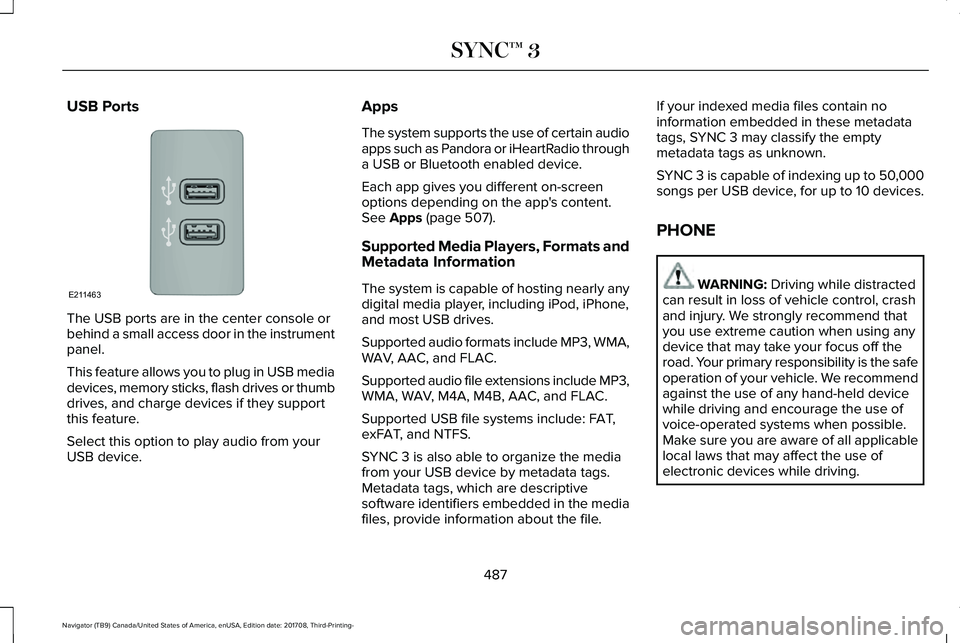
USB Ports
The USB ports are in the center console orbehind a small access door in the instrumentpanel.
This feature allows you to plug in USB mediadevices, memory sticks, flash drives or thumbdrives, and charge devices if they supportthis feature.
Select this option to play audio from yourUSB device.
Apps
The system supports the use of certain audioapps such as Pandora or iHeartRadio througha USB or Bluetooth enabled device.
Each app gives you different on-screenoptions depending on the app's content.See Apps (page 507).
Supported Media Players, Formats andMetadata Information
The system is capable of hosting nearly anydigital media player, including iPod, iPhone,and most USB drives.
Supported audio formats include MP3, WMA,WAV, AAC, and FLAC.
Supported audio file extensions include MP3,WMA, WAV, M4A, M4B, AAC, and FLAC.
Supported USB file systems include: FAT,exFAT, and NTFS.
SYNC 3 is also able to organize the mediafrom your USB device by metadata tags.Metadata tags, which are descriptivesoftware identifiers embedded in the mediafiles, provide information about the file.
If your indexed media files contain noinformation embedded in these metadatatags, SYNC 3 may classify the emptymetadata tags as unknown.
SYNC 3 is capable of indexing up to 50,000songs per USB device, for up to 10 devices.
PHONE
WARNING: Driving while distractedcan result in loss of vehicle control, crashand injury. We strongly recommend thatyou use extreme caution when using anydevice that may take your focus off theroad. Your primary responsibility is the safeoperation of your vehicle. We recommendagainst the use of any hand-held devicewhile driving and encourage the use ofvoice-operated systems when possible.Make sure you are aware of all applicablelocal laws that may affect the use ofelectronic devices while driving.
487
Navigator (TB9) Canada/United States of America, enUSA, Edition date: 201708, Third-Printing-
SYNC™ 3E211463
Page 638 of 649
Location of the Spare Tire and Tools.............415Tire Change Procedure.....................................416
Changing the 12V Battery..........................373Battery Management System..........................375
Changing the Engine Air Filter...................381Changing the Wiper Blades.......................376Checking MyKey System Status.................70MyKey Distance.....................................................70Number of Admin Keys.......................................70Number of MyKeys...............................................70
Checking the Wiper Blades.......................375Childminder Mirror........................................108Child Restraint and SeatbeltMaintenance..................................................49Child Restraint Positioning............................37Child Safety.......................................................19General Information..............................................19
Child Safety Locks..........................................39Left-Hand Side.......................................................39Right-Hand Side....................................................39
Cleaning Leather Seats..............................388Cleaning Products........................................382Materials...............................................................382
Cleaning the Engine....................................385Cleaning the Exterior...................................383Cleaning the Headlamps..................................383Exterior Chrome Parts.......................................384Exterior Plastic Parts..........................................384
Stripes or Graphics.............................................384Underbody...........................................................384Under Hood.........................................................384
Cleaning the Instrument Panel andInstrument Cluster Lens...........................388Cleaning the Interior....................................386Cleaning Black Label or PresidentialInterior..............................................................386
Cleaning the Wheels...................................389Cleaning the Windows and WiperBlades...........................................................385Clearing All MyKeys.......................................70Climate Control...............................................151Climate Controlled Seats............................179Ventilated Seats...................................................179
Coolant CheckSee: Engine Coolant Check............................366
Crash Sensors and Airbag Indicator.........60Creating a MyKey...........................................69Programming and Changing ConfigurableSettings...............................................................69
Cross Traffic Alert.........................................276Blocked Sensors.................................................279Switching the System Off and On..................279System Errors......................................................279System Lights, Messages and AudibleAlerts.................................................................279System Limitations.............................................279
Using the Cross Traffic Alert System.............276
Cruise Control.................................................90Principle of Operation.......................................256Type One................................................................90Type Two..................................................................91
Cruise controlSee: Using Cruise Control...............................256
Customer Assistance...................................334
D
Data Recording................................................10Event Data Recording...........................................10Service Data Recording.......................................10
Daytime Running Lamps...............................98Type One - Conventional(Non-Configurable)..........................................98Type Two - Configurable....................................99
Direction Indicators.......................................101Lane Change.........................................................101
Doors and Locks.............................................72Drive Mode Control.....................................285Lincoln Drive Modes..........................................285
Driver Alert.....................................................265Using Driver Alert...............................................266
Driver and Passenger Airbags....................53Children and Airbags...........................................54
635
Navigator (TB9) Canada/United States of America, enUSA, Edition date: 201708, Third-Printing-
Index
Page 641 of 649
Rear Seats.............................................................178
Heated Steering Wheel................................92Heated Windows and Mirrors....................156Heated Exterior Mirrors.....................................156Heated Rear Window.........................................156Windshield Wiper De-icer.................................156
HeatingSee: Climate Control...........................................151
Hill Descent Control....................................236Principle of Operation.......................................236
Hill Start Assist..............................................228Switching the System On and Off..................229Using Hill Start Assist........................................229
Hints on Controlling the InteriorClimate..........................................................153Defogging the Side Windows in ColdWeather.............................................................154General Hints........................................................153Quickly Cooling the Interior..............................154Quickly Heating the Interior.............................154Recommended Settings for Cooling..............154Recommended Settings for Heating..............154
Hints on Driving With Anti-LockBrakes..........................................................226Home Screen.................................................461Hood LockSee: Opening and Closing the Hood.............361
I
In California (U.S. Only)...............................335Information Display Control..........................91Information Displays......................................119General Information.............................................119
Information Messages..................................124Active Park............................................................125Adaptive Cruise Control....................................125Adaptive Headlamps..........................................126Alarm......................................................................126Automatic Engine Shutdown............................126Battery and Charging System..........................127Blind Spot Information and Cross Traffic AlertSystem...............................................................128Doors and Locks..................................................129Driver Alert............................................................129Drivetrain...............................................................130Four-Wheel Drive..................................................131Fuel.........................................................................132Hill Start Assist.....................................................133Keys and Intelligent Access..............................133Lane Keeping System.........................................134Maintenance.........................................................135MyKey.....................................................................136Off Road.................................................................137Park Aid..................................................................137Park Brake.............................................................138
Power Steering....................................................139Pre-Collision Assist.............................................140Pro Trailer Backup Assist™.................................140Remote Start.........................................................142Seats.......................................................................142Stability Control....................................................142Starting System ...................................................143Tire Pressure Monitoring System....................143Trailer......................................................................144Transmission.........................................................145
Installing Child Restraints..............................21Child Seats..............................................................21Combining Seatbelt and LATCH LowerAnchors for Attaching Child SafetySeats....................................................................29Using Lap and Shoulder Belts............................21Using Lower Anchors and Tethers forCHildren (LATCH).............................................27Using Tether Straps..............................................29
Instrument Cluster..........................................112Instrument Lighting Dimmer........................98Instrument Panel Overview...........................17Interior Lamps................................................102Front Interior Lamp.............................................102Rear Interior Lamps.............................................103
Interior Mirror..................................................107Auto-Dimming Mirror..........................................107
Introduction.........................................................7
638
Navigator (TB9) Canada/United States of America, enUSA, Edition date: 201708, Third-Printing-
Index