belt LINCOLN NAVIGATOR 2018 Service Manual
[x] Cancel search | Manufacturer: LINCOLN, Model Year: 2018, Model line: NAVIGATOR, Model: LINCOLN NAVIGATOR 2018Pages: 649, PDF Size: 4.96 MB
Page 126 of 649
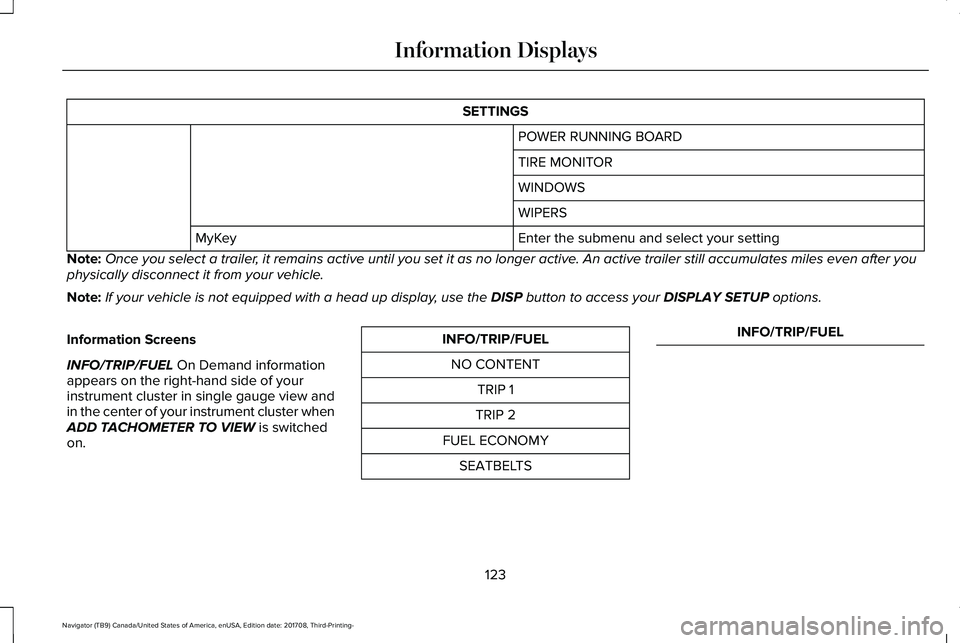
SETTINGS
POWER RUNNING BOARD
TIRE MONITOR
WINDOWS
WIPERS
Enter the submenu and select your settingMyKey
Note:Once you select a trailer, it remains active until you set it as no longer active. An active trailer still accumulates miles even after youphysically disconnect it from your vehicle.
Note:If your vehicle is not equipped with a head up display, use the DISP button to access your DISPLAY SETUP options.
Information Screens
INFO/TRIP/FUEL On Demand informationappears on the right-hand side of yourinstrument cluster in single gauge view andin the center of your instrument cluster whenADD TACHOMETER TO VIEW is switchedon.
INFO/TRIP/FUEL
NO CONTENT
TRIP 1
TRIP 2
FUEL ECONOMY
SEATBELTS
INFO/TRIP/FUEL
123
Navigator (TB9) Canada/United States of America, enUSA, Edition date: 201708, Third-Printing-
Information Displays
Page 127 of 649
INFO/TRIP/FUEL
TIRE PRESSURE
TRAILER INFORMATION
•NO CONTENT - Displays a blank area.
•TRIP 1 - Displays distance traveled,average fuel economy, and time spentfor trip. Press and hold OK to reset.
•TRIP 2 information is the same asTRIP 1.
•FUEL ECONOMY - Displays yourvehicle's average fuel economy. Pressand hold OK to reset.
•SEATBELTS - Displays a graphic of theconnection status of the rear seatbelts.
•TIRE PRESSURE - Displays a graphic ofcurrent vehicle tire pressures.
•TRAILER INFORMATION - Displays thetransmission temperature and trailer gain.
Head Up Display (If Equipped)
See Head Up Display (page 147).
Phone
See General Information (page 446).
Audio
See General Information (page 446).
Navigation (If Equipped)
See General Information (page 446).
INFORMATION MESSAGES
Note: Depending on your vehicle optionsand instrument cluster type, not all of themessages will display or be available. Certain messages may be abbreviated orshortened depending upon which clustertype you have.
Press the OK button to acknowledge andremove some messages from the informationdisplay. Other messages will be removedautomatically after a short time.
Certain messages need to be confirmedbefore you can access the menus.
124
Navigator (TB9) Canada/United States of America, enUSA, Edition date: 201708, Third-Printing-
Information DisplaysE222314
Page 139 of 649
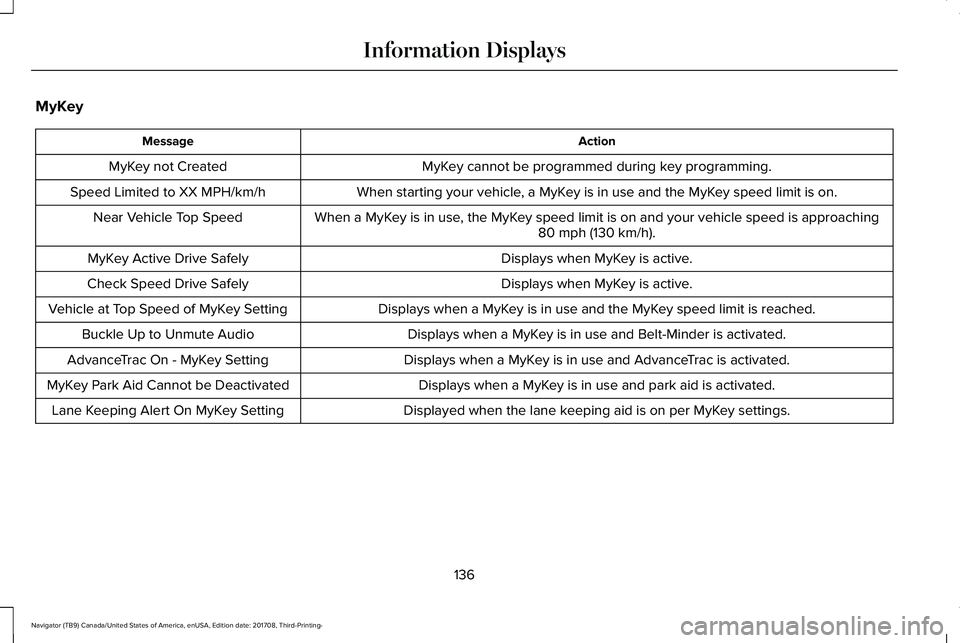
MyKey
ActionMessage
MyKey cannot be programmed during key programming.MyKey not Created
When starting your vehicle, a MyKey is in use and the MyKey speed limit is on.Speed Limited to XX MPH/km/h
When a MyKey is in use, the MyKey speed limit is on and your vehicle speed is approaching80 mph (130 km/h).Near Vehicle Top Speed
Displays when MyKey is active.MyKey Active Drive Safely
Displays when MyKey is active.Check Speed Drive Safely
Displays when a MyKey is in use and the MyKey speed limit is reached.Vehicle at Top Speed of MyKey Setting
Displays when a MyKey is in use and Belt-Minder is activated.Buckle Up to Unmute Audio
Displays when a MyKey is in use and AdvanceTrac is activated.AdvanceTrac On - MyKey Setting
Displays when a MyKey is in use and park aid is activated.MyKey Park Aid Cannot be Deactivated
Displayed when the lane keeping aid is on per MyKey settings.Lane Keeping Alert On MyKey Setting
136
Navigator (TB9) Canada/United States of America, enUSA, Edition date: 201708, Third-Printing-
Information Displays
Page 161 of 649
SITTING IN THE CORRECT
POSITION
WARNING: Sitting improperly, out ofposition or with the seatback reclined toofar can take weight off the seat cushionand affect the decision of the passengersensing system, resulting in serious injuryor death in the event of a crash. Always situpright against your seat back, with yourfeet on the floor.
WARNING: Do not recline theseatback too far as this can cause theoccupant to slide under the seatbelt,resulting in serious injury in the event of acollision.
WARNING: Do not place objectshigher than the top of the seat backrest.Failure to follow this instruction could resultin personal injury or death in the event ofa sudden stop or crash.
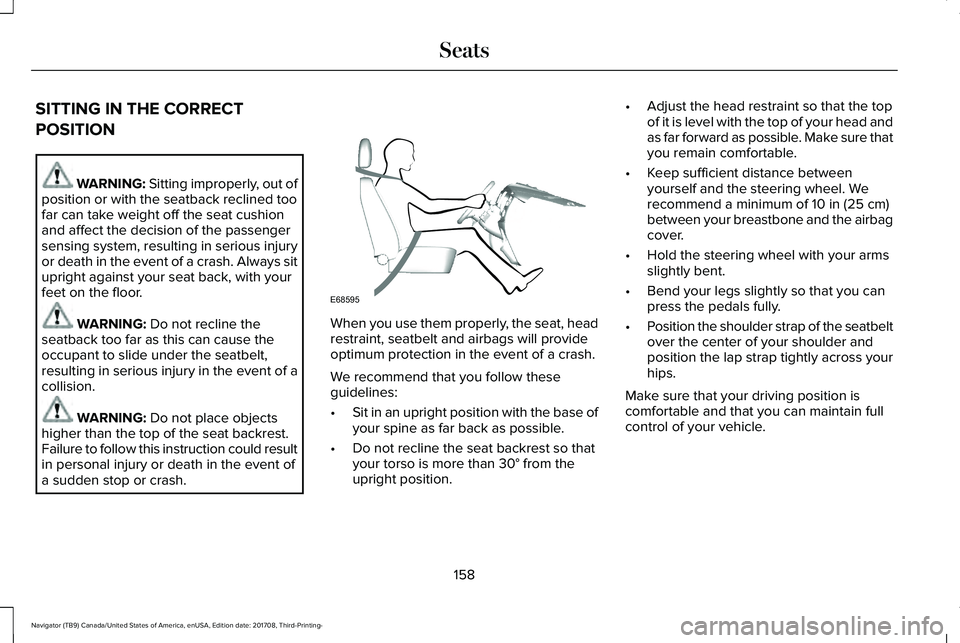
When you use them properly, the seat, headrestraint, seatbelt and airbags will provideoptimum protection in the event of a crash.
We recommend that you follow theseguidelines:
•Sit in an upright position with the base ofyour spine as far back as possible.
•Do not recline the seat backrest so thatyour torso is more than 30° from theupright position.
•Adjust the head restraint so that the topof it is level with the top of your head andas far forward as possible. Make sure thatyou remain comfortable.
•Keep sufficient distance betweenyourself and the steering wheel. Werecommend a minimum of 10 in (25 cm)between your breastbone and the airbagcover.
•Hold the steering wheel with your armsslightly bent.
•Bend your legs slightly so that you canpress the pedals fully.
•Position the shoulder strap of the seatbeltover the center of your shoulder andposition the lap strap tightly across yourhips.
Make sure that your driving position iscomfortable and that you can maintain fullcontrol of your vehicle.
158
Navigator (TB9) Canada/United States of America, enUSA, Edition date: 201708, Third-Printing-
SeatsE68595
Page 177 of 649
WARNING: Check under the seatcushion to make sure no cargo or objectsare under the seat cushion beforereturning the seat cushion to its originalposition, and that the seat cushion locksinto place. Failure to do so may preventthe seat from operating properly in theevent of a crash, which could increase therisk of serious injury.
WARNING: Do not place cargo orany objects behind the seat backrestbefore returning it to the original position.Pull on the seat backrest to make sure thatit has fully latched after returning the seatbackrest to its original position. Anunlatched seat may become dangerous ifyou stop suddenly or have a crash.
The easy entry seat allows for easier entryand exit to and from the third row seat.
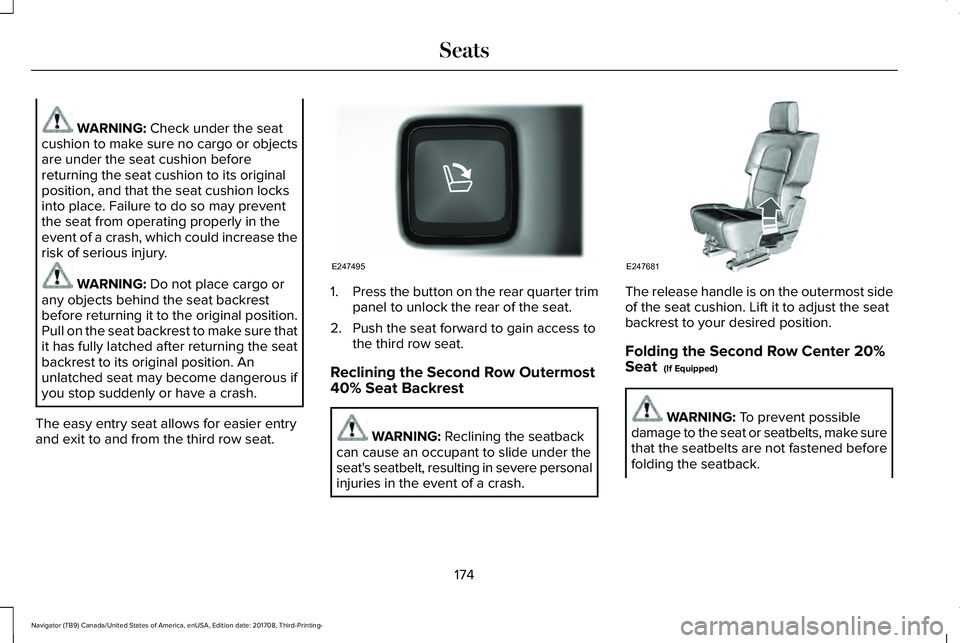
1.Press the button on the rear quarter trimpanel to unlock the rear of the seat.
2. Push the seat forward to gain access tothe third row seat.
Reclining the Second Row Outermost40% Seat Backrest
WARNING: Reclining the seatbackcan cause an occupant to slide under theseat's seatbelt, resulting in severe personalinjuries in the event of a crash.
The release handle is on the outermost sideof the seat cushion. Lift it to adjust the seatbackrest to your desired position.
Folding the Second Row Center 20%Seat (If Equipped)
WARNING: To prevent possibledamage to the seat or seatbelts, make surethat the seatbelts are not fastened beforefolding the seatback.
174
Navigator (TB9) Canada/United States of America, enUSA, Edition date: 201708, Third-Printing-
SeatsE247495 E247681
Page 180 of 649
Folding Down the Rear Seats to the LoadFloor
WARNING: To prevent possibledamage to the seat or seatbelts, make surethat the seatbelts are not fastened beforefolding the seatback.
WARNING: Do not place cargo orany objects behind the seatback beforereturning it to the original position.
The third-row seats have obstacle detectionthat prevents the seats from folding orreturning if they are obstructed.
Power Recline
WARNING: Do not recline a rear seaton which a child restraint is installed.Failure to follow this instruction couldreduce the effectiveness of the childrestraint.
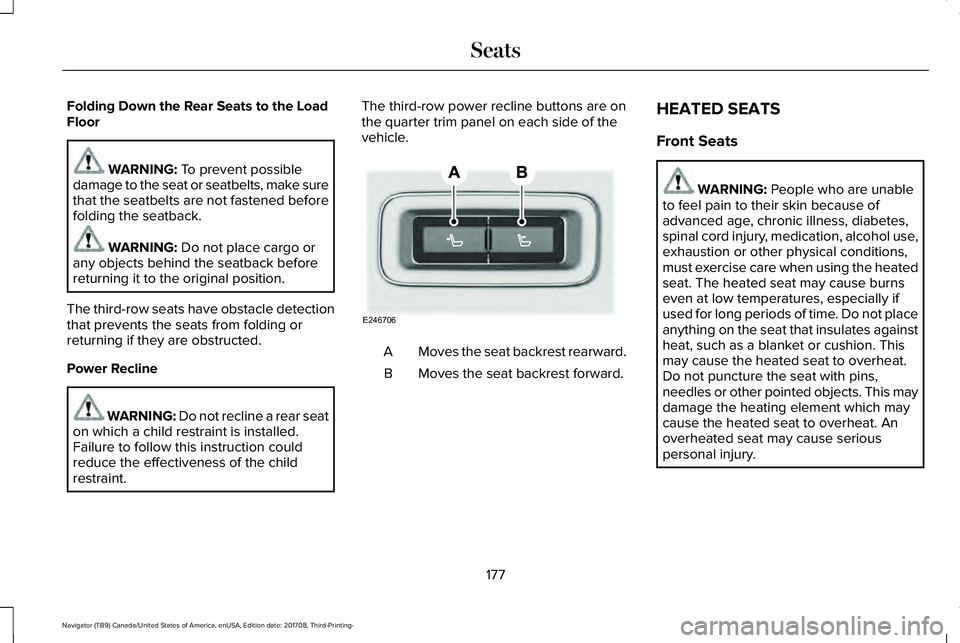
The third-row power recline buttons are onthe quarter trim panel on each side of thevehicle.
Moves the seat backrest rearward.A
Moves the seat backrest forward.B
HEATED SEATS
Front Seats
WARNING: People who are unableto feel pain to their skin because ofadvanced age, chronic illness, diabetes,spinal cord injury, medication, alcohol use,exhaustion or other physical conditions,must exercise care when using the heatedseat. The heated seat may cause burnseven at low temperatures, especially ifused for long periods of time. Do not placeanything on the seat that insulates againstheat, such as a blanket or cushion. Thismay cause the heated seat to overheat.Do not puncture the seat with pins,needles or other pointed objects. This maydamage the heating element which maycause the heated seat to overheat. Anoverheated seat may cause seriouspersonal injury.
177
Navigator (TB9) Canada/United States of America, enUSA, Edition date: 201708, Third-Printing-
SeatsE246706
Page 195 of 649
Press the push button ignition switch oncewithout your foot on the brake pedal. It is onthe instrument panel near the steering wheel.All electrical circuits and accessories areoperational and the warning lamps andindicators illuminate.
Press the push button ignition switch againwithout your foot on the brake pedal toswitch the ignition off.
STARTING A GASOLINE ENGINE
When you start the engine, the idle speedincreases.
This helps to warm up the engine. If theengine idle speed does not slow downautomatically, have your vehicle checked byan authorized dealer.
Note: You can crank the engine for a totalof 60 seconds without the engine startingbefore the starting system temporarilydisables. The 60 seconds does not have tobe all at once. For example, if you crank theengine three times for 20 seconds each time,without the engine starting, you reached the60-second time limit. You cannot attemptto start the engine for at least 15 minutes. After 15 minutes, you are limited to a15-second engine cranking time. You needto wait 60 minutes before you can crank theengine for 60 seconds again.
Before starting your vehicle, check thefollowing:
•Make sure all occupants have fastenedtheir seatbelts.
•Make sure the headlamps and electricalaccessories are off.
•Make sure the parking brake is on.
•Make sure the transmission is in park (P).
Note:Do not touch the accelerator pedal.
Note:You must have your intelligent accesskey in your vehicle to shift the transmissionout of park (P).
1. Fully depress the brake pedal.
2. Press the push button ignition switch.
The system does not function if:
•The passive key frequencies are jammed.
•The key battery has no charge.
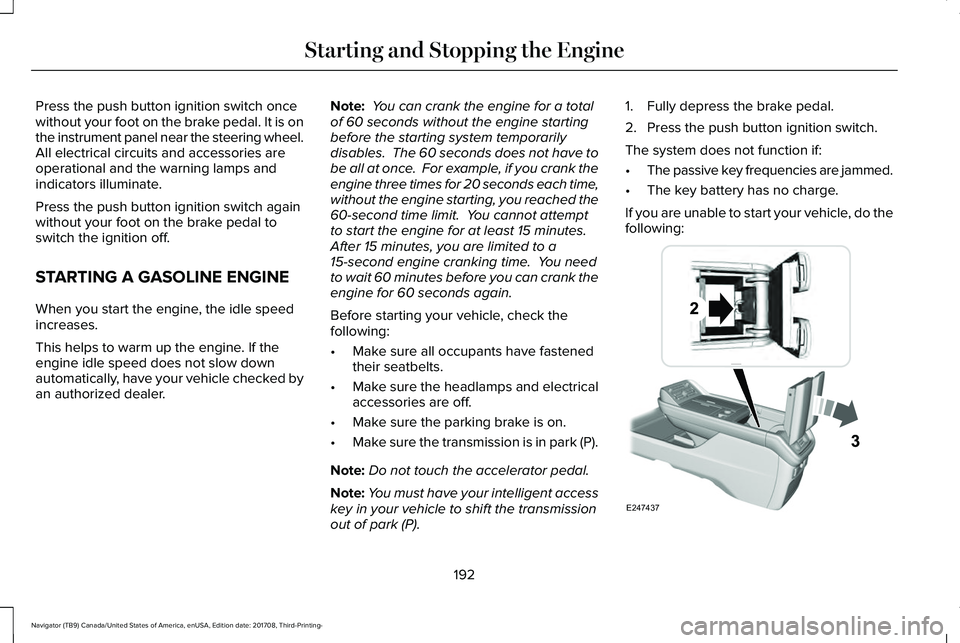
If you are unable to start your vehicle, do thefollowing:
192
Navigator (TB9) Canada/United States of America, enUSA, Edition date: 201708, Third-Printing-
Starting and Stopping the EngineE247437
Page 200 of 649
•Elevation is below about 11,000 ft(3,350 m).
•Ambient temperature is moderate.
•If equipped with selectable drive modesand when you select Normal, Conserve,Slippery.
•The trailer is not connected.
•Tow haul mode not engaged.
•You have not selected Manual mode.
The green Auto-Start-Stopindicator light on the instrumentcluster will illuminates to indicatewhen the automatic engine stop occurs.
If the instrument cluster isequipped with a greyAuto-Start-Stop indicator light, itilluminates when automatic engine stop isnot available due to one of the above notedconditions not being met.
Automatic Engine Restart
Any of the following conditions results in anautomatic restart of the engine:
•You have removed your foot from thebrake pedal.
•You press the accelerator pedal.
•You press the accelerator and the brakepedal at the same time.
•The driver seatbelt becomes unfastenedor the driver door is ajar.
•Your vehicle is moving.
•The interior compartment does not meetcustomer comfort when air conditioningor heat is on.
•Fogging of the windows could occur andthe air conditioning is on.
•The battery is not within optimaloperating conditions.
•You have exceeded the maximum engineoff time.
•When you press the Auto-Start-Stopbutton with the engine automaticallystopped.
•The front defroster is turned to the Maxsetting.
•When you shift into park (P) the enginewill restart.
Any of the following conditions may result inan automatic restart of the engine:
•You have increased the blower fan speedor changed the climate controltemperature.
•You have an electrical accessory turnedon or plugged in.
Note:You may notice that the climate seatfan fluctuates during an automatic restart.
197
Navigator (TB9) Canada/United States of America, enUSA, Edition date: 201708, Third-Printing-
Unique Driving Characteristics E146361
Page 214 of 649
Automatic Return to Park
Note:This feature does not operate whenyour vehicle is in Stay in Neutral mode orneutral tow.
Your vehicle has a feature that automaticallyshifts your vehicle into park (P) when any ofthe following conditions occur:
•You turn the vehicle off.
•You open the driver's door with yourseatbelt unlatched with the vehiclestopped.
•You unlatch your seatbelt when thedriver's door is open with the vehiclestopped.
If you turn your vehicle off when moving,your vehicle first shifts into neutral (N) untilit stops and then shift into park (P)automatically.
Note:If you have waited an extended periodof time, 2-15 minutes before starting yourvehicle, unlatching your seatbelt can causethis feature to activate, even with the driverdoor closed.
Note:This feature may not work properly ifthe door ajar switch is malfunctioning. If yourdoor ajar indicator does not illuminate whenyou open the driver’s door or the indicatorilluminates with the driver’s door closed, seeyour authorized dealer.
Reverse (R)
With the selector in reverse (R), your vehiclemoves backward. Always come to acomplete stop before shifting into and outof reverse (R).
Neutral (N)
With the selector in neutral (N), your vehiclecan be started and is free to roll. Hold thebrake pedal down when in this position.
Stay in Neutral Mode
Note:Stay in neutral mode is a temporaryvehicle state with the ignition off. Once inthis mode, sufficient battery voltage must bemaintained or your vehicle returns to park.Extended usage of Stay in Neutral modemay result in a battery voltage reduction toa level where the vehicle may no longerstart. Do not tow your vehicle in this mode.
Note:Always put your vehicle in Stay inNeutral mode when entering an automaticcar wash. Failure to do this could result invehicle damage not covered by warranty.
Stay in Neutral mode allows your vehicle tostay in neutral when you exit your vehicle.Your vehicle must be stationary to enter thismode.
To enter Stay in Neutral mode:
•Press the neutral (N) button on thetransmission selector.
•Press the neutral (N) button again toenter Stay in Neutral mode.
A message appears in your informationdisplay screen when your vehicle hasentered Stay in Neutral mode.
To exit Stay in Neutral mode, apply the brakeand select a different gear.
Stay in Neutral Mode - No Start
Use this to move your transmission from thepark position in the event of a no startsituation. If your vehicle has a dead battery,an external power source is required. Do nottow your vehicle in this mode.
211
Navigator (TB9) Canada/United States of America, enUSA, Edition date: 201708, Third-Printing-
Transmission
Page 233 of 649
WARNING: The system will turn offif a malfunction is apparent. Failure to takecare may result in the loss of control ofyour vehicle, serious personal injury ordeath.
The system uses your vehicle's brakes tohold your vehicle at a standstill after you stopyour vehicle and release the brake pedal.For example, Auto Hold can assist you whilestopping at traffic lights or while in trafficjams by holding the brake pressure for youonce you bring your vehicle to a stop.
Make sure you switch the system off beforetowing with your vehicle.
Note:In case of a malfunction in the systemwhile Auto Hold actively holds the vehicle(for example, low power supply), a messageappears in the information display askingyou to press the brake pedal. If you see thismessage, press the brake pedalimmediately.
Note:The system only activates if itrecognizes it is applying enough brakepressure. On a steep hill or slope, make sureyou press the brake pedal sufficiently toactivate the system.
Note:In some cases, Auto Hold might handover to the parking brake. When the parkingbrake applies, the red brake lamp appears.This is normal. When you press theaccelerator pedal, the drive away releasefeature releases the parking brake.
Note:Auto Hold works on all road grades.
Press the button to switch the system on andoff. The indicator light illuminates when youswitch the system on.
Note:You can only switch the system on ifyou close the door and fasten your seatbelt.
Note:The system turns off every time youpower down your vehicle.
Note:The system remembers the last settingwhen you start your vehicle.
Note:When in reverse (R), Auto Hold doesnot function.
When the system is off, your vehicle behavesthe same as a vehicle without Auto Hold.
There is an indicator lamp in the instrumentcluster that has two modes, active andunavailable:
The auto hold active indicatorilluminates in the informationdisplay when the system holdsyour vehicle stationary. When in active mode,press the brake pedal and the Auto Holdbutton to switch the system off.
230
Navigator (TB9) Canada/United States of America, enUSA, Edition date: 201708, Third-Printing-
BrakesE256165 E197933