parking brake LINCOLN NAVIGATOR 2018 Owners Manual
[x] Cancel search | Manufacturer: LINCOLN, Model Year: 2018, Model line: NAVIGATOR, Model: LINCOLN NAVIGATOR 2018Pages: 649, PDF Size: 4.96 MB
Page 6 of 649
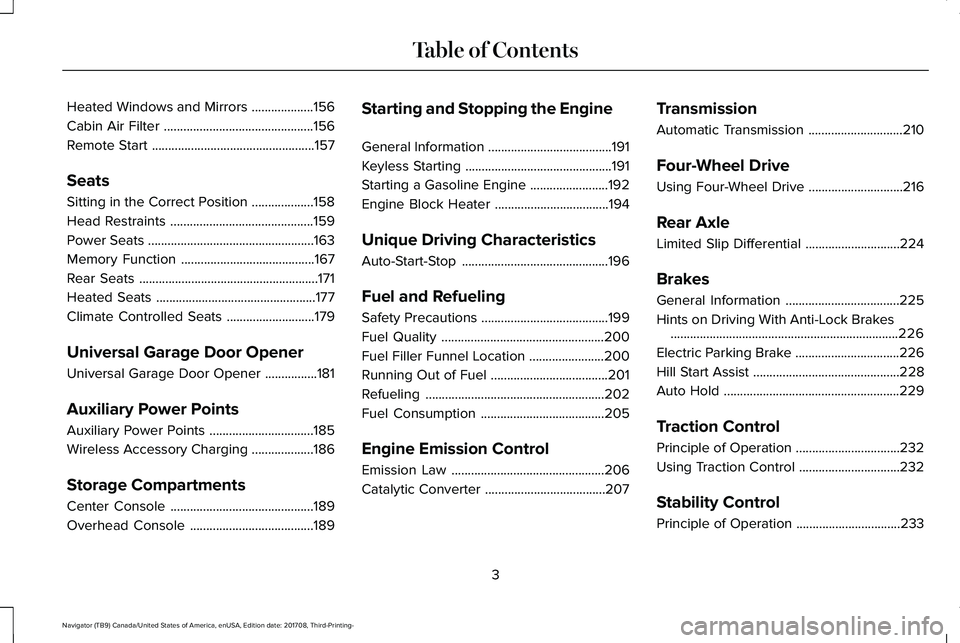
Heated Windows and Mirrors...................156
Cabin Air Filter..............................................156
Remote Start..................................................157
Seats
Sitting in the Correct Position...................158
Head Restraints............................................159
Power Seats...................................................163
Memory Function.........................................167
Rear Seats.......................................................171
Heated Seats.................................................177
Climate Controlled Seats...........................179
Universal Garage Door Opener
Universal Garage Door Opener................181
Auxiliary Power Points
Auxiliary Power Points................................185
Wireless Accessory Charging...................186
Storage Compartments
Center Console............................................189
Overhead Console......................................189
Starting and Stopping the Engine
General Information......................................191
Keyless Starting.............................................191
Starting a Gasoline Engine........................192
Engine Block Heater...................................194
Unique Driving Characteristics
Auto-Start-Stop.............................................196
Fuel and Refueling
Safety Precautions.......................................199
Fuel Quality..................................................200
Fuel Filler Funnel Location.......................200
Running Out of Fuel....................................201
Refueling.......................................................202
Fuel Consumption......................................205
Engine Emission Control
Emission Law...............................................206
Catalytic Converter.....................................207
Transmission
Automatic Transmission.............................210
Four-Wheel Drive
Using Four-Wheel Drive.............................216
Rear Axle
Limited Slip Differential.............................224
Brakes
General Information...................................225
Hints on Driving With Anti-Lock Brakes......................................................................226
Electric Parking Brake................................226
Hill Start Assist.............................................228
Auto Hold......................................................229
Traction Control
Principle of Operation................................232
Using Traction Control...............................232
Stability Control
Principle of Operation................................233
3
Navigator (TB9) Canada/United States of America, enUSA, Edition date: 201708, Third-Printing-
Table of Contents
Page 12 of 649
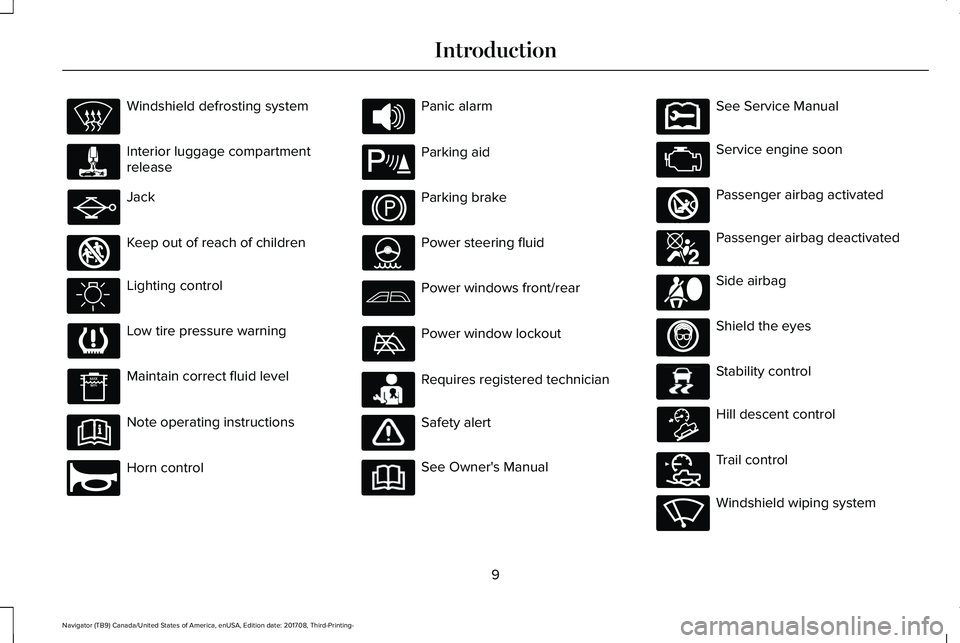
Windshield defrosting system
Interior luggage compartmentrelease
Jack
Keep out of reach of children
Lighting control
Low tire pressure warning
Maintain correct fluid level
Note operating instructions
Horn control
Panic alarm
Parking aid
Parking brake
Power steering fluid
Power windows front/rear
Power window lockout
Requires registered technician
Safety alert
See Owner's Manual
See Service Manual
Service engine soon
Passenger airbag activated
Passenger airbag deactivated
Side airbag
Shield the eyes
Stability control
Hill descent control
Trail control
Windshield wiping system
9
Navigator (TB9) Canada/United States of America, enUSA, Edition date: 201708, Third-Printing-
Introduction E161353 E270945 E139213 E231159 E231158 E270849 E270850 E167012 E138639 E163957 E272858 E270969
Page 52 of 649
Deactivating and Activating the Belt-MinderFeature
WARNING: While the system allowsyou to deactivate it, this system is designedto improve your chances of being safelybelted and surviving an accident. Werecommend you leave the systemactivated for yourself and others who mayuse the vehicle.
Note:The driver and front passengerwarnings switch on and off independently.When you perform this procedure for oneseating position, do not buckle the otherposition as this will terminate the process.
Read Steps 1 - 4 thoroughly beforeproceeding with the programmingprocedure.
Before following the procedure, make surethat:
•The parking brake is set.
•The transmission is in park (P).
•The ignition is off.
•All vehicle doors are closed.
•The driver and front passenger seatbeltsare unbuckled.
1. Switch the ignition on. Do not start theengine.
2.Wait until the seatbelt warning light turnsoff (about one minute). After Step 2, waitan additional 5 seconds beforeproceeding with Step 3. Once you startStep 3, you must complete the procedurewithin 60 seconds.
3.For the seating position you are switchingoff, buckle then unbuckle the seatbeltthree times at a moderate speed, endingin the unbuckled state. After Step 3, theseatbelt warning light turns on.
4. While the seatbelt warning light is on,buckle then unbuckle the seatbelt. AfterStep 4, the seatbelt warning light flashesfor confirmation.
•This will switch the feature off for thatseating position if it is currently on.
•This will switch the feature on for thatseating position if it is currently off.
CHILD RESTRAINT AND SEATBELT
MAINTENANCE
Inspect the vehicle seatbelts and child safetyseat systems periodically to make sure theywork properly and are not damaged. Inspectthe vehicle and child restraint seatbelts tomake sure there are no nicks, tears or cuts.Replace if necessary. All vehicle seatbeltassemblies, including retractors, buckles,front seatbelt buckle assemblies, bucklesupport assemblies (slide bar-if equipped),shoulder belt height adjusters (if equipped),shoulder belt guide on seat backrest (ifequipped), child safety seat LATCH andtether anchors, and attaching hardware,should be inspected after a crash. Read thechild restraint manufacturer's instructions foradditional inspection and maintenanceinformation specific to the child restraint.
49
Navigator (TB9) Canada/United States of America, enUSA, Edition date: 201708, Third-Printing-
Seatbelts
Page 101 of 649
Windshield Wiper Activated Headlamps
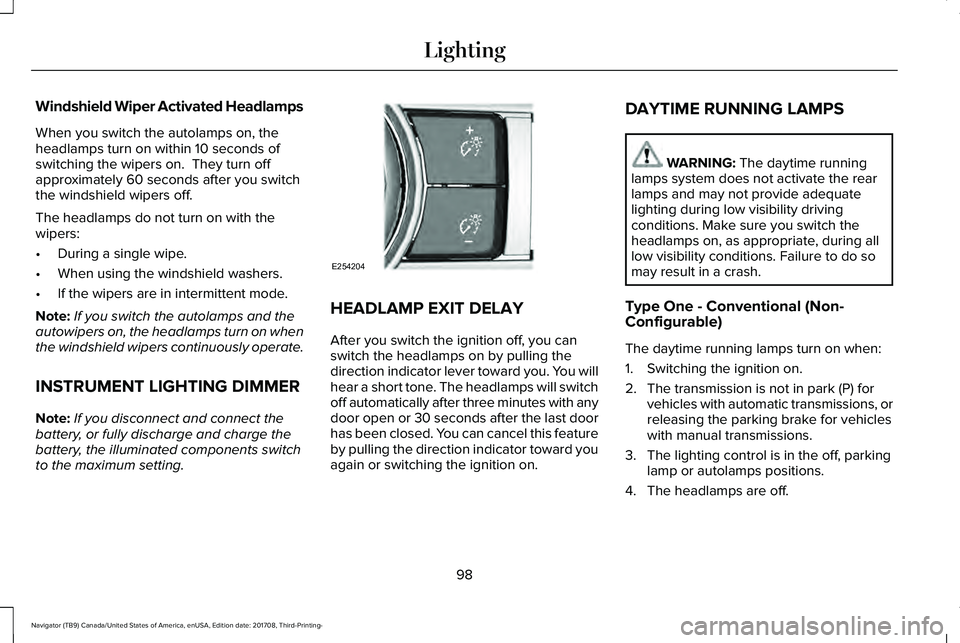
When you switch the autolamps on, theheadlamps turn on within 10 seconds ofswitching the wipers on. They turn offapproximately 60 seconds after you switchthe windshield wipers off.
The headlamps do not turn on with thewipers:
•During a single wipe.
•When using the windshield washers.
•If the wipers are in intermittent mode.
Note:If you switch the autolamps and theautowipers on, the headlamps turn on whenthe windshield wipers continuously operate.
INSTRUMENT LIGHTING DIMMER
Note:If you disconnect and connect thebattery, or fully discharge and charge thebattery, the illuminated components switchto the maximum setting.
HEADLAMP EXIT DELAY
After you switch the ignition off, you canswitch the headlamps on by pulling thedirection indicator lever toward you. You willhear a short tone. The headlamps will switchoff automatically after three minutes with anydoor open or 30 seconds after the last doorhas been closed. You can cancel this featureby pulling the direction indicator toward youagain or switching the ignition on.
DAYTIME RUNNING LAMPS
WARNING: The daytime runninglamps system does not activate the rearlamps and may not provide adequatelighting during low visibility drivingconditions. Make sure you switch theheadlamps on, as appropriate, during alllow visibility conditions. Failure to do somay result in a crash.
Type One - Conventional (Non-Configurable)
The daytime running lamps turn on when:
1. Switching the ignition on.
2. The transmission is not in park (P) forvehicles with automatic transmissions, orreleasing the parking brake for vehicleswith manual transmissions.
3. The lighting control is in the off, parkinglamp or autolamps positions.
4. The headlamps are off.
98
Navigator (TB9) Canada/United States of America, enUSA, Edition date: 201708, Third-Printing-
LightingE254204
Page 102 of 649
Type Two - Configurable
Switch the daytime running lamps on or offusing the information display. SeeInformation Displays (page 119).
The daytime running lamps turn on when:
1. The lamps are on in the informationdisplay.
2. Switching the ignition on.
3. The transmission is not in park (P) forvehicles with automatic transmissions, orreleasing the parking brake for vehicleswith manual transmissions.
4. The lighting control is in the autolampsposition.
5. The headlamps are off.
The other lighting control switch positionsdo not turn on the daytime running lamps.
If the daytime running lamps are off in theinformation display, the lamps stay off in allswitch positions.
AUTOMATIC HIGH BEAM
CONTROL (IF EQUIPPED)
WARNING: The system does notrelieve you of your responsibility to drivewith due care and attention. You may needto override the system if it does not turnthe high beams on or off.
The system turns on high beams if it is darkenough and no other traffic is present. If itdetects an approaching vehicle’s headlampsor tail lamps, or street lighting ahead, thesystem turns off high beams before they candistract other road users. Low beams remainon.
Note:The system may not operate properlyif the sensor is blocked. Keep the windshieldfree from obstruction or damage.
Note:The system may not operate properlyin cold or inclement conditions. You canswitch on the high beams by overriding thesystem.
Note:If the system detects a blockage, forexample bird droppings, bug splatter, snowor ice, the system goes into low beam modeuntil you clear the blockage. A message mayappear in the information display if thecamera is blocked.
Note:Using much larger tires or equippingvehicle accessories such as snowplows canmodify your vehicle's ride height anddegrade automatic high beam controlperformance.
A camera sensor, centrally mounted behindthe windshield of your vehicle, continuouslymonitors conditions to turn the high beamson and off.
Once the system is active, the high beamsturn on if:
•The ambient light level is low enough.
•There is no traffic in front of your vehicle.
•The vehicle speed is greater thanapproximately 32 mph (51 km/h).
99
Navigator (TB9) Canada/United States of America, enUSA, Edition date: 201708, Third-Printing-
Lighting
Page 118 of 649
Brake System Warning Lamp
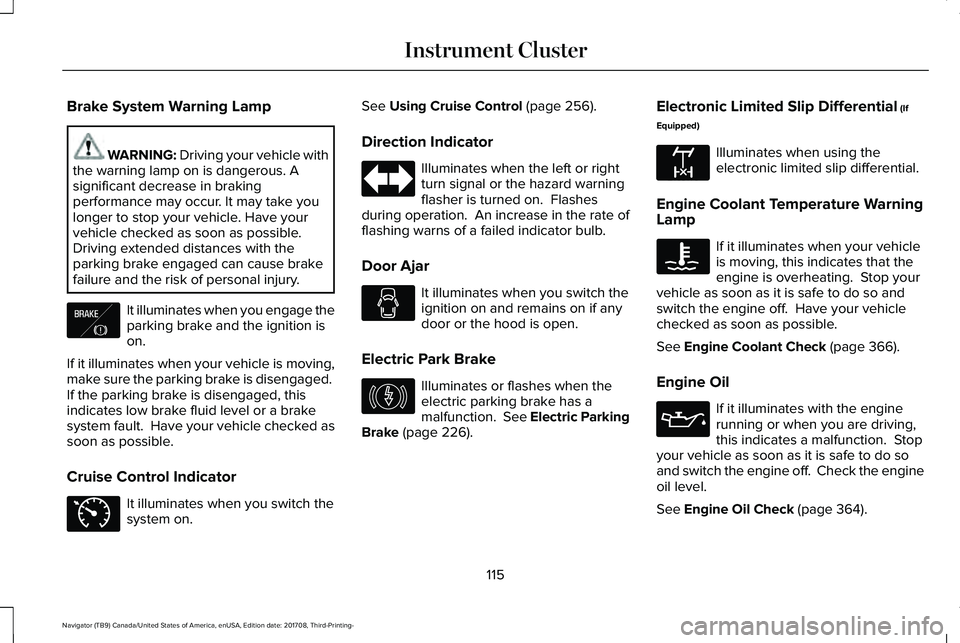
WARNING: Driving your vehicle withthe warning lamp on is dangerous. Asignificant decrease in brakingperformance may occur. It may take youlonger to stop your vehicle. Have yourvehicle checked as soon as possible.Driving extended distances with theparking brake engaged can cause brakefailure and the risk of personal injury.
It illuminates when you engage theparking brake and the ignition ison.
If it illuminates when your vehicle is moving,make sure the parking brake is disengaged. If the parking brake is disengaged, thisindicates low brake fluid level or a brakesystem fault. Have your vehicle checked assoon as possible.
Cruise Control Indicator
It illuminates when you switch thesystem on.
See Using Cruise Control (page 256).
Direction Indicator
Illuminates when the left or rightturn signal or the hazard warningflasher is turned on. Flashesduring operation. An increase in the rate offlashing warns of a failed indicator bulb.
Door Ajar
It illuminates when you switch theignition on and remains on if anydoor or the hood is open.
Electric Park Brake
Illuminates or flashes when theelectric parking brake has amalfunction. See Electric ParkingBrake (page 226).
Electronic Limited Slip Differential (If
Equipped)
Illuminates when using theelectronic limited slip differential.
Engine Coolant Temperature WarningLamp
If it illuminates when your vehicleis moving, this indicates that theengine is overheating. Stop yourvehicle as soon as it is safe to do so andswitch the engine off. Have your vehiclechecked as soon as possible.
See Engine Coolant Check (page 366).
Engine Oil
If it illuminates with the enginerunning or when you are driving,this indicates a malfunction. Stopyour vehicle as soon as it is safe to do soand switch the engine off. Check the engineoil level.
See Engine Oil Check (page 364).
115
Navigator (TB9) Canada/United States of America, enUSA, Edition date: 201708, Third-Printing-
Instrument ClusterE138644 E71340 E146190 E163170
Page 121 of 649
AUDIBLE WARNINGS AND
INDICATORS
Key in Ignition Warning Chime
Sounds when you open the driver's door andyou have left the key in the ignition.
Keyless Warning Alert (If Equipped)
Sounds the horn twice when you exit yourvehicle with the intelligent access key, afterthe last door is closed and your keylessvehicle is in RUN, indicating your vehicle isstill on.
Headlamps On Warning Chime
Sounds when you remove the key from theignition and open the driver's door and youhave left the headlamps or parking lampson.
Parking Brake On Warning Chime
Sounds when you have left the parking brakeon and drive your vehicle. If the warningchime remains on after you have releasedthe parking brake, have the system checkedby an authorized dealer immediately.
118
Navigator (TB9) Canada/United States of America, enUSA, Edition date: 201708, Third-Printing-
Instrument Cluster
Page 141 of 649
Park Brake
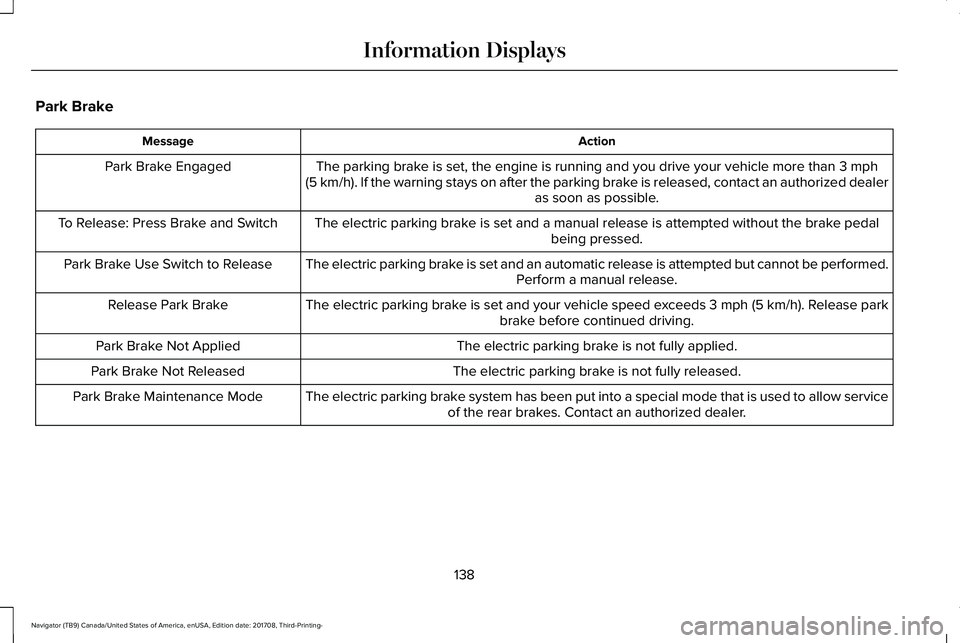
ActionMessage
The parking brake is set, the engine is running and you drive your vehicle more than 3 mph(5 km/h). If the warning stays on after the parking brake is released, contact an authorized dealeras soon as possible.
Park Brake Engaged
The electric parking brake is set and a manual release is attempted without the brake pedalbeing pressed.To Release: Press Brake and Switch
The electric parking brake is set and an automatic release is attempted but cannot be performed.Perform a manual release.Park Brake Use Switch to Release
The electric parking brake is set and your vehicle speed exceeds 3 mph (5 km/h). Release parkbrake before continued driving.Release Park Brake
The electric parking brake is not fully applied.Park Brake Not Applied
The electric parking brake is not fully released.Park Brake Not Released
The electric parking brake system has been put into a special mode that is used to allow serviceof the rear brakes. Contact an authorized dealer.Park Brake Maintenance Mode
138
Navigator (TB9) Canada/United States of America, enUSA, Edition date: 201708, Third-Printing-
Information Displays
Page 142 of 649
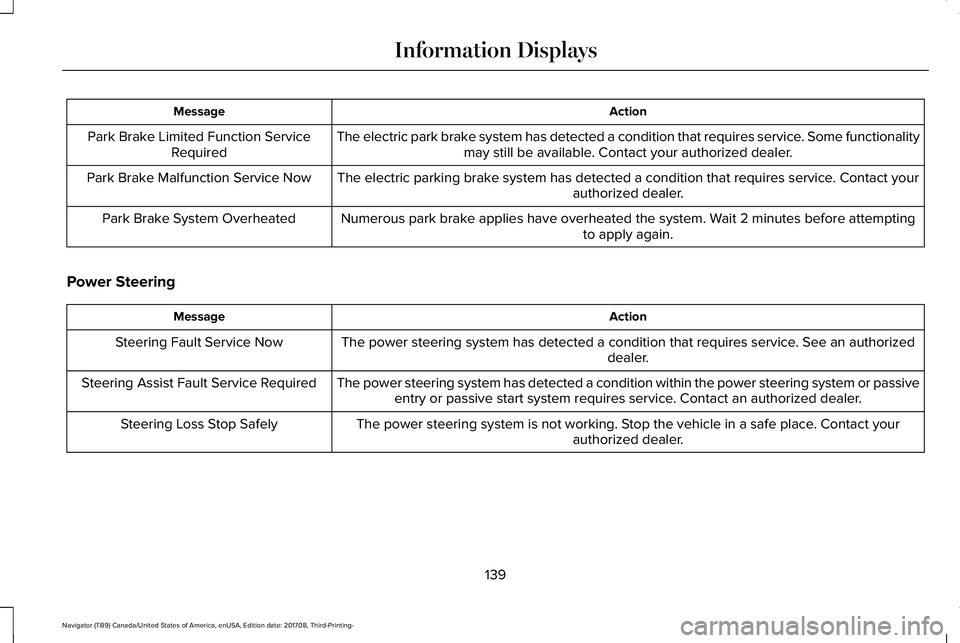
ActionMessage
The electric park brake system has detected a condition that requires service. Some functionalitymay still be available. Contact your authorized dealer.Park Brake Limited Function ServiceRequired
The electric parking brake system has detected a condition that requires service. Contact yourauthorized dealer.Park Brake Malfunction Service Now
Numerous park brake applies have overheated the system. Wait 2 minutes before attemptingto apply again.Park Brake System Overheated
Power Steering
ActionMessage
The power steering system has detected a condition that requires service. See an authorizeddealer.Steering Fault Service Now
The power steering system has detected a condition within the power steering system or passiveentry or passive start system requires service. Contact an authorized dealer.Steering Assist Fault Service Required
The power steering system is not working. Stop the vehicle in a safe place. Contact yourauthorized dealer.Steering Loss Stop Safely
139
Navigator (TB9) Canada/United States of America, enUSA, Edition date: 201708, Third-Printing-
Information Displays
Page 192 of 649
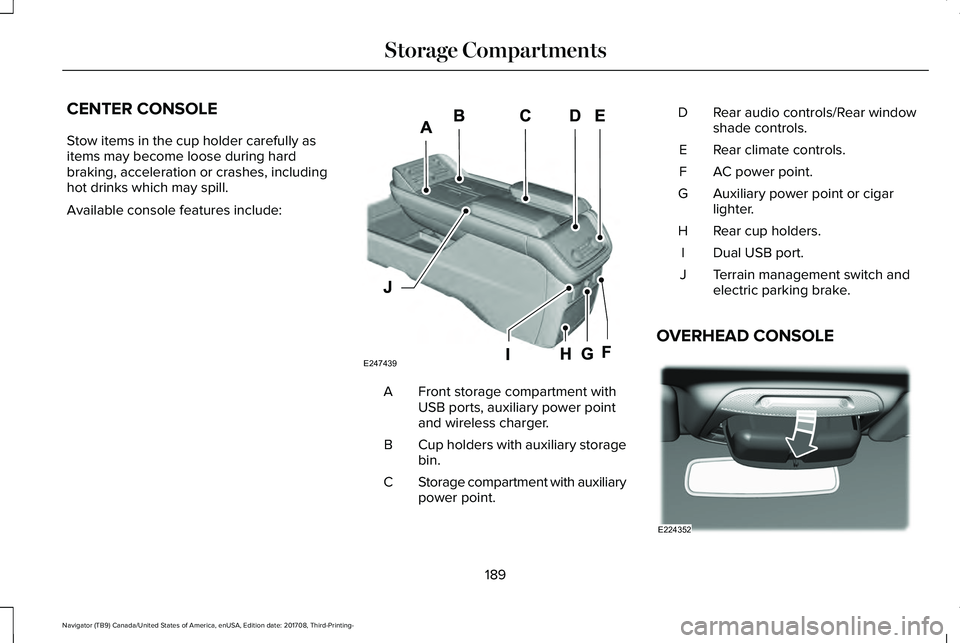
CENTER CONSOLE
Stow items in the cup holder carefully asitems may become loose during hardbraking, acceleration or crashes, includinghot drinks which may spill.
Available console features include:
Front storage compartment withUSB ports, auxiliary power pointand wireless charger.
A
Cup holders with auxiliary storagebin.B
Storage compartment with auxiliarypower point.C
Rear audio controls/Rear windowshade controls.D
Rear climate controls.E
AC power point.F
Auxiliary power point or cigarlighter.G
Rear cup holders.H
Dual USB port.I
Terrain management switch andelectric parking brake.J
OVERHEAD CONSOLE
189
Navigator (TB9) Canada/United States of America, enUSA, Edition date: 201708, Third-Printing-
Storage CompartmentsE247439 E224352