battery LINCOLN NAVIGATOR 2019 User Guide
[x] Cancel search | Manufacturer: LINCOLN, Model Year: 2019, Model line: NAVIGATOR, Model: LINCOLN NAVIGATOR 2019Pages: 645, PDF Size: 5.02 MB
Page 84 of 645
You can stop the liftgate movement by doingany of the following:
•Pressing the liftgate control button.
•Pressing the liftgate button on the remotecontrol twice.
•Pressing the liftgate button on theinstrument panel.
Setting the Liftgate Open Height
1. Open the liftgate.
2. Stop the liftgate movement by pressingthe control button on the liftgate when itreaches the desired height.
Note:Once the liftgate has stopped moving,you can also manually move it to the desiredheight.
3.Press and hold the liftgate control buttonon the liftgate until a tone sounds,indicating programming is complete.
Note:You can only use the liftgate controlbutton to program the height.
Note:You cannot program the height if theliftgate position is too low.
The new open liftgate height is recalledwhen the power liftgate is opened. Tochange the programmed height, repeat theabove procedure. Once you open the powerliftgate, you can manually move it to adifferent height.
Note:The system recalls the newprogrammed height, even if you disconnectthe battery.
When operating the power liftgate after youhave programmed a lower height than fullyopen, you can fully open the liftgate bymanually pushing it upward to the maximumopen position.
Obstacle Detection
When Closing
The system stops when it detects anobstacle. Three tones sound and the systemreverses to open. When you remove theobstacle, you can power close the liftgate.
Note:Entering your vehicle when the liftgateis closing can cause your vehicle to bounceand activate obstacle detection. To preventthis, let the power liftgate close completelybefore you enter your vehicle. Before drivingoff, check the instrument cluster for a liftgateor door ajar message or warning indicator.Failure to do this could result inunintentionally leaving the liftgate openwhen driving.
When Opening
The system stops when it detects anobstacle and two short tones sound. Remove the obstacle to operate the liftgate.
Using the Hands-Free Liftgate (If Equipped)
Make sure you have an intelligent accesskey within 3 ft (1 m) of the liftgate.
1. Stand behind your vehicle, and face theliftgate.
2. Move your foot, in a single-kick motion,without pausing, under and away fromthe rear bumper detection area.
3. The liftgate power opens or closes.
81
Navigator (TB9) Canada/United States of America, enUSA, Edition date: 201808, First-Printing
Liftgate
Page 102 of 645
Windshield Wiper Activated Headlamps
When you switch the autolamps on, theheadlamps turn on within 10 seconds ofswitching the wipers on. They turn offapproximately 60 seconds after you switchthe windshield wipers off.
The headlamps do not turn on with thewipers:
•During a single wipe.
•When using the windshield washers.
•If the wipers are in intermittent mode.
Note:If you switch the autolamps and theautowipers on, the headlamps turn on whenthe windshield wipers continuously operate.
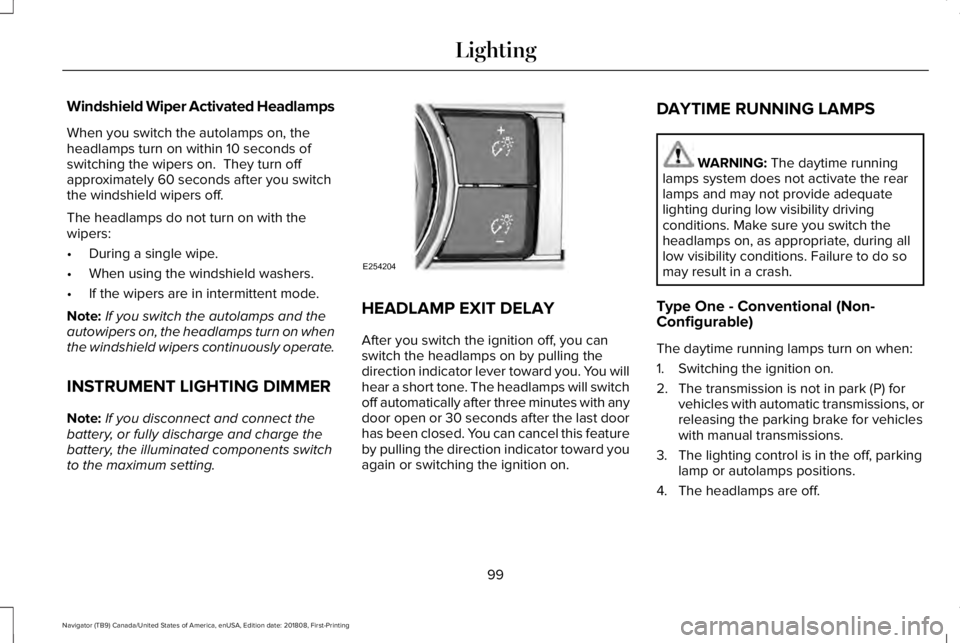
INSTRUMENT LIGHTING DIMMER
Note:If you disconnect and connect thebattery, or fully discharge and charge thebattery, the illuminated components switchto the maximum setting.
HEADLAMP EXIT DELAY
After you switch the ignition off, you canswitch the headlamps on by pulling thedirection indicator lever toward you. You willhear a short tone. The headlamps will switchoff automatically after three minutes with anydoor open or 30 seconds after the last doorhas been closed. You can cancel this featureby pulling the direction indicator toward youagain or switching the ignition on.
DAYTIME RUNNING LAMPS
WARNING: The daytime runninglamps system does not activate the rearlamps and may not provide adequatelighting during low visibility drivingconditions. Make sure you switch theheadlamps on, as appropriate, during alllow visibility conditions. Failure to do somay result in a crash.
Type One - Conventional (Non-Configurable)
The daytime running lamps turn on when:
1. Switching the ignition on.
2. The transmission is not in park (P) forvehicles with automatic transmissions, orreleasing the parking brake for vehicleswith manual transmissions.
3. The lighting control is in the off, parkinglamp or autolamps positions.
4. The headlamps are off.
99
Navigator (TB9) Canada/United States of America, enUSA, Edition date: 201808, First-Printing
LightingE254204
Page 118 of 645
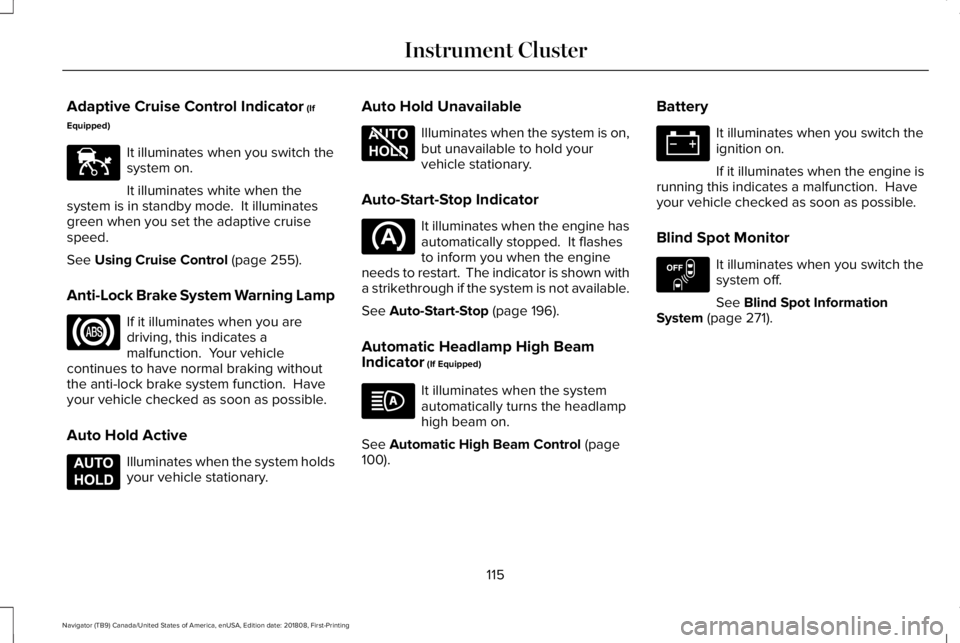
Adaptive Cruise Control Indicator (If
Equipped)
It illuminates when you switch thesystem on.
It illuminates white when thesystem is in standby mode. It illuminatesgreen when you set the adaptive cruisespeed.
See Using Cruise Control (page 255).
Anti-Lock Brake System Warning Lamp
If it illuminates when you aredriving, this indicates amalfunction. Your vehiclecontinues to have normal braking withoutthe anti-lock brake system function. Haveyour vehicle checked as soon as possible.
Auto Hold Active
Illuminates when the system holdsyour vehicle stationary.
Auto Hold Unavailable
Illuminates when the system is on,but unavailable to hold yourvehicle stationary.
Auto-Start-Stop Indicator
It illuminates when the engine hasautomatically stopped. It flashesto inform you when the engineneeds to restart. The indicator is shown witha strikethrough if the system is not available.
See Auto-Start-Stop (page 196).
Automatic Headlamp High BeamIndicator (If Equipped)
It illuminates when the systemautomatically turns the headlamphigh beam on.
See Automatic High Beam Control (page100).
Battery
It illuminates when you switch theignition on.
If it illuminates when the engine isrunning this indicates a malfunction. Haveyour vehicle checked as soon as possible.
Blind Spot Monitor
It illuminates when you switch thesystem off.
See Blind Spot InformationSystem (page 271).
115
Navigator (TB9) Canada/United States of America, enUSA, Edition date: 201808, First-Printing
Instrument ClusterE144524 E197933 E197934 E151262
Page 131 of 645
Battery and Charging System
ActionMessage
The charging system needs servicing. If the warning stays on or continues to come on, contactan authorized dealer as soon as possible.Check Charging System
The charging system needs servicing. If the warning stays on or continues to come on, contactan authorized dealer as soon as possible.Charging System Service Soon
The charging system needs servicing. Contact an authorized dealer as soon as possible.Charging System Service Now
The battery management system determines that the battery is at a low state of charge. Turnyour ignition off as soon as possible to protect the battery. This message clears once you restartyour vehicle and the battery state of charge has recovered.
Battery State of Charge Low
The battery management system determines that the battery is at a low state of charge. Turnthe ignition off as soon as possible to protect the battery. This message will clear once the vehiclehas been started and the battery state of charge has recovered. Turning off unnecessary electricalloads will allow faster battery state-of-charge recovery.
Turn Power Off To Save Battery
Displayed when the battery management system detects an extended low-voltage condition.Various vehicle features will be disabled to help preserve the battery. Turn off as many of theelectrical loads as soon as possible to improve system voltage. If the system voltage hasrecovered, the disabled features will operate again as normal.
Low Battery Features Temporarily TurnedOff
128
Navigator (TB9) Canada/United States of America, enUSA, Edition date: 201808, First-Printing
Information Displays
Page 138 of 645
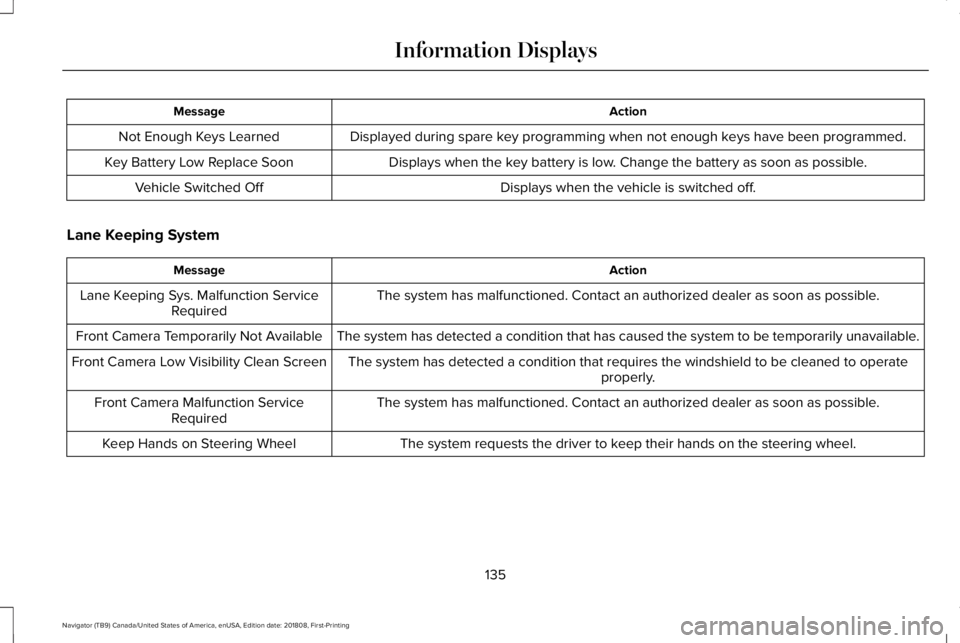
ActionMessage
Displayed during spare key programming when not enough keys have been programmed.Not Enough Keys Learned
Displays when the key battery is low. Change the battery as soon as possible.Key Battery Low Replace Soon
Displays when the vehicle is switched off.Vehicle Switched Off
Lane Keeping System
ActionMessage
The system has malfunctioned. Contact an authorized dealer as soon as possible.Lane Keeping Sys. Malfunction ServiceRequired
The system has detected a condition that has caused the system to be temporarily unavailable.Front Camera Temporarily Not Available
The system has detected a condition that requires the windshield to be cleaned to operateproperly.Front Camera Low Visibility Clean Screen
The system has malfunctioned. Contact an authorized dealer as soon as possible.Front Camera Malfunction ServiceRequired
The system requests the driver to keep their hands on the steering wheel.Keep Hands on Steering Wheel
135
Navigator (TB9) Canada/United States of America, enUSA, Edition date: 201808, First-Printing
Information Displays
Page 148 of 645
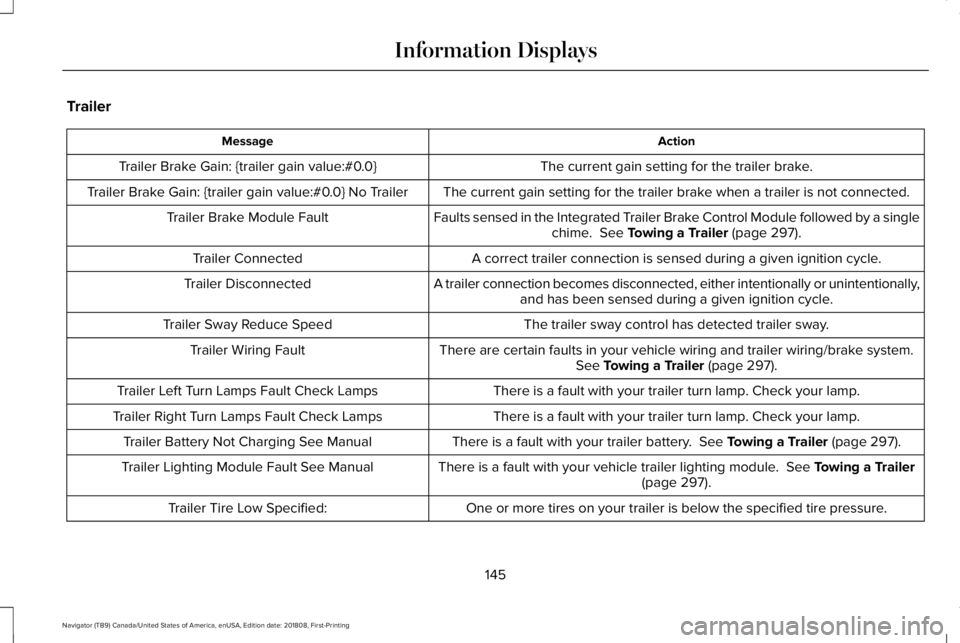
Trailer
ActionMessage
The current gain setting for the trailer brake.Trailer Brake Gain: {trailer gain value:#0.0}
The current gain setting for the trailer brake when a trailer is not connected.Trailer Brake Gain: {trailer gain value:#0.0} No Trailer
Faults sensed in the Integrated Trailer Brake Control Module followed by a singlechime. See Towing a Trailer (page 297).Trailer Brake Module Fault
A correct trailer connection is sensed during a given ignition cycle.Trailer Connected
A trailer connection becomes disconnected, either intentionally or unintentionally,and has been sensed during a given ignition cycle.Trailer Disconnected
The trailer sway control has detected trailer sway.Trailer Sway Reduce Speed
There are certain faults in your vehicle wiring and trailer wiring/brake system.See Towing a Trailer (page 297).Trailer Wiring Fault
There is a fault with your trailer turn lamp. Check your lamp.Trailer Left Turn Lamps Fault Check Lamps
There is a fault with your trailer turn lamp. Check your lamp.Trailer Right Turn Lamps Fault Check Lamps
There is a fault with your trailer battery. See Towing a Trailer (page 297).Trailer Battery Not Charging See Manual
There is a fault with your vehicle trailer lighting module. See Towing a Trailer(page 297).Trailer Lighting Module Fault See Manual
One or more tires on your trailer is below the specified tire pressure.Trailer Tire Low Specified:
145
Navigator (TB9) Canada/United States of America, enUSA, Edition date: 201808, First-Printing
Information Displays
Page 150 of 645
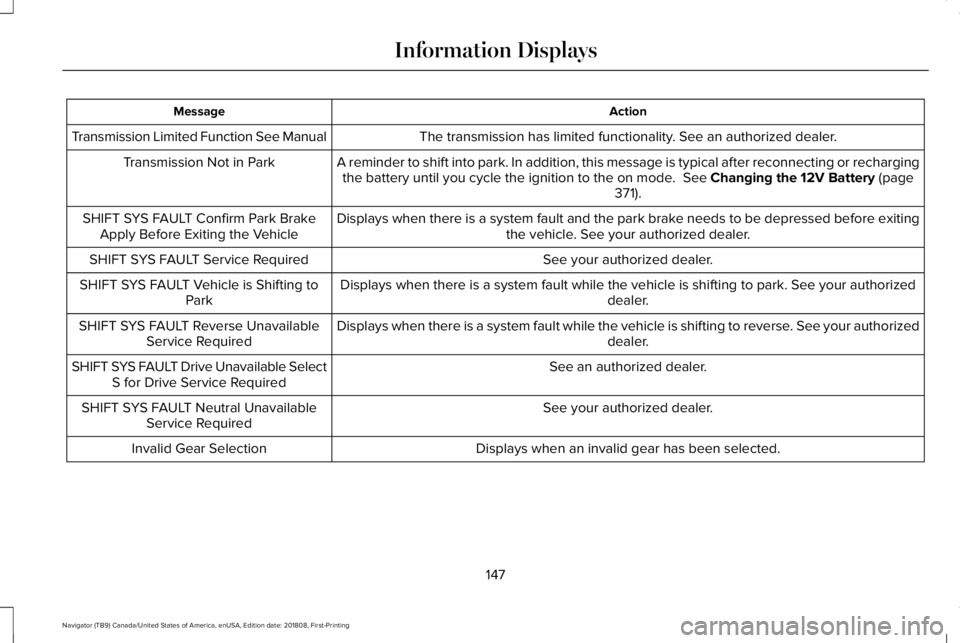
ActionMessage
The transmission has limited functionality. See an authorized dealer.Transmission Limited Function See Manual
A reminder to shift into park. In addition, this message is typical after reconnecting or rechargingthe battery until you cycle the ignition to the on mode. See Changing the 12V Battery (page371).
Transmission Not in Park
Displays when there is a system fault and the park brake needs to be depressed before exitingthe vehicle. See your authorized dealer.SHIFT SYS FAULT Confirm Park BrakeApply Before Exiting the Vehicle
See your authorized dealer.SHIFT SYS FAULT Service Required
Displays when there is a system fault while the vehicle is shifting to park. See your authorizeddealer.SHIFT SYS FAULT Vehicle is Shifting toPark
Displays when there is a system fault while the vehicle is shifting to reverse. See your authorizeddealer.SHIFT SYS FAULT Reverse UnavailableService Required
See an authorized dealer.SHIFT SYS FAULT Drive Unavailable SelectS for Drive Service Required
See your authorized dealer.SHIFT SYS FAULT Neutral UnavailableService Required
Displays when an invalid gear has been selected.Invalid Gear Selection
147
Navigator (TB9) Canada/United States of America, enUSA, Edition date: 201808, First-Printing
Information Displays
Page 178 of 645
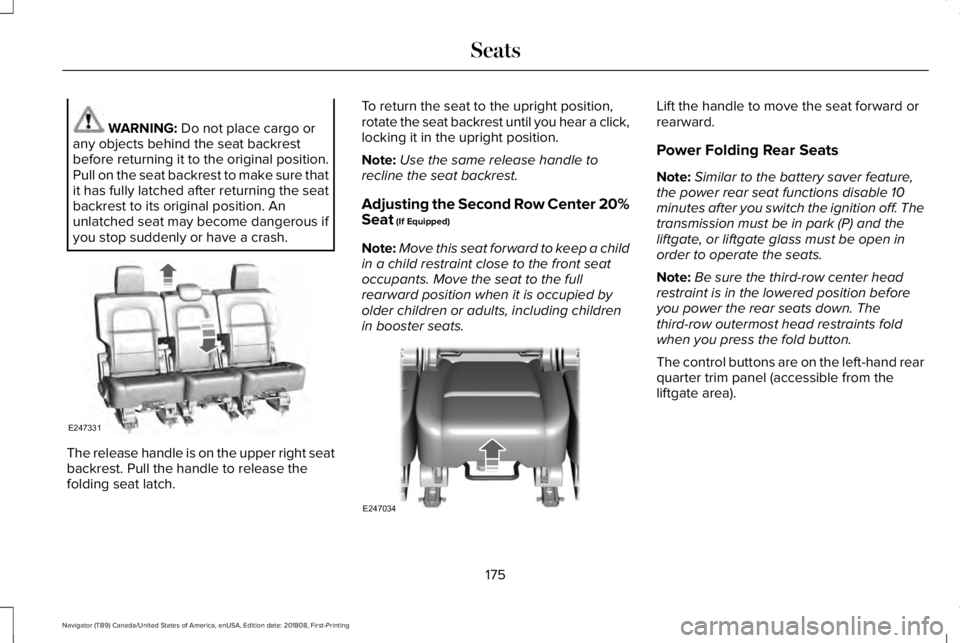
WARNING: Do not place cargo orany objects behind the seat backrestbefore returning it to the original position.Pull on the seat backrest to make sure thatit has fully latched after returning the seatbackrest to its original position. Anunlatched seat may become dangerous ifyou stop suddenly or have a crash.
The release handle is on the upper right seatbackrest. Pull the handle to release thefolding seat latch.
To return the seat to the upright position,rotate the seat backrest until you hear a click,locking it in the upright position.
Note:Use the same release handle torecline the seat backrest.
Adjusting the Second Row Center 20%Seat (If Equipped)
Note:Move this seat forward to keep a childin a child restraint close to the front seatoccupants. Move the seat to the fullrearward position when it is occupied byolder children or adults, including childrenin booster seats.
Lift the handle to move the seat forward orrearward.
Power Folding Rear Seats
Note:Similar to the battery saver feature,the power rear seat functions disable 10minutes after you switch the ignition off. Thetransmission must be in park (P) and theliftgate, or liftgate glass must be open inorder to operate the seats.
Note:Be sure the third-row center headrestraint is in the lowered position beforeyou power the rear seats down. Thethird-row outermost head restraints foldwhen you press the fold button.
The control buttons are on the left-hand rearquarter trim panel (accessible from theliftgate area).
175
Navigator (TB9) Canada/United States of America, enUSA, Edition date: 201808, First-Printing
SeatsE247331 E247034
Page 181 of 645
Do not do the following:
•Place heavy objects on the seat.
•Operate the heated seat if water or anyother liquid spills on the seat. Allow theseat to dry thoroughly.
•Operate the heated seats unless theengine is running. Doing so can causethe battery to lose charge.
Press the heated seat symbol to cyclethrough the various heat settings and off.More indicator lights indicate warmersettings.
Rear Seats
WARNING: Persons who are unableto feel pain to the skin because ofadvanced age, chronic illness, diabetes,spinal cord injury, medication, alcohol use,exhaustion, or other physical conditions,must exercise care when using the seatheater. The seat heater may cause burnseven at low temperatures, especially ifused for long periods of time. Do not placeanything on the seat that insulates againstheat, such as a blanket or cushion,because this may cause the seat heater tooverheat. Do not puncture the seat withpins, needles, or other pointed objectsbecause this may damage the heatingelement which may cause the seat heaterto overheat. An overheated seat maycause serious personal injury.
Do not do the following:
•Place heavy objects on the seat.
•Operate the seat heater if water or anyother liquid is spilled on the seat. Allowthe seat to dry thoroughly.
•Operate the heated seats unless theengine is running. Doing so can causethe battery to lose charge.
The rear seat heat controls are located onthe rear of the center console.
Press the heated seat symbol to cyclethrough the various heat settings and off.More indicator lights indicate warmersettings.
178
Navigator (TB9) Canada/United States of America, enUSA, Edition date: 201808, First-Printing
SeatsE146322 E146322
Page 185 of 645
Note:Put a new battery in the hand-heldtransmitter. This helps ensure quickertraining and accurate transmission of theradio-frequency signal.
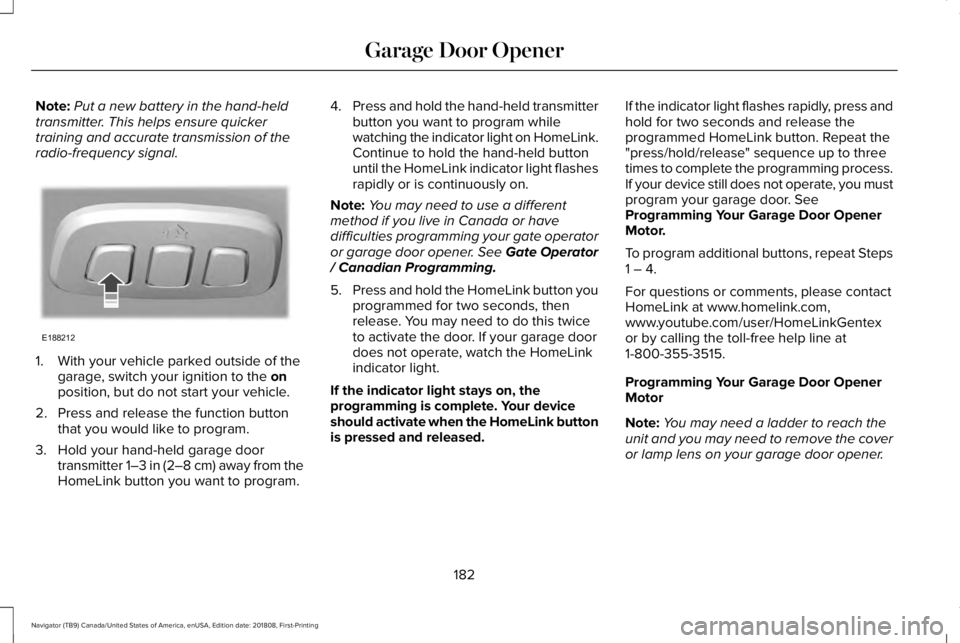
1. With your vehicle parked outside of thegarage, switch your ignition to the onposition, but do not start your vehicle.
2. Press and release the function buttonthat you would like to program.
3. Hold your hand-held garage doortransmitter 1–3 in (2–8 cm) away from theHomeLink button you want to program.
4.Press and hold the hand-held transmitterbutton you want to program whilewatching the indicator light on HomeLink.Continue to hold the hand-held buttonuntil the HomeLink indicator light flashesrapidly or is continuously on.
Note:You may need to use a differentmethod if you live in Canada or havedifficulties programming your gate operatoror garage door opener. See Gate Operator/ Canadian Programming.
5.Press and hold the HomeLink button youprogrammed for two seconds, thenrelease. You may need to do this twiceto activate the door. If your garage doordoes not operate, watch the HomeLinkindicator light.
If the indicator light stays on, theprogramming is complete. Your deviceshould activate when the HomeLink buttonis pressed and released.
If the indicator light flashes rapidly, press andhold for two seconds and release theprogrammed HomeLink button. Repeat the"press/hold/release" sequence up to threetimes to complete the programming process.If your device still does not operate, you mustprogram your garage door. SeeProgramming Your Garage Door OpenerMotor.
To program additional buttons, repeat Steps1 – 4.
For questions or comments, please contactHomeLink at www.homelink.com,www.youtube.com/user/HomeLinkGentexor by calling the toll-free help line at1-800-355-3515.
Programming Your Garage Door OpenerMotor
Note:You may need a ladder to reach theunit and you may need to remove the coveror lamp lens on your garage door opener.
182
Navigator (TB9) Canada/United States of America, enUSA, Edition date: 201808, First-Printing
Garage Door OpenerE188212