ECU LINCOLN NAVIGATOR 2019 Service Manual
[x] Cancel search | Manufacturer: LINCOLN, Model Year: 2019, Model line: NAVIGATOR, Model: LINCOLN NAVIGATOR 2019Pages: 645, PDF Size: 5.02 MB
Page 419 of 645
Stowing the Flat or Spare Tire
1.Lay the tire on the ground, near the rearof the vehicle, with the valve stem sidefacing up.
2. Slide the wheel partially under thevehicle and install the retainer throughthe wheel center. You may have toremove the wheel center cap prior topushing the retainer through the centerof the wheel. To remove the center cap,press it off with the jack tool from theinner side of the wheel. Pull on the cableto align the components at the end of thecable.
3.Using the swivel wrench, insert it throughthe access hole behind the third row seatand engage the winch.
4. Turn the swivel wrench clockwise untilthe tire is raised to its stowed positionunderneath the vehicle. The wrenchbecomes harder to turn and the sparetire winch ratchets or slips when the tireis raised to maximum tightness. A clickingsound can be heard from the winchindicating that the tire is properly stowed.
5.Carefully place all tools back into the toolkit bag.
6.Reinstall the tool kit bag on the jack andtighten the straps.
7.Reinstall the jack properly on the bracketand secure with the wing nut.
8. Close the access hole with the rubberplug.
9. If the vehicle has an access panel,reinstall.
10. Unblock the wheel.
TECHNICAL SPECIFICATIONS
Wheel Lug Nut Torque Specifications
WARNING: When you install a wheel, always remove any corrosion, dirt or foreign materials present on the mounting surfaces of thewheel or the surface of the wheel hub, brake drum or brake disc that contacts the wheel. Make sure to secure any fasteners that attachthe rotor to the hub so they do not interfere with the mounting surfaces of the wheel. Installing wheels without correct metal-to-metal contactat the wheel mounting surfaces can cause the wheel nuts to loosen and the wheel to come off while your vehicle is in motion, resulting inloss of vehicle control, personal injury or death.
416
Navigator (TB9) Canada/United States of America, enUSA, Edition date: 201808, First-Printing
Wheels and Tires
Page 453 of 645
•DISP: Switch the display on or off. Youcan also touch the screen to switch thedisplay back on.
•Temperature, fan and climate controlbuttons: Control the temperature, fanspeed or settings of the climate controlsystem. See Climate Control (page 152).
911 Assist
WARNING: Unless the 911 Assistsetting is set on before a crash, the systemwill not dial for help which could delayresponse time, potentially increasing therisk of serious injury or death after a crash.
WARNING: Do not wait for 911 Assistto make an emergency call if you can doit yourself. Dial emergency servicesimmediately to avoid delayed responsetime which could increase the risk ofserious injury or death after a crash. If youdo not hear 911 Assist within five secondsof the crash, the system or phone may bedamaged or non-functional.
WARNING: Always place your phonein a secure location in your vehicle so itdoes not become a projectile or getdamaged in a crash. Failure to do so maycause serious injury to someone ordamage the phone which could prevent911 Assist from working properly.
Note:The SYNC 911 Assist feature must beset on before the incident.
Note:The SYNC 911 Assist feature onlyoperates in the U.S., Canada or in a territoryin which 911 is the emergency number.
Note:Before setting this feature on, makesure that you read the 911 Assist PrivacyNotice later in this section for importantinformation.
Note:If any user sets 911 Assist to on or off,that setting applies for all paired phones. If911 Assist is switched off and the phone isconnected to SYNC, an icon displays on thestatus bar.
Note:Every phone operates differently.While SYNC 911 Assist works with mostcellular phones, some may have troubleusing this feature.
If a crash deploys an airbag (excluding kneeairbags and rear inflatable safety belts [ifequipped]) or activates the fuel pumpshut-off, your SYNC-equipped vehicle maybe able to contact emergency services bydialing 911 through a paired and connectedBluetooth enabled phone. You can learnmore about the 911 Assist feature, by visiting:
Website
www.owner.lincoln.comwww.syncmyride.cawww.syncmaroute.ca
For important information about airbagdeployment and the fuel pump shut-offplease see the Supplementary Restrains andRoadside Emergencies sections of yourowner manual.
To switch 911 Assist on and off please viewthe settings information. See Settings (page504).
450
Navigator (TB9) Canada/United States of America, enUSA, Edition date: 201808, First-Printing
SYNC™ 3
Page 458 of 645
To connect your system to Wi-Fi, select:
Menu Item
Settings
Wi-Fi
You can then select your Wi-Fi network. You may haveto enter the security code ifthe network is secured. Thesystem confirms when it hasconnected to the network.
Available Wi-Fi Networks
You must also give the system permissionto update automatically. Upon vehicledelivery, the System asks you if you wouldlike to use the automatic update feature. Ifyou agree to automatic updates, you canpress OK to confirm. If this selection doesnot appear upon vehicle delivery you canaccess it through the General Settings. SeeSettings (page 504). You can also perform amaster reset. See SYNC™ 3 Troubleshooting(page 524).
If you would like to switch this feature onlater, select:
Menu Item
Settings
General
From this menu, you canenable automatic updates.If you have not done soalready, the system promptsyou to set up a Wi-Ficonnection when youenable this feature.
AutomaticSystemUpdates
When Wi-Fi and automatic updates areenabled, your system checks for softwareupdates periodically. If a new version isavailable, it downloads at that time. Softwaredownloads can take place for up to 30minutes after you have switched your vehicleoff. The updates do not interrupt the normaluse of your SYNC 3 system. If a downloaddoes not complete for any reason, the
download continues where it left off at thenext Wi-Fi connected opportunity. Uponactivation of an update, a banner displayson the touchscreen indicating the systemupdate. Select the icon to see more detail.This icon displays for two ignition cycles.
To switch this feature off:
Menu Item
Settings
General
In this menu selection, youcan change the selection forautomatic updates to OFF.
AutomaticSystemUpdates
Customer Assistance
The SYNC support team is available to helpyou with any questions you are not able toanswer on your own.
Monday-Saturday, 8:30am-8:00pm EST.
United States: 1-800-521-4140.
Canada: 1-800-387-9333.
Mexico: 01-800-719-8466.
455
Navigator (TB9) Canada/United States of America, enUSA, Edition date: 201808, First-Printing
SYNC™ 3
Page 474 of 645
AM/FM Radio
Tuning a Station
You can use the tune or seek controls on theradio bezel to select a station.
To tune a station using the touchscreen,select:
Menu item
Direct Tune
A pop up appears, allowing you to type inthe frequency of a station. You can only entera valid station for the source you arecurrently listening to.
You can press the backspace button todelete the previously entered number.
Once you have entered the station's callnumbers, you can select:
Action and descriptionMenu item
Press to beginplaying the stationyou have entered.
Enter
Press to exit withoutchanging the station.Cancel
Presets
To set a new preset, tune to the station andthen press and hold one of the memorypreset buttons. The audio mutes briefly whilethe system saves the station and thenreturns.
There are two preset banks available for AMand three banks for FM. To access additionalpresets, tap the preset button. The indicatoron the preset button shows which bank ofpresets you are currently viewing.
SiriusXM® Satellite Radio (If Activated)
Note: This feature may not be available inall markets and requires an activesubscription.
SiriusXM satellite radio is asubscription-based satellite radio service thatbroadcasts a variety of music, sports, news,weather, traffic and entertainmentprogramming. Your factory-installed SiriusXMsatellite radio system includes hardware anda limited subscription term that begins onthe date of sale or lease of your vehicle. Seean authorized dealer for availability.
471
Navigator (TB9) Canada/United States of America, enUSA, Edition date: 201808, First-Printing
SYNC™ 3E234451
Page 476 of 645
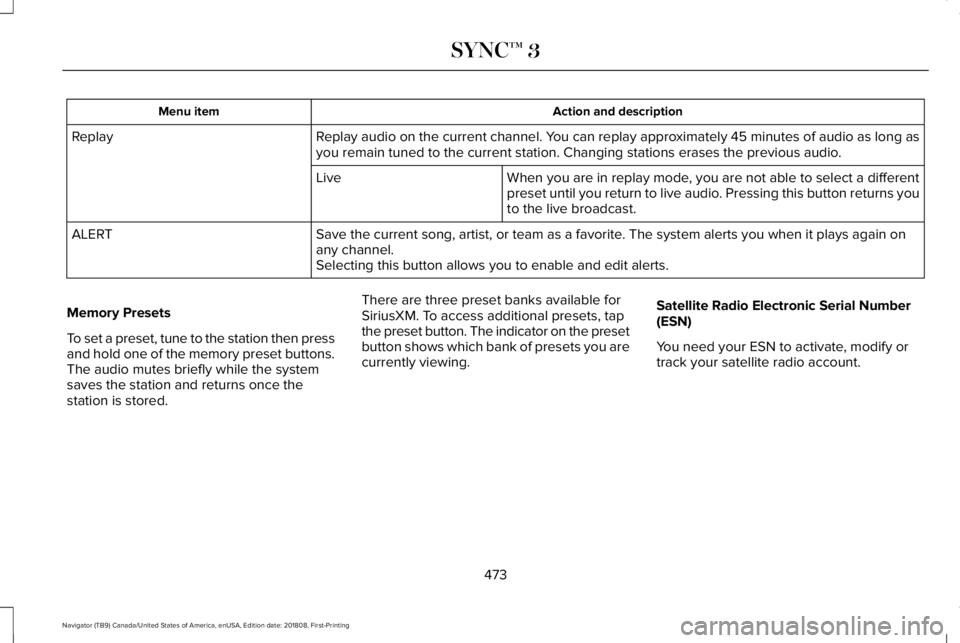
Action and descriptionMenu item
Replay audio on the current channel. You can replay approximately 45 minutes of audio as long asyou remain tuned to the current station. Changing stations erases the previous audio.Replay
When you are in replay mode, you are not able to select a differentpreset until you return to live audio. Pressing this button returns youto the live broadcast.
Live
Save the current song, artist, or team as a favorite. The system alerts you when it plays again onany channel.ALERT
Selecting this button allows you to enable and edit alerts.
Memory Presets
To set a preset, tune to the station then pressand hold one of the memory preset buttons.The audio mutes briefly while the systemsaves the station and returns once thestation is stored.
There are three preset banks available forSiriusXM. To access additional presets, tapthe preset button. The indicator on the presetbutton shows which bank of presets you arecurrently viewing.
Satellite Radio Electronic Serial Number(ESN)
You need your ESN to activate, modify ortrack your satellite radio account.
473
Navigator (TB9) Canada/United States of America, enUSA, Edition date: 201808, First-Printing
SYNC™ 3
Page 516 of 645
The screen lists contacts in the phone book.Select the contact that you want to set asemergency contact. You can set EmergencyContact 2 by same process. You can set twoEmergency Contacts in total.
Note:After SYNC3 tries to place anemergency call, the Emergency Contactbutton displays on the touch screen. Youneed to press the button to call the contactthrough your Bluetooth phone.
Note:If the vehicle is equipped withnavigation, a map with your current streetinformation displays on the screen when 911Assist is in process.
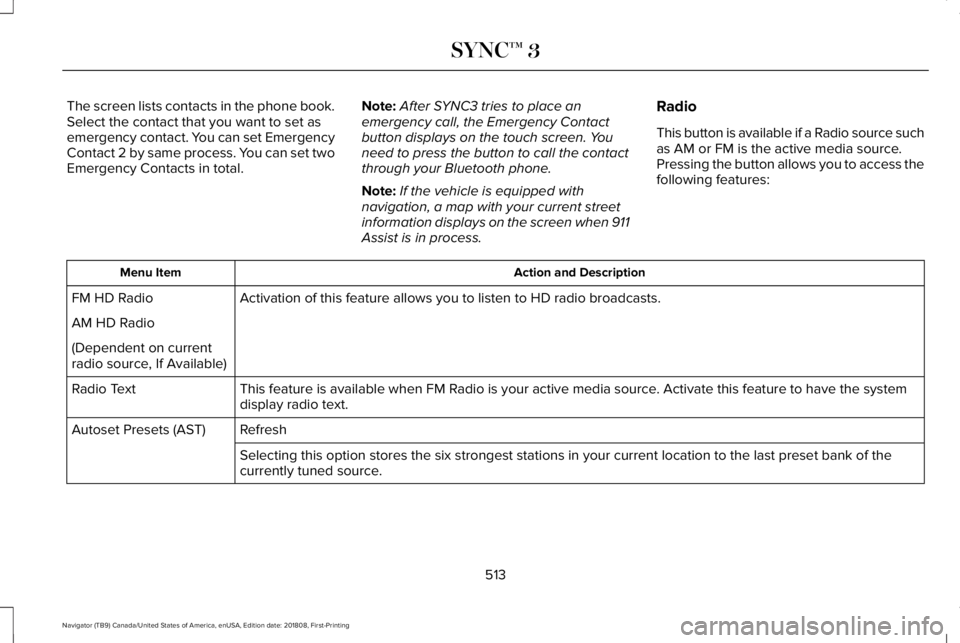
Radio
This button is available if a Radio source suchas AM or FM is the active media source.Pressing the button allows you to access thefollowing features:
Action and DescriptionMenu Item
Activation of this feature allows you to listen to HD radio broadcasts.FM HD Radio
AM HD Radio
(Dependent on currentradio source, If Available)
This feature is available when FM Radio is your active media source. Activate this feature to have the systemdisplay radio text.Radio Text
RefreshAutoset Presets (AST)
Selecting this option stores the six strongest stations in your current location to the last preset bank of thecurrently tuned source.
513
Navigator (TB9) Canada/United States of America, enUSA, Edition date: 201808, First-Printing
SYNC™ 3
Page 523 of 645
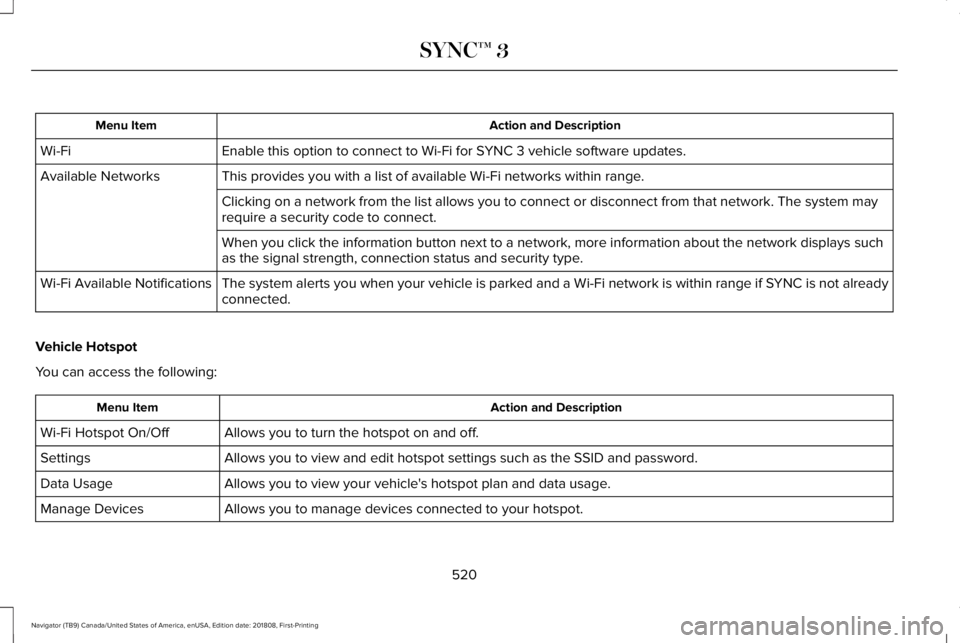
Action and DescriptionMenu Item
Enable this option to connect to Wi-Fi for SYNC 3 vehicle software updates.Wi-Fi
This provides you with a list of available Wi-Fi networks within range.Available Networks
Clicking on a network from the list allows you to connect or disconnect from that network. The system mayrequire a security code to connect.
When you click the information button next to a network, more information about the network displays suchas the signal strength, connection status and security type.
The system alerts you when your vehicle is parked and a Wi-Fi network is within range if SYNC is not alreadyconnected.Wi-Fi Available Notifications
Vehicle Hotspot
You can access the following:
Action and DescriptionMenu Item
Allows you to turn the hotspot on and off.Wi-Fi Hotspot On/Off
Allows you to view and edit hotspot settings such as the SSID and password.Settings
Allows you to view your vehicle's hotspot plan and data usage.Data Usage
Allows you to manage devices connected to your hotspot.Manage Devices
520
Navigator (TB9) Canada/United States of America, enUSA, Edition date: 201808, First-Printing
SYNC™ 3
Page 524 of 645
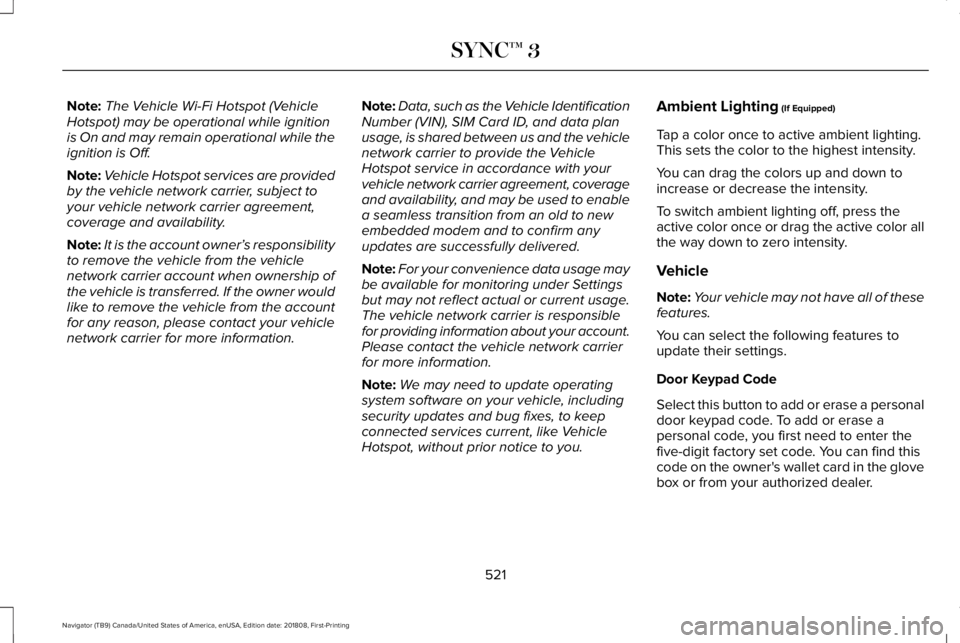
Note:The Vehicle Wi-Fi Hotspot (VehicleHotspot) may be operational while ignitionis On and may remain operational while theignition is Off.
Note:Vehicle Hotspot services are providedby the vehicle network carrier, subject toyour vehicle network carrier agreement,coverage and availability.
Note:It is the account owner’s responsibilityto remove the vehicle from the vehiclenetwork carrier account when ownership ofthe vehicle is transferred. If the owner wouldlike to remove the vehicle from the accountfor any reason, please contact your vehiclenetwork carrier for more information.
Note:Data, such as the Vehicle IdentificationNumber (VIN), SIM Card ID, and data planusage, is shared between us and the vehiclenetwork carrier to provide the VehicleHotspot service in accordance with yourvehicle network carrier agreement, coverageand availability, and may be used to enablea seamless transition from an old to newembedded modem and to confirm anyupdates are successfully delivered.
Note:For your convenience data usage maybe available for monitoring under Settingsbut may not reflect actual or current usage.The vehicle network carrier is responsiblefor providing information about your account.Please contact the vehicle network carrierfor more information.
Note:We may need to update operatingsystem software on your vehicle, includingsecurity updates and bug fixes, to keepconnected services current, like VehicleHotspot, without prior notice to you.
Ambient Lighting (If Equipped)
Tap a color once to active ambient lighting.This sets the color to the highest intensity.
You can drag the colors up and down toincrease or decrease the intensity.
To switch ambient lighting off, press theactive color once or drag the active color allthe way down to zero intensity.
Vehicle
Note:Your vehicle may not have all of thesefeatures.
You can select the following features toupdate their settings.
Door Keypad Code
Select this button to add or erase a personaldoor keypad code. To add or erase apersonal code, you first need to enter thefive-digit factory set code. You can find thiscode on the owner's wallet card in the glovebox or from your authorized dealer.
521
Navigator (TB9) Canada/United States of America, enUSA, Edition date: 201808, First-Printing
SYNC™ 3
Page 527 of 645
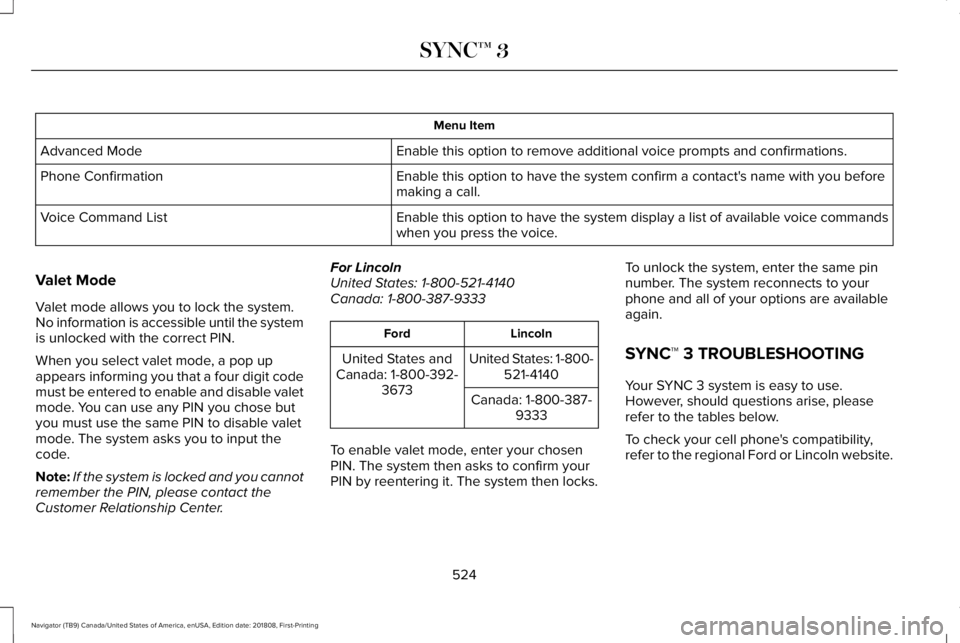
Menu Item
Enable this option to remove additional voice prompts and confirmations.Advanced Mode
Enable this option to have the system confirm a contact's name with you beforemaking a call.Phone Confirmation
Enable this option to have the system display a list of available voice commandswhen you press the voice.Voice Command List
Valet Mode
Valet mode allows you to lock the system.No information is accessible until the systemis unlocked with the correct PIN.
When you select valet mode, a pop upappears informing you that a four digit codemust be entered to enable and disable valetmode. You can use any PIN you chose butyou must use the same PIN to disable valetmode. The system asks you to input thecode.
Note:If the system is locked and you cannotremember the PIN, please contact theCustomer Relationship Center.
For LincolnUnited States: 1-800-521-4140Canada: 1-800-387-9333
LincolnFord
United States: 1-800-521-4140United States andCanada: 1-800-392-3673Canada: 1-800-387-9333
To enable valet mode, enter your chosenPIN. The system then asks to confirm yourPIN by reentering it. The system then locks.
To unlock the system, enter the same pinnumber. The system reconnects to yourphone and all of your options are availableagain.
SYNC™ 3 TROUBLESHOOTING
Your SYNC 3 system is easy to use.However, should questions arise, pleaserefer to the tables below.
To check your cell phone's compatibility,refer to the regional Ford or Lincoln website.
524
Navigator (TB9) Canada/United States of America, enUSA, Edition date: 201808, First-Printing
SYNC™ 3
Page 529 of 645
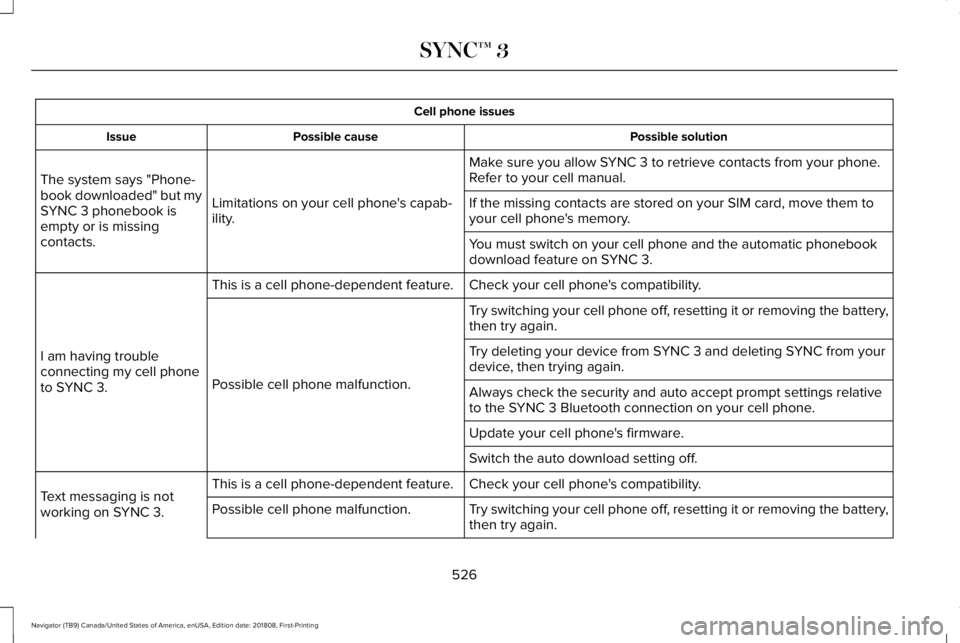
Cell phone issues
Possible solutionPossible causeIssue
Make sure you allow SYNC 3 to retrieve contacts from your phone.Refer to your cell manual.
Limitations on your cell phone's capab-ility.
The system says "Phone-book downloaded" but mySYNC 3 phonebook isempty or is missingcontacts.
If the missing contacts are stored on your SIM card, move them toyour cell phone's memory.
You must switch on your cell phone and the automatic phonebookdownload feature on SYNC 3.
Check your cell phone's compatibility.This is a cell phone-dependent feature.
I am having troubleconnecting my cell phoneto SYNC 3.
Try switching your cell phone off, resetting it or removing the battery,then try again.
Possible cell phone malfunction.
Try deleting your device from SYNC 3 and deleting SYNC from yourdevice, then trying again.
Always check the security and auto accept prompt settings relativeto the SYNC 3 Bluetooth connection on your cell phone.
Update your cell phone's firmware.
Switch the auto download setting off.
Check your cell phone's compatibility.This is a cell phone-dependent feature.Text messaging is notworking on SYNC 3.Try switching your cell phone off, resetting it or removing the battery,then try again.Possible cell phone malfunction.
526
Navigator (TB9) Canada/United States of America, enUSA, Edition date: 201808, First-Printing
SYNC™ 3