warning LINCOLN NAVIGATOR 2020 Owners Manual
[x] Cancel search | Manufacturer: LINCOLN, Model Year: 2020, Model line: NAVIGATOR, Model: LINCOLN NAVIGATOR 2020Pages: 622, PDF Size: 6.47 MB
Page 265 of 622
WARNING: Use caution when the
rear cargo door is ajar. If the rear cargo
door is ajar, the camera will be out of
position and the video image may be
incorrect. All guidelines disappear when
the rear cargo door is ajar. Failure to follow
this instruction could result in personal
injury. WARNING:
Use caution when turning
camera features on or off when the
transmission is not in park (P). Make sure
your vehicle is not moving.
The rear view camera system provides a
video image of the area behind your vehicle.
During operation, lines appear in the display
which represent your vehicle ’s path and
proximity to objects behind your vehicle. The camera is located on the luggage
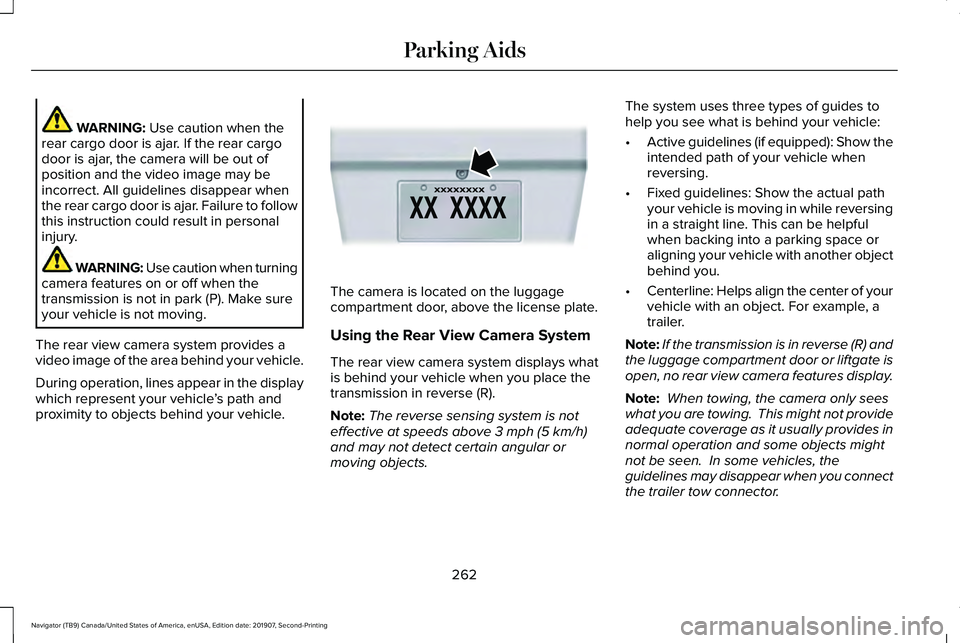
compartment door, above the license plate.
Using the Rear View Camera System
The rear view camera system displays what
is behind your vehicle when you place the
transmission in reverse (R).
Note:
The reverse sensing system is not
effective at speeds above
3 mph (5 km/h)
and may not detect certain angular or
moving objects. The system uses three types of guides to
help you see what is behind your vehicle:
•
Active guidelines (if equipped): Show the
intended path of your vehicle when
reversing.
• Fixed guidelines: Show the actual path
your vehicle is moving in while reversing
in a straight line. This can be helpful
when backing into a parking space or
aligning your vehicle with another object
behind you.
• Centerline: Helps align the center of your
vehicle with an object. For example, a
trailer.
Note: If the transmission is in reverse (R) and
the luggage compartment door or liftgate is
open, no rear view camera features display.
Note: When towing, the camera only sees
what you are towing. This might not provide
adequate coverage as it usually provides in
normal operation and some objects might
not be seen. In some vehicles, the
guidelines may disappear when you connect
the trailer tow connector.
262
Navigator (TB9) Canada/United States of America, enUSA, Edition date: 201907, Second-Printing Parking AidsE142435
Page 267 of 622
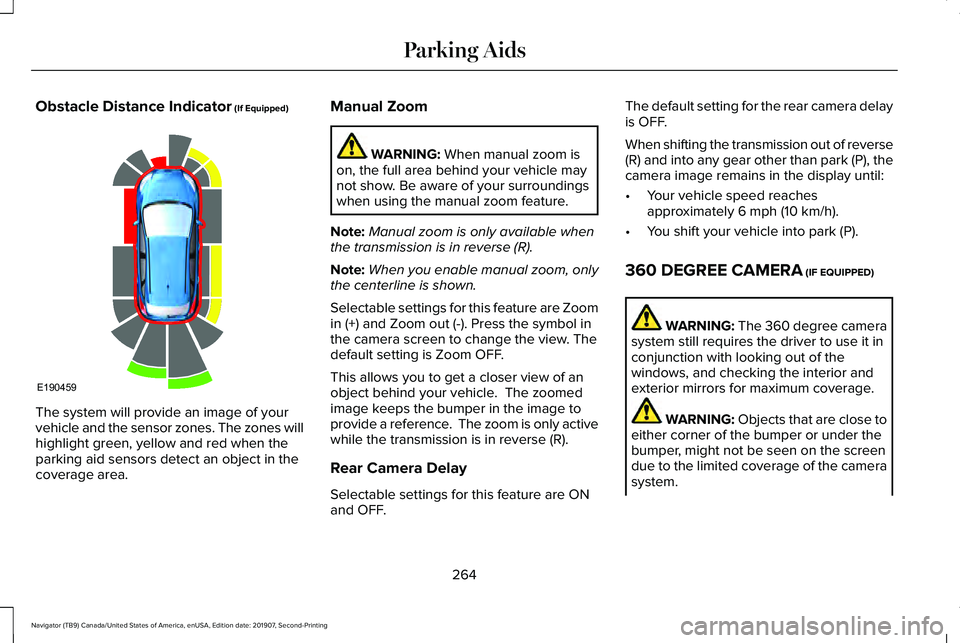
Obstacle Distance Indicator (If Equipped)
The system will provide an image of your
vehicle and the sensor zones. The zones will
highlight green, yellow and red when the
parking aid sensors detect an object in the
coverage area. Manual Zoom WARNING:
When manual zoom is
on, the full area behind your vehicle may
not show. Be aware of your surroundings
when using the manual zoom feature.
Note: Manual zoom is only available when
the transmission is in reverse (R).
Note: When you enable manual zoom, only
the centerline is shown.
Selectable settings for this feature are Zoom
in (+) and Zoom out (-). Press the symbol in
the camera screen to change the view. The
default setting is Zoom OFF.
This allows you to get a closer view of an
object behind your vehicle. The zoomed
image keeps the bumper in the image to
provide a reference. The zoom is only active
while the transmission is in reverse (R).
Rear Camera Delay
Selectable settings for this feature are ON
and OFF. The default setting for the rear camera delay
is OFF.
When shifting the transmission out of reverse
(R) and into any gear other than park (P), the
camera image remains in the display until:
•
Your vehicle speed reaches
approximately
6 mph (10 km/h).
• You shift your vehicle into park (P).
360 DEGREE CAMERA
(IF EQUIPPED) WARNING: The 360 degree camera
system still requires the driver to use it in
conjunction with looking out of the
windows, and checking the interior and
exterior mirrors for maximum coverage. WARNING:
Objects that are close to
either corner of the bumper or under the
bumper, might not be seen on the screen
due to the limited coverage of the camera
system.
264
Navigator (TB9) Canada/United States of America, enUSA, Edition date: 201907, Second-Printing Parking AidsE190459
Page 268 of 622
WARNING: Use caution when turning
camera features on or off when the
transmission is not in park (P). Make sure
your vehicle is not moving.
Note: The 360 degree camera system turns
off when your vehicle is in motion at low
speed, except when in reverse (R).
The 360 degree camera system consists of
front, side and rear cameras. The system:
• Allows you to see what is directly in front
or behind your vehicle.
• Provides cross traffic view in front and
behind your vehicle.
• Allows you to see a top-down view of the
area outside your vehicle, including the
blind spots.
• Provides visibility around your vehicle in
parking maneuvers such as:
•Centering in a parking space.
• Obstacles near vehicle.
• Parallel parking. Camera Views The front camera enable button is
near the display screen and turns
on the front camera when your
vehicle is not in reverse (R).
When in park (P), neutral (N) or drive (D), only
images from the front cameras are displayed.
Press the camera button to display the front
camera image on the display screen.
When in reverse (R), only images from the
rear cameras are displayed. When you shift
into reverse (R), the rear view camera image
automatically shows on the display screen.
Automatic 360 Degree Camera
Activation
The system activates the 360 degree camera
view when the front parking aid detects an
object. The system displays the
corresponding view when the object
distance indicator detects an object.
See
Front Parking Aid (page 250). When the front parking aid system emits an
audible tone, the 360 degree camera views
are active and deactivates a few seconds
after the tone stops. The camera view stays
active for objects detected in the red parking
aid zone regardless of tone. You can turn
the view off by pressing the physical camera
button.
Switching Automatic 360 Degree Camera
Activation On and Off
You can turn the automatic 360 degree
camera activation on and off through the
parking aid button.
The automatic 360 degree camera activation
is only available when you shift into drive (D)
or neutral (N) and if your vehicle speed is
below
6 mph (10 km/h).
The automatic 360 degree camera activation
is not available when you shift into park (P)
or reach speeds over
6 mph (10 km/h).
Note: The rear camera and 360 degree
camera operate normally regardless of
object detection.
265
Navigator (TB9) Canada/United States of America, enUSA, Edition date: 201907, Second-Printing Parking AidsE205884
Page 269 of 622
Advanced Camera Views (If Equipped)
Additional camera views may be
available for vehicles with specific
features. Press the small camera
icon shown on the top left corner of the
display screen to open the camera view
menu.
The following camera views can be accessed
in park (P), neutral (N) or drive (D) when you
press the camera button:
• Front 360 + Normal: Contains the normal
front camera view next to a 360 degree
camera view.
• Front Normal View:
Provides an image
of what is directly in front of your vehicle.
• Front Split View:
Provides an extended
view of what is in front of your vehicle. The following camera views can be accessed
when you shift into reverse (R):
•
Rear 360 + Normal: Contains the normal
rear camera view next to a 360 degree
camera view. Press the zoom (+) button
to quickly access Rear Normal View from
this screen.
• Rear Normal View:
Provides an image
of what is directly behind your vehicle.
• Rear Split View:
Provides an extended
view of what is behind your vehicle.
Keep Out Zone
The Keep Out Zone is represented by the
yellow dotted lines running parallel to your
vehicle. It is designed to give you the
indication on the ground of the fully
extended outside mirror position.
Front Camera WARNING:
The front camera system
still requires the driver to use it in
conjunction with looking out of your
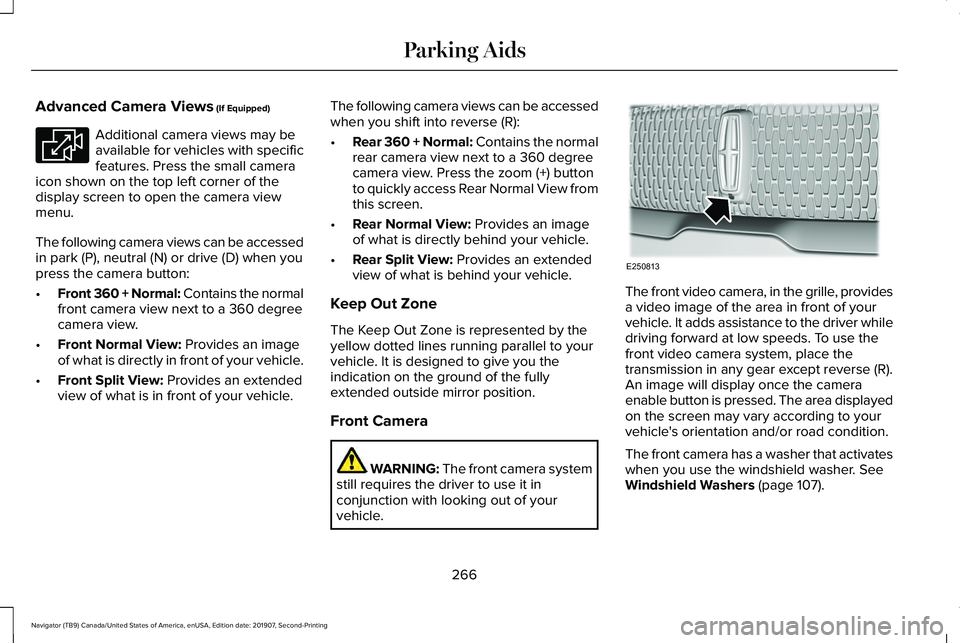
vehicle. The front video camera, in the grille, provides
a video image of the area in front of your
vehicle. It adds assistance to the driver while
driving forward at low speeds. To use the
front video camera system, place the
transmission in any gear except reverse (R).
An image will display once the camera
enable button is pressed. The area displayed
on the screen may vary according to your
vehicle's orientation and/or road condition.
The front camera has a washer that activates
when you use the windshield washer. See
Windshield Washers (page 107).
266
Navigator (TB9) Canada/United States of America, enUSA, Edition date: 201907, Second-Printing Parking AidsE233726 E250813
Page 271 of 622
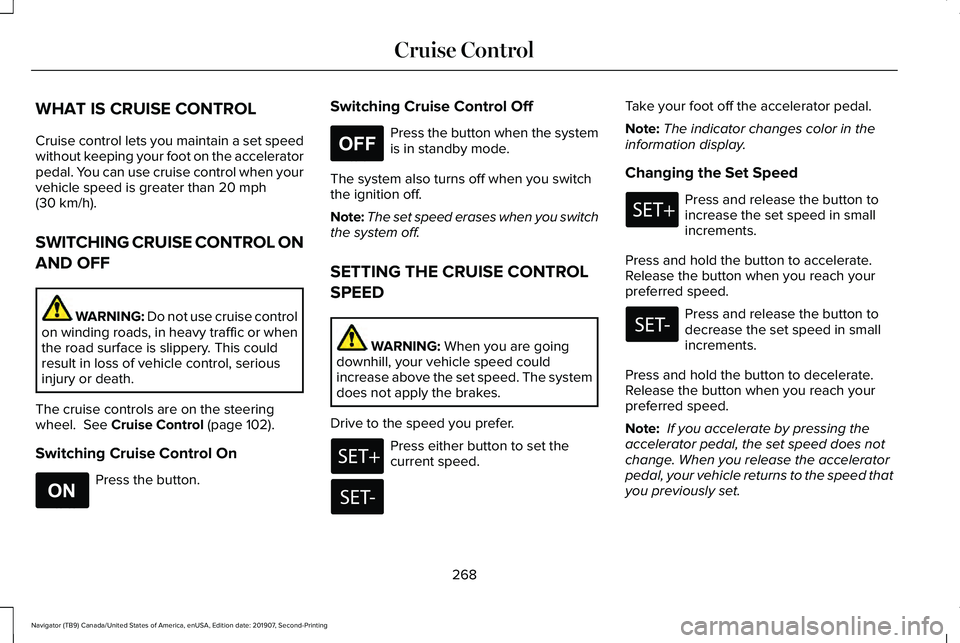
WHAT IS CRUISE CONTROL
Cruise control lets you maintain a set speed
without keeping your foot on the accelerator
pedal. You can use cruise control when your
vehicle speed is greater than 20 mph
(30 km/h).
SWITCHING CRUISE CONTROL ON
AND OFF WARNING:
Do not use cruise control
on winding roads, in heavy traffic or when
the road surface is slippery. This could
result in loss of vehicle control, serious
injury or death.
The cruise controls are on the steering
wheel.
See Cruise Control (page 102).
Switching Cruise Control On Press the button. Switching Cruise Control Off Press the button when the system
is in standby mode.
The system also turns off when you switch
the ignition off.
Note: The set speed erases when you switch
the system off.
SETTING THE CRUISE CONTROL
SPEED WARNING:
When you are going
downhill, your vehicle speed could
increase above the set speed. The system
does not apply the brakes.
Drive to the speed you prefer. Press either button to set the
current speed.Take your foot off the accelerator pedal.
Note:
The indicator changes color in the
information display.
Changing the Set Speed Press and release the button to
increase the set speed in small
increments.
Press and hold the button to accelerate.
Release the button when you reach your
preferred speed. Press and release the button to
decrease the set speed in small
increments.
Press and hold the button to decelerate.
Release the button when you reach your
preferred speed.
Note: If you accelerate by pressing the
accelerator pedal, the set speed does not
change. When you release the accelerator
pedal, your vehicle returns to the speed that
you previously set.
268
Navigator (TB9) Canada/United States of America, enUSA, Edition date: 201907, Second-Printing Cruise ControlE265296 E265297
Page 272 of 622
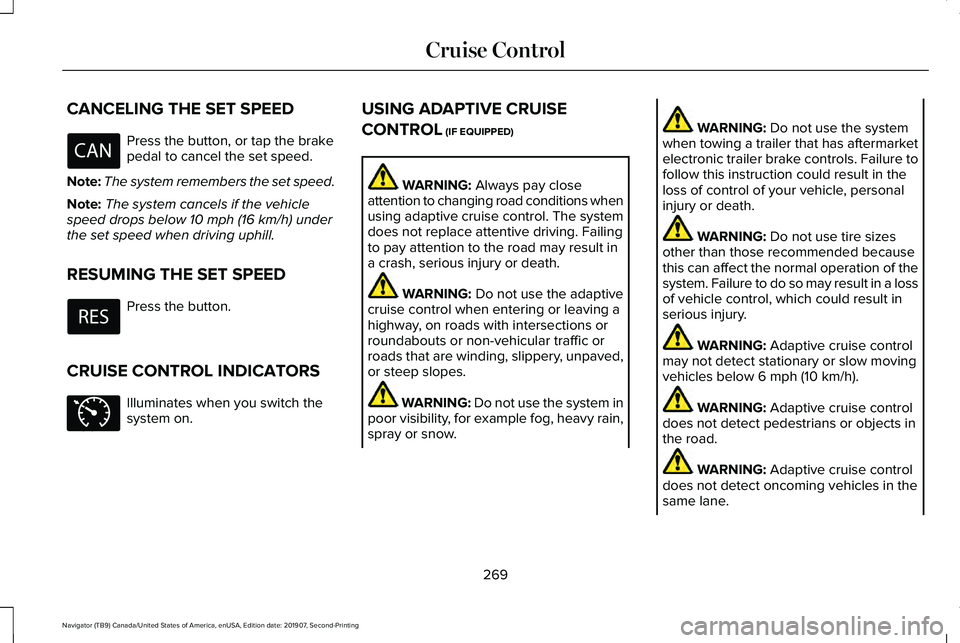
CANCELING THE SET SPEED
Press the button, or tap the brake
pedal to cancel the set speed.
Note: The system remembers the set speed.
Note: The system cancels if the vehicle
speed drops below 10 mph (16 km/h) under
the set speed when driving uphill.
RESUMING THE SET SPEED Press the button.
CRUISE CONTROL INDICATORS Illuminates when you switch the
system on. USING ADAPTIVE CRUISE
CONTROL
(IF EQUIPPED) WARNING:
Always pay close
attention to changing road conditions when
using adaptive cruise control. The system
does not replace attentive driving. Failing
to pay attention to the road may result in
a crash, serious injury or death. WARNING:
Do not use the adaptive
cruise control when entering or leaving a
highway, on roads with intersections or
roundabouts or non-vehicular traffic or
roads that are winding, slippery, unpaved,
or steep slopes. WARNING:
Do not use the system in
poor visibility, for example fog, heavy rain,
spray or snow. WARNING:
Do not use the system
when towing a trailer that has aftermarket
electronic trailer brake controls. Failure to
follow this instruction could result in the
loss of control of your vehicle, personal
injury or death. WARNING:
Do not use tire sizes
other than those recommended because
this can affect the normal operation of the
system. Failure to do so may result in a loss
of vehicle control, which could result in
serious injury. WARNING:
Adaptive cruise control
may not detect stationary or slow moving
vehicles below
6 mph (10 km/h). WARNING:
Adaptive cruise control
does not detect pedestrians or objects in
the road. WARNING:
Adaptive cruise control
does not detect oncoming vehicles in the
same lane.
269
Navigator (TB9) Canada/United States of America, enUSA, Edition date: 201907, Second-Printing Cruise Control E71340
Page 273 of 622
WARNING: Adaptive cruise control
is not a crash warning or avoidance
system.
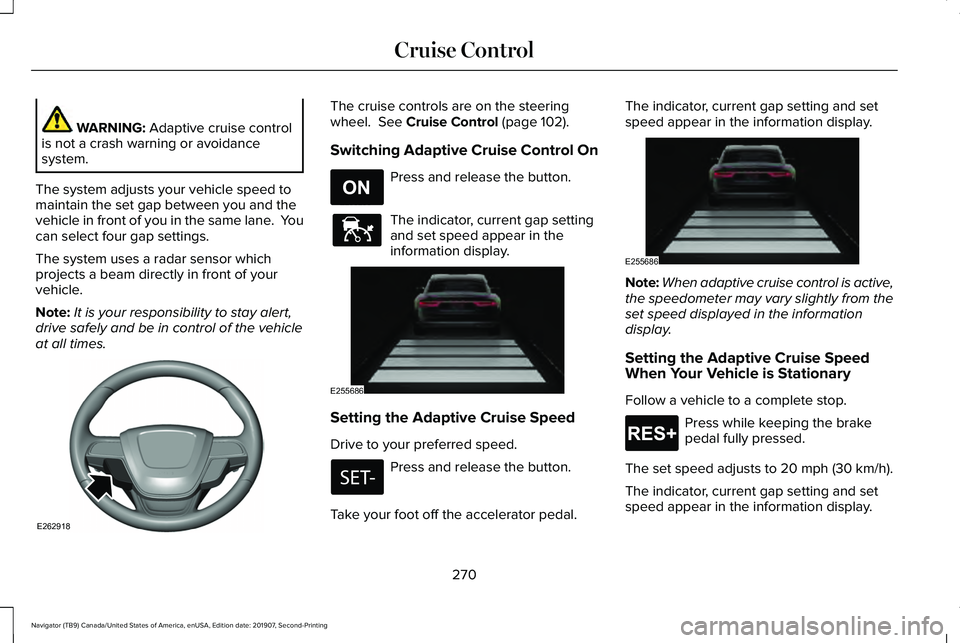
The system adjusts your vehicle speed to
maintain the set gap between you and the
vehicle in front of you in the same lane. You
can select four gap settings.
The system uses a radar sensor which
projects a beam directly in front of your
vehicle.
Note: It is your responsibility to stay alert,
drive safely and be in control of the vehicle
at all times. The cruise controls are on the steering
wheel. See Cruise Control (page 102).
Switching Adaptive Cruise Control On Press and release the button.
The indicator, current gap setting
and set speed appear in the
information display.
Setting the Adaptive Cruise Speed
Drive to your preferred speed.
Press and release the button.
Take your foot off the accelerator pedal. The indicator, current gap setting and set
speed appear in the information display.
Note:
When adaptive cruise control is active,
the speedometer may vary slightly from the
set speed displayed in the information
display.
Setting the Adaptive Cruise Speed
When Your Vehicle is Stationary
Follow a vehicle to a complete stop. Press while keeping the brake
pedal fully pressed.
The set speed adjusts to 20 mph (30 km/h).
The indicator, current gap setting and set
speed appear in the information display.
270
Navigator (TB9) Canada/United States of America, enUSA, Edition date: 201907, Second-Printing Cruise ControlE262918 E265296 E144529 E255686 E255686 E265299
Page 274 of 622
Following a Vehicle
WARNING: When following a vehicle,
your vehicle does not always decelerate
quickly enough to avoid a crash without
driver intervention. Always apply the
brakes when necessary. Failing to do so
may result in a crash, serious injury or
death. WARNING: Adaptive cruise control
only warns of vehicles detected by the
radar sensor. In some cases there may be
no warning or a delayed warning. You
should always apply the brakes when
necessary. Failure to do so may result in a
crash, serious injury or death.
When a vehicle ahead of you enters the
same lane or a slower vehicle is ahead in the
same lane, the vehicle speed adjusts to
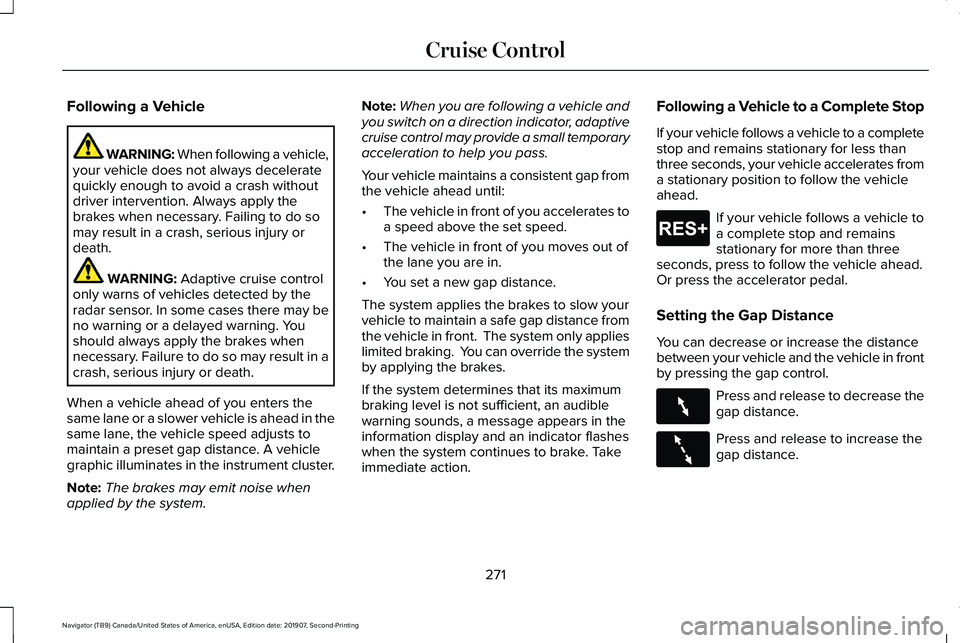
maintain a preset gap distance. A vehicle
graphic illuminates in the instrument cluster.
Note: The brakes may emit noise when
applied by the system. Note:
When you are following a vehicle and
you switch on a direction indicator, adaptive
cruise control may provide a small temporary
acceleration to help you pass.
Your vehicle maintains a consistent gap from
the vehicle ahead until:
• The vehicle in front of you accelerates to
a speed above the set speed.
• The vehicle in front of you moves out of
the lane you are in.
• You set a new gap distance.
The system applies the brakes to slow your
vehicle to maintain a safe gap distance from
the vehicle in front. The system only applies
limited braking. You can override the system
by applying the brakes.
If the system determines that its maximum
braking level is not sufficient, an audible
warning sounds, a message appears in the
information display and an indicator flashes
when the system continues to brake. Take
immediate action. Following a Vehicle to a Complete Stop
If your vehicle follows a vehicle to a complete
stop and remains stationary for less than
three seconds, your vehicle accelerates from
a stationary position to follow the vehicle
ahead. If your vehicle follows a vehicle to
a complete stop and remains
stationary for more than three
seconds, press to follow the vehicle ahead.
Or press the accelerator pedal.
Setting the Gap Distance
You can decrease or increase the distance
between your vehicle and the vehicle in front
by pressing the gap control. Press and release to decrease the
gap distance.
Press and release to increase the
gap distance.
271
Navigator (TB9) Canada/United States of America, enUSA, Edition date: 201907, Second-Printing Cruise ControlE265299 E263697 E263696
Page 275 of 622
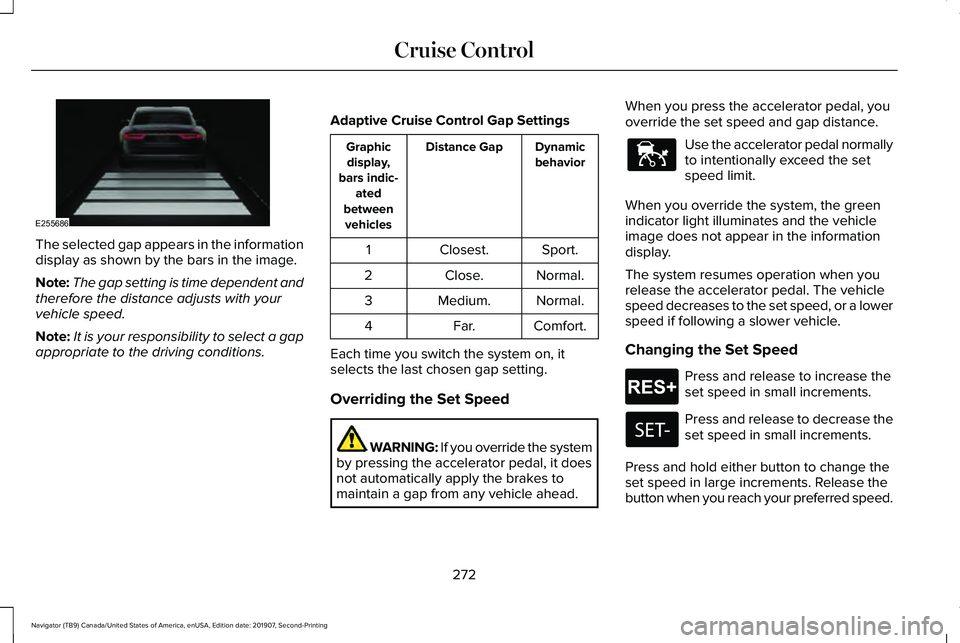
The selected gap appears in the information
display as shown by the bars in the image.
Note:
The gap setting is time dependent and
therefore the distance adjusts with your
vehicle speed.
Note: It is your responsibility to select a gap
appropriate to the driving conditions. Adaptive Cruise Control Gap Settings Dynamic
behavior
Distance Gap
Graphic
display,
bars indic- ated
between vehicles
Sport.
Closest.
1
Normal.
Close.
2
Normal.
Medium.
3
Comfort.
Far.
4
Each time you switch the system on, it
selects the last chosen gap setting.
Overriding the Set Speed WARNING: If you override the system
by pressing the accelerator pedal, it does
not automatically apply the brakes to
maintain a gap from any vehicle ahead. When you press the accelerator pedal, you
override the set speed and gap distance. Use the accelerator pedal normally
to intentionally exceed the set
speed limit.
When you override the system, the green
indicator light illuminates and the vehicle
image does not appear in the information
display.
The system resumes operation when you
release the accelerator pedal. The vehicle
speed decreases to the set speed, or a lower
speed if following a slower vehicle.
Changing the Set Speed Press and release to increase the
set speed in small increments.
Press and release to decrease the
set speed in small increments.
Press and hold either button to change the
set speed in large increments. Release the
button when you reach your preferred speed.
272
Navigator (TB9) Canada/United States of America, enUSA, Edition date: 201907, Second-Printing Cruise ControlE255686 E144529 E265299
Page 276 of 622
The system may apply the brakes to slow
the vehicle to the new set speed. The set
speed displays continuously in the
information display when the system is
active.
Canceling the Set Speed
Press and release the button or tap
the brake pedal.
The set speed does not erase.
Resuming the Set Speed Press and release the button.
Your vehicle speed returns to the previously
set speed and gap setting. The set speed
displays continuously in the information
display when the system is active.
Note: Only use resume if you are aware of
the set speed and intend to return to it.
Automatic Cancellation
Automatic cancellation can also occur when: •
The tires lose traction.
• You apply the parking brake.
Park Brake Application
Automatic parking brake application and
cancellation occurs if:
• You unbuckle the seatbelt and open the
door after you stop the vehicle.
• You hold the vehicle at a stop
continuously for more than three minutes.
Hilly Condition Usage
You should select a lower gear when the
system is active in situations such as
prolonged downhill driving on steep grades,
for example in mountainous areas. The
system needs additional engine braking in
these situations to reduce the load on the
vehicle ’s regular brake system to prevent it
from overheating.
Note: An audible alarm sounds and the
system shuts down if it applies brakes for an
extended period of time. This allows the
brakes to cool. The system functions
normally again after the brakes cool. Switching Adaptive Cruise Control Off Press and release the button when
the system is in standby mode, or
switch the ignition off.
Note: You erase the set speed and gap
setting when you switch the system off.
Detection Issues WARNING: On rare occasions,
detection issues can occur due to the road
infrastructures, for example bridges,
tunnels and safety barriers. In these cases,
the system may brake late or
unexpectedly. At all times, you are
responsible for controlling your vehicle,
supervising the system and intervening, if
required. WARNING:
If the system
malfunctions, have your vehicle checked
as soon as possible.
273
Navigator (TB9) Canada/United States of America, enUSA, Edition date: 201907, Second-Printing Cruise Control E265299 E265297