climate settings LINCOLN NAVIGATOR 2020 User Guide
[x] Cancel search | Manufacturer: LINCOLN, Model Year: 2020, Model line: NAVIGATOR, Model: LINCOLN NAVIGATOR 2020Pages: 622, PDF Size: 6.47 MB
Page 477 of 622
4. Follow the instructions provided to
download the update to the USB drive.
Installing an Update
Note: You can use the system when an
installation is in progress.
1. Disconnect all other USB devices from the USB ports.
2. Connect the USB drive with the update to a USB port.
Note: Installation starts automatically within
10 minutes.
Updating the System Using a Wi-Fi Network
Connection
Connecting to a Wi-Fi Network Select the settings option on the
feature bar.
1. Select Automatic Updates.
2. Select
System Wi-Fi.
3. Switch
System Wi-Fi on.
4. Select
Available Wi-Fi Networks.
5. Select an available Wi-Fi network. Note:
Enter the network password to
connect to a secure network.
Switching Automatic System Updates On Select the settings option on the
feature bar.
1. Select
Automatic Updates.
2. Switch
Automatic System Updates on.
The system is now set to check for and
receive system updates when it is connected
to a Wi-Fi network.
Note: You can use the system when a
download is in progress.
Note: If the system is disconnected from the
Wi-Fi network when a download is in
progress, the download continues the next
time the system is connected to a Wi-Fi
network.
Additional Information and Assistance
For additional information and assistance,
we recommend that you contact an
authorized dealer or refer to the local Ford
website. USING VOICE RECOGNITION
The SYNC 3 system allows you to use voice
commands, to control features like audio and
climate controls. By using voice commands,
you can keep your hands on the wheel and
your eyes on the road.
You can access each feature controlled by
SYNC 3 through a variety of commands.
To activate the SYNC 3 voice
commands push the voice button
on the steering wheel and wait for
the prompt.
___ is a dynamic listing, meaning that it can
be the name of anything, such as artist, the
name of contact or number. The context and
the description of the command tell you what
to say for this dynamic option.
There are some commands that work for
every feature, these commands are:
474
Navigator (TB9) Canada/United States of America, enUSA, Edition date: 201907, Second-Printing SYNC™ 3E280315 E280315 E142599
Page 487 of 622
Description
Voice command
The system does not confirm before placing a call.
Call Confirmation Off
The system displays a short list of available commands.
Voice Command Lists On
The system does not display the list of commands.
Voice Command Lists Off
You can use the volume control to adjust the
volume of the system voice prompts. While
prompt is active, adjust the volume control
up or down to your desired setting.
Note: Depending on the current climate
control settings, the fan speed may
automatically go down while issuing voice
commands or while making and receiving
phone calls via SYNC to reduce the amount
of background noise in the vehicle. The fan
speed will automatically return to normal
operation once the voice session ends. You
can adjust the fan speed during a voice
session, simply press the fan buttons (or turn
the fan knob) to increase or decrease the
fan speed to the setting you prefer. To disable this automatic fan speed
reduction feature during voice sessions,
press and hold the climate control AC and
Recirculated air buttons simultaneously,
release and then increase fan speed within
2 seconds. To re-enable this feature, repeat
the above sequence.
484
Navigator (TB9) Canada/United States of America, enUSA, Edition date: 201907, Second-Printing SYNC™ 3
Page 500 of 622
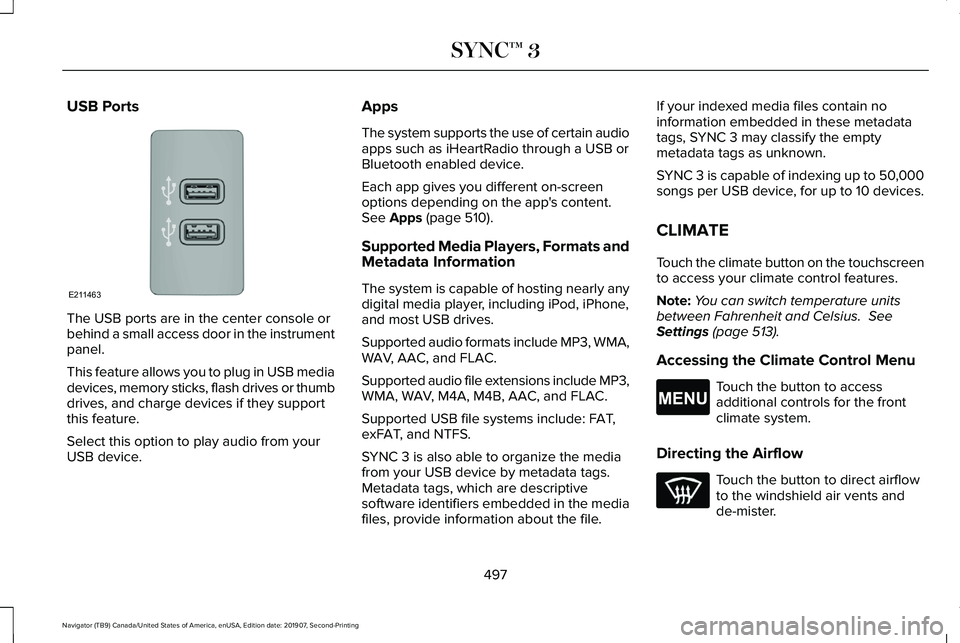
USB Ports
The USB ports are in the center console or
behind a small access door in the instrument
panel.
This feature allows you to plug in USB media
devices, memory sticks, flash drives or thumb
drives, and charge devices if they support
this feature.
Select this option to play audio from your
USB device. Apps
The system supports the use of certain audio
apps such as iHeartRadio through a USB or
Bluetooth enabled device.
Each app gives you different on-screen
options depending on the app's content.
See Apps (page 510).
Supported Media Players, Formats and
Metadata Information
The system is capable of hosting nearly any
digital media player, including iPod, iPhone,
and most USB drives.
Supported audio formats include MP3, WMA,
WAV, AAC, and FLAC.
Supported audio file extensions include MP3,
WMA, WAV, M4A, M4B, AAC, and FLAC.
Supported USB file systems include: FAT,
exFAT, and NTFS.
SYNC 3 is also able to organize the media
from your USB device by metadata tags.
Metadata tags, which are descriptive
software identifiers embedded in the media
files, provide information about the file. If your indexed media files contain no
information embedded in these metadata
tags, SYNC 3 may classify the empty
metadata tags as unknown.
SYNC 3 is capable of indexing up to 50,000
songs per USB device, for up to 10 devices.
CLIMATE
Touch the climate button on the touchscreen
to access your climate control features.
Note:
You can switch temperature units
between Fahrenheit and Celsius.
See
Settings (page 513).
Accessing the Climate Control Menu Touch the button to access
additional controls for the front
climate system.
Directing the Airflow Touch the button to direct airflow
to the windshield air vents and
de-mister.
497
Navigator (TB9) Canada/United States of America, enUSA, Edition date: 201907, Second-Printing SYNC™ 3E211463 E265038
Page 501 of 622
Touch the button to direct airflow
to the instrument panel air vents.
Touch the button to direct airflow
to the footwell air vents.
You can direct air through any combination
of these air vents.
Setting the Blower Motor Speed Touch up or down to increase or
decrease the volume of air that
circulates in your vehicle.
Setting the Temperature
Touch up or down on the left-hand
temperature control to set the left-hand
temperature.
Note: This control also adjusts the right-hand
side temperature when you switch off dual
zone mode.
Touch up or down on the right-hand
temperature control to set the right-hand
temperature. Switching Auto Mode On and Off Touch the button to switch on
automatic operation, then set the
temperature.
The system adjusts the blower motor speed,
air distribution, air conditioning operation,
and outside or recirculated air to reach and
maintain the temperature you have set.
Switching the Air Conditioning On and
Off A pop-up appears on the screen
to display the air conditioning
options.
MAX A/C: Touch the button to activate and
maximize cooling. The driver and passenger
temperatures are set to LO, recirculated air
flows through the instrument panel vents, air
conditioning automatically turns on and the
fan automatically adjusts to the highest
speed.
A/C: Touch to switch the air conditioning on
or off. Use A/C with recirculated air to
improve cooling performance and efficiency. Note:
In certain conditions, such as
maximum defrost, the air conditioning
compressor may continue to operate even
though you switch off the air conditioning.
Switching the Climate Control On and
Off Touch the button.
Switching the Climate Controlled Seats
On and Off Touch the button to cycle through
the various climate controlled seat
settings.
Switching Dual Zone Mode On and Off Touch the button to switch on
temperature control for the
right-hand side of the vehicle.
498
Navigator (TB9) Canada/United States of America, enUSA, Edition date: 201907, Second-Printing SYNC™ 3 E265282 E265280
Page 503 of 622
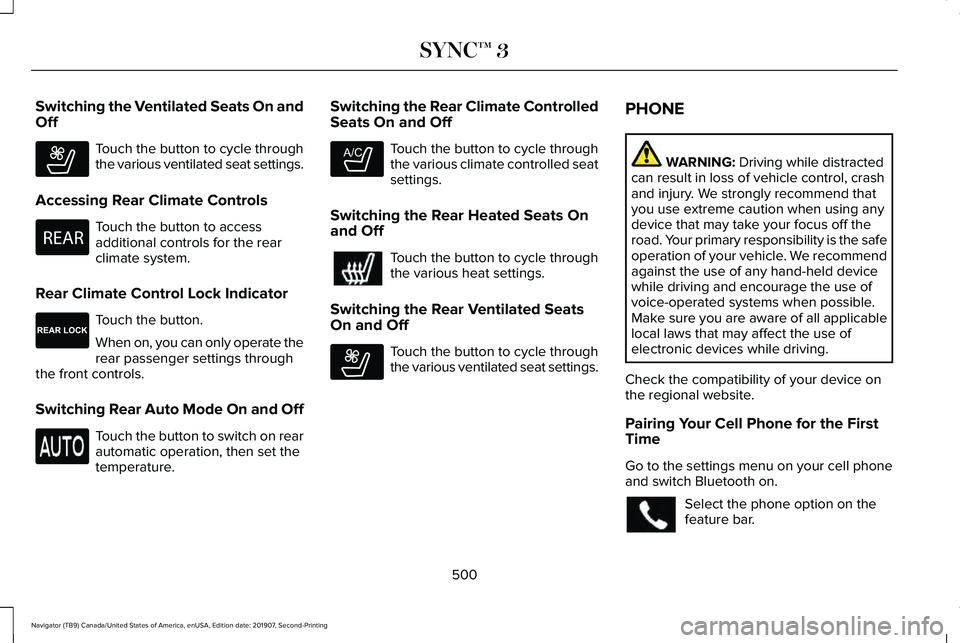
Switching the Ventilated Seats On and
Off
Touch the button to cycle through
the various ventilated seat settings.
Accessing Rear Climate Controls Touch the button to access
additional controls for the rear
climate system.
Rear Climate Control Lock Indicator Touch the button.
When on, you can only operate the
rear passenger settings through
the front controls.
Switching Rear Auto Mode On and Off Touch the button to switch on rear
automatic operation, then set the
temperature. Switching the Rear Climate Controlled
Seats On and Off Touch the button to cycle through
the various climate controlled seat
settings.
Switching the Rear Heated Seats On
and Off Touch the button to cycle through
the various heat settings.
Switching the Rear Ventilated Seats
On and Off Touch the button to cycle through
the various ventilated seat settings.PHONE WARNING: Driving while distracted
can result in loss of vehicle control, crash
and injury. We strongly recommend that
you use extreme caution when using any
device that may take your focus off the
road. Your primary responsibility is the safe
operation of your vehicle. We recommend
against the use of any hand-held device
while driving and encourage the use of
voice-operated systems when possible.
Make sure you are aware of all applicable
local laws that may affect the use of
electronic devices while driving.
Check the compatibility of your device on
the regional website.
Pairing Your Cell Phone for the First
Time
Go to the settings menu on your cell phone
and switch Bluetooth on. Select the phone option on the
feature bar.
500
Navigator (TB9) Canada/United States of America, enUSA, Edition date: 201907, Second-Printing SYNC™ 3E268558 E270447 E265289 E265282 E268558
Page 609 of 622
Audio Unit.......................................................461
Adjusting the Volume.........................................461
Changing Radio Stations...................................461
Locking the Rear Audio Controls...................462
Rear Passenger Audio Controls - Vehicles
with: Second Row Center Console...........463
Rear Seat Audio Controls - Vehicles without: Second Row Center Console.....................462
Selecting the Audio Modes.............................462
Switching the Audio Unit On and Off............462
Using Seek, Fast Forward and Reverse.......462
Auto Hold
........................................................241
Using Auto Hold.................................................242
Autolamps........................................................110 Windshield Wiper Activated Headlamps.......110
Automatic Climate Control
.........................165
Accessing Rear Climate Controls...................165
Accessing the Climate Control Menu............165
Setting the Blower Motor Speed....................165
Setting the Temperature...................................165
Switching Auto Mode On and Off...................
165
Switching Defrost On and Off..........................166
Switching Maximum Air Conditioning On and Off.......................................................................167
Switching Recirculated Air On and Off..........167
Switching the Air Conditioning On and Off.......................................................................166
Switching the Heated Seats On and Off.......
167 Switching the Ventilated Seats On and
Off.......................................................................167
Automatic High Beam Control
....................116
Automatic High Beam Control Indicators.......................................................117
Automatic Transmission
.............................222
Automatic Transmission Adaptive
Learning............................................................227
Brake-Shift Interlock Override........................226
If Your Vehicle Gets Stuck In Mud or Snow.................................................................227
SelectShift™ Automatic Transmission............225
Understanding the Shift Positions of your Automatic Transmission...............................222
Automatic Transmission Fluid Check............................................................384
Auto-Start-Stop.............................................208 Disabling Auto-Start-Stop.................................210
Enabling Auto-Start-Stop..................................208
Autowipers......................................................106 Autowipers Settings...........................................106
Auxiliary Power Points
..................................197
110 Volt AC Power Point.....................................197
12 Volt DC Power Point......................................197
USB Port and Power Point Locations.............197 B
Battery
See: Changing the 12V Battery.......................
387
Blind Spot Information System.................284 ........................................................................\
.........284
Blind Spot Information System with Trailer
Tow....................................................................285
Switching the System On and Off..................288
System Errors......................................................288
Using the Blind Spot Information System..............................................................284
BLIS See: Blind Spot Information System..............284
Body Styling Kits...........................................403
Bonnet Lock See: Opening and Closing the Hood............
373
Booster Seats..................................................39 Types of Booster Seats.......................................39
Brake Fluid Check
........................................385
Brake Fluid Service Interval.............................386
Brakes ..............................................................
237
General Information...........................................237
Breaking-In.....................................................338
Bulb Specification Chart
.............................450
606
Navigator (TB9) Canada/United States of America, enUSA, Edition date: 201907, Second-Printing Index
Page 611 of 622
Switching Auto Mode On and Off..................498
Switching Dual Zone Mode On and Off.......498
Switching Maximum Air Conditioning On and
Off......................................................................499
Switching Maximum Defrost On and Off......................................................................499
Switching Rear Auto Mode On and Off........500
Switching Recirculated Air On and Off.........499
Switching the Air Conditioning On and Off......................................................................498
Switching the Climate Controlled Seats On and Off..............................................................498
Switching the Climate Control On and Off......................................................................498
Switching the Heated Exterior Mirrors On and Off......................................................................499
Switching the Heated Rear Window On and Off......................................................................499
Switching the Heated Seats On and Off......................................................................499
Switching the Heated Steering Wheel On and Off......................................................................499
Switching the Heated Windshield On and Off......................................................................499
Switching the Rear Climate Controlled Seats On and Off.......................................................500
Switching the Rear Heated Seats On and Off......................................................................500 Switching the Rear Ventilated Seats On and
Off......................................................................500
Switching the Ventilated Seats On and Off......................................................................500
Climate Control..............................................165
Connected Vehicle......................................454
Connecting the Vehicle to a Mobile
Network............................................................454
Connected Vehicle Limitations.................454
Connected Vehicle Requirements...........454
Connected Vehicle – Troubleshooting.........................................455
Connecting the Vehicle to a Mobile Network........................................................454
Connecting Lincoln Way to the Modem.......454
Enabling and Disabling the Modem..............454
What Is the Modem............................................454
Connecting the Vehicle to a Wi-Fi Network........................................................454
Coolant Check See: Engine Coolant Check............................380
Crash Sensors and Airbag Indicator..........65
Creating a MyKey
............................................79
Programming and Changing Configurable
Settings...............................................................80
Creating a Vehicle Wi-Fi Hotspot.............458 Connecting a Device to the Wi-Fi
Hotspot.............................................................458 Finding the Wi-Fi Hotspot Name and
Password..........................................................458
Cross Traffic Alert.........................................288 Cross Traffic Alert Behavior When Trailer is
Attached............................................................291
Cross Traffic Alert Indicator.............................
292
Cross Traffic Alert Information Messages.........................................................292
Cross Traffic Alert System Limitations...........291
Cross Traffic Alert System Sensors................291
Switching the System On and Off...................291
Using Cross Traffic Alert...................................288
Cruise Control...............................................268
Cruise Control Indicators...........................269
Cruise Control - Vehicles With: Adaptive Cruise Control
.............................................102
Cruise Control - Vehicles With: Cruise Control..........................................................102
Customer Assistance
...................................347
D
Data Recording
................................................12
Comfort, Convenience and Entertainment
Data.......................................................................14
Event Data...............................................................13
Service Data............................................................12
Services That Third Parties Provide..................14
608
Navigator (TB9) Canada/United States of America, enUSA, Edition date: 201907, Second-Printing Index
Page 614 of 622
General Information on Radio
Frequencies..................................................69
Intelligent Access.................................................69
General Maintenance Information...........537 Multi-Point Inspection.......................................540
Owner Checks and Services...........................538
Protecting Your Investment..............................537
Why Maintain Your Vehicle?.............................537
Why Maintain Your Vehicle at Your
Dealership?......................................................537
Getting Assistance Outside the U.S. and Canada..........................................................351
Getting the Services You Need.................347 Away From Home...............................................347
Global Opening and Closing.......................119 Closing the Windows..........................................119
Opening the Windows........................................119
H
Hazard Flashers.............................................341
Headlamp Adjusting See: Adjusting the Headlamps.......................389
Headlamp Exit Delay......................................111
Headlamp Leveling
........................................112
Headrest See: Head Restraints..........................................173 Head Restraints
..............................................173
Adjusting the Head Restraint............................173
Front Seat Manual Head Restraints................173
Head Up Display
............................................161
Configuring The Head Up Display..................162
Head Up Display (HUD)......................................161
Head Up Display Information............................161
Maintaining Your Head Up Display.................164
Heated Exterior Mirrors...............................170
Heated Rear Window
...................................170
Heated Seats...................................................191 Automatic Climate Controlled Seats...............191
Front Seats.............................................................191
Second Row Heated Seats................................191
Heated Steering Wheel...............................103
Heated Windshield.......................................170 Windshield Wiper De-Icer.................................170
Heating See: Climate Control..........................................165
Hill Descent Control....................................246 Principle of Operation.......................................246
Hill Start Assist..............................................240 Switching the System On and Off..................240
Using Hill Start Assist........................................240
Hints on Controlling the Interior Climate..........................................................167
Defogging the Side Windows in Cold Weather.............................................................168 General Hints........................................................167
Quickly Cooling the Interior..............................168
Quickly Heating the Interior.............................168
Recommended Settings for Cooling..............168
Recommended Settings for Heating..............168
Hints on Driving With Anti-Lock Brakes...........................................................238
Hood Lock See: Opening and Closing the Hood............
373
Horn..................................................................103
I
In California (U.S. Only)...............................348
Information Display Control........................102
Information Displays
.....................................133
General Information............................................133
Information Messages..................................138 Active Park............................................................139
Adaptive Cruise Control....................................139
Adaptive Headlamps..........................................140
Alarm......................................................................140
Automatic Engine Shutdown............................140
Battery and Charging System...........................
141
Blind Spot Information and Cross Traffic Alert System...............................................................142
Doors and Locks..................................................143
Driver Alert............................................................143
611
Navigator (TB9) Canada/United States of America, enUSA, Edition date: 201907, Second-Printing Index
Page 617 of 622
Passive Anti-Theft System............................94
SecuriLock™............................................................94
PATS See: Passive Anti-Theft System........................94
Perchlorate........................................................16
Personal Safety System ™..............................56
How Does the Personal Safety System
Work?..................................................................56
Phone as a Key Limitations
..........................75
Phone as a Key................................................75 Phone as a Key – Troubleshooting..................76
Phone as a Key – Troubleshooting............76 Phone as a Key – Frequently Asked
Questions...........................................................76
Phone..............................................................500 Android Auto.......................................................502
Apple CarPlay.....................................................502
Pairing Your Cell Phone for the First
Time..................................................................500
Text Messaging....................................................501
Using Your Cell Phone.......................................501
Post-Crash Alert System
.............................344
Power Door Locks See: Locking and Unlocking..............................
83
Power Liftgate
.................................................90
Obstacle Detection..............................................92
Opening and Closing the Liftgate....................90
Setting the Liftgate Open Height.....................92 Stopping the Liftgate Movement.......................91
Switching the Power Liftgate On or Off..........92
Using the Hands-Free Liftgate..........................92
Power Running Boards
.................................98
Power Seats....................................................177 Adjusting the Lumbar Support.........................
179
Adjusting the Multi-Contour Front Seats With Active Motion ..................................................179
Power Windows..............................................118 Accessory Delay...................................................119
Bounce-Back.........................................................118
One-Touch Down.................................................118
One-Touch Up.......................................................118
Window Lock.........................................................119
Pre-Collision Assist......................................294 Adjusting the Pre-Collision Assist
Settings............................................................296
Blocked Sensors................................................296
Distance Indication and Alert..........................295
Using the Pre-Collision Assist System..........294
Programming Your Phone.............................75
Protecting the Environment.........................20
Puncture See: Changing a Road Wheel.........................
426
R
Rear Axle
........................................................236 Rear Parking Aid...........................................248
Object Distance Indicator................................249
Rear Passenger Climate Controls.............168 Directing Air to the Rear Console Air
Vents..................................................................168
Directing Air to the Rear Footwell Air Vents..................................................................169
Rear Climate Control Lock Indicator..............
169
Setting the Rear Blower Motor Speed...........169
Setting the Rear Temperature..........................169
Switching Rear Auto Mode On........................169
Switching the Rear Climate Control On and Off.......................................................................170
Switching the Rear Heated Seats On and Off.......................................................................170
Switching the Rear Ventilated Seats On and Off.......................................................................170
Rear Seats
.......................................................185
Adjusting the Manual Second Row Outermost
Seats for Easy Entry.......................................185
Adjusting the Power Second Row Outermost Seats for Easy Entry.......................................186
Adjusting the Second Row Center Seat........188
Adjusting the Second Row Outermost Seats for Easy Exit......................................................187
Folding the Power Rear Seats.........................189
Folding the Second Row Center Seat ..........188
614
Navigator (TB9) Canada/United States of America, enUSA, Edition date: 201907, Second-Printing Index
Page 621 of 622
Hilly Condition Usage........................................273
Overriding the Set Speed................................272
Park Brake Application......................................273
Resuming the Set Speed..................................273
Setting the Adaptive Cruise Speed...............270
Setting the Adaptive Cruise Speed When Your
Vehicle is Stationary......................................270
Setting the Gap Distance..................................271
Switching Adaptive Cruise Control Off.........273
Switching Adaptive Cruise Control On.........270
Switching to Normal Cruise Control..............276
System Not Available........................................275
Using Four-Wheel Drive.............................228 4X4 Indicator Lights ...........................................228
4X4 Modes...........................................................228
Driving Off-Road with Truck and Utility Vehicles.............................................................231
How Your Vehicle Differs from Other Vehicles............................................................230
Operating 4WD Vehicles with Spare or Mismatched Tires..........................................230
Using Hill Descent Control........................246 Hill Descent Modes...........................................246
Using MyKey With Remote Start Systems...........................................................81
Using Power Running Boards.....................98 Automatic Power Deploy....................................98
Automatic Power Stow........................................98 Bounce-back..........................................................99
Enabling and Disabling.......................................99
Manual Power Deploy.........................................99
Using Snow Chains.....................................420
Using Stability Control................................245 Stability Control and Traction Control with Roll
Stability Control™ (RSC™)...............................245
Using the Backup Starting Passcode........76
Using the Valet Mode....................................75
Using Traction Control................................243 Switching the System On and Off..................243
System Indicator Lights and Messages........243
Using Voice Recognition
............................474
Audio Voice Commands...................................476
Climate Voice Commands................................477
Mobile App Voice Commands........................482
Navigation Voice Commands.........................480
Phone Voice Commands..................................478
SiriusXM Traffic and Travel Link Voice
Commands......................................................483
Voice Settings Commands...............................483
Utilizing the Mediation/Arbitration Program (Canada Only)
.............................................350
V
Vehicle Care
..................................................393
General Information...........................................393 Vehicle Certification Label.........................437
Vehicle Identification Number
...................437
Vehicle Identification...................................453
Vehicle Storage.............................................401 Body........................................................................\
401
Brakes...................................................................402
Cooling system...................................................402
Disconnecting Your 12 Volt Battery...............402
Engine....................................................................401
Fuel system..........................................................402
General..................................................................401
Miscellaneous.....................................................402
Plugging in Your HYBRID.................................
402
Removing Vehicle From Storage...................402
Tires.......................................................................402
Vehicle Wi-Fi Hotspot
..................................458
Ventilated Seats.............................................191 Automatic Climate Controlled Seats..............192
Ventilation See: Climate Control..........................................165
VIN See: Vehicle Identification Number...............437
Voice Control
...................................................101
W
Warning Lamps and Indicators..................128 Adaptive Cruise Control Indicator..................128
618
Navigator (TB9) Canada/United States of America, enUSA, Edition date: 201907, Second-Printing Index