power steering LINCOLN NAVIGATOR 2020 User Guide
[x] Cancel search | Manufacturer: LINCOLN, Model Year: 2020, Model line: NAVIGATOR, Model: LINCOLN NAVIGATOR 2020Pages: 622, PDF Size: 6.47 MB
Page 302 of 622
Note:
If your vehicle detects excessive heat
at the camera or a potential misalignment
condition, a message may display in the
information display indicating temporary
sensor unavailability. When operational
conditions are correct, the message
deactivates. For example, when the ambient
temperature around the sensor decreases
or the sensor automatically recalibrates
successfully.
DRIVE MODE CONTROL
Lincoln Drive Modes
Lincoln Drive Modes deliver a driving
experience through a suite of sophisticated
electronic vehicle systems. These systems
optimize steering, handling and powertrain
response. You can control performance
settings for multiple systems from this single
location.
Changing the drive mode automatically
changes the functionality of the following
systems: •
Electronically power-assisted steering
system adjusts steering effort and feel
based on the mode you select. See
Steering (page 293).
• Electronic stability control and traction
control maintain your vehicle control in
adverse conditions or high performance
driving. See Stability Control (page
244).
• Electronic throttle control enhances the
powertrain response to your inputs.
• Transmission controls optimize with shift
schedules tuned to each mode.
• Driveline settings optimize for each
mode.
Using the System
The system automatically tailors your vehicle
configuration for each mode you select. To change the drive mode setting, use the
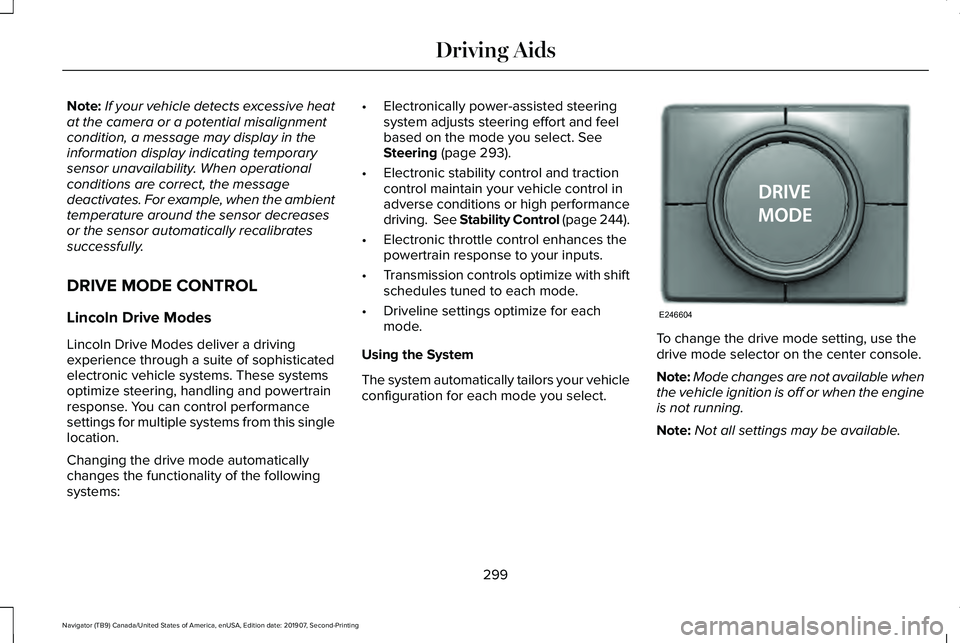
drive mode selector on the center console.
Note:
Mode changes are not available when
the vehicle ignition is off or when the engine
is not running.
Note: Not all settings may be available.
299
Navigator (TB9) Canada/United States of America, enUSA, Edition date: 201907, Second-Printing Driving AidsE246604
Page 303 of 622
•
NORMAL – For everyday driving. This
mode is a perfect balance of excitement,
comfort and convenience.
• EXCITE – For aggressive on-road driving.
This mode increases throttle response,
provides a sportier steering feel, along
with quicker shifting. The suspension
stiffens, with an emphasis on handling
and control. The transmission also holds
gears longer, helping your vehicle
accelerate faster when shifting gears.
• CONSERVE
– Enables efficient and
responsible driving. It helps deliver
maximum fuel efficiency and increases
driving range.
• NORMAL 4A
– For general on-road
driving. Use this mode on normal firm
surfaces such as dry or wet pavement
and hard packed dirt or gravel roads.
Delivers power to all four wheels, as
required. •
SLIPPERY
– For less than ideal road
conditions, such as snow or ice covered
roads. Slippery mode inspires confidence
without taking away from driving
pleasure. Slippery mode lowers throttle
response and optimizes shifting for
slippery surfaces.
• DEEP CONDITIONS
– Used for crossing
terrain that has deformable deep, rutted
surfaces such as mud, deep snow or
deep sand. Do not use on dry, hard
surfaced roads.
• SLOW CLIMB
– Used when you need
extra power, such as when climbing
steep grades, going through deep sand
or pulling a boat out of a launch ramp.
Do not use on dry, hard surfaced roads.
Slow Climb mode puts you in 4x4 Low
drive line settings.
Note: Slow Climb is only available on
vehicles with 4x4 and a two-speed transfer
case. Note:
The system has diagnostic checks that
continuously monitor the system for proper
operation. Certain drive modes are not
available based on gear shifter position. If
a mode is unavailable due to a system fault
or change in gear shifter position, the mode
defaults to
NORMAL.
300
Navigator (TB9) Canada/United States of America, enUSA, Edition date: 201907, Second-Printing Driving Aids
Page 341 of 622
•
Do not rest your foot on the brake pedal
while driving.
• Avoid carrying unnecessary weight.
• Avoid adding particular accessories to
your vehicle (e.g. bug deflectors,
rollbars/light bars, running boards, ski
racks).
• Avoid driving with the wheels out of
alignment.
BREAKING-IN
You need to break in new tires for
approximately 300 mi (480 km). During this
time, your vehicle may exhibit some unusual
driving characteristics.
Avoid driving too fast during the first 1,000 mi
(1,600 km)
. Vary your speed frequently and
change up through the gears early. Do not
labor the engine.
Do not tow during the first
1,000 mi
(1,600 km). DRIVING THROUGH WATER WARNING:
Do not drive through
flowing or deep water as you may lose
control of your vehicle.
Note: Driving through standing water can
cause vehicle damage.
Note: Engine damage can occur if water
enters the air filter.
Before driving through standing water, check
the depth. Never drive through water that is
higher than the bottom of the wheel hubs. When driving through standing water, drive
very slowly and do not stop your vehicle.
Your brake performance and traction may
be limited. After driving through water and
as soon as it is safe to do so:
•
Lightly press the brake pedal to dry the
brakes and to check that they work.
• Check that the horn works.
• Check that the exterior lights work.
• Turn the steering wheel to check that the
steering power assist works.
FLOOR MATS WARNING:
Use a floor mat designed
to fit the footwell of your vehicle that does
not obstruct the pedal area. Failure to
follow this instruction could result in the
loss of control of your vehicle, personal
injury or death. WARNING:
Pedals that cannot move
freely can cause loss of vehicle control and
increase the risk of serious personal injury.
338
Navigator (TB9) Canada/United States of America, enUSA, Edition date: 201907, Second-Printing Driving HintsE176913
Page 362 of 622

Protected Component
Fuse Rating
Fuse Number
Blindspot information system.
Cruise control module.
Tailgate applique.
Air quality sensor.
Image processing module B.
Powertrain control module run/start feed.
10A
16
Anti-lock brake system run/start feed.
10A
17
Electronic power assist steering, run/start feed.
10A
18
Not used.
—
19
Front blower.
40A
20
Passenger seat motors.
40A
21
Not used.
—
22
Alternator A-line.
10A
23
Trailer brake control module.
30A
24
Body control module power 1.
50A
25
Electronic fan 3.
50A
26
Driver seat motors.
40A
27
359
Navigator (TB9) Canada/United States of America, enUSA, Edition date: 201907, Second-Printing Fuses
Page 372 of 622
Protected Component
Fuse Rating
Fuse Number
Trailer tow control module.
5A
30
Rear climate control module.
10A
31
Drive mode switch module.
Terrain management system switch.
Radio frequency transceiver module.
Audio control module.
20A
32
Rear seat entertainment module.
Rear audio control module.
Not used.
—
33
Run/start relay.
30A
34
Not used (spare).
5A
35
Image processing module A.
15A
36
Automated park assist module
Continuous control damping module.
Heated steering wheel.
20A
37
Left-hand rear power window.
30A Circuit
Breaker
38
Right-hand rear power window.
Note: Spare fuse amperage may vary.
369
Navigator (TB9) Canada/United States of America, enUSA, Edition date: 201907, Second-Printing Fuses
Page 386 of 622
If the engine reaches a preset
over-temperature condition, the engine
automatically switches to alternating cylinder
operation. Each disabled cylinder acts as an
air pump and cools the engine.
When this occurs, your vehicle still operates,
however:
•
Engine power is limited.
• The air conditioning system turns off.
Continued operation increases the engine
temperature, causing the engine to
completely shut down. Your steering and
braking effort increases in this situation.
When the engine temperature cools, you can
re-start the engine. Have your vehicle
checked as soon as possible to minimize
engine damage. When Fail-Safe Mode Is Activated WARNING: Fail-safe mode is for use
during emergencies only. Operate your
vehicle in fail-safe mode only as long as
necessary to bring your vehicle to rest in
a safe location and seek immediate repairs.
When in fail-safe mode, your vehicle will
have limited power, will not be able to
maintain high-speed operation, and may
completely shut down without warning,
potentially losing engine power, power
steering assist, and power brake assist,
which may increase the possibility of a
crash resulting in serious injury. WARNING: Do not remove the
coolant reservoir cap when the engine is
on or the cooling system is hot. Wait 10
minutes for the cooling system to cool
down. Cover the coolant reservoir cap with
a thick cloth to prevent the possibility of
scalding and slowly remove the cap.
Failure to follow this instruction could result
in personal injury. Your vehicle has limited engine power when
in the fail-safe mode, drive your vehicle with
caution. Your vehicle does not maintain
high-speed operation and the engine may
operate poorly.
Remember that the engine is capable of
automatically shutting down to prevent
engine damage. In this situation:
1. Pull off the road as soon as safely
possible and switch the engine off.
2. If you are a member of a roadside assistance program, we recommend that
you contact your roadside assistance
service provider.
3. If this is not possible, wait a short period
for the engine to cool.
4. Check the coolant level. If the coolant level is at or below the minimum mark,
add prediluted coolant immediately.
5. When the engine temperature cools, you
can re-start the engine. Have your vehicle
checked as soon as possible to minimize
engine damage.
Note: Driving your vehicle without repair
increases the chance of engine damage.
383
Navigator (TB9) Canada/United States of America, enUSA, Edition date: 201907, Second-Printing Maintenance
Page 391 of 622
If you see any corrosion on the battery or
terminals, remove the cables from the
terminals and clean with a wire brush. You
can neutralize the acid with a solution of
baking soda and water.
Because your vehicle
’s engine is
electronically controlled by a computer, some
control conditions are maintained by power
from the battery. When the battery is
disconnected or a new battery is installed,
the engine must relearn its idle and fuel trim
strategy for optimum driveability and
performance. Flexible fuel vehicles (FFV)
must also relearn the ethanol content of the
fuel for optimum driveability and
performance.
To restore the settings, do the following:
1. Apply the parking brake.
2. Shift into park (P) or neutral (N).
3. Switch off all accessories.
4. Press the brake pedal and start your vehicle. 5. Run the engine until it reaches normal
operating temperature. While the engine
is warming up, complete the following:
Reset the clock. Reset the power
windows bounce-back feature. See
Windows and Mirrors (page 118). Reset
the radio station presets. See Audio
System (page 460).
6. Allow the engine to idle for at least one minute.
7. Drive the vehicle at least 10 mi (16 km) to
completely relearn the idle trim and fuel
trim strategy.
Note: If you do not allow the engine to
relearn the idle and fuel trim strategy, the
idle quality of your vehicle may be adversely
affected until the engine computer
eventually relearns the idle trim and fuel trim
strategy.
Note: For flexible fuel vehicles, if you are
operating on E85, you may experience poor
starts or an inability to start the engine and
driveability problems until the fuel trim and
ethanol content have been relearned. Make sure that you dispose of old batteries
in an environmentally friendly way. Seek
advice from your local authority about
recycling old batteries.
If storing your vehicle for more than 30 days
without recharging the battery, we
recommend that you disconnect the negative
battery cable to maintain battery charge for
quick starting.
Battery Management System
(If Equipped)
The battery management system monitors
battery conditions and takes actions to
extend battery life. If excessive battery drain
is detected, the system temporarily disables
some electrical systems to protect the
battery.
Systems included are:
• Heated rear window.
• Heated seats.
• Climate control.
• Heated steering wheel.
• Audio unit.
• Navigation system.
388
Navigator (TB9) Canada/United States of America, enUSA, Edition date: 201907, Second-Printing Maintenance
Page 423 of 622
Note:
Your vehicle may be equipped
with a dissimilar spare wheel and tire
assembly. A dissimilar spare wheel and
tire assembly is defined as a spare
wheel and tire assembly that is different
in brand, size or appearance from the
road tires and wheels. If you have a
dissimilar spare wheel and tire assembly
it is intended for temporary use only and
should not be used in a tire rotation.
Note: After having your tires rotated,
inflation pressure must be checked and
adjusted to the vehicle requirements.
Rotating your tires at the recommended
interval (as indicated in the Scheduled
Maintenance chapter) will help your tires
wear more evenly, providing better tire
performance and longer tire life.
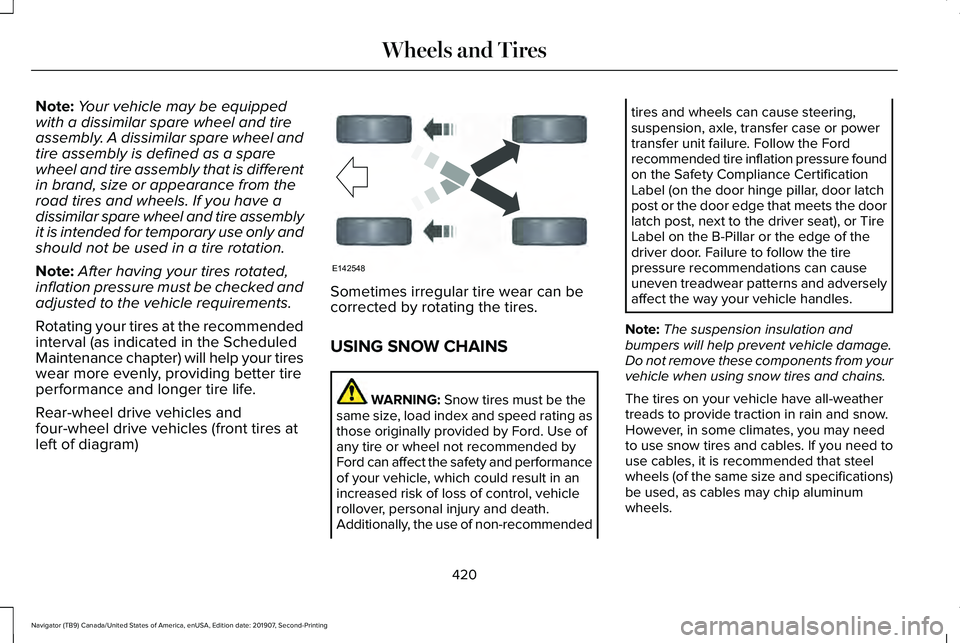
Rear-wheel drive vehicles and
four-wheel drive vehicles (front tires at
left of diagram) Sometimes irregular tire wear can be
corrected by rotating the tires.
USING SNOW CHAINS
WARNING: Snow tires must be the
same size, load index and speed rating as
those originally provided by Ford. Use of
any tire or wheel not recommended by
Ford can affect the safety and performance
of your vehicle, which could result in an
increased risk of loss of control, vehicle
rollover, personal injury and death.
Additionally, the use of non-recommended tires and wheels can cause steering,
suspension, axle, transfer case or power
transfer unit failure. Follow the Ford
recommended tire inflation pressure found
on the Safety Compliance Certification
Label (on the door hinge pillar, door latch
post or the door edge that meets the door
latch post, next to the driver seat), or Tire
Label on the B-Pillar or the edge of the
driver door. Failure to follow the tire
pressure recommendations can cause
uneven treadwear patterns and adversely
affect the way your vehicle handles.
Note: The suspension insulation and
bumpers will help prevent vehicle damage.
Do not remove these components from your
vehicle when using snow tires and chains.
The tires on your vehicle have all-weather
treads to provide traction in rain and snow.
However, in some climates, you may need
to use snow tires and cables. If you need to
use cables, it is recommended that steel
wheels (of the same size and specifications)
be used, as cables may chip aluminum
wheels.
420
Navigator (TB9) Canada/United States of America, enUSA, Edition date: 201907, Second-Printing Wheels and TiresE142548
Page 615 of 622
Drivetrain...............................................................144
Four-Wheel Drive................................................145
Fuel........................................................................\
.146
Hill Start Assist......................................................147
Keys and Intelligent Access..............................147
Lane Keeping System........................................148
Maintenance.........................................................149
MyKey.....................................................................150
Off Road..................................................................151
Park Aid...................................................................151
Park Brake.............................................................152
Power Steering....................................................153
Pre-Collision Assist.............................................154
Pro Trailer Backup Assist™.................................154
Remote Start.........................................................156
Seats.......................................................................156
Stability Control...................................................156
Starting System ...................................................157
Tire Pressure Monitoring System....................157
Trailer......................................................................158
Transmission.........................................................159
Installing Child Restraints.............................26 Child Seats.............................................................26
Combining Seatbelt and LATCH Lower
Anchors for Attaching Child Safety
Seats....................................................................34
Using Lap and Shoulder Belts...........................26 Using Lower Anchors and Tethers for
CHildren (LATCH).............................................32
Using Tether Straps..............................................34
Installing the Vehicle Identification Card...............................................................453
Instrument Cluster........................................126
Instrument Lighting Dimmer.........................111
Instrument Panel
..............................................21
Interior Lamps.................................................113
Front Interior Lamp..............................................114
Rear Interior Lamps..............................................114
Interior Mirror...................................................121 Auto-Dimming Mirror..........................................122
Introduction.........................................................9
J
Jump Starting the Vehicle..........................342 Connecting the Jumper Cables......................
343
Jump Starting.......................................................343
Preparing Your Vehicle.....................................342
Removing the Jumper Cables.........................
344
K
Keyless Entry....................................................87 Displaying the Factory-Set Code......................89
Locking and Unlocking........................................88 SECURICODE™ KEYLESS ENTRY
KEYPAD...............................................................87
Keyless Starting
............................................203
Switching the Ignition On.................................203
Keys and Remote Controls
..........................69
L
Lane Keeping System.................................278 Switching the System On and Off..................279
System Display.....................................................281
System Settings..................................................280
Troubleshooting.................................................282
Liftgate..............................................................90
Liftgate Window.............................................124 Opening the Liftgate Window..........................124
Lighting Control.............................................109 Flashing the Headlamp High Beam................110
Headlamp High Beam.........................................110
Lighting............................................................109 General Information............................................109
Limited Slip Differential..............................236 Spare Tire.............................................................236
Trailer Towing......................................................236
Lincoln Automotive Financial Services......16
Lincoln Protect..............................................534 Lincoln Protect (CANADA ONLY)...................535
612
Navigator (TB9) Canada/United States of America, enUSA, Edition date: 201907, Second-Printing Index
Page 619 of 622
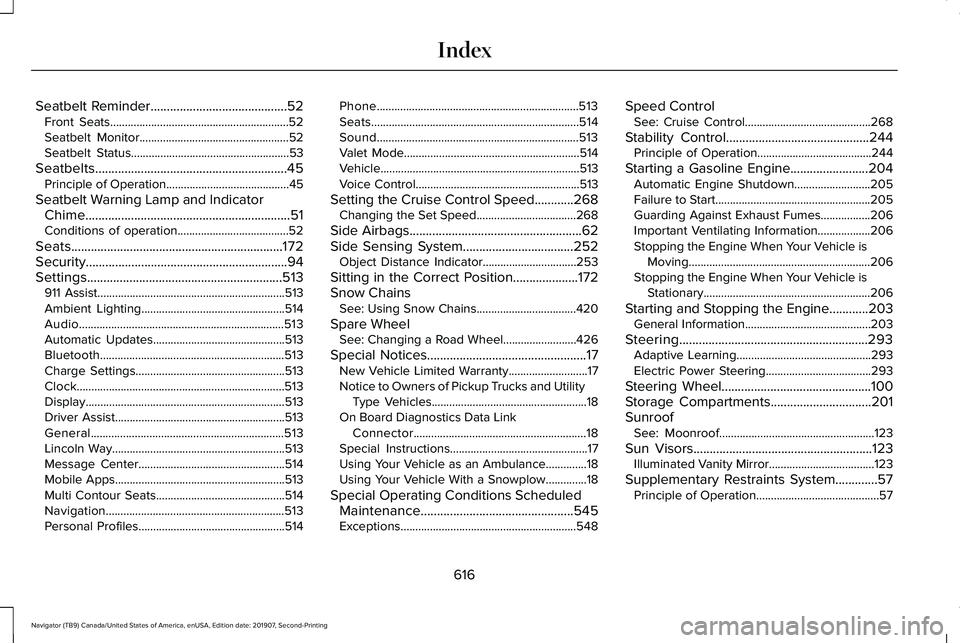
Seatbelt Reminder..........................................52
Front Seats.............................................................52
Seatbelt Monitor...................................................52
Seatbelt Status......................................................53
Seatbelts...........................................................45 Principle of Operation..........................................45
Seatbelt Warning Lamp and Indicator Chime...............................................................51
Conditions of operation......................................52
Seats.................................................................172
Security..............................................................94
Settings............................................................513 911 Assist................................................................513
Ambient Lighting.................................................514
Audio......................................................................513
Automatic Updates.............................................513
Bluetooth...............................................................513
Charge Settings...................................................513
Clock.......................................................................513
Display....................................................................513
Driver Assist..........................................................513
General..................................................................513
Lincoln Way...........................................................513
Message Center..................................................514
Mobile Apps..........................................................513
Multi Contour Seats............................................514
Navigation.............................................................513
Personal Profiles..................................................514 Phone.....................................................................513
Seats.......................................................................514
Sound.....................................................................513
Valet Mode............................................................514
Vehicle....................................................................513
Voice Control........................................................513
Setting the Cruise Control Speed
............268
Changing the Set Speed..................................268
Side Airbags
.....................................................62
Side Sensing System..................................252 Object Distance Indicator................................253
Sitting in the Correct Position....................172
Snow Chains See: Using Snow Chains..................................420
Spare Wheel See: Changing a Road Wheel.........................
426
Special Notices.................................................17 New Vehicle Limited Warranty...........................
17
Notice to Owners of Pickup Trucks and Utility Type Vehicles.....................................................18
On Board Diagnostics Data Link Connector...........................................................18
Special Instructions...............................................17
Using Your Vehicle as an Ambulance..............18
Using Your Vehicle With a Snowplow..............18
Special Operating Conditions Scheduled Maintenance...............................................545
Exceptions............................................................548 Speed Control
See: Cruise Control...........................................268
Stability Control
............................................244
Principle of Operation.......................................244
Starting a Gasoline Engine........................204 Automatic Engine Shutdown..........................205
Failure to Start.....................................................205
Guarding Against Exhaust Fumes.................206
Important Ventilating Information..................206
Stopping the Engine When Your Vehicle is
Moving..............................................................206
Stopping the Engine When Your Vehicle is Stationary
.........................................................206
Starting and Stopping the Engine
............203
General Information...........................................203
Steering..........................................................293 Adaptive Learning..............................................293
Electric Power Steering....................................293
Steering Wheel
..............................................100
Storage Compartments...............................201
Sunroof See: Moonroof.....................................................123
Sun Visors.......................................................123 Illuminated Vanity Mirror....................................
123
Supplementary Restraints System.............57 Principle of Operation..........................................57
616
Navigator (TB9) Canada/United States of America, enUSA, Edition date: 201907, Second-Printing Index