warning light LINCOLN NAVIGATOR 2020 Repair Manual
[x] Cancel search | Manufacturer: LINCOLN, Model Year: 2020, Model line: NAVIGATOR, Model: LINCOLN NAVIGATOR 2020Pages: 622, PDF Size: 6.47 MB
Page 416 of 622
A. T: Indicates a type of tire, designated
by the Tire and Rim Association, that is
intended for temporary service on cars,
sport utility vehicles, minivans and light
trucks.
B.
145: Indicates the nominal width of
the tire in millimeters from sidewall edge
to sidewall edge. In general, the larger
the number, the wider the tire.
C.
80: Indicates the aspect ratio which
gives the tire's ratio of height to width.
Numbers of 70 or lower indicate a short
sidewall.
D.
D: Indicates a diagonal type tire.
R:
Indicates a radial type tire.
E.
16: Indicates the wheel or rim
diameter in inches. If you change your
wheel size, you will have to purchase
new tires to match the new wheel
diameter. Location of the Tire Label
You will find a Tire Label containing tire
inflation pressure by tire size and other
important information located on the
B-Pillar or the edge of the driver's door.
See
Load Carrying (page 301).
Inflating Your Tires
Safe operation of your vehicle requires
that your tires are properly inflated.
Remember that a tire can lose up to half
of its air pressure without appearing flat.
Every day before you drive, check your
tires. If one looks lower than the others,
use a tire gauge to check pressure of all
tires and adjust if required.
At least once a month and before long
trips, inspect each tire and check the tire
pressure with a tire gauge (including
spare, if equipped). Inflate all tires to the
inflation pressure recommended by us. You are strongly urged to buy a reliable
tire pressure gauge, as automatic
service station gauges may be
inaccurate. We recommend the use of
a digital or dial-type tire pressure gauge
rather than a stick-type tire pressure
gauge.
Use the recommended cold inflation
pressure for optimum tire performance
and wear. Under-inflation or
over-inflation may cause uneven
treadwear patterns.
WARNING: Under-inflation is the
most common cause of tire failures
and may result in severe tire cracking,
tread separation or blowout, with
unexpected loss of vehicle control and
increased risk of injury. Under-inflation
increases sidewall flexing and rolling
resistance, resulting in heat buildup
413
Navigator (TB9) Canada/United States of America, enUSA, Edition date: 201907, Second-Printing Wheels and Tires
Page 426 of 622
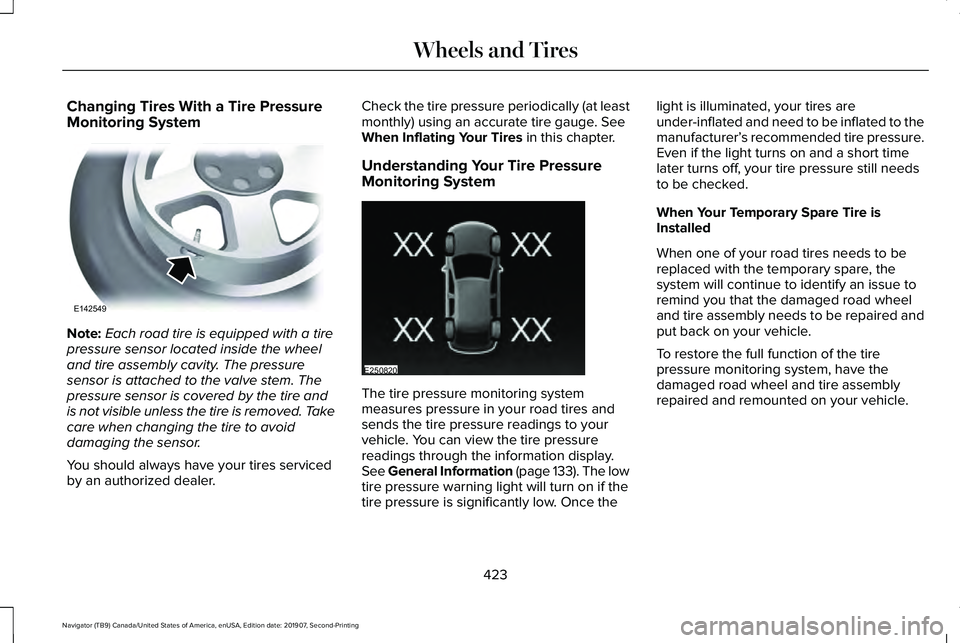
Changing Tires With a Tire Pressure
Monitoring System
Note:
Each road tire is equipped with a tire
pressure sensor located inside the wheel
and tire assembly cavity. The pressure
sensor is attached to the valve stem. The
pressure sensor is covered by the tire and
is not visible unless the tire is removed. Take
care when changing the tire to avoid
damaging the sensor.
You should always have your tires serviced
by an authorized dealer. Check the tire pressure periodically (at least
monthly) using an accurate tire gauge. See
When Inflating Your Tires in this chapter.
Understanding Your Tire Pressure
Monitoring System The tire pressure monitoring system
measures pressure in your road tires and
sends the tire pressure readings to your
vehicle. You can view the tire pressure
readings through the information display.
See General Information (page 133
). The low
tire pressure warning light will turn on if the
tire pressure is significantly low. Once the light is illuminated, your tires are
under-inflated and need to be inflated to the
manufacturer’
s recommended tire pressure.
Even if the light turns on and a short time
later turns off, your tire pressure still needs
to be checked.
When Your Temporary Spare Tire is
Installed
When one of your road tires needs to be
replaced with the temporary spare, the
system will continue to identify an issue to
remind you that the damaged road wheel
and tire assembly needs to be repaired and
put back on your vehicle.
To restore the full function of the tire
pressure monitoring system, have the
damaged road wheel and tire assembly
repaired and remounted on your vehicle.
423
Navigator (TB9) Canada/United States of America, enUSA, Edition date: 201907, Second-Printing Wheels and TiresE142549 E250820
Page 428 of 622
Customer action required
Possible cause
Low tire pressure warning light
Make sure tires are at the proper pressure. See Inflating your tires
in this chapter. After inflating your tires to the manufacturer’s
recommended pressure as shown on the Tire Label (located on
the edge of driver’ s door or the B-Pillar), the vehicle must be driven
for at least two minutes over 20 mph (32 km/h) before the light
turns off.
Tire(s) under-inflated
Solid warning light Repair the damaged road wheel and tire assembly and reinstall
it on the vehicle to restore system function. For a description on
how the system functions, see When Your Temporary Spare Tire
is Installed
in this section.
Spare tire in use
If the tires are properly inflated and the spare tire is not in use but
the light remains on, contact your authorized dealer as soon as
possible.
TPMS malfunction
Repair the damaged road wheel and tire assembly and reinstall
it on the vehicle to restore system function. For a description on
how the system functions, see When Your Temporary Spare Tire
is Installed
in this section.
Spare tire in use
Flashing warning light If the tires are properly inflated and the spare tire is not in use but
the light remains on, contact your authorized dealer as soon as
possible.
TPMS malfunction
425
Navigator (TB9) Canada/United States of America, enUSA, Edition date: 201907, Second-Printing Wheels and Tires
Page 429 of 622
When Inflating Your Tires
WARNING: Do not use the tire
pressure displayed in the information
display as a tire pressure gauge. Failure to
follow this instruction could result in
personal injury or death.
When putting air into your tires (such as at a
gas station or in your garage), the tire
pressure monitoring system will not respond
immediately to the air added to your tires.
It could take up to two minutes of driving
over
20 mph (32 km/h) for the light to turn
off after you have filled your tires to the
recommended inflation pressure.
How Temperature Affects Your Tire
Pressure
The tire pressure monitoring system monitors
tire pressure in each pneumatic tire. While
driving in a normal manner, a typical
passenger tire inflation pressure could
increase about
2–4 psi (14–28 kPa) from a
cold start situation. If the vehicle is stationary
overnight with the outside temperature significantly lower than the daytime
temperature, the tire pressure could
decrease about
3 psi (21 kPa) for a drop of
30°F (17°C) in ambient temperature. This
lower pressure value could be detected by
the tire pressure monitoring system as being
significantly lower than the recommended
inflation pressure and activate the system
warning light for low tire pressure. If the low
tire pressure warning light is on, visually
check each tire to verify that no tire is flat. If
one or more tires are flat, repair as
necessary. Check the air pressure in the road
tires. If any tire is under-inflated, carefully
drive the vehicle to the nearest location
where air can be added to the tires. Inflate
all the tires to the recommended inflation
pressure.
CHANGING A ROAD WHEEL WARNING:
If the tire pressure
monitor sensor becomes damaged it may
not function. Note:
You should only use tire sealants in
roadside emergencies as they may cause
damage to the tire pressure monitoring
system sensor.
Note: The tire pressure monitoring system
indicator light illuminates when the spare
tire is in use. To restore the full function of
the monitoring system, all road wheels
equipped with tire pressure monitoring
sensors must be mounted on this vehicle.
If you get a flat tire when driving, do not
apply the brake heavily. Instead, gradually
decrease your speed. Hold the steering
wheel firmly and slowly move to a safe place
on the side of the road.
Have a flat serviced by an authorized dealer
in order to prevent damage to the system
sensors.
See Tire Pressure Monitoring
System (page 421). Replace the spare tire
with a road tire as soon as possible. During
repairing or replacing of the flat tire, have
the authorized dealer inspect the system
sensor for damage.
426
Navigator (TB9) Canada/United States of America, enUSA, Edition date: 201907, Second-Printing Wheels and Tires
Page 432 of 622
WARNING: Switch off the running
boards before jacking or placing any object
under your vehicle. Never place your hand
between the extended running board and
your vehicle. A moving running board may
cause injury. WARNING: Only use the spare wheel
carrier to stow the wheel provided with
your vehicle. Other wheel sizes could
cause the spare wheel carrier to fail if it
does not fit securely or is too heavy. 1.
Park the vehicle on firm, level ground and
activate the hazard flashers. 2. Apply the parking brake, place the
transmission in park (P) and switch the
ignition off.
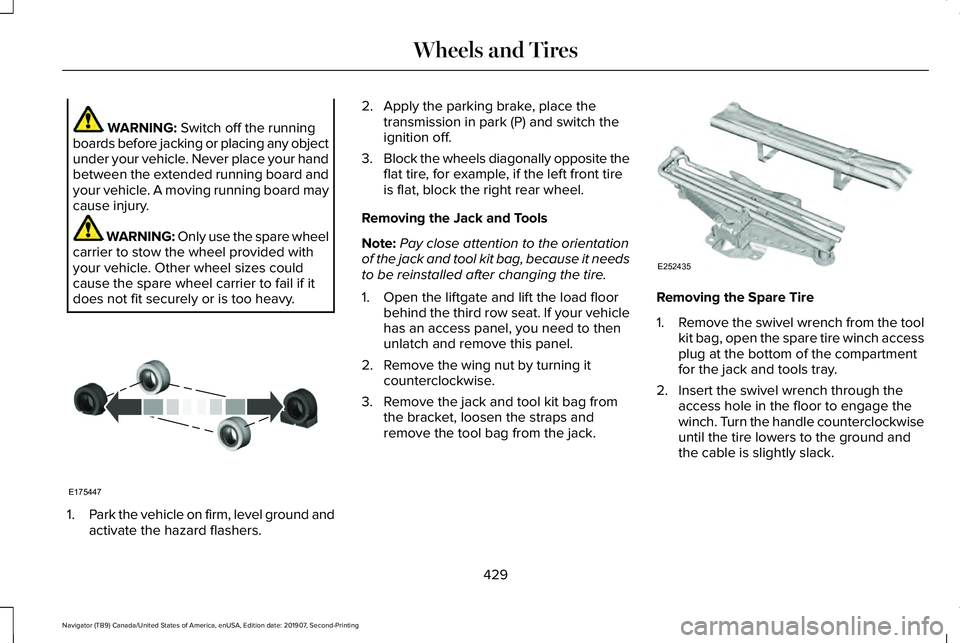
3. Block the wheels diagonally opposite the
flat tire, for example, if the left front tire
is flat, block the right rear wheel.
Removing the Jack and Tools
Note: Pay close attention to the orientation
of the jack and tool kit bag, because it needs
to be reinstalled after changing the tire.
1. Open the liftgate and lift the load floor behind the third row seat. If your vehicle
has an access panel, you need to then
unlatch and remove this panel.
2. Remove the wing nut by turning it counterclockwise.
3. Remove the jack and tool kit bag from the bracket, loosen the straps and
remove the tool bag from the jack. Removing the Spare Tire
1.
Remove the swivel wrench from the tool
kit bag, open the spare tire winch access
plug at the bottom of the compartment
for the jack and tools tray.
2. Insert the swivel wrench through the access hole in the floor to engage the
winch. Turn the handle counterclockwise
until the tire lowers to the ground and
the cable is slightly slack.
429
Navigator (TB9) Canada/United States of America, enUSA, Edition date: 201907, Second-Printing Wheels and TiresE175447 E252435
Page 608 of 622
3
360 Degree Camera...................................264
Advanced Camera Views................................266
Automatic 360 Degree Camera
Activation.........................................................265
Camera Views.....................................................265
Front Camera......................................................266
Keep Out Zone...................................................266
Side Camera........................................................267
4
4WD See: Four-Wheel Drive......................................228
9
911 Assist...........................................................67
A
A/C See: Climate Control..........................................165
About This Manual
............................................9
ABS See: Brakes..........................................................237 ABS driving hints
See: Hints on Driving With Anti-Lock
Brakes...............................................................238
Accessories...................................................532
Accessories See: Replacement Parts Recommendation......17
ACC See: Using Adaptive Cruise Control.............269
Active Park Assist
.........................................253
Using Active Park Assist...................................255
Adaptive Headlamps
.....................................112
Speed Dependent Lamps..................................112
Adjustable Pedals.........................................104
Adjusting the Headlamps
..........................389
Horizontal Aim Adjustment..............................390
Vertical Aim Adjustment...................................389
Adjusting the Pedals....................................104
Adjusting the Steering Wheel....................100 End of Travel Position........................................100
Memory Feature..................................................100
AFS See: Adaptive Headlamps.................................112
Airbag Disposal
...............................................66
Air Conditioning See: Climate Control..........................................165
Air Filter See: Changing the Engine Air Filter..............
379 Alarm
See: Anti-Theft Alarm..........................................96
Ambient Lighting
............................................114
Adjusting the Brightness....................................115
Changing the Color.............................................115
Switching Ambient Lighting Off........................115
Switching Ambient Lighting On........................115
Anti-Theft Alarm..............................................96 Arming the Alarm..................................................96
Disarming the Alarm.............................................97
Using the System..................................................96
Appendices...................................................569
Apps.................................................................510 SiriusXM Traffic and Travel Link........................511
Using Apps on an Android Device..................
511
Using Apps on an iOS Device.........................510
Using Mobile Navigation on an Android Device.................................................................511
At a Glance........................................................21
Audible Warnings and Indicators..............132 Headlamps On Warning Chime
.......................132
Keyless Warning Alert........................................132
Parking Brake On Warning Chime..................132
Audio Control
..................................................101
You can operate the following functions with
the control:........................................................101
Audio System................................................460 General Information...........................................460
605
Navigator (TB9) Canada/United States of America, enUSA, Edition date: 201907, Second-Printing Index
Page 619 of 622
Seatbelt Reminder..........................................52
Front Seats.............................................................52
Seatbelt Monitor...................................................52
Seatbelt Status......................................................53
Seatbelts...........................................................45 Principle of Operation..........................................45
Seatbelt Warning Lamp and Indicator Chime...............................................................51
Conditions of operation......................................52
Seats.................................................................172
Security..............................................................94
Settings............................................................513 911 Assist................................................................513
Ambient Lighting.................................................514
Audio......................................................................513
Automatic Updates.............................................513
Bluetooth...............................................................513
Charge Settings...................................................513
Clock.......................................................................513
Display....................................................................513
Driver Assist..........................................................513
General..................................................................513
Lincoln Way...........................................................513
Message Center..................................................514
Mobile Apps..........................................................513
Multi Contour Seats............................................514
Navigation.............................................................513
Personal Profiles..................................................514 Phone.....................................................................513
Seats.......................................................................514
Sound.....................................................................513
Valet Mode............................................................514
Vehicle....................................................................513
Voice Control........................................................513
Setting the Cruise Control Speed
............268
Changing the Set Speed..................................268
Side Airbags
.....................................................62
Side Sensing System..................................252 Object Distance Indicator................................253
Sitting in the Correct Position....................172
Snow Chains See: Using Snow Chains..................................420
Spare Wheel See: Changing a Road Wheel.........................
426
Special Notices.................................................17 New Vehicle Limited Warranty...........................
17
Notice to Owners of Pickup Trucks and Utility Type Vehicles.....................................................18
On Board Diagnostics Data Link Connector...........................................................18
Special Instructions...............................................17
Using Your Vehicle as an Ambulance..............18
Using Your Vehicle With a Snowplow..............18
Special Operating Conditions Scheduled Maintenance...............................................545
Exceptions............................................................548 Speed Control
See: Cruise Control...........................................268
Stability Control
............................................244
Principle of Operation.......................................244
Starting a Gasoline Engine........................204 Automatic Engine Shutdown..........................205
Failure to Start.....................................................205
Guarding Against Exhaust Fumes.................206
Important Ventilating Information..................206
Stopping the Engine When Your Vehicle is
Moving..............................................................206
Stopping the Engine When Your Vehicle is Stationary
.........................................................206
Starting and Stopping the Engine
............203
General Information...........................................203
Steering..........................................................293 Adaptive Learning..............................................293
Electric Power Steering....................................293
Steering Wheel
..............................................100
Storage Compartments...............................201
Sunroof See: Moonroof.....................................................123
Sun Visors.......................................................123 Illuminated Vanity Mirror....................................
123
Supplementary Restraints System.............57 Principle of Operation..........................................57
616
Navigator (TB9) Canada/United States of America, enUSA, Edition date: 201907, Second-Printing Index
Page 621 of 622
Hilly Condition Usage........................................273
Overriding the Set Speed................................272
Park Brake Application......................................273
Resuming the Set Speed..................................273
Setting the Adaptive Cruise Speed...............270
Setting the Adaptive Cruise Speed When Your
Vehicle is Stationary......................................270
Setting the Gap Distance..................................271
Switching Adaptive Cruise Control Off.........273
Switching Adaptive Cruise Control On.........270
Switching to Normal Cruise Control..............276
System Not Available........................................275
Using Four-Wheel Drive.............................228 4X4 Indicator Lights ...........................................228
4X4 Modes...........................................................228
Driving Off-Road with Truck and Utility Vehicles.............................................................231
How Your Vehicle Differs from Other Vehicles............................................................230
Operating 4WD Vehicles with Spare or Mismatched Tires..........................................230
Using Hill Descent Control........................246 Hill Descent Modes...........................................246
Using MyKey With Remote Start Systems...........................................................81
Using Power Running Boards.....................98 Automatic Power Deploy....................................98
Automatic Power Stow........................................98 Bounce-back..........................................................99
Enabling and Disabling.......................................99
Manual Power Deploy.........................................99
Using Snow Chains.....................................420
Using Stability Control................................245 Stability Control and Traction Control with Roll
Stability Control™ (RSC™)...............................245
Using the Backup Starting Passcode........76
Using the Valet Mode....................................75
Using Traction Control................................243 Switching the System On and Off..................243
System Indicator Lights and Messages........243
Using Voice Recognition
............................474
Audio Voice Commands...................................476
Climate Voice Commands................................477
Mobile App Voice Commands........................482
Navigation Voice Commands.........................480
Phone Voice Commands..................................478
SiriusXM Traffic and Travel Link Voice
Commands......................................................483
Voice Settings Commands...............................483
Utilizing the Mediation/Arbitration Program (Canada Only)
.............................................350
V
Vehicle Care
..................................................393
General Information...........................................393 Vehicle Certification Label.........................437
Vehicle Identification Number
...................437
Vehicle Identification...................................453
Vehicle Storage.............................................401 Body........................................................................\
401
Brakes...................................................................402
Cooling system...................................................402
Disconnecting Your 12 Volt Battery...............402
Engine....................................................................401
Fuel system..........................................................402
General..................................................................401
Miscellaneous.....................................................402
Plugging in Your HYBRID.................................
402
Removing Vehicle From Storage...................402
Tires.......................................................................402
Vehicle Wi-Fi Hotspot
..................................458
Ventilated Seats.............................................191 Automatic Climate Controlled Seats..............192
Ventilation See: Climate Control..........................................165
VIN See: Vehicle Identification Number...............437
Voice Control
...................................................101
W
Warning Lamps and Indicators..................128 Adaptive Cruise Control Indicator..................128
618
Navigator (TB9) Canada/United States of America, enUSA, Edition date: 201907, Second-Printing Index
Page 622 of 622
Anti-Lock Brake System Warning Lamp........128
Auto Hold Active.................................................128
Auto Hold Unavailable.......................................128
Automatic Headlamp High Beam Indicator............................................................128
Auto-Start-Stop Indicator...................................128
Battery....................................................................129
Blind Spot Monitor..............................................129
Brake System Warning Lamp...........................129
Cruise Control Indicator....................................129
Direction Indicator...............................................129
Door Ajar...............................................................130
Electric Park Brake..............................................130
Engine Coolant Temperature Warning Lamp..................................................................130
Engine Oil..............................................................130
Fasten Rear Seatbelt..........................................130
Fasten Seatbelt Warning Lamp.......................
130
Four-Wheel Drive Indicators.............................130
Front Airbag..........................................................130
Headlamp High Beam Indicator......................
130
Hill Descent............................................................131
Hood Ajar...............................................................131
Liftgate Ajar............................................................131
Low Beam Malfunction Warning Lamp...........
131
Low Fuel Level Warning Lamp..........................131
Low Tire Pressure Warning Lamp....................131
Low Washer Fluid Level Warning Lamp..........131 Parking Lamps.......................................................131
Powertrain Fault....................................................131
Service Engine Soon...........................................131
Stability Control and Traction Control
Indicator............................................................132
Stability Control and Traction Control Off Warning Lamp..................................................132
Tow Haul Indicator..............................................132
Washer Fluid Check....................................390
Washers See: Cleaning the Exterior...............................394
See: Wipers and Washers.................................105
Waxing............................................................395
Welcome Lighting..........................................113
What Is 911 Assist............................................67
What Is Automatic High Beam Control............................................................116
What Is Cruise Control................................268
What Is Phone As a Key................................75
Wheel Nuts See: Changing a Road Wheel.........................
426
Wheels and Tires.........................................404 General Information...........................................404
Technical Specifications...................................433
Windows and Mirrors....................................118
Windshield Washers.....................................107 Front Camera Washer........................................107 Windshield Wipers
........................................105
Intermittent Wipe.................................................105
Speed Dependent Wipers................................105
Wiper Blades See: Checking the Wiper Blades....................391
Wipers and Washers....................................105
Wireless Accessory Charging....................198
619
Navigator (TB9) Canada/United States of America, enUSA, Edition date: 201907, Second-Printing Index