cooling LINCOLN NAVIGATOR 2021 User Guide
[x] Cancel search | Manufacturer: LINCOLN, Model Year: 2021, Model line: NAVIGATOR, Model: LINCOLN NAVIGATOR 2021Pages: 639, PDF Size: 6.09 MB
Page 388 of 639
If you have to add more than 1.1 qt (1 L) of
engine coolant per month, have your vehicle
checked as soon as possible. Operating an
engine with a low level of coolant can result
in engine overheating and possible engine
damage.
In case of emergency, you can add a large
amount of water without engine coolant in
order to reach a vehicle service location. In
this instance, qualified personnel:
1. Must drain the cooling system.
2. Chemically clean the coolant system.
3. Refill with engine coolant as soon as possible.
Water alone, without engine coolant, can
cause engine damage from corrosion,
overheating or freezing.
Do not use the following as a coolant
substitute:
• Alcohol.
• Methanol.
• Brine.
• Any coolant mixed with alcohol or
methanol antifreeze. Alcohol and other liquids can cause engine
damage from overheating or freezing.
Do not add extra inhibitors or additives to
the coolant. These can be harmful and
compromise the corrosion protection of the
coolant.
Recycled Coolant
We do not recommend the use of recycled
coolant as an approved recycling process is
not yet available.
Dispose of used engine coolant in an
appropriate manner. Follow your
community's regulations and standards for
recycling and disposing of automotive fluids.
Severe Climates
If you drive in extremely cold climates:
•
It may be necessary to increase the
coolant concentration above 50%.
• A coolant concentration of 60% provides
improved freeze point protection.
Coolant concentrations above 60%
decrease the overheat protection
characteristics of the coolant and may
cause engine damage.
If you drive in extremely hot climates:
• You can decrease the coolant
concentration to 40%.
• Coolant concentrations below 40%
decrease the freeze and corrosion
protection characteristics of the coolant
and may cause engine damage.
Vehicles driven year-round in non-extreme
climates should use prediluted coolant for
optimum cooling system and engine
protection.
385
Navigator (TB9) Canada/United States of America, enUSA, First-Printing Maintenance
Page 389 of 639
Coolant Change
At specific mileage intervals, as listed in the
scheduled maintenance information, the
coolant should be changed. Add prediluted
coolant approved to the correct specification.
See Capacities and Specifications (page
440).
Fail-Safe Cooling
Fail-safe cooling allows you to temporarily
drive your vehicle before any incremental
component damage occurs. The fail-safe
distance depends on ambient temperature,
vehicle load and terrain.
How Fail-Safe Cooling Works If the engine begins to overheat,
the coolant temperature gauge
moves toward the red zone:
A warning lamp illuminates and a
message may appear in the
information display. If the engine reaches a preset
over-temperature condition, the engine
automatically switches to alternating cylinder
operation. Each disabled cylinder acts as an
air pump and cools the engine.
When this occurs, your vehicle still operates,
however:
•
Engine power is limited.
• The air conditioning system turns off.
Continued operation increases the engine
temperature, causing the engine to
completely shut down. Your steering and
braking effort increases in this situation.
When the engine temperature cools, you can
re-start the engine. Have your vehicle
checked as soon as possible to minimize
engine damage. When Fail-Safe Mode Is Activated WARNING: Fail-safe mode is for use
during emergencies only. Operate your
vehicle in fail-safe mode only as long as
necessary to bring your vehicle to rest in
a safe location and seek immediate repairs.
When in fail-safe mode, your vehicle will
have limited power, will not be able to
maintain high-speed operation, and may
completely shut down without warning,
potentially losing engine power, power
steering assist, and power brake assist,
which may increase the possibility of a
crash resulting in serious injury. WARNING:
Do not remove the
coolant reservoir cap when the engine is
on or the cooling system is hot. Wait 10
minutes for the cooling system to cool
down. Cover the coolant reservoir cap with
a thick cloth to prevent the possibility of
scalding and slowly remove the cap.
Failure to follow this instruction could result
in personal injury.
386
Navigator (TB9) Canada/United States of America, enUSA, First-Printing Maintenance
Page 408 of 639
Fuel system
•
Fill the fuel tank with high-quality fuel
until the first automatic shutoff of the fuel
pump nozzle.
Cooling system
• Protect against freezing temperatures.
• When removing your vehicle from
storage, check coolant fluid level.
Confirm that there are no cooling system
leaks and that fluid is at the
recommended level.
Disconnecting Your 12 Volt Battery
• Check and recharge as necessary. Keep
connections clean.
• If storing your vehicle for more than 30
days without recharging the battery, we
recommend that you disconnect the
battery cables to maintain battery charge
for quick starting.
Note: It is necessary to reset memory
features if you disconnect the battery cables. Brakes
•
Make sure the brakes and parking brake
release fully.
Tires
• Maintain recommended air pressure.
Miscellaneous
• Make sure all linkages, cables, levers and
pins under your vehicle are covered with
grease to prevent rust.
• Move vehicles at least 25 ft (7.5 m) every
15 days to lubricate working parts and
prevent corrosion.
Removing Vehicle From Storage
When your vehicle is ready to come out of
storage, do the following:
• Wash your vehicle to remove any dirt or
grease film build-up on window surfaces.
• Check windshield wipers for any
deterioration. •
Check under the hood for any foreign
material that may have collected during
storage such as mice or squirrel nests.
• Check the exhaust for any foreign
material that may have collected during
storage.
• Check tire pressures and set tire inflation
per the Tire Label.
• Check brake pedal operation. Drive your
vehicle 15 ft (4.5 m) back and forth to
remove rust build-up.
• Check fluid levels (including coolant, oil
and gas) to make sure there are no leaks,
and fluids are at recommended levels.
• If you remove the battery, clean the
battery cable ends and check for
damage.
Contact an authorized dealer if you have any
concerns or issues.
405
Navigator (TB9) Canada/United States of America, enUSA, First-Printing Vehicle Care
Page 503 of 639
Touch the button to direct airflow
to the instrument panel air vents.
Touch the button to direct airflow
to the footwell air vents.
You can direct air through any combination
of these air vents.
Setting the Blower Motor Speed Touch up or down to increase or
decrease the volume of air that
circulates in your vehicle.
Setting the Temperature
Touch up or down on the left-hand
temperature control to set the left-hand
temperature.
Note: This control also adjusts the right-hand
side temperature when you switch off dual
zone mode.
Touch up or down on the right-hand
temperature control to set the right-hand
temperature. Switching Auto Mode On and Off Touch the button to switch on
automatic operation, then set the
temperature.
The system adjusts the blower motor speed,
air distribution, air conditioning operation,
and outside or recirculated air to reach and
maintain the temperature you have set.
Switching the Air Conditioning On and
Off A pop-up appears on the screen
to display the air conditioning
options.
MAX A/C: Touch the button to activate and
maximize cooling. The driver and passenger
temperatures are set to LO, recirculated air
flows through the instrument panel vents, air
conditioning automatically turns on and the
fan automatically adjusts to the highest
speed.
A/C: Touch to switch the air conditioning on
or off. Use A/C with recirculated air to
improve cooling performance and efficiency. Note:
In certain conditions, such as
maximum defrost, the air conditioning
compressor may continue to operate even
though you switch off the air conditioning.
Switching the Climate Control On and
Off Touch the button.
Switching the Climate Controlled Seats
On and Off Touch the button to cycle through
the various climate controlled seat
settings.
Switching Dual Zone Mode On and Off Touch the button to switch on
temperature control for the
right-hand side of the vehicle.
500
Navigator (TB9) Canada/United States of America, enUSA, First-Printing SYNC™ 3E244097 E265282 E265280
Page 504 of 639
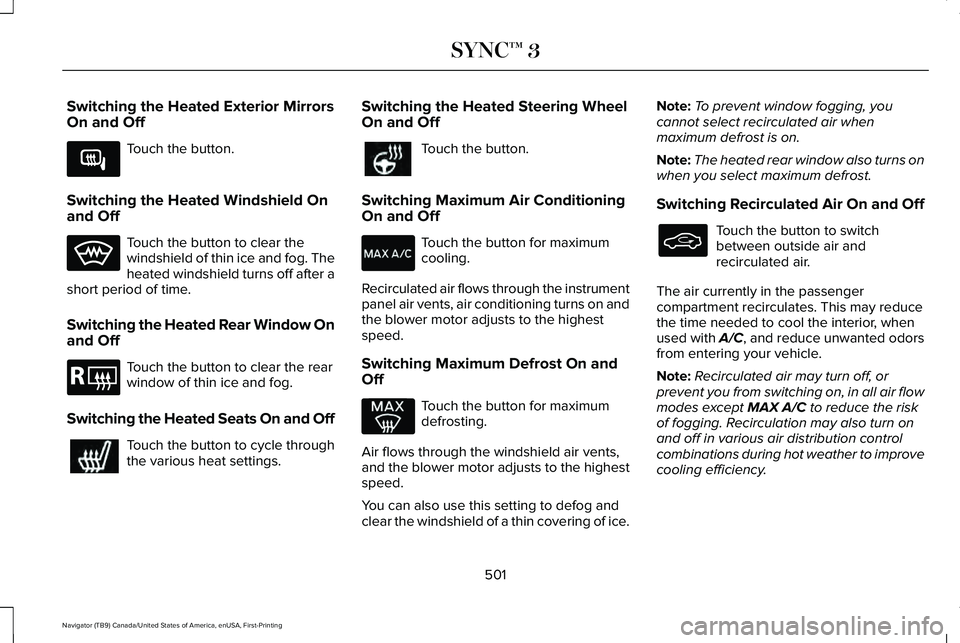
Switching the Heated Exterior Mirrors
On and Off
Touch the button.
Switching the Heated Windshield On
and Off Touch the button to clear the
windshield of thin ice and fog. The
heated windshield turns off after a
short period of time.
Switching the Heated Rear Window On
and Off Touch the button to clear the rear
window of thin ice and fog.
Switching the Heated Seats On and Off Touch the button to cycle through
the various heat settings. Switching the Heated Steering Wheel
On and Off Touch the button.
Switching Maximum Air Conditioning
On and Off Touch the button for maximum
cooling.
Recirculated air flows through the instrument
panel air vents, air conditioning turns on and
the blower motor adjusts to the highest
speed.
Switching Maximum Defrost On and
Off Touch the button for maximum
defrosting.
Air flows through the windshield air vents,
and the blower motor adjusts to the highest
speed.
You can also use this setting to defog and
clear the windshield of a thin covering of ice. Note:
To prevent window fogging, you
cannot select recirculated air when
maximum defrost is on.
Note: The heated rear window also turns on
when you select maximum defrost.
Switching Recirculated Air On and Off Touch the button to switch
between outside air and
recirculated air.
The air currently in the passenger
compartment recirculates. This may reduce
the time needed to cool the interior, when
used with A/C, and reduce unwanted odors
from entering your vehicle.
Note: Recirculated air may turn off, or
prevent you from switching on, in all air flow
modes except MAX A/C to reduce the risk
of fogging. Recirculation may also turn on
and off in various air distribution control
combinations during hot weather to improve
cooling efficiency.
501
Navigator (TB9) Canada/United States of America, enUSA, First-Printing SYNC™ 3E266189 E184884
Page 540 of 639
Transferable Coverage
If you sell your vehicle before your Lincoln
Protect extended service plan coverage
expires, you can transfer any remaining
coverage to the new owner. Which should
give you and your potential buyer a little
more peace of mind.
Less Cost to Properly Maintain Your Vehicle
Lincoln Protect extended service plan also
offers a Premium Maintenance Plan that
covers all scheduled maintenance, and
selected wear items. The coverage is
prepaid, so you never have to worry about
the cost of your vehicle
’s maintenance.
Covered maintenance includes:
• Windshield wiper blades.
• Spark plugs.
• The clutch disc (if equipped).
• Brake pads and linings.
• Shock absorbers and struts.
• Engine cooling hoses, clamps and
o-rings. •
Engine belts.
• Diesel exhaust fluid replenishment (if
equipped).
Interest Free Finance Options
Just a 10% down payment will provide you
with an affordable, no interest, no fee
payment program allowing you all the
security and benefits Lincoln Protect
extended service plan has to offer while
paying over time. You are pre-approved with
no credit check or hassles. To learn more,
call our Lincoln Protect extended service
plan specialists at 800-367-3377.
Complete the information below and mail to:
Lincoln Protect Extended Service Plan
P.O. Box 321067
Detroit, MI 48232 Lincoln Protect (CANADA ONLY)
You can get more protection for your vehicle
by purchasing a Lincoln Protect extended
service plan. Lincoln Protect extended
service plan is the only service contract
backed by Lincoln Motor Company of
Canada, Limited. Depending on the plan you
purchase, Lincoln Protect extended service
plan provides benefits such as:
•
Rental reimbursement.
• Coverage for certain maintenance and
wear items.
• Protection against repair costs after your
New Vehicle Limited Warranty Coverage
expires.
• Roadside Assistance benefits.
537
Navigator (TB9) Canada/United States of America, enUSA, First-Printing Lincoln Protect
Page 544 of 639
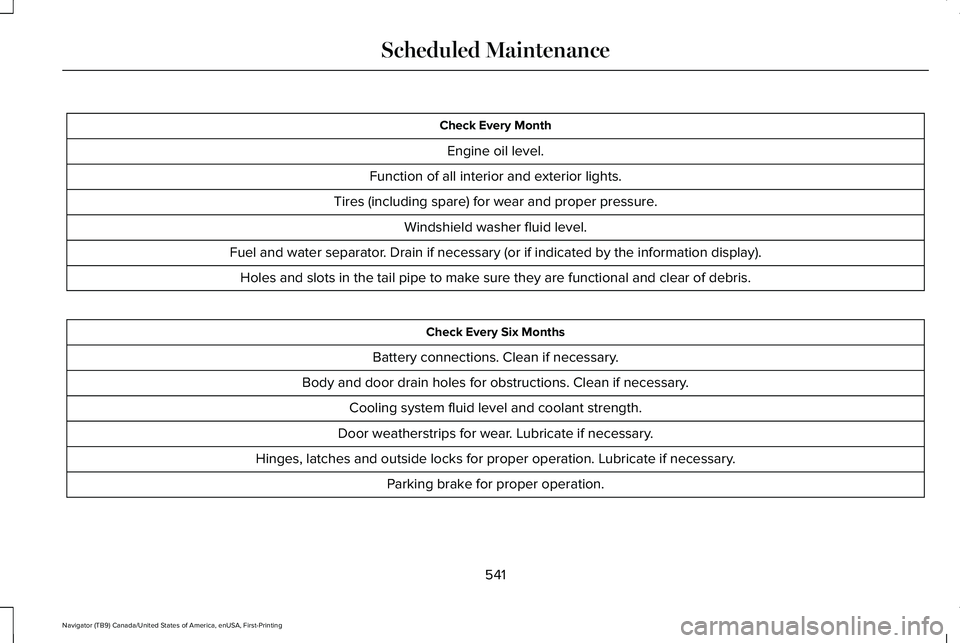
Check Every Month
Engine oil level.
Function of all interior and exterior lights.
Tires (including spare) for wear and proper pressure. Windshield washer fluid level.
Fuel and water separator. Drain if necessary (or if indicated by the information display). Holes and slots in the tail pipe to make sure they are functional and clear of debris. Check Every Six Months
Battery connections. Clean if necessary.
Body and door drain holes for obstructions. Clean if necessary. Cooling system fluid level and coolant strength.
Door weatherstrips for wear. Lubricate if necessary.
Hinges, latches and outside locks for proper operation. Lubricate if necessary. Parking brake for proper operation.
541
Navigator (TB9) Canada/United States of America, enUSA, First-Printing Scheduled Maintenance
Page 548 of 639
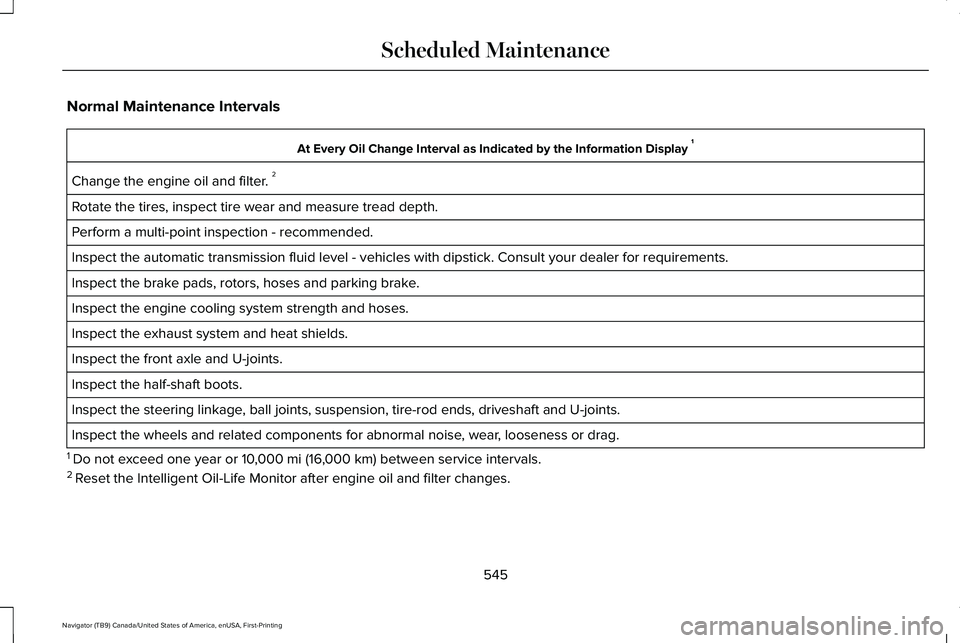
Normal Maintenance Intervals
At Every Oil Change Interval as Indicated by the Information Display
1
Change the engine oil and filter. 2
Rotate the tires, inspect tire wear and measure tread depth.
Perform a multi-point inspection - recommended.
Inspect the automatic transmission fluid level - vehicles with dipstick.\
Consult your dealer for requirements.
Inspect the brake pads, rotors, hoses and parking brake.
Inspect the engine cooling system strength and hoses.
Inspect the exhaust system and heat shields.
Inspect the front axle and U-joints.
Inspect the half-shaft boots.
Inspect the steering linkage, ball joints, suspension, tire-rod ends, driveshaft and U-joints.
Inspect the wheels and related components for abnormal noise, wear, looseness or drag.
1 Do not exceed one year or 10,000 mi (16,000 km) between service intervals.
2 Reset the Intelligent Oil-Life Monitor after engine oil and filter change\
s.
545
Navigator (TB9) Canada/United States of America, enUSA, First-Printing Scheduled Maintenance
Page 628 of 639
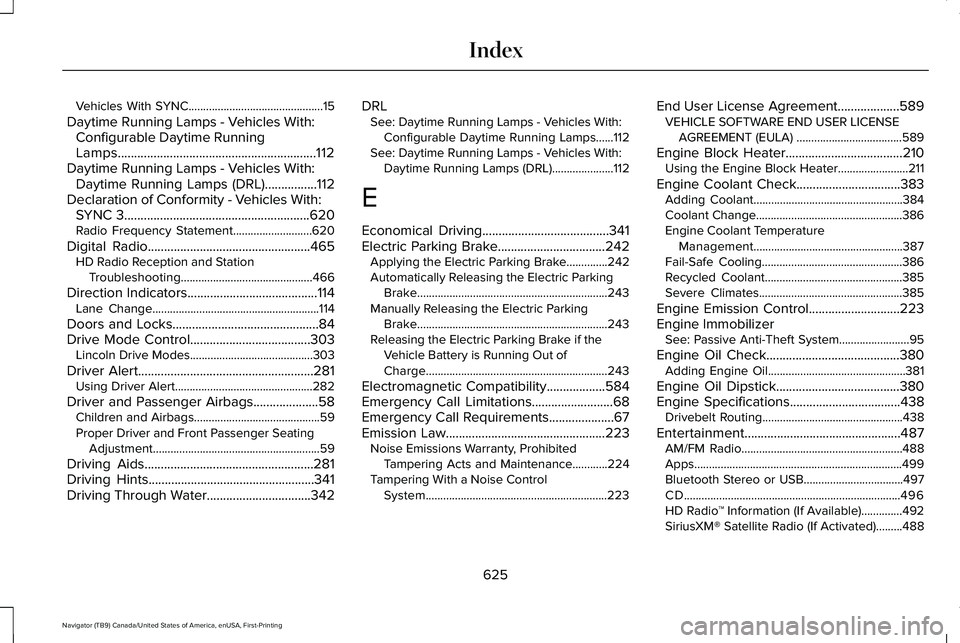
Vehicles With SYNC..............................................15
Daytime Running Lamps - Vehicles With: Configurable Daytime Running
Lamps.............................................................112
Daytime Running Lamps - Vehicles With: Daytime Running Lamps (DRL)................112
Declaration of Conformity - Vehicles With: SYNC 3
.........................................................620
Radio Frequency Statement...........................620
Digital Radio
..................................................465
HD Radio Reception and Station
Troubleshooting.............................................466
Direction Indicators
........................................114
Lane Change.........................................................114
Doors and Locks.............................................84
Drive Mode Control.....................................303 Lincoln Drive Modes..........................................303
Driver Alert
......................................................281
Using Driver Alert...............................................282
Driver and Passenger Airbags....................58 Children and Airbags...........................................59
Proper Driver and Front Passenger Seating
Adjustment.........................................................59
Driving Aids....................................................281
Driving Hints...................................................341
Driving Through Water................................342 DRL
See: Daytime Running Lamps - Vehicles With:
Configurable Daytime Running Lamps......112
See: Daytime Running Lamps - Vehicles With: Daytime Running Lamps (DRL).....................112
E
Economical Driving
.......................................341
Electric Parking Brake.................................242
Applying the Electric Parking Brake..............242
Automatically Releasing the Electric Parking
Brake.................................................................243
Manually Releasing the Electric Parking Brake.................................................................243
Releasing the Electric Parking Brake if the Vehicle Battery is Running Out of
Charge..............................................................243
Electromagnetic Compatibility..................584
Emergency Call Limitations.........................68
Emergency Call Requirements
....................67
Emission Law.................................................223 Noise Emissions Warranty, Prohibited
Tampering Acts and Maintenance............224
Tampering With a Noise Control System..............................................................223 End User License Agreement...................589
VEHICLE SOFTWARE END USER LICENSE
AGREEMENT (EULA) ....................................589
Engine Block Heater
....................................210
Using the Engine Block Heater........................211
Engine Coolant Check................................383 Adding Coolant...................................................384
Coolant Change..................................................386
Engine Coolant Temperature
Management...................................................387
Fail-Safe Cooling................................................386
Recycled Coolant...............................................385
Severe Climates.................................................385
Engine Emission Control............................223
Engine Immobilizer See: Passive Anti-Theft System........................
95
Engine Oil Check.........................................380 Adding Engine Oil...............................................381
Engine Oil Dipstick......................................380
Engine Specifications
..................................438
Drivebelt Routing................................................438
Entertainment................................................487 AM/FM Radio.......................................................488
Apps.......................................................................499
Bluetooth Stereo or USB..................................497
CD........................................................................\
..496
HD Radio ™ Information (If Available)..............492
SiriusXM® Satellite Radio (If Activated).........488
625
Navigator (TB9) Canada/United States of America, enUSA, First-Printing Index
Page 630 of 639
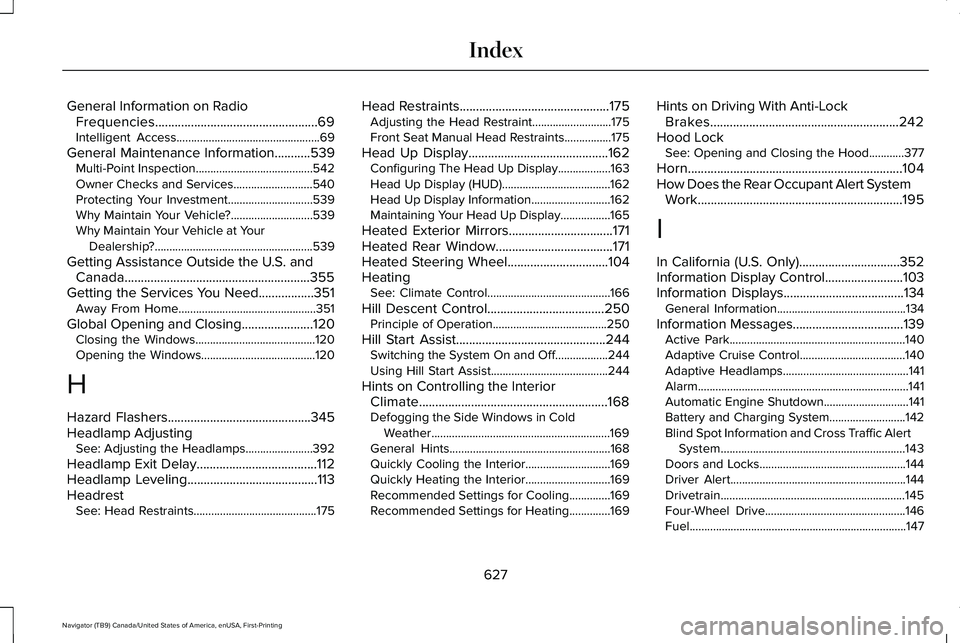
General Information on Radio
Frequencies..................................................69
Intelligent Access.................................................69
General Maintenance Information...........539 Multi-Point Inspection........................................542
Owner Checks and Services...........................540
Protecting Your Investment.............................539
Why Maintain Your Vehicle?............................539
Why Maintain Your Vehicle at Your
Dealership?......................................................539
Getting Assistance Outside the U.S. and Canada.........................................................355
Getting the Services You Need.................351 Away From Home...............................................351
Global Opening and Closing ......................120
Closing the Windows.........................................120
Opening the Windows.......................................120
H
Hazard Flashers............................................345
Headlamp Adjusting See: Adjusting the Headlamps.......................392
Headlamp Exit Delay.....................................112
Headlamp Leveling
........................................113
Headrest See: Head Restraints..........................................175 Head Restraints
..............................................175
Adjusting the Head Restraint...........................175
Front Seat Manual Head Restraints................
175
Head Up Display
...........................................162
Configuring The Head Up Display..................163
Head Up Display (HUD).....................................162
Head Up Display Information...........................162
Maintaining Your Head Up Display.................165
Heated Exterior Mirrors
................................171
Heated Rear Window....................................171
Heated Steering Wheel...............................104
Heating See: Climate Control..........................................166
Hill Descent Control....................................250 Principle of Operation.......................................250
Hill Start Assist..............................................244 Switching the System On and Off..................244
Using Hill Start Assist........................................244
Hints on Controlling the Interior Climate
..........................................................168
Defogging the Side Windows in Cold
Weather.............................................................169
General Hints.......................................................168
Quickly Cooling the Interior.............................
169
Quickly Heating the Interior.............................169
Recommended Settings for Cooling..............169
Recommended Settings for Heating..............169 Hints on Driving With Anti-Lock
Brakes..........................................................242
Hood Lock See: Opening and Closing the Hood............377
Horn..................................................................104
How Does the Rear Occupant Alert System Work...............................................................195
I
In California (U.S. Only)...............................352
Information Display Control........................103
Information Displays
.....................................134
General Information............................................134
Information Messages..................................139 Active Park............................................................140
Adaptive Cruise Control....................................140
Adaptive Headlamps...........................................141
Alarm........................................................................\
141
Automatic Engine Shutdown.............................141
Battery and Charging System..........................142
Blind Spot Information and Cross Traffic Alert
System...............................................................143
Doors and Locks..................................................144
Driver Alert............................................................144
Drivetrain...............................................................145
Four-Wheel Drive................................................146
Fuel........................................................................\
..147
627
Navigator (TB9) Canada/United States of America, enUSA, First-Printing Index