open hood LINCOLN NAVIGATOR 2021 User Guide
[x] Cancel search | Manufacturer: LINCOLN, Model Year: 2021, Model line: NAVIGATOR, Model: LINCOLN NAVIGATOR 2021Pages: 639, PDF Size: 6.09 MB
Page 383 of 639
Brake fluid reservoir. See Brake Fluid Check (page 389).
F.
Air filter.
See Changing the Engine Air Filter (page 382).
G.
Engine coolant reservoir.
See Engine Coolant Check (page 383).
H.
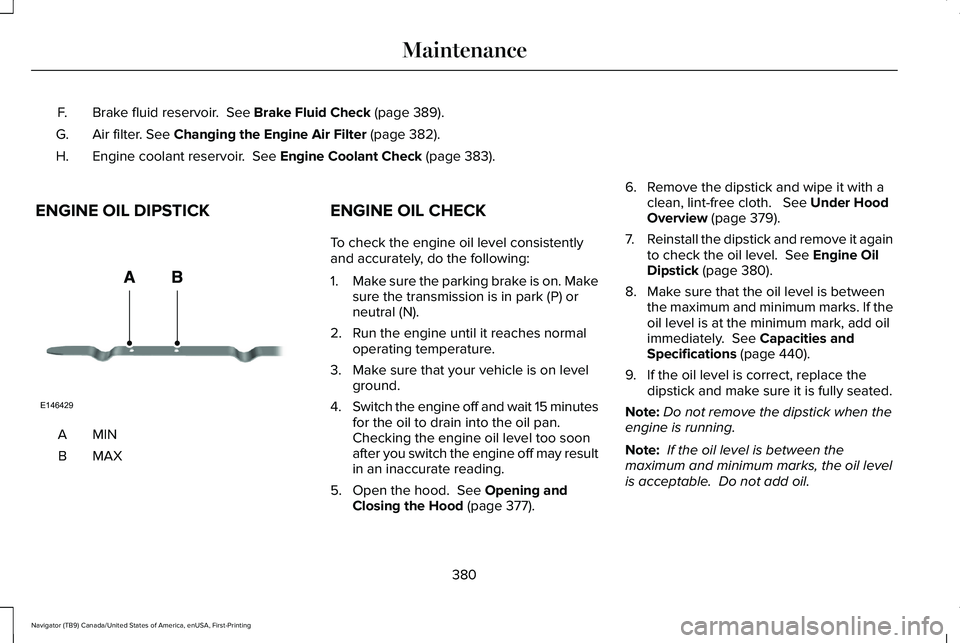
ENGINE OIL DIPSTICK MINA
MAXB ENGINE OIL CHECK
To check the engine oil level consistently
and accurately, do the following:
1.
Make sure the parking brake is on. Make
sure the transmission is in park (P) or
neutral (N).
2. Run the engine until it reaches normal operating temperature.
3. Make sure that your vehicle is on level ground.
4. Switch the engine off and wait 15 minutes
for the oil to drain into the oil pan.
Checking the engine oil level too soon
after you switch the engine off may result
in an inaccurate reading.
5. Open the hood.
See Opening and
Closing the Hood (page 377). 6. Remove the dipstick and wipe it with a
clean, lint-free cloth.
See Under Hood
Overview (page 379).
7. Reinstall the dipstick and remove it again
to check the oil level.
See Engine Oil
Dipstick (page 380).
8. Make sure that the oil level is between the maximum and minimum marks. If the
oil level is at the minimum mark, add oil
immediately.
See Capacities and
Specifications (page 440).
9. If the oil level is correct, replace the dipstick and make sure it is fully seated.
Note: Do not remove the dipstick when the
engine is running.
Note: If the oil level is between the
maximum and minimum marks, the oil level
is acceptable. Do not add oil.
380
Navigator (TB9) Canada/United States of America, enUSA, First-Printing MaintenanceE146429
Page 384 of 639
Note:
The oil consumption of new engines
reaches its normal level after approximately
3,000 mi (5,000 km).
Adding Engine Oil WARNING:
Do not remove the filler
cap when the engine is running.
Do not use supplemental engine oil additives
because they are unnecessary and could
lead to engine damage that may not be
covered by the vehicle Warranty. Only use oils certified for gasoline engines
by the American Petroleum Institute (API).
An oil with this trademark symbol conforms
to the current engine and emission system
protection standards and fuel economy
requirements of the International Lubricants
Specification Advisory Committee (ILSAC).
To top up the engine oil level do the
following:
1. Clean the area surrounding the engine
oil filler cap before you remove it.
2. Remove the engine oil filler cap.
See
Under Hood Overview (page 379). Turn
it counterclockwise and remove it.
3. Add engine oil that meets our specifications.
See Capacities and
Specifications (page 440). You may have
to use a funnel to pour the engine oil into
the opening.
4. Recheck the oil level.
5. If the oil level is correct, replace the dipstick and make sure it is fully seated.
6. Replace the engine oil filler cap. Turn it clockwise until you feel a strong
resistance. Note:
Do not add oil further than the
maximum mark. Oil levels above the
maximum mark may cause engine damage.
Note: Make sure you install the oil filler cap
correctly.
Note: Soak up any spillage with an
absorbent cloth immediately.
OIL CHANGE INDICATOR RESET
Use the information display controls on the
steering wheel to reset the oil change
indicator.
381
Navigator (TB9) Canada/United States of America, enUSA, First-Printing MaintenanceE142732
Page 396 of 639
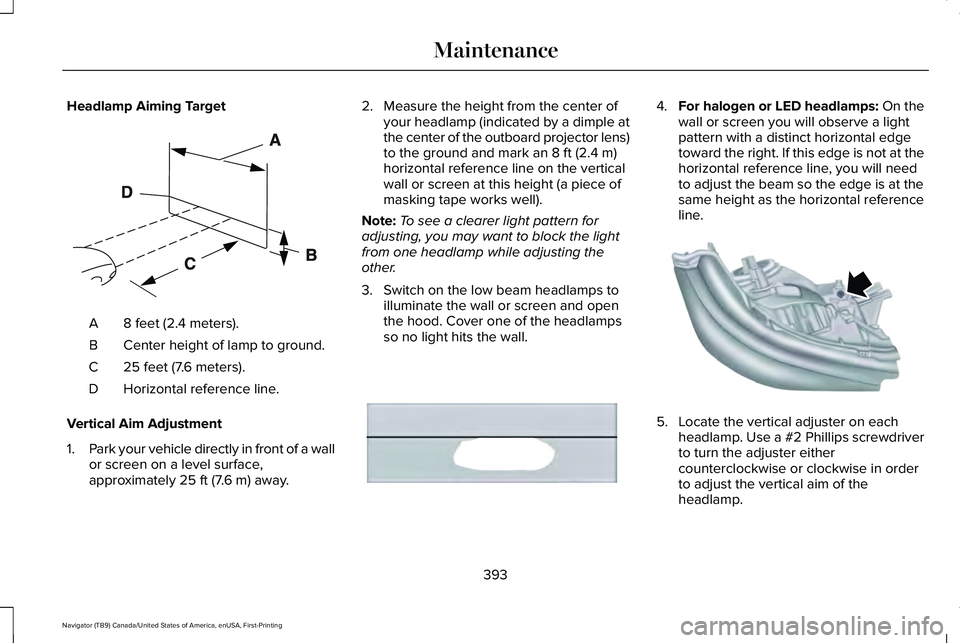
Headlamp Aiming Target
8 feet (2.4 meters).
A
Center height of lamp to ground.
B
25 feet (7.6 meters).
C
Horizontal reference line.
D
Vertical Aim Adjustment
1. Park your vehicle directly in front of a wall
or screen on a level surface,
approximately 25 ft (7.6 m) away. 2. Measure the height from the center of
your headlamp (indicated by a dimple at
the center of the outboard projector lens)
to the ground and mark an
8 ft (2.4 m)
horizontal reference line on the vertical
wall or screen at this height (a piece of
masking tape works well).
Note: To see a clearer light pattern for
adjusting, you may want to block the light
from one headlamp while adjusting the
other.
3. Switch on the low beam headlamps to illuminate the wall or screen and open
the hood. Cover one of the headlamps
so no light hits the wall. 4.
For halogen or LED headlamps: On the
wall or screen you will observe a light
pattern with a distinct horizontal edge
toward the right. If this edge is not at the
horizontal reference line, you will need
to adjust the beam so the edge is at the
same height as the horizontal reference
line. 5. Locate the vertical adjuster on each
headlamp. Use a #2 Phillips screwdriver
to turn the adjuster either
counterclockwise or clockwise in order
to adjust the vertical aim of the
headlamp.
393
Navigator (TB9) Canada/United States of America, enUSA, First-Printing MaintenanceE142592 E167358 E163806
Page 625 of 639
Audio Unit......................................................462
Adjusting the Volume........................................462
Changing Radio Stations..................................462
Locking the Rear Audio Controls...................463
Rear Passenger Audio Controls - Vehicles with: Second Row Center Console...........464
Rear Seat Audio Controls - Vehicles without: Second Row Center Console.....................463
Selecting the Audio Modes.............................463
Switching the Audio Unit On and Off............
463
Using Seek, Fast Forward and Reverse.......463
Auto Hold
.......................................................245
Using Auto Hold.................................................246
Autolamps.........................................................111 Windshield Wiper Activated Headlamps........111
Automatic Climate Control.........................166 Accessing Rear Climate Controls...................166
Accessing the Climate Control Menu............166
Setting the Blower Motor Speed....................
166
Setting the Temperature...................................166
Switching Auto Mode On and Off...................166
Switching Defrost On and Off..........................167
Switching Maximum Air Conditioning On and Off.......................................................................168
Switching Recirculated Air On and Off..........168
Switching the Air Conditioning On and Off.......................................................................167
Switching the Heated Seats On and Off.......168 Switching the Ventilated Seats On and
Off.......................................................................168
Automatic High Beam Control....................117
Automatic High Beam Control Indicators.......................................................118
Automatic Transmission
..............................227
Automatic Transmission Adaptive
Learning...........................................................232
Brake-Shift Interlock Override.........................
231
If Your Vehicle Gets Stuck in Mud or Snow.................................................................232
SelectShift™ Automatic Transmission............230
Understanding the Shift Positions of your Automatic Transmission...............................227
Automatic Transmission Fluid Check............................................................388
Auto-Start-Stop..............................................212 Disabling Auto-Start-Stop..................................214
Enabling Auto-Start-Stop...................................212
Autowipers......................................................107 Autowipers Settings............................................107
B
Battery See: Changing the 12V Battery......................390
Blind Spot Information System.................288 ........................................................................\
........288 Blind Spot Information System with Trailer
Tow....................................................................289
Switching the System On and Off..................292
System Errors......................................................292
Using the Blind Spot Information System..............................................................288
BLIS See: Blind Spot Information System..............288
Body Styling Kits...........................................406
Bonnet Lock See: Opening and Closing the Hood............377
Booster Seats..................................................39 Types of Booster Seats.......................................39
Brake Fluid Check........................................389 Brake Fluid Service Interval.............................390
Brakes..............................................................241 General Information............................................241
Breaking-In.....................................................342
Bulb Specification Chart..............................451
C
Canceling the Set Speed
...........................273
Capacities and Specifications...................440 Air Conditioning System...................................440
Alternative Engine Oil for Extremely Cold
Climates............................................................444
Automatic Transmission.....................................441
622
Navigator (TB9) Canada/United States of America, enUSA, First-Printing Index
Page 630 of 639
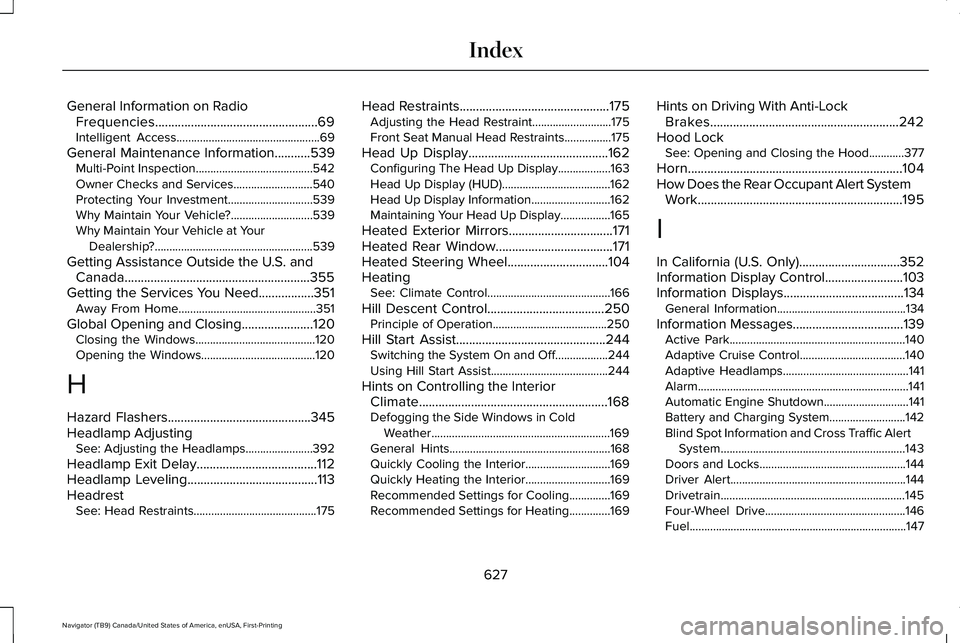
General Information on Radio
Frequencies..................................................69
Intelligent Access.................................................69
General Maintenance Information...........539 Multi-Point Inspection........................................542
Owner Checks and Services...........................540
Protecting Your Investment.............................539
Why Maintain Your Vehicle?............................539
Why Maintain Your Vehicle at Your
Dealership?......................................................539
Getting Assistance Outside the U.S. and Canada.........................................................355
Getting the Services You Need.................351 Away From Home...............................................351
Global Opening and Closing ......................120
Closing the Windows.........................................120
Opening the Windows.......................................120
H
Hazard Flashers............................................345
Headlamp Adjusting See: Adjusting the Headlamps.......................392
Headlamp Exit Delay.....................................112
Headlamp Leveling
........................................113
Headrest See: Head Restraints..........................................175 Head Restraints
..............................................175
Adjusting the Head Restraint...........................175
Front Seat Manual Head Restraints................
175
Head Up Display
...........................................162
Configuring The Head Up Display..................163
Head Up Display (HUD).....................................162
Head Up Display Information...........................162
Maintaining Your Head Up Display.................165
Heated Exterior Mirrors
................................171
Heated Rear Window....................................171
Heated Steering Wheel...............................104
Heating See: Climate Control..........................................166
Hill Descent Control....................................250 Principle of Operation.......................................250
Hill Start Assist..............................................244 Switching the System On and Off..................244
Using Hill Start Assist........................................244
Hints on Controlling the Interior Climate
..........................................................168
Defogging the Side Windows in Cold
Weather.............................................................169
General Hints.......................................................168
Quickly Cooling the Interior.............................
169
Quickly Heating the Interior.............................169
Recommended Settings for Cooling..............169
Recommended Settings for Heating..............169 Hints on Driving With Anti-Lock
Brakes..........................................................242
Hood Lock See: Opening and Closing the Hood............377
Horn..................................................................104
How Does the Rear Occupant Alert System Work...............................................................195
I
In California (U.S. Only)...............................352
Information Display Control........................103
Information Displays
.....................................134
General Information............................................134
Information Messages..................................139 Active Park............................................................140
Adaptive Cruise Control....................................140
Adaptive Headlamps...........................................141
Alarm........................................................................\
141
Automatic Engine Shutdown.............................141
Battery and Charging System..........................142
Blind Spot Information and Cross Traffic Alert
System...............................................................143
Doors and Locks..................................................144
Driver Alert............................................................144
Drivetrain...............................................................145
Four-Wheel Drive................................................146
Fuel........................................................................\
..147
627
Navigator (TB9) Canada/United States of America, enUSA, First-Printing Index
Page 632 of 639
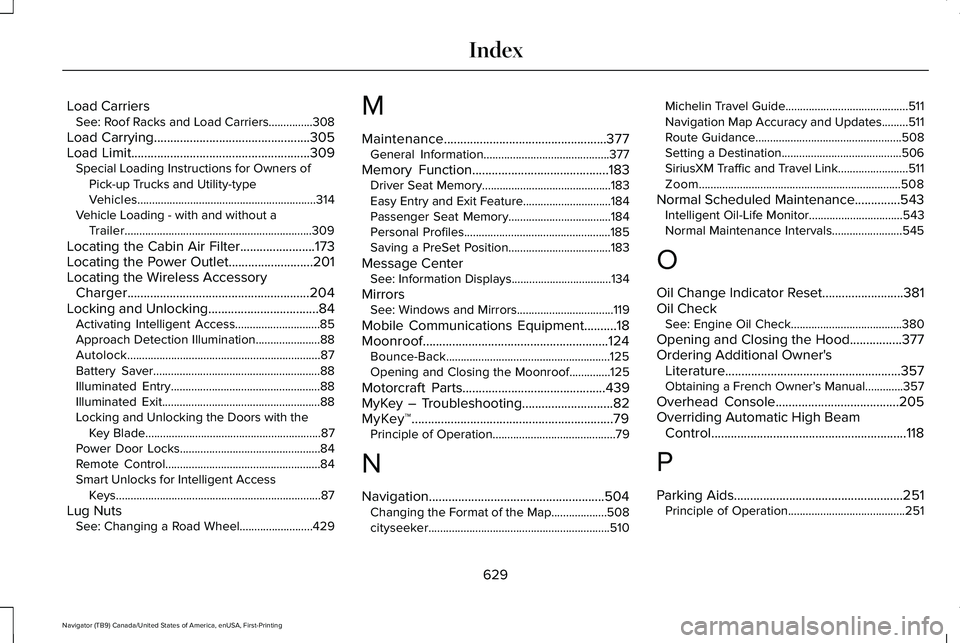
Load Carriers
See: Roof Racks and Load Carriers...............308
Load Carrying................................................305
Load Limit.......................................................309
Special Loading Instructions for Owners of
Pick-up Trucks and Utility-type
Vehicles.............................................................314
Vehicle Loading - with and without a Trailer................................................................309
Locating the Cabin Air Filter.......................173
Locating the Power Outlet..........................201
Locating the Wireless Accessory Charger........................................................204
Locking and Unlocking..................................84 Activating Intelligent Access.............................85
Approach Detection Illumination......................
88
Autolock..................................................................87
Battery Saver.........................................................88
Illuminated Entry...................................................88
Illuminated Exit......................................................88
Locking and Unlocking the Doors with the Key Blade............................................................87
Power Door Locks................................................84
Remote Control.....................................................84
Smart Unlocks for Intelligent Access Keys......................................................................87
Lug Nuts See: Changing a Road Wheel.........................
429 M
Maintenance..................................................377
General Information...........................................377
Memory Function..........................................183 Driver Seat Memory............................................183
Easy Entry and Exit Feature..............................184
Passenger Seat Memory...................................184
Personal Profiles..................................................185
Saving a PreSet Position...................................183
Message Center See: Information Displays..................................134
Mirrors See: Windows and Mirrors.................................119
Mobile Communications Equipment..........18
Moonroof.........................................................124 Bounce-Back........................................................125
Opening and Closing the Moonroof..............125
Motorcraft Parts............................................439
MyKey – Troubleshooting
............................82
MyKey™..............................................................79 Principle of Operation..........................................79
N
Navigation......................................................504 Changing the Format of the Map...................508
cityseeker..............................................................510 Michelin Travel Guide..........................................511
Navigation Map Accuracy and Updates.........511
Route Guidance..................................................508
Setting a Destination.........................................506
SiriusXM Traffic and Travel Link........................511
Zoom.....................................................................508
Normal Scheduled Maintenance
..............543
Intelligent Oil-Life Monitor................................543
Normal Maintenance Intervals........................
545
O
Oil Change Indicator Reset.........................381
Oil Check See: Engine Oil Check......................................380
Opening and Closing the Hood................377
Ordering Additional Owner's Literature......................................................357
Obtaining a French Owner’ s Manual.............357
Overhead Console
......................................205
Overriding Automatic High Beam Control
............................................................118
P
Parking Aids
....................................................251
Principle of Operation........................................251
629
Navigator (TB9) Canada/United States of America, enUSA, First-Printing Index
Page 637 of 639
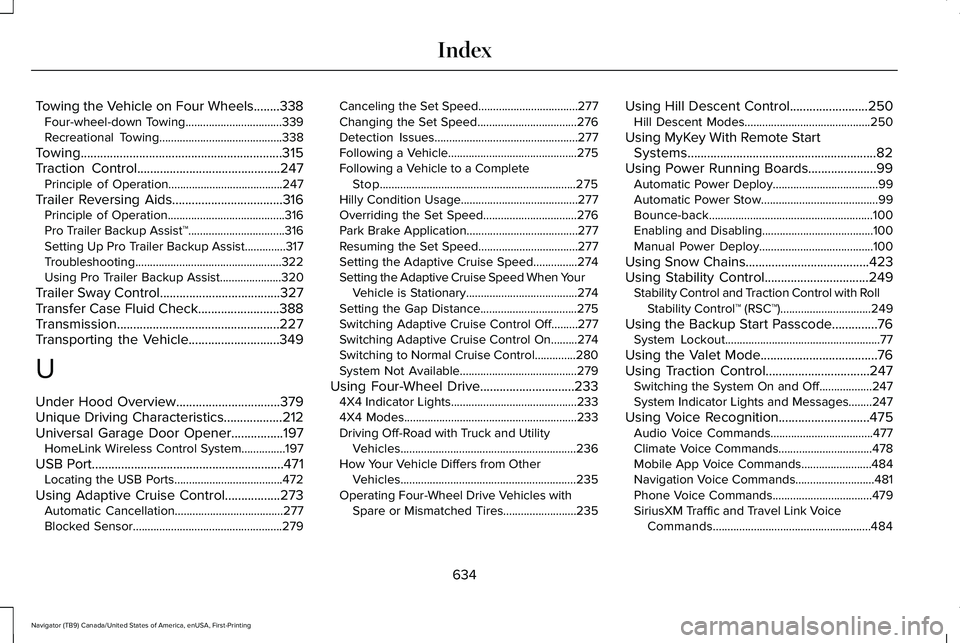
Towing the Vehicle on Four Wheels........338
Four-wheel-down Towing.................................339
Recreational Towing..........................................338
Towing..............................................................315
Traction Control............................................247 Principle of Operation.......................................247
Trailer Reversing Aids..................................316
Principle of Operation........................................316
Pro Trailer Backup Assist™.................................316
Setting Up Pro Trailer Backup Assist..............317
Troubleshooting ..................................................322
Using Pro Trailer Backup Assist.....................320
Trailer Sway Control
.....................................327
Transfer Case Fluid Check.........................388
Transmission..................................................227
Transporting the Vehicle
............................349
U
Under Hood Overview................................379
Unique Driving Characteristics
..................212
Universal Garage Door Opener................197 HomeLink Wireless Control System...............197
USB Port...........................................................471 Locating the USB Ports.....................................472
Using Adaptive Cruise Control
.................273
Automatic Cancellation.....................................277
Blocked Sensor...................................................279 Canceling the Set Speed..................................277
Changing the Set Speed..................................276
Detection Issues.................................................277
Following a Vehicle............................................275
Following a Vehicle to a Complete
Stop...................................................................275
Hilly Condition Usage........................................277
Overriding the Set Speed................................276
Park Brake Application......................................277
Resuming the Set Speed..................................277
Setting the Adaptive Cruise Speed...............274
Setting the Adaptive Cruise Speed When Your Vehicle is Stationary......................................274
Setting the Gap Distance.................................275
Switching Adaptive Cruise Control Off.........277
Switching Adaptive Cruise Control On.........274
Switching to Normal Cruise Control..............280
System Not Available........................................279
Using Four-Wheel Drive
.............................233
4X4 Indicator Lights...........................................233
4X4 Modes...........................................................233
Driving Off-Road with Truck and Utility
Vehicles............................................................236
How Your Vehicle Differs from Other Vehicles............................................................235
Operating Four-Wheel Drive Vehicles with Spare or Mismatched Tires.........................235 Using Hill Descent Control........................250
Hill Descent Modes...........................................250
Using MyKey With Remote Start Systems..........................................................82
Using Power Running Boards.....................99 Automatic Power Deploy....................................99
Automatic Power Stow........................................99
Bounce-back........................................................100
Enabling and Disabling......................................100
Manual Power Deploy.......................................100
Using Snow Chains
......................................423
Using Stability Control................................249 Stability Control and Traction Control with Roll
Stability Control™ (RSC™)...............................249
Using the Backup Start Passcode..............76 System Lockout.....................................................77
Using the Valet Mode....................................76
Using Traction Control................................247 Switching the System On and Off..................247
System Indicator Lights and Messages........247
Using Voice Recognition............................475 Audio Voice Commands...................................477
Climate Voice Commands................................
478
Mobile App Voice Commands........................484
Navigation Voice Commands...........................481
Phone Voice Commands..................................
479
SiriusXM Traffic and Travel Link Voice Commands......................................................484
634
Navigator (TB9) Canada/United States of America, enUSA, First-Printing Index