ECO mode LINCOLN NAVIGATOR 2021 Owner's Manual
[x] Cancel search | Manufacturer: LINCOLN, Model Year: 2021, Model line: NAVIGATOR, Model: LINCOLN NAVIGATOR 2021Pages: 639, PDF Size: 6.09 MB
Page 135 of 639
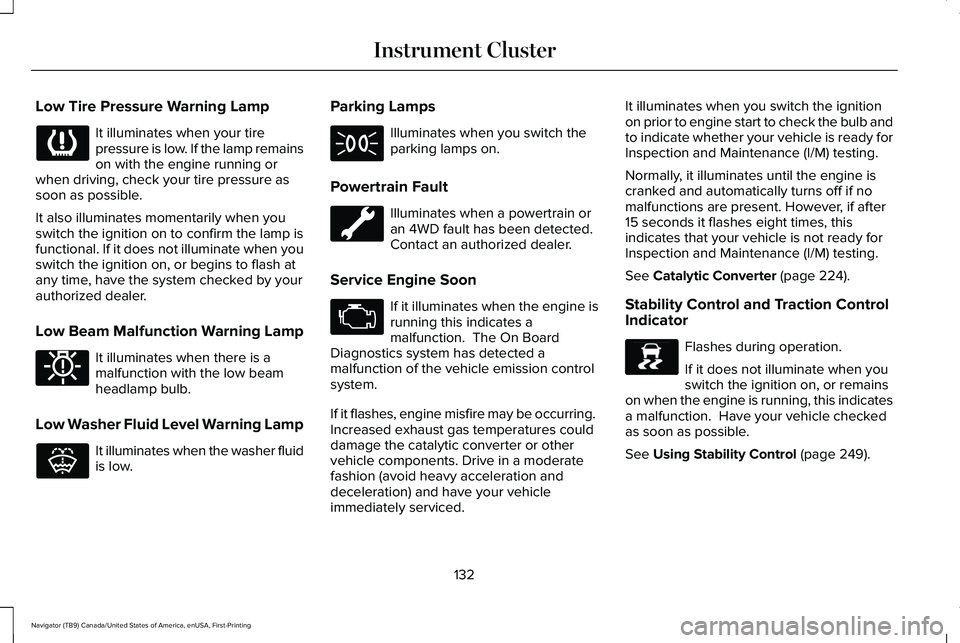
Low Tire Pressure Warning Lamp
It illuminates when your tire
pressure is low. If the lamp remains
on with the engine running or
when driving, check your tire pressure as
soon as possible.
It also illuminates momentarily when you
switch the ignition on to confirm the lamp is
functional. If it does not illuminate when you
switch the ignition on, or begins to flash at
any time, have the system checked by your
authorized dealer.
Low Beam Malfunction Warning Lamp It illuminates when there is a
malfunction with the low beam
headlamp bulb.
Low Washer Fluid Level Warning Lamp It illuminates when the washer fluid
is low. Parking Lamps Illuminates when you switch the
parking lamps on.
Powertrain Fault Illuminates when a powertrain or
an 4WD fault has been detected.
Contact an authorized dealer.
Service Engine Soon If it illuminates when the engine is
running this indicates a
malfunction. The On Board
Diagnostics system has detected a
malfunction of the vehicle emission control
system.
If it flashes, engine misfire may be occurring.
Increased exhaust gas temperatures could
damage the catalytic converter or other
vehicle components. Drive in a moderate
fashion (avoid heavy acceleration and
deceleration) and have your vehicle
immediately serviced. It illuminates when you switch the ignition
on prior to engine start to check the bulb and
to indicate whether your vehicle is ready for
Inspection and Maintenance (I/M) testing.
Normally, it illuminates until the engine is
cranked and automatically turns off if no
malfunctions are present. However, if after
15 seconds it flashes eight times, this
indicates that your vehicle is not ready for
Inspection and Maintenance (I/M) testing.
See Catalytic Converter (page 224).
Stability Control and Traction Control
Indicator Flashes during operation.
If it does not illuminate when you
switch the ignition on, or remains
on when the engine is running, this indicates
a malfunction. Have your vehicle checked
as soon as possible.
See
Using Stability Control (page 249).
132
Navigator (TB9) Canada/United States of America, enUSA, First-Printing Instrument Cluster E181350 E132353 E138639
Page 164 of 639
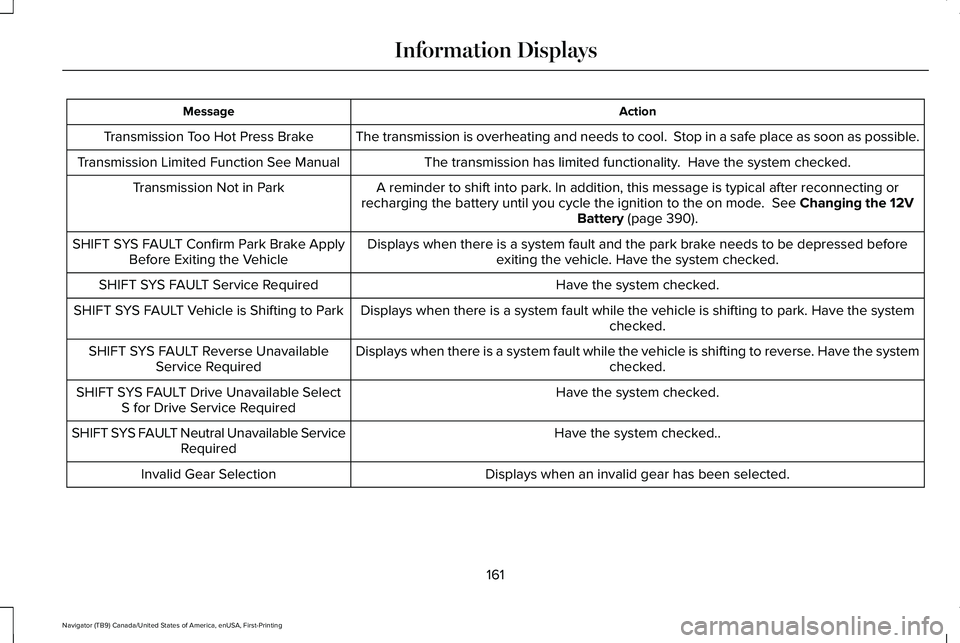
Action
Message
The transmission is overheating and needs to cool. Stop in a safe place as soon as possible.
Transmission Too Hot Press Brake
The transmission has limited functionality. Have the system checked.
Transmission Limited Function See Manual
A reminder to shift into park. In addition, this message is typical afte\
r reconnecting or
recharging the battery until you cycle the ignition to the on mode. See Changing the 12V
Battery (page 390).
Transmission Not in Park
Displays when there is a system fault and the park brake needs to be depressed beforeexiting the vehicle. Have the system checked.
SHIFT SYS FAULT Confirm Park Brake Apply
Before Exiting the Vehicle
Have the system checked.
SHIFT SYS FAULT Service Required
Displays when there is a system fault while the vehicle is shifting to p\
ark. Have the systemchecked.
SHIFT SYS FAULT Vehicle is Shifting to Park
Displays when there is a system fault while the vehicle is shifting to r\
everse. Have the systemchecked.
SHIFT SYS FAULT Reverse Unavailable
Service Required
Have the system checked.
SHIFT SYS FAULT Drive Unavailable Select
S for Drive Service Required
Have the system checked..
SHIFT SYS FAULT Neutral Unavailable Service
Required
Displays when an invalid gear has been selected.
Invalid Gear Selection
161
Navigator (TB9) Canada/United States of America, enUSA, First-Printing Information Displays
Page 170 of 639
Note:
The system starts at the previous
setting when you switch on AUTO mode. Note:
You can also switch off dual zone
mode by pressing and holding the button for
more than two seconds.
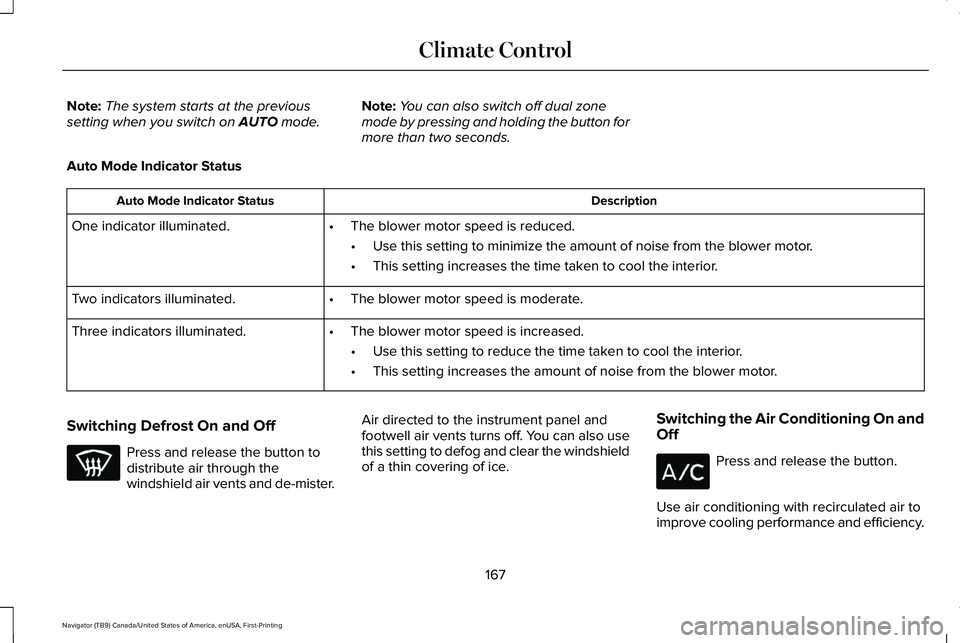
Auto Mode Indicator Status Description
Auto Mode Indicator Status
One indicator illuminated. •The blower motor speed is reduced.
•Use this setting to minimize the amount of noise from the blower motor.
• This setting increases the time taken to cool the interior.
Two indicators illuminated. •The blower motor speed is moderate.
Three indicators illuminated. •The blower motor speed is increased.
•Use this setting to reduce the time taken to cool the interior.
• This setting increases the amount of noise from the blower motor.
Switching Defrost On and Off Press and release the button to
distribute air through the
windshield air vents and de-mister.
Air directed to the instrument panel and
footwell air vents turns off. You can also use
this setting to defog and clear the windshield
of a thin covering of ice.
Switching the Air Conditioning On and
Off Press and release the button.
Use air conditioning with recirculated air to
improve cooling performance and efficiency.
167
Navigator (TB9) Canada/United States of America, enUSA, First-Printing Climate Control
Page 171 of 639
Note:
In certain conditions, such as
maximum defrost, the air conditioning
compressor may continue to operate even
though you switch off the air conditioning.
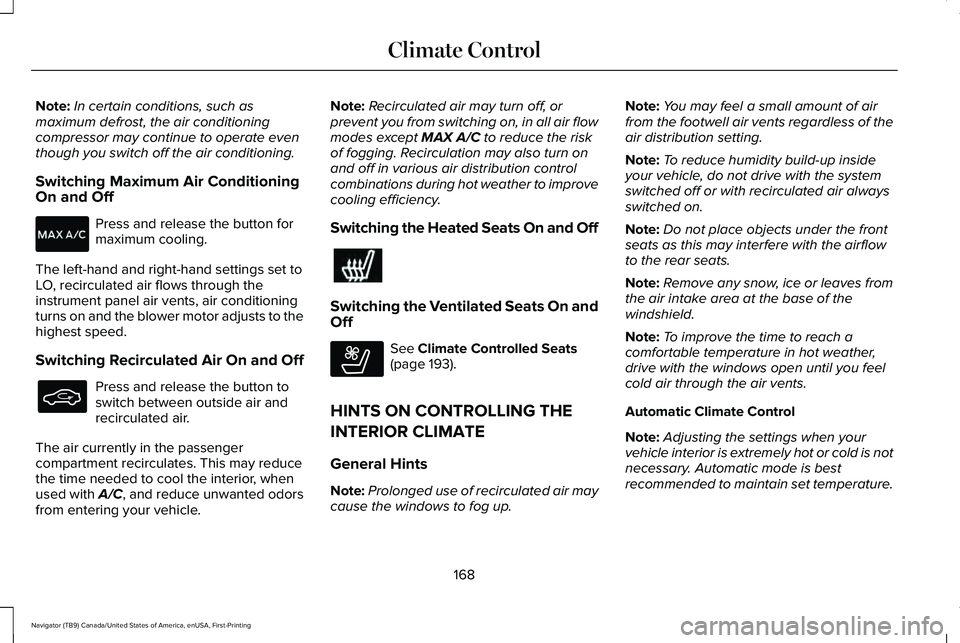
Switching Maximum Air Conditioning
On and Off Press and release the button for
maximum cooling.
The left-hand and right-hand settings set to
LO, recirculated air flows through the
instrument panel air vents, air conditioning
turns on and the blower motor adjusts to the
highest speed.
Switching Recirculated Air On and Off Press and release the button to
switch between outside air and
recirculated air.
The air currently in the passenger
compartment recirculates. This may reduce
the time needed to cool the interior, when
used with A/C, and reduce unwanted odors
from entering your vehicle. Note:
Recirculated air may turn off, or
prevent you from switching on, in all air flow
modes except MAX A/C to reduce the risk
of fogging. Recirculation may also turn on
and off in various air distribution control
combinations during hot weather to improve
cooling efficiency.
Switching the Heated Seats On and Off Switching the Ventilated Seats On and
Off
See
Climate Controlled Seats
(page 193).
HINTS ON CONTROLLING THE
INTERIOR CLIMATE
General Hints
Note: Prolonged use of recirculated air may
cause the windows to fog up. Note:
You may feel a small amount of air
from the footwell air vents regardless of the
air distribution setting.
Note: To reduce humidity build-up inside
your vehicle, do not drive with the system
switched off or with recirculated air always
switched on.
Note: Do not place objects under the front
seats as this may interfere with the airflow
to the rear seats.
Note: Remove any snow, ice or leaves from
the air intake area at the base of the
windshield.
Note: To improve the time to reach a
comfortable temperature in hot weather,
drive with the windows open until you feel
cold air through the air vents.
Automatic Climate Control
Note: Adjusting the settings when your
vehicle interior is extremely hot or cold is not
necessary. Automatic mode is best
recommended to maintain set temperature.
168
Navigator (TB9) Canada/United States of America, enUSA, First-Printing Climate Control E268558
Page 173 of 639
Directing Air to the Rear Footwell Air
Vents
Press and release the button to
direct airflow to rear footwell air
vents.
Note: Air can be directed through any
combination of air vents.
Rear Climate Control Lock Indicator Illuminates when the rear climate
controls are locked through the
front climate controls.
Note: If the rear climate controls are locked
and the rear climate system is turned off, the
indicator illuminates for a few seconds when
you try to use any of the rear climate
controls. Setting the Rear Blower Motor Speed
Turn the control to adjust the volume of air
circulated in the rear passenger
compartment.Setting the Rear Temperature
Turn the control to set the temperature in
the rear passenger compartment.
Switching Rear Auto Mode On
Press and release the button to
switch rear automatic operation on,
then set the temperature.
170
Navigator (TB9) Canada/United States of America, enUSA, First-Printing Climate Control E265389 E265862
Page 184 of 639
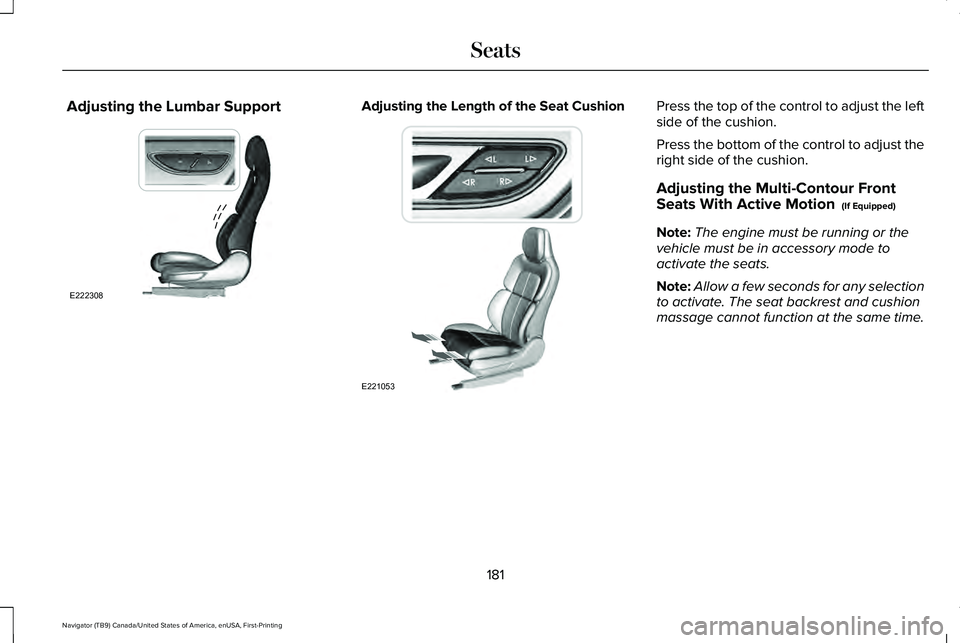
Adjusting the Lumbar Support Adjusting the Length of the Seat Cushion Press the top of the control to adjust the left
side of the cushion.
Press the bottom of the control to adjust the
right side of the cushion.
Adjusting the Multi-Contour Front
Seats With Active Motion (If Equipped)
Note: The engine must be running or the
vehicle must be in accessory mode to
activate the seats.
Note: Allow a few seconds for any selection
to activate. The seat backrest and cushion
massage cannot function at the same time.
181
Navigator (TB9) Canada/United States of America, enUSA, First-Printing SeatsE222308 E221053
Page 216 of 639
•
Elevation is below about 11,000 ft
(3,350 m).
• Ambient temperature is moderate.
• If equipped with selectable drive modes
and when you select Normal, Conserve,
Slippery.
• The trailer is not connected.
• Tow haul mode not engaged.
• You have not selected Manual mode. The green Auto-Start-Stop
indicator light on the instrument
cluster will illuminates to indicate
when the automatic engine stop occurs. If the instrument cluster is
equipped with a grey
Auto-Start-Stop indicator light, it
illuminates when automatic engine stop is
not available due to one of the above noted
conditions not being met. Automatic Engine Restart
Any of the following conditions results in an
automatic restart of the engine:
•
You have removed your foot from the
brake pedal.
• You press the accelerator pedal.
• You press the accelerator and the brake
pedal at the same time.
• The driver seatbelt becomes unfastened
or the driver door is ajar.
• Your vehicle is moving.
• The interior compartment does not meet
customer comfort when air conditioning
or heat is on.
• Fogging of the windows could occur and
the air conditioning is on.
• The battery is not within optimal
operating conditions.
• You have exceeded the maximum engine
off time.
• When you press the Auto-Start-Stop
button with the engine automatically
stopped. •
The front defroster is turned to the Max
setting.
• When you shift into park (P) the engine
will restart.
Any of the following conditions may result in
an automatic restart of the engine:
• You have increased the blower fan speed
or changed the climate control
temperature.
• You have an electrical accessory turned
on or plugged in.
Note: You may notice that the climate seat
fan fluctuates during an automatic restart.
213
Navigator (TB9) Canada/United States of America, enUSA, First-Printing Unique Driving Characteristics E146361
Page 232 of 639
Note:
This only functions if your 12 volt
battery has power and the starter can spin
the engine. If vehicle battery voltage is not
sufficient, you may require an external 12
volt power source such as jumper cables,
battery charger or jump pack for this feature
to function.
Note: Once in this mode, maintain sufficient
battery voltage or your vehicle returns to
park. WARNING: When doing this
procedure, you need to take the
transmission out of park (P) which means
your vehicle can roll freely. To avoid
unwanted vehicle movement, always fully
apply the parking brake prior to doing this
procedure. Use wheels chocks if
appropriate.
1. Do not press the brake pedal. Press the Start/Stop button.
2. Fully press down on the brake pedal. Keep the brakes applied through step 7.
3. Press the accelerator pedal to the floor and hold through step 7. 4. Press the neutral (N) button on the
transmission selector.
5. Press the neutral (N) button again to enter Stay in Neutral mode.
6. Press and release the push to start button, the transmission needs a
minimum of 2 seconds to exit park.
7. When neutral (N) displays, you can release the brake and accelerator pedals.
To exit Stay in Neutral mode, select a
different gear.
A message appears in your information
display screen when your vehicle has
entered Stay in Neutral mode.
Drive (D)
Drive (D) is the normal driving position for
the best fuel economy. The overdrive
function allows automatic upshifts and
downshifts through gears one through ten. Adaptive Tow/Haul Mode WARNING:
Do not use tow/haul
when the road surface is slippery. Failure
to follow this instruction could result in the
loss of control of your vehicle.
Adaptive tow/haul has two modes, automatic
that is enabled by default and off.
To turn adaptive tow/haul off or on, use the
information display controls.
See General
Information (page 134). The indicator light
illuminates in the instrument cluster.
Key adaptive tow/haul features:
• The system remains in the same mode,
even after a key cycle.
• Is only available in normal drive modes
(Normal 2H and Normal 4A).
The adaptive tow/haul feature improves
transmission operation when towing a trailer
or a heavy load. All transmission gear ranges
are available when using adaptive tow/haul.
For information on towing.
See Towing (page
315).
229
Navigator (TB9) Canada/United States of America, enUSA, First-Printing Transmission
Page 233 of 639
SelectShift™ Automatic Transmission
Your vehicle has a SelectShift Automatic
transmission. The SelectShift Automatic
transmission gives you the ability to change
gears up or down, without a clutch, as
desired.
In order to prevent the engine from running
at too low of an RPM, which may cause it to
stall, SelectShift still automatically makes
some downshifts if it has determined that
you have not downshifted in time. Although
SelectShift makes some downshifts for you,
it still allows you to downshift at any time as
long as the SelectShift determines that
damage to the engine does not occur from
over-revving.
Note:
Engine damage may occur if you
maintain excessive engine revving without
shifting.
SelectShift does not automatically upshift,
even if the engine is approaching the RPM
limit. Shift manually by pressing the + paddle.
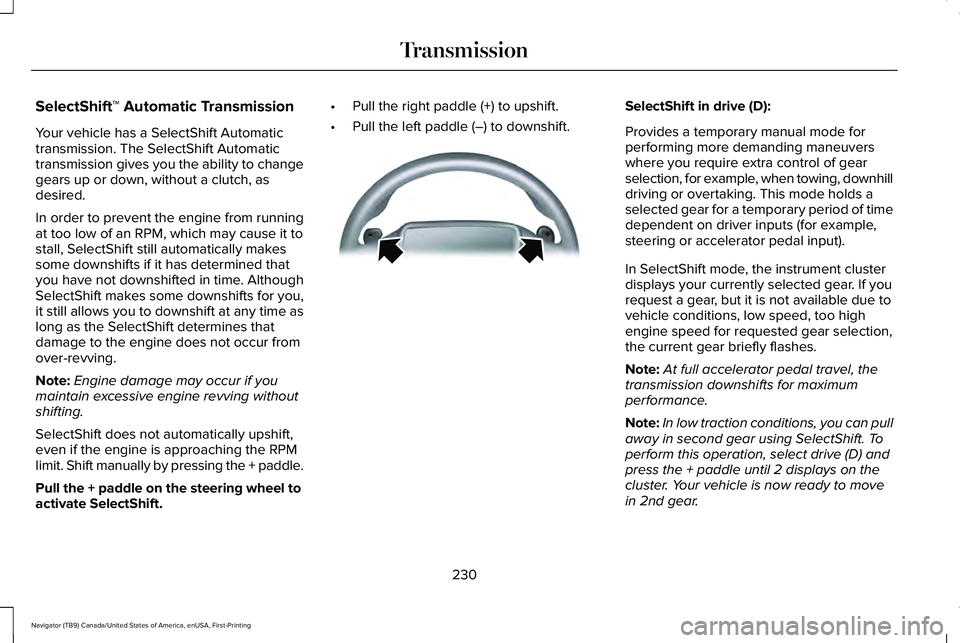
Pull the + paddle on the steering wheel to
activate SelectShift. •
Pull the right paddle (+) to upshift.
• Pull the left paddle (–) to downshift. SelectShift in drive (D):
Provides a temporary manual mode for
performing more demanding maneuvers
where you require extra control of gear
selection, for example, when towing, downhill
driving or overtaking. This mode holds a
selected gear for a temporary period of time
dependent on driver inputs (for example,
steering or accelerator pedal input).
In SelectShift mode, the instrument cluster
displays your currently selected gear. If you
request a gear, but it is not available due to
vehicle conditions, low speed, too high
engine speed for requested gear selection,
the current gear briefly flashes.
Note:
At full accelerator pedal travel, the
transmission downshifts for maximum
performance.
Note: In low traction conditions, you can pull
away in second gear using SelectShift. To
perform this operation, select drive (D) and
press the + paddle until 2 displays on the
cluster. Your vehicle is now ready to move
in 2nd gear.
230
Navigator (TB9) Canada/United States of America, enUSA, First-Printing TransmissionE144821
Page 237 of 639
Note:
The AdvanceTrac® with RSC® stability
enhancement system can be switched off
by deselecting the feature on the instrument
panel. See Using Traction Control (page
247). This disables the engine management
feature, allowing the vehicle to maintain full
power and enhanced momentum through
the obstacle.
Note: The AdvanceTrac system can take
control of the transfer case clutch and
disable it during driving maneuvers when
necessary.
2H - 4X2
This turns on when you select normal or
conserve. Power is delivered to the rear
wheels only. This mode is appropriate for
normal on-road driving on dry pavement and
provides the best fuel economy. 4A - 4X4 Auto
This turns on when you select excite, normal,
4x4 auto or slippery. It provides electronically
controlled four-wheel drive with power
delivered to all four wheels, as required, for
increased traction. 4A is calibrated in
conjunction with drive mode. Using 4A in
excite is less aggressively tuned and is
appropriate for dry road surfaces. Using 4A
in normal and 4x4 auto is appropriate for all
on-road driving conditions, such as dry road
surfaces, wet pavement, light snow or gravel.
Using 4A in slippery is more aggressively
tuned and is appropriate for slippery
surfaces, such as light snow or gravel.
4H - 4X4 High
This turns on when you select deep
conditions. It provides electronically locked
four-wheel drive power to both the front and
rear wheels for use in off-road or winter
conditions such as deep snow, sand or mud.
This mode is not for use on dry pavement.4L - 4X4 Low (If Equipped)
This turns on when you select slow climb. It
provides electronically locked four-wheel
drive power to both the front and rear wheels
for use on low traction surfaces, but does so
with additional gearing for increased torque
multiplication. Intended only for off-road
applications such as deep sand, steep slopes
or pulling heavy objects. Using 4L does not
engage when your vehicle is moving above
3 mph (5 km/h)
. This is normal and is no
reason for concern.
Shifting Between Four-Wheel Drive System
Modes
Note: Momentarily releasing the accelerator
pedal when a shift in progress message
displays improves engagement and
disengagement performance.
Note: Do not perform this operation if the
rear wheels are slipping.
Note: You may hear some noise as the
system shifts or engages, This is normal.
234
Navigator (TB9) Canada/United States of America, enUSA, First-Printing Four-Wheel Drive
(If Equipped)