ECO mode LINCOLN NAVIGATOR 2021 Service Manual
[x] Cancel search | Manufacturer: LINCOLN, Model Year: 2021, Model line: NAVIGATOR, Model: LINCOLN NAVIGATOR 2021Pages: 639, PDF Size: 6.09 MB
Page 443 of 639
VEHICLE IDENTIFICATION
NUMBER
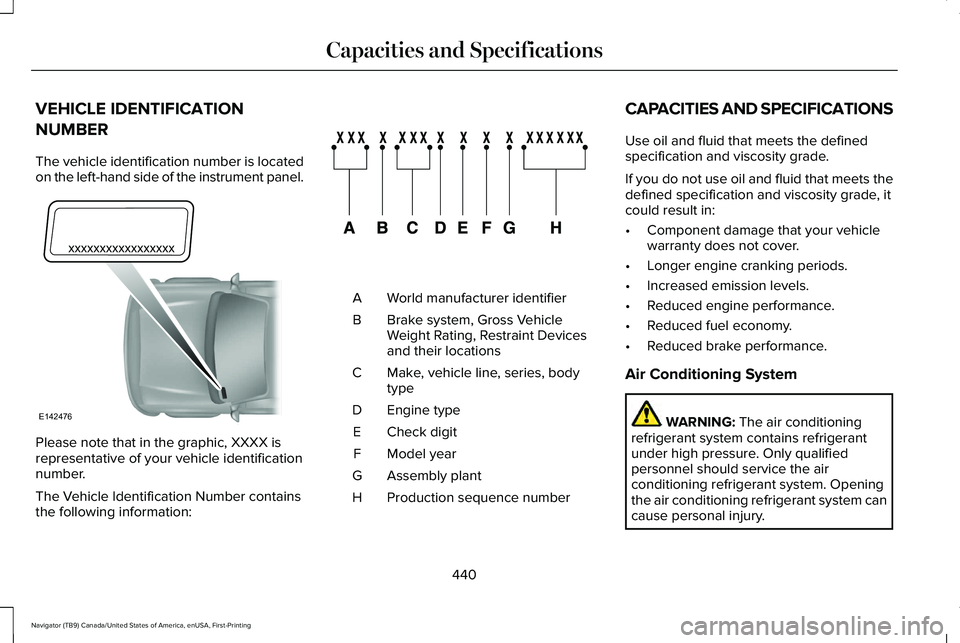
The vehicle identification number is located
on the left-hand side of the instrument panel.
Please note that in the graphic, XXXX is
representative of your vehicle identification
number.
The Vehicle Identification Number contains
the following information: World manufacturer identifier
A
Brake system, Gross Vehicle
Weight Rating, Restraint Devices
and their locations
B
Make, vehicle line, series, body
type
C
Engine type
D
Check digit
E
Model year
F
Assembly plant
G
Production sequence number
H CAPACITIES AND SPECIFICATIONS
Use oil and fluid that meets the defined
specification and viscosity grade.
If you do not use oil and fluid that meets the
defined specification and viscosity grade, it
could result in:
•
Component damage that your vehicle
warranty does not cover.
• Longer engine cranking periods.
• Increased emission levels.
• Reduced engine performance.
• Reduced fuel economy.
• Reduced brake performance.
Air Conditioning System WARNING: The air conditioning
refrigerant system contains refrigerant
under high pressure. Only qualified
personnel should service the air
conditioning refrigerant system. Opening
the air conditioning refrigerant system can
cause personal injury.
440
Navigator (TB9) Canada/United States of America, enUSA, First-Printing Capacities and SpecificationsE142476 E142477
Page 465 of 639
AUDIO UNIT
WARNING: Driving while distracted
can result in loss of vehicle control, crash
and injury. We strongly recommend that
you use extreme caution when using any
device that may take your focus off the
road. Your primary responsibility is the safe
operation of your vehicle. We recommend
against the use of any hand-held device
while driving and encourage the use of
voice-operated systems when possible.
Make sure you are aware of all applicable
local laws that may affect the use of
electronic devices while driving. Note:
Depending on your vehicle option
package, the controls may look different
from what you see here.
Note: Some features, such as satellite radio,
may not be available in your location. Check
with an authorized dealer.
Note: The touchscreen system controls most
of the audio features.
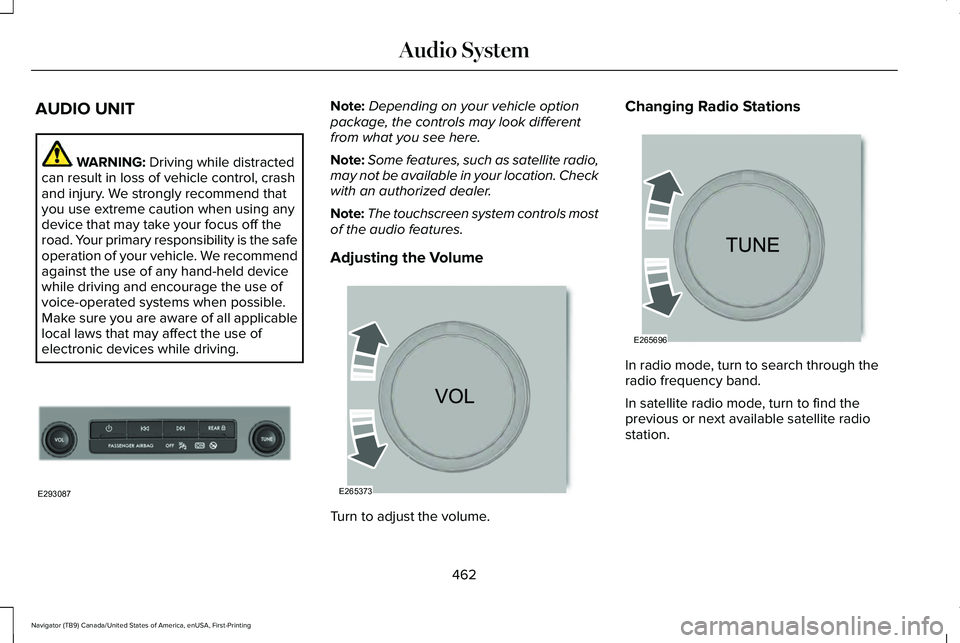
Adjusting the Volume Turn to adjust the volume.Changing Radio Stations
In radio mode, turn to search through the
radio frequency band.
In satellite radio mode, turn to find the
previous or next available satellite radio
station.
462
Navigator (TB9) Canada/United States of America, enUSA, First-Printing Audio SystemE293087 E265373 E265696
Page 466 of 639
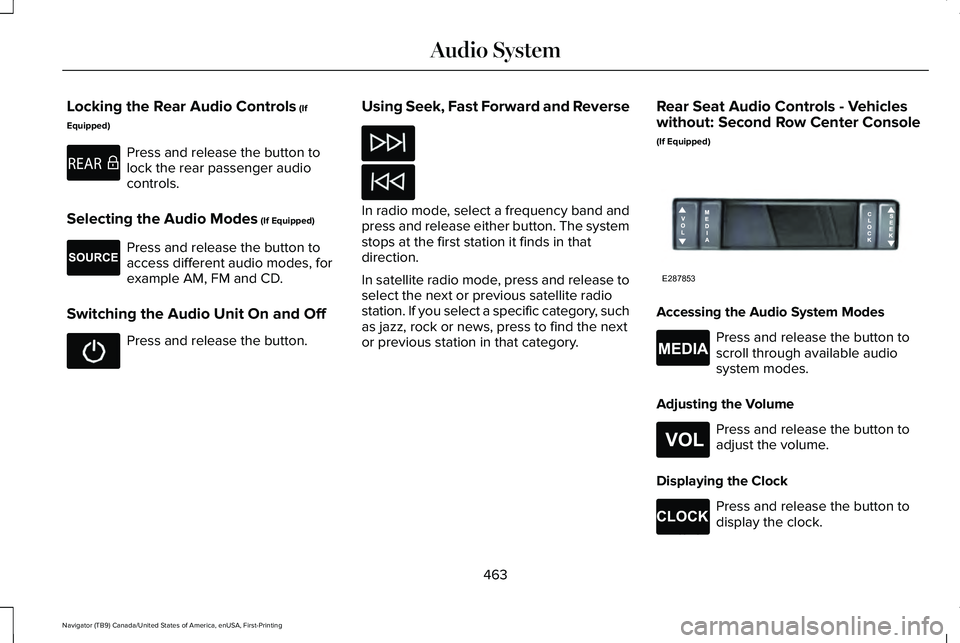
Locking the Rear Audio Controls (If
Equipped) Press and release the button to
lock the rear passenger audio
controls.
Selecting the Audio Modes
(If Equipped) Press and release the button to
access different audio modes, for
example AM, FM and CD.
Switching the Audio Unit On and Off Press and release the button.
Using Seek, Fast Forward and Reverse In radio mode, select a frequency band and
press and release either button. The system
stops at the first station it finds in that
direction.
In satellite radio mode, press and release to
select the next or previous satellite radio
station. If you select a specific category, such
as jazz, rock or news, press to find the next
or previous station in that category.
Rear Seat Audio Controls - Vehicles
without: Second Row Center Console
(If Equipped) Accessing the Audio System Modes
Press and release the button to
scroll through available audio
system modes.
Adjusting the Volume Press and release the button to
adjust the volume.
Displaying the Clock Press and release the button to
display the clock.
463
Navigator (TB9) Canada/United States of America, enUSA, First-Printing Audio SystemE270448 E265276 E287853 E265035 E265304 E265278
Page 467 of 639
Using Seek
Press and release the button to
select the next or previous stored
radio frequency station.
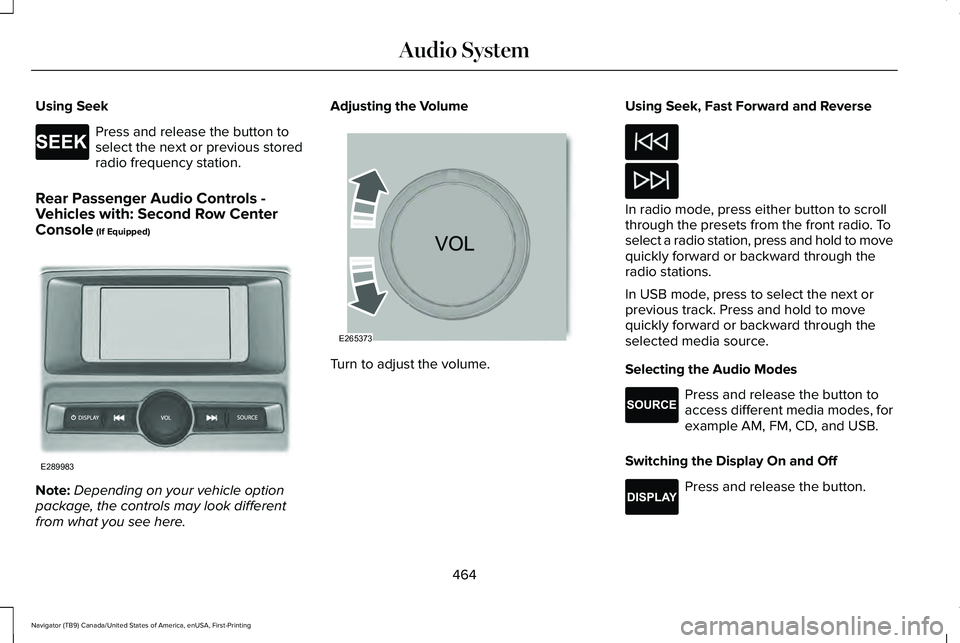
Rear Passenger Audio Controls -
Vehicles with: Second Row Center
Console (If Equipped) Note:
Depending on your vehicle option
package, the controls may look different
from what you see here. Adjusting the Volume
Turn to adjust the volume.Using Seek, Fast Forward and Reverse In radio mode, press either button to scroll
through the presets from the front radio. To
select a radio station, press and hold to move
quickly forward or backward through the
radio stations.
In USB mode, press to select the next or
previous track. Press and hold to move
quickly forward or backward through the
selected media source.
Selecting the Audio Modes
Press and release the button to
access different media modes, for
example AM, FM, CD, and USB.
Switching the Display On and Off Press and release the button.
464
Navigator (TB9) Canada/United States of America, enUSA, First-Printing Audio SystemE265273 E289983 E265373 E265276 E268786
Page 500 of 639
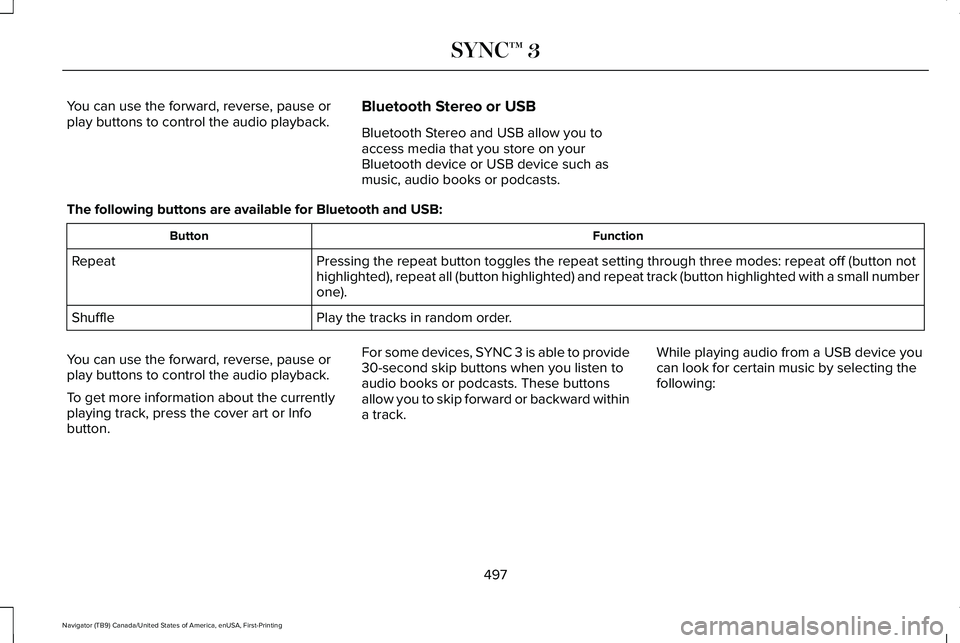
You can use the forward, reverse, pause or
play buttons to control the audio playback.
Bluetooth Stereo or USB
Bluetooth Stereo and USB allow you to
access media that you store on your
Bluetooth device or USB device such as
music, audio books or podcasts.
The following buttons are available for Bluetooth and USB: Function
Button
Pressing the repeat button toggles the repeat setting through three mode\
s: repeat off (button not
highlighted), repeat all (button highlighted) and repeat track (butt\
on highlighted with a small number
one).
Repeat
Play the tracks in random order.
Shuffle
You can use the forward, reverse, pause or
play buttons to control the audio playback.
To get more information about the currently
playing track, press the cover art or Info
button. For some devices, SYNC 3 is able to provide
30-second skip buttons when you listen to
audio books or podcasts. These buttons
allow you to skip forward or backward within
a track.
While playing audio from a USB device you
can look for certain music by selecting the
following:
497
Navigator (TB9) Canada/United States of America, enUSA, First-Printing SYNC™ 3
Page 505 of 639
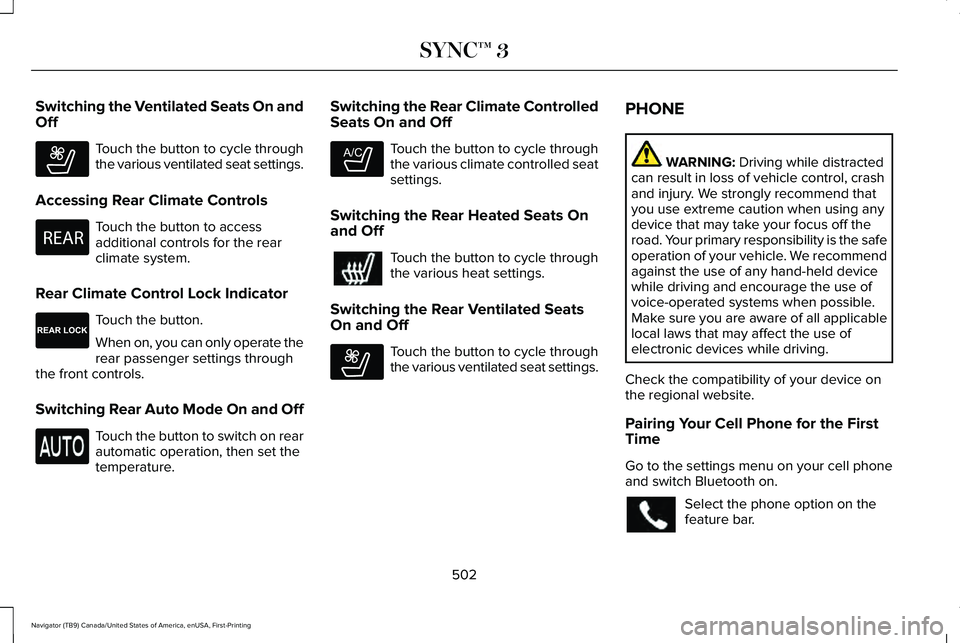
Switching the Ventilated Seats On and
Off
Touch the button to cycle through
the various ventilated seat settings.
Accessing Rear Climate Controls Touch the button to access
additional controls for the rear
climate system.
Rear Climate Control Lock Indicator Touch the button.
When on, you can only operate the
rear passenger settings through
the front controls.
Switching Rear Auto Mode On and Off Touch the button to switch on rear
automatic operation, then set the
temperature. Switching the Rear Climate Controlled
Seats On and Off Touch the button to cycle through
the various climate controlled seat
settings.
Switching the Rear Heated Seats On
and Off Touch the button to cycle through
the various heat settings.
Switching the Rear Ventilated Seats
On and Off Touch the button to cycle through
the various ventilated seat settings.PHONE WARNING: Driving while distracted
can result in loss of vehicle control, crash
and injury. We strongly recommend that
you use extreme caution when using any
device that may take your focus off the
road. Your primary responsibility is the safe
operation of your vehicle. We recommend
against the use of any hand-held device
while driving and encourage the use of
voice-operated systems when possible.
Make sure you are aware of all applicable
local laws that may affect the use of
electronic devices while driving.
Check the compatibility of your device on
the regional website.
Pairing Your Cell Phone for the First
Time
Go to the settings menu on your cell phone
and switch Bluetooth on. Select the phone option on the
feature bar.
502
Navigator (TB9) Canada/United States of America, enUSA, First-Printing SYNC™ 3E268558 E270447 E265289 E265282 E268558
Page 621 of 639
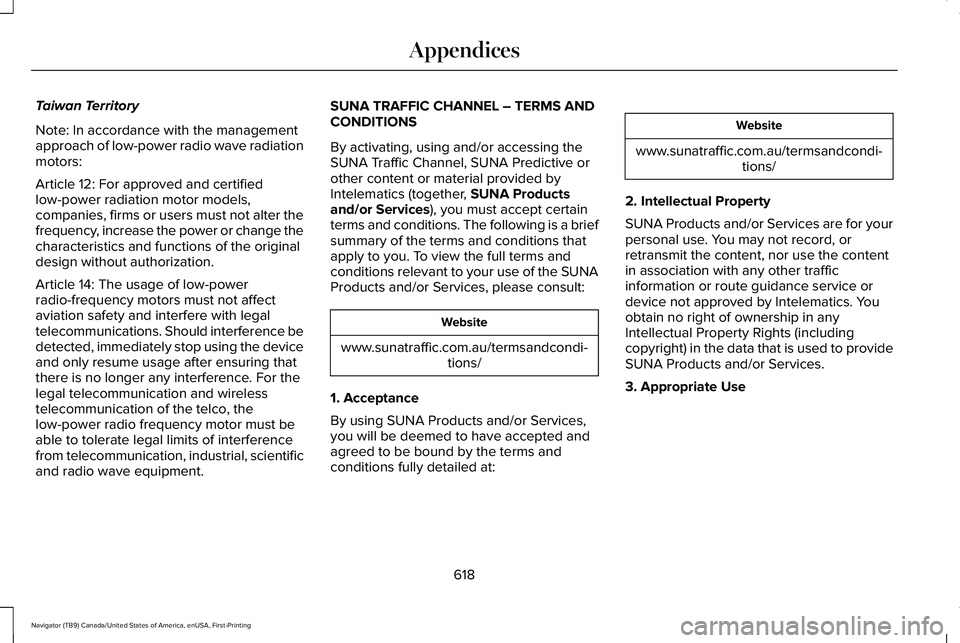
Taiwan Territory
Note: In accordance with the management
approach of low-power radio wave radiation
motors:
Article 12: For approved and certified
low-power radiation motor models,
companies, firms or users must not alter the
frequency, increase the power or change the
characteristics and functions of the original
design without authorization.
Article 14: The usage of low-power
radio-frequency motors must not affect
aviation safety and interfere with legal
telecommunications. Should interference be
detected, immediately stop using the device
and only resume usage after ensuring that
there is no longer any interference. For the
legal telecommunication and wireless
telecommunication of the telco, the
low-power radio frequency motor must be
able to tolerate legal limits of interference
from telecommunication, industrial, scientific
and radio wave equipment.
SUNA TRAFFIC CHANNEL – TERMS AND
CONDITIONS
By activating, using and/or accessing the
SUNA Traffic Channel, SUNA Predictive or
other content or material provided by
Intelematics (together, SUNA Products
and/or Services), you must accept certain
terms and conditions. The following is a brief
summary of the terms and conditions that
apply to you. To view the full terms and
conditions relevant to your use of the SUNA
Products and/or Services, please consult: Website
www.sunatraffic.com.au/termsandcondi- tions/
1. Acceptance
By using SUNA Products and/or Services,
you will be deemed to have accepted and
agreed to be bound by the terms and
conditions fully detailed at: Website
www.sunatraffic.com.au/termsandcondi- tions/
2. Intellectual Property
SUNA Products and/or Services are for your
personal use. You may not record, or
retransmit the content, nor use the content
in association with any other traffic
information or route guidance service or
device not approved by Intelematics. You
obtain no right of ownership in any
Intellectual Property Rights (including
copyright) in the data that is used to provide
SUNA Products and/or Services.
3. Appropriate Use
618
Navigator (TB9) Canada/United States of America, enUSA, First-Printing Appendices
Page 625 of 639
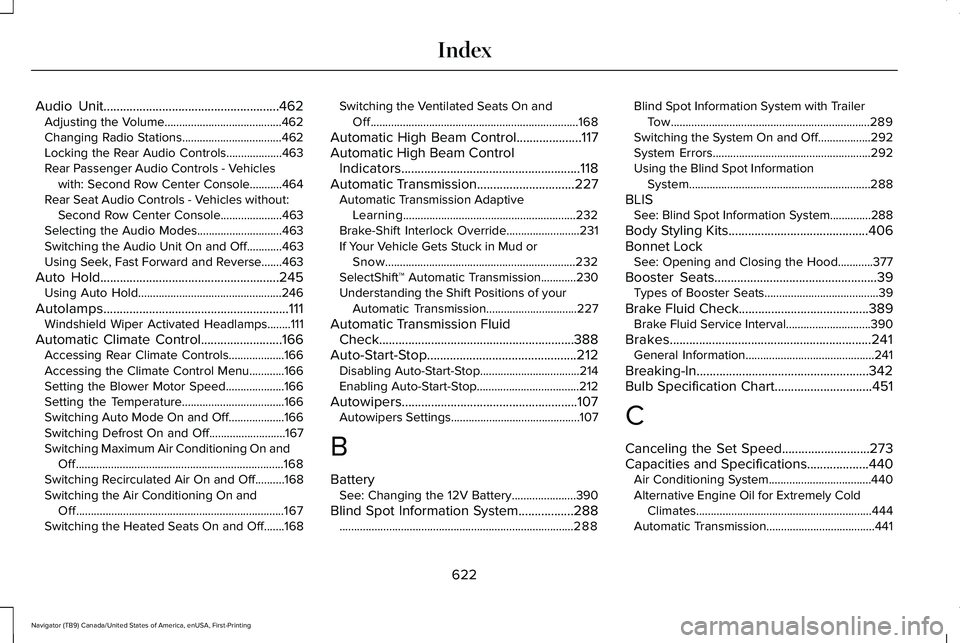
Audio Unit......................................................462
Adjusting the Volume........................................462
Changing Radio Stations..................................462
Locking the Rear Audio Controls...................463
Rear Passenger Audio Controls - Vehicles with: Second Row Center Console...........464
Rear Seat Audio Controls - Vehicles without: Second Row Center Console.....................463
Selecting the Audio Modes.............................463
Switching the Audio Unit On and Off............
463
Using Seek, Fast Forward and Reverse.......463
Auto Hold
.......................................................245
Using Auto Hold.................................................246
Autolamps.........................................................111 Windshield Wiper Activated Headlamps........111
Automatic Climate Control.........................166 Accessing Rear Climate Controls...................166
Accessing the Climate Control Menu............166
Setting the Blower Motor Speed....................
166
Setting the Temperature...................................166
Switching Auto Mode On and Off...................166
Switching Defrost On and Off..........................167
Switching Maximum Air Conditioning On and Off.......................................................................168
Switching Recirculated Air On and Off..........168
Switching the Air Conditioning On and Off.......................................................................167
Switching the Heated Seats On and Off.......168 Switching the Ventilated Seats On and
Off.......................................................................168
Automatic High Beam Control....................117
Automatic High Beam Control Indicators.......................................................118
Automatic Transmission
..............................227
Automatic Transmission Adaptive
Learning...........................................................232
Brake-Shift Interlock Override.........................
231
If Your Vehicle Gets Stuck in Mud or Snow.................................................................232
SelectShift™ Automatic Transmission............230
Understanding the Shift Positions of your Automatic Transmission...............................227
Automatic Transmission Fluid Check............................................................388
Auto-Start-Stop..............................................212 Disabling Auto-Start-Stop..................................214
Enabling Auto-Start-Stop...................................212
Autowipers......................................................107 Autowipers Settings............................................107
B
Battery See: Changing the 12V Battery......................390
Blind Spot Information System.................288 ........................................................................\
........288 Blind Spot Information System with Trailer
Tow....................................................................289
Switching the System On and Off..................292
System Errors......................................................292
Using the Blind Spot Information System..............................................................288
BLIS See: Blind Spot Information System..............288
Body Styling Kits...........................................406
Bonnet Lock See: Opening and Closing the Hood............377
Booster Seats..................................................39 Types of Booster Seats.......................................39
Brake Fluid Check........................................389 Brake Fluid Service Interval.............................390
Brakes..............................................................241 General Information............................................241
Breaking-In.....................................................342
Bulb Specification Chart..............................451
C
Canceling the Set Speed
...........................273
Capacities and Specifications...................440 Air Conditioning System...................................440
Alternative Engine Oil for Extremely Cold
Climates............................................................444
Automatic Transmission.....................................441
622
Navigator (TB9) Canada/United States of America, enUSA, First-Printing Index
Page 627 of 639
Switching the Air Conditioning On and
Off......................................................................500
Switching the Climate Controlled Seats On and Off.............................................................500
Switching the Climate Control On and Off......................................................................500
Switching the Heated Exterior Mirrors On and Off.......................................................................501
Switching the Heated Rear Window On and Off.......................................................................501
Switching the Heated Seats On and Off.......501
Switching the Heated Steering Wheel On and Off.......................................................................501
Switching the Heated Windshield On and Off.......................................................................501
Switching the Rear Climate Controlled Seats On and Off.......................................................502
Switching the Rear Heated Seats On and Off......................................................................502
Switching the Rear Ventilated Seats On and Off......................................................................502
Switching the Ventilated Seats On and Off......................................................................502
Climate Control..............................................166
Climate Controlled Seats............................193
Automatic Climate Controlled Seats..............193
Heated Seats........................................................193
Ventilated Seats...................................................194 Connected Vehicle
......................................455
Connecting the Vehicle to a Mobile
Network............................................................455
Connected Vehicle Limitations.................455
Connected Vehicle Requirements...........455
Connected Vehicle – Troubleshooting.........................................456
Connecting the Vehicle to a Mobile Network.......................................................455
Connecting Lincoln Way to the Modem.......455
Enabling and Disabling the Modem..............455
What Is the Modem............................................455
Connecting the Vehicle to a Wi-Fi Network.......................................................455
Coolant Check See: Engine Coolant Check.............................383
Crash Sensors and Airbag Indicator..........65
Creating a MyKey...........................................80 Programming and Changing Configurable
Settings................................................................81
Creating a Vehicle Wi-Fi Hotspot
.............459
Connecting a Device to the Wi-Fi
Hotspot.............................................................459
Finding the Wi-Fi Hotspot Name and Password.........................................................459
Cross Traffic Alert.........................................292 Cross Traffic Alert Behavior When Trailer is
Attached ...........................................................295 Cross Traffic Alert Indicator.............................296
Cross Traffic Alert Information
Messages.........................................................296
Cross Traffic Alert System Limitations..........295
Cross Traffic Alert System Sensors...............295
Switching the System On and Off..................
295
Using Cross Traffic Alert...................................292
Cruise Control...............................................272
Cruise Control Indicators............................273
Cruise Control - Vehicles With: Adaptive Cruise Control.............................................103
Cruise Control - Vehicles With: Cruise Control...........................................................103
Customer Assistance...................................351
Customer Information
..................................551
Radio Frequency Certification Labels............551
D
Data Recording
................................................12
Comfort, Convenience and Entertainment
Data.......................................................................14
Event Data...............................................................13
Service Data............................................................12
Services That Third Parties Provide..................14
Services That We Provide....................................14
Vehicles With a Modem.......................................15
Vehicles With an Emergency Call System.......16
624
Navigator (TB9) Canada/United States of America, enUSA, First-Printing Index
Page 628 of 639
Vehicles With SYNC..............................................15
Daytime Running Lamps - Vehicles With: Configurable Daytime Running
Lamps.............................................................112
Daytime Running Lamps - Vehicles With: Daytime Running Lamps (DRL)................112
Declaration of Conformity - Vehicles With: SYNC 3
.........................................................620
Radio Frequency Statement...........................620
Digital Radio
..................................................465
HD Radio Reception and Station
Troubleshooting.............................................466
Direction Indicators
........................................114
Lane Change.........................................................114
Doors and Locks.............................................84
Drive Mode Control.....................................303 Lincoln Drive Modes..........................................303
Driver Alert
......................................................281
Using Driver Alert...............................................282
Driver and Passenger Airbags....................58 Children and Airbags...........................................59
Proper Driver and Front Passenger Seating
Adjustment.........................................................59
Driving Aids....................................................281
Driving Hints...................................................341
Driving Through Water................................342 DRL
See: Daytime Running Lamps - Vehicles With:
Configurable Daytime Running Lamps......112
See: Daytime Running Lamps - Vehicles With: Daytime Running Lamps (DRL).....................112
E
Economical Driving
.......................................341
Electric Parking Brake.................................242
Applying the Electric Parking Brake..............242
Automatically Releasing the Electric Parking
Brake.................................................................243
Manually Releasing the Electric Parking Brake.................................................................243
Releasing the Electric Parking Brake if the Vehicle Battery is Running Out of
Charge..............................................................243
Electromagnetic Compatibility..................584
Emergency Call Limitations.........................68
Emergency Call Requirements
....................67
Emission Law.................................................223 Noise Emissions Warranty, Prohibited
Tampering Acts and Maintenance............224
Tampering With a Noise Control System..............................................................223 End User License Agreement...................589
VEHICLE SOFTWARE END USER LICENSE
AGREEMENT (EULA) ....................................589
Engine Block Heater
....................................210
Using the Engine Block Heater........................211
Engine Coolant Check................................383 Adding Coolant...................................................384
Coolant Change..................................................386
Engine Coolant Temperature
Management...................................................387
Fail-Safe Cooling................................................386
Recycled Coolant...............................................385
Severe Climates.................................................385
Engine Emission Control............................223
Engine Immobilizer See: Passive Anti-Theft System........................
95
Engine Oil Check.........................................380 Adding Engine Oil...............................................381
Engine Oil Dipstick......................................380
Engine Specifications
..................................438
Drivebelt Routing................................................438
Entertainment................................................487 AM/FM Radio.......................................................488
Apps.......................................................................499
Bluetooth Stereo or USB..................................497
CD........................................................................\
..496
HD Radio ™ Information (If Available)..............492
SiriusXM® Satellite Radio (If Activated).........488
625
Navigator (TB9) Canada/United States of America, enUSA, First-Printing Index