ignition LINCOLN NAVIGATOR 2021 Service Manual
[x] Cancel search | Manufacturer: LINCOLN, Model Year: 2021, Model line: NAVIGATOR, Model: LINCOLN NAVIGATOR 2021Pages: 639, PDF Size: 6.09 MB
Page 195 of 639
Folds the second-row bench
center seat or both second-row
captain chair seats.
E
Folds the right-hand second-row
seat.
F
To return the second-row seat backrest to
the original position, rotate the seat backrest
up until it latches in the upright position. The
seat backrest clicks when it is locked into
position.
To return the third-row seat backrest to the
original position, press the corresponding
control again.
If the power rear seat is disabled after 10
minutes, you can enable the seat by:
• Opening any door.
• Pressing the unlock button on the key
fob.
• Pressing any keyless entry keypad
button.
• Switching the ignition on. Folding Down the Rear Seats to the Load
Floor WARNING: To prevent possible
damage to the seat or seatbelts, make sure
that the seatbelts are not fastened before
folding the seatback. WARNING:
Do not place cargo or
any objects behind the seatback before
returning it to the original position.
The third-row seats have obstacle detection
that prevents the seats from folding or
returning if they are obstructed.
Reclining the Third Row Power Seats WARNING:
Do not recline a rear seat
on which a child restraint is installed.
Failure to follow this instruction could
reduce the effectiveness of the child
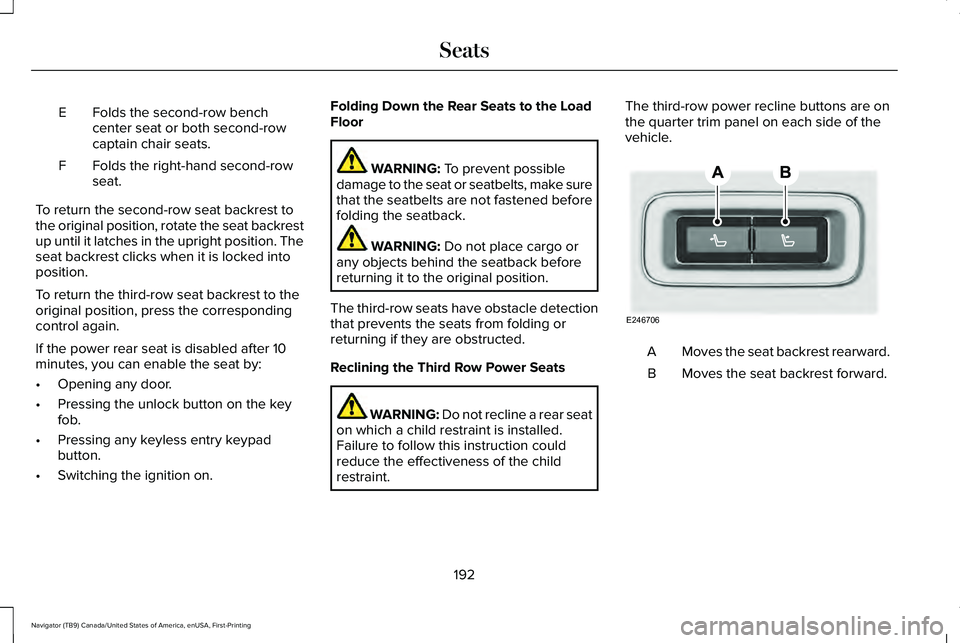
restraint. The third-row power recline buttons are on
the quarter trim panel on each side of the
vehicle.
Moves the seat backrest rearward.
A
Moves the seat backrest forward.
B
192
Navigator (TB9) Canada/United States of America, enUSA, First-Printing SeatsE246706
Page 198 of 639
WHAT IS THE REAR OCCUPANT
ALERT SYSTEM
The rear occupant alert system monitors
vehicle conditions and notifies you to check
for rear seat occupants when you switch the
ignition off.
HOW DOES THE REAR OCCUPANT
ALERT SYSTEM WORK
The system monitors when rear doors have
been opened and closed to indicate the
potential presence of an occupant in the rear
seat.
A message displays in the information and
entertainment display screen and an audible
warning sounds when you switch the ignition
off after any of the following conditions have
been met:
•
A rear door is opened or closed while
the ignition is on.
• You switch the ignition on within 15
minutes of a rear door opening and
closing.
• You switch the ignition on within 15
minutes of the alert having displayed or
sounded.
REAR OCCUPANT ALERT SYSTEM
PRECAUTIONS WARNING: On hot days, the
temperature inside the vehicle can rise
very quickly. Exposure of people or animals
to these high temperatures for even a short
time can cause death or serious heat
related injuries, including brain damage.
Small children are particularly at risk. WARNING:
Do not leave children or
pets unattended in your vehicle. Failure to
follow this instruction could result in
personal injury or death.
REAR OCCUPANT ALERT SYSTEM
LIMITATIONS
The system does not detect the presence of
objects or passengers in the rear seat. It
monitors when rear doors are opened and
closed.
Note: It is possible to receive an alert when
there is no rear seat occupant, but alert
conditions are met.
Note: It is possible to receive no alert when
there is an occupant in the rear seat, if alert
conditions are not met. For example, if a rear
seat occupant does not enter the vehicle
through a rear door.
Note: The audible warning does not sound
when the front door is opened before you
switch the ignition off.
195
Navigator (TB9) Canada/United States of America, enUSA, First-Printing Rear Occupant Alert System
(If Equipped)
Page 201 of 639
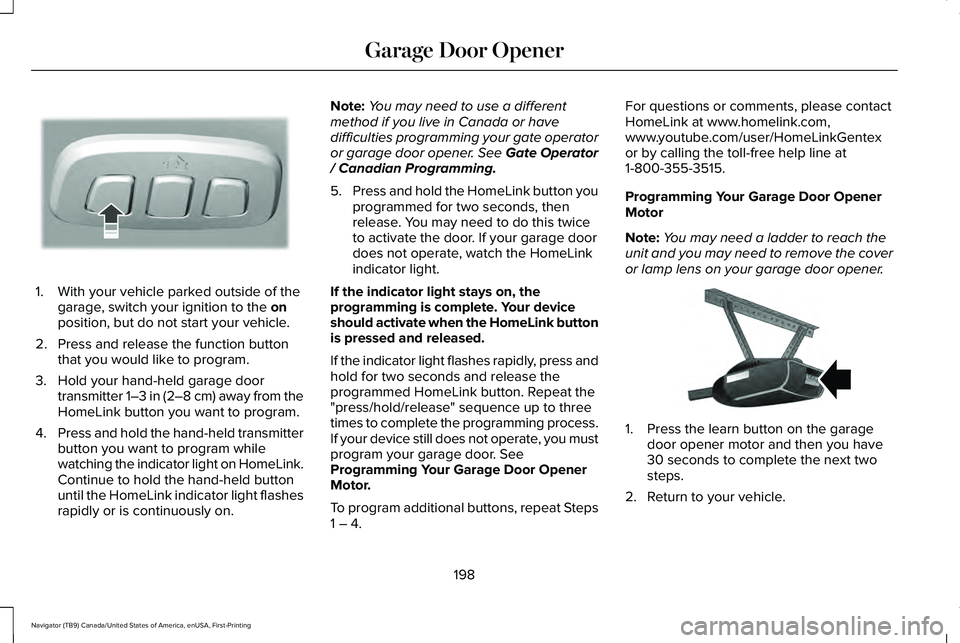
1. With your vehicle parked outside of the
garage, switch your ignition to the on
position, but do not start your vehicle.
2. Press and release the function button that you would like to program.
3. Hold your hand-held garage door transmitter 1–3 in (2–8 cm) away from the
HomeLink button you want to program.
4. Press and hold the hand-held transmitter
button you want to program while
watching the indicator light on HomeLink.
Continue to hold the hand-held button
until the HomeLink indicator light flashes
rapidly or is continuously on. Note:
You may need to use a different
method if you live in Canada or have
difficulties programming your gate operator
or garage door opener. See Gate Operator
/ Canadian Programming.
5. Press and hold the HomeLink button you
programmed for two seconds, then
release. You may need to do this twice
to activate the door. If your garage door
does not operate, watch the HomeLink
indicator light.
If the indicator light stays on, the
programming is complete. Your device
should activate when the HomeLink button
is pressed and released.
If the indicator light flashes rapidly, press and
hold for two seconds and release the
programmed HomeLink button. Repeat the
"press/hold/release" sequence up to three
times to complete the programming process.
If your device still does not operate, you must
program your garage door. See
Programming Your Garage Door Opener
Motor.
To program additional buttons, repeat Steps
1 – 4. For questions or comments, please contact
HomeLink at www.homelink.com,
www.youtube.com/user/HomeLinkGentex
or by calling the toll-free help line at
1-800-355-3515.
Programming Your Garage Door Opener
Motor
Note:
You may need a ladder to reach the
unit and you may need to remove the cover
or lamp lens on your garage door opener. 1. Press the learn button on the garage
door opener motor and then you have
30 seconds to complete the next two
steps.
2. Return to your vehicle.
198
Navigator (TB9) Canada/United States of America, enUSA, First-Printing Garage Door OpenerE188212 E142659
Page 205 of 639
WHAT IS THE POWER OUTLET
The power outlet can power devices that use
a household plug.
POWER OUTLET PRECAUTIONS
WARNING: Do not keep electrical
devices plugged in the power point
whenever the device is not in use. Do not
use any extension cord with the 110 volt
AC power point, since it will defeat the
safety protection design. Doing so may
cause the power point to overload due to
powering multiple devices that can reach
beyond the 400 watt load limit and could
result in fire or serious injury.
Note: The vehicle provides up to 400 watts
when in park and up to 300 watts when in
drive mode. This wattage is divided between
multiple outlets when in use at the same
time. LOCATING THE POWER OUTLET
The power outlet is on the instrument panel
or the rear of the center console.
POWER OUTLET INDICATORS
The power outlet indicator illuminates to let
you know the status of the system.
Description
Indicator Status
The power point is
working, the ignition is on, or the vehicle is in accessory mode.
On
The power point is
off, the ignition is off, or the vehicle is notin accessory mode.
Off
The power point is infault mode.
Flashing Note:
Due to different technologies used on
its construction, some devices may exceed
the capacity shown on its label when they
are initially plugged in.
Note: The power outlet temporarily turns off
power when in fault mode if the device
exceeds the Watt limit. Unplug your device
and switch the ignition off. Switch the ignition
back on, but do not plug your device back
in. Let the system cool off and switch the
ignition off to reset the fault mode. Switch
the ignition back on and make sure the
indicator light remains on.
202
Navigator (TB9) Canada/United States of America, enUSA, First-Printing Power Outlet - Vehicles With: 110V Power Outlet
Page 210 of 639
GENERAL INFORMATION
WARNING: Extended idling at high
engine speeds can produce very high
temperatures in the engine and exhaust
system, creating the risk of fire or other
damage. WARNING:
Do not park, idle or drive
your vehicle on dry grass or other dry
ground cover. The emission system heats
up the engine compartment and exhaust
system, creating the risk of fire. WARNING:
Do not start the engine
in a closed garage or in other enclosed
areas. Exhaust fumes can be toxic. Always
open the garage door before you start the
engine. WARNING: Exhaust leaks may result
in entry of harmful and potentially lethal
fumes into the passenger compartment. If
you smell exhaust fumes inside your
vehicle, have your vehicle inspected
immediately. Do not drive if you smell
exhaust fumes.
If you disconnect the battery, your vehicle
may exhibit some unusual driving
characteristics for approximately 5 mi (8 km)
after you reconnect it. This is because the
engine management system must realign
itself with the engine. You can disregard any
unusual driving characteristics during this
period.
The powertrain control system meets all
Canadian interference-causing equipment
standard requirements regulating the
impulse electrical field or radio noise.
When you start the engine, avoid pressing
the accelerator pedal before and during
operation. Only use the accelerator pedal
when you have difficulty starting the engine. KEYLESS STARTING
Note:
The system may not function if the
passive key is close to metal objects or
electronic devices, for example keys or a
cell phone.
Note: A valid passive key must be located
inside your vehicle to switch the power on
and start your vehicle.
Note: A light on the button illuminates when
the ignition is on and when your vehicle
starts.
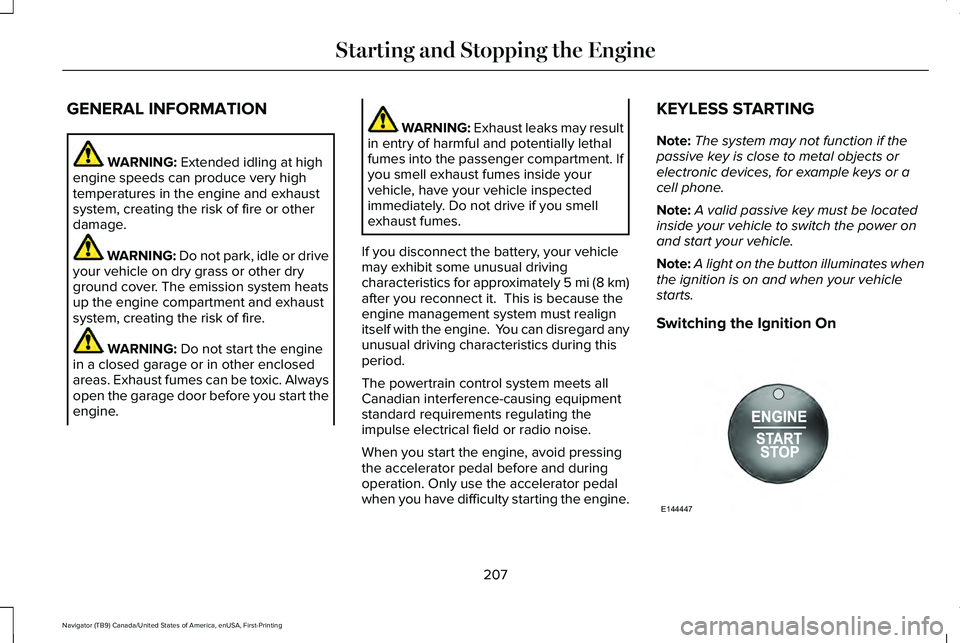
Switching the Ignition On 207
Navigator (TB9) Canada/United States of America, enUSA, First-Printing Starting and Stopping the EngineE144447
Page 211 of 639
Press the push button ignition switch once
without your foot on the brake pedal. It is on
the instrument panel near the steering wheel.
All electrical circuits and accessories are
operational and the warning lamps and
indicators illuminate.
Press the push button ignition switch again
without your foot on the brake pedal to
switch the ignition off.
STARTING A GASOLINE ENGINE
When you start the engine, the idle speed
increases.
This helps to warm up the engine. If the
engine idle speed does not slow down
automatically, have your vehicle checked by
an authorized dealer.
Note:
You can crank the engine for a total
of 60 seconds without the engine starting
before the starting system temporarily
disables. The 60 seconds does not have to
be all at once. For example, if you crank the
engine three times for 20 seconds each time,
without the engine starting, you reached the
60-second time limit. You cannot attempt
to start the engine for at least 15 minutes.
After 15 minutes, you are limited to a
15-second engine cranking time. You need
to wait 60 minutes before you can crank the
engine for 60 seconds again.
Before starting your vehicle, check the
following:
• Make sure all occupants have fastened
their seatbelts.
• Make sure the headlamps and electrical
accessories are off.
• Make sure the parking brake is on.
• Make sure the transmission is in park (P).
Note: Do not touch the accelerator pedal.
Note: You must have your intelligent access
key in your vehicle to shift the transmission
out of park (P). 1. Fully depress the brake pedal.
2. Press the push button ignition switch.
The system does not function if:
•
The passive key frequencies are jammed.
• The key battery has no charge.
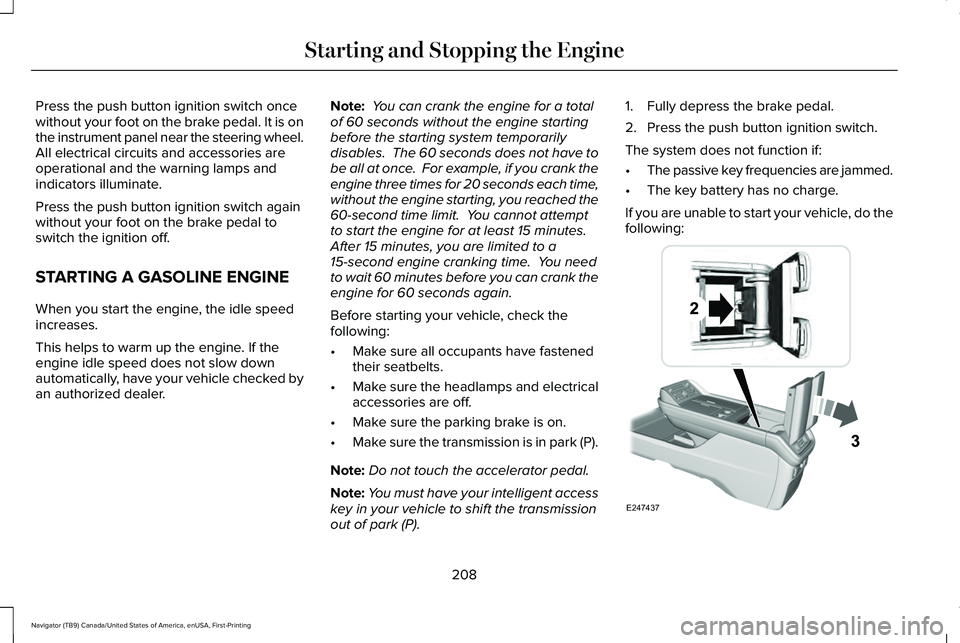
If you are unable to start your vehicle, do the
following: 208
Navigator (TB9) Canada/United States of America, enUSA, First-Printing Starting and Stopping the EngineE247437
Page 212 of 639
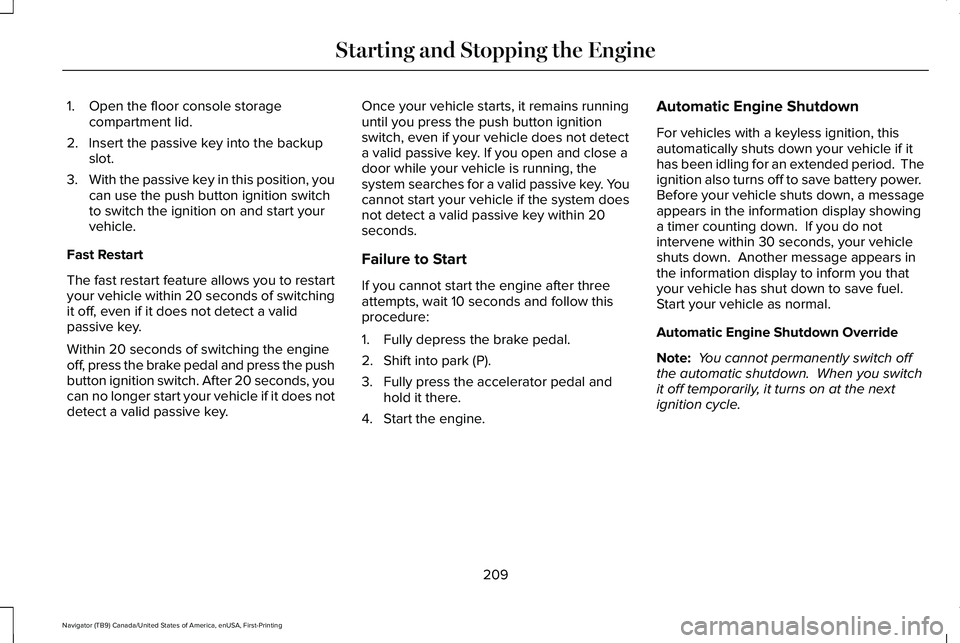
1. Open the floor console storage
compartment lid.
2. Insert the passive key into the backup slot.
3. With the passive key in this position, you
can use the push button ignition switch
to switch the ignition on and start your
vehicle.
Fast Restart
The fast restart feature allows you to restart
your vehicle within 20 seconds of switching
it off, even if it does not detect a valid
passive key.
Within 20 seconds of switching the engine
off, press the brake pedal and press the push
button ignition switch. After 20 seconds, you
can no longer start your vehicle if it does not
detect a valid passive key. Once your vehicle starts, it remains running
until you press the push button ignition
switch, even if your vehicle does not detect
a valid passive key. If you open and close a
door while your vehicle is running, the
system searches for a valid passive key. You
cannot start your vehicle if the system does
not detect a valid passive key within 20
seconds.
Failure to Start
If you cannot start the engine after three
attempts, wait 10 seconds and follow this
procedure:
1. Fully depress the brake pedal.
2. Shift into park (P).
3. Fully press the accelerator pedal and
hold it there.
4. Start the engine. Automatic Engine Shutdown
For vehicles with a keyless ignition, this
automatically shuts down your vehicle if it
has been idling for an extended period. The
ignition also turns off to save battery power.
Before your vehicle shuts down, a message
appears in the information display showing
a timer counting down. If you do not
intervene within 30 seconds, your vehicle
shuts down. Another message appears in
the information display to inform you that
your vehicle has shut down to save fuel.
Start your vehicle as normal.
Automatic Engine Shutdown Override
Note:
You cannot permanently switch off
the automatic shutdown. When you switch
it off temporarily, it turns on at the next
ignition cycle.
209
Navigator (TB9) Canada/United States of America, enUSA, First-Printing Starting and Stopping the Engine
Page 213 of 639
You can stop the shutdown, or reset the
timer, at any point before the 30-second
countdown has expired by doing any of the
following:
•
Interacting with your vehicle, for example
pressing the brake or accelerator pedal.
• You can temporarily switch off the
shutdown feature any time the ignition is
on using the information display. See
Information Displays (page 134). The
feature only remains off for the current
ignition cycle.
• During the 30-second countdown, the
system prompts you to press OK or
RESET to temporarily switch the feature
off for the current ignition cycle only.
Stopping the Engine When Your
Vehicle is Stationary
1. Shift into park (P).
2. Press the push button ignition switch.
3. Apply the parking brake.
Note: The ignition, all electrical circuits and
all warning lamps and indicators will be
turned off. Note:
If the engine is idling for 30 minutes,
the ignition and engine automatically shuts
down.
Stopping the Engine When Your
Vehicle is Moving WARNING:
Switching off the engine
when the vehicle is still moving will result
in a loss of brake and steering assistance.
The steering will not lock, but higher effort
will be required. When the ignition is
switched off, some electrical circuits,
including air bags, warning lamps and
indicators may also be off. If the ignition
was turned off accidentally, you can shift
into neutral (N) and re-start the engine.
1. Shift into neutral and use the brakes to bring your vehicle to a safe stop.
2. When your vehicle has stopped, shift into
park (P).
3. Press and hold the push button ignition switch, or press it three times within two
seconds.
4. Apply the parking brake. Guarding Against Exhaust Fumes WARNING: Exhaust leaks may result
in entry of harmful and potentially lethal
fumes into the passenger compartment. If
you smell exhaust fumes inside your
vehicle, have your vehicle inspected
immediately. Do not drive if you smell
exhaust fumes.
Important Ventilating Information
If you stop your vehicle and then leave the
engine idling for long periods, we
recommend that you do one of the following:
• Open the windows at least
1 in (3 cm).
• Set your climate control to outside air.
ENGINE BLOCK HEATER
(IF EQUIPPED) WARNING:
Failure to follow engine
block heater instructions could result in
property damage or serious personal
injury.
210
Navigator (TB9) Canada/United States of America, enUSA, First-Printing Starting and Stopping the Engine
Page 215 of 639
AUTO-START-STOP
The system helps reduce fuel consumption
by automatically stopping and restarting the
engine when your vehicle has stopped. The
engine restarts automatically when you
release the brake pedal.
In some situations, your vehicle may restart
automatically, for example:
•
To maintain interior comfort.
• To recharge the battery.
Note: Power assist steering turns off when
the engine is off.
Note: If your vehicle is flex fuel capable,
Auto-Start-Stop is inhibited for a short time
after a refuel event when the system is
verifying the fuel type being used. WARNING: Always fully apply the
parking brake. Make sure you shift into
park (P) for vehicles with an automatic
transmission. Switch the ignition off and
remove the key whenever you leave your
vehicle. WARNING: Before opening the hood
or performing any maintenance, fully apply
the parking brake, shift into park (P) or
neutral (N) and switch the ignition off. WARNING: Always switch the ignition
off before leaving the vehicle. If the ignition
is switched on an automatic restart may
occur at any time. WARNING:
The system may require
the engine to automatically restart when
the auto-start-stop indicator illuminates
green or flashes amber. Failure to follow
this instruction could result in personal
injury.
The Auto-Start-Stop system status is
available at a glance within the information
display.
See Information Displays (page
134).
Enabling Auto-Start-Stop
The system automatically enables every time
you start your vehicle if: •
You do not press the Auto-Start-Stop
button (not illuminated).
• Your vehicle exceeds an initial speed of
3 mph (5 km/h)
after you have initially
started your vehicle.
• You have stopped your vehicle.
• Your foot is on the brake pedal.
• The transmission is in drive.
• Not in Excite mode (enable by pressing
the Auto-Start-Stop button).
• The driver door is closed.
• There is adequate brake vacuum.
• The interior compartment has cooled or
warmed to an acceptable level.
• The front windshield defroster is off.
• You have not turned the steering wheel
rapidly or you do not have it at a sharp
angle.
• The vehicle is not on a steep road grade.
• The battery is within optimal operating
conditions, (with the battery state of
charge and temperature in range).
• The engine coolant is at operating
temperature.
212
Navigator (TB9) Canada/United States of America, enUSA, First-Printing Unique Driving Characteristics
Page 217 of 639
Disabling Auto-Start-Stop
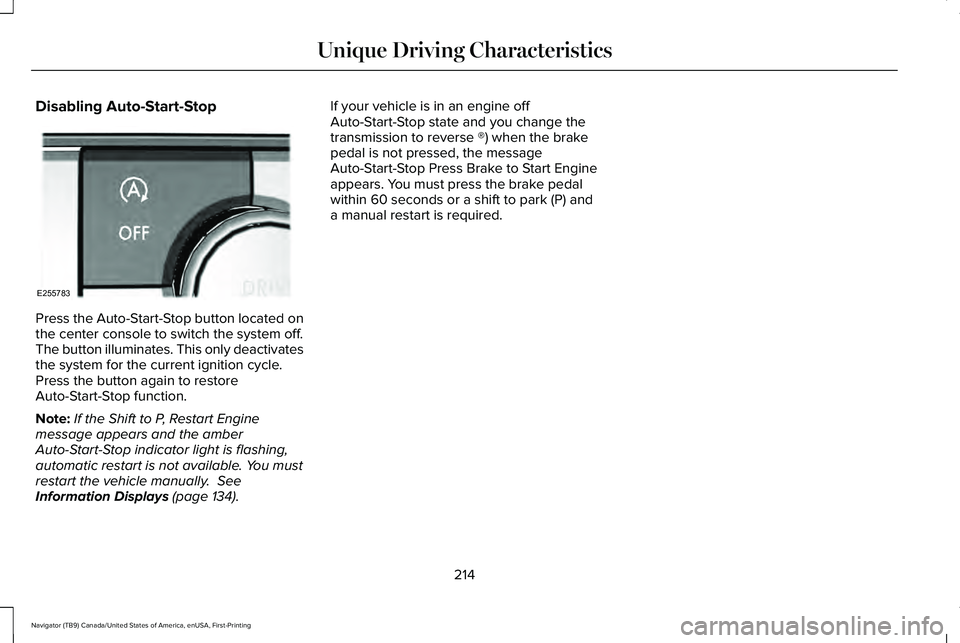
Press the Auto-Start-Stop button located on
the center console to switch the system off.
The button illuminates. This only deactivates
the system for the current ignition cycle.
Press the button again to restore
Auto-Start-Stop function.
Note:
If the Shift to P, Restart Engine
message appears and the amber
Auto-Start-Stop indicator light is flashing,
automatic restart is not available. You must
restart the vehicle manually. See
Information Displays (page 134). If your vehicle is in an engine off
Auto-Start-Stop state and you change the
transmission to reverse ®) when the brake
pedal is not pressed, the message
Auto-Start-Stop Press Brake to Start Engine
appears. You must press the brake pedal
within 60 seconds or a shift to park (P) and
a manual restart is required.
214
Navigator (TB9) Canada/United States of America, enUSA, First-Printing Unique Driving CharacteristicsE255783