lock LINCOLN NAVIGATOR 2022 Owners Manual
[x] Cancel search | Manufacturer: LINCOLN, Model Year: 2022, Model line: NAVIGATOR, Model: LINCOLN NAVIGATOR 2022Pages: 646, PDF Size: 7.29 MB
Page 303 of 646
WHAT IS THE LANE KEEPING
SYSTEM
The lane keeping system alerts you by
providing temporary steering assistance or
steering wheel vibration when it detects an
unintended lane departure.
HOW DOES THE LANE KEEPING
SYSTEM WORK
The lane keeping system uses a forward
looking camera mounted on the windshield
to monitor vehicle movement within the
travel lane.
When the camera detects a drift out of the
travel lane, the lane keeping system alerts
the driver by vibrating the steering wheel, or
aids the driver by providing a small steering
input to move the vehicle back into the travel
lane.
The driver can select one of three modes:
•
Alert (If Equipped)
• Aid
• Alert + Aid
LANE KEEPING SYSTEM
PRECAUTIONS WARNING: You are responsible for
controlling your vehicle at all times. The
system is designed to be an aid and does
not relieve you of your responsibility to
drive with due care and attention. Failure
to follow this instruction could result in the
loss of control of your vehicle, personal
injury or death. WARNING:
The system will not
operate if the sensor cannot track the road
lane markings. WARNING:
The sensor may
incorrectly track lane markings as other
structures or objects. This can result in a
false or missed warning. WARNING:
In cold and severe
weather conditions the system may not
function. Rain, snow and spray can all limit
sensor performance. WARNING:
The system may not
operate properly if the sensor is blocked.
Keep the windshield free from obstruction. WARNING:
If damage occurs in the
immediate area surrounding the sensor,
have your vehicle checked as soon as
possible. WARNING:
The system may not
correctly operate if your vehicle is fitted
with a suspension kit not approved by us. WARNING: Large contrasts in outside
lighting can limit sensor performance.
299
2022 Navigator (TB9) Canada/United States of America, enUSA, Edition date: 202109, First-Printing Lane Keeping System
Page 304 of 646
LANE KEEPING SYSTEM
LIMITATIONS
The lane keeping system only operates when
the vehicle speed is greater than 40 mph
(64 km/h).
The system works when the camera can
detect at least one lane marking.
Note: When you select Aid or Alert and Aid
mode and the system detects no steering
activity for a short period of time, the system
alerts you to put your hands on the steering
wheel. The system may detect a light grip or
touch on the steering wheel as hands-off
driving.
The lane keeping system may not correctly
operate in any of the following conditions:
• The lane keeping system does not detect
at least one lane marking.
• You switch the turn signal on.
• You apply direct steering, accelerate fast
or brake hard.
• The vehicle speed is less than
40 mph
(64 km/h). •
The anti-lock brake, stability control or
traction control system activates.
• The lane is too narrow.
• Something is obscuring the camera or it
is unable to detect the lane markings due
to environment, traffic or vehicle
conditions.
• Entering or exiting a tight curve when
driving at high speeds.
The lane keeping system may not correct
lane positioning in any of the following
conditions:
• High winds.
• Uneven road surfaces.
• Heavy or uneven loads.
• Incorrect tire pressure.
SWITCHING THE LANE KEEPING
SYSTEM ON AND OFF To activate the lane keeping
system, press the button on the
steering wheel.To deactivate the lane keeping system, press
the button again.
Note:
When switching the system on or off
a message appears in the information and
entertainment display to show the status.
Note: The system stores the on or off setting
until manually changed, unless it detects a
MyKey™. If the system detects a MyKey™, it
defaults to the last setting for that MyKey™.
Note: If the system detects a MyKey™,
pressing the button does not affect the on
or off status of the system. You can only
change the mode and intensity settings.
SWITCHING THE LANE KEEPING
SYSTEM MODE
The lane keeping system has different
settings that you can view or adjust using
the information display.
The system stores the last known selection
for each of these settings. You do not need
to readjust your settings each time you
switch on the system.
300
2022 Navigator (TB9) Canada/United States of America, enUSA, Edition date: 202109, First-Printing Lane Keeping SystemE334922
Page 307 of 646
While the lane keeping system is on, the
color of the lane markings change to indicate
the system status. Red
Yellow
Green
Gray
Indicates that the system is
providing or has just provided a lane keeping alert warning.
Indicates that the system is
providing or has just provided a lane keeping aid intervention.
Indicates that the system is avail-
able or ready to provide a warning or intervention on the indicated side.
Indicates that the system is
temporarily unavailable to provide a warning or intervention on the indicated side.
BLIND SPOT ASSIST
WHAT IS BLIND SPOT ASSIST
Blind spot assist is an extension of the lane
keeping system.
It may help you identify adjacent vehicles
during a lane change.
Blind spot assist provides a blind spot
warning and steering assistance to help
during lane changes. HOW DOES BLIND SPOT ASSIST
WORK Activate and deactivate the system
using the lane keeping system
button on the steering wheel.
During lane changes, the design of the blind
spot assist feature detects vehicles in, or
approaching, your blind spot and provides
a warning, plus steering assistance to direct
your vehicle back into your lane.
When active, this system functions with or
without the use of direction indicators and
hazard flashers. You must keep your hands on the steering
wheel at all times.
BLIND SPOT ASSIST LIMITATIONS
All system limitations present in the basic
lane keeping system also apply to blind spot
assist.
Blind spot assist does not function under the
following conditions:
•
The system does not detect lane
markings.
• One or both rear radar sensors become
blocked or faulty.
• You attach a trailer with a wiring
connection to your vehicle.
303
2022 Navigator (TB9) Canada/United States of America, enUSA, Edition date: 202109, First-Printing Lane Keeping SystemE334922
Page 309 of 646
The lane keeping aid warning lamp or yellow
lane marking in your instrument cluster
indicate blind spot assist activation. In
addition, the blind spot information system
alert indicator flashes on the exterior mirror
on the same side as the detection. See Blind
Spot Information System (page 311).
Blind Spot Assist Information Messages Details
Message
Displays if you attach a trailer to your vehicle.
Blind Spot Assist Not Available Trailer
Attached
Displays if the blind spot information system sensors are blocked.
Blind Spot Assist Not Available Side
Sensor Blocked
The system has detected a fault that requires service. Have your vehicle checked as soon as
possible.
Blind Spot Assist System fault
Lost communication with the trailer module. Blind Spot Assist is suppressed until the failure is
fixed.
Trailer Brake Module Fault
Lost communication with the trailer module. Blind Spot Assist is suppressed until the failure is
fixed.
Trailer Lighting Module Fault See Manual
Front Camera Fault. Blind Spot Assist is suppressed until the failure is\
fixed.
Front Camera Fault Service Required
See
Blind Spot Information System (page 311).
305
2022 Navigator (TB9) Canada/United States of America, enUSA, Edition date: 202109, First-Printing Lane Keeping System
Page 310 of 646
BLIND SPOT ASSIST WITH TRAILER
COVERAGE
WHAT IS BLIND SPOT ASSIST WITH
TRAILER COVERAGE
Blind spot assist with trailer coverage is an
extension of the lane keeping system.
It may help you identify adjacent vehicles
during a lane change.
Blind spot assist provides a blind spot
warning and steering assistance to help
during lane changes.
When attaching a trailer, ensure you have
properly set up the trailer coverage settings.
See Blind Spot Information System With
Trailer Coverage (page 313).
HOW DOES BLIND SPOT ASSIST WITH
TRAILER COVERAGE WORK Activate and deactivate the system
using the lane keeping system
button on the steering wheel. During lane changes, the design of the blind
spot assist feature detects vehicles in, or
approaching, your blind spot and provides
a warning, plus steering assistance to direct
your vehicle back into your lane.
If a supported trailer is connected, the
function is reduced to only detecting vehicles
on both sides of your vehicle and trailer,
extending rearward from the exterior mirrors
to the end of your trailer.
See Blind Spot
Information System With Trailer Coverage
(page
313).
When active, this system functions with or
without the use of direction indicators and
hazard flashers.
You must keep your hands on the steering
wheel at all times.
BLIND SPOT ASSIST WITH TRAILER
COVERAGE LIMITATIONS
All system limitations present in the basic
lane keeping system also apply to blind spot
assist.
Blind spot assist does not function under the
following conditions: •
The system does not detect lane
markings.
• One or both rear radar sensors become
blocked or faulty.
• You have not configured the attached
trailer correctly in the trailer tow menus
or an unsupported trailer has been
attached. Only certain trailer shapes and
dimensions are supported.
See Blind
Spot Information System With Trailer
Coverage Limitations
(page 313).
Note: Blind spot assist with trailer coverage
could have reduced performance if you
attach a trailer to your vehicle.
Blind spot assist may have difficulty detecting
hazards under the following conditions:
• If a vehicle is approaching in an adjacent
lane at a relative speed much higher than
your vehicle.
• Bad weather conditions are present that
obstruct the sensors.
• Attaching bike or cargo racks could
cause false alerts due to obstruction of
the sensor.
306
2022 Navigator (TB9) Canada/United States of America, enUSA, Edition date: 202109, First-Printing Lane Keeping SystemE334922
Page 311 of 646
BLIND SPOT ASSIST WITH TRAILER
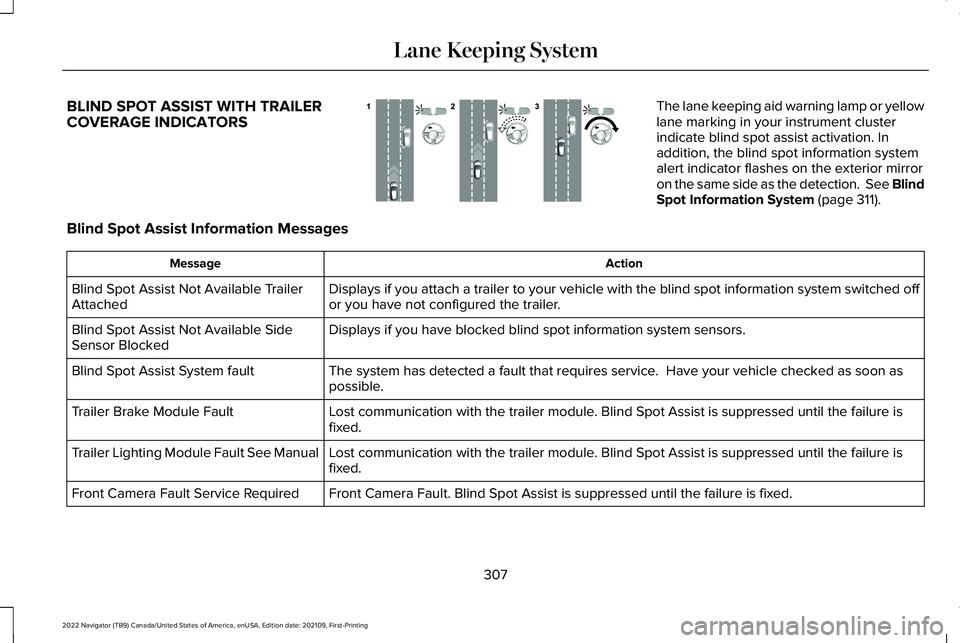
COVERAGE INDICATORS The lane keeping aid warning lamp or yellow
lane marking in your instrument cluster
indicate blind spot assist activation. In
addition, the blind spot information system
alert indicator flashes on the exterior mirror
on the same side as the detection. See Blind
Spot Information System (page 311).
Blind Spot Assist Information Messages Action
Message
Displays if you attach a trailer to your vehicle with the blind spot inf\
ormation system switched off
or you have not configured the trailer.
Blind Spot Assist Not Available Trailer
Attached
Displays if you have blocked blind spot information system sensors.
Blind Spot Assist Not Available Side
Sensor Blocked
The system has detected a fault that requires service. Have your vehicle checked as soon as
possible.
Blind Spot Assist System fault
Lost communication with the trailer module. Blind Spot Assist is suppressed until the failure is
fixed.
Trailer Brake Module Fault
Lost communication with the trailer module. Blind Spot Assist is suppressed until the failure is
fixed.
Trailer Lighting Module Fault See Manual
Front Camera Fault. Blind Spot Assist is suppressed until the failure is\
fixed.
Front Camera Fault Service Required
307
2022 Navigator (TB9) Canada/United States of America, enUSA, Edition date: 202109, First-Printing Lane Keeping SystemE310089
Page 313 of 646
 when I can s\
ee the lane markings on the road?
Your vehicle speed is less than 40 mph (65")
LANE KEEPING SYSTEM – FREQUENTLY ASKED QUESTIONS
Why is the feature not available (lane markings are gray) when I can s\
ee the lane markings on the road?
Your vehicle speed is less than 40 mph (65 km/h).
The sun is shining directly into the camera lens. A quick intentional lane change has occurred.
Your vehicle stays too close to the lane markings for an extended interva\
l of time. Driving at high speeds in curves.
The last alert warning or aid intervention occurred a short time ago. Ambiguous lane markings, for example, in construction zones. Rapid transition from light to dark, or from dark to light. Sudden offset in lane markings.ABS or AdvanceTrac ™ is active.
There is a camera blockage due to dirt, grime, fog, frost or water on the windshield. You are driving too close to the vehicle in front of you.
Transitioning between no lane markings to lane markings, or vice versa. There is standing water on the road.
Faint lane markings, for example, partial yellow lane markings on concrete roads.
309
2022 Navigator (TB9) Canada/United States of America, enUSA, Edition date: 202109, First-Printing Lane Keeping System
Page 316 of 646
BLIND SPOT INFORMATION
SYSTEM REQUIREMENTS
Blind spot information system turns on when
all the following occur:
•
You start your vehicle.
• You shift into drive (D).
• The vehicle speed is greater than 6 mph
(10 km/h).
SWITCHING BLIND SPOT
INFORMATION SYSTEM ON AND
OFF
To switch blind spot information system on
or off, use the touchscreen:
1. Press
Features on the touchscreen.
2. Press
Driver Assistance.
3. Press
Blind Spot Information System.
4. Switch the feature on or off. When you switch blind spot information
system off, a warning lamp illuminates and
a message displays. When you switch the
system on or off, the alert indicators flash
twice.
Note:
The system remembers the last setting
when you start your vehicle.
To permanently switch the system off,
contact an authorized dealer.
LOCATING THE BLIND SPOT
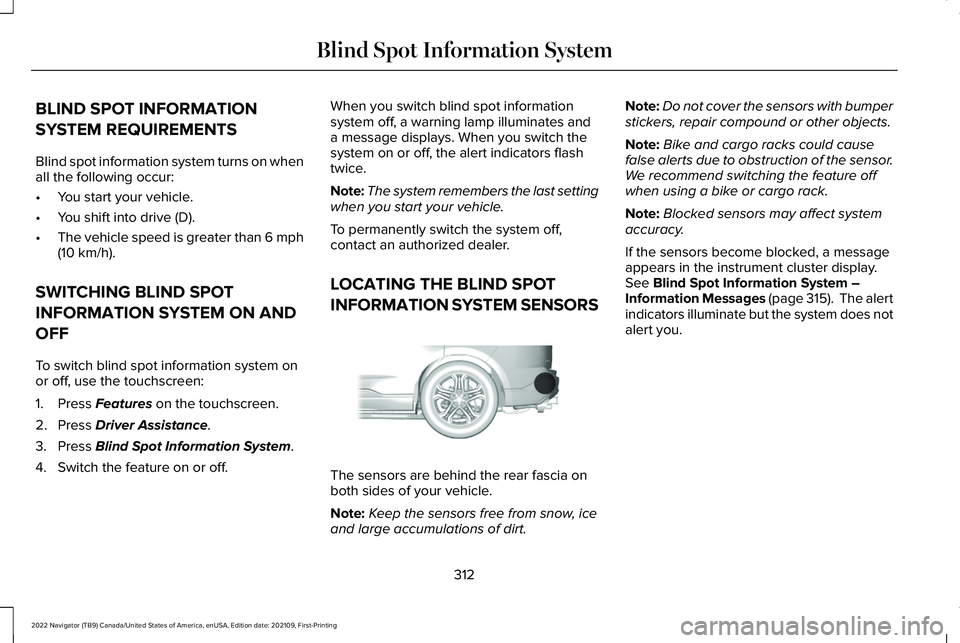
INFORMATION SYSTEM SENSORS The sensors are behind the rear fascia on
both sides of your vehicle.
Note:
Keep the sensors free from snow, ice
and large accumulations of dirt. Note:
Do not cover the sensors with bumper
stickers, repair compound or other objects.
Note: Bike and cargo racks could cause
false alerts due to obstruction of the sensor.
We recommend switching the feature off
when using a bike or cargo rack.
Note: Blocked sensors may affect system
accuracy.
If the sensors become blocked, a message
appears in the instrument cluster display.
See
Blind Spot Information System –
Information Messages (page 315). The alert
indicators illuminate but the system does not
alert you.
312
2022 Navigator (TB9) Canada/United States of America, enUSA, Edition date: 202109, First-Printing Blind Spot Information SystemE205199
Page 319 of 646
BLIND SPOT INFORMATION
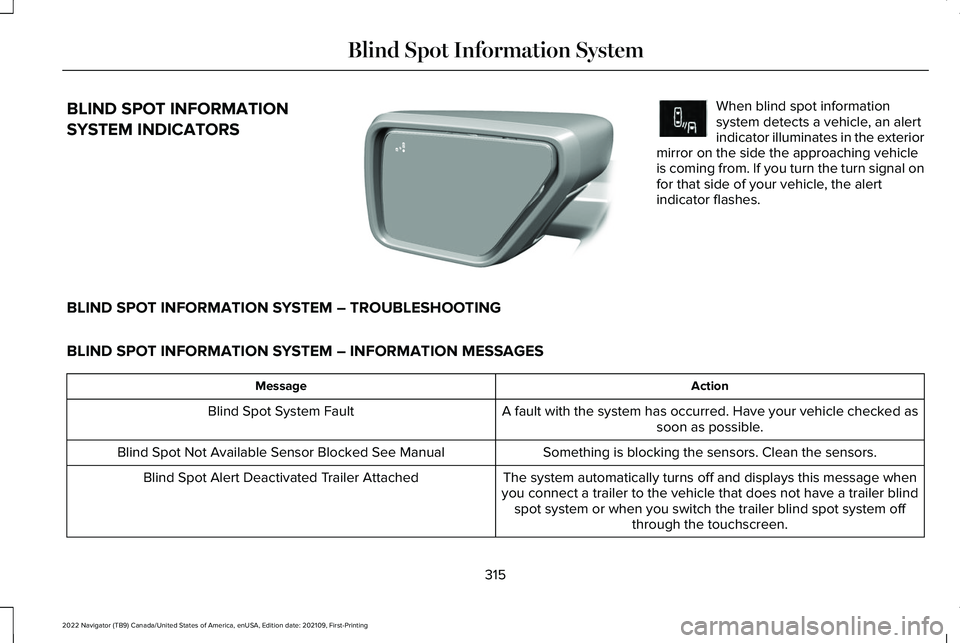
SYSTEM INDICATORS When blind spot information
system detects a vehicle, an alert
indicator illuminates in the exterior
mirror on the side the approaching vehicle
is coming from. If you turn the turn signal on
for that side of your vehicle, the alert
indicator flashes.
BLIND SPOT INFORMATION SYSTEM – TROUBLESHOOTING
BLIND SPOT INFORMATION SYSTEM – INFORMATION MESSAGES Action
Message
A fault with the system has occurred. Have your vehicle checked assoon as possible.
Blind Spot System Fault
Something is blocking the sensors. Clean the sensors.
Blind Spot Not Available Sensor Blocked See Manual
The system automatically turns off and displays this message when
you connect a trailer to the vehicle that does not have a trailer blind spot system or when you switch the trailer blind spot system off through the touchscreen.
Blind Spot Alert Deactivated Trailer Attached
315
2022 Navigator (TB9) Canada/United States of America, enUSA, Edition date: 202109, First-Printing Blind Spot Information SystemE309137 E249861E249861
Page 321 of 646
CROSS TRAFFIC ALERT
LIMITATIONS
The system may not correctly operate when
any of the following occur:
•
Something is blocking the sensors.
• Adjacently parked vehicles or objects are
obstructing the sensors.
• Vehicles approach at speeds less than
4 mph (6 km/h) or greater than 37 mph
(60 km/h).
• Your vehicle speed is greater than 7 mph
(12 km/h)
.
• You reverse out of an angled parking
space. Cross Traffic Alert Limitations with a
Trailer Attached
The system remains on when you attach a
trailer in vehicles with blind spot information
system with trailer tow under the following
conditions:
•
You connect a trailer.
• The trailer is a bike rack or cargo rack
with a maximum length of
3 ft (1 m).
• You set the trailer length to
3 ft (1 m) in
the instrument cluster display.
Note: The system may not correctly operate
when towing a trailer. For vehicles with an
approved trailer tow module and tow bar,
the system turns off when you attach a
trailer. For vehicles with an aftermarket
trailer tow module or tow bar, we
recommend that you switch the system off
when you attach a trailer.
SWITCHING CROSS TRAFFIC
ALERT ON AND OFF
To switch cross traffic alert on or off use the
touchscreen. 1. Press
Features on the touchscreen.
2. Press
Driver Assistance.
3. Switch
Cross Traffic Alert on or off.
Note: The system switches on every time
you switch the ignition on. To permanently
switch the system off, contact an authorized
dealer.
LOCATING THE CROSS TRAFFIC
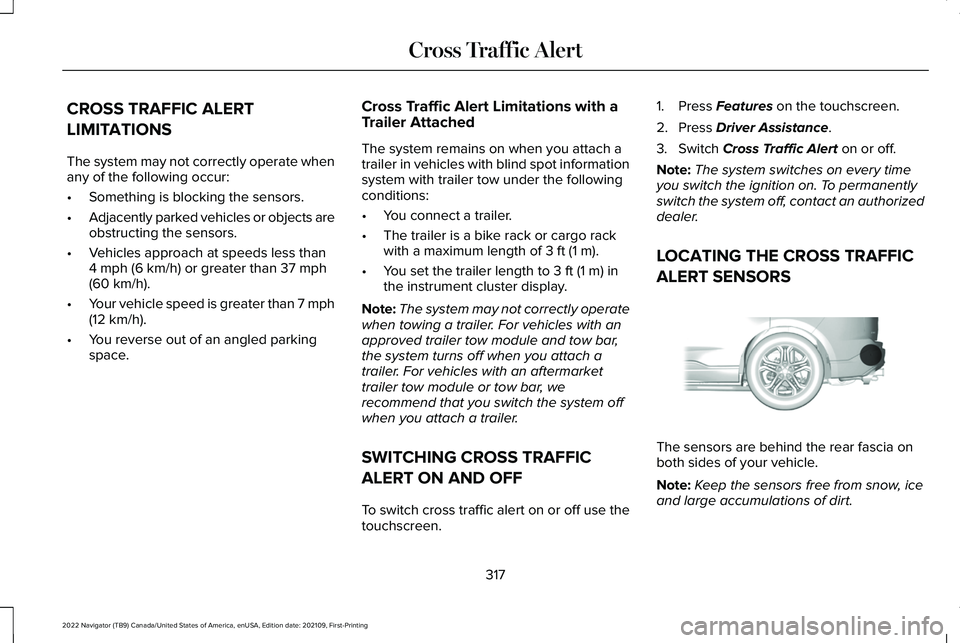
ALERT SENSORS The sensors are behind the rear fascia on
both sides of your vehicle.
Note:
Keep the sensors free from snow, ice
and large accumulations of dirt.
317
2022 Navigator (TB9) Canada/United States of America, enUSA, Edition date: 202109, First-Printing Cross Traffic AlertE205199