wiring LINCOLN NAVIGATOR 2022 User Guide
[x] Cancel search | Manufacturer: LINCOLN, Model Year: 2022, Model line: NAVIGATOR, Model: LINCOLN NAVIGATOR 2022Pages: 646, PDF Size: 7.29 MB
Page 363 of 646
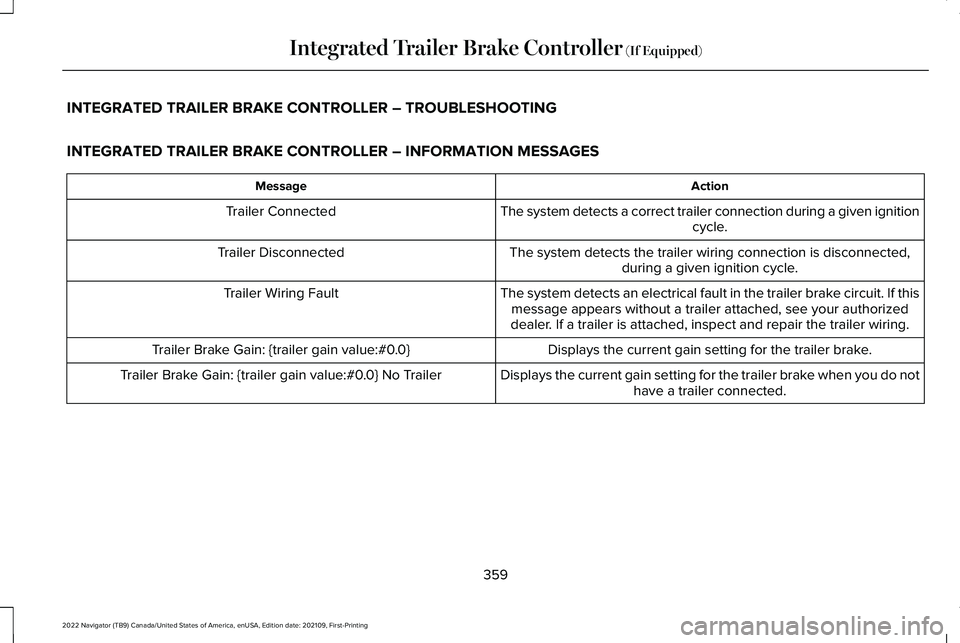
INTEGRATED TRAILER BRAKE CONTROLLER – TROUBLESHOOTING
INTEGRATED TRAILER BRAKE CONTROLLER – INFORMATION MESSAGES
Action
Message
The system detects a correct trailer connection during a given ignitioncycle.
Trailer Connected
The system detects the trailer wiring connection is disconnected,during a given ignition cycle.
Trailer Disconnected
The system detects an electrical fault in the trailer brake circuit. If thismessage appears without a trailer attached, see your authorized
dealer. If a trailer is attached, inspect and repair the trailer wiring.
Trailer Wiring Fault
Displays the current gain setting for the trailer brake.
Trailer Brake Gain: {trailer gain value:#0.0}
Displays the current gain setting for the trailer brake when you do nothave a trailer connected.
Trailer Brake Gain: {trailer gain value:#0.0} No Trailer
359
2022 Navigator (TB9) Canada/United States of America, enUSA, Edition date: 202109, First-Printing Integrated Trailer Brake Controller (If Equipped)
Page 364 of 646
INTEGRATED TRAILER BRAKE
CONTROLLER – FREQUENTLY ASKED
QUESTIONS
How do I determine if there is an issue with
the wiring on my vehicle?
A message displays accompanied by a
single tone, when no trailer is
connected. This indicates that the issue
is between the trailer brake controller
and the 7-pin connector at the bumper.
How do I determine if there is an issue with
the wiring on my trailer? A message only displays with a trailer
connected. Consult your trailer dealer
for assistance.
360
2022 Navigator (TB9) Canada/United States of America, enUSA, Edition date: 202109, First-Printing Integrated Trailer Brake Controller (If Equipped)
Page 367 of 646
SETTING UP THE TRAILER BACKUP
ASSISTANCE FOR A CONVENTIONAL
TRAILER
CONFIGURING THE TRAILER
You must configure a trailer in the system to
use the trailer reversing aids. This is a
one-time setup process and the trailer
information is saved in the system for the
next time you use that trailer.
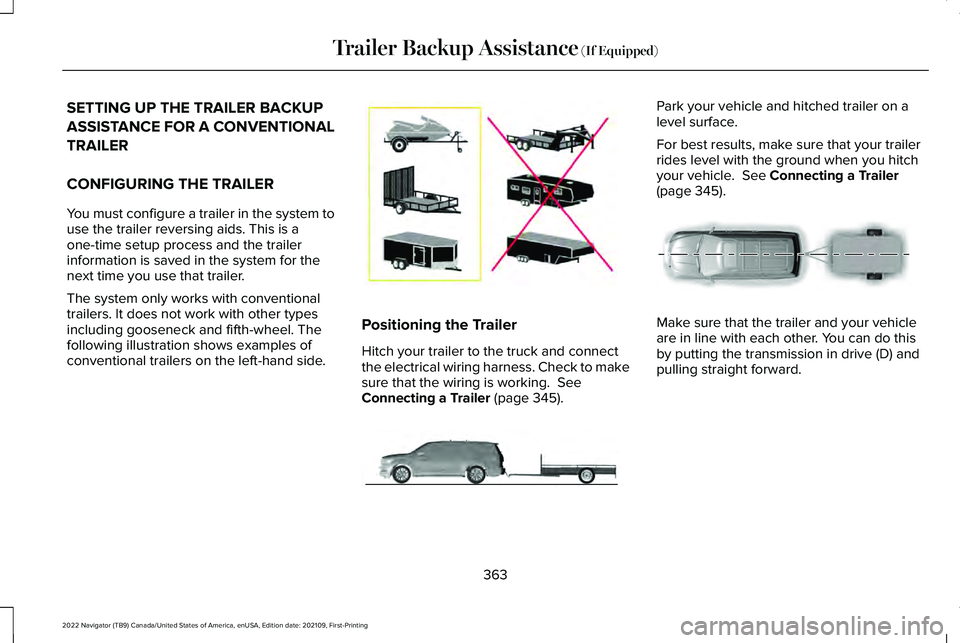
The system only works with conventional
trailers. It does not work with other types
including gooseneck and fifth-wheel. The
following illustration shows examples of
conventional trailers on the left-hand side.
Positioning the Trailer
Hitch your trailer to the truck and connect
the electrical wiring harness. Check to make
sure that the wiring is working. See
Connecting a Trailer (page 345). Park your vehicle and hitched trailer on a
level surface.
For best results, make sure that your trailer
rides level with the ground when you hitch
your vehicle.
See Connecting a Trailer
(page 345). Make sure that the trailer and your vehicle
are in line with each other. You can do this
by putting the transmission in drive (D) and
pulling straight forward.
363
2022 Navigator (TB9) Canada/United States of America, enUSA, Edition date: 202109, First-Printing Trailer Backup Assistance
(If Equipped)E209766 E247482 E247481
Page 368 of 646
Configuring the Trailer in the
Touchscreen
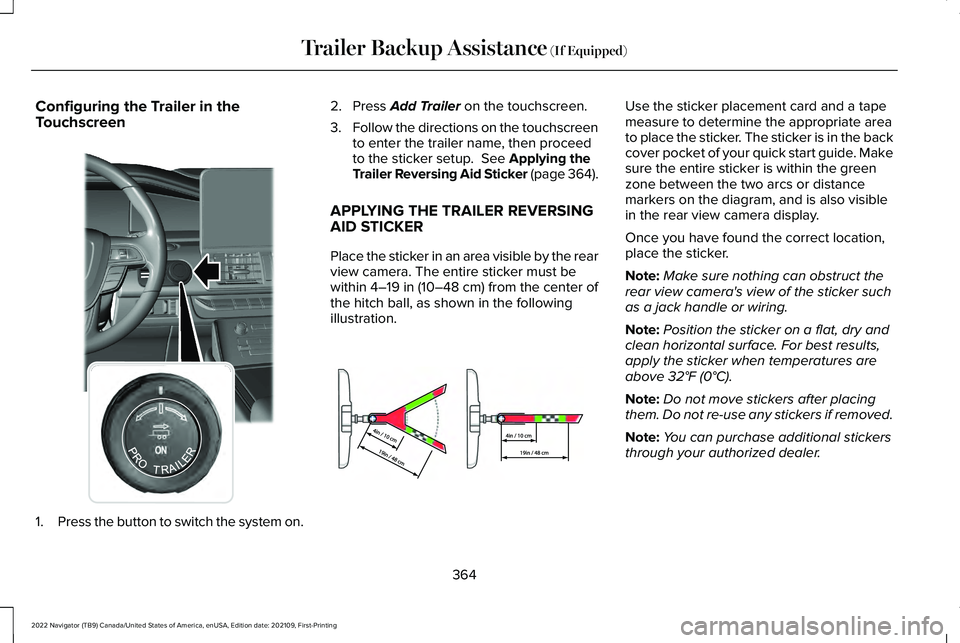
1.
Press the button to switch the system on. 2. Press Add Trailer on the touchscreen.
3. Follow the directions on the touchscreen
to enter the trailer name, then proceed
to the sticker setup.
See Applying the
Trailer Reversing Aid Sticker (page 364).
APPLYING THE TRAILER REVERSING
AID STICKER
Place the sticker in an area visible by the rear
view camera. The entire sticker must be
within
4–19 in (10–48 cm) from the center of
the hitch ball, as shown in the following
illustration. Use the sticker placement card and a tape
measure to determine the appropriate area
to place the sticker. The sticker is in the back
cover pocket of your quick start guide. Make
sure the entire sticker is within the green
zone between the two arcs or distance
markers on the diagram, and is also visible
in the rear view camera display.
Once you have found the correct location,
place the sticker.
Note:
Make sure nothing can obstruct the
rear view camera's view of the sticker such
as a jack handle or wiring.
Note: Position the sticker on a flat, dry and
clean horizontal surface. For best results,
apply the sticker when temperatures are
above
32°F (0°C).
Note: Do not move stickers after placing
them. Do not re-use any stickers if removed.
Note: You can purchase additional stickers
through your authorized dealer.
364
2022 Navigator (TB9) Canada/United States of America, enUSA, Edition date: 202109, First-Printing Trailer Backup Assistance
(If Equipped)E356842 E333148
Page 380 of 646
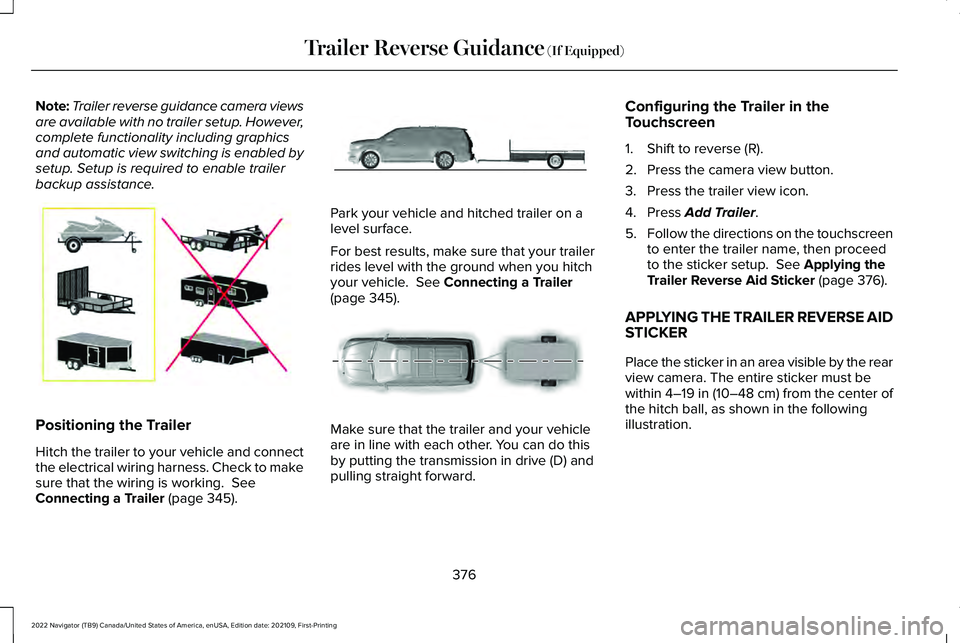
Note:
Trailer reverse guidance camera views
are available with no trailer setup. However,
complete functionality including graphics
and automatic view switching is enabled by
setup. Setup is required to enable trailer
backup assistance. Positioning the Trailer
Hitch the trailer to your vehicle and connect
the electrical wiring harness. Check to make
sure that the wiring is working. See
Connecting a Trailer (page 345). Park your vehicle and hitched trailer on a
level surface.
For best results, make sure that your trailer
rides level with the ground when you hitch
your vehicle.
See Connecting a Trailer
(page 345). Make sure that the trailer and your vehicle
are in line with each other. You can do this
by putting the transmission in drive (D) and
pulling straight forward.Configuring the Trailer in the
Touchscreen
1. Shift to reverse (R).
2. Press the camera view button.
3. Press the trailer view icon.
4. Press
Add Trailer.
5. Follow the directions on the touchscreen
to enter the trailer name, then proceed
to the sticker setup.
See Applying the
Trailer Reverse Aid Sticker (page 376).
APPLYING THE TRAILER REVERSE AID
STICKER
Place the sticker in an area visible by the rear
view camera. The entire sticker must be
within
4–19 in (10–48 cm) from the center of
the hitch ball, as shown in the following
illustration.
376
2022 Navigator (TB9) Canada/United States of America, enUSA, Edition date: 202109, First-Printing Trailer Reverse Guidance
(If Equipped)E209766 E247482 E247481
Page 381 of 646
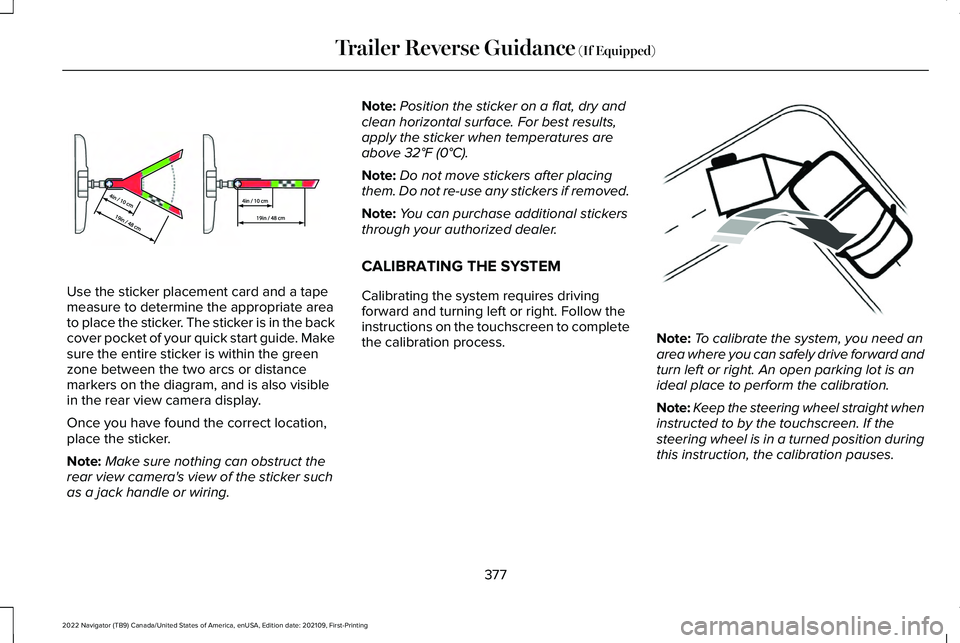
Use the sticker placement card and a tape
measure to determine the appropriate area
to place the sticker. The sticker is in the back
cover pocket of your quick start guide. Make
sure the entire sticker is within the green
zone between the two arcs or distance
markers on the diagram, and is also visible
in the rear view camera display.
Once you have found the correct location,
place the sticker.
Note:
Make sure nothing can obstruct the
rear view camera's view of the sticker such
as a jack handle or wiring. Note:
Position the sticker on a flat, dry and
clean horizontal surface. For best results,
apply the sticker when temperatures are
above 32°F (0°C).
Note: Do not move stickers after placing
them. Do not re-use any stickers if removed.
Note: You can purchase additional stickers
through your authorized dealer.
CALIBRATING THE SYSTEM
Calibrating the system requires driving
forward and turning left or right. Follow the
instructions on the touchscreen to complete
the calibration process. Note:
To calibrate the system, you need an
area where you can safely drive forward and
turn left or right. An open parking lot is an
ideal place to perform the calibration.
Note: Keep the steering wheel straight when
instructed to by the touchscreen. If the
steering wheel is in a turned position during
this instruction, the calibration pauses.
377
2022 Navigator (TB9) Canada/United States of America, enUSA, Edition date: 202109, First-Printing Trailer Reverse Guidance
(If Equipped)E333148 E352329
Page 615 of 646
ELECTROMAGNETIC
COMPATIBILITY
WARNING: Do not place objects or
mount equipment on or near the airbag
cover, on the side of the front or rear
seatbacks, or in areas that may come into
contact with a deploying airbag. Failure to
follow these instructions may increase the
risk of personal injury in the event of a
crash. WARNING:
Do not fasten antenna
cables to vehicle wiring, fuel pipes and
brake pipes. WARNING: Keep antenna and power
cables at least
4 in (10 cm) from any
electronic modules and airbags.
Note: We test and certify your vehicle to
meet electromagnetic compatibility
legislation. It is your responsibility to make
sure that any equipment an authorized
dealer installs on your vehicle complies with
applicable local legislation and other
requirements. Installation of some
aftermarket electronic devices could
degrade the performance of vehicle
functions, which use radio frequency signals
such as broadcast radio receiver, tire
pressure monitoring system, push button
start,
Bluetooth® connectivity or satellite
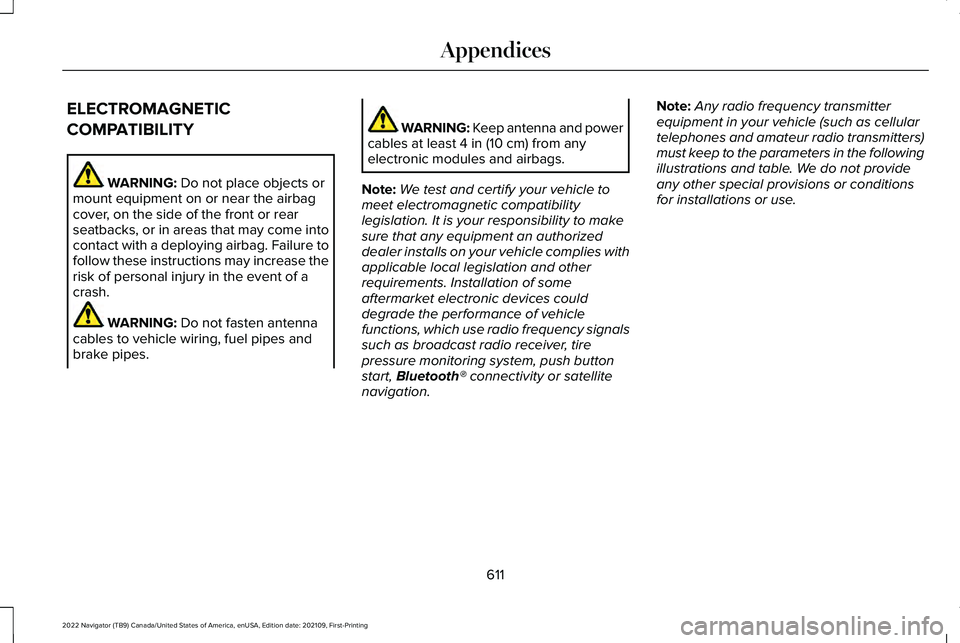
navigation. Note:
Any radio frequency transmitter
equipment in your vehicle (such as cellular
telephones and amateur radio transmitters)
must keep to the parameters in the following
illustrations and table. We do not provide
any other special provisions or conditions
for installations or use.
611
2022 Navigator (TB9) Canada/United States of America, enUSA, Edition date: 202109, First-Printing Appendices