tire pressure reset LINCOLN NAVIGATOR 2022 Owners Manual
[x] Cancel search | Manufacturer: LINCOLN, Model Year: 2022, Model line: NAVIGATOR, Model: LINCOLN NAVIGATOR 2022Pages: 646, PDF Size: 7.29 MB
Page 17 of 646
Towing Your Vehicle – Troubleshooting
......................................................................400
Fuses
Fuse Precautions .........................................
401
Under Hood Fuse Box ................................
401
Body Control Module Fuse Box ..............
408
Identifying Fuse Types ................................
413
Fuses – Troubleshooting ...........................
413
Maintenance
Maintenance Precautions ..........................
414
Opening and Closing the Hood ...............
414
Under Hood Overview ................................
415
Engine Oil .......................................................
417
Checking the Coolant .................................
418
Engine Air Filter ...........................................
422
Changing the Fuel Filter ............................
423
Changing the 12V Battery .........................
423
Adjusting the Headlamps .........................
426
Exterior Bulbs ...............................................
428
Interior Bulbs ................................................
428
Drive Belt Routing .......................................
428Vehicle Care
Cleaning Products
......................................
429
Cleaning the Exterior .................................
430
Cleaning the Interior ...................................
432
Repairing Minor Paint Damage ................
434
Waxing Your Vehicle ...................................
434
Storing Your Vehicle
Preparing Your Vehicle for Storage ........
435
Removing Your Vehicle From Storage ......................................................................
436
Wheel and Tire Information
Locating the Tire label ...............................
437
Department of Transportation Uniform Tire Quality Grades .........................................
437
Information on the Tire Sidewall .............
438
Glossary of Tire Terminology ...................
443
Tire Replacement Requirements .............
444
Using Snow Chains .....................................
446
Tire Care
Checking the Tire Pressures ....................
449Inflating the Tires
.........................................
449
Inspecting the Tire for Wear .....................
449
Inspecting the Tire for Damage ..............
450
Inspecting the Wheel Valve Stems ..........
451
Tire Rotation ..................................................
451
Tire Pressure Monitoring System
What Is the Tire Pressure Monitoring System .......................................................
453
Tire Pressure Monitoring System Overview ......................................................................
453
Tire Pressure Monitoring System Precautions ...............................................
454
Tire Pressure Monitoring System Limitations ................................................
455
Viewing the Tire Pressures ......................
455
Resetting Tire Pressure Monitoring System ......................................................................
455
Tire Pressure Monitoring System – Troubleshooting ......................................
458
Changing a Road Wheel
Changing a Flat Tire ....................................
461
13
2022 Navigator (TB9) Canada/United States of America, enUSA, Edition date: 202109, First-Printing Table of Contents
Page 26 of 646
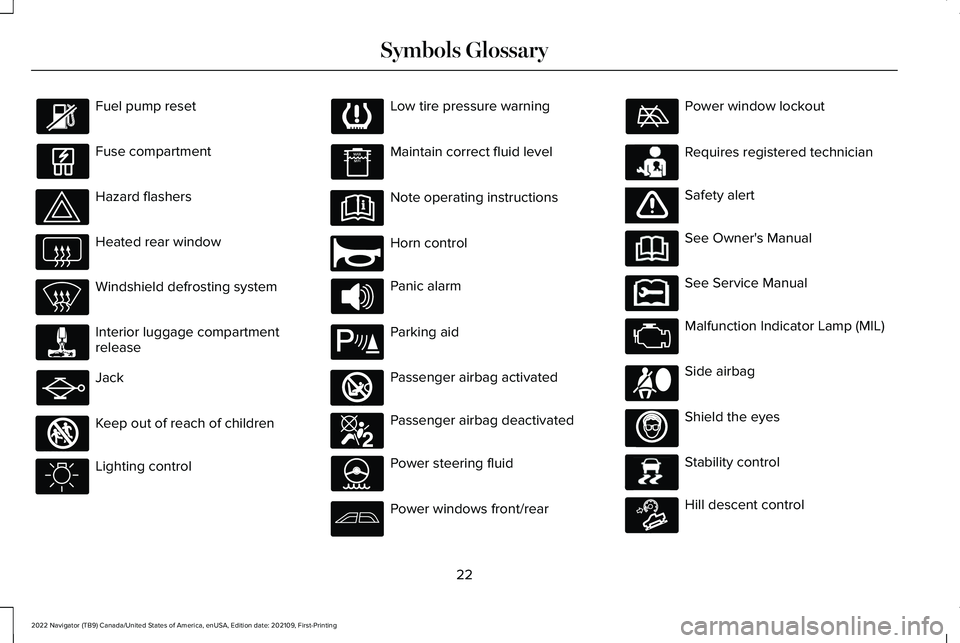
Fuel pump reset
Fuse compartment
Hazard flashers
Heated rear window
Windshield defrosting system
Interior luggage compartment
release
Jack
Keep out of reach of children
Lighting control Low tire pressure warning
Maintain correct fluid level
Note operating instructions
Horn control
Panic alarm
Parking aid
Passenger airbag activated
Passenger airbag deactivated
Power steering fluid
Power windows front/rear Power window lockout
Requires registered technician
Safety alert
See Owner's Manual
See Service Manual
Malfunction Indicator Lamp (MIL)
Side airbag
Shield the eyes
Stability control
Hill descent control
22
2022 Navigator (TB9) Canada/United States of America, enUSA, Edition date: 202109, First-Printing Symbols Glossary E161353 E270945 E139213 E270849 E270850 E231159 E65963 E231158 E167012 E138639 E163171
Page 28 of 646
WARNING: Do not connect wireless
plug-in devices to the data link connector.
Unauthorized third parties could gain
access to vehicle data and impair the
performance of safety related systems.
Only allow repair facilities that follow our
service and repair instructions to connect
their equipment to the data link connector.
We respect your privacy and are committed
to protecting it. The information contained
in this manual was correct at the time of
publication but as technology rapidly
changes, we recommend that you visit the
local Lincoln website for the latest
information.
Your vehicle has electronic control units that
have data recording functionality and the
ability to permanently or temporarily store
data. This data could include information on
the condition and status of your vehicle,
vehicle maintenance requirements, events
and malfunctions. The types of data that can
be recorded are described in this section.
Some of the data recorded is stored in event
logs or error logs. Note:
Error logs are reset following a service
or repair.
Note: We may provide information in
response to requests from law enforcement,
other government authorities and third
parties acting with lawful authority or through
a legal process. Such information could be
used by them in legal proceedings.
Data recorded includes, for example:
• Operating states of system components,
for example fuel level, tire pressure and
battery charge level.
• Vehicle and component status, for
example wheel speed, deceleration,
lateral acceleration and seatbelt status.
• Events or errors in essential systems, for
example headlamps and brakes.
• System responses to driving situations,
for example airbag deployment and
stability control.
• Environmental conditions, for example
temperature. Some of this data, when used in combination
with other information, for example an
accident report, damage to a vehicle or
eyewitness statements, could be associated
with a specific person.
Services That We Provide
If you use our services, we collect and use
data, for example account information,
vehicle location and driving characteristics,
that could identify you. We transmit this data
through a dedicated, protected connection.
We only collect and use data to enable your
use of our services to which you have
subscribed, with your consent or where
permitted by law. For additional information,
see the terms and conditions of the services
to which you have subscribed.
For additional information about our privacy
policy, refer to the local Lincoln website.
24
2022 Navigator (TB9) Canada/United States of America, enUSA, Edition date: 202109, First-Printing Data Privacy
Page 440 of 646
Hybrid Battery Systems
We recommend the following actions for your
vehicle:
•
When storing your vehicle for greater
than 30 days the state of charge should
be approximately 50%. Additionally we
recommend disconnecting the 12V
battery which will reduce system loads
on the HV battery.
12 Volt Battery
• Check and recharge as necessary. Keep
connections clean.
Note: It is necessary to reset memory
features if you disconnect the battery cables.
Brakes
Make sure the brakes and parking brake
release fully.
Note: If you intend on parking your vehicle
for an extended period after cleaning the
wheels with a wheel cleaner, drive your
vehicle for a few minutes before doing so to
reduce the risk of increased corrosion of the
brake discs, brake pads and linings. Tires
•
Maintain recommended air pressure.
Note: If you intend on parking your vehicle
for an extended period after cleaning the
wheels with a wheel cleaner, drive your
vehicle for a few minutes before doing so.
This reduces the risk of corrosion of the
brake discs, brake pads and linings.
REMOVING YOUR VEHICLE FROM
STORAGE
When your vehicle is ready to come out of
storage, do the following:
• We recommend that you change the
engine oil before you use your vehicle
again.
• Wash your vehicle to remove any dirt or
grease film build-up on window surfaces.
• Check windshield wipers for any
deterioration.
• Check under the hood for any foreign
material that may have collected during
storage such as mice or squirrel nests. •
Check the exhaust for any foreign
material that may have collected during
storage.
• Check tire pressures and set tire inflation
per the Tire Label.
• Check brake pedal operation. Drive your
vehicle 15 ft (4.5 m) back and forth to
remove rust build-up.
• Check fluid levels (including coolant, oil
and gas) to make sure there are no leaks,
and fluids are at recommended levels.
• If you remove the battery, clean the
battery cable ends and check for
damage.
Contact an authorized dealer if you have any
concerns or issues.
436
2022 Navigator (TB9) Canada/United States of America, enUSA, Edition date: 202109, First-Printing Storing Your Vehicle
Page 455 of 646
If you feel a sudden vibration or ride
disturbance while driving, or you suspect
your tire or vehicle has been damaged,
immediately reduce your speed. Drive
with caution until you can safely pull off
the road. Stop and inspect the tires for
damage. If a tire is under-inflated or
damaged, deflate it, remove the wheel
and replace it with your spare tire and
wheel. If you cannot detect a cause,
have the vehicle towed to the nearest
repair facility or tire dealer to have the
vehicle inspected.
Tire and Wheel Alignment
A bad jolt from hitting a curb or pothole
can cause the front end of your vehicle
to become misaligned or cause damage
to your tires. If your vehicle seems to
pull to one side when you are driving,
the wheels could be out of alignment.
Have an authorized dealer check the
wheel alignment periodically.
Wheel misalignment in the front or the
rear can cause uneven and rapid
treadwear of your tires and should be
corrected by an authorized dealer.
INSPECTING THE WHEEL VALVE
STEMS
Check the valve stems for holes, cracks,
or cuts that could permit air leakage.
TIRE ROTATION
WARNING: If the tire label shows
different tire pressures for the front
and rear tires and the vehicle has a
tire pressure monitoring system, then
you need to update the settings for
the system sensors. Always perform
the system reset procedure after tire
rotation. If you do not reset the system,
it may not provide a low tire pressure
warning when necessary.
Rotating your tires at the recommended
interval will help your tires wear more
evenly, providing better tire performance
and longer tire life. Note:
If your tires show any uneven
wear have the alignment checked by
an authorized dealer before rotating
tires.
Note: If you have a dissimilar spare
wheel and tire assembly, it is intended
for temporary use only and should not
be used in a tire rotation.
Note: After having your tires rotated,
inflation pressure must be checked and
adjusted to the vehicle requirements.
Tire Rotation Diagram
Follow the diagram indicating the correct
tire locations for rotating the tires.
451
2022 Navigator (TB9) Canada/United States of America, enUSA, Edition date: 202109, First-Printing Tire Care
Page 459 of 646
TIRE PRESSURE MONITORING
SYSTEM LIMITATIONS
When the outside temperature drops
significantly, the tire pressure could decrease
and activate the low tire pressure warning
lamp.
The warning lamp could also illuminate when
you use a spare wheel, or tire sealant from
the inflator kit.
Note:
Regularly checking the vehicle tire
pressures can reduce the possibility for the
warning lamp to illuminate due to outside
air temperature changes.
Note: After you inflate the tires to the
recommended pressure it could take up to
two minutes of driving over 20 mph (32 km/h)
for the warning indicator to turn off. VIEWING THE TIRE PRESSURES
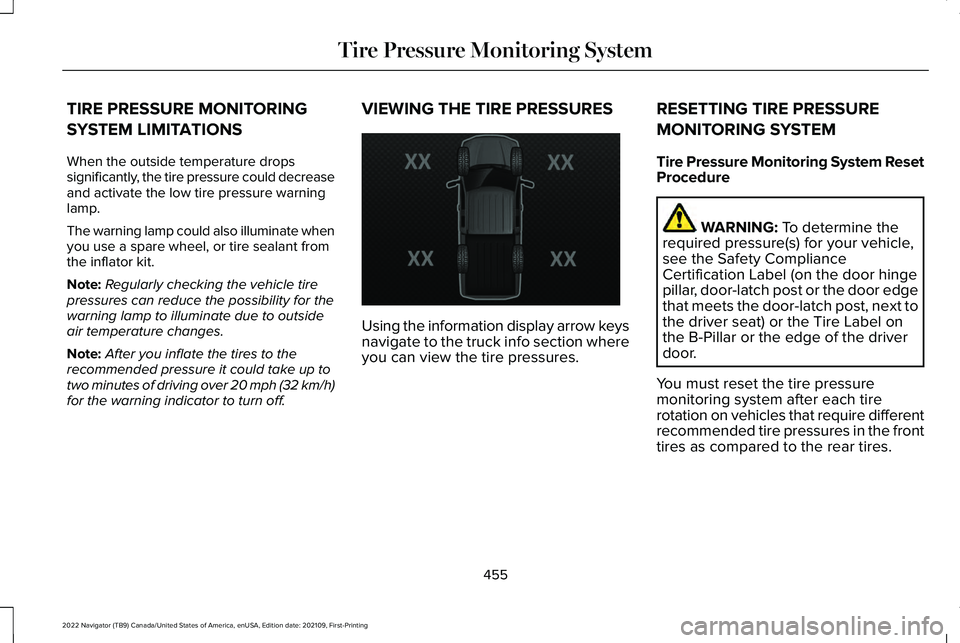
Using the information display arrow keys
navigate to the truck info section where
you can view the tire pressures.
RESETTING TIRE PRESSURE
MONITORING SYSTEM
Tire Pressure Monitoring System Reset
Procedure WARNING: To determine the
required pressure(s) for your vehicle,
see the Safety Compliance
Certification Label (on the door hinge
pillar, door-latch post or the door edge
that meets the door-latch post, next to
the driver seat) or the Tire Label on
the B-Pillar or the edge of the driver
door.
You must reset the tire pressure
monitoring system after each tire
rotation on vehicles that require different
recommended tire pressures in the front
tires as compared to the rear tires.
455
2022 Navigator (TB9) Canada/United States of America, enUSA, Edition date: 202109, First-Printing Tire Pressure Monitoring SystemE224333
Page 460 of 646
Note:
To reduce the chances of
interference from another vehicle,
perform the system reset procedure at
least three feet, one meter, away from
another vehicle undergoing the system
reset procedure at the same time.
Note: Do not wait more than two
minutes between resetting each tire
sensor or the system can time-out and
you need to repeat the entire procedure
on all four wheels.
1. Drive the vehicle above 20 mph
(32 km/h) for at least two minutes,
then park in a safe location where
you can easily get to all four tires and
have access to an air pump.
2. Switch the ignition off.
3. Switch the ignition on but do not start
the engine.
4. Switch the hazard flashers on then off three times. Note:
You must accomplish this within
10 seconds. If you successfully enter the
reset mode, the horn sounds once, the
system indicator flashes and a message
shows in the information display.
Note: If the system does not enter reset
mode, try again starting at Step 2. If
after repeated attempts to enter the
reset mode, the horn does not sound,
the system indicator does not flash and
no message shows in the information
display, contact your authorized dealer.
5. Remove the valve cap from the valve
stem on the left front tire. Decrease
the air pressure until the horn
sounds.
Note: The single horn tone confirms that
the sensor identification code has been
learned by the module for this position.
If the horn sounds twice, the reset
procedure was unsuccessful, and you
must repeat it.
6. Remove the valve cap from the valve
stem on the right front tire. Decrease
the air pressure until the horn
sounds. 7.
Repeat the previous step on the right
rear tire and then on the left rear tire.
8. Switch the ignition off.
Note: If the horn sounds twice again
after switching the ignition off, and
repeating the procedure, contact your
authorized dealer and have your vehicle
checked as soon as possible.
9. Set all four tires to the recommended
air pressure as indicated on the
Safety Compliance Certification
Label.
Trailer Tire Pressure Monitoring
System
(If Equipped)
Note: Additional equipment may be
required for your vehicle to support
trailer tire pressure and temperature
monitoring. See your authorized dealer
for more information.
Note: The trailer tire pressure
monitoring system is not a substitute for
proper tire maintenance. It is your
responsibility to maintain correct tire
pressures at all times.
456
2022 Navigator (TB9) Canada/United States of America, enUSA, Edition date: 202109, First-Printing Tire Pressure Monitoring System
Page 461 of 646
Note:
If a trailer tire is repaired, replaced
or broken down for service, the screw
and valve on the trailer tire pressure
sensor should be replaced. See your
authorized dealer for details. The trailer tire pressure monitoring
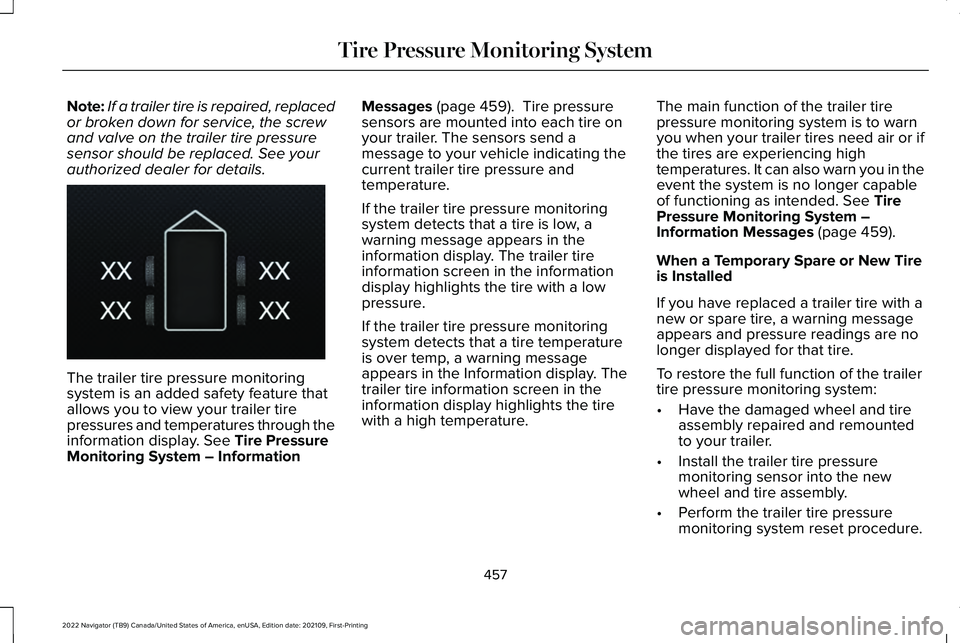
system is an added safety feature that
allows you to view your trailer tire
pressures and temperatures through the
information display. See Tire Pressure
Monitoring System – Information Messages
(page 459). Tire pressure
sensors are mounted into each tire on
your trailer. The sensors send a
message to your vehicle indicating the
current trailer tire pressure and
temperature.
If the trailer tire pressure monitoring
system detects that a tire is low, a
warning message appears in the
information display. The trailer tire
information screen in the information
display highlights the tire with a low
pressure.
If the trailer tire pressure monitoring
system detects that a tire temperature
is over temp, a warning message
appears in the Information display. The
trailer tire information screen in the
information display highlights the tire
with a high temperature. The main function of the trailer tire
pressure monitoring system is to warn
you when your trailer tires need air or if
the tires are experiencing high
temperatures. It can also warn you in the
event the system is no longer capable
of functioning as intended.
See Tire
Pressure Monitoring System –
Information Messages
(page 459).
When a Temporary Spare or New Tire
is Installed
If you have replaced a trailer tire with a
new or spare tire, a warning message
appears and pressure readings are no
longer displayed for that tire.
To restore the full function of the trailer
tire pressure monitoring system:
• Have the damaged wheel and tire
assembly repaired and remounted
to your trailer.
• Install the trailer tire pressure
monitoring sensor into the new
wheel and tire assembly.
• Perform the trailer tire pressure
monitoring system reset procedure.
457
2022 Navigator (TB9) Canada/United States of America, enUSA, Edition date: 202109, First-Printing Tire Pressure Monitoring SystemE235807
Page 462 of 646
Trailer Tire Pressure Monitoring
System Reset Procedure
Note:
You need to perform the tire
pressure monitoring system reset
procedure after each tire rotation, or
when a new trailer tire pressure sensor
is installed into a trailer tire. The trailer tire pressure monitoring
system can be reset through the menu
in the information display. See Tire
Pressure Monitoring System –
Information Messages
(page 459).
Performing the trailer setup process also
resets the trailer tire pressure monitoring
system. TIRE PRESSURE MONITORING
SYSTEM – TROUBLESHOOTING
TIRE PRESSURE MONITORING
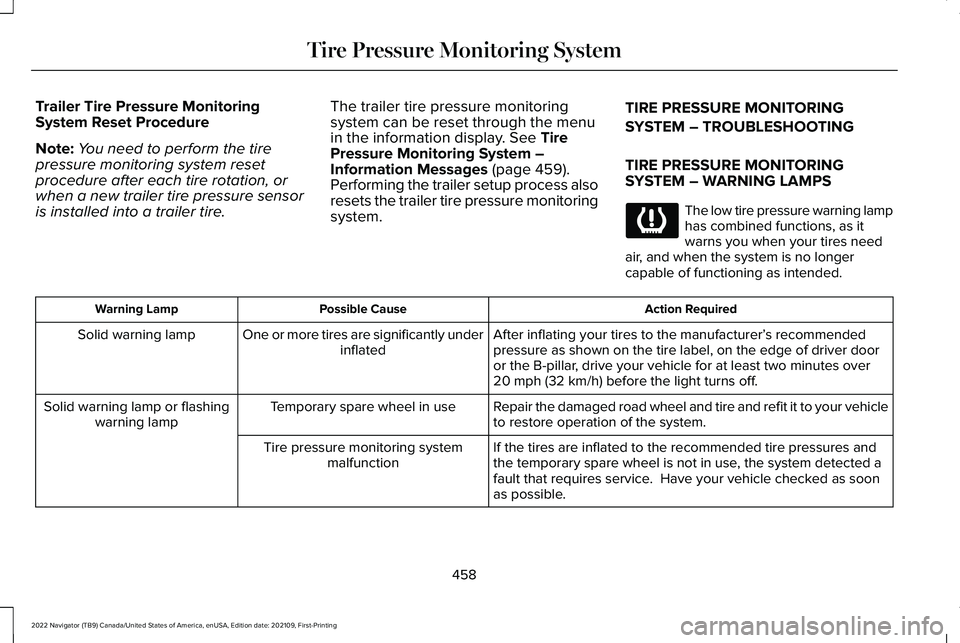
SYSTEM – WARNING LAMPS The low tire pressure warning lamp
has combined functions, as it
warns you when your tires need
air, and when the system is no longer
capable of functioning as intended. Action Required
Possible Cause
Warning Lamp
After inflating your tires to the manufacturer’s recommended
pressure as shown on the tire label, on the edge of driver door
or the B-pillar, drive your vehicle for at least two minutes over
20 mph (32 km/h)
before the light turns off.
One or more tires are significantly under
inflated
Solid warning lamp
Repair the damaged road wheel and tire and refit it to your vehicle
to restore operation of the system.
Temporary spare wheel in use
Solid warning lamp or flashing
warning lamp
If the tires are inflated to the recommended tire pressures and
the temporary spare wheel is not in use, the system detected a
fault that requires service. Have your vehicle checked as soon
as possible.
Tire pressure monitoring system
malfunction
458
2022 Navigator (TB9) Canada/United States of America, enUSA, Edition date: 202109, First-Printing Tire Pressure Monitoring System
Page 628 of 646
Enabling Apps on an Android
Device............................................................513
Enabling Apps on an iOS Device..............513
Enabling or Disabling Personal Profiles..........................................................516
Enabling Remote Start.................................155
End User License Agreement...................578
Engine Air Filter............................................422
Changing the Engine Air Filter........................422
Engine Block Heater
...................................202
Engine Block Heater Precautions..................202
How Does the Engine Block Heater
Work..................................................................202
Using the Engine Block Heater......................203
Engine Coolant Temperature Gauge.......143
Engine Oil Capacity and Specification.................................................471
Engine Oil
........................................................417
Adding Engine Oil...............................................417
Checking the Engine Oil Level.........................417
Engine Oil Capacity and Specification...........418
Engine Oil Dipstick Overview...........................417
Resetting the Engine Oil Change
Reminder...........................................................418
Engine Oil Pressure Gauge........................143
Engine Specifications
..................................469
Entering a Parallel Parking Space...........266 Entering a Perpendicular Parking
Space............................................................266
Evasive Steering Assist
...............................326
Evasive Steering Assist Limitations...............327
Switching Evasive Steering Assist On and
Off......................................................................327
What Is Evasive Steering Assist......................
326
Event Data
........................................................26
Exiting a Parking Space..............................267
Export Unique Options
...............................609
Extending the Remote Start Duration........................................................156
Exterior Bulbs
................................................428
Exterior Bulb Specification Chart...................428
Exterior Lamps
...............................................122
Exterior Lamp Audible Warning.......................123
Exterior Lamp Indicators....................................123
Switching the Daytime Running Lamps On
and Off...............................................................122
Switching the Front Fog Lamps On and Off.......................................................................123
Switching the Turn Signal Lamps On and Off.......................................................................122
Switching Welcome Lighting On and Off.......................................................................123
Exterior Lighting Control.............................120
Exterior Lighting
............................................120
Adaptive Front Lighting.....................................129 Autolamps..............................................................121
Automatic High Beam Control.........................123
Automatic High Beam Control –
Troubleshooting..............................................126
Exterior Lamps.....................................................122
Glare Free Lighting.............................................126
Glare Free Lighting – Troubleshooting.........129
Headlamps............................................................120
Headlamps – Troubleshooting.........................121
Exterior Mirrors...............................................137 Auto-Dimming Exterior Mirror..........................
138
F
Fastening and Unfastening the Seatbelts........................................................53
Feature Bar
....................................................502
Flat Tire See: Changing a Flat Tire..................................461
Floor Mats
......................................................388
Folding the Exterior Mirrors........................137
Foot Pedals See: Adjusting the Pedals..................................113
Four-Wheel Drive Driving Hints................226 Driving In Sand....................................................227
Driving on Hilly or Sloping Terrain.................228
Driving on Snow and Ice..................................228
Driving Through Mud and Water....................227
624
2022 Navigator (TB9) Canada/United States of America, enUSA, Edition date: 202109, First-Printing Index