remove seats LINCOLN NAVIGATOR 2023 User Guide
[x] Cancel search | Manufacturer: LINCOLN, Model Year: 2023, Model line: NAVIGATOR, Model: LINCOLN NAVIGATOR 2023Pages: 660, PDF Size: 14.04 MB
Page 183 of 660
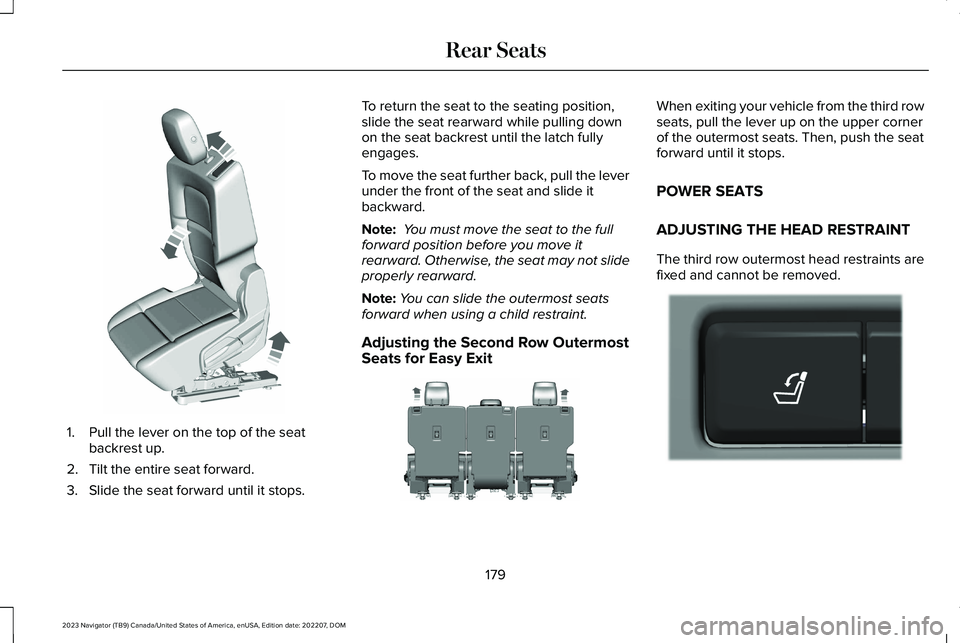
1.Pull the lever on the top of the seatbackrest up.
2.Tilt the entire seat forward.
3.Slide the seat forward until it stops.
To return the seat to the seating position,slide the seat rearward while pulling downon the seat backrest until the latch fullyengages.
To move the seat further back, pull the leverunder the front of the seat and slide itbackward.
Note: You must move the seat to the fullforward position before you move itrearward. Otherwise, the seat may not slideproperly rearward.
Note:You can slide the outermost seatsforward when using a child restraint.
Adjusting the Second Row OutermostSeats for Easy Exit
When exiting your vehicle from the third rowseats, pull the lever up on the upper cornerof the outermost seats. Then, push the seatforward until it stops.
POWER SEATS
ADJUSTING THE HEAD RESTRAINT
The third row outermost head restraints arefixed and cannot be removed.
179
2023 Navigator (TB9) Canada/United States of America, enUSA, Edition date: 202207, DOMRear SeatsE257686 E246708 E272543
Page 189 of 660
SWITCHING REAR OCCUPANT
ALERT SYSTEM ON AND OFF
1.Press Settings on the touchscreen.
2.Press Vehicle.
3.Switch Rear Occupant Alert on or off.
Note:The default setting is on.
Note:Performing a master reset causes thesystem to switch on again.
Semiannual Reminder (If Equipped)
When you switch the system off, a messageappears every six months as a reminder thatthe system is off. You can switch the systemback on or leave it off.
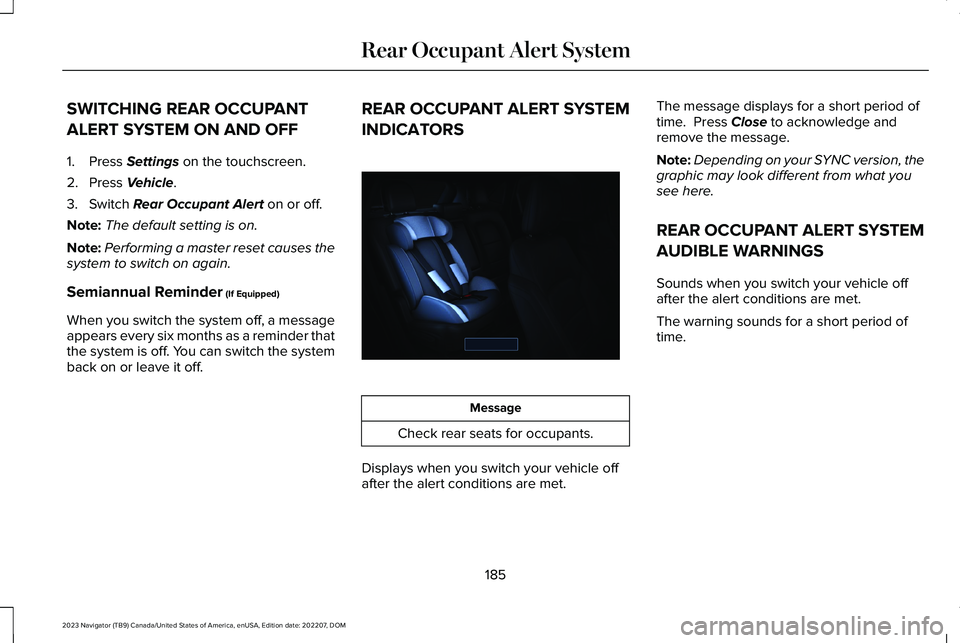
REAR OCCUPANT ALERT SYSTEM
INDICATORS
Message
Check rear seats for occupants.
Displays when you switch your vehicle offafter the alert conditions are met.
The message displays for a short period oftime. Press Close to acknowledge andremove the message.
Note:Depending on your SYNC version, thegraphic may look different from what yousee here.
REAR OCCUPANT ALERT SYSTEM
AUDIBLE WARNINGS
Sounds when you switch your vehicle offafter the alert conditions are met.
The warning sounds for a short period oftime.
185
2023 Navigator (TB9) Canada/United States of America, enUSA, Edition date: 202207, DOMRear Occupant Alert SystemE350472
Page 429 of 660
For longer, trouble-free operation, keep thetop of the battery clean and dry and thebattery cables tightly fastened to the batteryterminals. If any corrosion is present on thebattery or terminals, remove the cables fromthe terminals and clean with a wire brush. You can neutralize the acid with a solutionof baking soda and water.
We recommend that you disconnect thenegative battery cable terminal from thebattery if you plan to store your vehicle foran extended period.
Note:If you only disconnect the negativebattery cable terminal, make sure it isisolated or placed away from the batteryterminal to avoid unintended connection orarcing.
If you replace the battery make sure itmatches the electrical requirements of yourvehicle.
If you disconnect or replace the battery andyour vehicle has an automatic transmission,it must relearn its adaptive strategy. Becauseof this, the transmission may shift firmly whenfirst driven. This is normal operation whilethe transmission fully updates its operationto optimum shift feel.
Battery Sensor Reset
When you install a new battery, reset thebattery sensor by doing the following:
1.Switch the ignition on, and leave theengine off.
Note:Complete Steps 2 and 3 within 10seconds.
2.Flash the high beam headlamps fivetimes, ending with the high beams off.
3.Press and release the brake pedal threetimes.
The battery warning lamp flashes three timesto confirm that the reset is successful.
Battery Management System (If Equipped)
The system monitors battery conditions andtakes actions to extend battery life. Ifexcessive battery drain is detected, thesystem temporarily disables some electricalsystems to protect the battery.
Systems included are:
•Heated rear window.
•Heated seats.
•Climate control.
•Heated steering wheel.
•Audio unit.
•Navigation system.
A message may appear in the informationdisplay to alert you that battery protectionactions are active. This message is only fornotification that an action is taking place, andnot intended to indicate an electrical problemor that the battery requires replacement.
425
2023 Navigator (TB9) Canada/United States of America, enUSA, Edition date: 202207, DOMMaintenance
Page 437 of 660
Note: Do not use detergent or any type ofsolvent to clean the touchscreen.
CLEANING LEATHER AND VINYL
We recommend that you only clean theleather and vinyl surfaces in the followingway:
1.Remove dust and loose dirt with avacuum cleaner.
2.Wipe the surface with a soft, damp clothand a mild soap and water solution. Drythe area with a clean, soft cloth.
3.Make sure the leather is dry, then applya small amount of conditioner to a clean,dry cloth.
4.Rub the conditioner into the leather untilit disappears. Allow the conditioner todry, then repeat the process for the entireinterior. If a film appears, wipe it off witha dry, clean cloth.
5.For additional information and assistance,we recommend that you contact anauthorized dealer.
CLEANING FABRIC SEATS ANDHEADLINERS
WARNING: On vehicles equippedwith seat-mounted airbags, do not usechemical solvents or strong detergents.Such products could contaminate the sideairbag system and affect performance ofthe side airbag in a crash.
We recommend that you only clean the fabricseats and headliners in the following way:
1.Remove dust and loose dirt with avacuum cleaner.
2.Wipe the surface with a soft, damp clothand a mild soap and water solution. Drythe area with a clean, soft cloth.
3.For additional information and assistance,we recommend that you contact anauthorized dealer.
For heavy stains, spot clean the area. If a ringforms on the fabric, clean the entire areaimmediately, but do not oversaturate or thering could set.
CLEANING CARPETS AND FLOORMATS
We recommend that you only clean yourcarpets in the following way:
1.Remove dust and loose dirt with avacuum cleaner.
2.Wipe the surface with a soft, damp clothand a mild soap and water solution. Drythe area with a clean, soft cloth.
3.For additional information and assistance,we recommend that you contact anauthorized dealer.
For heavy stains, spot clean the area. If a ringforms on the fabric, clean the entire areaimmediately, but do not oversaturate or thering could set.
We recommend that you only clean yourfloor mats in the following way:
1.Remove dust and loose dirt with avacuum cleaner.
2.Wash rubber floor mats using mild soapand lukewarm or cold water.
3.Completely dry the floor mat beforeplacing them back in your vehicle.
433
2023 Navigator (TB9) Canada/United States of America, enUSA, Edition date: 202207, DOMVehicle Care